www.crystalgraphics.com CrystalGraphics
  • Ultimate Combo
  • Templates
  • Diagrams
  • Characters
  • Quizzes
  • shopping cart
  • Sign Out Sign Out Sign In
Home > Templates > Boat > Tug Boat Category
search icon
advanced icon

68 Best Tug Boat-Themed Templates for PowerPoint and Google Slides

CrystalGraphics creates templates designed to make even average presentations look incredible. Below you’ll see thumbnail sized previews of the title slides of a few of our 68 best tug boat templates for PowerPoint and Google Slides. The text you’ll see in in those slides is just example text. The tug boat-related image or video you’ll see in the background of each title slide is designed to help you set the stage for your tug boat-related topics and it is included with that template. In addition to the title slides, each of our templates comes with 17 additional slide layouts that you can use to create an unlimited number of presentation slides with your own added text and images. And every template is available in both widescreen and standard formats. With over 6 million presentation templates available for you to choose from, CrystalGraphics is the award-winning provider of the world’s largest collection of templates for PowerPoint and Google Slides. So, take your time and look around. You’ll like what you see! Whether you want 1 great template or an ongoing subscription, we've got affordable purchasing options and 24/7 download access to fit your needs. Thanks to our unbeatable combination of quality, selection and unique customization options, CrystalGraphics is the company you can count on for your presentation enhancement needs. Just ask any of our thousands of satisfied customers from virtually every leading company around the world. They love our products. We think you will, too!

Features & Pricing

Widescreen (16:9) Presentation Templates. Change size...

 Presentation with tug boat - Colorful slides enhanced with tug boat - tugboat towing container ship freighter backdrop and a wine colored foreground

Tugboat Towing Container Ship Freighter

As you embark on your project, imagine yourself standing on the dock, surrounded by a bustling harbor teeming with activity tugboats towing massive container ships through the icy waters of the Elbe River. The sound of engines roaring to life and cargo being lifted onto ships fills the air as you take in the vibrant scene before you. The Wide Title template is designed specifically for creating stunning presentations that capture attention and inspire your audience. With its Dark Goldenrod color palette, this template features a rich and sophisticated design that exudes high quality graphics and images. Featuring a prominent container ship docked in the background, along with intricate details of tugboats navigating through the harbor, this template is perfect for displaying dynamic graphics and adding depth to your slides. The Widescreen format ensures that every detail, from the sleek lines of the ships to the intricacies of the tugboat's engine room, is perfectly preserved and displayed in stunning high resolution. The template's compatibility with Google Slides makes it an ideal choice for those looking to create seamless presentations that integrate seamlessly into their digital environment. For a truly immersive experience, consider showcasing your project on a 16:9 aspect ratio background think of a beautifully crafted harbor scene at sunset, with the tugboats and ships blending together in perfect harmony. The template is downloadable and compatible with Google Slides, ensuring that you can easily incorporate it into your presentations and share them with others. The template's Dark Goldenrod color palette provides an excellent backdrop for high resolution images, such as those featuring traditional German landmarks or iconic symbols of the region. When incorporating a Background With subtle texture effects to enhance the visual interest of the image, you can create stunning visuals that showcase the vibrant culture and rich heritage of Elbe River. For instance, a slide titled "Welcome to Hamburg" could feature high resolution images of the city's iconic harbor, along with impressive graphics highlighting its rich history and cultural significance. Having a Theme of showcasing Germany's maritime prowess, this template is ideal for presentations about container ships, tugboats, and the importance of trade routes. The template also includes a Member Bio Layout slide that highlights key team members involved in creating this presentation think of a stunning collage featuring images of the designer, developer, and other

 Presentation with tug boat - Amazing slides having tug boat - tough little tugboat seen backdrop and a ocean colored foreground

Tough Tugboat Seen Above.

The thrill of unleashing your inner maritime master as you dive into the world of high stakes tugboat action. Imagine yourself standing on the bridge of a rugged little tugboat, surrounded by the raw power and untamed beauty of the sea. This design is tailored for a Widescreen presentation with steel blue undertones that evoke a sense of industrial strength and unyielding determination perfect for those who crave excitement and adrenaline fueled visuals. The template is formatted to showcase 16:9 proportions, giving it a dramatic and cinematic feel that's sure to captivate your audience. This high resolution image rich background features a gritty, hand drawn aesthetic reminiscent of classic nautical prints, with bold lines, distressed textures, and a hint of smoky haze all of which come together to create an immersive experience. Whether you're featuring the majestic shape of a tugboat or including a dramatic aerial shot of the ocean at sunset, this template is sure to deliver. The template's keyword rich design lends itself perfectly to showcasing the best of aerial footage, from low flying planes and helicopter shots to dramatic, sweeping vistas of coastline and water all of which will be Enhanced With a Theme of rugged terrain and turbulent waters. And with four How To slides at the start of your deck, you'll have everything you need to get up and running quickly and efficiently, featuring clear instructions for any audience member, Including a Background With seamless transitions between slides, having a theme of polished professionalism, and being perfectly compatible with Google Slides.

 Presentation with tug boat - PPT theme featuring view of steamship and tug background and a light gray colored foreground

Old View Steamship Tug Sailing

Imagine standing in front of a majestic steamship and tug sailing down the Mississippi River, surrounded by a warm golden light that evokes a sense of nostalgia and timelessness. This is what you can expect from the Wide Title template provided by CrystalGraphics, which will transport your presentations to an immersive historical setting that exudes elegance and sophistication. This template features a Widescreen format that perfectly captures the grandeur of America's past, with high resolution images for the background that will make your slides look stunning on any screen. The template is built around a rich Tan color palette that evokes the warmth and depth of a bygone era, while incorporating navy blue accents to give it a sense of continuity. This template is not just limited to the visual aspects; its Keywords tag includes "navy", "tug", "historical", "ship", and "America" giving you a clear idea of what this template is all about. The Widescreen format ensures that your presentation looks fantastic on any device, making it an ideal choice for Google Slides users. The template also includes 4 How To slides at the start of the deck to help you get up and running quickly, with features like "Including a Background With" and "Enhanced With" capabilities. These slides offer valuable tips and tricks to ensure that your presentation is smooth and engaging from the very beginning. This template would be perfect for anyone looking to create a stunning historical inspired presentation, such as a lecture or training session on maritime history or navigation techniques. With its rich design, high quality images, and customizable features, this template will transport you and your audience back in time to an era of grandeur and adventure.

 Presentation with tug boat - Slide deck having cargo ship and tug boat background and a light blue colored foreground

Cargo Ship Tug Boat Port

As you set sail into the world of corporate presentation design, imagine yourself standing on the docks, surrounded by the bustling activity of cargo ships and tug boats as they navigate through the harbor. The sound of waves gently lapping against the hulls is accompanied by the hum of engines and the chatter of sailors, all blending together to create a dynamic and engaging atmosphere that will leave your audience in awe. The Corner Title template is designed to deliver just that a compelling visual narrative that sets the tone for your presentation. This Widescreen format features stunning high resolution images of cargo ships and tug boats at play, perfectly capturing the essence of the harbor scene. The Light Steel Blue color palette provides a clean and professional backdrop, while the accompanying keywords breakwater, freight, rope, tug, harbor give a nod to the maritime theme that defines this template. The template is designed to be downloadable and compatible with Google Slides, making it easy to integrate into your presentation workflow. As you explore the 4 How To slides at the start of the deck, you'll discover key features such as showcasing stunning high resolution images, providing seamless integration with other templates, and offering a customizable layout that will allow you to tailor your presentation to your specific needs. For example, you could use this template on a slide that presents an overview of your company's progress towards achieving its growth objectives Featuring a dramatic shot of the harbor at sunset, with the tug boat in the foreground, would perfectly capture the essence of your message. Alternatively, you could include a background image of a cargo ship arriving at the port, complete with rope and breakwater, to create a visually striking display that highlights your key points.

 Presentation with tug boat - Slide set consisting of tug boat - two tugboats in the port background and a ocean colored foreground

Two Tugboats Port Batumi Sunset,

As you enter the world of productivity with CrystalGraphics' Sidebar Title template, you'll be transported to the bustling port city of Batumi in Georgia, where the sound of seagulls and the smell of saltwater fill the air. The warm tones of Burly Wood Colored will transport you to this commercial hub, inspired by the iconic harbour that serves as a gateway for international trade. This high resolution Widescreen template is designed to enhance your presentation's visual impact, featuring four How To slides at the start of the deck to help you get up and running quickly. TheSidebar Title template boasts a rich background with textures reminiscent of wooden planks, adding depth and character to your slides. The Burly Wood Colored palette provides a natural and earthy tone that complements the harbour theme perfectly. This download compatible template is suitable for Google Slides users, making it easy to incorporate into your existing presentation setup. As you explore this engaging Sidebar Title template, you'll notice the Arrow Stages Layout slide, which features a clean and modern design that will help you organize your content with ease. By including a background with a subtle texture, and having a theme of enhancing visuals, you can create a professional looking presentation in no time.

 Presentation with tug boat - Beautiful presentation design featuring large-crude-oil-tanker-ship backdrop and a gray colored foreground

Crude Oil Tanker Ship Pumping

As you embark on your project, you'll notice that the Split Title template provided by CrystalGraphics is more than just another design option. Its unique blend of form and function makes it an ideal choice for creating high end presentations that truly stand out. This template features a rich tan color palette, complemented by high resolution images that bring your content to life. The Split Title template is designed in widescreen format, making it perfect for showcasing multiple elements on the screen at once. The tan color palette provides a warm and inviting background for adding more colors or graphics using the "Tan" keyword. To make things even easier, the template includes four How To slides that will have you up and running quickly. The Quotation Layout slide is particularly useful when you want to feature a specific section of your presentation as a standalone unit. For example, you could include a background image with a quote about oil tankers or shipping, accompanied by a detailed description in the main text area. This type of layout can enhance the overall message and impact of your presentation. As you delve into the world of Googel Slides templates, remember that each template comes with its own unique theme and design elements. The Split Title template is a great starting point for creating visuals that are both informative and engaging.

 Presentation with tug boat - Beautiful theme featuring intense blue saturated color boat backdrop and a teal colored foreground

Busy Seaport Intense Blue Saturated

The bright blue waters of Rotterdam slowly lap against the shore, inviting you to explore its bustling seaport scene. As you immerse yourself in this captivating image, you're transported to the heart of Europe's economic powerhouse. The city comes alive with the hum of activity, as ships and boats glide effortlessly through the calm blue waters. This stunning template is designed for high resolution images that showcase the vibrant atmosphere of Rotterdam. With its light sky blue color palette, it provides a serene backdrop for your presentation, while the stacked layout ensures that critical information remains easily accessible. The template features container elements to keep all content organized and within view, making it perfect for complex presentations. Imagine featuring this seaport scene as the centerpiece of your slide deck, accompanied by high resolution images of bustling docks and cargo ships. Having a theme of presenting real world data or statistics, including a comparison with image layout could enhance the visual impact of this template. Including a background with a subtle gradient effect to give it depth, having a streamlined design that allows for easy navigation, could make this template an ideal choice for your slides.

 Presentation with tug boat - Slides enhanced with tug boat - tugboat sailing in the sea background and a light blue colored foreground

Tugboat Sailing Sea

As you step onto this spacious and inviting deck, the warm Light Steel Blue tone immediately captures your attention, evoking the feeling of sailing on a tranquil harbour. The wide sweep of the design invites you to embark on an adventure, with high resolution images for the background creating a sense of depth and movement. Featuring a striking tugboat in the foreground, this template embodies the theme of "big" in all its forms from the giant freight being hauled away to the mighty tug itself. The circular step layout adds a dynamic touch, allowing users to navigate through the deck with ease, while still maintaining a sense of cohesion and style. The Light Steel Blue color palette is both modern and timeless, making it an ideal choice for any presentation or slide show. This template is compatible with Google Slides, ensuring seamless integration into your digital workflow. As you begin your journey on this Widescreen format template, four how to slides will guide you through the process of getting up and running quickly. These introductory steps are designed to help you master the basics, setting the stage for a successful presentation or project.

 Presentation with tug boat - Cool new slide set with port by tug boat backdrop and a light gray colored foreground

Container Ship Being Brought Port

As you step into the world of PowerPoint templates, a sleek and modern design emerges, capturing your attention with its cutting edge features and seamless integration. The Corner Title template is the perfect starting point for your presentation, boasting a wide screen format that showcases high resolution images in every detail. This template is specifically designed to work with Google Slides, making it easy to import and customize as needed. The Light Steel Blue color palette provides a clean and sophisticated backdrop for your content, featuring a subtle gradient effect that enhances the overall look. The keywords "container," "import," "navy," "freight," and "tug" are strategically included throughout the template to give you a clear idea of its theme and purpose. This template is not just for showcasing a single image; it's designed to be enhanced with various features, such as a built in slide transition or animations. The 5 Stages Pentagon Layout can be seamlessly integrated into your presentation, providing a clear structure and organization that will keep your audience engaged. As an example, you could use this template as the foundation for a presentation about logistics, featuring high resolution images of container ships docked at ports like Southampton, England. With its sleek design, easy integration with Google Slides, and comprehensive features, Corner Title is the perfect choice for creating engaging presentations that will leave your audience impressed. Whether you're looking to showcase a single image or build upon it, this template has got you covered.

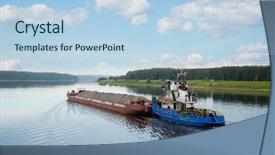
 Presentation with tug boat - PPT theme consisting of tug boat - river tugboat moves cargo barge background and a light blue colored foreground

River Tugboat Moves Cargo Barge

This attention grabbing opening sentence sets the tone for the presentation: "As you navigate through the winding waters of rural landscapes and rustic shorelines, you'll want to bring this idyllic scenery to life on your computer screen with our new scenic template." Our design name is River Tugboat Scene, featuring a stunning background image of a river tugboat moving cargo barge on the Volga river in the summer navigation. This high resolution image has been carefully crafted to transport you to a tranquil and peaceful environment, perfect for capturing the beauty of rural settings. The Light Blue color palette sets the tone for serenity and tranquility, while also providing enough contrast to make the images stand out. Our template is compatible with Google Slides, ensuring seamless integration with your presentation software. For those who prefer a more detailed look, our 6 Picture in Grid Layout slide will showcase a grid of six high resolution images that capture the essence of rural landscapes and tugboats. These images are sure to enhance the visual appeal of any presentation, including How To slides that demonstrate key navigation concepts. This River Tugboat Scene template is ideal for those who want to bring their passion for scenic design to life on their computer screen. With its unique blend of Light Blue color palette, rural landscapes, and tugboats, this template has everything you need to create visually stunning presentations that will leave your audience in awe.

 Presentation with tug boat - PPT layouts with tug boat - river tugboat moves cargo barge background and a light blue colored foreground

River Tugboat Moves Cargo Barge

As you delve into the world of presentation design, there's nothing quite like creating a template that captures the essence of a serene and mystical landscape the forest glade on a foggy summer morning. The Wide Title is a stunning representation of this tranquil scene, with its elegant font and sky blue color palette, evoking feelings of serenity and tranquility. The Widescreen format provides an immersive experience for your audience, putting them right in the midst of the forest's rugged beauty. With the High Resolution images featured throughout the template, you'll have ample opportunities to showcase stunning visuals that will leave a lasting impression on your viewers. As part of this rich design, the Sky Blue color palette is used extensively, adding depth and dimensionality to the entire aesthetic. From the misty dawn light filtering through the trees to the sparkling watercourse in the background, every element is carefully curated to create an immersive experience that draws the viewer in. Whether you're looking to enhance your presentation with a cohesive theme or simply want to add some visual interest, this template has got you covered. With its inclusion of a Background With a subtle gradient and texture effect, this design will give your slides an extra layer of sophistication and polish.

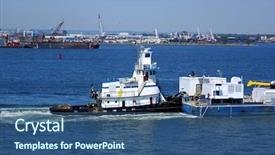
 Presentation with tug boat - Beautiful presentation theme featuring tug boat - towing a barge down backdrop and a gray colored foreground

Towing Barge Down Hudson River

The sun kissed summer days spent navigating the choppy waters of the Hudson River are a sight to behold. The tugboats glide effortlessly through the calm waters, their bright colors standing out against the steel blue backdrop like a scattering of diamonds on black velvet. As you approach the dock, the sound of seagulls fills the air and the salty scent wafts up from the water's edge, making your mouth water in anticipation. It's a scene that evokes a sense of power and freedom, and it's what this template is all about. This Wide Title template features a sleek and modern design that screams "technical" think high resolution images for the background, detailed charts, and precise typography. The Steel Blue color palette is a nod to the rugged, industrial feel of the tugboats and the river itself. Whether you're working on a presentation about shipbuilding, navigation, or simply wanting to add a touch of realism to your slides, this template has got you covered. The background image could be a dramatic representation of a tugboat in action perhaps featuring a close up shot of the engine room or the bow of the vessel. The Chart with Caption Layout slide would include a detailed chart of the Hudson River's currents and waters, complete with labels and annotations to help viewers understand the data. For example, you could have a slide titled "River Depth at 5pm" that includes a line graph showing the depth of the water throughout the day. You could also include a slide titled "Tugboat Speeds for Different Conditions" that shows how different tugboats perform under various conditions. As you start to get your slides up and running, you'll notice that this template is designed with ease of use in mind featuring a helpful How To section at the start of each deck to ensure you're getting the most out of your presentation. Having a theme of high resolution images throughout the template will make it easy to import new ones into Google Slides, and including background images with intricate details will enhance the overall visual impact of your slides.

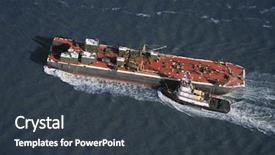
 Presentation with tug boat - Beautiful theme featuring tug boat - aerial view of tugboat pushing backdrop and a tawny brown colored foreground

Aerial View Tugboat Pushing Tanker.

As you begin to explore the world of PowerPoint templates, it's time to take your presentations to new heights with the Split Title template designed specifically for tugboats and harbors, a unique blend of dark slate gray design and high resolution images that will leave your audience in awe. The Split Title template is available as a downloadable resource, compatible with Google Slides and featuring a seamless integration with other Microsoft Office applications. This template is perfect for anyone looking to add a touch of drama and excitement to their slides, from towing industry professionals to city planners. The Dark Slate Gray color palette provides a dramatic backdrop for the high resolution images that make up the majority of the template. These images, ranging in style from industrial machinery to scenic coastal views, are sure to feature prominently on your slides and enhance the overall visual impact. With its unique blend of modern and traditional design elements, this template is perfect for those who want to stand out from the crowd. The Split Title template is a great starting point for any presentation that requires a sense of momentum and energy. By incorporating features like a background with a dynamic image or having a theme of enhancing your slides with 5 high resolution images, you'll be able to create visually stunning presentations that leave a lasting impression on your audience. In the world of PowerPoint templates, there are four key steps to getting started quickly: how to slides at the beginning of the deck to help you get up and running, Stages Pentagon Layout that provides a clear structure for your presentation, Backgrounds that feature 5 high resolution images that add depth and interest, and finally, Themes that enhance your slides with dynamic elements. By using these templates as a starting point, you'll be able to create presentations that are both visually stunning and engaging.

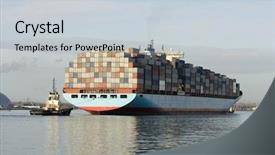
 Presentation with tug boat - Slide deck consisting of port by tug boat background and a lemonade colored foreground

Container Ship Being Brought Port

As you begin your journey to create stunning presentations with CrystalGraphics' Corner Title template, imagine yourself standing on the deck of a majestic container ship, surrounded by the bustling activity of tug boats bringing in cargo from Southampton, England. The warm light of high resolution images for the background shines down upon you, transporting you to a world of sleek designs and sophisticated layouts. This template is designed to be a versatile companion for your presentations, featuring a Light Blue color palette that exudes calmness and serenity. The Container ship being brought into port by tug boats evokes a sense of movement and energy, perfectly capturing the essence of this iconic image. As you explore the template's features, you'll discover a range of keywords that will enhance your presentation, including "container", "import", "navy", "freight", and "tug". These words are carefully woven throughout the design to create a cohesive and engaging visual identity. The template is downloadable and compatible with Google Slides, making it easy to import into your favorite presentation software. Its high resolution images for the background ensure that your presentation looks professional and polished from start to finish. The Light Blue color palette provides a clean and neutral backdrop for showcasing your content, while the 5 P's of Marketing Diagram Layout slide will help you create a visually appealing and effective design. As you work with this template, remember to "Feature" high quality images that showcase your brand's personality and style. Include a Background With bold typography and vibrant colors to make your presentation stand out. Having a Theme of sophistication and elegance will ensure that your presentation is enhanced with visual interest and attention grabbing elements. And when it comes to creating an Enhanced With seamless transition between slides, the template's intuitive design makes

 Presentation with tug boat - Slides featuring tug boat - cargo ship in industrial port background and a light blue colored foreground

Cargo Ship Industrial Port

Imagine arriving at a bustling industrial port in the evening, as the cargo ship sets sail into the horizon with its crew on board, the sound of seagulls fills the air and the smell of saltwater wafts through the city's bustling streets. This is what you can expect to see when you use this template, featuring a stunning high resolution image of a freight tug navigating through the harbor. This template is designed for users who want to visualize their ideas in a powerful and engaging way. It is a versatile design that can be used for anything from illustrating a city's infrastructure to showcasing a container shipping company's operations. The Light Steel Blue color palette provides a clean and modern look, while the accompanying keywords container, city, freight, tug, harbor help users quickly identify what each element represents. The template comes with 4 How To slides at the start of the deck, which will guide you through getting started quickly. This could include slides such as "Getting Started" or "Customizing Your Template", and we encourage you to use these slides to set up your presentation smoothly. The theme is centered around illustrating complex concepts in an easy to understand manner, with features like Enhanced Backgrounds and Having a Theme of Industrial Port that will help users visualize the key elements of the template. For example, this template could be used to illustrate how a cargo ship navigates through the harbor, featuring high resolution images of freight tugs maneuvering into place. With the 3 Step Funnel Layout slide, users can see at a glance what each step entails Finding Information, Organizing Content, and Presenting Results. This design is ideal for presentations that require a lot of visual information to be presented in a clear and concise manner, making it an excellent choice for any audience familiar with the 3 Step Funnel Layout.

 Presentation with tug boat - PPT theme featuring tug boat - tugboat background and a  colored foreground

Tugboat

The tugboat of productivity is about to set sail on a journey of ease and efficiency. Corner Title is here to help you navigate the waters of presentation creation with its sleek Widescreen format that will leave your audience in awe. Featuring a stunning Cornflower Blue color palette, this template is the perfect companion for your new project. With a focus on simplicity and elegance, it's designed to enhance your message and make a lasting impression. The template includes 4 How To slides at the start of the deck to help you get up and running quickly, so you can dive into creating your own unique presentation. The Corner Title logo is built around the theme of industry icons like tugboats, barges, and flatboats, which are all featured prominently throughout the template. You'll have a Theme of "High Resolution Images" in mind from day one, featuring 4x4 high resolution images for the background that will showcase your brand identity. On the 3 x 3 Org Chart Layout slide, you'll see a clear call to action to take your new project to the next level. This layout is designed to be visually appealing and easy to understand, making it an ideal starting point for any presentation or meeting. By featuring the Coring Title logo on every single page of this template, you're creating a lasting impression that will leave a strong first impression on your audience. The Cornflower Blue color palette adds a touch of sophistication and elegance, while the 3 x 3 Org Chart Layout slide provides clear guidance for getting started with your presentation.

 Presentation with tug boat - Presentation theme featuring gold edam cheese sliced on wooden platter with olives and tomato isolated over white background background and a lemonade colored foreground

Passenger Ferry Cargo Cruise Liner

Imagine being transported to the bustling harbour of a commercial vessel, surrounded by the hum of activity as passenger ferries make their way across the water. The warm light of high resolution images shines down from above, casting a golden glow on the sleek lines and massive engines of the ships. As you step into this digital world, you'll find yourself in control of your very own container harbour based cargo cruise liner on sea. The Wide Title design is perfect for those looking to make a statement with their PowerPoint presentation. This template format brings a touch of modern sophistication to any slide deck, while its Widescreen aspect ratio ensures that every detail is crisp and clear. The Light Coral color palette provides a bright and inviting background that will enhance the imagery and add a pop of color to your slides. This template is sure to inspire creativity and showcase your expertise in commercial vessels. Its keywords, featuring big, harbour, container, motorboat, are all high resolution images that you can include on the slide deck itself, providing an immersive experience for your audience. By including these elements, you'll be able to enhance the theme of your presentation with authentic imagery. With its AIDA block layout, you can divide your slides into four key sections to keep your audience engaged and interested. The Introduction will grab their attention with a dramatic title slide, followed by the Problem Solution section where you clearly explain the importance of this template in your PowerPoint presentation. Next comes the Solution section, where you showcase how the Wide Title design works perfectly for commercial vessels. Finally, you'll conclude with a Call to Action that encourages them to download and use the template themselves. What if we were to include high resolution images of passenger ferries on the slide deck itself? That way, your audience can experience the sights and sounds of these magnificent vessels up close, making your presentation truly immersive. The Wide Title design is the perfect way to create this experience, with its sleek lines and vibrant colours sure to captivate even the most discerning viewer. By using this template for your PowerPoint presentation, you'll be sure to make a lasting impression on your audience.

 Presentation with tug boat - PPT theme consisting of tug boat - europe migrant crisis sign background and a light blue colored foreground

Europe Migrant Crisis Sign Sky

The cries of desperation echoing through Europe's streets as migrants and refugees make their desperate bid for asylum. A stark contrast to the serene European landscape, but one that is starkly revealed in this striking visuals by CrystalGraphics, showcasing a vibrant distressing sky with waves crashing against the shore, a powerful symbol of hopelessness and struggle. In Split Title, the distressed look dominates the Widescreen template, set amidst a warm Khaki background that exudes a sense of calm. This high resolution image is sure to grab your attention, while also highlighting the contrast between the harsh reality and the hope that we all wish to see. Including a Background With subtle textures adds depth to this visual, providing an immersive experience for your audience. The Stairs Layout slide takes center stage in Split Title, featuring a thought provoking image of migrants attempting to climb up a makeshift ladder towards safety. Having a Theme of resilience and hope, this is the perfect illustration of what it's all about, with each step representing the journey that we wish these individuals would have. The distressed images are not just for show; they're an integral part of creating a powerful visual identity for Split Title. Featuring our beautiful distressed textures throughout the template will enhance its overall feel and style, making it stand out from the crowd. From high resolution backgrounds to visually striking titles, everything about Split Title screams "this is going to be good".

 Presentation with tug boat - Audience pleasing slide deck consisting of tug boat with alcatraz backdrop and a light blue colored foreground

Tug Boat Alcatraz Foregroung

Slide deck consisting of tug boat with alcatraz in the foregroung backdrop

 Presentation with tug boat - PPT theme having tug boat - tough little tugboat background and a ocean colored foreground

Tough Tugboat.

PPT theme having tough little tugboat

 Presentation with tug boat - Theme having tug boat helps to maneuver background and a light blue colored foreground

Tug Boat Helps Maneuver Ship

Theme having tug boat helps to maneuver the ship in port background

▼Key features of this template

  • They are compatible with both PowerPoint and Google Slides running on either Windows PCs or Macs.

  • They are available in both standard and widescreen slide formats. You can choose your preferred format by clicking on the "Widescreen" check box or icon.

  • Each template includes a beautiful high-resolution background image or video to visually reinforce the theme of your presentation.

  • In addition, each template includes designer-created graphics and modern fonts to give your presentations an up-to-date, professional look.

  • Each template's default design and title text position have been carefully selected to complement its background without covering faces or other key elements.

  • All text includes backdrops whose transparency level is mathematically calculated to maximize text readability while still allowing the background to be seen.

  • And all the text, text backdrops and graphics in every slide are colored with a palette designed to beautifully complement the colors in the background.

  • Our Premium templates (those with the descriptor “Premium” in their subtitle) include over 64 slide layouts to give you maximum flexibility as you create your presentations.

    • Those layouts are available to you whenever you create a new slide or when you want to change the layout of an existing slide.
    • They include everything you need to make all sorts of presentations. In addition to the layouts for the title slide and the usual title and content slide, they include many other layouts for slide types including table of contents slides, org charts, charts, diagrams, infographics, photo slides, thank you slides and more.
    • While creating these layouts our template designers have ensured that all text in every layout adjusts as gracefully as possible to various numbers of words.
  • Customizable templates (those with the descriptor “Customizable” in their subtitle) may be easily modified online before you download them.

    • To modify them, simply click on the pencil editing icon, then select your choice of ready to go designs and title text positions.
    • The editing tool also makes it easy to reposition and scale the background image or video to best suit your needs.

▼FAQs

Please review these FAQs to see if your question is answered. Contact us for more info

  • What is a PowerPoint template?

    • A well designed PowerPoint template is a file that can tell PowerPoint how to make your ordinary templates look extraordinary. They won’t change what your words or numbers say. But they might change their size, color, font and placement. And, overall, they can give your presentations a professionally-designed look that will give your content more credibility and give you more confidence.
  • How many PowerPoint templates do you offer?

    • We have over 32,000 artist-created presentation templates in our PowerPlugs collection With a subscription, PowerPlugs templates are easy to download. Just sign in, find a template and click on the green Download button. ready for you to download. That alone offers you more variety to choose from than any of our competitors can offer. And, as if that weren’t enough, we also offer over 6 million templates in our Crystal collection. Crystal brand templates are our line of templates that have customization options. They have the word "CRYSTAL" on their web page images. You can customize several aspects of the templates. These templates include high-resolution background images from Shutterstock’s vast image collection matched up with artist-created presentation designs customized by our own proprietary AI software.
  • How many templates can I download as a subscriber?

    • You can download an unlimited number of PowerPlugs-brand With a subscription, PowerPlugs templates are easy to download. Just sign in, find a template and click on the green Download button. templates every day for an entire year. (Actually, by default, we set a limit of 25 templates per day to prevent our competitors from stealing our templates. But, if that is not enough, just let us know and we’ll try to accommodate you.) On top of that, with a subscription or an Ultimate Combo, you can also download any 50 Crystal-brand Crystal brand templates are our line of templates that have customization options. They have the word "CRYSTAL" on their web page images. You can customize several aspects of the templates. templates per year selected from our huge Crystal collection. Crystal brand templates are our line of templates that have customization options. They have the word "CRYSTAL" on their web page images. You can customize several aspects of the templates. .
  • Why should I choose your templates instead of the competition’s?

    • We’ve got a larger selection of professionally-designed PowerPoint templates than anyone else in the world.
    • Each template includes a high-resolution background image or video to visually inspire your audiences while reinforcing your message.
    • Each template includes 64 slide layouts to give you maximum flexibility as you create your presentations.
    • Our templates are available in both standard and widescreen slide formats. And our website lets you preview the slides each way.
    • Our free Template Finder™ plugin lets subscribers select and - with a single click - download and insert our templates into their presentations right from within PowerPoint.
    • We’ve been creating designer presentation templates for over 20 years. During that time we’ve won several awards and 5-star ratings for product quality. See About Us for more.
  • Do you offer a money-back guarantee?

    • Yes we do! We offer full 30-day money-back guarantee if you are not 100% satisfied with your purchase.
  • Can I still use my downloaded templates after my subscription runs out?

    • Yes. After your subscription expires, you won't lose any rights or ability to use your PowerPlugs: Templates for PowerPoint. You won't be able to download any new non-watermarked templates. But the non-watermarked templates you've already downloaded will still work and you can still use them as before.
  • Can I share my downloaded templates or passwords with friends or coworkers?

    • Sorry but no. You are authorized to download each paid-for template to up to 3 of your personal devices and to use the templates you download in as many presentations as you want. But you are not authorized to share the templates, themselves, with others. That said, we do offer highly discounted site licenses to suit the needs of both small and large teams. Just tell us your needs and we’ll give you a quote!
  • System requirements:

    • The templates use the standard POTX format. So they are compatible with Google Slides and all PC, Mac and mobile devices running any version of PowerPoint from PowerPoint 2007 up through and including Office 365 desktop.
    • Please note: Google Slides does not currently support background videos. It treats them as still images.
    • For PowerPoint for the Web, first open your template into a desktop version of PowerPoint, then save it back out as a PPTX file. Then you can open that in PowerPoint for the Web.
  • End user license agreement:

    • Click here to view.
  • How will I get my purchased templates?

    • You may download your selected templates as soon as your payment is received by PayPal. If you purchased an individual template, you will be provided with a download link both onscreen and via email. Just click on that link to begin the download process. If you purchased a subscription, you will receive an email containing a password to use along with your email address to sign in to any of the templates pages on CrystalGraphics.com. Once you are signed in, you can immediately start downloading your selected templates.
  • How do I use my templates after I download them?

    • You can either open a template to start a new presentation or you can add a template to an existing presentation. To open a template, just double click on it or use PowerPoint's File > Open tool. To add a template to an existing presentation, on the Design tab, in the Themes group, click Browse for Themes... then browse to select your template.

View more Tug Boat templates:

previous 1 2 3 4 next
93% of Fortune 1000
companies use our
PowerPoint Products
Templates Secure

Standing Ovation Award
Winner: Best PowerPoint
Template Collection
Fortune Logos
200,000+ satisfied
customers worldwide!
Guarantee
100% satisfaction guaranteed
- or send it back for a refund!

Sign up for our free newsletter! You'll get news about our PowerPoint-enhancing product line – including free updates, new product announcements and exclusive special offers. Plus you'll get a link to a free PowerPoint template with every newsletter you receive.
Privacy Policy
Loading...


Help

Contact Us
Product FAQs
Product License Agreements

Company Info

About Us
Privacy Policy
CrystalGraphics, Inc. 1999 S. Bascom Avenue Suite 700 Campbell, CA 95008 USA
© 2025 CrystalGraphics, Inc. All rights Reserved.    |     PowerPlugs is a trademark of CrystalGraphics, Inc.
Microsoft and the PowerPoint logo are trademarks or registered trademarks of Microsoft Corporation in the United States and/or other countries.
Loading...
Loading...