www.crystalgraphics.com CrystalGraphics
  • Ultimate Combo
  • Templates
  • Diagrams
  • Characters
  • Quizzes
  • shopping cart
  • Sign Out Sign Out Sign In
Home > Templates > Twenties Category
search icon
advanced icon

60 Best Twenties-Themed Templates for PowerPoint and Google Slides

CrystalGraphics creates templates designed to make even average presentations look incredible. Below you’ll see thumbnail sized previews of the title slides of a few of our 60 best twenties templates for PowerPoint and Google Slides. The text you’ll see in in those slides is just example text. The twenties-related image or video you’ll see in the background of each title slide is designed to help you set the stage for your twenties-related topics and it is included with that template. In addition to the title slides, each of our templates comes with 17 additional slide layouts that you can use to create an unlimited number of presentation slides with your own added text and images. And every template is available in both widescreen and standard formats. With over 6 million presentation templates available for you to choose from, CrystalGraphics is the award-winning provider of the world’s largest collection of templates for PowerPoint and Google Slides. So, take your time and look around. You’ll like what you see! Whether you want 1 great template or an ongoing subscription, we've got affordable purchasing options and 24/7 download access to fit your needs. Thanks to our unbeatable combination of quality, selection and unique customization options, CrystalGraphics is the company you can count on for your presentation enhancement needs. Just ask any of our thousands of satisfied customers from virtually every leading company around the world. They love our products. We think you will, too!

Features & Pricing

Widescreen (16:9) Presentation Templates. Change size...
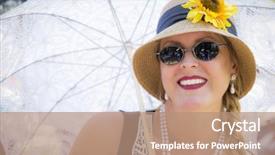
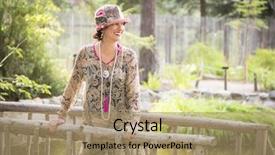
 Presentation with twenties - Amazing PPT theme having roaring twenties - beautiful 1920s dressed girl backdrop and a soft green colored foreground

Beautiful 1920s Dressed Girl Parasol

PPT theme having beautiful 1920s dressed girl with parasol and glass of wine portrait

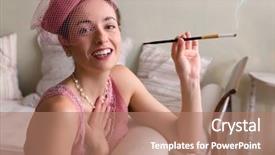
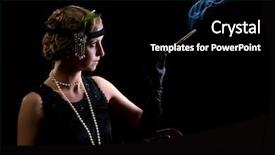
 Presentation with twenties - Colorful presentation theme enhanced with 1920s - cigarette smoking lady dressed backdrop and a black colored foreground

Cigarette Smoking Lady Dressed Flapper

The art of bringing a bygone era to life in the digital age can be truly captivating. Think back to the glamorous days of old Hollywood, when stars like Greta Garbo and Barbara Stanwyck reigned supreme on the silver screen. To transport your audience into this enchanting world, imagine a stunning flapper dress, adorned with intricate details and a subtle sheen that catches the eye. The overall aesthetic is one of opulence and sophistication, perfect for a makeup tutorial or a reenactment of a 1920s era event. For those who want to enhance their presentation, consider featuring high resolution images on this template, such as a beautifully styled portrait of a leading lady, complete with a vintage backdrop that adds depth and context. Having a theme of glamour and sophistication is key, so be sure to include a mix of stylish fashion items, luxurious accessories, and classic makeup looks in the content layout. The overall design aesthetic for this Corner Title template is one of high fashion flair, with a warm and inviting color palette that evokes the feeling of a bygone era. The use of saddle brown tones adds a sense of earthiness and natural elegance, making it easy to incorporate into your presentation. With its elegant curves and classic lines, this template is sure to turn heads and leave a lasting impression on your audience. One exciting feature of this template is that it's available for download as a high resolution image, ideal for use in PowerPoint presentations, social media, or any other digital platform where you need to showcase high quality visuals. Whether you're creating a tutorial for makeup enthusiasts or a presentation about fashion history, this Corner Title template is sure to impress.

 Presentation with twenties - Colorful slide set enhanced with 1920s - sepia image of a vintage backdrop and a tawny brown colored foreground

Sepia Image Vintage Twenties Lady

The art of recreating the glamour and sophistication of the Roaring Twenties has never been more accessible. Imagine yourself standing in front of a vintage photograph, surrounded by the opulence of the era, with every detail meticulously crafted to transport you back in time. This template is designed to capture that essence perfectly, featuring high resolution images throughout its download friendly format, including backgrounds with intricate details and realistic textures. The Wheat color palette provides a warm and inviting atmosphere, perfect for creating a cohesive look across all your slides. Upon opening the template, you'll notice the 4 How To slides at the beginning provide a straightforward roadmap to get started quickly. These slides cover essential topics such as setting up your presentation, adding a background with enhancing visual interest. The template includes several features that cater to different needs, including the ability to add custom text and include links to external websites. A five level pyramid layout slide will guide you through the creation process, providing an organized structure for organizing your thoughts and content. For instance, this slide could outline specific sections, such as 'Design Name', 'Template Format', 'Theme', and having a clear distinction between different types of slides. This layout is particularly useful when working on complex presentations, allowing you to visualize the structure before starting to build. This template is not just about presenting information; it's also about evoking emotions and sparking imagination. It can be used to create visually stunning makeup tutorials, as seen in an example featuring a vintage inspired woman applying intricate makeup looks with a lace fan in the background, all set against a warm Wheat color scheme.

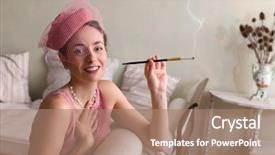
 Presentation with twenties - PPT layouts having 1920s - vintage twenties lady with cocktail background and a lemonade colored foreground

Vintage Twenties Lady Cocktail Lace

The art of reviving the Roaring Twenties is a timeless one, and with the Corner Title template from CrystalGraphics, you can bring that era to life in minutes. Imagine yourself standing in the midst of a grand ballroom, surrounded by the opulence and glamour of the 1920s. The Cornflower Blue color palette provides a soothing yet sophisticated backdrop for your creation, perfect for makeup tutorials, reenactments, or just showcasing your favorite vintage inspired looks. The template features high resolution images throughout, including intricate details like lace fans and ornate accessories. When it comes to design, the Corner Title template takes center stage with its bold, geometric shapes and delicate patterns. The Hexagon Layout slide is particularly stunning, featuring a collage of vintage advertisements, photographs, and illustrations that add a touch of nostalgia to your presentation. With four How To slides at the start of the deck, you'll be well equipped to get up and running quickly. For example, the "Setting Up Your Presentation" slide provides step by step instructions on how to customize the template, adding custom backgrounds or themes with ease. Another slide, "Creating Custom Graphics", allows you to include a background with your own images or illustrations, enhancing the overall look of your presentation. And if you're looking for something truly special, consider using the "Adding Text and Effects" slide to add interactive elements like animations or drop down menus. Whether you're a makeup artist, reenactor, or simply someone who loves vintage flair, this template is sure to impress.

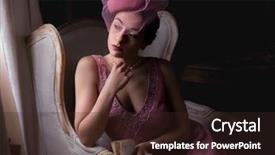
 Presentation with twenties - Colorful slide set enhanced with roaring twenties - attractive young woman in 1920s backdrop and a tawny brown colored foreground

Attractive Young Woman 1920s Flapper

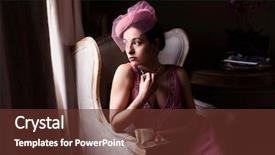
The spotlight is on you now as you step into the glamorous world of 1920s flapper culture, where women were free to express themselves and take center stage. In this corner title template designed for widescreen presentation, we present to you Corner Title a masterpiece that will transport your audience to the vibrant era of jazz and art deco. This stunning template features a medium violet red color palette that exudes sophistication and elegance, perfect for showcasing high resolution images of the iconic 1920s dress. The background image is an attractive illustration of a young woman sitting in a dark room near windows, with a clair obscur light effect that adds depth and drama to the scene. To enhance your presentation, include a high quality image from our extensive library featuring a striking portrait of a flapper girl, perhaps even one wearing this very same dress. This will give your audience an instant glimpse into the world of 1920s fashion and culture. The template is designed for widescreen presentation, making it ideal for use in Google Slides presentations, allowing you to showcase multiple images side by side with ease. The Arrowheads Layout slide is a great example of how we've incorporated this feature into our design, featuring a prominent image at the top of each slide that leads viewers seamlessly through your presentation. To get started quickly, don't forget to begin with four essential slides: Get Ready, How To Slides 1 4 (or whatever you choose), Slide 5 or 6 an optional extra slide for added flair.

 Presentation with twenties - Theme enhanced with roaring twenties - sensual 1920s woman in pink background and a coral colored foreground

Sensual 1920s Woman Pink Flapper

As you step into the vibrant world of the Roaring Twenties, imagine yourself in the presence of a sultry 1920s woman, lost in thought as she gazes out at the opulent surroundings. The warm glow of the setting sun casts a golden light on her elegant features, as if illuminated by the soft luminescence of a thousand candles. The Corner Title template is designed to transport you back in time to an era of glamour and sophistication, with its classic design elements and rich color palette perfectly capturing the essence of the 1920s. The template features a tan background that exudes warmth and comfort, while the various keywords such as "reenactment", "dress", and "caucasian" bring to mind images of flapper girls dancing the Charleston or sipping cocktails in a fancy speakeasy. The Corner Title template is available for download on Google Slides, with high resolution images included to enhance your presentation. The 1920s aesthetic is showcased through elegant typography, intricate patterns, and luxurious textures that evoke the opulence of the time period. Whether you're creating a historical reenactment or simply want to add a touch of vintage glamour to your slides, this template is sure to impress. As you begin to get up and running with the Corner Title template, keep in mind that it's accompanied by four How To slides that provide valuable tips and tricks for making the most of its features. These include "Mastering the Art of Background Enhancement", "Customizing Your Template Like a Pro", "Adding Depth and Dimension With Layering", and "Enhancing Your Presentation With Images". But don't worry, these steps are clearly outlined to help you get started quickly and confidently. On some slides, featuring high resolution images of flapper girls in glamorous evening gowns or sipping cocktails in a stylish speakeasy will give your presentation a more authentic feel. Having a theme of showcasing the 1920s lifestyle can be particularly effective when paired with various elements such as antique furniture, vintage accessories, and decadent desserts. Enhancing your presentation with images from the era adds an extra layer of depth and visual interest to the slides. Ultimately, the Corner Title template is designed to transport you

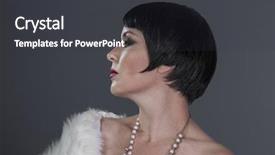
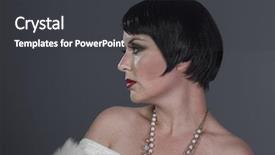
 Presentation with twenties - Slide set with roaring twenties - flapper 1920s style brunette dancer background and a dark gray colored foreground

Flapper 1920s Style Brunette Dancer

Slide set with flapper 1920s style brunette dancer with short hair and jewelry she is wearing a white hair shawl

 Presentation with twenties - Audience pleasing slide deck consisting of roaring twenties - goofy gentleman dressed in 1920s backdrop and a yellow colored foreground

Goofy Gentleman Dressed 1920s Era

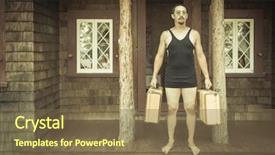
In a bygone era where elegance meets rugged sophistication, imagine strolling through a charming 1930s cabin nestled in the midst of lush greenery, surrounded by high resolution images that transport you to a world of timeless charm. This is where our Wide Title template shines, designed to evoke the carefree spirit of a bygone age. Featuring an inviting background with a warm olive color palette, this template is the perfect accompaniment to Google Slides. Comprising four How To slides at the start of your deck, you'll be up and running in no time, effortlessly navigating through the world of presentation design. For instance, starting with a "Thank You Layout" slide that showcases a beautiful image of a 1920s gentleman holding suitcases on a porch, surrounded by lush foliage, will set the tone for a successful presentation. This template is an enhanced blend of classic and modern elements, expertly combining features such as including a background with a vintage inspired design, having a theme of old fashioned elegance, and featuring high resolution images to bring your slides to life. With its seamless integration with Google Slides, this template ensures that you can create professional looking presentations without the need for additional software or expertise. The result is a template that exudes understated sophistication, perfect for presenting ideas or sharing information in a refined manner. Whether you're looking to evoke a sense of nostalgia or create a modern take on classic presentation design, this Wide Title template is an ideal choice.

 Presentation with twenties - Cool new PPT theme with mashed potatoes with spices and olive oil in white bowl on white concrete background top view or flat lay copy space backdrop and a coral colored foreground

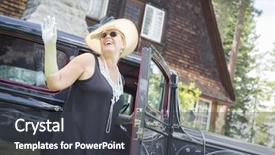
Attractive Young Woman Twenties Outfit

The art deco spirit of the 1920s and 1930s women's fashion is bringing back to life in this stunning Wide Title PowerPoint template designed for Google Slides. This template features high resolution images of antique automobiles and attractive young women from that era, creating a visually striking background that perfectly complements its Dark Khaki color palette. The template's design name "Wide Title" evokes the idea of a grand title, perfect for presentations about art deco fashion or vintage collectibles. This template is tailored to the 1920s and 1930s theme, with keywords like auto, collectible, woman, antique, and high resolution images that will transport your audience into the world of this bygone era. The Dark Khaki color scheme adds a touch of sophistication, making it suitable for presentations on art deco design, fashion, or any other topic that features vintage elements. Featuring intricate patterns, beaded details, and elegant typography, this template is sure to enhance any presentation with its classic, luxurious feel. The @ Pictures With Captions Layout slide can include images of antique cars, such as a 1920s roadster or a vintage automobile, accompanied by detailed descriptions that provide context for your audience. Including a Background With subtle textures and ornate designs will add depth and visual interest to the presentation. Having a Theme Of classic art deco design elements will make it an excellent choice for presentations featuring vintage inspired fashion, home decor, or car enthusiast groups. The template can be enhanced with additional graphics and images that showcase more of the 1920s and 1930s world, such as vintage advertisements, photographs of women in flapper dresses, or iconic cars from that era.

 Presentation with twenties - Beautiful slides featuring young attractive woman in twenties backdrop and a coral colored foreground

Young Attractive Woman Twenties Outfit

The art deco era is back in style with Corner Title, a stunning widescreen template that will transport your presentations to the vibrant 1930s. This design name perfectly captures the essence of the decade's glamour and sophistication, evoking images of flapper girls, jazz musicians, and stylish women sipping cocktails at speakeasies. Corner Title is a Burly Wood Colored template that exudes warmth and coziness, featuring high resolution images for the background that will add depth and texture to your slides. The theme is clear: it's all about embracing the beauty of the 1920s and 1930s, with its iconic styles, rich colors, and playful details. The template includes four How To slides at the start of the deck to help you get up and running quickly, but don't worry, they're not too complicated. The Thank You Layout slide is a great place to showcase your finished work, featuring a beautiful background image with a theme of "A Night Out" or "A Speakeasy". It's the perfect opportunity to highlight your creativity and attention to detail. This template is downloadable and compatible with Google Slides, making it easy to incorporate into your presentations. With its Burly Wood Colored color palette and high resolution images, Corner Title is sure to enhance any presentation, whether you're creating a business pitch or a social media campaign.

 Presentation with twenties - Slide set with roaring twenties - attractive young woman in 1920s background and a wine colored foreground

Attractive Young Woman 1920s Flapper

As you unlock the Corner Title template, imagine yourself transported to the vibrant world of 1920s flappers, where glamour and sophistication reign supreme. This stunning design is sure to elevate your presentation to new heights, featuring an eye catching centerpiece that draws the audience in with its captivating allure. The high resolution background images will transport viewers back in time, providing a rich visual context for the dress, makeup, and woman reenactment elements, all within the sleek and modern Crimson color palette. This template is downloadable and compatible with Google Slides, making it easy to integrate into your workflow. The Corner Title template is perfect for showcasing 1920s inspired beauty, featuring a high resolution image of an attractive young woman in a flapper dress sitting in front of a dark room near windows, bathed in a warm clair obscur light effect. The background features a subtle gradient, adding depth and dimension to the scene. The template's design is crafted with 4 How To slides at the start of the deck to help you get up and running quickly, but don't worry, we won't list them here. However, let's talk about the layout: on the Picture + Caption Layout slide, consider featuring a mix of high quality images, including a beautiful portrait, a close up shot of makeup, or even a dramatic photo of a woman in a formal gown. You can also include a few fun elements, such as a vintage style poster or a decorative background with subtle texture. The overall theme of the template is enhanced by its sleek and modern design, making it perfect for presentations that need to convey glamour, sophistication, and a touch of the past.

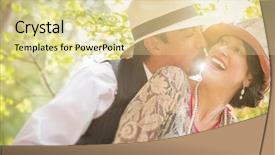
 Presentation with twenties - Beautiful slide set featuring roaring twenties - attractive 1920s dressed romantic couple backdrop and a blonde colored foreground

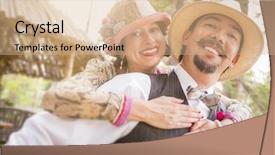
Attractive 1920s Dressed Romantic Couple

The art of capturing a 1930s couple in a romantic moment is a timeless tale that never fails to captivate audiences. Corner Title, the stunning wallpaper template from CrystalGraphics, takes you on a journey through the vibrant and lush world of the Roaring Twenties, where love and romance reign supreme. Corner Title features a richly detailed design reminiscent of vintage photographs, with high resolution images of elegant couples enjoying a romantic afternoon in a picturesque garden. The 1920s theme is prominent throughout, from the intricate floral patterns to the Art Deco inspired typography used for titles and headings. The background image is a perfect blend of Khaki tones, evoking the warmth and charm of the era. The template boasts four How To slides that will guide you through the process of customizing Corner Title with your preferred design elements. These slides offer valuable insights into how to enhance and customize the template to suit your needs. The Quotation Layout slide is particularly noteworthy, featuring a beautifully crafted quotation with ornate fonts and elegant typography, making it an ideal starting point for any design project. When combining Corner Title with Google Slides, you can feature high resolution images of vintage photographs or create a stunning background image with a custom illustration that reflects your personal style. Having a theme of romance and love, this template is perfect for businesses and individuals looking to convey the essence of 1930s elegance and sophistication in their branding. Enhanced with modern design elements, Corner Title is a timeless choice for those seeking to stand out from the crowd.

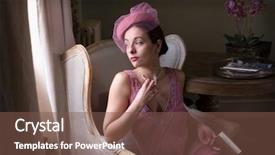
 Presentation with twenties - Cool new presentation theme with roaring twenties - sensual 1920s woman in pink backdrop and a coral colored foreground

Sensual 1920s Woman Pink Flapper

In the realm of vintage drama and romance, where the jazz age whispers secrets to the wind, there exists a timeless tale that beckons us to step into the elegant world of the 1920s. A woman in a delicate pink flapper dress, her beauty radiating like a beacon in the darkness, sits serene on an antique chaise longue or recliner, surrounded by opulent furnishings and rich textures. This stunning image, painstakingly recreated with love and attention to detail, serves as a feast for the eyes, transporting us back to a bygone era of glamour and sophistication. The subtle nuances of warm tones, from golden undertones to deep berry reds, evoke a sense of comfort and luxury, inviting us to indulge in the pleasures of this bygone age. As we embark on our journey through this captivating presentation, featuring the enchanting image above as its centerpiece, we find ourselves immersed in a world of high definition, where every detail is meticulously crafted to transport us back to a era of elegance and refinement. Our eyes are treated to a kaleidoscope of colors, from the soft pinks and purples of the dress to the deep berry reds and golden tones that seem to dance across the walls. Our visual feast begins with four How To slides that will guide you through the process of creating your own stunning 1920s inspired presentation. These expertly crafted slides are designed to help you get up and running quickly, whether you're a seasoned pro or just starting out on your creative journey. And when it comes to incorporating this template into your Google Slides arsenal, we make sure that every aspect of the design is enhanced with features such as Including a Background With rich textures and high resolution images for a truly immersive experience. With its exquisite design elements and attention to detail, this template is the perfect addition to any presentation or project that requires a touch of sophistication and elegance. Whether you're reenacting a historic era, celebrating a special occasion, or simply seeking inspiration, this stunning 1920s inspired template has got you covered.

 Presentation with twenties - Presentation design featuring roaring twenties - attractive 1920s dressed romantic couple background and a coral colored foreground

Attractive 1920s Dressed Romantic Couple

The moment you click on the Corner Title template from CrystalGraphics, a vision of a charming 1920s dressed romantic couple strolling hand in hand through a picturesque countryside setting comes alive before your eyes. You'll feel as though you've stepped into a bygone era, one that exudes elegance and sophistication. The high resolution images for the background will transport you to a world of glamour and excitement. This sleek and modern template is perfectly designed for creating visually appealing presentations, especially those focused on love and romance. With its tan color palette, it's the perfect choice for anyone looking to enhance their slide with a warm and inviting atmosphere. Featuring a mix of high resolution images of beautiful couples, romantic landscapes, and vintage inspired elements, this template is sure to capture your audience's attention. The Corner Title template includes four How To slides that will help you get up and running quickly, including a Growth Layout slide that's perfect for showcasing your brand's growth and success. This slide can be enhanced with images of rapid growth, new beginnings, or successful achievements to really drive home the message. Including a Background With option on the template allows you to choose from various backgrounds featuring beautiful flowers, trees, or even cityscapes. Having a Theme Of option enables you to incorporate elements of love, romance, and couples into your presentation.

 Presentation with twenties - Cool new slide set with roaring twenties - sensual young woman in 1920s backdrop and a coral colored foreground

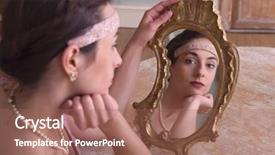
Sensual Young Woman 1920s Flapper

The art of reimagining the past for the present, with the sleek and sophisticated Corner Title PowerPoint template as your canvas. Imagine yourself in the vibrant atmosphere of 1920s New York City, surrounded by the opulent glamour of the Roaring Twenties. This stunning design is brought to life through a rich Brown color palette that evokes the warmth of antique mirrors and the luxurious fabrics of the era's fashion. The template is specifically formatted for Widescreen displays, perfect for showcasing high resolution images in all their glory. From the intricate details of vintage makeup to the elegant folds of a flapper dress, every element is meticulously crafted to transport you back in time. The Corner Title template features a sophisticated design that seamlessly incorporates the theme of a mirror and its reflections. The mirror is not just a prop, but an integral part of the overall look, reflecting your thoughts and emotions onto the screen. And with the 3 Step Funnel Layout slide, you can create a captivating visual narrative that draws your audience in from the very first slide. The template is perfectly suited for use as a header or footer on your presentation, allowing you to enhance its presence without taking over the screen. It's also an ideal starting point, featuring a downloadable Background With high resolution images of 1920s New York City to get you started quickly. Including a Background With with these stunning images will elevate your presentation from good to great, providing a visually appealing foundation for your content. The Corner Title template is highly compatible with Google Slides, making it an excellent choice for those looking to enhance their presentations on the go.

 Presentation with twenties - Audience pleasing presentation design consisting of roaring twenties - flapper 1920s style brunette dancer backdrop and a dark gray colored foreground

Flapper 1920s Style Brunette Dancer

The art of creating a stunning presentation has never been more accessible with CrystalGraphics' Corner Title template. This gorgeous Widescreen template is designed to transport your audience back in time to the Roaring Twenties, evoking the spirit of flappers and makeup enthusiasts who ruled the dance floors. This 1920s inspired template is perfectly tailored for a variety of presentations, from a beauty pageant or makeup tutorial to a historical society showcase. The Sienna color palette adds warmth and depth to the design, while high resolution images featuring vintage photographs and illustrations bring the era to life. To enhance your presentation, consider including a Background With a subtle gradient that transitions from gold to crimson, reminiscent of luxurious evening gowns and opulent accessories. Having a Theme Of showcasing stunning high res images in 4 different categories (e.g., makeup, dress, beauty, and history) will give your audience an immersive experience. With four How To slides at the start of the deck, you'll be off to a great start, quickly getting your audience up and running on their topic. Featuring bold typography, eye catching graphics, and clear instructions, these slides will guide viewers through the process of creating their own 1920s themed presentation, all within the comfort of Google Slides. Including arrows pointing towards relevant keywords (e.g., makeup, dress, beauty) will help viewers quickly find what they need. Having a Theme Of, Featuring high resolution images, and Including a Background With can elevate your presentation to new heights.

 Presentation with twenties - PPT theme with roaring twenties - attractive 1920s dressed girl background and a coral colored foreground

Attractive 1920s Dressed Girl Wooden

The powerpoint template, Sidebar Title, is a visually stunning and elegant addition to any presentation or slideshow. This Dark Khaki themed template is perfect for creating a sophisticated and modern look that will make your audience sit up and take notice. Featuring a high resolution background image of a beautiful 1920s dressed girl on a wooden bridge in the foreground, this template showcases a timeless classic style that exudes elegance and sophistication. The resulting image provides ample opportunities to include additional details such as vibrant flowers or subtle patterns that will enhance the overall aesthetic.

 Presentation with twenties - Slide set featuring roaring twenties - sensual young woman in 1920s background and a red colored foreground

Sensual Young Woman 1920s Flapper

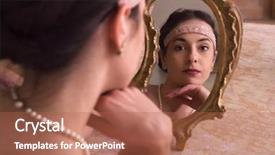
As you step into the vibrant world of 1920s flapper culture, you're transported to a bygone era of glamour and sophistication where the art of makeup is an integral part of everyday life. The iconic look of the time features a sleek, curved shape with a subtle cat eye, perfectly complemented by a delicate headband that adds a touch of elegance. The Corner Title template is designed to transport you back in time, featuring a stunning high resolution image of a sensual young woman in a 1920s flapper dress and headband looking into an antique mirror. The brown color palette provides a warm and inviting backdrop for your presentation, while the keywords "makeup", "reenactment", "dress", and "mirror" will help you tap into the theme. The template is available as a downloadable PowerPoint file compatible with Google Slides, making it easy to incorporate into your presentations. The high resolution images featured in the background are sure to enhance your visual appeal, while the AIDA Block Layout slide will guide your audience through the key elements of your presentation. Featuring a beautiful image of a vintage inspired makeup look, this slide is sure to include a background with a subtle texture that adds depth and interest. Having a theme of glamour and sophistication, this slide will help set the tone for your entire presentation. The template's design is carefully crafted to evoke the feeling of a bygone era, with intricate details and ornate flourishes that add a touch of whimsy to your presentation. With its high resolution images and brown color palette, it's the perfect choice for anyone looking to create a visually stunning 1920s inspired presentation.

 Presentation with twenties - Amazing PPT layouts having roaring twenties - attractive young woman in 1920s backdrop and a tawny brown colored foreground

Attractive Young Woman 1920s Flapper

The art deco essence of the 1920s is alive and well in this stunning Corner Title template, designed to transport you back in time to the opulence of the Roaring Twenties. The Crimson theme provides a sophisticated backdrop for your creative vision, featuring rich jewel tones that evoke luxury and glamour. This template is perfect for anyone looking to add a touch of vintage flair to their presentations, including makeup tutorials, reenactments, or simply showcasing stunning women's fashion from an era long forgotten. The 1920s setting is brought to life with 4 high resolution images on the background, creating a visually striking feature that draws viewers in. The template is downloadable and compatible with Google Slides, making it easy to get started right away. For added depth, you can enhance your presentation by including a background image of a lavish mansion, complete with ornate decorations and intricate details. Having a theme of 'Luxury' or 'Elegance', this template showcases the high end style that defined an entire decade. The design is sleek and modern, yet retains the essence of the 1920s, making it perfect for creative professionals looking to add a touch of sophistication to their content. The 4 Member Bio Layout slide can be used to showcase your personality, skills, or expertise in makeup, with images that highlight your best work and personal style. Featuring high quality images from various sources, this layout provides an engaging way to introduce yourself and start the conversation. Including a Background With feature, you can create a visually appealing image that complements your bio and adds context to your content. Having a Theme of 'Expertise' or 'Personal Style', this layout showcases your unique voice and perspective.

 Presentation with twenties - Audience pleasing PPT layouts consisting of digital earth made in computer backdrop and a dark gray colored foreground

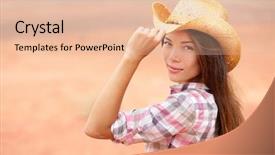
Young American Cowgirl Woman Portrait

In a vast open range where freedom and beauty entwine, the Corner Title template stands out like a beacon calling you to explore the untamed wilderness of America's heartland. This stunning widescreen template is designed to transport you to a country of breathtaking landscapes, picturesque sunsets, and majestic mountains that will leave you breathless. Paired with a captivating color palette of pale violet red hues, this template embodies the essence of a bygone era when the American dream was within reach. With its multicultural charm featuring an Asian girl in her twenties embracing a beautiful Caucasian woman outdoors, this template is perfect for anyone who dares to venture into uncharted territories. You can include a background with lush greenery, vibrant flowers, and towering trees that evoke a sense of wonder. The Corner Title template seamlessly enhances your presentation by incorporating elements of the American West, such as rustic wooden accents and wildflowers that add a touch of whimsy to any scene. The Section Header Layout slide is a delightful design element that showcases a majestic cowboy hat and a beautiful natural woman from around the world, inviting you to explore the diverse beauty of America's countryside. This template also includes four How To slides to help you get up and running quickly: a slide featuring a tutorial on how to create stunning high resolution images, another for showcasing your presentation with Google Slides, yet another for demonstrating how to incorporate third party resources, and one more that provides guidance on customizing the layout to fit your needs.

 Presentation with twenties - Slide set consisting of roaring twenties - goofy gentleman dressed in 1920s background and a violet colored foreground

Goofy Gentleman Dressed 1920s Era

The art deco silhouette of a 1930s gentleman in a crisp white swimsuit holding suitcases on the porch of a rustic cabin stands out against a backdrop of warm golden tones that evoke a sense of nostalgia and old world charm. A dramatic fade from dark to light creates a mesmerizing effect, drawing the viewer's eye into the world of this timeless scene. The image is rendered in exquisite high resolution detail, with every nuance and texture perfectly captured. This stunning template combines elements of the 1920s and 1930s to create a unique and captivating visual identity that will transport your audience to an era of elegance and sophistication. With its warm, golden color palette featuring shades of dark goldenrod, this template is sure to enhance any presentation or social media content with a theme of classic glamour. For those looking to showcase their creativity on the go, four easy to follow slides can be added to get up and running quickly: Getting Started, Adding Backgrounds, Creating Layouts, and Editing Images. These steps will help you unlock the full potential of this template, making it an invaluable resource for anyone in need of a stylish and versatile presentation or social media piece. The template is downloadable, featuring high resolution images that will enhance any presentation or social media content. Whether you're creating a business proposal, pitching an idea, or simply want to add a touch of sophistication to your online presence, this stunning Wide Title template is sure to impress.

▼Key features of this template

  • They are compatible with both PowerPoint and Google Slides running on either Windows PCs or Macs.

  • They are available in both standard and widescreen slide formats. You can choose your preferred format by clicking on the "Widescreen" check box or icon.

  • Each template includes a beautiful high-resolution background image or video to visually reinforce the theme of your presentation.

  • In addition, each template includes designer-created graphics and modern fonts to give your presentations an up-to-date, professional look.

  • Each template's default design and title text position have been carefully selected to complement its background without covering faces or other key elements.

  • All text includes backdrops whose transparency level is mathematically calculated to maximize text readability while still allowing the background to be seen.

  • And all the text, text backdrops and graphics in every slide are colored with a palette designed to beautifully complement the colors in the background.

  • Our Premium templates (those with the descriptor “Premium” in their subtitle) include over 64 slide layouts to give you maximum flexibility as you create your presentations.

    • Those layouts are available to you whenever you create a new slide or when you want to change the layout of an existing slide.
    • They include everything you need to make all sorts of presentations. In addition to the layouts for the title slide and the usual title and content slide, they include many other layouts for slide types including table of contents slides, org charts, charts, diagrams, infographics, photo slides, thank you slides and more.
    • While creating these layouts our template designers have ensured that all text in every layout adjusts as gracefully as possible to various numbers of words.
  • Customizable templates (those with the descriptor “Customizable” in their subtitle) may be easily modified online before you download them.

    • To modify them, simply click on the pencil editing icon, then select your choice of ready to go designs and title text positions.
    • The editing tool also makes it easy to reposition and scale the background image or video to best suit your needs.

▼FAQs

Please review these FAQs to see if your question is answered. Contact us for more info

  • What is a PowerPoint template?

    • A well designed PowerPoint template is a file that can tell PowerPoint how to make your ordinary templates look extraordinary. They won’t change what your words or numbers say. But they might change their size, color, font and placement. And, overall, they can give your presentations a professionally-designed look that will give your content more credibility and give you more confidence.
  • How many PowerPoint templates do you offer?

    • We have over 32,000 artist-created presentation templates in our PowerPlugs collection With a subscription, PowerPlugs templates are easy to download. Just sign in, find a template and click on the green Download button. ready for you to download. That alone offers you more variety to choose from than any of our competitors can offer. And, as if that weren’t enough, we also offer over 6 million templates in our Crystal collection. Crystal brand templates are our line of templates that have customization options. They have the word "CRYSTAL" on their web page images. You can customize several aspects of the templates. These templates include high-resolution background images from Shutterstock’s vast image collection matched up with artist-created presentation designs customized by our own proprietary AI software.
  • How many templates can I download as a subscriber?

    • You can download an unlimited number of PowerPlugs-brand With a subscription, PowerPlugs templates are easy to download. Just sign in, find a template and click on the green Download button. templates every day for an entire year. (Actually, by default, we set a limit of 25 templates per day to prevent our competitors from stealing our templates. But, if that is not enough, just let us know and we’ll try to accommodate you.) On top of that, with a subscription or an Ultimate Combo, you can also download any 50 Crystal-brand Crystal brand templates are our line of templates that have customization options. They have the word "CRYSTAL" on their web page images. You can customize several aspects of the templates. templates per year selected from our huge Crystal collection. Crystal brand templates are our line of templates that have customization options. They have the word "CRYSTAL" on their web page images. You can customize several aspects of the templates. .
  • Why should I choose your templates instead of the competition’s?

    • We’ve got a larger selection of professionally-designed PowerPoint templates than anyone else in the world.
    • Each template includes a high-resolution background image or video to visually inspire your audiences while reinforcing your message.
    • Each template includes 64 slide layouts to give you maximum flexibility as you create your presentations.
    • Our templates are available in both standard and widescreen slide formats. And our website lets you preview the slides each way.
    • Our free Template Finder™ plugin lets subscribers select and - with a single click - download and insert our templates into their presentations right from within PowerPoint.
    • We’ve been creating designer presentation templates for over 20 years. During that time we’ve won several awards and 5-star ratings for product quality. See About Us for more.
  • Do you offer a money-back guarantee?

    • Yes we do! We offer full 30-day money-back guarantee if you are not 100% satisfied with your purchase.
  • Can I still use my downloaded templates after my subscription runs out?

    • Yes. After your subscription expires, you won't lose any rights or ability to use your PowerPlugs: Templates for PowerPoint. You won't be able to download any new non-watermarked templates. But the non-watermarked templates you've already downloaded will still work and you can still use them as before.
  • Can I share my downloaded templates or passwords with friends or coworkers?

    • Sorry but no. You are authorized to download each paid-for template to up to 3 of your personal devices and to use the templates you download in as many presentations as you want. But you are not authorized to share the templates, themselves, with others. That said, we do offer highly discounted site licenses to suit the needs of both small and large teams. Just tell us your needs and we’ll give you a quote!
  • System requirements:

    • The templates use the standard POTX format. So they are compatible with Google Slides and all PC, Mac and mobile devices running any version of PowerPoint from PowerPoint 2007 up through and including Office 365 desktop.
    • Please note: Google Slides does not currently support background videos. It treats them as still images.
    • For PowerPoint for the Web, first open your template into a desktop version of PowerPoint, then save it back out as a PPTX file. Then you can open that in PowerPoint for the Web.
  • End user license agreement:

    • Click here to view.
  • How will I get my purchased templates?

    • You may download your selected templates as soon as your payment is received by PayPal. If you purchased an individual template, you will be provided with a download link both onscreen and via email. Just click on that link to begin the download process. If you purchased a subscription, you will receive an email containing a password to use along with your email address to sign in to any of the templates pages on CrystalGraphics.com. Once you are signed in, you can immediately start downloading your selected templates.
  • How do I use my templates after I download them?

    • You can either open a template to start a new presentation or you can add a template to an existing presentation. To open a template, just double click on it or use PowerPoint's File > Open tool. To add a template to an existing presentation, on the Design tab, in the Themes group, click Browse for Themes... then browse to select your template.

View more Twenties templates:

previous 1 2 3 next
Categories related to Twenties:
Roaring
93% of Fortune 1000
companies use our
PowerPoint Products
Templates Secure

Standing Ovation Award
Winner: Best PowerPoint
Template Collection
Fortune Logos
200,000+ satisfied
customers worldwide!
Guarantee
100% satisfaction guaranteed
- or send it back for a refund!

Sign up for our free newsletter! You'll get news about our PowerPoint-enhancing product line – including free updates, new product announcements and exclusive special offers. Plus you'll get a link to a free PowerPoint template with every newsletter you receive.
Privacy Policy
Loading...


Help

Contact Us
Product FAQs
Product License Agreements

Company Info

About Us
Privacy Policy
CrystalGraphics, Inc. 1999 S. Bascom Avenue Suite 700 Campbell, CA 95008 USA
© 2025 CrystalGraphics, Inc. All rights Reserved.    |     PowerPlugs is a trademark of CrystalGraphics, Inc.
Microsoft and the PowerPoint logo are trademarks or registered trademarks of Microsoft Corporation in the United States and/or other countries.
Loading...
Loading...