www.crystalgraphics.com CrystalGraphics
  • Ultimate Combo
  • Templates
  • Diagrams
  • Characters
  • Quizzes
  • shopping cart
  • Sign Out Sign Out Sign In
Home > Templates > Underwater Category
search icon
advanced icon

310 Best Underwater-Themed Templates for PowerPoint and Google Slides

CrystalGraphics Underwater PowerPoint Templates - Dive into the Depths of Inspiration

Experience the magic of the ocean with our stunning underwater PowerPoint templates, designed to transport you to a world beneath the waves. With a vast collection of 6.7 million templates at your fingertips, you'll find endless possibilities for presentations that capture the essence of the underwater realm.

Explore our collection of presentation titles that will inspire and engage your audience - from Underwater Odyssey to Oceanic Expedition - each one showcasing a unique perspective on this incredible world. Our video of flowing water underwater on the first slide sets the tone for an immersive experience, while the non-video background creates a seamless transition to the next slide.

Choose from three distinct presentation themes: ocean-blue with dark gray and teal accents, featuring animals of the underwater sea, or close-up fish aquarium school of blue fish coral. Each theme is carefully crafted to evoke the wonders of the deep, making it the perfect choice for any presentation.

But that's not all - our Underwater PowerPoint Templates are also compatible with Google Slides, offering effortless integration and a seamless transition between your favorite presentation software. Plus, with 60+ slides per template, you'll have plenty of material to work with, from title slides to detailed content.

Whether you're planning an event, conference, or workshop, our underwater templates will add a touch of sophistication and wonder to your presentations. Customize every element to fit your style, from fonts and colors to images and layouts. And with instant 24/7 download access, you can work on your template at any time.

So why settle for just any PowerPoint template? Explore CrystalGraphics Underwater collection today and discover a world of inspiration and possibilities. Browse through other categories, select the perfect template for your needs, or simply dive in - we can't wait to help you create unforgettable presentations with our stunning underwater templates.

Features & Pricing

Widescreen (16:9) Presentation Templates. Change size...
 Presentation with underwater - Cool new presentation theme with shallow underwater without fishes backdrop and a light gray colored foreground

Shallow Underwater Without Fishes

The depths of creativity can be found in the most unexpected places. A world beneath the waves, hidden from the sun's gaze, where beauty meets mystery. This presentation will take you on a journey to explore the beauty of aqua landscapes, featuring a demersal scene that showcases the emptiness and tranquility of shallow water. The template is designed for Widescreen format, presenting an immersive experience that simulates the underwater world. The Deep Sky Blue color palette will transport you to a serene ocean environment, evoking feelings of calmness and serenity. The keywords "beauty", "demersal", "empty", "scene", and "aqua" will guide you through this visual journey. The template features high resolution images that bring the underwater world to life. You can include these background images with the Chart with Caption Layout slide, creating a comprehensive presentation that showcases stunning visuals. The theme of the presentation is enhanced by the incorporation of aqua colors throughout the design, making it a cohesive and visually appealing experience. This template is not just for creative professionals; it's also perfect for educators looking to enhance their teaching skills or businesses seeking to promote their brands. With its high resolution images, customizable backgrounds, and engaging color palette, this presentation will provide an enhanced viewing experience that leaves a lasting impression on your audience. By downloading the template, you'll be able to create visually stunning presentations that capture the essence of the aqua world.

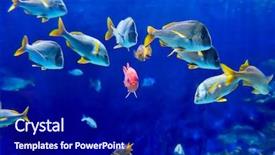
 Presentation with underwater - Presentation theme having underwater image of tropical fishes background and a navy blue colored foreground

Underwater Image Tropical Fishes

The ocean is calling, and you're ready to dive into the world of wildlife and beauty. Welcome to your new presentation template, Wide Title, designed specifically for Google Slides. This stunning widescreen template features a steel blue color palette that's sure to make a splash in any slide. Imagine yourself surrounded by lush greenery and vibrant tropical fishes, their scales shimmering in the sunlight as they swim beneath the surface of the ocean. The high resolution images are so realistic you'll feel like you're right there with them, exploring the depths of this underwater wonderland. With Wide Title, you can enhance your presentation with a beautiful background image featuring a stunning coral reef teeming with life. The template is designed to make your slides stand out from the crowd, and its 3x3 Org Chart Layout slide provides a clear structure for organizing your content. You'll feature key takeaways in bold text, making it easy for your audience to follow along as you walk them through the highlights of your presentation. Including a Background With subtle animations adds a touch of excitement to each slide, having a Theme of professional yet friendly atmosphere that makes your message more engaging and memorable.

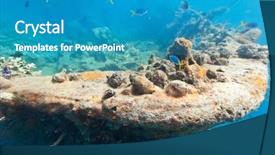
 Presentation with underwater - Presentation design having shipwreck underwater sunken gunboat background and a teal colored foreground

Shipwreck Underwater Sunken Gunboat Lusong

Presentation design having shipwreck underwater sunken gunboat at lusong island

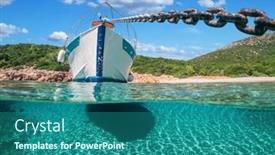
 Presentation with underwater - Presentation theme consisting of split-view-half-underwater-view background and a ocean colored foreground

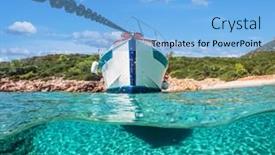
Split View Half Underwater

Presentation theme consisting of split view - half underwater view of beautiful seabed with sea fishes and beautiful marine yacht turkey bodrum

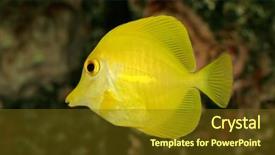
 Presentation with underwater - PPT layouts consisting of underwater view of a yellow tang zebrasoma flavescens background and a tawny brown colored foreground

Underwater View Yellow Tang (zebrasoma

The ocean's depths are calling, and you're ready to dive into the world of marine inspired design. Imagine yourself standing on the edge of a coral reef, surrounded by vibrant sea anemones and schools of iridescent fish, their scales shimmering in the sunlight that filters down from above. This Corner Title template is designed to transport you to an underwater world of wonder, where the beauty of the ocean comes alive. The Olive color palette brings warmth and coziness to this design, while the deep blues and greens evoke a sense of mystery and adventure. Featuring high resolution images of marine life, including bright yellow fish and coral formations, this template is sure to enhance your presentations with its stunning visuals. The Circular Approach Layout slide is a great place to start, as it allows you to showcase multiple elements in a single slide, creating a dynamic and engaging visual effect. For example, you could include a background image of the ocean floor, along with text and images that highlight the importance of marine conservation. Having a theme of "Exploring the Ocean's Depths" would be perfect for this type of presentation. The template is downloadable and compatible with Google Slides, making it easy to import into your favorite presentation software. With its bright and cheerful color palette, this Corner Title template is sure to add a pop of personality to any slide deck.

 Presentation with underwater - Amazing presentation theme having split underwater photo of small backdrop and a teal colored foreground

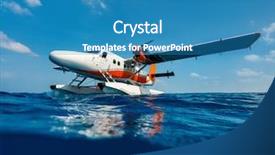
Split Underwater Photo Seaplane Water

The thrill of flying and discovering new lands From high resolution images to breathtaking scenery, the Corner Title template is designed to take your presentations on an unforgettable journey. Featuring a stunning split underwater photo of a small seaplane taking off from water's surface, this template combines the thrill of flight with the serenity of the ocean, creating a truly unique visual effect that will leave your audience in awe. Designed for a widescreen format, this theme is perfect for showcasing high resolution images and graphics that bring your ideas to life. The teal color palette provides a vibrant backdrop for any presentation style, while the keywords you specify can enhance the template's features and abilities. Incorporating a background with customizable elements such as clouds, sunsets or mountains allows you to add more context and depth to your content. The layout of this template includes four key slides that will help you get up and running quickly: Introduction, Setting The Scene, Highlights Of Success And Conclusion. Each slide has a specific purpose, including the 5 Steps To Success Layout slide which provides a clear roadmap for success. This slide is particularly useful for outlining specific goals and objectives for your presentation. As an example of how this template can be used, imagine you're giving a presentation on aviation and you want to show a high quality photo of a small seaplane in flight. You could include the Corner Title template with its stunning underwater image as the background, and have it feature a bold headline that reads "Taking To The Skies". The teal color palette would provide a beautiful backdrop for your images, while the keywords you specify enhance the template's ability to showcase your content effectively.

 Presentation with underwater - Slides consisting of young man wearing snorkel underwater background and a teal colored foreground

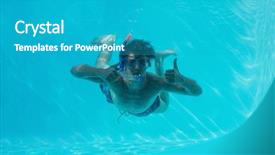
Young Man Wearing Snorkel Underwater

Slides consisting of young man wearing snorkel underwater while gesturing thumbs up background

 Presentation with underwater - Slide deck enhanced with split-view-half-underwater-view background and a light blue colored foreground

Split View Half Underwater

Slide deck enhanced with split view - half underwater view of beautiful seabed with sea fishes and beautiful marine yacht turkey bodrum

 Presentation with underwater - Cool new slide set with yellow dandelion on nature in the park in nature backdrop and a violet colored foreground

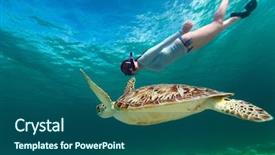
Underwater Photo Young Woman Snorkeling

Slide set with underwater photo of young woman snorkeling and swimming with hawksbill sea turtle

 Presentation with underwater - Presentation theme having pulmo - fish school underwater trevally background and a ocean colored foreground

Fish School Underwater (trevally Jack

Presentation theme having fish school underwater trevally or jack fish and sea surface and sipadan island

 Presentation with underwater - Colorful slides enhanced with cute kid posing underwater in pool at the leisure center backdrop and a teal colored foreground

Cute Kid Posing Underwater Pool

The moment you've been waiting for has finally arrived to unleash your creativity and bring your vision to life with the Wide Title template from CrystalGraphics. This stunning Widescreen template is designed to capture the attention of anyone who lays eyes on it, featuring a bright and cheerful Light Sea Green color palette that's sure to put a smile on your face. The template is specifically crafted for Google Slides, making it easy to import high resolution images into your presentation and enhance its overall look. The 8 Pictures in a Grid Layout slide will give you an idea of what this template has to offer featuring four fun and engaging images that showcase the theme of activity, including a Caucasian kid posing underwater in a pool at a leisure center. The Wide Title itself is a beautiful addition to the template, with its bold font and bright colors making it perfect for headings. The background image on this slide will feature a high resolution photo of a happy child playing in a pool, surrounded by lush greenery and colorful beach balls. This image will be a great starting point for your presentation, setting the tone for an engaging and fun filled activity. The template is downloadable and compatible with Google Slides, making it easy to get started right away. With its clean design and bright colors, this template is sure to enhance any presentation or slide show you create. So why wait? Get creative and start building your masterpiece today!

 Presentation with underwater - PPT theme consisting of water sports - split of above and underwater background and a seafoam green colored foreground

Split Above Underwater Photo Cute

Imagine a bright and cheerful corner title that wraps around your slides with a warm and inviting light sea green background, evoking the feeling of a sunny day at the beach. This design name is meant to convey happiness and energy, perfect for kids who love to play outside. The Corner Title template is designed in wide screen format, ideal for presentations that require plenty of space to breathe. The light sea green color palette provides a calming yet uplifting atmosphere, making it suitable for any subject or topic. The template includes four helpful slides at the start of the deck: Getting Started, Enhancing Your Content, Featuring High Resolution Images, and Including Additional Resources. The Two Content Layout slide is designed to showcase different types of content, such as images, text, and videos, all presented in a visually appealing way. This layout can be used to include a background with a simple design element, or feature high resolution images that draw the audience's attention. For example, you could use this layout to display a split image of an underwater scene, showcasing a happy boy swimming near a colorful coral reef. The Corner Title template is a versatile and engaging addition to any presentation, making it easy to enhance your content with a theme of playful graphics and bright colors. With its high resolution images and downloadable compatibility, this template is perfect for educational presentations, marketing materials, or any other type of presentation that requires a touch of personality.

 Presentation with underwater - Amazing PPT layouts having split underwater photo of small backdrop and a navy blue colored foreground

Split Underwater Photo Seaplane Water

As you hover over a small seaplane on the surface of the water, its wings stretching out in every direction, you're transported to a world of endless possibility where the thrill of flight knows no bounds. The warm sun casts a golden glow on the scene, and a gentle breeze whispers through the air as you gaze out at the horizon. The Corner Title template is designed to capture your attention from the very first glance, with its unique teal color palette that adds a touch of sophistication to any presentation. The Widescreen format ensures that all elements are perfectly aligned, creating a visually appealing composition that's perfect for showcasing your most important information. This stunning template features high resolution images that will leave your audience in awe, from the sleek lines of the seaplane to the breathtaking views of the surrounding landscape. Whether you're creating a presentation about flight charter operations or simply want to showcase some amazing aerial footage, this Corner Title template is sure to impress. The template includes four How To slides at the start of the deck that will help you get up and running quickly featuring expert tips and tricks for presenting your material in a clear and concise manner. But what really sets this template apart is its seamless integration with Google Slides, making it easy to import high resolution images directly into your presentation. The Pros and Cons Layout slide offers valuable insights into the strengths and weaknesses of each component, helping you make informed decisions when choosing the perfect combination for your needs. And with a theme of "Enhanced With" that lets you add your own personal touches to any element, the Corner Title template is all about flexibility and customization. But don't just take our word for it this template has already been downloaded thousands of times by users looking to create stunning presentations like the one they're creating today. And with its ability to be used in conjunction with Google Slides, you can rest assured that your presentation will look amazing from start to finish.

 Presentation with underwater - PPT layouts enhanced with coordination - underwater view of synchronized swimmers background and a ocean colored foreground

Underwater View Synchronized Swimmers Forming

As the curtains of creativity part, envision yourself standing at the edge of a serene pool, surrounded by 10 synchronized swimmers in perfect harmony, their movements a testament to unity and synchronized strength. The water's surface undulates like a canvas, with each swimmer's strokes blending into the next, creating an mesmerizing spectacle that will leave you breathless. This Corner Title PowerPoint template is designed to transport your audience to this underwater world, where high resolution images of poolside festivities take center stage. Featuring four How To slides that guide you through the process of launching your presentation quickly and effortlessly, this template ensures a smooth start to your interactive experience. The Steel Blue color palette shines like polished steel, evoking the sense of a perfectly crafted machine. The Corner Title template is downloadable and compatible with Google Slides, giving you the flexibility to bring it to life on any platform. With its theme of togetherness, this template is sure to inspire your audience to come together and share in the excitement. As an added feature, having a background image that features 3D modeling techniques will enhance the visual impact of your presentation. Having multiple slide layouts available ensures you can experiment with different designs until finding the perfect fit for your needs. With its sleek design and high resolution images, this template is sure to be a showstopper at any conference or meeting. Featuring a background image that includes a waterfall and 3D elements will create an immersive atmosphere that will leave your audience in awe. Enhancing the text with a call to action will encourage viewers to engage with your presentation and participate in the synchronized movement of your feet as you move around the stage.

 Presentation with underwater - Amazing PPT theme having clear sea from a boat backdrop and a navy blue colored foreground

Underwater View Young Couple Having

PPT theme having underwater view of the young couple having fun and jumping into the clear sea from a boat

 Presentation with underwater - Slide deck with swimming in a tropical ocean background and a mint green colored foreground

Split Underwater Above Photo Girl

Imagine a world where childhood magic is alive and well, even on the most mundane days. A place where kids can escape into a whirlpool of colorful hues and whimsical designs that will leave them beaming with delight. Welcome to our Split Title PowerPoint template, featuring a harmonious blend of Cornflower Blue and turquoise that will transport your audience to an underwater world amidst a tropical paradise. Designed specifically for creating slideshows that showcase the little things in life, this template is perfectly crafted to include a Background With design elements such as high resolution images of kids having fun on water, making it Easy To Enhance Your Presentation. The result is a cohesive look and feel that is Enhanced With a focus on showcasing your personality. With its simple yet effective layout, the Split Title template becomes the perfect companion for your How To slides, providing guidance every step of the way to help you get up and running quickly. Featuring an Incorporating A Background With dynamic background image that will keep your audience engaged, this template includes four essential slides: Getting Started, Mastering Design Elements, Experimenting with Textures, and Wrapping Up with a Final Touch. This template is Ideal For Kids To Use, Offering them the perfect setting to create engaging presentations about their favorite topics. Including a Theme Of Family And Childhood, it's designed to bring out your audience's emotions and help you convey your message more effectively. With its striking Cornflower Blue and turquoise color palette, this template stands out in any presentation or slideshow, making it a valuable resource for designers, educators, and anyone who wants to create engaging content that will leave a lasting impression.

 Presentation with underwater - Slide deck with zhibiani - one of villages community background and a tawny brown colored foreground.

Baearic Islands Underwater Sea Bottom

Imagine yourself standing on the rugged shores of Formentera, surrounded by vibrant coral reefs and a dazzling array of marine life, with the turquoise sea stretching out before you like an endless canvas. The warm sunlight filters down through the waves, casting a shimmering glow over everything in its path. This is the world that our Wide Title template invites you to explore, featuring stunning high resolution images of Formentera's breathtaking scenery and delicate sea anemones. From the scenic vistas of the island's rugged coastline to the intricate details of its marine life, every element has been carefully selected to transport you to this unique and enchanting place. The Deep Sky Blue color palette is both calming and energizing, evoking feelings of serenity and wonder as you immerse yourself in the natural beauty of Formentera. This template is designed to be a versatile companion for your presentations, featuring various themes and backgrounds that can enhance your message with ease. This template includes four handy slides at the start of your deck: two Member Bio Layouts one showcasing our expertise in creating visually stunning presentations and another highlighting our experience working with clients from around the world. These slides will help you get up and running quickly, ensuring a smooth transition into your main presentation.

 Presentation with underwater - Slide deck featuring colorful sea animals - underwater image of school background and a teal colored foreground

Underwater Image School Yellowtail Barracuda

Imagine being under the ocean's surface, surrounded by a vibrant ecosystem teeming with life, and witnessing the majesty of a school of yellowtail barracuda fish gliding effortlessly through the water. The crystal clear blue waters are dotted with colorful coral formations, providing a perfect backdrop for this breathtaking scene. The Corner Title template is designed to transport you to an underwater world, featuring high resolution images for the background. This template is formatted in widescreen and has a sleek Dodger Blue color palette that adds a touch of sophistication to any presentation. The template includes keywords such as "dahab", "beauty", "color", "ecosystem", and "school of fish" that will enhance your slides. This stunning template can be used for presentations about the ocean, marine life, or even educational content related to the environment. To make it even more engaging, you can include a background with a subtle gradient effect, making it feel like you're swimming in the depths of the ocean. The Corner Title template is designed to provide an immersive experience for your audience, featuring inspiring images and a beautiful color palette that will leave them captivated. The high resolution backgrounds ensure that all elements are crisp and clear, making it perfect for presentations about the ocean and its inhabitants.

 Presentation with underwater - Slide deck consisting of natural-underwater-landscape-of-blue background and a tawny brown colored foreground

Natural Underwater Landscape Blue Lake

Slide deck consisting of natural underwater landscape of blue lake in the chernigow region ukraine former quarry of quartz sand for glass production

 Presentation with underwater - Presentation consisting of natural-underwater-landscape-of-blue background and a tawny brown colored foreground

Natural Underwater Landscape Blue Lake

Presentation consisting of natural underwater landscape of blue lake in the chernigow region ukraine former quarry of quartz sand for glass production background

 Presentation with underwater - Colorful presentation design enhanced with sea slugs - underwater shot of an orange backdrop and a ocean colored foreground

Underwater Shot Orange White Nudibranch,

Imagine diving into the vibrant and mysterious world of marine life, where the beauty of nature is on full display. From the sunlit coral reefs to the depths of the ocean, this stunning collection of images will transport you to an underwater realm that's as fascinating as it is beautiful. The Corner Title template is a dark slate gray masterpiece, designed to evoke the mystery and wonder of the sea. The widescreen format is perfect for showcasing high resolution images of fauna like nudibranchs, featuring iconic species like Halgerda batangas in their natural habitat. This unique combination of images will have you diving into the depths of Indonesia's Komodo Islands. The template features a dramatic underwater scene as its background image, making it an ideal choice for presentations that need to grab attention. The dark slate gray color palette provides a sleek and sophisticated backdrop for your slides, while the high resolution images ensure that every detail is preserved. This template includes four How To slides at the start of the deck to help you get up and running quickly, but don't worry, we won't list them just yet. The Corner Title template has a theme of showcasing stunning marine life in all its glory, with each slide featuring an image that highlights the beauty of nature. And having a theme of is perfect for enhancing your presentation with high quality images and engaging visuals. Just imagine using this template to create a presentation about the importance of marine conservation, where every slide features a powerful image that inspires action. On one of these slides, you could feature an aerial view of the ocean floor, showcasing the intricate details of coral reefs and schools of fish swimming in harmony. Another slide might include an animation of a sea turtle gliding through the water, while another highlights the majestic size of a whale shark breaching the surface. With this template as your starting point, you'll be able to create presentations that are truly immersive and engaging, making your message come alive for your audience.

▼Key features of this template

  • They are compatible with both PowerPoint and Google Slides running on either Windows PCs or Macs.

  • They are available in both standard and widescreen slide formats. You can choose your preferred format by clicking on the "Widescreen" check box or icon.

  • Each template includes a beautiful high-resolution background image or video to visually reinforce the theme of your presentation.

  • In addition, each template includes designer-created graphics and modern fonts to give your presentations an up-to-date, professional look.

  • Each template's default design and title text position have been carefully selected to complement its background without covering faces or other key elements.

  • All text includes backdrops whose transparency level is mathematically calculated to maximize text readability while still allowing the background to be seen.

  • And all the text, text backdrops and graphics in every slide are colored with a palette designed to beautifully complement the colors in the background.

  • Our Premium templates (those with the descriptor “Premium” in their subtitle) include over 64 slide layouts to give you maximum flexibility as you create your presentations.

    • Those layouts are available to you whenever you create a new slide or when you want to change the layout of an existing slide.
    • They include everything you need to make all sorts of presentations. In addition to the layouts for the title slide and the usual title and content slide, they include many other layouts for slide types including table of contents slides, org charts, charts, diagrams, infographics, photo slides, thank you slides and more.
    • While creating these layouts our template designers have ensured that all text in every layout adjusts as gracefully as possible to various numbers of words.
  • Customizable templates (those with the descriptor “Customizable” in their subtitle) may be easily modified online before you download them.

    • To modify them, simply click on the pencil editing icon, then select your choice of ready to go designs and title text positions.
    • The editing tool also makes it easy to reposition and scale the background image or video to best suit your needs.

▼FAQs

Please review these FAQs to see if your question is answered. Contact us for more info

  • What is a PowerPoint template?

    • A well designed PowerPoint template is a file that can tell PowerPoint how to make your ordinary templates look extraordinary. They won’t change what your words or numbers say. But they might change their size, color, font and placement. And, overall, they can give your presentations a professionally-designed look that will give your content more credibility and give you more confidence.
  • How many PowerPoint templates do you offer?

    • We have over 32,000 artist-created presentation templates in our PowerPlugs collection With a subscription, PowerPlugs templates are easy to download. Just sign in, find a template and click on the green Download button. ready for you to download. That alone offers you more variety to choose from than any of our competitors can offer. And, as if that weren’t enough, we also offer over 6 million templates in our Crystal collection. Crystal brand templates are our line of templates that have customization options. They have the word "CRYSTAL" on their web page images. You can customize several aspects of the templates. These templates include high-resolution background images from Shutterstock’s vast image collection matched up with artist-created presentation designs customized by our own proprietary AI software.
  • How many templates can I download as a subscriber?

    • You can download an unlimited number of PowerPlugs-brand With a subscription, PowerPlugs templates are easy to download. Just sign in, find a template and click on the green Download button. templates every day for an entire year. (Actually, by default, we set a limit of 25 templates per day to prevent our competitors from stealing our templates. But, if that is not enough, just let us know and we’ll try to accommodate you.) On top of that, with a subscription or an Ultimate Combo, you can also download any 50 Crystal-brand Crystal brand templates are our line of templates that have customization options. They have the word "CRYSTAL" on their web page images. You can customize several aspects of the templates. templates per year selected from our huge Crystal collection. Crystal brand templates are our line of templates that have customization options. They have the word "CRYSTAL" on their web page images. You can customize several aspects of the templates. .
  • Why should I choose your templates instead of the competition’s?

    • We’ve got a larger selection of professionally-designed PowerPoint templates than anyone else in the world.
    • Each template includes a high-resolution background image or video to visually inspire your audiences while reinforcing your message.
    • Each template includes 64 slide layouts to give you maximum flexibility as you create your presentations.
    • Our templates are available in both standard and widescreen slide formats. And our website lets you preview the slides each way.
    • Our free Template Finder™ plugin lets subscribers select and - with a single click - download and insert our templates into their presentations right from within PowerPoint.
    • We’ve been creating designer presentation templates for over 20 years. During that time we’ve won several awards and 5-star ratings for product quality. See About Us for more.
  • Do you offer a money-back guarantee?

    • Yes we do! We offer full 30-day money-back guarantee if you are not 100% satisfied with your purchase.
  • Can I still use my downloaded templates after my subscription runs out?

    • Yes. After your subscription expires, you won't lose any rights or ability to use your PowerPlugs: Templates for PowerPoint. You won't be able to download any new non-watermarked templates. But the non-watermarked templates you've already downloaded will still work and you can still use them as before.
  • Can I share my downloaded templates or passwords with friends or coworkers?

    • Sorry but no. You are authorized to download each paid-for template to up to 3 of your personal devices and to use the templates you download in as many presentations as you want. But you are not authorized to share the templates, themselves, with others. That said, we do offer highly discounted site licenses to suit the needs of both small and large teams. Just tell us your needs and we’ll give you a quote!
  • System requirements:

    • The templates use the standard POTX format. So they are compatible with Google Slides and all PC, Mac and mobile devices running any version of PowerPoint from PowerPoint 2007 up through and including Office 365 desktop.
    • Please note: Google Slides does not currently support background videos. It treats them as still images.
    • For PowerPoint for the Web, first open your template into a desktop version of PowerPoint, then save it back out as a PPTX file. Then you can open that in PowerPoint for the Web.
  • End user license agreement:

    • Click here to view.
  • How will I get my purchased templates?

    • You may download your selected templates as soon as your payment is received by PayPal. If you purchased an individual template, you will be provided with a download link both onscreen and via email. Just click on that link to begin the download process. If you purchased a subscription, you will receive an email containing a password to use along with your email address to sign in to any of the templates pages on CrystalGraphics.com. Once you are signed in, you can immediately start downloading your selected templates.
  • How do I use my templates after I download them?

    • You can either open a template to start a new presentation or you can add a template to an existing presentation. To open a template, just double click on it or use PowerPoint's File > Open tool. To add a template to an existing presentation, on the Design tab, in the Themes group, click Browse for Themes... then browse to select your template.

View more Underwater templates:

previous 1 2 3 4 5 6 7 8 9 10 11 12 13 14 15 next
Categories related to Underwater:
Seagrass
93% of Fortune 1000
companies use our
PowerPoint Products
Templates Secure

Standing Ovation Award
Winner: Best PowerPoint
Template Collection
Fortune Logos
200,000+ satisfied
customers worldwide!
Guarantee
100% satisfaction guaranteed
- or send it back for a refund!

Sign up for our free newsletter! You'll get news about our PowerPoint-enhancing product line – including free updates, new product announcements and exclusive special offers. Plus you'll get a link to a free PowerPoint template with every newsletter you receive.
Privacy Policy
Loading...


Help

Contact Us
Product FAQs
Product License Agreements

Company Info

About Us
Privacy Policy
CrystalGraphics, Inc. 1999 S. Bascom Avenue Suite 700 Campbell, CA 95008 USA
© 2026 CrystalGraphics, Inc. All rights Reserved.    |     PowerPlugs is a trademark of CrystalGraphics, Inc.
Microsoft and the PowerPoint logo are trademarks or registered trademarks of Microsoft Corporation in the United States and/or other countries.
Loading...
Loading...