www.crystalgraphics.com CrystalGraphics
  • Ultimate Combo
  • Templates
  • Diagrams
  • Characters
  • Quizzes
  • shopping cart
  • Sign Out Sign Out Sign In
Home > Templates > Waiting > Waiting Room Category
search icon
advanced icon

307 Best Waiting Room-Themed Templates for PowerPoint and Google Slides

Immerse your audiences in the warm and inviting atmosphere of a waiting room, perfectly capturing their attention with our stunning Waiting Room templates. With 3-4 example presentation titles that showcase a family celebrating grandfather's birthday, you can evoke emotions and create a special connection with your viewers. Our collection features a range of themes that will transport you to different scenarios - from a colorful getaway to an airport lounge experience. Each template is carefully crafted to enhance the visual appeal of your slides, with backgrounds that blend seamlessly into a modern hotel aesthetic or a vibrant ocean landscape.

Whether you're looking for inspiration or a fresh start, our extensive collection has something to offer. Explore over 6.7 million templates from one of the largest PowerPoint template libraries in the world - a treasure trove of ideas waiting to be discovered. With instant download access and compatibility with Google Slides, your presentation will be ready to go in no time. Customize each element to suit your unique style and tone, or let our intuitive tools take care of it for you.

Make the most of this incredible opportunity to elevate your presentations and leave a lasting impression on your audience. Browse through other categories, explore new themes, or discover the perfect template to match your vision. With CrystalGraphics Waiting Room templates, you can bring any idea to life - with confidence, creativity, and ease.

Features & Pricing

Widescreen (16:9) Presentation Templates. Change size...

 Presentation with waiting room - Slides with two-hispanic-men-doctor background and a coral colored foreground

Two Hispanic Men Doctor Patient

In the midst of chaos, two men in scrubs sit side by side, hands clasped together as they write on a clipboard, their faces etched with concern, amidst the hum of beeping machines and gentle murmurs of doctors and nurses. Their patient, slumped in a chair, looks lost in thought, while they scribble away, trying to decipher what's happening. It's a scene that could play out in any hospital waiting room, but it's one that these two figures are meant to represent the doctor, and his trusty sidekick. The Corner Title template is designed with ease of use in mind, featuring a Widescreen format that showcases your slides from multiple angles. And when you need a break from the action, just click on "How To" at the start of each slide to get up and running quickly. We also recommend adding a Comparison Layout slide to make it easy for your audience to compare and contrast your presentation with others like it. This template is perfect for anyone who wants to create a simple yet effective presentation that includes a background with a theme of, well, being helpful. You can include high resolution images from various sources to add a professional touch. Plus, with the Corner Title, you'll have all the tools you need to make it look polished and modern. The design is light on colors, but don't let that fool you this template includes some exciting features like Featuring an Assistance Theme, so your presentation will always be on the right track. And when it comes to adding a background with a high quality image, you'll have all sorts of options at your disposal, from natural landscapes to abstract patterns. In short, Corner Title is the perfect choice for anyone who wants to create a compelling and engaging presentation that's sure to leave your audience feeling, well, not so lost.

 Presentation with waiting room -

Man Woman Couple Drinking Coffee

In a world where productivity is key, and time management is a delicate art, the Corner Title powerpoint template is here to elevate your presentation from mere mortal to extraordinary. This stylish and sophisticated template features a Widescreen format that showcases high resolution images of beautiful backgrounds, perfect for adding a touch of elegance to your slide deck. The Steel Blue color palette provides a professional and modern look, while the keywords "adult", "apartment", "background", "basket", and "beautiful" paint a picture of a visually appealing presentation. The Corner Title template is designed to be downloaded and included in Google Slides, making it easy to integrate into your workflow. Its seamless integration with other templates and themes ensures that you can enhance its features without compromise. In this world where consistency is key, the Corner Title stands out as a reliable choice for professionals and individuals alike. With four How To slides at the start of the deck, getting up and running quickly is assured. These essential slides provide valuable guidance on setting up your presentation to achieve success. Each slide builds upon the previous one, providing clarity and precision in creating an outstanding visual display. The five Steps to Success Layout slide showcases a structured approach to organization, helping you stay on track when crafting engaging visuals. This template can be featured as a background with a laundry room scene showcasing washing machine and coffee cup perfect for highlighting the importance of teamwork and togetherness in achieving success. With its clean design and subtle animations, this template has the potential to take your presentation from ordinary to extraordinary, making it an ideal choice for professionals looking to make a lasting impression.

 Presentation with waiting room -

Young Latin Woman Wearing Doctor

The fluorescent lights overhead cast an eerie glow on the bustling clinic corridors as patients wait their turn to be seen by the medical staff. The sounds of murmuring conversations and muted beeping machines fill the air, punctuated by the occasional rustle of paperwork and the soft murmur of a woman in a crisp white doctor's coat walking down the middle of the room. The template for this PowerPoint deck is designed to evoke a sense of modernity while still paying homage to its roots as a classic medical image. The "Corner Title" design name pays homage to the traditional corner titles used in medical illustrations, which feature a bold, curved line separating the title from the rest of the image. The Widescreen format provides an immersive experience for viewers, allowing them to get lost in the busy clinic setting. The Light SlateGray color palette is reminiscent of clinical settings, providing a clean and sterile look that's perfect for showcasing medical images and information. Featuring high resolution images throughout the deck will give you a sense of what it's like to walk down these corridors, with each slide carefully chosen to enhance your presentation. Incorporating a Background With subtle gradients and textures can add depth and visual interest to your slides, making them stand out from more static templates. Having a Theme of featuring medical images from around the world will give you a sense of variety and scope, while Enhanced With interactive elements like dropdown menus or hover effects can take your presentation to the next level. The "How To" slides at the start of the deck are designed to help you get up and running quickly. Featuring clear instructions and concise steps, these slides will guide you through the process of creating a compelling PowerPoint template that will keep your audience engaged.

 Presentation with waiting room - Amazing PPT theme having businessman in the waiting room drinking coffee backdrop and a dark gray colored foreground

Businessman Waiting Room Drinking Coffee.

The waiting room of a high end office is a hub of productivity and sophistication, where professionals from all walks of life come to network and conduct business. A well designed backdrop can elevate the ambiance, creating an atmosphere that inspires creativity and focus. That's exactly what our Corner Title template does, featuring a warm and inviting coral color palette that sets the tone for a successful meeting. This template is specifically designed with businessmen in mind, offering a mature and sophisticated look that exudes professionalism. The 5 P's of Marketing Diagram Layout are expertly incorporated into the design, providing a clear structure to help you build your brand from scratch. From Featuring high resolution images of coffee cups and leather armchairs to Including a Background With subtle texture overlays, this template has all the elements needed to create a cohesive look that will leave a lasting impression. Having a Theme of elegance and refinement is perfectly achieved through the use of coral as the primary color, which adds a touch of warmth to the overall design. Enhancing this with additional design elements such as refined typography and subtle patterns creates a truly unique visual identity for your brand.

 Presentation with waiting room - Cool new presentation theme with two rows of white comfortable seats in empty room for waiting backdrop and a light gray colored foreground

Two Rows White Comfortable Seats

Presentation theme with two rows of white comfortable seats in empty room for waiting backdrop

 Presentation with waiting room - Presentation theme enhanced with handsome-middle-age-man-sitting background and a coral colored foreground

Handsome Middle Age Man Sitting

The Corner Title PowerPoint template is designed to showcase your professional persona, perfect for creating a compelling and engaging presentation that grabs the attention of your audience. This Widescreen format template features a light steel blue color palette that exudes sophistication and style. The theme of this template is centered around an adult male figure, with a focus on a Caucasian appearance. The template includes high resolution images featuring handsome men in various business settings, giving you plenty of inspiration for your presentation. From the meeting room to the waiting area, these images will help bring your presentation to life and showcase your expertise. The template also includes two Member Bio Layout slides that can be customized to fit your specific needs. These slides feature an easy to read format with space to include your name, title, and a brief description of your profession. The theme of these slides is centered around the "Corner Title" design, which features a simple yet elegant layout. The Corner Title template is fully downloadable and compatible with Google Slides, making it easy to incorporate into your presentation. With its sleek design and high quality images, this template is sure to enhance your professional image and leave a lasting impression on your audience.

 Presentation with waiting room - Slide deck having young creative people sitting on chairs in waiting room background and a coral colored foreground

Young Creative People Sitting Chairs

The world of career and education is full of opportunities waiting to be seized by young creatives. As they navigate the ups and downs of their professional journeys, it's essential to have a template that not only looks great but also provides a solid foundation for success. This Split Title template is designed to capture the essence of these aspirations, with a warm and inviting tan color palette that exudes happiness and optimism. The widescreen format ensures that your content takes center stage, while the high resolution images for the background will transport you to a world of possibility. The template features four How To slides at the start of the deck to help you get up and running quickly, but don't worry, we won't reveal all the secrets just yet. Instead, let's focus on what makes this template truly special its 3 Pictures + Captions Layout slide. This innovative design allows for a seamless blend of text and images, creating a visually stunning presentation that will leave your audience in awe. Imagine featuring a beautiful image of a young professional sitting at their desk, surrounded by books and laptops, with the words "Career Goals" emblazoned across the top in bold font. Or picture including a background with a subtle gradient effect, having a theme of success and achievement. With this template, you'll be able to enhance your presentations with a touch of personality and flair. The Split Title template is downloadable and compatible with Google Slides, making it easy to share with colleagues or clients who may need a quick reference point for their own career and education goals.

 Presentation with waiting room - Colorful slide deck enhanced with technology architecture - waiting room backdrop and a seafoam green colored foreground

Waiting Room

The waiting room is a space where people wait for their turn to be served, and often it's a place that reflects the emotions and atmosphere of the institution that serves them. Just as a quiet coffee shop might have comfortable seating areas featuring plush armchairs and tables with delicate china, creating a serene ambiance is crucial in this environment. In contrast, a bustling bank might have more utilitarian decor, prioritizing functionality over aesthetics. As you enter a bank's waiting area, the Cornflower Blue template from CrystalGraphics promises to transport you to a similar space, featuring high resolution images of wooden accents and cream colored walls. The Widescreen format is ideal for showcasing this theme in all its glory. The Cornflower Blue color palette brings to mind a calming atmosphere, one that suggests peacefulness and serenity. This soothing hue would be enhanced with the inclusion of subtle texture overlays on some areas, adding depth and visual interest to the design. Having a theme of blending traditional elements with modern functionality is a key aspect of this template, making it perfect for institutions looking to create an inviting waiting area for their patrons. The Four Arrows Layout slide is particularly noteworthy, offering four distinct sections that cater to different aspects of the waiting room experience from functional amenities like water fountains and restrooms to comfortable seating areas and maybe even a small library or a quiet reading nook. It's as if you're perusing the layout of one of these spaces at once, with all its intricacies and details carefully considered. As you begin your journey into the Cornflower Blue template from CrystalGraphics, start by exploring the four How To slides that are sure to get you up and running quickly. With high resolution images on the background, these slides will provide a solid foundation for creating your waiting room experience.

 Presentation with waiting room - Theme featuring executive-people-meeting-in-airport background and a seafoam green colored foreground

Executive People Meeting Airport Waiting

The scene unfolds in a stylish airport waiting room, where high powered executives gather to discuss their latest business deals. The moment is electrifying, and the atmosphere is tense with anticipation. The design name for this template is Corner Title, a versatile and professional offering that perfectly complements an office setting. It's available in Widescreen format, making it ideal for presentations on laptops or on a large screen TV. This template color palette features Cornflower Blue as the primary hue, blending seamlessly into any corporate environment. For a mature and professional look, this template is featuring a blend of subtle textures and neutral tones that evoke an air of sophistication. High resolution images are Included a Background With stunning scenery from famous city skylines or serene landscapes to enhance the overall ambiance. Having a Theme of Business Networking, this template offers everything you need to create engaging presentations that leave a lasting impression. A key aspect of this template is its flexibility, with four How To slides at the start of the deck to help you get up and running quickly. However, these steps can be easily incorporated into the presentation layout. For example, slide 3 could be "Getting Started," featuring a background image of a laptop on a desk, accompanied by captions about choosing the right software or learning essential office tools. Incorporating images from famous cities like New York, Tokyo, or Sydney would add to the theme and enhance the overall feel. Having a Theme of Business Networking, this template is enhanced with professional icons, making it an ideal choice for presentations that require a touch of elegance.

 Presentation with waiting room - Slide set having waiting room hospital or dentist background and a sky blue colored foreground

Waiting Room Hospital Dentist Doctor

You're about to enter a world where patients and visitors alike are treated with kindness and compassion, surrounded by warm lighting and soothing colors. As you navigate through this digital waiting area, you'll experience a sense of calmness and serenity that's hard to find in today's fast paced world. Imagine strolling into a modern doctor's office or dentist's surgery, where the atmosphere is welcoming and professional. The Corner Title template takes you on a journey to create your own personal waiting room experience, featuring high resolution images for a truly immersive experience. With its light coral color palette, it's the perfect blend of elegance and approachability. The template includes 4 How To slides at the start of the deck to help you get up and running quickly, but don't worry, they're not too complicated just what you need to create your own unique waiting room experience. To take it to the next level, you can enhance it with a background image that transports you into a world of serenity and tranquility. For example, you could use an AIDA Block Layout slide to showcase the template's features, including "Featuring stunning high resolution images of a calm and serene environment" or "Including a background with soft lighting to create a warm atmosphere". Having a theme of creating a welcoming space for patients and visitors is also incorporated seamlessly into the design. The template is downloadable and compatible with Google Slides, making it easy to use in your own presentations. With its light coral color palette and high resolution images, you'll be able to transport your audience into a world of calmness and serenity, perfect for waiting rooms, medical offices, or dentist's surgeries.

 Presentation with waiting room -

Young Asian Woman Checklist Waiting

The world is waiting with bated breath to see what you're working on and that's exactly what your young woman friend in the waiting room has been looking forward to. Her checklist at hand is filled with excitement as she prepares for her big presentation. You know she's going to knock it out of the park, and this template is designed to help her get ready. This stunning Bisque color palette will transport you to a high end waiting area, complete with lavish furnishings and opulent artwork. The template features four How To slides at the start of the deck, providing a solid foundation for your presentation but don't worry, the real fun begins when you dive into the content. Take a look at this gorgeous image of a young Asian woman sitting in front of a stunning floral background, surrounded by lush greenery and vibrant flowers. It's set to the soothing melody of gentle chimes, creating an atmosphere that's both calming and inspiring perfect for a waiting room or any other space where you need to relax and unwind. This template is designed to enhance your presentation with a professional and polished look, featuring high resolution images that will make you feel like royalty. With its unique Ansoff Matrix Diagram Layout slide, you'll be able to showcase your ideas in a clear and concise manner ideal for explaining complex concepts or highlighting key takeaways. Featuring a beautiful background with a subtle texture adds depth and visual interest, while including a Background With design element allows you to customize the look to fit your specific needs. Having a theme of modern elegance ensures that this template will complement any presentation style whether you're speaking about cutting edge technology or pushing the boundaries of innovation. Enhanced with bold typography and striking visuals, it's sure to grab attention and leave a lasting impression on your audience.

 Presentation with waiting room - PPT layouts with man sitting in waiting room isolated over white background background and a light gray colored foreground

Man Sitting Waiting Room Isolated

This is the Corner Title template designed to bring a touch of medical chic into your presentations. Featuring high resolution images in the background as a starting point, our template format ensures you're always visually engaging from start to finish. The pale violet red color palette adds an air of sophistication that complements any presentation. This template's theme of treatment is evident in its use of words like wait and old, giving it a unique twist on a familiar concept. When it comes to accessibility, this template is perfectly suited for Google Slides due to its compatibility with the platform. You can enhance your experience by including a background with rounded corners, which adds depth and visual interest. Having a theme of treatments in mind, you could feature an image of a doctor examining a patient's chart while waiting. With four helpful slides at the beginning, getting started quickly is no challenge. Four How To slides will guide you through setting up your presentation, from formatting to adding visuals. However, these slides are designed to be flexible and adaptable to different content needs. You can easily include your own images or modify existing layouts to suit your style. The template's pale violet red color palette, featuring high resolution images in the background, creates a cohesive look that ties together various design elements. By enhancing this theme with words like wait and old, you'll add an extra layer of depth to your presentation. Consider including an image of a waiting room with a hint of nostalgia, such as old medical equipment or vintage posters, to create a visually appealing combination.

 Presentation with waiting room - Presentation theme featuring brunette-woman-with-down-syndrome background and a coral colored foreground

Brunette Woman Down Syndrome Sitting

The world is waiting with bated breath for the unveiling of this incredible new template design, Wide Title, perfect for showcasing high resolution images and vibrant colors in a wide screen format that will leave your audience utterly mesmerized. This stunning template is a masterful blend of modern and timeless elements, featuring a rich tomato color palette that exudes warmth and sophistication. The template's purpose is to deliver an engaging experience that includes multiple slide layouts with distinctive designs and functionalities such as the "How To" section at the start which provides users with quick guidance on how to get started. The background images of high resolution photographs will capture your audience's attention, showcasing inspiring moments of people from diverse backgrounds. As you navigate through this versatile template, you'll discover an array of features that make it a cutting edge addition to your presentation arsenal. For instance, the 3 Pictures + Captions Layout slide showcases multiple images paired with captivating captions, providing a visually appealing and interactive experience for your viewers. You can include a background with bright colors or have a theme of using different fonts to make the design truly unique. To enhance the overall look and feel of this template, I've included several design elements such as Featuring a Background With vibrant textures and Having a Theme of incorporating Instagram style images, all of which will elevate your presentation to the next level. Whether you're creating a slideshow for work or an event, this template is sure to leave a lasting impression on your audience.

 Presentation with waiting room -

Brunette Woman Down Syndrome Sitting

Presentation theme consisting of brunette woman with down syndrome sitting reading checklist at waiting room

 Presentation with waiting room -

Brunette Woman Down Syndrome Sitting

Corner Title is designed to make a bold statement with its striking salmon color palette and inspiring theme. Imagine yourself sitting in a waiting room where a vibrant brunette woman with down syndrome is enthusiastically reading through a checklist it's the perfect visual representation of this high resolution template. The Corner Title template features a widescreen format that will take your presentations to the next level, making sure every detail is polished and professional. Its unique design name suggests a focus on creating attention grabbing visuals, perfect for showcasing complex ideas in a concise manner. This template is specifically tailored to be downloadable and compatible with Google Slides, ensuring seamless integration into your workflow. For those new to this template, Corner Title will guide you through the setup process efficiently, providing 4 essential slides that cover the basics of getting started quickly. These include: Managing Your Content: A crucial slide where users can easily organize their documents by feature, including a background with images and enhanced layout for optimal viewing. Advanced Editing Features: Where users can experiment with fonts, colors, and shapes to achieve a unique look while maintaining professional standards. Tips and Tricks: A section highlighting valuable time saving tips and tricks for enhancing presentations. Creating Custom Designs: Where users can make their own custom designs using pre designed elements, making it easier than ever to tailor the template to their specific needs. The corner title design lends itself perfectly to having a theme of 'Innovative Inspiration' with features such as including high resolution images in backgrounds. By incorporating creative visuals like a woman reading through a checklist or waiting room scenes featuring young and accomplished women, this template stands out from the crowd while staying true to its core purpose of supporting presentations.

 Presentation with waiting room -

Brunette Woman Down Syndrome Sitting

In today's world, we spend most of our time in waiting rooms or corridors where people from all walks of life converge to wait for their turn. But have you ever stopped to think about the emotional impact these spaces can have on individuals with disabilities? The Brunette woman with Down Syndrome sitting covering her face at a waiting room is just one example of how an otherwise ordinary space can become an extraordinary experience. The Wide Title template features a stunning high resolution image that showcases a confident and determined young woman standing in front of a vibrant Indian Red background, perfectly capturing the essence of empowerment and determination. The theme of this template is to enhance the user's experience by featuring a beautiful and inspiring story that promotes inclusivity and accessibility. The Widescreen format provides an immersive viewing experience, making you feel like you're right there with the characters in the waiting room. Imagine having a theme of "Inclusive Spaces" and Including a Background With stunning images from around the world to showcase diverse cultures and experiences. On this template, you can enhance your presentation by Featuring a beautiful illustration of the woman's hand covering her face, symbolizing the need for self care and understanding in times of stress. Having a consistent color palette throughout the deck adds to the cohesive look and feel, making it easier to read and understand the content. The Arrow Stages Layout is designed to guide you through the presentation, helping you navigate through the different slides with ease. The template is downloadable and compatible with Google Slides, making it easy to import into your preferred slide maker. As you explore this template, you'll notice that it includes a wide range of keywords relevant to accessibility and inclusive design, such as "corridors", "wait", "hands", "woman", and "young".

 Presentation with waiting room - Presentation theme featuring young-african-american-woman-desperate background and a  colored foreground

Young African American Woman Desperate

Presentation theme featuring young african american woman desperate sitting on chair at waiting room

 Presentation with waiting room -

Young African American Woman Looking

Presentation consisting of young african american woman looking watch standing at waiting room background

 Presentation with waiting room -

Middle Age Blonde Woman Back

As you click "Get Started" on this Corner Title template, imagine yourself standing in a sleek and modern waiting room, surrounded by high resolution images that transport you to the world of luxury and sophistication. The Light SlateGray color palette is designed to evoke feelings of calmness and serenity, perfect for creating an engaging atmosphere. This template features a mature and elegant design that exudes refinement, making it ideal for presentations that require a touch of sophistication. The design Name Corner Title perfectly encapsulates the essence of this template, emphasizing its unique blend of style and functionality. The Widescreen format allows for an immersive viewing experience, while the Light SlateGray color palette ensures that the images on the background stand out in a visually appealing way. Upon closer inspection, you'll notice the Circular Step Layout slide, which provides a clear structure to your presentation. This layout enables you to feature specific content and sections within each step, making it easy to organize your thoughts and keep your audience engaged. It's a theme of clarity and simplicity that sets this template apart from others in its class. The Wait is Over, featuring a stunning image of a woman waiting at the door, highlighting the importance of creating an engaging presentation from the start. Including a Background With high quality images, this slide provides a perfect opportunity to showcase your design skills. Having a theme of showcasing your expertise, it's no wonder that this template has been carefully crafted with the user in mind. The Wait is Over, featuring a stunning image of a woman waiting at the door, highlighting the importance of creating an engaging presentation from the start. Including a Background With high quality images, this slide provides a perfect opportunity to showcase your design skills. Having a theme of showcasing your expertise, it's no wonder that this template has been carefully crafted with the user in mind. As you work on your presentation, consider featuring this template as a versatile and efficient tool for creating professional looking slides. Its Enhanced With ability makes it easy to add extra details and enhance the overall look and feel of your content. It's the perfect companion to any Google Slides presentation, making it easy to get started quickly and achieve success.

 Presentation with waiting room - Presentation with wits - businessman in waiting room connected background and a  colored foreground

Businessman Waiting Room Connected Wit

In a world where power and prestige are everything, the modern executive must always look their best. To achieve this, it's not just about dressing up, but also making a lasting impression on clients and colleagues alike. And that's exactly what our Corner Title template is designed to do. Our template features a sleek and sophisticated design, perfect for a corporate setting. The high resolution images of laptops and executive attire will transport you into the heart of a busy office, while the theme of "executive presence" ensures your content feels refined and polished. Whether you're in the waiting room of a luxurious hotel or a high end conference room, this template is sure to make a lasting impression. For example, imagine presenting a report to a client in a beautifully designed lounge area, complete with elegant furnishings and stunning views. Our Corner Title template will enhance your presentation by incorporating a background image of a well groomed man sitting at a desk, wearing a tailored suit and sipping a cup of coffee. The overall theme of the template is perfectly encapsulated in this example. One of the standout features of our template is its ease of use. With 4 How To slides that guide you through the setup process, getting started with your new template won't be difficult at all. And with high quality images and a user friendly interface, you'll be up and running in no time. As soon as you click "download," you'll have access to this stunning template, perfect for presentations, reports, or any other content that requires an air of sophistication and authority.

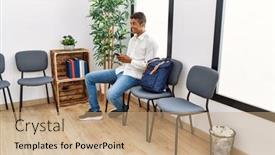
 Presentation with waiting room - Slide set with young-hispanic-man-waiting-using background and a coral colored foreground

Young Hispanic Man Waiting Using

In sleek and modern interior design, a well crafted template is essential to make a lasting impression. The Corner Title PowerPoint template provided by CrystalGraphics offers a stunning solution, perfect for creating a professional yet approachable workspace or waiting area. This high resolution widescreen template features a Cornflower Blue color palette that is sure to add a touch of elegance to any presentation. The template's design name is clear: featuring a handsome and modern aesthetic that is sure to resonate with your audience. The background images are rich in detail, providing a visually appealing feature for the waiting area or corridor. From the smartphone wielding young man in the background to the medical themed elements throughout the design, this template showcases an impressive range of features. To give you a sense of what's possible, imagine using this template on a How To slide that covers the basics of creating a waiting room layout. You could mention the importance of including a comfortable seating area, a clear path for visitors to navigate, and perhaps even incorporating some fun elements like a "wait" sign or a few well placed plants. This template is not only visually stunning but also versatile enough to be customized with your own personal touches. Having a theme of modern yet approachable design makes it easy to enhance the look and feel of any presentation, whether you're creating an internal meeting for medical professionals or an external conference for healthcare providers.

▼Key features of this template

  • They are compatible with both PowerPoint and Google Slides running on either Windows PCs or Macs.

  • They are available in both standard and widescreen slide formats. You can choose your preferred format by clicking on the "Widescreen" check box or icon.

  • Each template includes a beautiful high-resolution background image or video to visually reinforce the theme of your presentation.

  • In addition, each template includes designer-created graphics and modern fonts to give your presentations an up-to-date, professional look.

  • Each template's default design and title text position have been carefully selected to complement its background without covering faces or other key elements.

  • All text includes backdrops whose transparency level is mathematically calculated to maximize text readability while still allowing the background to be seen.

  • And all the text, text backdrops and graphics in every slide are colored with a palette designed to beautifully complement the colors in the background.

  • Our Premium templates (those with the descriptor “Premium” in their subtitle) include over 64 slide layouts to give you maximum flexibility as you create your presentations.

    • Those layouts are available to you whenever you create a new slide or when you want to change the layout of an existing slide.
    • They include everything you need to make all sorts of presentations. In addition to the layouts for the title slide and the usual title and content slide, they include many other layouts for slide types including table of contents slides, org charts, charts, diagrams, infographics, photo slides, thank you slides and more.
    • While creating these layouts our template designers have ensured that all text in every layout adjusts as gracefully as possible to various numbers of words.
  • Customizable templates (those with the descriptor “Customizable” in their subtitle) may be easily modified online before you download them.

    • To modify them, simply click on the pencil editing icon, then select your choice of ready to go designs and title text positions.
    • The editing tool also makes it easy to reposition and scale the background image or video to best suit your needs.

▼FAQs

Please review these FAQs to see if your question is answered. Contact us for more info

  • What is a PowerPoint template?

    • A well designed PowerPoint template is a file that can tell PowerPoint how to make your ordinary templates look extraordinary. They won’t change what your words or numbers say. But they might change their size, color, font and placement. And, overall, they can give your presentations a professionally-designed look that will give your content more credibility and give you more confidence.
  • How many PowerPoint templates do you offer?

    • We have over 32,000 artist-created presentation templates in our PowerPlugs collection With a subscription, PowerPlugs templates are easy to download. Just sign in, find a template and click on the green Download button. ready for you to download. That alone offers you more variety to choose from than any of our competitors can offer. And, as if that weren’t enough, we also offer over 6 million templates in our Crystal collection. Crystal brand templates are our line of templates that have customization options. They have the word "CRYSTAL" on their web page images. You can customize several aspects of the templates. These templates include high-resolution background images from Shutterstock’s vast image collection matched up with artist-created presentation designs customized by our own proprietary AI software.
  • How many templates can I download as a subscriber?

    • You can download an unlimited number of PowerPlugs-brand With a subscription, PowerPlugs templates are easy to download. Just sign in, find a template and click on the green Download button. templates every day for an entire year. (Actually, by default, we set a limit of 25 templates per day to prevent our competitors from stealing our templates. But, if that is not enough, just let us know and we’ll try to accommodate you.) On top of that, with a subscription or an Ultimate Combo, you can also download any 50 Crystal-brand Crystal brand templates are our line of templates that have customization options. They have the word "CRYSTAL" on their web page images. You can customize several aspects of the templates. templates per year selected from our huge Crystal collection. Crystal brand templates are our line of templates that have customization options. They have the word "CRYSTAL" on their web page images. You can customize several aspects of the templates. .
  • Why should I choose your templates instead of the competition’s?

    • We’ve got a larger selection of professionally-designed PowerPoint templates than anyone else in the world.
    • Each template includes a high-resolution background image or video to visually inspire your audiences while reinforcing your message.
    • Each template includes 64 slide layouts to give you maximum flexibility as you create your presentations.
    • Our templates are available in both standard and widescreen slide formats. And our website lets you preview the slides each way.
    • Our free Template Finder™ plugin lets subscribers select and - with a single click - download and insert our templates into their presentations right from within PowerPoint.
    • We’ve been creating designer presentation templates for over 20 years. During that time we’ve won several awards and 5-star ratings for product quality. See About Us for more.
  • Do you offer a money-back guarantee?

    • Yes we do! We offer full 30-day money-back guarantee if you are not 100% satisfied with your purchase.
  • Can I still use my downloaded templates after my subscription runs out?

    • Yes. After your subscription expires, you won't lose any rights or ability to use your PowerPlugs: Templates for PowerPoint. You won't be able to download any new non-watermarked templates. But the non-watermarked templates you've already downloaded will still work and you can still use them as before.
  • Can I share my downloaded templates or passwords with friends or coworkers?

    • Sorry but no. You are authorized to download each paid-for template to up to 3 of your personal devices and to use the templates you download in as many presentations as you want. But you are not authorized to share the templates, themselves, with others. That said, we do offer highly discounted site licenses to suit the needs of both small and large teams. Just tell us your needs and we’ll give you a quote!
  • System requirements:

    • The templates use the standard POTX format. So they are compatible with Google Slides and all PC, Mac and mobile devices running any version of PowerPoint from PowerPoint 2007 up through and including Office 365 desktop.
    • Please note: Google Slides does not currently support background videos. It treats them as still images.
    • For PowerPoint for the Web, first open your template into a desktop version of PowerPoint, then save it back out as a PPTX file. Then you can open that in PowerPoint for the Web.
  • End user license agreement:

    • Click here to view.
  • How will I get my purchased templates?

    • You may download your selected templates as soon as your payment is received by PayPal. If you purchased an individual template, you will be provided with a download link both onscreen and via email. Just click on that link to begin the download process. If you purchased a subscription, you will receive an email containing a password to use along with your email address to sign in to any of the templates pages on CrystalGraphics.com. Once you are signed in, you can immediately start downloading your selected templates.
  • How do I use my templates after I download them?

    • You can either open a template to start a new presentation or you can add a template to an existing presentation. To open a template, just double click on it or use PowerPoint's File > Open tool. To add a template to an existing presentation, on the Design tab, in the Themes group, click Browse for Themes... then browse to select your template.

View more Waiting Room templates:

previous 1 2 3 4 5 6 7 8 9 10 11 12 13 14 15 next
93% of Fortune 1000
companies use our
PowerPoint Products
Templates Secure

Standing Ovation Award
Winner: Best PowerPoint
Template Collection
Fortune Logos
200,000+ satisfied
customers worldwide!
Guarantee
100% satisfaction guaranteed
- or send it back for a refund!

Sign up for our free newsletter! You'll get news about our PowerPoint-enhancing product line – including free updates, new product announcements and exclusive special offers. Plus you'll get a link to a free PowerPoint template with every newsletter you receive.
Privacy Policy
Loading...


Help

Contact Us
Product FAQs
Product License Agreements

Company Info

About Us
Privacy Policy
CrystalGraphics, Inc. 1999 S. Bascom Avenue Suite 700 Campbell, CA 95008 USA
© 2026 CrystalGraphics, Inc. All rights Reserved.    |     PowerPlugs is a trademark of CrystalGraphics, Inc.
Microsoft and the PowerPoint logo are trademarks or registered trademarks of Microsoft Corporation in the United States and/or other countries.
Loading...
Loading...