www.crystalgraphics.com CrystalGraphics
  • Ultimate Combo
  • Templates
  • Diagrams
  • Characters
  • Quizzes
  • shopping cart
  • Sign Out Sign Out Sign In
Home > Templates > War Category
search icon
advanced icon

264 Best War-Themed Templates for PowerPoint and Google Slides

CrystalGraphics creates templates designed to make even average presentations look incredible. Below you’ll see thumbnail sized previews of the title slides of a few of our 264 best war templates for PowerPoint and Google Slides. The text you’ll see in in those slides is just example text. The war-related image or video you’ll see in the background of each title slide is designed to help you set the stage for your war-related topics and it is included with that template. In addition to the title slides, each of our templates comes with 17 additional slide layouts that you can use to create an unlimited number of presentation slides with your own added text and images. And every template is available in both widescreen and standard formats. With over 6 million presentation templates available for you to choose from, CrystalGraphics is the award-winning provider of the world’s largest collection of templates for PowerPoint and Google Slides. So, take your time and look around. You’ll like what you see! Whether you want 1 great template or an ongoing subscription, we've got affordable purchasing options and 24/7 download access to fit your needs. Thanks to our unbeatable combination of quality, selection and unique customization options, CrystalGraphics is the company you can count on for your presentation enhancement needs. Just ask any of our thousands of satisfied customers from virtually every leading company around the world. They love our products. We think you will, too!

Features & Pricing

Widescreen (16:9) Presentation Templates. Change size...
 Presentation with war - Presentation with handsome-businessman-wearing-military-helmet background and a yellow colored foreground

Handsome Businessman Wearing Military Helmet

You've stumbled upon a template that's designed to tackle the heavy emotions that come with making mistakes and facing frustration. This Wide Title design is perfect for creating a visually stunning presentation that grabs attention and resonates with your audience. The Widescreen format ensures that every detail, from the high resolution images on the background to the carefully curated keywords, comes together to create an immersive experience. The Peru color palette brings warmth and depth to this commercial template, evoking feelings of comfort and approachability. Featuring a soothing blend of earthy tones, it's perfect for showcasing your message in a way that feels both professional and approachable. Including a Background With option will allow you to enhance the text with stunning images, making your presentation truly unforgettable. The_template is designed to convey a sense of sadness and frustration, perfectly capturing the essence of being "sick" of mistakes. The angry and confused expressions on the template's Member Bio Layout slide are sure to evoke emotions and spark real discussions in your audience. Having a Theme of Enhanced With helps bring all these elements together, creating a cohesive look that's truly one of a kind. This template is indeed downloadable and compatible with Google Slides, making it easy to get started and customize as needed. Whether you're looking for a high impact presentation or simply a design to complement your existing content, this Wide Title template has got you covered.

 Presentation with war - Amazing theme having regimented - russian hussar kiev's hussar regiment backdrop and a coral colored foreground

Russian Hussar Kiev's Hussar Regiment.

The world of military history is rich in drama and spectacle, with the Russian Hussar Regiment standing out as one of its most iconic units. Their distinctive red turbaned riders can be seen galloping across the battlefields of 19th century Europe, leaving a lasting impression on all who witness their valorous deeds. The Corner Title template, designed by CrystalGraphics, is a visually stunning addition to any presentation. This Widescreen format showcases high resolution images in its Light Sky Blue color palette, perfectly capturing the essence of historical combat scenes. The Circular Approach Layout provides a dynamic and engaging way to present your content, with a clear focal point that draws the audience's attention. When paired with a 4 slide How To deck at the start, users are off to a flying start in terms of getting up and running quickly. Featuring high quality images and design elements from various historical periods, these slides will help guide the user through the process of creating their own presentation. The template is downloadable and compatible with Google Slides, allowing you to enhance your content with ease. The Light Sky Blue background is an excellent choice for any historical or combat themed presentation, providing a clean and crisp canvas for featuring images and adding a touch of warmth to your slides. Having a theme of showcasing powerful imagery and rich history, the Corner Title template is sure to impress your audience with its dramatic flair.

 Presentation with war - Colorful presentation theme enhanced with war 1812 - u s brig niagara ropes backdrop and a tawny brown colored foreground

U.s Brig Niagara Ropes

The world of nautical history is full of fascinating stories and iconic vessels that have captivated the imagination of people around the globe. A look at the U.S. Brig Niagara ropes reveals itself to be a gripping tale of bravery and ingenuity, one that requires an attention grabbing visual representation. This Wide Title template is designed to transport you to the rugged shores of Lake Erie in 1812, where a pivotal event in American history unfolded. Featuring high resolution images of the brig Niagara's stern and anchors, this template has all the makings of a captivating narrative. Its Saddle Brown color palette evokes the rich tones of the ship's wooden hull, while its intricate design elements pay homage to the era's sailing traditions. As you explore the Wide Title template, you'll find that it's downloadable and compatible with Google Slides, making it the perfect companion for your presentation or project. The accompanying 4 How To slides offer valuable guidance on getting started quickly, with a focus on simplicity and ease of use. These how to slides are designed to provide clear instructions for setting up your template, while also offering tips and best practices for creating engaging content. With its diverse keyword set, including brig, sail, Eerie, ship, war, this template is sure to enhance any presentation or project. Whether you're looking to tell a thrilling tale of bravery or showcase stunning visuals, the Wide Title template has got you covered. Having a theme of showcasing iconic vessels and historical events, it's the perfect choice for anyone seeking to present their ideas in an engaging and captivating way.

 Presentation with war - Cool new presentation with fitness group playing tug of war on a sunny day backdrop and a soft green colored foreground

Fitness Group Playing Tug War

Imagine being part of a high energy fitness group, the warm sunshine on your skin and the sound of laughter as you push each other to new heights in a game of tug of war. The images are vibrant and dynamic, with bright colors and bold lines that evoke feelings of strength and motivation. This template features a Dark Orchid color palette, which is both elegant and sophisticated. It's the perfect backdrop for showcasing high resolution images that will make your presentation stand out. The High Resolution images for the background are sure to grab attention and inspire your audience. The Wide Title is what sets this template apart it's designed to be bold and eye catching, making a statement with its dramatic font size and style. It sets the tone for the rest of the deck, which is full of energy and enthusiasm. The Dark Orchid color palette adds depth and nuance, while the Caucasian theme ensures that the images are inclusive and relatable. The template keywords strength, sunshine, caucasian, happy, tug pay homage to the inspiration behind this design. It's not just a pretty picture, but a reflection of what motivates us to push ourselves to new levels. The 5 Steps to Success Layout is where things get really interesting it's like the icing on the cake, the cherry on top. As you create your presentation, think about Featuring a Background With, Including a Background With, Having a Theme of to add an extra layer of depth and meaning. And don't be afraid to Enhance With text and images to make it truly stand out. The possibilities are endless!

 Presentation with war - Audience pleasing slides consisting of russian hussar kiev's hussar regiment crimean war time backdrop and a coral colored foreground

Russian Hussar Kiev's Hussar Regiment.

In the midst of time honored traditions and storied history, a powerful visual identity has been crafted for your attention. The Corner Title template is designed to evoke the spirit of the Russian Hussar Regiment, who rode into battle with unwavering bravery and unrelenting determination. This template's design name reflects its rich heritage, featuring intricate details and majestic imagery that will transport your audience to a bygone era. The template format is optimized for widescreen presentation, providing an immersive viewing experience that is both thrilling and educational. The Light Steel Blue color palette radiates warmth and sophistication, imbuing the design with a sense of elegance and refinement. The template's keyword list includes words like "hussar," "historical," "combat," "rider," and "domestic," ensuring that your presentation resonates with an audience interested in these topics. The included images will transport you to the Crimean War era, where Russian cavalrymen clashed against British forces. The high resolution background photos will be a feast for the eyes, complete with rich textures and nuanced colors. On the third slide, featuring a 3D image of a Hussar rider, the camera angles and lighting effects create an immersive experience, bringing the combat scene to life. This template is not just a backdrop; it's a versatile foundation that can be enhanced with various design elements to suit your needs. The Light Steel Blue color palette will provide a soothing contrast to bold graphics and fonts, while also incorporating textures for added depth. The inclusion of Google Slides compatibility means you'll have access to the full range of tools and features, making it easy to tailor the template to your specific requirements.

 Presentation with war - Slides enhanced with russian hussar kiev's hussar regiment crimean war time background and a coral colored foreground

Russian Hussar Kiev's Hussar Regiment.

The Russian hussar is a legendary figure in military history, symbolizing courage and honor on the battlefield. The Corner Title template, designed specifically for the needs of professionals who value high quality visuals, presents itself as a stunning digital solution that captures the essence of this iconic soldier. ThisCornerTitletemplate is formatted in widescreen, providing an immersive experience for users. The Light Steel Blue color palette shines through, evoking a sense of sophistication and modernity while maintaining its historical and domestic roots. Featuring high resolution images of hussars riding horses across the Crimean landscape, this template captures the essence of the Russian military's cavalry heritage. The theme is enhanced with historic illustrations of hussar regiments in action during the Crimean War era, adding depth and authenticity to the design. Incorporating a background with subtle texture and shading creates a realistic representation of life on the battlefield. Having a clean layout, the template includes four How To slides that facilitate quick setup and customization. The Who We Are bio layout provides an elegant overview of your organization's values, mission, and goals, making it an ideal starting point for any presentation or digital project. Incorporating a call to action, this section encourages engagement and participation from audience members. The Enhanced With feature is utilized to include key statistics, images, and testimonials, further enhancing the overall visual impact.

 Presentation with war -

Crimea,ukraine September 18-20 2008.

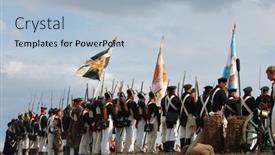
The world of historical reenactments has never been more vibrant and engaging, with intricate details that transport us back in time to the Crimean War era. Imagine yourself standing amidst the rolling hills and dense forests of Ukraine, where brave soldiers from both sides clashed on the Alma River. The sounds of war still echo through the air, and the smell of gunpowder and sweat hangs heavy over the battlefield. The Split Title template is a stunning representation of this world, with its light steel blue background that seems to glow in the darkness of the screen. The 6 x 6 Org Chart Layout slide features a hierarchical structure that mirrors the ranks of the army, from the generals at the top to the foot soldiers below. This layout allows for easy navigation and understanding of the organizational hierarchy. The template is customizable with high resolution images that bring the battlefield to life. Featuring historical reenactments of battles such as the Crimean War, you can enhance the mood and atmosphere of your presentation. Including a background with a subtle texture that resembles the rough terrain of Ukraine will further immerse your audience in the experience. Having a theme of showcasing bravery and sacrifice, this template is sure to captivate your viewers. Enhanced with graphics that highlight the fighting skills of soldiers from both sides, you'll leave your audience speechless. The Split Title template is downloadable and compatible with Google Slides, making it an ideal choice for presentations on historical reenactments or military themed events.

 Presentation with war -

Crimea,ukraine September 18-20 2008.

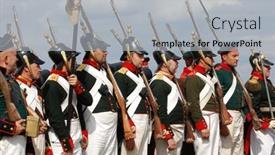
In the midst of war torn Crimea, where the ghosts of historical battles still linger, a group of seasoned soldiers gathered to relive the drama of the 2008 Crimean War, reenacting the fateful field near Alma river. The high resolution images that adorn the background serve as a poignant reminder of the brutal conflict that took place over two decades ago. The Dark Goldenrod template color palette is carefully crafted to evoke the sense of nostalgia and foreboding that pervades this historical era. Featuring antique military hardware, ancient stone buildings, and a backdrop of mist shrouded hills, this template is designed to transport you back in time to the Crimean Peninsula during the height of the war. The Widescreen format ensures that every aspect of the scene is meticulously recreated, from the distant mountains to the dense forests. The Puzzle Pieces Layout slide allows you to easily visualize how all the elements fit together, creating a seamless and immersive experience for your audience. This layout can include maps of the battlefield, showcasing key locations such as the Alma river crossing and the fortified positions of the Russian army. The high quality images used throughout this template are not only visually stunning but also enhance the overall mood of the presentation. Imagine walking along that very same field, surrounded by the sounds of war and the smell of smoke and sweat. This Dark Goldenrod template is sure to transport your audience to a bygone era, creating an immersive experience that will leave them spellbound.

 Presentation with war -

Crimea,ukraine September 18-20 2008.

Presentation theme with crimea ukraine september 18-20 2008 historical military reenacting crimean war field near alma river

 Presentation with war -

Crimea,ukraine September 18-20 2008.

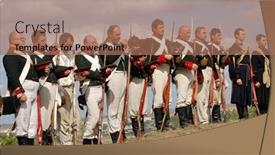
The night sky over the Crimean Peninsula on September 18 20 , 2008, was alive with the sound of cannons and the smell of gunpowder as the armies clashed in one of history's most brutal conflicts. The setting for this pivotal moment in time was a historic military reenacting event, where the past and present collided. A team of skilled soldiers donned their finest uniform, ready to face the enemy with all their might. The template you are about to explore is called Wide Title, designed to give your presentation a dramatic and intense feel. The Widescreen format allows for maximum impact, while the Sienna color palette brings warmth and depth to the design. Featuring high resolution images of war torn landscapes and uniforms, this template will transport your audience to the heart of conflict. The antique theme is reflected in the distressed textures and faded colors, giving a sense of wear and tear that echoes the battles fought and lost. The army keyword highlights the military aspect, while the alma word nods to the historical significance of the event. Having an active and adventurous feel, this template will keep your audience engaged throughout. The Googel Slide compatibility ensures that it can be shared and reused across various platforms, making it easy to incorporate into presentations and other online content. As inspiration from the Crimean War comes alive on screen, featuring dramatic images of cannons and battle scarred soldiers, you'll be well equipped to bring this pivotal moment in history to life. Including a Background With a mix of close ups and wide shots will create visual interest, while Having a Theme Of enhancing the overall mood and atmosphere is crucial. Enhanced with subtle gradients and textures, the template is ready to take your presentation to the next level.

 Presentation with war -

Crimea,ukraine September 18-20 2008.

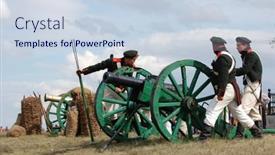
The images that adorn this Widescreen template are breathtaking, evoking the somber tones of a Crimean War battlefield. You can't help but feel the weight of history as you gaze upon the high resolution photographs that capture the essence of this momentous event. The Wide Title, "Alma Battlefield", is carefully crafted to evoke the drama and intensity of the action unfolding before your eyes. The text is rendered in a rich sienna color palette that adds depth and warmth to the overall design, while the antique inspired font choice lends an air of nostalgia to the template. This Widescreen template is ideal for displaying historical military reenactments or presentations featuring active, adult, or army themed content. The 4 How To slides at the start of the deck are designed to provide a smooth and efficient learning curve, allowing users to quickly get up and running with their presentation on high quality images. A Comparison Layout slide could feature an image that showcases the template's key features, such as its compatibility with Google Slides or its seamless integration with other graphics software. Alternatively, it could highlight the enhanced background images available for download, which can be used to create a more immersive experience for your audience. The Active theme of this Widescreen template lends itself perfectly to featuring high resolution images that showcase stunning vistas and dramatic battles. The Antique and Army keywords add an extra layer of depth to the design, while the sienna color palette provides a rich and inviting atmosphere. Overall, this template is sure to enhance any presentation with its engaging visuals and sophisticated design.

 Presentation with war -

Crimea,ukraine September 18-20 2008.

PPT layouts with crimea ukraine september 18-20 2008 historical military reenacting crimean war field near alma river background

 Presentation with war -

Crimea,ukraine September 18-20 2008.

Presentation consisting of crimea ukraine september 18-20 2008 historical military reenacting crimean war field near alma river

 Presentation with war -

Crimea,ukraine September 18-20 2008.

The sun sets slowly over the devastated landscape of Criminacan, a city scarred by the brutal conflict that ravaged it during the Crimean War. The sounds of gunfire and screams still echo through the streets, a haunting reminder of the atrocities committed on this field near Alma river. As we embark on this journey through time, we find ourselves transported to September 18 20, 2008, where the battlefields of war left their mark. The steel blue color palette that dominates our template is reminiscent of the icy waters of the Black Sea, and it perfectly captures the somber mood of this historical event. The wide screen format ensures that every detail is showcased, from the distant mountains to the crumbling buildings. Featuring a stunning high resolution image of the Crimean War battlefield in the background, we're transported back in time. The template is downloadable and compatible with Google Slides, making it easy to import into your own presentation. With its unique theme and design elements, this template will enhance your presentations and make them truly stand out. Having a theme of "Historical Reenactment" and including a background with maps and battlefields, this template is perfect for anyone looking to bring historical events to life. The Section Header Layout slide showcases the 4 How To slides that come at the start of our template, guiding you through the process of getting up and running quickly. With high resolution images of the Crimean War battlefield on display, these slides will help you create a professional looking presentation in no time.

 Presentation with war -

Crimea,ukraine September 18-20 2008.

The corner title is a striking visual element that sets the tone for the presentation, drawing viewers in with its bold and dynamic design. A dramatic scene from history comes to life on screen as the background image is set against a rich light steel blue color palette that evokes the grandeur of the Crimean War era. A wide screen format adds depth and dimensionality to the template, making it feel expansive and immersive. The overall effect is one of drama and energy, perfect for an active and engaging presentation. The template features high resolution images throughout, including photographs from the historical event being depicted, adding a sense of authenticity and detail. These images are carefully curated to showcase the beauty of the Crimean War landscape, with its rugged terrain and historic sites. For example, this template could be used as a visual aid for an interactive presentation that includes a background image featuring a stunning sunset over the Crimean coastline. The text is enhanced by including a dynamic slide transition between slides, allowing the viewer to zoom in on specific details or highlight important information. When it comes to the Member Bio Layout, this template allows for creativity and self expression, featuring a unique layout that can showcase your personality and style. With its clean lines and minimalist design, it's perfect for showcasing the facts about you without overpowering them. As with any presentation, having a theme of professionalism is essential, making sure the content remains polished and engaging. This template features a theme of enhancing your message with images and graphics, allowing you to make your key points stand out in a crowded digital landscape.

 Presentation with war -

Crimea,ukraine September 18-20 2008.

The darkness of war still looms large in the hearts of those who fought and died in Crimea. The September 18 20 , 2008 Historical military reenacting event, a poignant reminder of the brutal Crimean War. A battle that saw nations clash, ideologies collide, and lives lost. Now, imagine yourself standing on the blood soaked fields near Alma river, surrounded by the remnants of a long forgotten conflict. This template is designed to take you back in time, to the trenches of war. The Corner Title is a showcase for your creativity, featuring a 1000x2000 pixel image at its center, with a 1280x800 resolution background that will transport you to the heart of the action. The Light Steel Blue color palette echoes the steel of guns and the somber tones of a bygone era. As you delve into this template, you'll find four How To slides to get you started quickly, but don't worry, we won't hold your hand through every step. This is a masterclass in simplicity, where functionality meets elegance. The Venn Diagram Layout slide allows you to create a visual representation of the complex relationships between different themes and ideas, showcasing how they intersect and overlap. For example, this template could be used to create an immersive historical reenactment presentation, featuring dramatic scenes from the Crimean War. With its rich background images and customizable layout, you'll have everything you need to transport your audience to a bygone era. Just like the armies that once clashed on these very fields, your presentation will leave a lasting impression, one that lingers long after the curtain closes. To ensure compatibility with Google Slides, this template is also featuring including a Background With option, making it easy to switch between different layouts and designs. And, having a Theme of Historical reenactment, showcasing images from events like the Crimean War, will enhance your presentation and make it stand out from the crowd. The corners of this design are deliberately left blank, allowing you to add your own personal touch and creative flair. This is an album page template, perfect for artists, historians, and anyone who loves the dramatic clash of armies on a grand scale.

 Presentation with war -

Crimea,ukraine September 18-20 2008.

Presentation theme with crimea ukraine september 18-20 2008 historical military reenacting crimean war field near alma river

 Presentation with war -

Crimea,ukraine September 18-20 2008.

The images in this template are designed to evoke the grit and intensity of the Crimean War, transporting you to the battlefields of Alma and other key locations. The wide screen format ensures that your content is fully immersive, while the light steel blue color palette creates a sense of calm contrast, fitting for an inspirational and active theme. The Wide Title template is designed with an attention grabbing effect in mind, featuring high resolution images of antique military equipment and historical reenacting scenes. The template's background features a distinctive image of the Crimean Peninsula, while the text overlays it in a clean and modern font. This combination creates a sense of depth and visual interest. Including a Background With this template allows you to add an extra layer of detail to your presentation, enhancing its overall impact. Having a Theme of Historical Reenacting adds authenticity to your content, making it more engaging for the viewer. Enhanced with antique details like ornate scrollwork and distressed textures, this template is sure to transport your audience to another time and place. Featuring the image of an army marching in formation across a field, such as the one near Alma river during the Crimean War, can be a powerful example of how you can use this template to convey a sense of history and action. When using this template for a Google Slides presentation, make sure to create custom animations or transitions that enhance the overall experience. For instance, you could include a fade in effect on the Wide Title or add dynamic shapes around the historical reenacting scene.

 Presentation with war -

Crimea,ukraine September 18-20 2008.

In the heart of a war torn region, where steel meets stone, lies a haunting tale of human sacrifice and resilience. The fields near the Alma river in Crimea, Ukraine, on September 18 20, 2008, bear witness to the brutal clashes between rival forces. This era defining moment is one that will leave you breathless. The Corner Title template is designed to evoke the sense of foreboding and unease that pervades this pivotal time in history. With a Light Steel Blue color palette that exudes a sense of starkness, this template promises an immersive experience for your audience. The high resolution images featured throughout the background will transport you to the dusty fields of Ukraine. The Corner Title template is optimized for widescreen displays, ensuring a stunning visual presence on any device. This dynamic design lends itself effortlessly to use in presentations that require attention grabbing visuals and an air of historical drama. As a downloadable resource with seamless integration into Google Slides, this template invites you to dive deeper into the narrative. The theme of military history and ancient conflict adds depth to the already provocative title and content layout slide, which showcases a haunting image from the Crimean War era. Featuring intricate details such as worn leather saddles, dusty banners, and imposing stone fortifications, this background provides an immersive backdrop for your presentation.

 Presentation with war -

Crimea,ukraine September 18-20 2008.

In the midst of conflict and chaos, a small village in Crimea came under attack by Russian forces. The Alma River ran red with blood as the sound of artillery fire echoed through the air. This scene was recreated in vivid detail on screen, using high resolution images to transport viewers back in time. The Corner Title template is designed for dramatic effect, featuring a stylized, antique style title that evokes a sense of history and importance. The background image is a breathtaking representation of the Crimean War battlefield, complete with ruined buildings and soldiers scattered about. The light steel blue color palette provides a cohesive look that complements the historical theme. The template itself is a widescreen format, ideal for showcasing detailed images and animations. It's available as a downloadable file, compatible with Google Slides, making it easy to incorporate into your presentation without any technical issues. With its focus on drama and realism, this template would be perfect for presentations that feature military reenactments or historical events. By including a background image of the Crimean War battlefield, you can transport viewers back in time and enhance their experience. Featuring an inclusion of high resolution images throughout the deck, you can showcase the beauty and brutality of war together. Having a theme of showcasing real life historical events, this template would be an excellent choice for anyone looking to convey a sense of importance and authenticity in their presentation. The Two Content Layout slide could include a detailed overview of the Crimean War, featuring images and text that provide context and background information. Alternatively, it could include a powerful image of the battle scene, with text overlay highlighting key events or figures from history. Either way, this layout would allow you to effectively convey complex historical information in an engaging and accessible way. By incorporating these elements into your presentation, you can create a memorable and impactful experience for your audience.

 Presentation with war -

Crimea,ukraine September 18-20 2008.

As the sun sets over the historic city of Sevastopol, a somber atmosphere settles in, transporting us back to a pivotal moment in history September 18 20 , 2008, when the Crimean War was at its peak. The streets are lined with soldiers, their faces etched with determination and fear as they prepare for battle. The sound of drums and cannons echoes through the air, setting the tone for an intense and emotional experience. The Corner Title template is a stunning piece of design that features a simple yet powerful use of light steel blue as its dominant color palette. This sleek and sophisticated look is perfect for creating a sense of drama and intensity, whether you're presenting historical information or showcasing a bold new concept. The overall aesthetic is enhanced with the inclusion of high resolution images for the background, providing an immersive experience for your audience. The template's Circular Step Layout is a clever way to showcase multiple elements in a single slide, making it perfect for presentations that require a lot of visual information. For example, you could use this layout to feature a map of Crimea with key locations highlighted, or include a section on the history of the war. The ability to have a theme of, and Featuring a background with a focus on a specific historical event is also an excellent way to create a cohesive look. The template is downloadable and compatible with Google Slides, making it easy to incorporate into your workflow. With its high resolution images and customizable design, this template is sure to add a touch of elegance to any presentation. Whether you're presenting historical facts or showcasing a new product, the Corner Title template is an excellent choice for creating a memorable experience.

▼Key features of this template

  • They are compatible with both PowerPoint and Google Slides running on either Windows PCs or Macs.

  • They are available in both standard and widescreen slide formats. You can choose your preferred format by clicking on the "Widescreen" check box or icon.

  • Each template includes a beautiful high-resolution background image or video to visually reinforce the theme of your presentation.

  • In addition, each template includes designer-created graphics and modern fonts to give your presentations an up-to-date, professional look.

  • Each template's default design and title text position have been carefully selected to complement its background without covering faces or other key elements.

  • All text includes backdrops whose transparency level is mathematically calculated to maximize text readability while still allowing the background to be seen.

  • And all the text, text backdrops and graphics in every slide are colored with a palette designed to beautifully complement the colors in the background.

  • Our Premium templates (those with the descriptor “Premium” in their subtitle) include over 64 slide layouts to give you maximum flexibility as you create your presentations.

    • Those layouts are available to you whenever you create a new slide or when you want to change the layout of an existing slide.
    • They include everything you need to make all sorts of presentations. In addition to the layouts for the title slide and the usual title and content slide, they include many other layouts for slide types including table of contents slides, org charts, charts, diagrams, infographics, photo slides, thank you slides and more.
    • While creating these layouts our template designers have ensured that all text in every layout adjusts as gracefully as possible to various numbers of words.
  • Customizable templates (those with the descriptor “Customizable” in their subtitle) may be easily modified online before you download them.

    • To modify them, simply click on the pencil editing icon, then select your choice of ready to go designs and title text positions.
    • The editing tool also makes it easy to reposition and scale the background image or video to best suit your needs.

▼FAQs

Please review these FAQs to see if your question is answered. Contact us for more info

  • What is a PowerPoint template?

    • A well designed PowerPoint template is a file that can tell PowerPoint how to make your ordinary templates look extraordinary. They won’t change what your words or numbers say. But they might change their size, color, font and placement. And, overall, they can give your presentations a professionally-designed look that will give your content more credibility and give you more confidence.
  • How many PowerPoint templates do you offer?

    • We have over 32,000 artist-created presentation templates in our PowerPlugs collection With a subscription, PowerPlugs templates are easy to download. Just sign in, find a template and click on the green Download button. ready for you to download. That alone offers you more variety to choose from than any of our competitors can offer. And, as if that weren’t enough, we also offer over 6 million templates in our Crystal collection. Crystal brand templates are our line of templates that have customization options. They have the word "CRYSTAL" on their web page images. You can customize several aspects of the templates. These templates include high-resolution background images from Shutterstock’s vast image collection matched up with artist-created presentation designs customized by our own proprietary AI software.
  • How many templates can I download as a subscriber?

    • You can download an unlimited number of PowerPlugs-brand With a subscription, PowerPlugs templates are easy to download. Just sign in, find a template and click on the green Download button. templates every day for an entire year. (Actually, by default, we set a limit of 25 templates per day to prevent our competitors from stealing our templates. But, if that is not enough, just let us know and we’ll try to accommodate you.) On top of that, with a subscription or an Ultimate Combo, you can also download any 50 Crystal-brand Crystal brand templates are our line of templates that have customization options. They have the word "CRYSTAL" on their web page images. You can customize several aspects of the templates. templates per year selected from our huge Crystal collection. Crystal brand templates are our line of templates that have customization options. They have the word "CRYSTAL" on their web page images. You can customize several aspects of the templates. .
  • Why should I choose your templates instead of the competition’s?

    • We’ve got a larger selection of professionally-designed PowerPoint templates than anyone else in the world.
    • Each template includes a high-resolution background image or video to visually inspire your audiences while reinforcing your message.
    • Each template includes 64 slide layouts to give you maximum flexibility as you create your presentations.
    • Our templates are available in both standard and widescreen slide formats. And our website lets you preview the slides each way.
    • Our free Template Finder™ plugin lets subscribers select and - with a single click - download and insert our templates into their presentations right from within PowerPoint.
    • We’ve been creating designer presentation templates for over 20 years. During that time we’ve won several awards and 5-star ratings for product quality. See About Us for more.
  • Do you offer a money-back guarantee?

    • Yes we do! We offer full 30-day money-back guarantee if you are not 100% satisfied with your purchase.
  • Can I still use my downloaded templates after my subscription runs out?

    • Yes. After your subscription expires, you won't lose any rights or ability to use your PowerPlugs: Templates for PowerPoint. You won't be able to download any new non-watermarked templates. But the non-watermarked templates you've already downloaded will still work and you can still use them as before.
  • Can I share my downloaded templates or passwords with friends or coworkers?

    • Sorry but no. You are authorized to download each paid-for template to up to 3 of your personal devices and to use the templates you download in as many presentations as you want. But you are not authorized to share the templates, themselves, with others. That said, we do offer highly discounted site licenses to suit the needs of both small and large teams. Just tell us your needs and we’ll give you a quote!
  • System requirements:

    • The templates use the standard POTX format. So they are compatible with Google Slides and all PC, Mac and mobile devices running any version of PowerPoint from PowerPoint 2007 up through and including Office 365 desktop.
    • Please note: Google Slides does not currently support background videos. It treats them as still images.
    • For PowerPoint for the Web, first open your template into a desktop version of PowerPoint, then save it back out as a PPTX file. Then you can open that in PowerPoint for the Web.
  • End user license agreement:

    • Click here to view.
  • How will I get my purchased templates?

    • You may download your selected templates as soon as your payment is received by PayPal. If you purchased an individual template, you will be provided with a download link both onscreen and via email. Just click on that link to begin the download process. If you purchased a subscription, you will receive an email containing a password to use along with your email address to sign in to any of the templates pages on CrystalGraphics.com. Once you are signed in, you can immediately start downloading your selected templates.
  • How do I use my templates after I download them?

    • You can either open a template to start a new presentation or you can add a template to an existing presentation. To open a template, just double click on it or use PowerPoint's File > Open tool. To add a template to an existing presentation, on the Design tab, in the Themes group, click Browse for Themes... then browse to select your template.

View more War templates:

previous 1 2 3 4 5 6 7 8 9 10 11 12 13 next
Categories related to War:
British China Civil Cold Iraq Poverty Room Terrorism Trade Vietnam World
93% of Fortune 1000
companies use our
PowerPoint Products
Templates Secure

Standing Ovation Award
Winner: Best PowerPoint
Template Collection
Fortune Logos
200,000+ satisfied
customers worldwide!
Guarantee
100% satisfaction guaranteed
- or send it back for a refund!

Sign up for our free newsletter! You'll get news about our PowerPoint-enhancing product line – including free updates, new product announcements and exclusive special offers. Plus you'll get a link to a free PowerPoint template with every newsletter you receive.
Privacy Policy
Loading...


Help

Contact Us
Product FAQs
Product License Agreements

Company Info

About Us
Privacy Policy
CrystalGraphics, Inc. 1999 S. Bascom Avenue Suite 700 Campbell, CA 95008 USA
© 2026 CrystalGraphics, Inc. All rights Reserved.    |     PowerPlugs is a trademark of CrystalGraphics, Inc.
Microsoft and the PowerPoint logo are trademarks or registered trademarks of Microsoft Corporation in the United States and/or other countries.
Loading...
Loading...