www.crystalgraphics.com CrystalGraphics
  • Ultimate Combo
  • Templates
  • Diagrams
  • Characters
  • Quizzes
  • shopping cart
  • Sign Out Sign Out Sign In
Home > Templates > Fire > Wild Fire Category
search icon
advanced icon

75 Best Wild Fire-Themed Templates for PowerPoint and Google Slides

CrystalGraphics creates templates designed to make even average presentations look incredible. Below you’ll see thumbnail sized previews of the title slides of a few of our 75 best wild fire templates for PowerPoint and Google Slides. The text you’ll see in in those slides is just example text. The wild fire-related image or video you’ll see in the background of each title slide is designed to help you set the stage for your wild fire-related topics and it is included with that template. In addition to the title slides, each of our templates comes with 17 additional slide layouts that you can use to create an unlimited number of presentation slides with your own added text and images. And every template is available in both widescreen and standard formats. With over 6 million presentation templates available for you to choose from, CrystalGraphics is the award-winning provider of the world’s largest collection of templates for PowerPoint and Google Slides. So, take your time and look around. You’ll like what you see! Whether you want 1 great template or an ongoing subscription, we've got affordable purchasing options and 24/7 download access to fit your needs. Thanks to our unbeatable combination of quality, selection and unique customization options, CrystalGraphics is the company you can count on for your presentation enhancement needs. Just ask any of our thousands of satisfied customers from virtually every leading company around the world. They love our products. We think you will, too!

Features & Pricing

Widescreen (16:9) Presentation Templates. Change size...
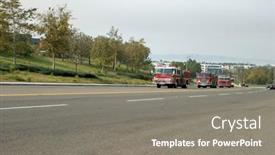
 Presentation with wild fire -

Fire Trucks Around Country Joined

As flames engulfed the horizon, firefighters from across the country converged on the burning site with a unified mission to contain the inferno and bring hope back to the parched landscape. This was no ordinary wild fire it was a raging force that threatened to consume everything in its path. The template is a high resolution image on a widescreen format, perfect for showcasing the drama and intensity of this natural disaster. The tan colored background provides a warm and inviting canvas for the 10 23 2007, 911, arson, Bring theme, which features bold graphics and attention grabbing text. This template is downloadable and compatible with Google Slides, making it easy to incorporate into your presentation. The template's design is sleek and modern, with clean lines and a clear layout that makes it easy to navigate. The 5 Stages Pentagon Layout slide provides a visual representation of the fire's progression, from initial detection to containment. This feature can be used to illustrate how firefighters work together to bring in the blaze, having a theme of teamwork and coordination. With its high resolution images and customizable design, this template is perfect for anyone looking to create a visually striking presentation about wildfires or any other natural disaster. Featuring a background with flames and smoke, including a photo of firefighters battling the blaze, Enhanced With a theme of firefighting, this template enhances your presentation's impact and makes it easy to convey the severity of the situation. Having a theme of community involvement and cooperation, this template is also ideal for presentations that highlight the role of local authorities and emergency responders in fighting wildfires.

 Presentation with wild fire - Amazing presentation design having fire-trucks-line-up backdrop and a tawny brown colored foreground

Fire Trucks Line Up Gas

Presentation design having fire trucks line up for gas and diesel fuel and prepair to go battle the wild fires from the santiago canyon staging area

 Presentation with wild fire -

Fire Trucks Around Country Joined

Imagine witnessing a wild fire that has ravaged entire neighborhoods, leaving nothing but ashes in its wake. It's a scenario that requires immediate action and coordination among various agencies to bring under control. In response to this emergency, the fire department from Los Angeles is taking the lead, with firefighters from across the country joining forces to combat this blaze. As the situation unfolds, the city's authorities are working tirelessly to contain the flames and protect its citizens. The powerpoint template featuring 10 23 2007 high resolution images of fire trucks and equipment in a dramatic background creates an immersive experience that puts viewers at the center of the action. The tan colored color palette evokes a sense of urgency, while the inclusion of keywords like "911" and "areson" adds depth to the design. The template is set to be a widescreen format, providing ample space for visual elements and text. The high resolution images are perfectly suited for this purpose, featuring detailed shots of fire trucks racing towards emergencies, their sirens blaring and lights flashing. Areson's logo prominently features in one corner, while the arson theme runs throughout, highlighting the importance of containing these destructive forces. The template is designed to be downloadable and compatible with Google Slides, making it easy to import into your presentation software. The resolution of 10 23 2007 ensures crisp and clear images, while the tan colored background provides a warm and inviting atmosphere. The Arrowhead Layout slide showcases a dramatic image of a fiery landscape, complete with smoke billowing from the flames. This layout is perfect for showcasing key information or promoting the theme of containment. It can be used to introduce the main topic of fire safety, and its inclusion in the template adds visual interest and depth to the overall design. The enhanced background feature allows you to add a stunning image to the slide, elevating it from standard presentation material to a work of art. This would make for an impressive opening to your presentation, drawing viewers into the world of firefighting.

 Presentation with wild fire -

Fire Trucks Around Country Joined

As flames engulf the horizon, unleashing a torrent of fire that spreads with reckless abandon, the brave men and women of the firefighting community are working tirelessly to bring this inferno under control. Theirs is a war against nature's fury, one that requires precision, courage, and determination. The Split Title template is designed in Widescreen format, perfect for showcasing dramatic footage of wildfires or other high stakes events. The Tan color palette provides a warm, earthy tone that evokes feelings of caution and urgency. Featuring a background image of a wildfire raging through a barren landscape, the template has the potential to convey a sense of danger and intensity. The template incorporates keywords from the field of firefighting, including "911" and "areson", to create an immersive experience for viewers. Having a theme of showcasing the bravery and skill of firefighters, this template would be perfect for social media posts highlighting their heroism in the face of disaster. Enhanced with 10 23 2007 footage, featuring stunning visuals of wildfires, this template is sure to grab attention. Including a Background With text overlay that highlights key information such as "Emergency Services" or "Wildfire Response", it's an ideal choice for presentations and promotional materials that require a high level of engagement. As you create your presentation, remember to include the four How To slides at the start of the deck to help viewers get up and running quickly. These will provide essential tips and tricks for using the template in real world settings, from creating social media posts to designing effective presentations. By following these steps, you'll be able to showcase your creativity and expertise while conveying a clear message about firefighting and its importance.

 Presentation with wild fire - Amazing slides having river and make fire backdrop and a tawny brown colored foreground

Panorama Camp Wild Area Hikers

Slides having panorama of the camp in the wild area hikers set the tents near the river and make fire at sunset backdrop

 Presentation with wild fire - Slides with 10-23-2007-santiago-canyon background and a sky blue colored foreground

10-23-2007 Santiago Canyon Wild Fire

Slides with 10-23-2007 santiago canyon wild fire as seen from portola hills

 Presentation with wild fire - Audience pleasing PPT theme consisting of fire in the wild area backdrop and a tawny brown colored foreground

Hikers Set Tent Make Fire

As you prepare to embark on your next outdoor adventure, imagine yourself surrounded by the serene beauty of nature the towering trees, the soothing sounds of wildlife, and the warmth of a campfire crackling in the distance. The sun casts a golden glow over the landscape, illuminating the path ahead. In this captivating template design, you'll find that it's not just a pretty picture, but a comprehensive tool to help you plan and execute your outdoor escapades with ease. Its sleek Widescreen format ensures that every detail is showcased in stunning high resolution images, set against a rich Saddle Brown background. This theme of 'Tent and Trek' perfectly encapsulates the essence of adventure tourism, where women can connect with nature and push their limits. The template features a captivating image of a solo woman hiking through a lush forest, her backpack full of essentials, including a first aid kit, water bottle, and map. The high resolution images will transport you to the heart of the wilderness, making it easy to visualize your own outdoor adventures. This template is not just an inspiration, but also a guiding light to help you get up and running quickly with four essential slides that will take you through the process of setting up camp like a pro. But don't worry, these features aren't new they're actually built right into this Saddle Brown template. Whether you're looking for a premium look or a more budget friendly option, this Widescreen design is sure to enhance your content with a theme of 'Wilderness Getaways' and including a Background With stunning visuals.

 Presentation with wild fire - Cool new PPT theme with fire-trucks-line-up backdrop and a tawny brown colored foreground

Fire Trucks Line Up Gas

PPT theme with fire trucks line up for gas and diesel fuel and prepair to go battle the wild fires from the santiago canyon staging area

 Presentation with wild fire - Colorful presentation theme enhanced with smoke car truck - 10-22-2007 irvine california arson set backdrop and a  colored foreground

10-22-2007 Irvine California Arson Set

This Split Title template features a design name that showcases a dramatic split title, perfect for grabbing attention with its bold and contrasting colors. The template is formatted in a widescreen layout, ideal for showcasing high resolution images on the screen. The Chocolate color palette adds warmth and sophistication to the overall look. The Split Title template includes 4 How To slides at the start of the deck, designed to help users get up and running quickly with ease. As inspiration from real world events like the devastating wildfires in Southern California, this template showcases a powerful image that evokes emotions. Take, for example, an Enhanced With photo of flames engulfing a landscape after an arson fire. The content layout slide is particularly noteworthy, featuring a Background With section where users can adjust the image's position and size within the template. This allows for a seamless incorporation of high resolution images into the design. Having a Theme of showcasing powerful images and conveying messages, this template stands out as a valuable resource for anyone looking to create stunning visuals. The Split Title template is fully downloadable and compatible with Google Slides, making it easy to incorporate into their presentations or projects. As an added feature, the template includes high resolution images on the left hand side of the screen, providing ample space for customization.

 Presentation with wild fire - PPT theme having 2007 santiago canyon wild fire background and a dark gray colored foreground

10-23-2007 Santiago Canyon Wild Fire

The Corner Title template is designed to capture the attention of viewers with its striking steel blue color palette and high resolution images that transport them to breathtaking landscapes. As the sun sets over the rugged terrain of Santiago Canyon, the image is elevated to new heights, showcasing the dramatic beauty of this natural wonder. The Corner Title template features a sweeping panoramic picture layout, perfect for presenting live coverage or areson content, with an emphasis on showcasing the damage and heat that occurs when fires rage out of control. This template is downloadable and compatible with Google Slides, making it easy to incorporate into your presentations. With its steel blue color palette, it adds a sleek and modern touch to any slide. The theme is enhanced with the inclusion of high resolution images for the background, creating a visually stunning presentation that's sure to engage your audience. From the 4 How To slides at the start of the deck, you can quickly get up and running with ease, covering topics such as creating engaging slideshows and showcasing statistics. This template is designed to feature a clear call to action, guiding viewers through the process of setting up their own presentations. Whether it's featuring a stunning image or including a background with detailed information, this template has everything you need to create an enhanced viewing experience. The template also includes additional design elements, such as high resolution images for the background and an adjustable font size for easy readability. With its compatibility with Google Slides, you can easily share your presentations on the go.

 Presentation with wild fire - Slide set consisting of mobius - new growth after wild fire background and a  colored foreground

New Growth Wild Fire Sierra

Slide set consisting of new growth after wild fire in sierra mountains

 Presentation with wild fire - Presentation theme enhanced with smoke car truck - 10-22-2007 irvine california arson set background and a  colored foreground

10-22-2007 Irvine California Arson Set

This stunning PowerPoint template, designed by CrystalGraphics, is perfect for anyone who wants to showcase the drama and intensity of heat filled images. Its vibrant Peru color palette is sure to grab attention and set the tone for an immersive presentation. The template features a Widescreen format that will provide a clear and expansive view of your photos, ideal for conveying the power and majesty of flames and fires. The background images are high resolution and carefully selected to include stunning examples of arson sets in southern California, such as the devastating wildfires from 10 22 2007. The Peru color palette is rich and warm, featuring a blend of earthy tones like yellow and golden brown that evoke feelings of caution and warning. It's perfect for creating a theme of "Warning: Heat Ahead" or "Caution: Fire Breathing". The background images are carefully curated to showcase flames and fires in all their intensity, making it easy to feature and include a background with your photos. The template includes four How To slides at the start of the deck that provide a quick and easy to follow guide on how to get started. However, there's no need for these slides, as you can simply dive straight into creating your presentation. For example, if you choose to use the "Comparison with Image Layout" slide, you could feature a split screen image of a fire versus its background, highlighting the dramatic contrast between the two elements. The template is also compatible with Google Slides, making it easy to enhance and customize your presentation without any additional software or plugins. By incorporating this stunning Peru color palette and high resolution images, you'll be able to create a visually striking presentation that will grab attention and leave a lasting impression on your audience.

 Presentation with wild fire - Presentation theme having orange blast - red wild fire on black background and a black colored foreground

Red Wild Fire Black Background

As you step into the heart of creativity, surrounded by flames that dance on a dark canvas of Saddle Brown, imagine unleashing your full potential with CrystalGraphics Corner Title, the ultimate design solution for your high resolution presentations. This Widescreen template is the perfect starting point to ignite your imagination and set the tone for an unforgettable experience. The Corner Title template features 4 How To slides at the beginning that will get you up and running quickly, providing a solid foundation for your presentation. With its sleek Saddle Brown color palette and bold typography, this template is the perfect backdrop for showcasing high resolution images of fire and flames on black backgrounds, adding an air of drama and intensity to your slides. As you delve into the world of presentations, featuring the powerful words "ignite", "rage", "blaze", and "heat" will become synonymous with excitement and energy. Whether you're a seasoned pro or just starting out, this template is sure to enhance your content with its engaging keywords. Take Our Crystal Clear Goal slide as an example it's more than just a simple slide; it's a statement of purpose that showcases your vision and sets the tone for a compelling presentation. With a theme of creativity and inspiration, this slide will leave your audience eager to learn from you.

 Presentation with wild fire - Amazing slide set having orange blast - red wild fire on black backdrop and a  colored foreground

Red Wild Fire Black Background

Slide set having red wild fire on black background

 Presentation with wild fire - Theme consisting of smoke car truck - 10-22-2007 irvine california arson set background and a  colored foreground

10-22-2007 Irvine California Arson Set

The scorching sun beats down on the parched landscape, casting a golden glow over the ravaged terrain. The air is alive with the acrid smell of smoke and heat as flames continue to rage out of control, consuming everything in their path. The inferno rages on, leaving destruction in its wake. The image series features stunning high resolution photos that showcase the full fury of nature's wrath. From the intense colors to the raw emotion evoked by these breathtaking images, this template is designed to transport you into the heart of the fire. The Corner Title template boasts a rich Saddle Brown color palette, perfectly complemented by the vibrant yellow accents that add a touch of warmth and energy to each slide. The contrast between the cool tones and bright highlights creates a visually striking effect that draws the eye and keeps it engaged. With this template, you'll be able to create stunning slides that showcase your best work in a professional manner. Featuring the same high resolution images from the image series, having a theme of showcasing raw emotion and power, and enhanced with detailed backgrounds featuring heat and flames will make your presentations stand out. Including a background with a dynamic composition, Having a consistent layout throughout, and Using key phrases to highlight key elements will all contribute to creating visually appealing slides that leave a lasting impression on your audience.

 Presentation with wild fire - Amazing PPT theme having smoke car truck - 10-22-2007 irvine california arson set backdrop and a tawny brown colored foreground

10-22-2007 Irvine California Arson Set

Imagine yourself standing amidst the smoldering ruins of a devastating wildfire, the intense heat radiating from the charred earth and the fiery flames dancing in the distance. The air is thick with smoke and ash, casting a yellow haze over the landscape like a lingering specter of destruction. As you gaze upon the scene before you, your heart sinks with the knowledge that it's not just a photograph it's reality. The Corner Title template, featuring the warm tones of sienna, is designed to evoke a sense of urgency and crisis, drawing you in with its dramatic imagery and evocative colors. At 16:9 widescreen format, this template is optimized for presentation on Google Slides, ensuring maximum impact and visual clarity. From the fiery inferno raging across the horizon to the scattered trees reduced to smoldering stumps, every detail is carefully crafted to transport you to the heart of the fire. A high resolution image of a scorched landscape or an arid terrain dominates the background, providing a stunning canvas for your presentation. The sienna color palette adds depth and warmth, while the yellow accents evoke a sense of warning and danger. In this template, you'll find four essential slides to get you started on creating engaging visual content: Introduction, Image Showcase, How To Tips, and Conclusion. Each slide is designed to enhance your message and captivate your audience. With its rich sienna color palette and dramatic imagery, the Corner Title template is the perfect companion for any photo series or presentation featuring a theme of heat, arson, fires, or flames. Having a theme of Enhanced With, this template offers numerous creative possibilities, such as presenting photographs taken during wildfires or using them to illustrate the devastating impact of arson on communities.

 Presentation with wild fire - Beautiful presentation featuring smoke car truck - 10-22-2007 irvine california arson set backdrop and a  colored foreground

10-22-2007 Irvine California Arson Set

This is a powerpoint template designed to showcase the devastation caused by wildfires in Southern California, featuring high resolution images and vibrant colors that evoke a sense of intensity and drama. Corner Title is a striking design name that perfectly captures the essence of this template. The Corner Title template features a Widescreen format with a Sandy Brown color palette that evokes a sense of warmth and natural beauty. This theme carries throughout the entire template, from the background images to the font choices and layout elements. The template incorporates keywords like heat, arson, photo series, cop, and yellow to create an immersive experience. The high resolution images used in this template are the real deal, providing stunning visuals that will transport your audience to the heart of the wildfire ravaged landscape. From sweeping vistas of charred trees to intimate close ups of flames licking at the air, these images showcase the raw power of nature. The Stairs Layout slide is particularly noteworthy, as it provides a unique and dynamic way to present different elements of the image. This template is designed to be downloadable and compatible with Google Slides, making it easy to incorporate into your own presentations. With its Enhanced With theme of featuring high resolution images and vibrant colors, this template is sure to enhance any slideshow or presentation.

 Presentation with wild fire - Beautiful presentation theme featuring smoke car truck - 10-22-2007 irvine california arson set backdrop and a  colored foreground

10-22-2007 Irvine California Arson Set

In the heart of Southern California's wildfire season, images of raging flames and smoldering embers have become synonymous with destruction and devastation. For those who want to capture the intensity of this crisis in their work, the Wide Title template from CrystalGraphics is an ideal solution. This powerful design name sets the tone for a comprehensive template that can help artists convey the urgency and chaos of a burning landscape. The Widescreen format ensures that users can immerse themselves fully into the high resolution images that feature throughout the template. The Sienna color palette provides a warm, earthy backdrop that complements the intense visuals perfectly. This template is not only visually stunning but also thoughtfully designed to enhance any project's overall theme of destruction and chaos. The Wide Title template includes four How To slides at the start of the deck to help users get up and running quickly. However, these steps are merely a starting point for the wealth of creative possibilities available with this powerful design name. The Timeline Layout slide provides a clear structure for organizing content, making it easy to include background images that feature throughout the template. Having a theme of intense images and vibrant colors, this template features high resolution backgrounds including a dramatic landscape shot. For instance, one might use a photograph of a ravaged landscape with smoke billowing into the air, or perhaps a close up shot of flames licking at the ground. This kind of imagery can be incredibly powerful in conveying the sense of devastation that is the hallmark of this type of photography.

 Presentation with wild fire - Colorful slides enhanced with 2008 brea california wild fire backdrop and a black colored foreground

11-15-2008 Brea California Wild Fire

With every passing season comes new flames that ignite our imagination and fuel our creativity, just like the intense wildfires that ravage Southern California in the dead of winter. The 11 15 2008 Brea California Wild Fire Series showcases the destructive power of nature's fury, leaving a trail of destruction in its wake. This Corner Title template is designed to deliver an attention grabbing presentation that sets the tone for your emergency management or disaster response efforts, featuring high resolution images from Southern California wildfires and incorporating a Saddle Brown color palette. The Widescreen format ensures an immersive viewing experience, while the downloadable compatibility with Google Slides makes it seamless to incorporate into your digital arsenal. The template's design is inspired by real life events, particularly in this case, the devastating fires that swept through Brea in 2008. On our Growth Stages Layout slide, you can see how the flames spread across the landscape, fueled by winds and dry conditions, before eventually being extinguished by firebreaks or other measures. The template's layout is designed to be modular, with four How To slides that provide a solid foundation for getting up and running quickly. Featuring high quality images throughout, this template includes backgrounds with custom illustrations, making it an Enhanced With option for presentations that need a unique look. Having a theme of emergency management or disaster response, the templates are used by professionals who require a professional grade presentation that delivers results on their clients. Overall, this Corner Title template is designed to be used as a solid foundation for presenting complex information in an engaging and easy to understand manner, making it ideal for presentations to stakeholders, experts, or clients.

 Presentation with wild fire - Colorful slides enhanced with smoke car truck - 10-22-2007 irvine california arson set backdrop and a  colored foreground

10-22-2007 Irvine California Arson Set

The heat emanating from the flames was nothing compared to the danger lurking in the dry, golden hues of the California wildfires that ravaged southern California over 10 22 2007. The images captured by photographers as they battled to save homes and livelihoods were a testament to the devastating power of nature. In this Corner Title template for Google Slides, you can create a powerful and emotive presentation that tells the story of these infernos. Featuring high resolution images throughout your slide deck, you'll be able to convey the intensity of the wildfires in vivid detail. Including a background image with flames dancing across the sky will add depth and drama to your slides. Having a theme of capturing the human side of disaster, this template is perfect for conveying the resilience and hope that can be found amidst chaos. Enhanced with bold typography and contrasting colors, it's sure to grab attention and leave a lasting impression on your audience.

 Presentation with wild fire - Beautiful presentation theme featuring emergency services of fire departments backdrop and a black colored foreground

10-21-2007 Irvine Wild Fires Suspected

As images of burning buildings and emergency responders rush to save people from the flames engulfing streets in California's wild fires from 2007, a sense of urgency and determination fills the air. The search for answers and solutions begins with the task at hand, as teams work tirelessly to contain the blaze, rescue those trapped inside, and bring relief to the affected communities. In this powerful and emotive series of images, the role of emergency services, including fire departments, police, and search and rescue units, is highlighted. The heat and smoke generated by the fires pose a significant threat to anyone in its path, making every second count. The Saddle Brown color palette provides a somber yet authoritative tone for this visually striking presentation, evoking feelings of danger and intensity. For those familiar with the template format, Widescreen 16:9 provides a large enough canvas to showcase high resolution images, ideal for conveying the drama and urgency of the situation. As you delve into this multimedia rich presentation, consider including a Background With image that features a sweeping landscape of flames, smoke, or dark skies a perfect accompaniment to the Yellow theme. Having a Theme of Search and Rescue could also enhance your presentation, perhaps with images featuring search dogs, helicopters, or rescue vehicles. The Timeline Layout slide can be used to organize your content into a clear chronology, from the initial reports of the fires to their eventual containment. This layout can help viewers follow the progress of the situation over time, creating an engaging and dynamic experience. By incorporating Enhanced With features like including a video clip from the 2007 wildfires or featuring a photograph with a detailed caption, you can make your presentation truly stand out. As you create this Corner Title PowerPoint template, remember to include four How To slides at the start of the deck to get your viewers up and running quickly. These slides can provide valuable tips on how to use the template, including setting up Google Slides and adding images with captions. By following these steps and using some of the advanced features provided by this template, you'll be well on your way to creating an engaging and informative presentation that effectively communicates the story of the 2007 California wildfires.

▼Key features of this template

  • They are compatible with both PowerPoint and Google Slides running on either Windows PCs or Macs.

  • They are available in both standard and widescreen slide formats. You can choose your preferred format by clicking on the "Widescreen" check box or icon.

  • Each template includes a beautiful high-resolution background image or video to visually reinforce the theme of your presentation.

  • In addition, each template includes designer-created graphics and modern fonts to give your presentations an up-to-date, professional look.

  • Each template's default design and title text position have been carefully selected to complement its background without covering faces or other key elements.

  • All text includes backdrops whose transparency level is mathematically calculated to maximize text readability while still allowing the background to be seen.

  • And all the text, text backdrops and graphics in every slide are colored with a palette designed to beautifully complement the colors in the background.

  • Our Premium templates (those with the descriptor “Premium” in their subtitle) include over 64 slide layouts to give you maximum flexibility as you create your presentations.

    • Those layouts are available to you whenever you create a new slide or when you want to change the layout of an existing slide.
    • They include everything you need to make all sorts of presentations. In addition to the layouts for the title slide and the usual title and content slide, they include many other layouts for slide types including table of contents slides, org charts, charts, diagrams, infographics, photo slides, thank you slides and more.
    • While creating these layouts our template designers have ensured that all text in every layout adjusts as gracefully as possible to various numbers of words.
  • Customizable templates (those with the descriptor “Customizable” in their subtitle) may be easily modified online before you download them.

    • To modify them, simply click on the pencil editing icon, then select your choice of ready to go designs and title text positions.
    • The editing tool also makes it easy to reposition and scale the background image or video to best suit your needs.

▼FAQs

Please review these FAQs to see if your question is answered. Contact us for more info

  • What is a PowerPoint template?

    • A well designed PowerPoint template is a file that can tell PowerPoint how to make your ordinary templates look extraordinary. They won’t change what your words or numbers say. But they might change their size, color, font and placement. And, overall, they can give your presentations a professionally-designed look that will give your content more credibility and give you more confidence.
  • How many PowerPoint templates do you offer?

    • We have over 32,000 artist-created presentation templates in our PowerPlugs collection With a subscription, PowerPlugs templates are easy to download. Just sign in, find a template and click on the green Download button. ready for you to download. That alone offers you more variety to choose from than any of our competitors can offer. And, as if that weren’t enough, we also offer over 6 million templates in our Crystal collection. Crystal brand templates are our line of templates that have customization options. They have the word "CRYSTAL" on their web page images. You can customize several aspects of the templates. These templates include high-resolution background images from Shutterstock’s vast image collection matched up with artist-created presentation designs customized by our own proprietary AI software.
  • How many templates can I download as a subscriber?

    • You can download an unlimited number of PowerPlugs-brand With a subscription, PowerPlugs templates are easy to download. Just sign in, find a template and click on the green Download button. templates every day for an entire year. (Actually, by default, we set a limit of 25 templates per day to prevent our competitors from stealing our templates. But, if that is not enough, just let us know and we’ll try to accommodate you.) On top of that, with a subscription or an Ultimate Combo, you can also download any 50 Crystal-brand Crystal brand templates are our line of templates that have customization options. They have the word "CRYSTAL" on their web page images. You can customize several aspects of the templates. templates per year selected from our huge Crystal collection. Crystal brand templates are our line of templates that have customization options. They have the word "CRYSTAL" on their web page images. You can customize several aspects of the templates. .
  • Why should I choose your templates instead of the competition’s?

    • We’ve got a larger selection of professionally-designed PowerPoint templates than anyone else in the world.
    • Each template includes a high-resolution background image or video to visually inspire your audiences while reinforcing your message.
    • Each template includes 64 slide layouts to give you maximum flexibility as you create your presentations.
    • Our templates are available in both standard and widescreen slide formats. And our website lets you preview the slides each way.
    • Our free Template Finder™ plugin lets subscribers select and - with a single click - download and insert our templates into their presentations right from within PowerPoint.
    • We’ve been creating designer presentation templates for over 20 years. During that time we’ve won several awards and 5-star ratings for product quality. See About Us for more.
  • Do you offer a money-back guarantee?

    • Yes we do! We offer full 30-day money-back guarantee if you are not 100% satisfied with your purchase.
  • Can I still use my downloaded templates after my subscription runs out?

    • Yes. After your subscription expires, you won't lose any rights or ability to use your PowerPlugs: Templates for PowerPoint. You won't be able to download any new non-watermarked templates. But the non-watermarked templates you've already downloaded will still work and you can still use them as before.
  • Can I share my downloaded templates or passwords with friends or coworkers?

    • Sorry but no. You are authorized to download each paid-for template to up to 3 of your personal devices and to use the templates you download in as many presentations as you want. But you are not authorized to share the templates, themselves, with others. That said, we do offer highly discounted site licenses to suit the needs of both small and large teams. Just tell us your needs and we’ll give you a quote!
  • System requirements:

    • The templates use the standard POTX format. So they are compatible with Google Slides and all PC, Mac and mobile devices running any version of PowerPoint from PowerPoint 2007 up through and including Office 365 desktop.
    • Please note: Google Slides does not currently support background videos. It treats them as still images.
    • For PowerPoint for the Web, first open your template into a desktop version of PowerPoint, then save it back out as a PPTX file. Then you can open that in PowerPoint for the Web.
  • End user license agreement:

    • Click here to view.
  • How will I get my purchased templates?

    • You may download your selected templates as soon as your payment is received by PayPal. If you purchased an individual template, you will be provided with a download link both onscreen and via email. Just click on that link to begin the download process. If you purchased a subscription, you will receive an email containing a password to use along with your email address to sign in to any of the templates pages on CrystalGraphics.com. Once you are signed in, you can immediately start downloading your selected templates.
  • How do I use my templates after I download them?

    • You can either open a template to start a new presentation or you can add a template to an existing presentation. To open a template, just double click on it or use PowerPoint's File > Open tool. To add a template to an existing presentation, on the Design tab, in the Themes group, click Browse for Themes... then browse to select your template.

View more Wild Fire templates:

previous 1 2 3 4 next
93% of Fortune 1000
companies use our
PowerPoint Products
Templates Secure

Standing Ovation Award
Winner: Best PowerPoint
Template Collection
Fortune Logos
200,000+ satisfied
customers worldwide!
Guarantee
100% satisfaction guaranteed
- or send it back for a refund!

Sign up for our free newsletter! You'll get news about our PowerPoint-enhancing product line – including free updates, new product announcements and exclusive special offers. Plus you'll get a link to a free PowerPoint template with every newsletter you receive.
Privacy Policy
Loading...


Help

Contact Us
Product FAQs
Product License Agreements

Company Info

About Us
Privacy Policy
CrystalGraphics, Inc. 1999 S. Bascom Avenue Suite 700 Campbell, CA 95008 USA
© 2026 CrystalGraphics, Inc. All rights Reserved.    |     PowerPlugs is a trademark of CrystalGraphics, Inc.
Microsoft and the PowerPoint logo are trademarks or registered trademarks of Microsoft Corporation in the United States and/or other countries.
Loading...
Loading...