www.crystalgraphics.com CrystalGraphics
  • Ultimate Combo
  • Templates
  • Diagrams
  • Characters
  • Quizzes
  • shopping cart
  • Sign Out Sign Out Sign In
Home > Templates > International Trade > World Trade Center Category
search icon
advanced icon

92 Best World Trade Center-Themed Templates for PowerPoint and Google Slides

CrystalGraphics creates templates designed to make even average presentations look incredible. Below you’ll see thumbnail sized previews of the title slides of a few of our 92 best world trade center templates for PowerPoint and Google Slides. The text you’ll see in in those slides is just example text. The world trade center-related image or video you’ll see in the background of each title slide is designed to help you set the stage for your world trade center-related topics and it is included with that template. In addition to the title slides, each of our templates comes with 17 additional slide layouts that you can use to create an unlimited number of presentation slides with your own added text and images. And every template is available in both widescreen and standard formats. With over 6 million presentation templates available for you to choose from, CrystalGraphics is the award-winning provider of the world’s largest collection of templates for PowerPoint and Google Slides. So, take your time and look around. You’ll like what you see! Whether you want 1 great template or an ongoing subscription, we've got affordable purchasing options and 24/7 download access to fit your needs. Thanks to our unbeatable combination of quality, selection and unique customization options, CrystalGraphics is the company you can count on for your presentation enhancement needs. Just ask any of our thousands of satisfied customers from virtually every leading company around the world. They love our products. We think you will, too!

Features & Pricing

Widescreen (16:9) Presentation Templates. Change size...
 Presentation with world trade center - Audience pleasing PPT layouts consisting of new-york-city-usa-august backdrop and a light gray colored foreground

New York City Usa -

Imagine walking into one of America's iconic landmarks, the towering skyscrapers that pierce the Manhattan skyline like shards of glass. The sounds of honking horns and chattering pedestrians fill the air as you make your way to the Westfield World Trade Center Mall. This is what it's like to explore New York City a city that never sleeps, where the energy is palpable and the architecture is awe inspiring. The Corner Title template is designed with you in mind. Featuring a dark salmon color palette that evokes the rich tones of stone and steel, this template will transport your audience to the heart of America's bustling metropolis. The high resolution images for the background are sure to impress, with crisp details that bring the city streets to life. The Corner Title is compatible with Google Slides and has a dynamic look that's sure to enhance any presentation. With four quick to follow slides to get you started, including a 5 stage Pentagon Layout slide that shows the intricate structure of America's capital building, this template is designed to help you build your confidence as a presenter. Whether you're giving an overview of the city or showcasing its hidden gems, the Corner Title has everything you need. Including a background with a subtle texture and having a theme of modern skyscrapers will make your presentation stand out from the crowd. Enhanced with vibrant colors and bold typography, this template is sure to grab attention and leave a lasting impression.

 Presentation with world trade center - Presentation design featuring new-york-city-march-25 background and a light gray colored foreground

New York City March 25,

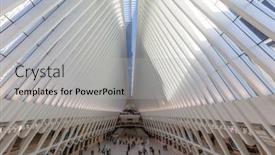
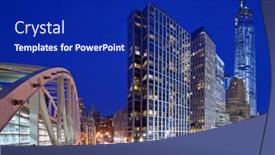
The moment you need to make your presentation stand out from the crowd. The Wide Title template is specifically designed to grab attention and draw users in with its bold and eye catching design. As an architect, you'll love the inspiration behind this template, which features a stunning image of New York City's iconic skyscrapers. This high resolution background will transport your audience to the bustling streets of America's city that never sleeps. The Wide Title template is perfect for architects and designers who want to showcase their work in a creative way. It's customizable with Light Steel Blue as its color palette, ensuring a professional and modern look. To add an extra layer of depth, you can include a background image or video feature, allowing your audience to enhance the visual experience. For example, you could use this template to showcase your latest design for The Occulus World Trade Center station, with its sleek and futuristic architecture. Having a theme of showcasing innovative designs, this template is sure to impress your audience. As an architect, it's not just about creating buildings – it's about making them work seamlessly together. And that's exactly what this template does, effortlessly incorporating all the necessary elements to create a cohesive and engaging design. With four How To slides at the start of your deck, you'll be well on your way to helping users get up and running quickly. These essential slides cover topics such as adding text, inserting images, and creating a basic layout. But don't worry, we won't list all the details – just know that this template is here to help you streamline your design process and make it more enjoyable for yourself and your audience. The Four Arrows Layout slide is one of the most powerful tools in your designer's toolkit, offering endless possibilities for creativity and innovation. Imagine using these features to create a stunning visual identity for your design firm or project – with a theme of showcasing innovative designs, the Wide Title template is sure to deliver.

 Presentation with world trade center - Cool new presentation theme with world trade center - lower manhattan and new york backdrop and a light gray colored foreground

Lower Manhattan New York Financial

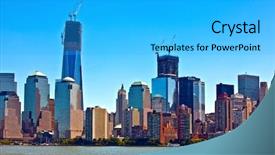
Presentation theme with lower manhattan and new york financial district

 Presentation with world trade center -

New York Sept 11:

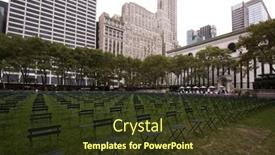
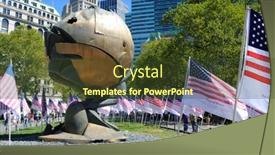
The power of a well designed template can elevate any presentation to new heights. Introducing the Wide Title, a stunning widescreen template that perfectly captures the essence of this momentous occasion 9/11 Anniversary Celebration Featuring High Resolution Images for the Background Including a Background With A theme of Commemorating Victims Enhancing The Visual Impact and Having a Template Compatibility With Google Slides so you can easily add or remove images to suit your needs. This template is designed in Olive color palette, which provides a warm and inviting ambiance that perfectly matches the somber yet celebratory mood of this special day. The Wide Title's background image showcases 2,753 chairs in Bryant Park facing Ground Zero, paying tribute to the victims who lost their lives on September 11, 2011. As you begin your presentation, feel free to dive into the four How To slides at the start to get up and running quickly, but don't worry too much about them just yet. This template is meant to be a beautiful starting point, setting the tone for an engaging and informative presentation that will leave your audience in awe. Imagine you're standing in Bryant Park on this very day, surrounded by the thousands of chairs facing Ground Zero, and feel the weight of history and sacrifice. That's what this template aims to evoke a sense of reverence, respect, and remembrance. With its high resolution image backgrounds, the Wide Title template is not just visually stunning, but also highly customizable. You can easily enhance or modify it to fit your specific needs, making it perfect for presentations on 9/11 Anniversary Celebrations. And with Google Slides compatibility, you'll be able to add images and slides seamlessly, without any hassle.

 Presentation with world trade center -

New York City June

As architects and designers, we know that a visually striking template can be the difference between a solid idea and a successful project. Introducing Corner Title, a stunning widescreen template that's sure to grab attention from the outset. Corner Title is designed in light steel blue, a palette reminiscent of high rise buildings and modern skyscrapers, with subtle hints of white and gray to evoke a sense of sophistication. The high resolution images for the background are indeed breathtaking think majestic city skylines, bustling streetscapes, and sleek concrete architecture perfect for showcasing your creative vision. To enhance the overall experience, we've included four How To slides at the start of the deck, each one providing valuable guidance to help you get up and running quickly. The Ansoff Matrix Diagram Layout slide is particularly noteworthy, featuring a clean and simple layout that showcases key points in a clear and concise manner. This template is also downloadable and compatible with Google Slides, making it easy to import and share with your team. By incorporating these design elements, we've created a template that's sure to pique interest and inspire creativity. Whether you're a seasoned designer or just starting out, Corner Title is the perfect starting point for any project Featuring a beautiful background With stunning visuals Included, having a clear theme Of high quality designs Enhanced with creative ideas and inspiration.

 Presentation with world trade center - Colorful PPT theme enhanced with new-york-sept-11-2016 backdrop and a violet colored foreground

New York Sept 11

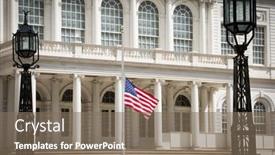
The city skyline at dusk, a backdrop of hope and resilience, as we commemorate 15 years since the tragic attacks on the World Trade Center. In the Split Title template, design Name is set to evoke a sense of unity and strength, while the Widescreen format ensures an immersive experience. The Tan color palette brings warmth and earthiness to the visuals, perfectly capturing the American spirit. Featuring high resolution images for the background, this template is designed to enhance your slides with authentic, real world content. As we navigate the theme of America, including a Background With a stunning image of the Grand Canyon, you'll understand why this template is perfect for events and presentations celebrating our nation's 15th anniversary. Having a theme of American patriotism, this Split Title template ensures that your message stands out and resonates with audiences worldwide. From the Content with Caption Layout slide, you can easily incorporate text and images to tell your story. For example, "The American Flag flies at half mast in front of Gracie Mansion in Lower Manhattan on the 15th anniversary of the terror attacks at the World Trade Center..." Featuring this quote, along with a beautiful image of the city's iconic landmarks, will capture the essence of the event and leave viewers inspired. By adding an Enhanced With section, you can further customize your slides to fit your specific needs. This template is now ready for use with Google Slides, featuring 4 How To slides at the start of the deck to help you get up and running quickly: "Get Started", "Upload Images", "Customize Colors", and "Export Files".

 Presentation with world trade center -

New York Sept 11,

As the clock strikes 9:59 on that fateful day in September 2014, the world watched in horror as the South tower of the World Trade Center came crashing down, sending shockwaves of grief and despair through New York City. The scene is etched in our collective memory forever, a haunting reminder of the devastating power of human error. The Split Title template is designed to evoke this somber mood, with its stark and simple design that pays homage to the momentous occasion. In Widescreen format, it features a high resolution image of the Twin Towers on the background, creating a sense of depth and texture. The Cornflower Blue color palette adds a touch of melancholy, while 11 and 11th keywords are woven throughout the template's design elements to create a cohesive look. A Two Content Layout slide is used to effectively convey the story, with a clear narrative flow that moves from the aftermath of the tragedy to the heroes who risked their lives to rescue others. The Enhanced With background image adds an extra layer of emotion, featuring a dramatic photograph of people gathered outside the World Trade Center site, while Having a Theme of resilience and courage is reflected in the template's overall design. Including a Background With a subtle gradient effect that transitions from the Cornflower Blue to a more muted gray adds depth and visual interest. Featuring the images of rescue workers and civilians alike, this slide perfectly captures the essence of the day's events. This template is not just a nostalgic tribute to 9/11 but also a powerful reminder of the importance of community and compassion in times of crisis. In terms of compatibility, it can be used with Google Slides and features four How To slides at the start of the deck to help users get up and running quickly, making it an ideal resource for educators and students looking to recreate this momentous day.

 Presentation with world trade center - Presentation theme featuring new-york-city-september-1 background and a light blue colored foreground

New York City September

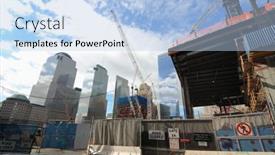
Presentation theme featuring new york city - september 1 the ongoing construction at the the world trade center september 1 2010 in new york city

 Presentation with world trade center -

Manama Bahrain October 8,

PPT layouts with manama bahrain - october 8 2019 skyscraper building of the bahrain world trade center in the downtown backdrop

 Presentation with world trade center - Slides enhanced with new-york-city-september-11 background and a tawny brown colored foreground

New York City September

Creating a dynamic and engaging PowerPoint template that captures the essence of American culture and history is a unique challenge. To start, consider creating a presentation that highlights the significance of 9/11 in America's collective memory. By leveraging a Widescreen format featuring a cornflower blue color palette, this design will immediately convey the theme of American identity. As a versatile template for high resolution images, Wide Title can be used to showcase stunning photographs of iconic American landmarks, such as the Statue of Liberty or Mount Rushmore. This will undoubtedly set the tone for an engaging and informative presentation that explores the complex emotions surrounding 9/11. The cornflower blue color scheme is rich and soothing, evoking a sense of calmness while still conveying emotion. The Widescreen format offers ample space to include detailed information about the event's impact on America's nation building process, making for an enhanced viewing experience. A SWOT Analysis Layout slide can be presented in a prominent location, highlighting the strengths (the resilience and unity of the American people) and weaknesses (the challenges posed by 9/11) that emerged as a result of this pivotal moment. For instance, featuring a dramatic image of the World Trade Center's aftermath on September 11, 2010 will showcase the devastating effects of the terrorist attacks. Adding a background with subtle grain texture to give it an authentic feel, having a theme of historical significance and showcasing America's diversity can help bring the topic to life. Including a detailed SWOT Analysis Layout slide that breaks down the event into its constituent parts will enable viewers to grasp the intricate details surrounding this pivotal moment in American history. By providing clear guidance on how to navigate the presentation, users will appreciate the comprehensive nature of Wide Title and can confidently share their understanding with others.

 Presentation with world trade center - Audience pleasing slides consisting of new-york-sept-11-2014 backdrop and a gray colored foreground

New York Sept 11,

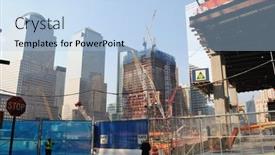
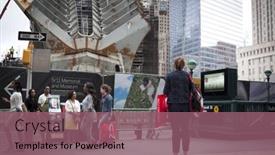
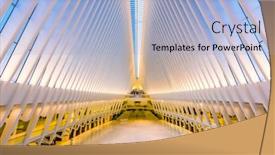
Slides consisting of new york - sept 11 2014 the white spokes of the new transit hub still under construction at the world trade center site in lower manhattan as seen through the metal safety fence

 Presentation with world trade center - Beautiful presentation theme featuring new-york-sept-11-2011 backdrop and a dark gray colored foreground

New York Sept 11,

The city trembles with fear and uncertainty as images of destruction and chaos spread like wildfire on the 9/11 memorial in New York. The streets are filled with police officers and emergency responders rushing to respond to the crisis, while others scurry for safety in the frozen zone near the World Trade Center site. With a focus on serving the needs of our users, we've designed this template to provide an enhanced viewing experience. It's perfect for creating presentations that feature high resolution images for the background, with a modern and sleek design that is both visually appealing and easy to navigate. The Light Steel Blue color palette gives it a crisp and clean look, while the 6 x 6 Org Chart Layout slide can be used to organize your team members in a clear and concise manner. As inspiration, consider featuring images of iconic landmarks such as the Statue of Liberty or Times Square, and including a background with a cityscape view to enhance the overall visual appeal. This template is available for download on Google Slides, making it easily accessible to users worldwide. It's also compatible with other presentation software, ensuring seamless integration into your existing workflow. With its modern design, high resolution images, and organized layout, this template is sure to make a strong impression in any presentation.

 Presentation with world trade center - Slides enhanced with new-york-sept-11-2014 background and a black colored foreground

New York Sept 11,

The heart stopping imagery of the 9/11 attacks still sends shivers down the spines of many who witnessed it firsthand. As we take a moment to remember the lives lost and the survivors who endured unimaginable trauma, let us also honor the bravery of those who risked their lives to save others. The images that follow serve as a poignant reminder of the devastating consequences of such acts. The Corner Title template from CrystalGraphics is a stunning showcase of high resolution graphics, perfectly complementing the crimson color palette that evokes feelings of drama and intensity. The 2001 reference points to the year when this iconic image was captured, while the 911 keyword highlights the importance of this moment in history. As you begin your presentation, you'll notice the template is designed with a sleek, modern layout that features crisp lines, bold typography, and plenty of negative space. This makes it easy to focus on the words and images that matter most. Including a background image with a stunning visual representation of New York City adds depth and context to your slides. Having a theme of "Honoring the Fallen" this template would be a fitting tribute to those who lost their lives in such tragic events. You could incorporate images like this into one or more slides, perhaps featuring a heroic firefighter stopping at the World Trade Center site.

 Presentation with world trade center - Beautiful PPT theme featuring new-york-sept-11-2014 backdrop and a gray colored foreground

New York Sept 11,

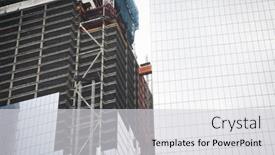
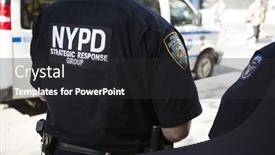
PPT theme featuring new york - sept 11 2014 a new york city policeman walks through the construction zone at the one world trade center building in lower manhattan as seen through the safety fence

 Presentation with world trade center - Beautiful PPT theme featuring new-york-city-usa-october backdrop and a light blue colored foreground

New York City Usa -

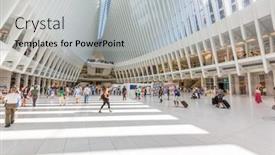
PPT theme featuring new york city usa - october 23 2016 the westfield world trade center mall and transportation center in lower manhattan

 Presentation with world trade center - Cool new presentation with new-york-sept-9-2016 backdrop and a light gray colored foreground

New York Sept 9

The world is still reeling from the devastating effects of terrorism on September 11th 2016 in New York City. The iconic skyline was forever changed as towering skyscrapers rose into the air, with Three World Trade Center standing proudly next to its neighbor Tower 4. The construction site was a testament to human resilience and determination. As we reflect on this pivotal moment in history, it's clear that nothing can replicate the magnitude of what happened that day. But, just like in any complex system, there are key components that need to be in sync for the entire operation to function smoothly. The Corner Title template is a versatile design that will help you enhance your presentation with its light sky blue color palette featuring high resolution images of city skylines and iconic landmarks. The Widescreen format ensures an immersive viewing experience perfect for sharing on Google Slides, making it easy to include animations, transitions, and effects. A crucial component in any presentation is the ability to keep your audience engaged. That's where the 11 and 15th keyword feature comes into play. This template includes a range of design elements that are easily included in other slides, allowing you to incorporate graphics, images, and text seamlessly into your presentation. With the three gears in sync layout slide, you can create a visually stunning background with dynamic animations that will leave a lasting impression on your audience. Including a Background With feature is also available, making it easy to change the background image or video without having to restart the presentation. Having a Theme of is also an option, allowing you to customize the template's color palette and design elements to match your specific needs. Enhanced with this template, your presentation will be more visually appealing and engaging, making it perfect for presentations, meetings, and lectures.

 Presentation with world trade center -

New York City April

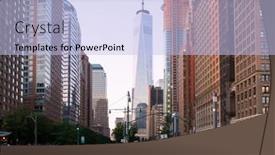
Presentation design featuring new york city - april 14 lower manhattan office buildings including the new world trade center april 14 2013 in new york ny lower manhattan is considered the financial capital of the world background

 Presentation with world trade center -

New York Sept 11

The moment of truth has finally arrived, as you prepare to unleash your brand new Sidebar Title template on the world. This stunning design is carefully crafted to evoke the somber yet powerful emotions of the 9/11 attacks, and it's designed to transport your audience into a world of high res images that will leave them breathless. The Sidebar Title template features a sleek and modern format, perfect for showcasing your content in all its glory. The widescreen aspect ratio will ensure that every detail is crystal clear, from the subtle nuances of color to the dramatic textures. At the heart of this design is a light steel blue color palette that exudes a sense of trust, reliability, and sophistication. As you begin building your presentation, remember that 11 high resolution images will be included in the template, featuring stunning footage of the World Trade Center site on September 11th, 2016. And with four How To slides at the start of the deck, you'll have a solid foundation to get your audience up and running quickly. This template is not just about aesthetics; it's also carefully designed to enhance the user experience, including a background with stunning images that will make your presentation truly stand out. Having a theme of "American Strength" throughout the design ensures that your content aligns perfectly with this powerful message, while the 5 Year Calendar Timeline Layout slide provides a clear and concise visual representation of time. As you add more slides to your deck, remember to include each one in conjunction with its corresponding background image, having a theme of "America's Resilience" that ties everything together beautifully. With this Sidebar Title template, you'll be well on your way to creating presentations that are both stunning and engaging, perfect for any audience.

 Presentation with world trade center -

New York,usa August

The latest addition to the creative arsenal is Corner Title, a stunning Widescreen template designed to capture your audience's attention and transport them to the vibrant streets of America. This Medium Slate Blue inspired design is perfect for any project that requires an immersive experience. Corner Title boasts four How To slides at the beginning of the deck to get you up and running quickly: "Mastering the Basics", "Building a Foundation", "Adding Texture and Depth", and "Taking it to the Next Level". But what makes this template truly special is its seamless Gears in Sync Layout, which perfectly balances the content with a crisp, modern aesthetic. This layout is sure to enhance your presentation's overall flow. Imagine showcasing high resolution images of America's iconic landmarks, such as the Statue of Liberty or the Golden Gate Bridge, against a stunning Widescreen background. The template Includes a Background With a warm, gradient effect that gives your slide a cinematic feel. Having a Theme of Travel and Exploration can further enhance the experience by featuring a map of the United States.

 Presentation with world trade center -

New York,usa August

Presentation theme enhanced with new york usa - august 14 2015 one world trade center also known as the freedom tower in downtown manhattan new york city

 Presentation with world trade center -

New York Sept 11

New York City's iconic skyline shines bright on the screen as the world watches in horror and awe at the devastating 9/11 attacks. The city in flames, with smoke billowing from the World Trade Center, is a moment that will stay etched in our collective memory forever. The template design features a dramatic and immersive background image, with crisp high resolution details that bring the scene to life. A crimson color palette dominates the screen, evoking feelings of strength and resilience. This template is perfect for anyone looking to create an attention grabbing presentation on 9/11 or related topics, featuring a bold and powerful theme. To make it even more engaging, you can include a background image of the New York City skyline during a sunny day. For example, if you want to highlight the significance of the 15th anniversary of the attacks, you could feature a beautiful photo of the city's iconic landmarks at sunset. The template is compatible with Google Slides and can be easily customized to fit your needs. With its high resolution images, bold color palette, and powerful theme, this template is sure to make a lasting impression on your audience.

▼Key features of this template

  • They are compatible with both PowerPoint and Google Slides running on either Windows PCs or Macs.

  • They are available in both standard and widescreen slide formats. You can choose your preferred format by clicking on the "Widescreen" check box or icon.

  • Each template includes a beautiful high-resolution background image or video to visually reinforce the theme of your presentation.

  • In addition, each template includes designer-created graphics and modern fonts to give your presentations an up-to-date, professional look.

  • Each template's default design and title text position have been carefully selected to complement its background without covering faces or other key elements.

  • All text includes backdrops whose transparency level is mathematically calculated to maximize text readability while still allowing the background to be seen.

  • And all the text, text backdrops and graphics in every slide are colored with a palette designed to beautifully complement the colors in the background.

  • Our Premium templates (those with the descriptor “Premium” in their subtitle) include over 64 slide layouts to give you maximum flexibility as you create your presentations.

    • Those layouts are available to you whenever you create a new slide or when you want to change the layout of an existing slide.
    • They include everything you need to make all sorts of presentations. In addition to the layouts for the title slide and the usual title and content slide, they include many other layouts for slide types including table of contents slides, org charts, charts, diagrams, infographics, photo slides, thank you slides and more.
    • While creating these layouts our template designers have ensured that all text in every layout adjusts as gracefully as possible to various numbers of words.
  • Customizable templates (those with the descriptor “Customizable” in their subtitle) may be easily modified online before you download them.

    • To modify them, simply click on the pencil editing icon, then select your choice of ready to go designs and title text positions.
    • The editing tool also makes it easy to reposition and scale the background image or video to best suit your needs.

▼FAQs

Please review these FAQs to see if your question is answered. Contact us for more info

  • What is a PowerPoint template?

    • A well designed PowerPoint template is a file that can tell PowerPoint how to make your ordinary templates look extraordinary. They won’t change what your words or numbers say. But they might change their size, color, font and placement. And, overall, they can give your presentations a professionally-designed look that will give your content more credibility and give you more confidence.
  • How many PowerPoint templates do you offer?

    • We have over 32,000 artist-created presentation templates in our PowerPlugs collection With a subscription, PowerPlugs templates are easy to download. Just sign in, find a template and click on the green Download button. ready for you to download. That alone offers you more variety to choose from than any of our competitors can offer. And, as if that weren’t enough, we also offer over 6 million templates in our Crystal collection. Crystal brand templates are our line of templates that have customization options. They have the word "CRYSTAL" on their web page images. You can customize several aspects of the templates. These templates include high-resolution background images from Shutterstock’s vast image collection matched up with artist-created presentation designs customized by our own proprietary AI software.
  • How many templates can I download as a subscriber?

    • You can download an unlimited number of PowerPlugs-brand With a subscription, PowerPlugs templates are easy to download. Just sign in, find a template and click on the green Download button. templates every day for an entire year. (Actually, by default, we set a limit of 25 templates per day to prevent our competitors from stealing our templates. But, if that is not enough, just let us know and we’ll try to accommodate you.) On top of that, with a subscription or an Ultimate Combo, you can also download any 50 Crystal-brand Crystal brand templates are our line of templates that have customization options. They have the word "CRYSTAL" on their web page images. You can customize several aspects of the templates. templates per year selected from our huge Crystal collection. Crystal brand templates are our line of templates that have customization options. They have the word "CRYSTAL" on their web page images. You can customize several aspects of the templates. .
  • Why should I choose your templates instead of the competition’s?

    • We’ve got a larger selection of professionally-designed PowerPoint templates than anyone else in the world.
    • Each template includes a high-resolution background image or video to visually inspire your audiences while reinforcing your message.
    • Each template includes 64 slide layouts to give you maximum flexibility as you create your presentations.
    • Our templates are available in both standard and widescreen slide formats. And our website lets you preview the slides each way.
    • Our free Template Finder™ plugin lets subscribers select and - with a single click - download and insert our templates into their presentations right from within PowerPoint.
    • We’ve been creating designer presentation templates for over 20 years. During that time we’ve won several awards and 5-star ratings for product quality. See About Us for more.
  • Do you offer a money-back guarantee?

    • Yes we do! We offer full 30-day money-back guarantee if you are not 100% satisfied with your purchase.
  • Can I still use my downloaded templates after my subscription runs out?

    • Yes. After your subscription expires, you won't lose any rights or ability to use your PowerPlugs: Templates for PowerPoint. You won't be able to download any new non-watermarked templates. But the non-watermarked templates you've already downloaded will still work and you can still use them as before.
  • Can I share my downloaded templates or passwords with friends or coworkers?

    • Sorry but no. You are authorized to download each paid-for template to up to 3 of your personal devices and to use the templates you download in as many presentations as you want. But you are not authorized to share the templates, themselves, with others. That said, we do offer highly discounted site licenses to suit the needs of both small and large teams. Just tell us your needs and we’ll give you a quote!
  • System requirements:

    • The templates use the standard POTX format. So they are compatible with Google Slides and all PC, Mac and mobile devices running any version of PowerPoint from PowerPoint 2007 up through and including Office 365 desktop.
    • Please note: Google Slides does not currently support background videos. It treats them as still images.
    • For PowerPoint for the Web, first open your template into a desktop version of PowerPoint, then save it back out as a PPTX file. Then you can open that in PowerPoint for the Web.
  • End user license agreement:

    • Click here to view.
  • How will I get my purchased templates?

    • You may download your selected templates as soon as your payment is received by PayPal. If you purchased an individual template, you will be provided with a download link both onscreen and via email. Just click on that link to begin the download process. If you purchased a subscription, you will receive an email containing a password to use along with your email address to sign in to any of the templates pages on CrystalGraphics.com. Once you are signed in, you can immediately start downloading your selected templates.
  • How do I use my templates after I download them?

    • You can either open a template to start a new presentation or you can add a template to an existing presentation. To open a template, just double click on it or use PowerPoint's File > Open tool. To add a template to an existing presentation, on the Design tab, in the Themes group, click Browse for Themes... then browse to select your template.

View more World Trade Center templates:

previous 1 2 3 4 5 next
93% of Fortune 1000
companies use our
PowerPoint Products
Templates Secure

Standing Ovation Award
Winner: Best PowerPoint
Template Collection
Fortune Logos
200,000+ satisfied
customers worldwide!
Guarantee
100% satisfaction guaranteed
- or send it back for a refund!

Sign up for our free newsletter! You'll get news about our PowerPoint-enhancing product line – including free updates, new product announcements and exclusive special offers. Plus you'll get a link to a free PowerPoint template with every newsletter you receive.
Privacy Policy
Loading...


Help

Contact Us
Product FAQs
Product License Agreements

Company Info

About Us
Privacy Policy
CrystalGraphics, Inc. 1999 S. Bascom Avenue Suite 700 Campbell, CA 95008 USA
© 2026 CrystalGraphics, Inc. All rights Reserved.    |     PowerPlugs is a trademark of CrystalGraphics, Inc.
Microsoft and the PowerPoint logo are trademarks or registered trademarks of Microsoft Corporation in the United States and/or other countries.
Loading...
Loading...