www.crystalgraphics.com CrystalGraphics
  • Ultimate Combo
  • Templates
  • Diagrams
  • Characters
  • Quizzes
  • shopping cart
  • Sign Out Sign Out Sign In
Home > Templates > War > World War Category
search icon
advanced icon

137 Best World War-Themed Templates for PowerPoint and Google Slides

CrystalGraphics creates templates designed to make even average presentations look incredible. Below you’ll see thumbnail sized previews of the title slides of a few of our 137 best world war templates for PowerPoint and Google Slides. The text you’ll see in in those slides is just example text. The world war-related image or video you’ll see in the background of each title slide is designed to help you set the stage for your world war-related topics and it is included with that template. In addition to the title slides, each of our templates comes with 17 additional slide layouts that you can use to create an unlimited number of presentation slides with your own added text and images. And every template is available in both widescreen and standard formats. With over 6 million presentation templates available for you to choose from, CrystalGraphics is the award-winning provider of the world’s largest collection of templates for PowerPoint and Google Slides. So, take your time and look around. You’ll like what you see! Whether you want 1 great template or an ongoing subscription, we've got affordable purchasing options and 24/7 download access to fit your needs. Thanks to our unbeatable combination of quality, selection and unique customization options, CrystalGraphics is the company you can count on for your presentation enhancement needs. Just ask any of our thousands of satisfied customers from virtually every leading company around the world. They love our products. We think you will, too!

Features & Pricing

Widescreen (16:9) Presentation Templates. Change size...
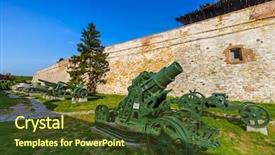
 Presentation with world war - Presentation design enhanced with first world war - military museum in kalemegdan belgrade background and a tawny brown colored foreground

Military Museum Kalemegdan Belgrade -

The moment you glance at this Corner Title PowerPoint template, your attention is instantly drawn to the sleek and sophisticated Dodger Blue background that serves as the perfect canvas for showcasing high quality images. The 16:9 widescreen format ensures an immersive viewing experience, making it ideal for presentations, training sessions, or even marketing materials. This stunning template is designed specifically with military museums in mind, capturing the essence of a historic landmark like Kalemegdan Belgrade, Serbia, as its inspiration. Featuring a combination of panzer tanks, kalemegdan's ancient walls, and modern day exterior shots, this template has been crafted to evoke the grandeur and power of the military. Our CRystal Clear Goal is not just about creating an engaging slide deck, but also about enhancing your presentation with a unique blend of style and substance. Imagine having a theme that seamlessly integrates high resolution images, from featured backgrounds like the iconic Kalemegdan Fortress to including a background with a rich history of Serbian culture. Having a template that's downloadable and compatible with Google Slides makes it easy to get started right away, saving you time and effort. The corner title template showcases 4 How To slides at the start of the deck to help you get up and running quickly, allowing you to dive straight into creating an effective presentation without any unnecessary fluff. Whether you're a military expert, a history buff, or simply someone looking to elevate your professional slide deck, this template has got you covered. With its stunning Dodger Blue color palette and crisp 16:9 widescreen format, Corner Title is sure to make a lasting impression on your audience.

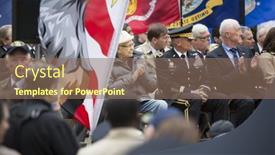
 Presentation with world war - Presentation design with new-york-november-11-2015 background and a violet colored foreground

New York November 11

In the midst of a solemn ceremony, where America's grand tradition is put on full display, one must make a statement and that statement starts with the words "We Commemorate". The spotlight shines bright on the esteemed Norman Lear, a decorated World War II veteran, as he takes to the stage in Madison Square Park. The vibrant crowd erupts in applause as he honors those who have served our nation. But before we dive into the nitty gritty details of this template, let's take a moment to appreciate its majestic grandeur. This template is designed in Widescreen format, bringing to life crisp and clear images that will transport you directly to the stage of history. With a dramatic backdrop featuring high resolution images, including stunning footage from the America's Parade on Veterans Day, you'll feel like you're right there in the midst of it all. The template's Color Palette is carefully crafted to evoke the crimson tone of patriotism, perfectly capturing the essence of America's ceremonial spirit. Our template features four How To slides at the start of the deck to help you get up and running quickly but don't worry, our designers have included a Background With section on each slide that will elevate your presentation to new heights. Imagine showcasing stunning images from the ceremony, such as Norman Lear taking the stage, or veterans marching in their ceremonial uniforms, all perfectly integrated into your PowerPoint deck. We've also enhanced the theme of this template by including a Theme Of, where we've created an AIDA Block Layout that will keep your audience engaged throughout your presentation. With each slide, you'll feature a different element Including a Background With, Having a Theme of, and making it Enhanced with. Whether you're presenting to a crowd or working in meetings, this template is sure to make a lasting impression.

 Presentation with world war - Slides consisting of glasgow-scotland-uk-23-august background and a coral colored foreground

Glasgow Scotland Uk 23

Slides consisting of glasgow scotland uk - 23 august 2014 george square cenotaph monument to the victims of first world war in glasgow some people in background background

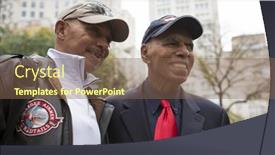
 Presentation with world war - Presentation design having new-york-november-11-2015 background and a violet colored foreground

New York November 11

Presentation design having new york - november 11 2015 roscoe brown 93 squadron commander and pilot with famed tuskegee airmen of world war ii in madison square park before the americas parade up 5th ave on veterans day background

 Presentation with world war - Audience pleasing theme consisting of the first world war backdrop and a coral colored foreground

Ancient Roman Gate Wall Via

In the heart of Rome's iconic cityscape stands a centuries old travertine gate, its weathered stones bearing witness to countless secrets and stories waiting to be uncovered. This ancient Roman Gate in wall at Via Veneto, named for Fellini, is a masterpiece of early Roman architecture seamlessly merged with modern functionality. The combination of history and innovation has resulted in a unique blend that sets it apart from other memorials and landmarks. The Wide Title template design is inspired by the grandeur of this ancient gateway, featuring high resolution images of cornflower blue backgrounds that evoke a sense of serenity and tranquility. The 6 x 6 Org Chart Layout slide showcases a clear hierarchy of ranks and responsibilities, providing a solid structure for your team's organizational needs. This template is ideal for incorporating a Christian theme into your presentation, with its columns forming the shape of a church facade, complete with intricate details and ornate carvings. The cityscape in the background serves as a powerful backdrop to highlight the significance of this landmark. Featuring and including a Background With image of this Roman Gate would enhance its use in presentations that require dramatic flair. Having a Theme of Christian iconography adds depth to the design, while Enhanced With images featuring early Roman architecture provide an interesting contrast, allowing you to explore different perspectives on this iconic landmark.

 Presentation with world war - Slide set enhanced with information customer service help desk background and a soft green colored foreground

Thailand March 2012 World

The cityscape of Bangkok is bathed in a warm light as the sun rises over the ancient architecture that has been standing tall for centuries, its intricate details and ornate carvings evoking the rich history of Asia's most fascinating nation. The temples, mosques, and churches that dot the landscape are testaments to a bygone era, their stories waiting to be uncovered. This template is designed to transport you to the vibrant streets of Bangkok, where the ancient meets the modern. With its light steel blue color palette, it's the perfect backdrop for showcasing high resolution images featuring stunning buildings, bustling markets, and mouth watering street food. The 4 How To slides at the start of the deck will have you up and running quickly, helping you to create engaging presentations that capture your audience's attention. The @Pictures With Captions Layout slide is a great example of how to enhance this template. Featuring four images side by side, it allows for easy categorization and captioning, making it perfect for sharing on social media or sending to colleagues as an email attachment. Having a theme of showcasing the beauty of Asia's cities, this layout can be used to highlight the most iconic landmarks in Bangkok, such as the Grand Palace or the Wat Phra Kaew temple. Imagine presenting your slides on a Google Slides deck with just 4 How To slides, each with its own unique design elements. Featuring a background image of the iconic Chao Phraya River, this slide could showcase a stunning photo of the river at sunset. Having a theme of architecture and history, it would include images of ancient temples and modern skyscrapers, adding depth and context to your presentation.

 Presentation with world war - Beautiful presentation design featuring since the first world war backdrop and a light gray colored foreground

Japanese Military Binoculars First World

The art of war has been beautifully depicted in the form of high resolution images on various PowerPoint templates. One such template that stands out is Wide Title, featuring a stunning design inspired by Japanese military binoculars since the First World War with bullets in grunge, which adds a gritty and intense theme to your presentation. Wide Title is a Widescreen template, perfect for showcasing your message on an expansive canvas. Its Khaki color palette creates a natural and earthy tone that complements any design style. The template keywords include symbol, color, isolated, instrument, lens, and high resolution images for the background. Featuring a grid layout, it's an enhanced with option to visualize information easily. To incorporate this template into your Google Slides presentation, simply download and install it as usual. Since Wide Title is designed for Widescreen format, you can use the full screen feature on any device. Having a theme of "Military History" or " Warfare Art", it's an ideal choice for showcasing historical images or graphics related to military equipment. Having a background with images of Japanese military vehicles, such as tanks and aircraft, would be perfect for this template. You could also include high resolution images of guns, ammunition, or other military related symbols to add depth and interest to your presentation.

 Presentation with world war - Presentation theme consisting of trenton-nj-april-4-2015 background and a dark gray colored foreground

Trenton Nj April 4,

The world of American history and patriotism has never been more vibrant, with a rich tapestry of imagery that can transport you to the heartland of freedom. Corner Title is the perfect template to help you convey this spirit through high resolution images for your widescreen presentation. This template features a warm Sienna color palette that evokes the nostalgia of America's past and present, perfect for an American themed deck or presentation. With its four How To slides at the start, you'll be able to get up and running quickly and easily. But what sets Corner Title apart is the Four Arrows Layout slide this innovative design allows you to showcase multiple images in a single slide, creating a dynamic and engaging visual experience. To give you an idea of how this could be used, consider featuring a historic image like the bronze Lone Soldier sculpture from the New Jersey World War II Memorial. You could have it included as the background on your slides or even having a theme of American freedom fighters. This would not only enhance the overall aesthetic but also provide a powerful context for your presentation. Having a theme of patriotism and American history, Corner Title is an ideal choice for any slide presentation that aims to inspire and educate audiences about the country's rich heritage. With its Sienna color palette, Four Arrows Layout design, and high resolution images, this template is sure to leave a lasting impression on your viewers.

 Presentation with world war - Audience pleasing PPT theme consisting of luxemburg - luxembourg - april 20 2017 backdrop and a tawny brown colored foreground

Luxembourg April 20 2017:

In the heart of Europe lies a somber yet majestic monument, a tribute to those who have made the ultimate sacrifice. A headstone stands tall, its symbol etched into the landscape like a beacon of remembrance. The American memorial cemetery in Luxembourg is a place where history comes alive, and the past whispers stories that need to be told. This stunning Widescreen template features a Dark Olive Green color palette, perfectly capturing the mood of reverence and nostalgia it embodies. As you begin to work with this template, you'll notice that high resolution images are expertly integrated throughout, providing a depth and richness that will elevate your presentation to new heights. The template is specifically designed for use in Google Slides, making it easy to download and import into your favorite slide maker. And the best part? This template comes with 60+ layouts to choose from, ensuring you can create something truly unique and personalized. Featuring a beautiful background image that's sure to grab attention, this template is ideal for including a background with or having a theme of patriotism. With its enhanced design elements, including bold fonts and dramatic shadows, this template will add an air of sophistication to your presentation. Having a striking visual representation that can be used as a centerpiece or as part of a slide set, you'll be able to showcase the essence of American history like never before.

 Presentation with world war - Presentation theme having wold - world war ii war monument background and a navy blue colored foreground

World War Ii War Monument

You can't build a war monument like that without drawing attention to yourself and grabbing people's eyes. With the Wide Title template from CrystalGraphics, you'll start by creating an immersive experience with its dark khaki color palette, which sets the tone for a dramatic and majestic design. The Widescreen format ensures that your content fills every inch of the screen, making it perfect for showcasing high resolution images that feature symbols, objects, signs, and beautiful bar elements. To complement this theme, consider including a background with a stunning image that resembles a world war II era monument in Washington D.C., complete with gold stars for fallen soldiers. The template is designed to be downloadable and compatible with Google Slides, allowing you to easily import and customize the content without any technical issues. The 4 How To slides at the start of the deck will help you get up and running quickly, but don't worry, they're easy to follow after all, getting started is often the hardest part. This template has a timeless theme that's sure to impress, with its perfect blend of elegance and boldness. You could use it to create a presentation for a historical event or exhibition, such as a tribute to fallen soldiers on Memorial Day or Remembrance Day. By featuring this stunning design, you'll certainly make a statement and draw attention to your message. The Growth Stages Layout slide is an excellent place to start, where you can visualize the different stages of creating your template from scratch from the initial concept to the final product. With this layout, you can see how all the elements come together in harmony, making it easier to plan your content and get started on your project. Don't just take our word for it enhance your presentation with high quality images that will wow your audience and leave a lasting impression. Add some personal touches, such as background colors or special effects, to make it truly stand out. With the Wide Title template from CrystalGraphics, you'll be well on your way to creating an unforgettable visual experience that will leave everyone talking.

 Presentation with world war - Audience pleasing presentation theme consisting of night scene including world war backdrop and a violet colored foreground

Washington Dc National Mall Night

As you step into the heart of America's capital city at dusk, the majestic landmarks of Washington DC come alive in a breathtaking scene of golden light and starry skies. The National Mall is bathed in a warm, sable brown hue as the sun dips below the horizon, casting a long shadow across the tranquil waters of the Reflecting Pool. The iconic World War II Memorial rises up like a sentinel, its towering pillars silhouetted against the vibrant sky. The corner title "Corner Title" sets the tone for an informative and visually stunning presentation that showcases America's rich history and culture through high resolution images. This template is designed to complement Googel Slides seamlessly, with a seamless transition from image to text in every slide. Featuring high quality 4K backgrounds, this template includes a Background With subtle gradient effect, Having a Theme of patriotic colors, it seamlessly blends into the presentation. Whether you're showcasing a historical event, a cultural festival, or simply highlighting America's diverse landmarks and monuments, this template has got you covered. Including stunning images of the US Capitol Building at night, the National Archives, and the Smithsonian Museums, it provides an Enhanced With visually appealing background image to enhance your presentations. The Puzzle Pieces Layout slide can be showcased with a combination of iconic landmarks, city skylines, and sunset scenes, providing endless opportunities for creative presentations. With its wide screen format, this template is perfect for sharing presentations across various devices and platforms, from Google Slides to YouTube and social media. Having a theme of showcasing America's diverse history and culture, it provides an informative and engaging way to share your message with a global audience.

 Presentation with world war - Cool new presentation theme with detonation - old rusted world war ii backdrop and a gray colored foreground

Old Rusted World War Ii

The Corner Title is a striking template that will set your presentation apart from the rest, featuring a dramatic and intense design inspired by the aftermath of war. The Indian Red color palette adds a bold touch, while the Widescreen format ensures that the action unfolds prominently on screen. This high resolution background image, shot against a ruined backdrop, provides a gritty and realistic feel. The Corner Title template is designed to be downloadable and compatible with Google Slides, making it easy to share or embed in your presentations. It's a valuable resource for designers, artists, and anyone looking to enhance their presentations with a touch of drama and intensity. The template features 4 How To slides at the start of the deck that will get you up and running quickly, but don't worry, we'll leave those details to you as you dive in. The Stairs Layout slide is an example of what this template can do showcasing a dramatic staircase scene with ruins scattered around, featuring old steel beams, mangled metal, and debris filled rubble. It's a great way to visualize the theme of destruction and chaos that permeates the Corner Title design. Including a Background With feature comes in handy when you want to add more depth or texture to your image, or make it easier for viewers to focus on what matters most the story being told. Enhanced with some subtle details like the Soviet era pistol in the background, this template is sure to leave a lasting impression on your audience. And if you're looking for a theme of yours that's bold, edgy, and unapologetic, then Corner Title is definitely worth considering

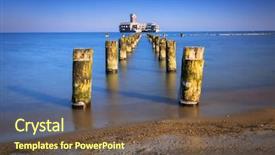
 Presentation with world war - Audience pleasing presentation theme consisting of world war ii torpedo platform backdrop and a tawny brown colored foreground

World War Ii Torpedo Platform

Presentation theme consisting of world war ii torpedo platform at baltic sea in poland

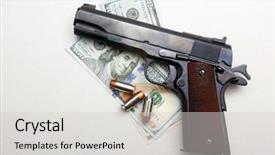
 Presentation with world war - Amazing PPT theme having bullets isolated on white room backdrop and a light gray colored foreground

Antique Vintage World War Two.

PPT theme having antique vintage world war two 45 caliber pistol on money with hollow point bullets isolated on white room for text

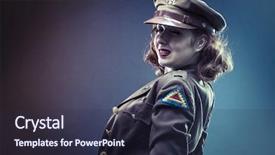
 Presentation with world war - PPT theme consisting of clothes era of world war background and a tawny brown colored foreground

Pinup Girl Sexy Clothes Era

PPT theme consisting of pinup girl in sexy clothes era of world war ii

 Presentation with world war - Slide deck featuring view from man-made cave background and a  colored foreground

Tre Cime Di Lavaredo Paternkofel

As you embark on this visual journey, imagine yourself standing at the foot of Paternkofel, surrounded by the majestic beauty of the Tre cime di Lavaredo mountains in Italy. The golden light of sunset casts a warm glow over the landscape, making every rock and tree look like it's been kissed by the divine. The Wide Title font is designed to be eye catching, with its wide proportions and bold lines that stretch across the screen, giving your presentation a sense of grandeur. The Goldenrod color palette adds a touch of warmth and sophistication, perfect for showcasing stunning high resolution images from around the world. This template is ideal for creating a visually stunning presentation featuring paternofel, panoramic views, scenic landscapes, tre cime, and high resolution images. High resolution images for the background will give your presentation a professional finish, while the download feature allows you to share it with others easily. The Widescreen format ensures that all elements are displayed at their full potential, making every detail count. If you're looking to add some extra flair, consider including a Background With slide featuring stunning high quality images from around the world. Having a theme of showcasing scenic landscapes and panoramic views will give your presentation an air of sophistication and elegance, perfect for sharing with colleagues or clients. Enhancing this template is as simple as adding a few high resolution images of tre cime di Lavaredo at sunset, which will add to the overall visual appeal of your presentation.

 Presentation with world war - Cool new theme with world war ii torpedo platform backdrop and a  colored foreground

World War Ii Torpedo Platform

Imagine standing on the edge of a high tide, staring out at the steel blue waters as you gaze upon the rugged landscape of Poland, where the sounds of war echo through the history books. This is the captivating world we're about to take you through with our stunning PowerPoint template, featuring a dramatic illustration of a German torpedo platform, set against the backdrop of the Baltic Sea. This 16:9 Widescreen template is designed to transport your audience to the tumultuous era of World War II, where the fate of nations was decided on the high seas. With its sleek steel blue color palette and rich texture, this template will leave a lasting impression on your viewers. As you explore this template, you'll notice the intricate details that come alive in 4K resolution images throughout, perfectly capturing the essence of history's most pivotal moments. The Panoramic Picture Layout slide is sure to grab attention with its breathtaking image, showcasing the dramatic scene where German ships clash against Polish defenses at Babie Doly. This template is not just for historians; it's also an enhanced visual experience that includes a Background With feature, ensuring your slides look stunning even in the highest zoom levels. To add an extra layer of depth, Having a Theme of World War II allows you to seamlessly integrate historical events into your presentation without any disruption. Whether you're tasked with delivering an engaging lecture or showcasing a project to a group of students, this template is sure to captivate and educate your audience. With its high resolution images, 16:9 Widescreen format, and rich color palette, it's the perfect companion for a Googel Slides presentation that will leave a lasting impression on all who witness it

 Presentation with world war - Slides with detonation - old rusted world war ii background and a gray colored foreground

Old Rusted World War Ii

Slides with old rusted world war ii munition soviet gas mask

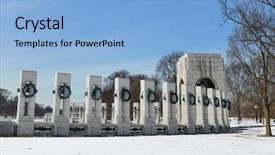
 Presentation with world war - PPT theme with washington dc - world war ii background and a light blue colored foreground

Washington Dc World War

Imagine standing in front of one of Washington DC's most iconic landmarks, the World War II Memorial, on a crisp November morning. The sun is setting behind the tranquil waters of Potomac River, casting a warm golden light over the beautiful pond that surrounds it. The sound of gentle lapping of the water against the shore creates a soothing melody, and the vibrant colors of the high resolution images used for the background add to the serene ambiance. This stunning template is designed to evoke a sense of serenity and tranquility, perfect for presentations that need to convey a sense of calmness. The Cornflower Blue color palette provides a soft and calming atmosphere, while the symbol of peace and unity is prominently featured throughout the template. This Winter wonderland scene would be ideal for a presentation about the capital city's efforts during World War II. The layout features a high resolution image of the monument in the background, with subtle shading to enhance its depth and dimensionality. The text is carefully placed to create a sense of movement and flow, with the main heading "November" written in bold, white font above the pond. The Growth Stages Layout slide would feature a dramatic image of the cityscape at different stages of development, showcasing the progress and growth that occurred during this period. This template is not only visually stunning but also downloadable and compatible with Google Slides, making it easy to incorporate into your presentations.

 Presentation with world war - Presentation theme featuring dark wooden background world war background and a tawny brown colored foreground

Old Soldier's Flask St George's

Presentation theme featuring old soldier's flask and st george's ribbon on dark wooden background world war memorial symbol for fallen warriors

 Presentation with world war - PPT theme having c world war ii memorial background and a gray colored foreground

Washington D.c World War

The moment you click on this template and take your first glance at Split Title, you'll know why it's so attention grabbing its clean design combines sleek lines with subtle nods to American history, perfectly capturing the spirit of freedom and democracy that Washington D.C. is all about. This Widescreen Split Title template boasts a light steel blue color palette that evokes feelings of high res imagery and sophistication. The 4 How To slides at the start of the deck are designed to help you get up and running quickly, so you can dive straight into creating your own unique visual identity. But what truly sets this template apart is its ability to enhance any presentation featuring a subtle background with a stylized American flag, including a rich history of symbolism and iconography that's sure to inspire. This template has a theme of simplicity and elegance, making it the perfect choice for anyone looking to create a cohesive look. Enhanced with Googel Slides compatibility, you can share this template with your audience and have them showcase their creations on your website or social media platforms.

▼Key features of this template

  • They are compatible with both PowerPoint and Google Slides running on either Windows PCs or Macs.

  • They are available in both standard and widescreen slide formats. You can choose your preferred format by clicking on the "Widescreen" check box or icon.

  • Each template includes a beautiful high-resolution background image or video to visually reinforce the theme of your presentation.

  • In addition, each template includes designer-created graphics and modern fonts to give your presentations an up-to-date, professional look.

  • Each template's default design and title text position have been carefully selected to complement its background without covering faces or other key elements.

  • All text includes backdrops whose transparency level is mathematically calculated to maximize text readability while still allowing the background to be seen.

  • And all the text, text backdrops and graphics in every slide are colored with a palette designed to beautifully complement the colors in the background.

  • Our Premium templates (those with the descriptor “Premium” in their subtitle) include over 64 slide layouts to give you maximum flexibility as you create your presentations.

    • Those layouts are available to you whenever you create a new slide or when you want to change the layout of an existing slide.
    • They include everything you need to make all sorts of presentations. In addition to the layouts for the title slide and the usual title and content slide, they include many other layouts for slide types including table of contents slides, org charts, charts, diagrams, infographics, photo slides, thank you slides and more.
    • While creating these layouts our template designers have ensured that all text in every layout adjusts as gracefully as possible to various numbers of words.
  • Customizable templates (those with the descriptor “Customizable” in their subtitle) may be easily modified online before you download them.

    • To modify them, simply click on the pencil editing icon, then select your choice of ready to go designs and title text positions.
    • The editing tool also makes it easy to reposition and scale the background image or video to best suit your needs.

▼FAQs

Please review these FAQs to see if your question is answered. Contact us for more info

  • What is a PowerPoint template?

    • A well designed PowerPoint template is a file that can tell PowerPoint how to make your ordinary templates look extraordinary. They won’t change what your words or numbers say. But they might change their size, color, font and placement. And, overall, they can give your presentations a professionally-designed look that will give your content more credibility and give you more confidence.
  • How many PowerPoint templates do you offer?

    • We have over 32,000 artist-created presentation templates in our PowerPlugs collection With a subscription, PowerPlugs templates are easy to download. Just sign in, find a template and click on the green Download button. ready for you to download. That alone offers you more variety to choose from than any of our competitors can offer. And, as if that weren’t enough, we also offer over 6 million templates in our Crystal collection. Crystal brand templates are our line of templates that have customization options. They have the word "CRYSTAL" on their web page images. You can customize several aspects of the templates. These templates include high-resolution background images from Shutterstock’s vast image collection matched up with artist-created presentation designs customized by our own proprietary AI software.
  • How many templates can I download as a subscriber?

    • You can download an unlimited number of PowerPlugs-brand With a subscription, PowerPlugs templates are easy to download. Just sign in, find a template and click on the green Download button. templates every day for an entire year. (Actually, by default, we set a limit of 25 templates per day to prevent our competitors from stealing our templates. But, if that is not enough, just let us know and we’ll try to accommodate you.) On top of that, with a subscription or an Ultimate Combo, you can also download any 50 Crystal-brand Crystal brand templates are our line of templates that have customization options. They have the word "CRYSTAL" on their web page images. You can customize several aspects of the templates. templates per year selected from our huge Crystal collection. Crystal brand templates are our line of templates that have customization options. They have the word "CRYSTAL" on their web page images. You can customize several aspects of the templates. .
  • Why should I choose your templates instead of the competition’s?

    • We’ve got a larger selection of professionally-designed PowerPoint templates than anyone else in the world.
    • Each template includes a high-resolution background image or video to visually inspire your audiences while reinforcing your message.
    • Each template includes 64 slide layouts to give you maximum flexibility as you create your presentations.
    • Our templates are available in both standard and widescreen slide formats. And our website lets you preview the slides each way.
    • Our free Template Finder™ plugin lets subscribers select and - with a single click - download and insert our templates into their presentations right from within PowerPoint.
    • We’ve been creating designer presentation templates for over 20 years. During that time we’ve won several awards and 5-star ratings for product quality. See About Us for more.
  • Do you offer a money-back guarantee?

    • Yes we do! We offer full 30-day money-back guarantee if you are not 100% satisfied with your purchase.
  • Can I still use my downloaded templates after my subscription runs out?

    • Yes. After your subscription expires, you won't lose any rights or ability to use your PowerPlugs: Templates for PowerPoint. You won't be able to download any new non-watermarked templates. But the non-watermarked templates you've already downloaded will still work and you can still use them as before.
  • Can I share my downloaded templates or passwords with friends or coworkers?

    • Sorry but no. You are authorized to download each paid-for template to up to 3 of your personal devices and to use the templates you download in as many presentations as you want. But you are not authorized to share the templates, themselves, with others. That said, we do offer highly discounted site licenses to suit the needs of both small and large teams. Just tell us your needs and we’ll give you a quote!
  • System requirements:

    • The templates use the standard POTX format. So they are compatible with Google Slides and all PC, Mac and mobile devices running any version of PowerPoint from PowerPoint 2007 up through and including Office 365 desktop.
    • Please note: Google Slides does not currently support background videos. It treats them as still images.
    • For PowerPoint for the Web, first open your template into a desktop version of PowerPoint, then save it back out as a PPTX file. Then you can open that in PowerPoint for the Web.
  • End user license agreement:

    • Click here to view.
  • How will I get my purchased templates?

    • You may download your selected templates as soon as your payment is received by PayPal. If you purchased an individual template, you will be provided with a download link both onscreen and via email. Just click on that link to begin the download process. If you purchased a subscription, you will receive an email containing a password to use along with your email address to sign in to any of the templates pages on CrystalGraphics.com. Once you are signed in, you can immediately start downloading your selected templates.
  • How do I use my templates after I download them?

    • You can either open a template to start a new presentation or you can add a template to an existing presentation. To open a template, just double click on it or use PowerPoint's File > Open tool. To add a template to an existing presentation, on the Design tab, in the Themes group, click Browse for Themes... then browse to select your template.

View more World War templates:

previous 1 2 3 4 5 6 7 next
93% of Fortune 1000
companies use our
PowerPoint Products
Templates Secure

Standing Ovation Award
Winner: Best PowerPoint
Template Collection
Fortune Logos
200,000+ satisfied
customers worldwide!
Guarantee
100% satisfaction guaranteed
- or send it back for a refund!

Sign up for our free newsletter! You'll get news about our PowerPoint-enhancing product line – including free updates, new product announcements and exclusive special offers. Plus you'll get a link to a free PowerPoint template with every newsletter you receive.
Privacy Policy
Loading...


Help

Contact Us
Product FAQs
Product License Agreements

Company Info

About Us
Privacy Policy
CrystalGraphics, Inc. 1999 S. Bascom Avenue Suite 700 Campbell, CA 95008 USA
© 2026 CrystalGraphics, Inc. All rights Reserved.    |     PowerPlugs is a trademark of CrystalGraphics, Inc.
Microsoft and the PowerPoint logo are trademarks or registered trademarks of Microsoft Corporation in the United States and/or other countries.
Loading...
Loading...