www.crystalgraphics.com CrystalGraphics
  • Ultimate Combo
  • Templates
  • Diagrams
  • Characters
  • Quizzes
  • shopping cart
  • Sign Out Sign Out Sign In
Home > Templates > Chess Category
search icon
advanced icon

329 Best Chess-Themed Templates for PowerPoint and Google Slides

In the vast expanse of PowerPoint templates available, the CrystalGraphics collection stands as a beacon of creativity, boasting an impressive 6.7 million options to choose from. Within this unparalleled library, we present three specific categories that showcase the versatility and depth of our offerings: Chess. From elegant glass chess pieces with blue lighting that seem to dance on a black background to mesmerizing 3D glowing chess pieces suspended in mid-air amidst a glossy chess set, every template is a masterclass in visual storytelling.

Beyond the titles alone, these chess-themed templates are just the beginning. Browse through our extensive collection and discover an array of breathtaking options, each carefully crafted to transport you to different worlds. Experience the thrill of lightning illuminating the cloudy sky above a marble chess board with intricately placed pieces or feel the tranquility of seven distinct colored chess pieces reflecting off a polished reflective surface.

What truly sets us apart is our commitment to excellence every template has been meticulously designed and optimized for compatibility with Google Slides, ensuring seamless integration into your workflow. Whether you're looking to elevate your presentation on a grand scale or craft a more intimate atmosphere in a shared digital space, we've got you covered. Our templates are available in both widescreen and standard formats, allowing you to choose the perfect fit for your needs.

And when it comes to personalization, the possibilities are endless. With our templates, you're free to add custom elements that reflect your unique style or brand identity. The result is a truly one-of-a-kind visual narrative that sets your presentations apart from the rest.

Don't just take our word for it explore our extensive collection today and discover a world of limitless creative possibilities. Browse through other categories with ease, select the perfect template for your needs, and download your customized masterpiece immediately. With instant 24/7 access to all templates in both widescreen and standard formats, you're one step closer to achieving the level of visual storytelling that your audience demands.

Features & Pricing

Widescreen (16:9) Presentation Templates. Change size...
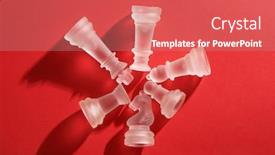
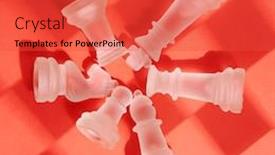
 Presentation with chess - PPT theme consisting of glass-chess-on-the-red background and a gray colored foreground

Glass Chess Red Background

The moment you think you've found your perfect PowerPoint template Corner Title. Imagine stepping into a world of high stakes strategy and intellectual competition with the glass chess on the red background that dominates this stunning template. The 4 How To slides at the start of the deck are designed to get you up and running quickly, but don't worry, we won't hold back. This beautifully crafted Corner Title template is not just a pretty face; it's also packed with design elements that will make your presentation stand out from the crowd. The Crimson color palette provides the perfect backdrop for a game of checkmate and education, evoking feelings of sophistication and elegance. The 3 Column Layout slide lets you highlight key information while keeping things simple. You can use this template as is or add your own custom elements to give it an Enhanced With feel. Featuring a background with a subtle texture adds depth and visual interest. The image of glass chess pieces floating against a red background is reminiscent of classic board games, but with a modern twist. This template would look incredible as a presentation slide on its own, perhaps including a photo of a strategic game in progress to add context. Having a theme of "Checkmate" or "Education" from the very start sets the tone for your entire deck and draws attention to specific key points.

 Presentation with chess - Presentation design having battle mind - businessman in office playing chess background and a  colored foreground

Businessman Office Playing Chess

As you create your very own Corner Title PowerPoint template, you're about to bring a fresh and unique concept into the world of business and personal branding. This stunning Widescreen template features a high resolution background that's sure to grab attention, with a subtle Alice Blue color palette that sets the tone for success. The Corner Title design name reflects the template's purpose, suggesting a strong and authoritative brand presence. The template is designed specifically for Google Slides, making it easy to download and customize. With its compatible format, you can bring this sleek design into your slides with confidence. The Widescreen setting ensures that your templates will always look sharp on any device. This template features an inspiring background image of a businessman in office playing chess, which adds a touch of sophistication and elegance. The Queen's game theme is also evident throughout the design, from the crown to the throne, creating a regal and professional atmosphere. When you're ready to showcase your talents, incorporating this Background With a high resolution image would be ideal. The 5 Level Piramid Layout slide showcases the template's versatility, allowing you to customize it with different elements and colors. This layout is perfect for showcasing your skills and expertise, having a Theme of showcasing success features prominently throughout. Incorporating the Keywords play, career, game, queen, concept into the design adds an extra layer of meaning, making this template more effective at engaging your audience. To take it to the next level, featuring the Background With a high resolution image would be perfect for showcasing your personal brand. Having a Theme of professional branding ensures that your presentation always looks polished and put together. The Corner Title PowerPoint template is yours to create, allowing you to make it as creative or simple as you like. Whether you're using it for business presentations or personal branding projects, this stunning Widescreen template will deliver high quality results every time.

 Presentation with chess - Beautiful presentation design featuring battle mind - businessman in office playing chess backdrop and a sky blue colored foreground

Businessman Office Playing Chess

The game is on, and you're invited to join the Crown Jewels club with Corner Title, our premium PowerPoint template designed to elevate your presentation skills. From corporate boardrooms to high stakes business meetings, this stunning Widescreen template brings together the perfect blend of style, sophistication, and playfulness. With a Light Blue color palette that features an elegant and regal theme, you'll be dressed to impress in just one glance. The result is a timeless look that exudes confidence and poise, perfect for showcasing your expertise or inspiring new ideas. The Corner Title template showcases four key components that will help get your message across quickly and effectively. But don't worry if you're not a pro at creating presentations the four How To slides are here to guide you through the process, helping you launch your project with ease. To create an even more engaging experience, our template comes preloaded with 4 member bio layouts, allowing you to showcase your accomplishments and personality in style. Just imagine Featuring [Your Name] as a keynote speaker or Including a background with a stunning cityscape it's the perfect way to take your presentation to the next level. Our Corner Title template is an Enhanced With the latest Google Slides features, making it easy to customize and personalize your deck to fit your unique style. And with its high resolution images for the background, you'll be looking sharp from start to finish. Whether you're pitching a business idea or promoting a new product launch, this stunning template will make you stand out in any crowd. But what really sets Corner Title apart is its seamless integration with Google Slides. So why wait? Get ready to take your presentations to the next level and join the Crown Jewels club today download Corner Title now!

 Presentation with chess - Theme having glass-chess-on-the-red background and a wine colored foreground

Glass Chess Red Background

Imagine stepping into a world where strategy and skill come together in a mesmerizing display of glass chess on the crimson red background that will leave your audience in awe. This stunning PowerPoint template is designed to transport you and your viewers into a realm of high stakes gameplay, where checkmate is just around the corner. The Crimson theme dominates this template, with its rich, bold colors evoking feelings of power and sophistication. The high resolution images for the background are sure to impress, featuring intricate patterns and textures that will add depth and visual interest to your presentation. This template is downloadable and compatible with Google Slides, making it easy to incorporate into your workflow. The Crimson theme also lends itself beautifully to a variety of educational applications, from teaching chess strategies to promoting learning about history or science. The 3 Pictures + Captions Layout slide can be used to showcase multiple images alongside their corresponding captions, creating a visually engaging and informative presentation that will keep your audience engaged. This template is perfect for anyone looking to enhance their presentations with a unique and captivating design. Featuring a background with a subtle gradient effect, this template includes a Background With feature that allows you to customize the color and texture of the background to match your specific needs. Having a theme of high quality images ensures that your presentation always looks professional and polished. The 4 How To slides at the start of the deck are designed to help you get up and running quickly, providing valuable tips and tricks for creating engaging presentations. By including these slides in your template, you'll be able to streamline your workflow and focus on delivering a compelling message to your audience.

 Presentation with chess - Theme having game of chess with wooden background and a wine colored foreground

Game Chess Wooden Figures

Theme having game of chess with wooden figures

 Presentation with chess - Beautiful theme featuring glass-chess-on-the-red backdrop and a tawny brown colored foreground

Glass Chess Red Background

The clock is ticking and you need to checkmate your opponents in high stakes games but first, let's design a stunning template that will make your presentation stand out. Imagine a glass chess board on the crimson red background, surrounded by intricate details and cleverly placed elements. The Corner Title, which we've dubbed "Corner Title", is designed to grab attention with its bold typography and eye catching layout. The template features a widescreen format, making it perfect for displaying your slides in full glory. But what sets this template apart from others is the crimson red color palette that exudes energy and sophistication. The template also includes high resolution images of glass chess boards on the background, providing a unique visual element to enhance the overall look. The Corner Title template is downloadable and compatible with Google Slides, making it easy to share with your audience or use in collaboration with others. And the best part? It's a versatile template that can be customized to fit any presentation style, from presentations to posters. Featuring a background with a subtle gradient effect, including a background with a beautiful floral pattern, having a theme of modern elegance, enhanced with intricate details and cleverly placed elements, this template is sure to impress your audience. Having a unique and eye catching design that sets you apart from others, the Corner Title template is an ideal choice for anyone looking to elevate their presentation game. As an added bonus, this template includes four How To slides at the start of the deck to help you get up and running quickly. But don't worry if you're not a pro – our template includes everything you need to create professional looking presentations that will leave your audience impressed. Whether you're teaching educational material or presenting at conferences, this Corner Title template is sure to make a lasting impression.

 Presentation with chess - Slide deck featuring glass-chess-on-the-red background and a crimson colored foreground

Glass Chess Red Background

In the realm of educational content creation, there's no better way to showcase your expertise than with a high quality PowerPoint template that exudes sophistication and attention to detail. The Corner Title is a design name that immediately conveys its purpose: to be the crowning jewel in any presentation or poster. This template features a stunning background image of glass chess pieces on a deep crimson red, creating a dramatic and eye catching effect that's sure to grab the viewer's attention. The Widescreen format offers ample space for text, images, and graphics, making it perfect for showcasing complex information or highlighting key takeaways in an engaging and interactive way. The Crimson color palette is rich and bold, offering plenty of opportunities to feature warm, inviting colors that will engage your audience. Whether you're presenting educational content on topics like chess strategy, game development, or even a new teaching method, the Corner Title has got you covered. The 4 How To slides at the start of the deck are designed to provide quick and easy access to getting started with the template, saving users time and effort as they begin building their own presentation. These slides will feature high resolution images that showcase key elements of the design, including the glass chess background and the prominent use of crimson. They'll also include essential information like installing the template on Google Slides and understanding the Enhanced With features available to enhance its functionality. The Corner Title is more than just a stunning template; it's an all in one solution for creating engaging educational content that stands out from the crowd. By including a background with a playful image of chess pieces, having a theme of "checkmate" and "play", and featuring high resolution images throughout, this template offers endless possibilities for creative expression. Whether you're looking to create a game night guide, an instructional resource, or simply want to elevate your presentation game, the Corner Title is the perfect choice. To enhance its interactive capabilities, including a Background With option that allows users to upload their own images, having a Theme of allowing users to customize the design and including a Picture on left with an accompanying Content Layout slide that showcases key information, this template has got it all. The result is a visually stunning and user friendly solution that will inspire creativity and encourage engagement.

 Presentation with chess - Colorful PPT theme enhanced with glass-chess-on-the-red backdrop and a red colored foreground

Glass Chess Red Background

Imagine stepping into a world where checkmate is not just a game, but a vibrant and immersive experience. Welcome to the Sidebar Title template from CrystalGraphics, featuring a stunning glass chess on the red background that will transport you to a realm of fun and education. This beautifully designed template is optimized for widescreen presentation, offering a high resolution image that will elevate your slides to new heights. The Tomato inspired color palette brings a pop of excitement to any presentation, making it perfect for use in educational settings or corporate events. The Sidebar Title template comes with a range of keywords tailored to your needs, including checkmate, play, game, education, and bishop, providing you with the right tools to engage your audience. The 3 Step Funnel Layout slide is a great feature that helps guide your content through engaging headlines, concise descriptions, and visual elements. As an added bonus, the template is downloadable and compatible with Google Slides, ensuring seamless integration into any presentation software. You can add your own images or customize the design to suit your unique style. The Sidebar Title template is more than just a template it's a game changer for anyone looking to elevate their presentations. To give you an idea of how this template could be used, imagine creating a lesson plan on " Chess Strategies" that includes interactive games and quizzes. You can include a background image featuring a vintage chess set against a black and white checkered pattern, with high resolution images of chess pieces arranged artfully to enhance the visual experience. The Sidebar Title template is perfect for use in any setting where you need to engage your audience and convey complex information in an accessible way. Its enhanced theme of interactive learning makes it an ideal choice for educational settings, corporate events, or anything that requires a visually appealing and informative presentation.

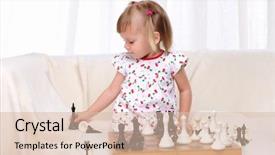
 Presentation with chess - Colorful slides enhanced with child brain - little girl playing chess backdrop and a lemonade colored foreground

Girl Playing Chess Table

The moment you click on the Corner Title template, you're immediately transported to a vibrant and inviting world that's all about playfulness and joy. The design name itself sets the tone for an uplifting experience, evoking feelings of happiness and excitement. This stunning widescreen template is perfect for anyone looking to add some much needed sunshine to their presentation. The Corner Title template features a breathtaking background with high resolution images that showcase beautiful seashells in all their glory. These images are sure to grab your audience's attention and leave them feeling inspired and engaged. The entire design has been carefully crafted to have a Caucasian theme, ensuring that it's free from any cultural or racial stereotypes that might otherwise make the template feel off putting. The happy atmosphere of this template is further enhanced by the use of words like "play", "small", and "studio" in its keywords. These words are carefully chosen to create a sense of warmth and approachability, making it easy for your audience to connect with the content on display. This template is not only visually stunning but also highly customizable, featuring a bright and cheerful color palette that's sure to set your presentation apart from the rest. As you begin using this fantastic template, you'll notice four interactive slides that will help guide you through the process of getting up and running quickly. These first four slides are designed to get you started on creating an engaging presentation that showcases your personality and style. A grid layout featuring beautiful images showcasing how to steps for creating presentations is included in these slides, providing a practical solution for anyone looking to enhance their presentation skills. The Corner Title template offers endless possibilities for creative expression, making it the perfect choice for anyone looking to add some personality to their next presentation. With its stunning seashell background and Caucasian theme, this template is sure to leave a lasting impression on your audience and create a memorable experience for them.

 Presentation with chess - Amazing PPT layouts having military strategy - chess game china vs japan backdrop and a light gray colored foreground

Chess Game China Vs Japan

The world of nation building and country domination is not just limited to board games or strategy simulations, but can also be represented through captivating visuals. Imagine a dynamic depiction of the historic rivalry between China and Japan, showcasing their contrasting styles and strengths in a single frame. This CrystalGraphics template features a dark gray design palette that evokes an sense of sophistication and grandeur, perfect for highlighting the nation building aspect. The Widescreen format ensures that the high resolution images on the background are showcased in all their glory, without any distortion or loss of detail. The template is downloadable and compatible with Google Slides, making it a seamless addition to any presentation. As inspiration, this template draws from the iconic chess game between China and Japan, featuring intricate patterns and motifs that evoke a sense of history and tradition. The 4 How To slides at the start of the deck provide a clear pathway for users to get up and running quickly, with concise instructions and supporting images that facilitate an easy to use experience. The template's Template Keywords country, domination, strength, japan, nation are carefully selected to reinforce the theme of nation building, providing a rich source of ideas and inspiration for creators.

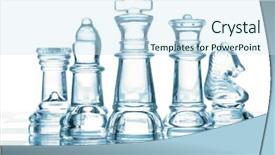
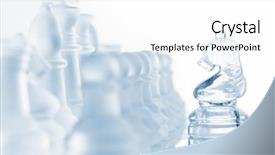
 Presentation with chess - Cool new slide set with transparent glass chess isolated backdrop and a cool aqua colored foreground

Transparent Glass Chess Isolated White

Imagine stepping into a world where learning and competition come alive with stunning visuals and interactive elements. Welcome to Corner Title, the ultimate PowerPoint template that's perfect for educational institutions, organizations, and anyone looking to make a splash in the world of presentation design. Corner Title is designed specifically for widescreen format presentations, providing an immersive experience that engages your audience from start to finish. With its light blue color palette, this template will transport you and your viewers to a serene environment, perfect for conveying high level concepts or showcasing complex ideas. The template features high resolution images throughout, including transparent glass chess isolated on white, which will have your audience's eyes glued to the screen. To enhance the visual appeal, featuring 4 How To slides at the start of the deck to help you get up and running quickly is a great way to kick start your presentation. However, there are many more opportunities for creativity and customization within the template itself. On the Who We Are Bio Layout slide, you can include a Background With interactive element that allows viewers to explore different sections of the bio in depth. Having a Theme Of data visualization will make it easier to present complex statistics and figures in an engaging way, while Enhanced With features like animations and transitions can take your presentation to the next level. By using Corner Title as your template, you'll be able to create presentations that are both visually stunning and engaging, perfect for showcasing your expertise or promoting your brand. Whether you're a student looking to ace an exam or a business owner seeking to establish yourself as a thought leader, this template is sure to impress.

 Presentation with chess - Slide set consisting of electronic bussiness - chrome planet and chess background and a teal colored foreground

Chrome Planet Chess

The Corner Title is a visually stunning and dynamic powerpoint template that features a unique design name inspired by the chrome planet and chess. The template is tailored to showcase country, nation, office, laptop, navigation themes, and incorporates high resolution images for the background. This template comes in a widescreen format perfect for showcasing your content with ease. It's available in Cornflower Blue color palette that adds a touch of elegance to any presentation. Featuring a modern and clean design, the template is optimized for Google Slides, making it seamless to use with this popular presentation software. The Two Content Layout slide provides ample space for presenting multiple elements such as images, charts, graphs, and text without cluttering the screen. This layout allows you to include different sections of your content in a visually appealing way, enhancing the overall professionalism of your presentation. Having a theme of showcasing your brand or organization's identity, this template can be tailored to fit your specific needs. When featuring high resolution images for the background, you'll get an incredible visual representation of your chosen themes and country/ nation/nation images that will make your presentations stand out from the crowd. The layout of the two content layouts slides can include text boxes or other elements such as logos, icons or graphics to further enhance the overall design. With Enhanced With technology, this template offers advanced features that allow you to customize it as per your requirement. You can add more images and charts in certain sections, change the layout of specific areas of presentation, and even create interactive presentations with animations and transitions using the included tools.

 Presentation with chess - Presentation theme enhanced with transparent glass chess isolated background and a white colored foreground

Transparent Glass Chess Isolated White

Presentation theme enhanced with transparent glass chess isolated on white

 Presentation with chess - Presentation theme enhanced with people in chess school learning background and a soft green colored foreground

People Chess School Learning Game

Imagine a young boy sitting at his chess school desk, eyes fixed intently on the board as he studies the intricacies of the game. The warm glow of the computer screen illuminates his face, and the soft hum of the machine provides a soothing background noise. As he focuses on the pieces, his fingers move deftly over the keyboard, bringing the game to life in vivid detail. The design name for this template is "Checkmate Academy". It's a Widescreen template that features high resolution images throughout, creating an immersive experience for users. The template color palette is Pale Goldenrod, a soft and calming hue that evokes feelings of serenity and focus. This theme is perfect for educational purposes, as it promotes concentration and attention to detail. The template includes four How To slides at the start of the deck, designed to help users get up and running quickly. These slides are titled "Getting Started", "Setting Up Your Board", "Understanding Chess Pieces", and "Basic Strategies". However, these details can be omitted for now, as we're focusing on the overall design. The Timeline Layout slide is a key feature of this template. It showcases a visual representation of the chess game's progression, from the setup phase to the endgame. This layout provides a clear understanding of how the game unfolds and helps users visualize their own moves. For example, you could include images of different stages of the game, such as the opening move, the middlegame, or the endgame. The template is downloadable and compatible with Google Slides, making it easy to incorporate into your presentations. The high resolution images ensure that the design looks sharp and professional on any device. With this template, you'll be able to create engaging and

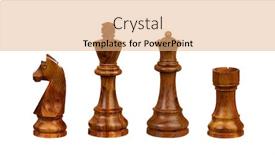
 Presentation with chess - Presentation theme enhanced with chess figures isolated on white background background and a lemonade colored foreground

Chess Figures Isolated White Background

In the midst of the bustling world of online presentations, where creativity knows no bounds and innovation reigns supreme, comes a template that will take your game by storm Sidebar Title. This stunning widescreen template is perfect for anyone looking to elevate their presentation game and make a lasting impression on their audience. The design name itself is a nod to the iconic game of chess, but what sets this template apart is its unique combination of traditional graphics with modern digital flair. The template features high resolution images of high ranking chess figures isolated against a crisp white background, providing a visually stunning backdrop for your presentation. The overall aesthetic is one of sophistication and elegance, making it an ideal choice for any professional or business audience. The template's color palette is meticulously crafted to evoke the warmth and richness of wheat, giving it a natural and earthy feel that adds depth and texture to your slides. This combination of design elements will not only make your presentation stand out but also leave a lasting impression on your viewers. As you embark on this creative journey, you'll have the opportunity to explore four How To slides at the start of the deck, each one designed to help you get up and running quickly. These slides will provide valuable guidance on how to set up your presentation, from choosing a template to mastering its features and using it effectively in your slide deck. The 5 Steps to Success Layout is where things really come together, providing a clear and concise framework for creating your ideal presentation. This layout includes sections such as "Creating Your Master Slide," "Designing Your Template," "Developing Your Content," "Testing and Refining," and "Finalizing and Sharing." With this template and the guidance from these four How To slides, you'll be well on your way to crafting a presentation that is both visually stunning and effective in communicating your message. When it comes to incorporating background images with your slide deck, having a theme of consistency is key. Sidebar Title offers several ways to enhance its features, including Featuring high resolution images for the background, Including a Background With subtle animations, Having a Theme of wheat with custom textures and filters, and Enhancing With royalty free graphics and fonts. The possibilities are endless, and the template's compatibility with Google Slides makes it easy

 Presentation with chess - Presentation design having think champion - nerd chess player isolated background and a light gray colored foreground

Nerd Chess Player Isolated White

In a world where productivity and creativity reign supreme, there's no shortage of inspiration to spark innovation. Imagine being part of a high stakes competition with fellow players, all vying for the top spot in this digital realm. This Corner Title template is designed to bring a dash of humor and whimsy to your presentation, featuring a playful illustration that will leave viewers smiling. The wheat colored background provides a warm and inviting tone, perfect for conveying a sense of approachability and friendliness. The Widescreen format ensures maximum visual impact, with crisp high resolution images that showcase the template's personality on full display. This desktop worthy design is available in Google Slides format, making it easy to download and incorporate into your presentation. With its wheat colored color palette and humorous vibe, this Corner Title template is sure to add a touch of playfulness to your slides. Featuring 3 Pictures + Captions Layout, you can create eye catching slides that showcase vibrant images alongside witty captions. This layout allows for ample space to include the latest news or updates related to high competition themes, as well as other visuals such as infographics and charts. The template's downloadable nature makes it seamless to incorporate into your Google Slides presentation, ensuring a smooth and polished look throughout. With its unique blend of humor and style, this Corner Title template is sure to turn heads – even in the most competitive industries.

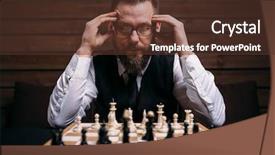
 Presentation with chess - Audience pleasing presentation design consisting of chess player thinking about game backdrop and a tawny brown colored foreground

Pensive Chess Player Thinking Game

In a world where strategy and skill are put to the test, the Corner Title template is here to fuel your game face. Its dark slate blue background transports you to a high stakes arena where checkmate is within reach. Designed for widescreen presentation on Google Slides, this template boasts 4 How To slides that will have you up and running in no time. The Corner Title's theme is centered around chess, with the iconic Queen as your trusted ally. The template features a combination of high resolution images for the background, including intricate details on checkered boards and strategic game pieces. The Managed Process Layout slide showcases a clear and organized design process, making it easy to visualize your presentation flow. As you embark on your creative journey, you're encouraged to incorporate more elements that evoke the thrill of competition, such as "Checkmate" or "Game On!" tags. Having a theme of strategy is all about embracing complexity and nuance, which can be beautifully enhanced with images that convey depth and sophistication. Incorporating dynamic backgrounds that change depending on your presentation's content can make your template truly stand out. For example, the "Starting Your Game Plan" slide could feature a dynamic background that displays an evolving chessboard, while the "Game Strategy Unveiled" slide showcases a more static image of a player analyzing their moves. These examples illustrate how Featuring and Including a Background With elements can elevate your presentation to the next level. Having a clear and concise design language is also crucial, as it ensures that your template remains accessible and easy to navigate on Google Slides. The enhanced version of this template includes features such as automated slide number formatting and custom fonts, making it an ideal companion for your presentation's content. By incorporating these elements, you'll be able to create a presentation that not only showcases your skills but also draws your audience in with its captivating theme and high quality visuals. As you begin your creative journey, remember that Corner Title is here to help you checkmate the competition – one slide at a time.

 Presentation with chess - PPT layouts enhanced with chess-figures-isolated background and a coral colored foreground

Chess Figures Isolated White Background

PPT layouts enhanced with chess figures isolated on a white background

 Presentation with chess - PPT layouts consisting of glass chess isolated on white background and a white colored foreground

Transparent Glass Chess Isolated White

The moment you think you've found your perfect match in the world of PowerPoint templates, take another look at the Corner Title design by CrystalGraphics. This stunning template is not just a collection of colors and patterns, but a complete ecosystem that will elevate your presentation to the next level. Corner Title features a bright and airy Light Blue background with high resolution images for the glass chess isolated on white. The overall design has a modern twist with a horizontal theme, making it perfect for showcasing your products or services. The template is designed to be versatile, including a Background With option that allows you to add your own images or text to match your presentation's tone. The Four Arrows Layout slide is an excellent starting point, featuring the four directions and symbols of the Quapaw Nation in bold and vibrant colors. This layout will give you a clear idea of where to place your key elements, making it easier to organize your content. Imagine presenting this design as a modern take on the traditional Native American motif, perfect for showcasing your brand's heritage or values. To take your presentation to the next level, consider using Corner Title and adding your own images or text to enhance its theme of competition and play.

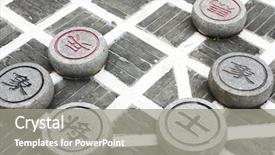
 Presentation with chess - Theme with smart grid - stone chinese chess background and a gray colored foreground

Stone Chinese Chess Park Close

In the heart of a bustling city, a serene oasis beckons with its intricate stone carvings and vibrant Chinese chess pieces, creating an irresistible atmosphere that is sure to captivate audiences. The scenery unfolds like a canvas waiting for brushstrokes, inviting viewers to step into a world of elegance and sophistication. The Wide Title template from CrystalGraphics boasts a stunning design name Wide Title perfectly capturing the essence of this captivating visual identity. This Widescreen template features high resolution images that bring the scene to life, including subtle gradients and textures that add depth and dimensionality to the design. Inspired by classic Chinese architecture, featuring a combination of bold lines and intricate patterns, this template is sure to transport viewers to ancient China. The circular approach layout allows for a seamless integration of visuals, making it an ideal choice for presentations that require a cohesive and engaging visual flow. Having a theme of "play" in mind, the Wide Title template is perfect for events, conferences, or exhibitions that aim to inspire creativity and stimulate competition. With its unique blend of traditional Chinese elements and modern sophistication, this template is sure to make a lasting impression on your audience. The downloadable nature of this template ensures compatibility with Google Slides, making it easily accessible to users worldwide.

 Presentation with chess - Beautiful presentation featuring angry mature man playing chess backdrop and a white colored foreground

Angry Mature Man Playing Chess

As you start your presentation, imagine yourself as a high stakes chess player, navigating a complex game of strategy and wit. You're in the perfect position to take on any opponent, whether it's a difficult point or an argument that's trying to checkmate your thinking. Your background is set with a warm, earthy tan color palette that evokes feelings of comfort and expertise. Your Widescreen template features a bold and modern design, perfect for conveying a sense of intensity and drama. The high resolution images in the background add depth and dimensionality, making it easy to visualize complex concepts. If you're using Social Media as your theme, you can showcase a simple yet effective layout featuring a clean grid with prominent calls to action. For example, you could include a section called "Game On" that highlights some of the key points and takes the audience on a journey through your argument. As you begin to share your ideas and insights, consider incorporating a Hero Slide or Game Slide that features an engaging image and a clear headline. This can help to grab the audience's attention and draw them in. You could also include a Quote Slide that highlights some of the most insightful moments from your presentation, perhaps with a beautiful background that reinforces the message. When it comes to the How To slides at the start of your deck, think of them as essential tools that will help you get up and running quickly. These interactive elements can be set up to resemble a game board or a chess clock, adding an extra layer of engagement and fun. With these slides, your audience will feel like they're part of the action, working alongside you towards your goal. The template is fully downloadable and compatible with Google Slides, so you can share it with others without any issues. And with its robust design features and interactive elements, it's perfect for creating an immersive experience that sets you apart from the rest.

▼Key features of this template

  • They are compatible with both PowerPoint and Google Slides running on either Windows PCs or Macs.

  • They are available in both standard and widescreen slide formats. You can choose your preferred format by clicking on the "Widescreen" check box or icon.

  • Each template includes a beautiful high-resolution background image or video to visually reinforce the theme of your presentation.

  • In addition, each template includes designer-created graphics and modern fonts to give your presentations an up-to-date, professional look.

  • Each template's default design and title text position have been carefully selected to complement its background without covering faces or other key elements.

  • All text includes backdrops whose transparency level is mathematically calculated to maximize text readability while still allowing the background to be seen.

  • And all the text, text backdrops and graphics in every slide are colored with a palette designed to beautifully complement the colors in the background.

  • Our Premium templates (those with the descriptor “Premium” in their subtitle) include over 64 slide layouts to give you maximum flexibility as you create your presentations.

    • Those layouts are available to you whenever you create a new slide or when you want to change the layout of an existing slide.
    • They include everything you need to make all sorts of presentations. In addition to the layouts for the title slide and the usual title and content slide, they include many other layouts for slide types including table of contents slides, org charts, charts, diagrams, infographics, photo slides, thank you slides and more.
    • While creating these layouts our template designers have ensured that all text in every layout adjusts as gracefully as possible to various numbers of words.
  • Customizable templates (those with the descriptor “Customizable” in their subtitle) may be easily modified online before you download them.

    • To modify them, simply click on the pencil editing icon, then select your choice of ready to go designs and title text positions.
    • The editing tool also makes it easy to reposition and scale the background image or video to best suit your needs.

▼FAQs

Please review these FAQs to see if your question is answered. Contact us for more info

  • What is a PowerPoint template?

    • A well designed PowerPoint template is a file that can tell PowerPoint how to make your ordinary templates look extraordinary. They won’t change what your words or numbers say. But they might change their size, color, font and placement. And, overall, they can give your presentations a professionally-designed look that will give your content more credibility and give you more confidence.
  • How many PowerPoint templates do you offer?

    • We have over 32,000 artist-created presentation templates in our PowerPlugs collection With a subscription, PowerPlugs templates are easy to download. Just sign in, find a template and click on the green Download button. ready for you to download. That alone offers you more variety to choose from than any of our competitors can offer. And, as if that weren’t enough, we also offer over 6 million templates in our Crystal collection. Crystal brand templates are our line of templates that have customization options. They have the word "CRYSTAL" on their web page images. You can customize several aspects of the templates. These templates include high-resolution background images from Shutterstock’s vast image collection matched up with artist-created presentation designs customized by our own proprietary AI software.
  • How many templates can I download as a subscriber?

    • You can download an unlimited number of PowerPlugs-brand With a subscription, PowerPlugs templates are easy to download. Just sign in, find a template and click on the green Download button. templates every day for an entire year. (Actually, by default, we set a limit of 25 templates per day to prevent our competitors from stealing our templates. But, if that is not enough, just let us know and we’ll try to accommodate you.) On top of that, with a subscription or an Ultimate Combo, you can also download any 50 Crystal-brand Crystal brand templates are our line of templates that have customization options. They have the word "CRYSTAL" on their web page images. You can customize several aspects of the templates. templates per year selected from our huge Crystal collection. Crystal brand templates are our line of templates that have customization options. They have the word "CRYSTAL" on their web page images. You can customize several aspects of the templates. .
  • Why should I choose your templates instead of the competition’s?

    • We’ve got a larger selection of professionally-designed PowerPoint templates than anyone else in the world.
    • Each template includes a high-resolution background image or video to visually inspire your audiences while reinforcing your message.
    • Each template includes 64 slide layouts to give you maximum flexibility as you create your presentations.
    • Our templates are available in both standard and widescreen slide formats. And our website lets you preview the slides each way.
    • Our free Template Finder™ plugin lets subscribers select and - with a single click - download and insert our templates into their presentations right from within PowerPoint.
    • We’ve been creating designer presentation templates for over 20 years. During that time we’ve won several awards and 5-star ratings for product quality. See About Us for more.
  • Do you offer a money-back guarantee?

    • Yes we do! We offer full 30-day money-back guarantee if you are not 100% satisfied with your purchase.
  • Can I still use my downloaded templates after my subscription runs out?

    • Yes. After your subscription expires, you won't lose any rights or ability to use your PowerPlugs: Templates for PowerPoint. You won't be able to download any new non-watermarked templates. But the non-watermarked templates you've already downloaded will still work and you can still use them as before.
  • Can I share my downloaded templates or passwords with friends or coworkers?

    • Sorry but no. You are authorized to download each paid-for template to up to 3 of your personal devices and to use the templates you download in as many presentations as you want. But you are not authorized to share the templates, themselves, with others. That said, we do offer highly discounted site licenses to suit the needs of both small and large teams. Just tell us your needs and we’ll give you a quote!
  • System requirements:

    • The templates use the standard POTX format. So they are compatible with Google Slides and all PC, Mac and mobile devices running any version of PowerPoint from PowerPoint 2007 up through and including Office 365 desktop.
    • Please note: Google Slides does not currently support background videos. It treats them as still images.
    • For PowerPoint for the Web, first open your template into a desktop version of PowerPoint, then save it back out as a PPTX file. Then you can open that in PowerPoint for the Web.
  • End user license agreement:

    • Click here to view.
  • How will I get my purchased templates?

    • You may download your selected templates as soon as your payment is received by PayPal. If you purchased an individual template, you will be provided with a download link both onscreen and via email. Just click on that link to begin the download process. If you purchased a subscription, you will receive an email containing a password to use along with your email address to sign in to any of the templates pages on CrystalGraphics.com. Once you are signed in, you can immediately start downloading your selected templates.
  • How do I use my templates after I download them?

    • You can either open a template to start a new presentation or you can add a template to an existing presentation. To open a template, just double click on it or use PowerPoint's File > Open tool. To add a template to an existing presentation, on the Design tab, in the Themes group, click Browse for Themes... then browse to select your template.

View more Chess templates:

previous 1 2 3 4 5 6 7 8 9 10 11 12 13 14 15 16 next
Categories related to Chess:
Blue Board Pieces Queen
93% of Fortune 1000
companies use our
PowerPoint Products
Templates Secure

Standing Ovation Award
Winner: Best PowerPoint
Template Collection
Fortune Logos
200,000+ satisfied
customers worldwide!
Guarantee
100% satisfaction guaranteed
- or send it back for a refund!

Sign up for our free newsletter! You'll get news about our PowerPoint-enhancing product line – including free updates, new product announcements and exclusive special offers. Plus you'll get a link to a free PowerPoint template with every newsletter you receive.
Privacy Policy
Loading...


Help

Contact Us
Product FAQs
Product License Agreements

Company Info

About Us
Privacy Policy
CrystalGraphics, Inc. 1999 S. Bascom Avenue Suite 700 Campbell, CA 95008 USA
© 2026 CrystalGraphics, Inc. All rights Reserved.    |     PowerPlugs is a trademark of CrystalGraphics, Inc.
Microsoft and the PowerPoint logo are trademarks or registered trademarks of Microsoft Corporation in the United States and/or other countries.
Loading...
Loading...