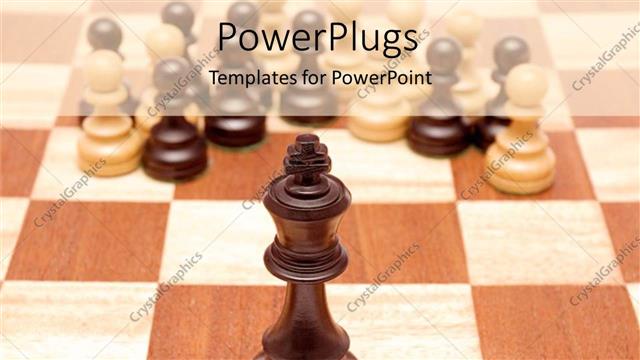
www.crystalgraphics.com CrystalGraphics
  • Ultimate Combo
  • Templates
  • Diagrams
  • Characters
  • Quizzes
  • shopping cart
  • Sign Out Sign Out Sign In
Home > Templates > Chess Category
search icon
advanced icon

334 Best Chess-Themed Templates for PowerPoint and Google Slides

In the vast expanse of PowerPoint templates available, the CrystalGraphics collection stands as a beacon of creativity, boasting an impressive 6.7 million options to choose from. Within this unparalleled library, we present three specific categories that showcase the versatility and depth of our offerings: Chess. From elegant glass chess pieces with blue lighting that seem to dance on a black background to mesmerizing 3D glowing chess pieces suspended in mid-air amidst a glossy chess set, every template is a masterclass in visual storytelling.

Beyond the titles alone, these chess-themed templates are just the beginning. Browse through our extensive collection and discover an array of breathtaking options, each carefully crafted to transport you to different worlds. Experience the thrill of lightning illuminating the cloudy sky above a marble chess board with intricately placed pieces or feel the tranquility of seven distinct colored chess pieces reflecting off a polished reflective surface.

What truly sets us apart is our commitment to excellence every template has been meticulously designed and optimized for compatibility with Google Slides, ensuring seamless integration into your workflow. Whether you're looking to elevate your presentation on a grand scale or craft a more intimate atmosphere in a shared digital space, we've got you covered. Our templates are available in both widescreen and standard formats, allowing you to choose the perfect fit for your needs.

And when it comes to personalization, the possibilities are endless. With our templates, you're free to add custom elements that reflect your unique style or brand identity. The result is a truly one-of-a-kind visual narrative that sets your presentations apart from the rest.

Don't just take our word for it explore our extensive collection today and discover a world of limitless creative possibilities. Browse through other categories with ease, select the perfect template for your needs, and download your customized masterpiece immediately. With instant 24/7 access to all templates in both widescreen and standard formats, you're one step closer to achieving the level of visual storytelling that your audience demands.

Features & Pricing

Widescreen (16:9) Presentation Templates. Change size...
 Presentation with chess - Theme with smart grid - stone chinese chess background and a gray colored foreground

Stone Chinese Chess Park Close

Theme with stone chinese chess in the park close up

 Presentation with chess - PPT layouts consisting of glass chess isolated on white background and a white colored foreground

Transparent Glass Chess Isolated White

PPT layouts consisting of transparent glass chess isolated on white

 Presentation with chess - Audience pleasing presentation design consisting of chess player thinking about game backdrop and a tawny brown colored foreground

Pensive Chess Player Thinking Game

Presentation design consisting of pensive chess player thinking about game strategy

 Presentation with chess - PPT layouts enhanced with chess-figures-isolated background and a coral colored foreground

Chess Figures Isolated White Background

PPT layouts enhanced with chess figures isolated on a white background

 Presentation with chess - Cool new PPT theme with chess with clock on background backdrop and a coral colored foreground

Image Businessman Businesswoman Playing Chess

PPT theme with image of businessman and businesswoman playing in chess with clock on background

 Presentation with chess - Beautiful presentation featuring angry mature man playing chess backdrop and a white colored foreground

Angry Mature Man Playing Chess

As you start your presentation, imagine yourself as a high stakes chess player, navigating a complex game of strategy and wit. You're in the perfect position to take on any opponent, whether it's a difficult point or an argument that's trying to checkmate your thinking. Your background is set with a warm, earthy tan color palette that evokes feelings of comfort and expertise. Your Widescreen template features a bold and modern design, perfect for conveying a sense of intensity and drama. The high resolution images in the background add depth and dimensionality, making it easy to visualize complex concepts. If you're using Social Media as your theme, you can showcase a simple yet effective layout featuring a clean grid with prominent calls to action. For example, you could include a section called "Game On" that highlights some of the key points and takes the audience on a journey through your argument. As you begin to share your ideas and insights, consider incorporating a Hero Slide or Game Slide that features an engaging image and a clear headline. This can help to grab the audience's attention and draw them in. You could also include a Quote Slide that highlights some of the most insightful moments from your presentation, perhaps with a beautiful background that reinforces the message. When it comes to the How To slides at the start of your deck, think of them as essential tools that will help you get up and running quickly. These interactive elements can be set up to resemble a game board or a chess clock, adding an extra layer of engagement and fun. With these slides, your audience will feel like they're part of the action, working alongside you towards your goal. The template is fully downloadable and compatible with Google Slides, so you can share it with others without any issues. And with its robust design features and interactive elements, it's perfect for creating an immersive experience that sets you apart from the rest.

 Presentation with chess - Colorful slides enhanced with hand-with-plastic-chess-piece backdrop and a tawny brown colored foreground

Hand Plastic Chess Piece Printed

Slides enhanced with hand with plastic chess piece printed on 3d printer close-up

 Presentation with chess - Presentation design consisting of young-handsome-man-holding-chess background and a yellow colored foreground

Young Handsome Man Holding Chess

Presentation design consisting of young handsome man holding chess smiling happy pointing with hand and finger

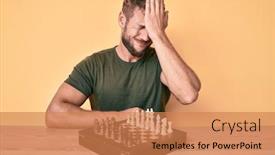
 Presentation with chess - Presentation theme having young-caucasian-man-playing-chess background and a coral colored foreground

Young Caucasian Man Playing Chess

Presentation theme having young caucasian man playing chess sitting on the table surprised with hand on head for mistake remember error forgot bad memory concept

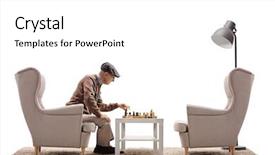
 Presentation with chess - Amazing PPT theme having himself isolated on white background backdrop and a white colored foreground

Senior Seated Armchair Playing Chess

Imagine sitting comfortably in an armchair, surrounded by the warmth and coziness of your own home, as if you've just stepped out onto a sun drenched patio on a lazy summer afternoon. The soft glow of high resolution images for the background sets the tone for this tranquil scene, inviting relaxation and contemplation. As you gaze into the serene landscape, one cannot help but feel a sense of calm wash over you. This is what we aim to capture in our Corner Title template: a design that embodies the essence of serenity and tranquility. With a timeless style that exudes sophistication and elegance, this template features a warm and inviting tan color palette that will transport your audience to a bygone era of refinement and luxury. The mature tone is perfectly complemented by the Caucasian subject, who sits quietly in their armchair, lost in thought. Featuring high resolution images for the background, our Corner Title template is downloadable and compatible with Google Slides, making it an ideal choice for presentations that require a professional yet approachable atmosphere. The template's compatibility with various themes makes it seamlessly integrated into any presentation. Having a theme of sophistication and elegance, this design will enhance your slides with a sense of refinement and poise. The Gears in Sync Layout is particularly noteworthy, as it includes a background image showcasing the intricate mechanisms of a traditional clockwork system. This adds an additional layer of depth and visual interest to your presentation.

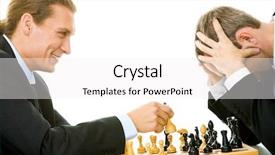
 Presentation with chess - Audience pleasing slides consisting of win lose - image of businessmen playing backdrop and a white colored foreground

Image Businessmen Playing Chess

Slides consisting of image of businessmen playing in chess

 Presentation with chess - Slides enhanced with woman-at-home-playing-chess background and a soft green colored foreground

Woman Home Playing Chess Laptop

Imagine yourself sitting in front of your laptop computer, typing away on your virtual keyboard, as you ponder the next step in your online chess game against a mysterious opponent. The sun sets behind you, casting a warm light over the entire scene, and you're lost in thought as you contemplate the idea of connecting with someone new for real life. The image is enhanced with a background featuring high resolution images of people from all walks of life, each with their own unique story to tell. As you imagine yourself playing chess online against this stranger, your mind starts racing with possibilities and your heart beats faster. The Wide Title template is the perfect starting point for your presentation. This stunning Widescreen template features a light sky blue color palette that will transport your audience to a world of tranquility and peace. The smooth lines and minimalist design make it easy to read and understand, while the high resolution images on the background will draw your attention in an instant. As you dive deeper into your presentation, be sure to include 4 How To slides at the start of the deck to help your audience quickly get up and running with your project. The first slide could feature a brief introduction to the project, setting the scene for what's to come. As you begin to build your virtual chess game, the second slide could provide step by step instructions on how to create the desired layout. The 5 Year Calendar Timeline Layout slide is a great opportunity to showcase your creativity and attention to detail. By featuring a beautiful image of a calendar, you can highlight the importance of planning and organization in achieving success. For example, you could include images of different stages of life, such as childhood, adulthood, and old age, showcasing how each stage requires specific skills and strategies to overcome. The template is downloadable and compatible with Google Slides, making it easy to share with your audience or use as a starting point for your own project. With its sleek design and high resolution images, this template is sure to impress, and its theme of "play" will get your audience engaged from the very start.

 Presentation with chess - Theme enhanced with young-arab-man-playing-chess background and a  colored foreground

Young Arab Man Playing Chess

The moment you click on the Corner Title PowerPoint template, your cursor is drawn to a striking image of young Arab men gathered around a chessboard at sunset, their faces set in determined grins as they contemplate their next move. The warm tones of Light SlateGray dominate the scene, evoking feelings of calm focus and intellectual curiosity. As you zoom in on the game pieces, the intricate details catch your eye intricately crafted wooden pieces, intricately stitched leather pieces, each one a testament to the art of strategy. This template is perfect for creating engaging presentations that will leave your audience engaged and eager to take their next move. Featuring a high resolution image of a chessboard as the background, this template is sure to enhance any presentation on strategy, game dynamics, or even checkmate tactics. Having a theme of "Game Day" with images of various games, including chess, poker, and board games, will get you started quickly. On the Content with Caption Layout slide, include captions for each image, describing what it's about, such as "A game of strategy between two friends", or "The thrill of checkmate". For example: * Featuring a close up of a single chess piece in high definition, this caption could read: "This is one of the 64 unique pieces on a standard chessboard" * Including a background with a subtle texture that resembles wood grain, this slide could read: "We're using a Widescreen template to give your presentation an immersive feel"

 Presentation with chess - Beautiful slides featuring chinese chess with weak light backdrop and a tawny brown colored foreground

Chinese Chess Weak Light Night.

In the heart of China's ancient streets, where the moon dips into the horizon and paints the sky with hues of crimson and gold, the Chinese chess pieces dance in a game of life, each move carefully crafted to outmaneuver the opponent. The night air is alive with anticipation, as if the shadows themselves are holding their breath, waiting for the perfect moment to strike. The Corner Title template is a stunning design that sets the tone for a dynamic and engaging presentation. With a widescreen format in mind, this template features high resolution images of Chinese landscapes and cityscapes on its background, creating an immersive atmosphere that draws the viewer in. The Saddle Brown color palette provides a warm and inviting backdrop for the gameplay, signifying a sense of competition and excitement. As you navigate through the template, you'll notice four key slides at the start of the deck, each designed to help you get up and running quickly. These features include: * A slide that presents an overview of the template's design and layout, showcasing its circular step layout as the central theme. * A slide that includes a background image with a subtle animation effect, enhancing the overall visual impact of the presentation. This template is not just a pretty face; it's also fully functional and compatible with Google Slides. With its smooth transitions and easy to edit features, you'll be able to create an engaging presentation in no time. Whether you're presenting on competition, chess, or any other topic, this Corner Title template has got you covered, featuring a theme of high energy visuals that will leave your audience on the edge of their seats.

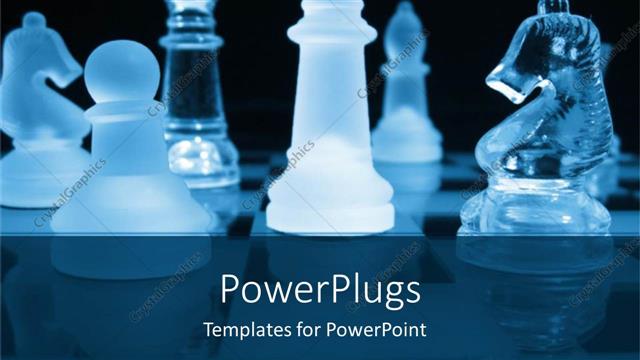
 Presentation with chess - A number of chess pieces in glass form

Symbol

A number of chess pieces in glass form

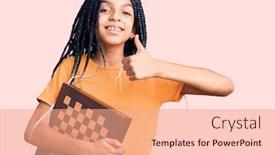
 Presentation with chess - Presentation featuring young-woman-holding-chess-looking background and a coral colored foreground

Young Woman Holding Chess Looking

Presentation featuring young woman holding chess looking positive and happy standing and smiling with a confident smile showing teeth

 Presentation with chess - PPT theme with portrait of senior human hand background and a sky blue colored foreground

Portrait Senior Human Hand Holding

In a world where politics and competition reign supreme, a new champion emerges from the shadows. The Corner Title PowerPoint template is designed to bring this leader to life, with a focus on elegance and sophistication. This template features a Wheat color palette that exudes warmth and coziness, perfect for creating a welcoming atmosphere in your presentations. A grid layout of six images showcases the template's versatility, featuring icons from the game chess, a bishop, high resolution portraits, and more. These images work together to create an enhanced theme that is both fascinating and engaging. The Corner Title template is Widescreen, making it perfect for presentations where you want to showcase your content in full glory. It is also downloadable and compatible with Google Slides, allowing you to easily import the images and customize the layout as needed. This template is not just a design; it's an experience. You can include a background with any image of your choice, such as a high resolution portrait of yourself or one of the icons from the game chess. Having a theme of elegance and sophistication, this template is perfect for presenting to an audience that values luxury and refinement. The Corner Title PowerPoint template is designed to be easy to use, with four How To slides at the start of the deck to help you get up and running quickly. These slides provide a crash course in how to work with the template's features and customize its look and feel.

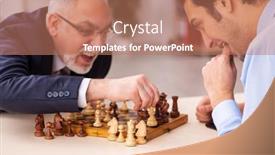
 Presentation with chess - Colorful PPT layouts enhanced with two-businessmen-playing-chess backdrop and a coral colored foreground

Two Businessmen Playing Chess Office

Imagine two high stakes businessmen locked in a game of chess in the office, their intense focus and strategic minds on full display as they battle for the top spot. The fluorescent lights overhead cast an unflattering glow on their determined faces, but it's clear that this is no ordinary boardroom encounter. You want to capture the essence of high energy competition and productivity in your presentation, and what better way to do so than with a stunning Corner Title template? This template features a sleek, modern design with a Cornflower Blue background that perfectly complements high resolution images for a professional look and feel. The Four Arrows Layout is one of its standout features imagine having an iconic font and illustration that wraps around the corner title, adding depth and visual interest to your slide. This theme is both timeless and dynamic, making it perfect for any office setting where creativity and strategy reign supreme. The Cornflower Blue color palette offers a calming yet stimulating contrast to the competitive atmosphere of the boardroom, while its subtle nuances will add an extra layer of sophistication to your presentation. And with the option to download and import your own images, you're free to customize the template to fit your unique style and branding.

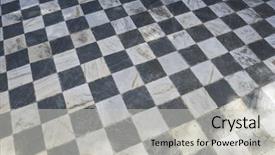
 Presentation with chess - Theme enhanced with checkerboard - marble gamero textured floor background and a light gray colored foreground

Marble Gamero Textured Floor Chess,

From a polished and modern perspective, consider creating a template that seamlessly integrates cutting edge design elements with a rich history, perfect for presentations that require an attention grabbing first impression. This is where the Wide Title template comes in, featuring a distinctive Steel Blue color palette reminiscent of high end luxury brands, while boasting the unmistakable texture and tactile feel of vintage materials like marble or chessboards. The Widescreen aspect of this template is showcased through its seamless integration with 4 How To slides that serve as an excellent starting point for any presentation. From there, you can dive into a Managed Process Layout that's sure to enhance your content, allowing you to focus on the key messages without distractions. This layout also incorporates traditional imagery featuring classic architecture like grand buildings and ornate details, while including a Background With subtle texture overlays to give it an authentic feel. By including high resolution images for the background, this template is perfectly suited for presentations that require exceptional visual impact, such as business pitches or data analysis reports. And with its compatibility with Google Slides, you can easily share and collaborate on your content in real time.

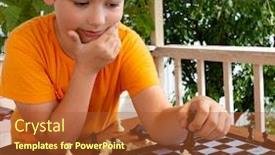
 Presentation with chess - Cool new PPT theme with young-boy-making-a-move backdrop and a red colored foreground

Young Boy Making Move Child

In the heart of every educational setting, there's a need to create engaging and interactive content that sparks curiosity and fosters learning. The Corner Title template is designed to be the perfect starting point for your PowerPoint presentations, featuring a rich chocolate color palette that sets the tone for an immersive experience. This template format is ideal for widescreen presentations, allowing you to showcase high resolution images in all their glory. The Chocolate theme provides a warm and inviting atmosphere, perfect for conveying a sense of competition and playfulness. The Caucasian skin tones used throughout the template give it a youthful and approachable feel, making it an excellent choice for educational content that aims to engage young minds. As you begin your presentation, you'll notice four How To slides at the start of the deck, providing a solid foundation for getting up and running quickly. These slides will feature high quality images in a grid layout, showcasing various aspects of the template's design and functionality. For example, on the "How to Use" slide, you could include an image of a child playing chess outdoors, highlighting how the template can be used to create engaging educational content that promotes learning through play. The Corner Title template is also designed to be enhanced with additional features, such as including a background with a subtle gradient effect or having a theme of "Competitive Learning". This will help you to further enhance your presentation and make it more visually appealing. With its rich chocolate color palette, high resolution images, and engaging design elements, the Corner Title template is sure to leave a lasting impression on your audience.

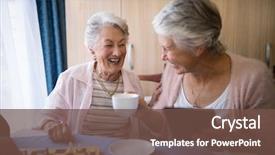
 Presentation with chess - Slide deck having nurse - happy senior friends talking while background and a tawny brown colored foreground

Happy Senior Friends Talking Having

The Corner Title template by CrystalGraphics is designed to evoke feelings of warmth and camaraderie, perfectly capturing the essence of a nursing home setting where friendships are forged. A vibrant Peru color palette brings this theme to life with rich earth tones that exude comfort and coziness. The Widescreen format ensures an immersive viewing experience. This template features high resolution images throughout, including beautiful background graphics showcasing happy senior friends gathered in warm surroundings, enjoying activities such as coffee and chess at a peaceful nursing home. The 5 Stages Pentagon Layout helps to guide the user through the various elements of this design, serving as a visual framework for organizing content. By including a Background With feature, users can easily manipulate and edit these images to match their specific needs. The Corner Title template is Enhanced With the concept of assistance living, showcasing how technology and design can be seamlessly integrated to create a supportive environment for residents. The template's Friendly theme allows it to include a range of icons, graphics, and shapes that convey warmth and inclusivity. This template Featuring and Including a Background With feature makes it easy to apply these elements throughout the document.

▼Key features of this template

  • They are compatible with both PowerPoint and Google Slides running on either Windows PCs or Macs.

  • They are available in both standard and widescreen slide formats. You can choose your preferred format by clicking on the "Widescreen" check box or icon.

  • Each template includes a beautiful high-resolution background image or video to visually reinforce the theme of your presentation.

  • In addition, each template includes designer-created graphics and modern fonts to give your presentations an up-to-date, professional look.

  • Each template's default design and title text position have been carefully selected to complement its background without covering faces or other key elements.

  • All text includes backdrops whose transparency level is mathematically calculated to maximize text readability while still allowing the background to be seen.

  • And all the text, text backdrops and graphics in every slide are colored with a palette designed to beautifully complement the colors in the background.

  • Our Premium templates (those with the descriptor “Premium” in their subtitle) include over 64 slide layouts to give you maximum flexibility as you create your presentations.

    • Those layouts are available to you whenever you create a new slide or when you want to change the layout of an existing slide.
    • They include everything you need to make all sorts of presentations. In addition to the layouts for the title slide and the usual title and content slide, they include many other layouts for slide types including table of contents slides, org charts, charts, diagrams, infographics, photo slides, thank you slides and more.
    • While creating these layouts our template designers have ensured that all text in every layout adjusts as gracefully as possible to various numbers of words.
  • Customizable templates (those with the descriptor “Customizable” in their subtitle) may be easily modified online before you download them.

    • To modify them, simply click on the pencil editing icon, then select your choice of ready to go designs and title text positions.
    • The editing tool also makes it easy to reposition and scale the background image or video to best suit your needs.

▼FAQs

Please review these FAQs to see if your question is answered. Contact us for more info

  • What is a PowerPoint template?

    • A well designed PowerPoint template is a file that can tell PowerPoint how to make your ordinary templates look extraordinary. They won’t change what your words or numbers say. But they might change their size, color, font and placement. And, overall, they can give your presentations a professionally-designed look that will give your content more credibility and give you more confidence.
  • How many PowerPoint templates do you offer?

    • We have over 32,000 artist-created presentation templates in our PowerPlugs collection With a subscription, PowerPlugs templates are easy to download. Just sign in, find a template and click on the green Download button. ready for you to download. That alone offers you more variety to choose from than any of our competitors can offer. And, as if that weren’t enough, we also offer over 6 million templates in our Crystal collection. Crystal brand templates are our line of templates that have customization options. They have the word "CRYSTAL" on their web page images. You can customize several aspects of the templates. These templates include high-resolution background images from Shutterstock’s vast image collection matched up with artist-created presentation designs customized by our own proprietary AI software.
  • How many templates can I download as a subscriber?

    • You can download an unlimited number of PowerPlugs-brand With a subscription, PowerPlugs templates are easy to download. Just sign in, find a template and click on the green Download button. templates every day for an entire year. (Actually, by default, we set a limit of 25 templates per day to prevent our competitors from stealing our templates. But, if that is not enough, just let us know and we’ll try to accommodate you.) On top of that, with a subscription or an Ultimate Combo, you can also download any 50 Crystal-brand Crystal brand templates are our line of templates that have customization options. They have the word "CRYSTAL" on their web page images. You can customize several aspects of the templates. templates per year selected from our huge Crystal collection. Crystal brand templates are our line of templates that have customization options. They have the word "CRYSTAL" on their web page images. You can customize several aspects of the templates. .
  • Why should I choose your templates instead of the competition’s?

    • We’ve got a larger selection of professionally-designed PowerPoint templates than anyone else in the world.
    • Each template includes a high-resolution background image or video to visually inspire your audiences while reinforcing your message.
    • Each template includes 64 slide layouts to give you maximum flexibility as you create your presentations.
    • Our templates are available in both standard and widescreen slide formats. And our website lets you preview the slides each way.
    • Our free Template Finder™ plugin lets subscribers select and - with a single click - download and insert our templates into their presentations right from within PowerPoint.
    • We’ve been creating designer presentation templates for over 20 years. During that time we’ve won several awards and 5-star ratings for product quality. See About Us for more.
  • Do you offer a money-back guarantee?

    • Yes we do! We offer full 30-day money-back guarantee if you are not 100% satisfied with your purchase.
  • Can I still use my downloaded templates after my subscription runs out?

    • Yes. After your subscription expires, you won't lose any rights or ability to use your PowerPlugs: Templates for PowerPoint. You won't be able to download any new non-watermarked templates. But the non-watermarked templates you've already downloaded will still work and you can still use them as before.
  • Can I share my downloaded templates or passwords with friends or coworkers?

    • Sorry but no. You are authorized to download each paid-for template to up to 3 of your personal devices and to use the templates you download in as many presentations as you want. But you are not authorized to share the templates, themselves, with others. That said, we do offer highly discounted site licenses to suit the needs of both small and large teams. Just tell us your needs and we’ll give you a quote!
  • System requirements:

    • The templates use the standard POTX format. So they are compatible with Google Slides and all PC, Mac and mobile devices running any version of PowerPoint from PowerPoint 2007 up through and including Office 365 desktop.
    • Please note: Google Slides does not currently support background videos. It treats them as still images.
    • For PowerPoint for the Web, first open your template into a desktop version of PowerPoint, then save it back out as a PPTX file. Then you can open that in PowerPoint for the Web.
  • End user license agreement:

    • Click here to view.
  • How will I get my purchased templates?

    • You may download your selected templates as soon as your payment is received by PayPal. If you purchased an individual template, you will be provided with a download link both onscreen and via email. Just click on that link to begin the download process. If you purchased a subscription, you will receive an email containing a password to use along with your email address to sign in to any of the templates pages on CrystalGraphics.com. Once you are signed in, you can immediately start downloading your selected templates.
  • How do I use my templates after I download them?

    • You can either open a template to start a new presentation or you can add a template to an existing presentation. To open a template, just double click on it or use PowerPoint's File > Open tool. To add a template to an existing presentation, on the Design tab, in the Themes group, click Browse for Themes... then browse to select your template.

View more Chess templates:

previous 1 2 3 4 5 6 7 8 9 10 11 12 13 14 15 16 next
Categories related to Chess:
Blue Board Pieces Queen
93% of Fortune 1000
companies use our
PowerPoint Products
Templates Secure

Standing Ovation Award
Winner: Best PowerPoint
Template Collection
Fortune Logos
200,000+ satisfied
customers worldwide!
Guarantee
100% satisfaction guaranteed
- or send it back for a refund!

Sign up for our free newsletter! You'll get news about our PowerPoint-enhancing product line – including free updates, new product announcements and exclusive special offers. Plus you'll get a link to a free PowerPoint template with every newsletter you receive.
Privacy Policy
Loading...


Help

Contact Us
Product FAQs
Product License Agreements

Company Info

About Us
Privacy Policy
CrystalGraphics, Inc. 1999 S. Bascom Avenue Suite 700 Campbell, CA 95008 USA
© 2025 CrystalGraphics, Inc. All rights Reserved.    |     PowerPlugs is a trademark of CrystalGraphics, Inc.
Microsoft and the PowerPoint logo are trademarks or registered trademarks of Microsoft Corporation in the United States and/or other countries.
Loading...
Loading...