www.crystalgraphics.com CrystalGraphics
  • Ultimate Combo
  • Templates
  • Diagrams
  • Characters
  • Quizzes
  • shopping cart
  • Sign Out Sign Out Sign In
Home > Templates > Power Plant > Coal Power Plant Category
search icon
advanced icon

44 Best Coal Power Plant-Themed Templates for PowerPoint and Google Slides

CrystalGraphics creates templates designed to make even average presentations look incredible. Below you’ll see thumbnail sized previews of the title slides of a few of our 44 best coal power plant templates for PowerPoint and Google Slides. The text you’ll see in in those slides is just example text. The coal power plant-related image or video you’ll see in the background of each title slide is designed to help you set the stage for your coal power plant-related topics and it is included with that template. In addition to the title slides, each of our templates comes with 17 additional slide layouts that you can use to create an unlimited number of presentation slides with your own added text and images. And every template is available in both widescreen and standard formats. With over 6 million presentation templates available for you to choose from, CrystalGraphics is the award-winning provider of the world’s largest collection of templates for PowerPoint and Google Slides. So, take your time and look around. You’ll like what you see! Whether you want 1 great template or an ongoing subscription, we've got affordable purchasing options and 24/7 download access to fit your needs. Thanks to our unbeatable combination of quality, selection and unique customization options, CrystalGraphics is the company you can count on for your presentation enhancement needs. Just ask any of our thousands of satisfied customers from virtually every leading company around the world. They love our products. We think you will, too!

Features & Pricing

Widescreen (16:9) Presentation Templates. Change size...
 Presentation with coal power plant - PPT layouts enhanced with half-length portrait of boy dressed as penguin standing near christmas tree in living room close-up background and a dark gray colored foreground

Power Station

In the heart of the power station, where energy and efficiency reign supreme, lies the Wide Title template that will fuel your presentation. This stunning Widescreen template features a sleek design that exudes power and sophistication, perfect for generating excitement and sparking ideas. The template is a masterclass in style, with a Light Sky Blue color palette that evokes the feeling of high rise ceilings and open spaces. The background images are crisp and clean, featuring 4 high resolution icons showcasing various aspects of generators, transmission lines, and power distribution systems. Featuring these iconic elements, this template is sure to include a Background With them in your presentation. The Wide Title itself has a majestic presence, with an Enhanced With theme that sets it apart from other templates. Having a Theme of Power Generation, this template is the perfect starting point for any slide deck on transmission, distribution, and generating high quality content. Whether you're featuring a simple title or complex charts and graphs, this template will have a Theme of High Resolution Images for the background to feature them in your presentation. The Hexagon Layout is another standout element of this template, allowing designers to create intricate patterns and designs that are sure to enhance the overall visual appeal of your slides. Featuring these hexagons in various arrangements can add a touch of sophistication to even the most straightforward slides, making this template a valuable addition to any Googel Slide presentation.

 Presentation with coal power plant - Slide deck enhanced with coal power station background and a ocean colored foreground

Coal Power Station

Imagine standing in front of a massive coal power station at dusk, its towering chimney puffing out a misty veil into the evening air as the sun dips below the horizon behind it. The sound of rumbling machinery and hushed conversations from the surrounding factories create a cacophony that seems to reverberate deep within your bones. This template is designed for those who want to unleash their creativity on the world, with a focus on building structures through text and images. Featuring a Dark Slate Blue color palette that evokes the gritty, industrial feel of the coal power station, this Widescreen template will have you feeling like you're standing in front of one at dusk. With 6 x 6 Org Chart Layout slide included as a bonus, users can take their project to the next level with an easy to use framework for organizing information. Whether you're creating a presentation on the environmental impact of fossil fuels or showcasing your skills as a factory worker, this template is sure to enhance your visuals. Adding high resolution images from around the world will provide an impressive backdrop for any slide, from cityscapes at night to industrial landscapes. Incorporating Google Slides compatibility ensures that users can easily share and reuse content throughout their projects. With features like Featuring, Including a Background With, Having a Theme of, Enhanced With this template is sure to be a hit with those looking to take their presentations to the next level.

 Presentation with coal power plant - Slides enhanced with coal power plant - industrial destruction background and a sky blue colored foreground

Industrial Destruction

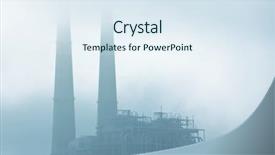
As you gaze out at the ravaged landscape, the once proud skyscrapers now stand as twisted metal and burning debris, their former glory consumed by the fiery depths of destruction. The city lies in ruins, its streets scarred and dry, as if the very soul has been sucked from it. But amidst this chaos, a powerful force stirs, fueled by a potent mix of heat and smoke that crackles with energy. It is a world where industry meets destruction, where power reigns supreme. In this realm, technological advancements have given rise to the most innovative concepts, as if nature itself has been coaxed into creating something new and wondrous. The result is a cityscape unlike any other, where towering chimneys pierce the sky like skeletal fingers, their steel exteriors glowing with an eerie intensity. At the heart of this world beats the pulse of power, its very foundation built upon the ashes of what once was. It is a place of contrasts, where heat and cold exist in harmony, as if the city's inhabitants have learned to harness the raw energy that surrounds them. To capture this essence on screen, we'll be featuring high resolution images of burning skyscrapers, industrial machinery, and sweeping vistas of the ruined metropolis. Including a background with a dramatic sky backdrop, having a theme of urban decay, and enhanced with creative typography and effects will bring this world to life in ways that will leave your audience breathless. The Corner Title template is designed to be downloadable and compatible with Google Slides, allowing you to customize it to fit your specific needs. The template's design language features light blue as its primary color palette, which provides a soothing backdrop for the city's chaos. With four How To slides at the start of the deck, you'll have everything you need to get up and running quickly, from setting up the template's interactive elements to customizing its layout and design. By incorporating these elements into your presentation, you'll be able to showcase your creativity and expertise, while also conveying a sense of power and control over this industrial landscape.

 Presentation with coal power plant - Colorful slides enhanced with power station and cement plant backdrop and a light blue colored foreground

Coal Power Station Cement Plant

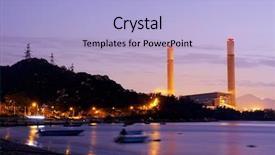
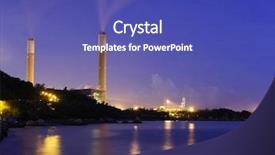
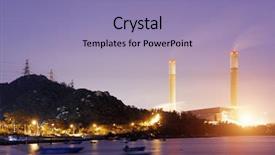
As night falls over the coal power station and cement plant, the dimly lit landscape unfolds like a canvas waiting to be brought to life through design. The flickering lights of the factory grounds create a mesmerizing effect, inviting you to step into this atmospheric world. A wide screen template, featuring high resolution images for its background, provides the perfect setting for showcasing the drama and power of these industrial giants. The Medium Purple color palette adds depth and sophistication to the design, evoking feelings of luxury and grandeur. As you explore this template, you'll discover an array of keywords that will enhance your presentation: dusk, fuel, objects, panoramic, scene. These elements are carefully crafted to create a seamless fusion of images and text. The Puzzle Pieces Layout slide is an exciting feature in this template, allowing you to showcase how different pieces come together to form a cohesive whole. Imagine presenting a series of images featuring the coal power station and cement plant at night, with each piece seamlessly integrated into the overall design. This layout would be perfect for showcasing multiple scenes within a single presentation. The high resolution images for the background are sure to provide excellent visual fidelity, making it easier to convey your message in an engaging way. With its downloadable compatibility and seamless integration with Google Slides, this template is ideal for creating visually striking presentations that leave a lasting impression on your audience.

 Presentation with coal power plant - Colorful PPT theme enhanced with nuclear - coal power station and cement backdrop and a ocean colored foreground

Coal Power Station Cement Plant

The Corner Title PowerPoint template is a stunning visual representation that captures the essence of industrial landscapes at night. Its high resolution images feature coal power stations and cement plants amidst a backdrop of dusk, providing an immersive experience for your audience. The Dodger Blue color palette adds a sleek and modern touch to this design, making it perfect for presentations where you need to convey complex information in a visually appealing way. The template is available in Widescreen format, ideal for showcasing your content with a wide screen display. It's also compatible with Google Slides, allowing you to easily create stunning slideshows that will leave a lasting impression on your viewers. The Dodger Blue color palette provides a cohesive look throughout the entire design, enhancing the overall visual experience. The Corner Title template includes four key components: Background Images Featuring High Quality Images Including a Background With Unique Textures Having a Theme Of Industrial Landscapes Enhancing With Complex Shapes And Patterns. These features allow you to create engaging slides that showcase your content in an innovative way, making it easier for your audience to understand and follow your message. In terms of design elements, the template includes chimney shaped objects, fuel symbols, and other industrial themed graphics that add depth and visual interest to your presentation. The 2 Member Bio Layout slide is a great place to include important information about yourself or your organization, such as your name and title. This layout allows for easy customization and can be adjusted to fit different branding needs. Overall, the Corner Title template offers a unique and visually stunning solution for presentations that require an industrial theme. Its Dodger Blue color palette, Widescreen format, and high resolution images make it an excellent choice for anyone looking to create an engaging and informative presentation.

 Presentation with coal power plant - PPT theme having sunset hong kong coal power background and a teal colored foreground

Petrochemical Industry Sunset Hong Kong

As the world grapples with the pressing issue of pollution and climate change, images of industrial landscapes at dusk have become increasingly relevant. The familiar sight of factories belching smoke and oil tanks has been supplanted by images of desolate landscapes and eerie silhouettes. Corner Title templates offer a sophisticated way to incorporate these themes into presentations. This template features a sleek, modern design with a focus on clean lines and minimalist elements. A subtle gradient gives the impression of depth, while high resolution images are seamlessly incorporated throughout the design. The Steel Blue color palette provides a professional and neutral background that allows the images to take center stage. Imagine presenting data on the impact of pollution on industrial landscapes, featuring stunning visuals showcasing the devastating effects of coal power stations and oil refineries. Or, incorporate a comparison with an image layout slide, highlighting how you can easily arrange your content in a visually appealing way. Having a theme of clean design and minimalism makes it easy to present data in a clear and concise manner. Whether you're looking to showcase the devastating effects of pollution or simply want to add a touch of industrial chic to your presentations, Corner Title templates are the perfect solution. With their sleek design and high resolution images, they're sure to leave a lasting impression on your audience.

 Presentation with coal power plant - Beautiful PPT layouts featuring chimney of power plant backdrop and a soft green colored foreground

Chimney Power Plant

As the air pollution continues to rise and power plants are the primary source of this toxic emissions, we want to shed light on the importance of their role in our environment. The chimney of a power plant is often misunderstood as being just a simple structure that belches out steam and smoke, but its impact on global warming cannot be ignored. In fact, it's estimated that the burning of fossil fuels, which accounts for over 70% of global CO2 emissions, contributes to approximately 24% of total human caused greenhouse gas emissions. The industry wide efforts to reduce pollution have yielded promising results in recent years. The template is designed to present a visually appealing and informative presentation that highlights the importance of the power plant industry. Featuring high resolution images of power plants, along with detailed illustrations of their systems, this template will enhance your message by including a background with dynamic visuals, having a theme of sustainability and environmental responsibility, and showcasing a Circular Step Layout slide to illustrate the complex process of energy production. The downloadable template is compatible with Google Slides and includes 4 How To slides at the start of the deck to help you get up and running quickly.

 Presentation with coal power plant - Colorful slide deck enhanced with coal piled up backdrop and a gray colored foreground

Coal Piled Up

In the midst of a smoldering inferno, where coal piles up and flames dance in the darkness, the heat emanates from a fiery furnace that refuses to be quenched, fuelled by a burning desire to transform and elevate your presentation. The Wide Title font is prominently displayed at the top of the slide, emblazoned with bold letters that seem to reverberate through every corner of the room. This template features an all star lineup of high resolution images that transport you to the heart of a bustling industrial complex, where steelworkers toil in silence amidst towering piles of freshly hauled coal. The Steel Blue color palette is both calming and striking, evoking the sense of precision engineering that goes into crafting these massive furnaces. As you explore this Widescreen template, notice how each slide seamlessly integrates with the others, creating a cohesive narrative that tells a story of heat, transformation, and growth. Take, for example, the Stairs Layout slide, which not only adds visual depth to your presentation but also helps to create a sense of drama and tension. With this enhanced theme in place, you're ready to take on any topic with confidence and style. Whether you're presenting to a packed auditorium or a small group of colleagues, this template is sure to leave a lasting impression.

 Presentation with coal power plant -

Fort Collins Co Usa -

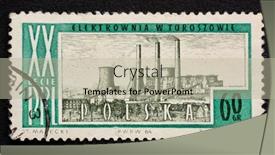
In 1964 a grand coal power plant stood tall in Fort Collins, Colorado, its industrial presence visible from afar a testament to the era's power and growth. This striking image, reminiscent of a bygone age, now sits alongside a vibrant and modern landscape a perfect blend of old and new. The Split Title template is designed for those who want to create a visually striking presentation that sparks attention. It features four slides at the start: 'Getting Started', 'Comparing Layouts', 'Adding a Background', and 'Enhancing with Themes'. The Getting Started section provides essential tools, such as high resolution images to enhance your design. The Split Title template is ideal for those looking to create a rich and engaging presentation. The Widescreen format ensures an expansive canvas for showcasing your ideas perfect for presentations that require room to breathe. This template features a tan colored palette with a hint of earthy tones, evoking the rustic charm of coal power plants. This template includes keywords from 1964 and building to coal power plant, making it suitable for projects involving these themes. The Split Title is downloadable and compatible with Google Slides, providing users with ease of use and flexibility.

 Presentation with coal power plant - PPT layouts having coal power plant - industrial district background and a light gray colored foreground

Industrial District

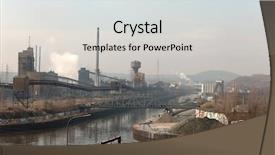
Imagine being transported to the heart of an industrial district where steel mills hum in the distance and smog hangs heavy over the streets. This is the scene that awaits you with Corner Title, a stunning PowerPoint template designed to transport your audience into a world of production and industry. Featuring a unique blend of high resolution images, this template is sure to impress even the most discerning users. The Widescreen format provides an immersive experience for your viewers, allowing them to truly appreciate the textures and details that make up the Peru color palette. From the rusty steel beams to the murky waters of the surrounding industrial areas, this template has it all. With its robust keywords such as "steel", "corrosion", "production", "smog", and "channel" you'll be sure to include them in your slides with confidence. The template is available for download and compatibility with Google Slides, making it an ideal choice for businesses, educational institutions, and anyone looking to enhance their presentation. And when it comes to creating a seamless experience, Corner Title has got you covered. Featuring high resolution images throughout, this template includes a Background With a subtle gradient that enhances the overall aesthetic. Having a theme of industrial chic, this design is sure to set your audience apart. But what really sets Corner Title apart is its Arrow Stages Layout. A clever feature allows you to easily organize your slides into four distinct sections, making it easy for users to navigate and find what they need. Including all the tools and features that you need in one place, this template is sure to streamline your workflow.

 Presentation with coal power plant - Slide deck consisting of power plant at sunset background and a light blue colored foreground

Power Plant Sunset

This template is designed to transport your audience to the vibrant scene of a power plant at sunset, with warm Dodger Blue hues and saturated colors that evoke feelings of energy and activity. The Widescreen format brings an immersive experience, perfect for presentations or brainstorming sessions. The template features high resolution images throughout for a rich visual backdrop, showcasing real life settings that match the theme of the dusk hour. These photographs will enhance your presentation with a sense of authenticity, making it feel like you're right there among the machinery and workers. The saturated colors used in this design create an engaging atmosphere, drawing attention to key elements such as the power plant's towering structures and lush greenery. To add depth to the template, consider including a Puzzle Pieces Layout slide that showcases multiple images or diagrams, each representing different aspects of the power plant. This layout will help you quickly visualize complex concepts and create visual connections between ideas. The Puzzle Pieces Layout can be enhanced with animations or transitions to bring it to life, adding an engaging interactive element to your presentation. Including a Background With slide will allow you to experiment with different backgrounds, from static images to dynamic animations, keeping the focus on your message while incorporating creative elements. Having a Theme of showcasing how the power plant is integrated into its surroundings can also be explored through this slide, highlighting local wildlife, transportation systems, or nearby landmarks. The template's Compatibility with Google Slides makes it easy to import and customize images, ensuring that you have everything needed to create an engaging presentation. By downloading this Widescreen template, you'll gain the tools to bring your ideas to life and captivate your audience like never before.

 Presentation with coal power plant - PPT theme enhanced with coal-power-plant-with-smoke background and a gray colored foreground

Coal Power Plant Smoke Bishkek

As you begin your presentation on creating a dramatic atmosphere using graphics and design elements, the scene is set for a visually stunning demonstration that will leave your audience in awe. The Corner Title template is specifically designed to enhance your message with an atmospheric presence, transporting viewers to the heart of a bustling city under an overcast sky. This template features Widescreen format, offering a cinematic experience that complements its Steel Blue color palette perfectly. Inspired by the majestic landscape of Kyrgyzstan, it includes high resolution images for background graphics, all downloadable and compatible with Google Slides. The Corner Title template is the perfect starting point for creating your visual narrative, setting a theme of atmosphere and conveying your message in an engaging way. The overall design is enhanced with interactive elements that bring the scene to life, such as animations and transitions. For instance, you could include a "Features" slide showcasing 4 key visuals from the template, such as a coal power plant amidst cityscapes or smoke billowing into the atmosphere. By including a Background With option on some slides, you can further immerse your audience in the scene. When it comes to designing for Widescreen format, the template offers a Timeline Layout that guides the viewer's eye through key points of your presentation, building anticipation and keeping them engaged. This design ensures a seamless experience across all screens, creating an atmosphere of excitement and curiosity as you delve into the world of graphics and digital displays. By featuring elements such as animated text, images, and transitions, this template showcases its capabilities in enhancing visual storytelling, making it a valuable resource for professionals and enthusiasts alike.

 Presentation with coal power plant - Beautiful PPT theme featuring coal power plant in page backdrop and a sky blue colored foreground

Coal Power Plant Page Arizona

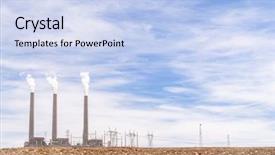
Imagine standing in front of a majestic coal power plant in Arizona USA as the sun rises over the desert landscape, casting a warm glow on the towering stack of smoke and flames. The high resolution image of the plant's facade is embedded at the bottom of this page, featuring a striking close up of the chimney that seems to stretch up to the clouds. The Wide Title "Coal Power Plant in Page Arizona USA" takes center stage, with bold font and vibrant colors that evoke a sense of energy and dynamism. The Light Steel Blue template color palette adds a touch of sophistication and elegance, perfect for conveying a sense of professionalism and expertise. The Widescreen format ensures an immersive viewing experience, with the 16:9 aspect ratio drawing your eye towards the majestic landscape beyond the plant's edge. As you explore the rest of the presentation, you'll discover that each slide is carefully crafted to enhance the overall theme, featuring stunning high resolution images, Venn Diagram Layouts, and expertly curated keywords. In addition to the How To slides at the start of the deck, there are also 4 Essential Slides to get you up and running quickly: "Getting Started", "Designing Your Template", "Customizing Your Colors", and "Presenting Your Deck". These slides provide a solid foundation for creating your custom Wide Title template, while still showcasing some of the template's unique features.

 Presentation with coal power plant - Audience pleasing presentation design consisting of chemistry complex - petrochemical industrial plant at night backdrop and a navy blue colored foreground

Petrochemical Industrial Plant Night Coal

As we gaze into the heart of industry, a sprawling factory stands tall under the cover of darkness, its towering structure silhouetted against the inky blackness of the night sky. The air is thick with the acrid smell of pollution and the hum of machinery provides a steady background buzz. The template's design name is Wide Title, a sleek and modern solution that perfectly captures the essence of industrial power. This Widescreen masterpiece features a high resolution image of a coal power station at sunset, its industrial landscape glistening with a thin layer of smoke. In this Midnight Blue template, you can feature a dramatic background with a simple text overlay highlighting the importance of research in fueling our energy needs. The sleek and modern design ensures that your content takes center stage, making it the perfect backdrop for showcasing innovative ideas and solutions. The template's keyword rich color palette is designed to evoke a sense of urgency, with shades of dark blue and gray dominating the scene. This will give your presentation a sense of edginess, perfectly capturing the theme of pollution and its devastating impact on our environment. With its high resolution images and seamless compatibility with Google Slides, this template is the perfect choice for creating engaging and informative presentations that grab the attention of your audience.

 Presentation with coal power plant - Presentation theme enhanced with view of coal power plant background and a light blue colored foreground

View Coal Power Plant

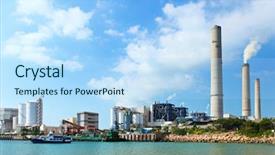
The cityscape is set ablaze as the smokestacks pierce the sky, a reminder that even in the midst of beauty, pollution reigns supreme. This is where we come to breathe life into your presentation with Corner Title, a design so captivating it'll leave your audience breathless. This 16:9 Widescreen template features Cornflower Blue as its dominant color palette, evoking feelings of calmness and serenity – the perfect backdrop for a discussion on global industries and their impact on our environment. The warm tones of cornflower blue are balanced by the cool undertones of smog, creating a visually appealing contrast that will grab your viewers' attention. The background images used in this template are high resolution, seamlessly integrating into the design to create an immersive experience. From the vibrant hues of industrial landscapes to the majestic views of cities, every element is carefully curated to transport your audience to different parts of the world. Corner Title is designed to be a versatile platform for presenting your ideas on heat, fuel, and smog, with a theme of highlighting the importance of these topics in an ever changing global landscape. With its intricate design elements and clean layout, this template will make you look and feel like a seasoned expert – featuring leading edge visuals, including a background with subtle texture and having a high resolution image for maximum impact. The Stairs Layout slide is sure to engage your audience, as it takes them on a journey through different aspects of the industry. From coal power plants to sustainable practices, this slide will allow you to showcase your knowledge in an engaging way – perfect for sharing statistics and visuals that will leave your viewers enlightened. Having a visually appealing background with texture and color contrasting elements, this layout is sure to enhance the overall presentation.

 Presentation with coal power plant - Beautiful presentation theme featuring coal power plant in page backdrop and a light blue colored foreground

Coal Power Plant Page Arizona

Imagine yourself standing in front of a majestic coal power plant, its towering structure looming large amidst the arid landscape of Arizona's desert. The warm glow of the setting sun casts an inviting atmosphere, as if the very essence of the land has been harnessed to bring energy to your community. The Wide Title, designed specifically for CrystalGraphics' Widescreen format, is a masterpiece that perfectly encapsulates this scene. With its Cornflower Blue color palette and intricate details, it sets the tone for an immersive experience that transports you to a world of power and industry. This template is a visual feast, with high resolution images that bring the coal power plant to life. The 1 Picture on Right With Caption Layout slide is particularly striking, featuring a dramatic shot of the plant's chimney rising into the sky against a backdrop of rolling hills and cacti. This image will be the perfect starting point for your presentation, and its caption layout adds an extra layer of depth and context to the visual. Featuring a theme of power generation, this template is designed to enhance your message and leave a lasting impression on your audience. Whether you're presenting on energy policy or discussing the challenges of coal production, this template has got you covered with its rich visuals and engaging design. Having a theme of showcasing real world applications of the template, it could be used for presentations about renewable energy sources or industrial processes in general. The Wide Title's compatibility with Google Slides means that it is easily downloadable and compatible, allowing you to create stunning presentations that rival industry professionals.

 Presentation with coal power plant - Presentation having coal power plant in page background and a sky blue colored foreground

Coal Power Plant Page Arizona

From the moment you click on this crystal clear image of a chimney stacked with smoke, you'll know you're in for a treat. This stunning Wide Title design is sure to grab your attention and set the tone for an engaging presentation that's both informative and visually appealing. The template features a high resolution background that perfectly captures the spirit of America's heartland – Arizona. The Light Steel Blue color palette provides a sophisticated backdrop for showcasing vibrant images, including those featured in our exclusive How To slides. With 4 essential slides to get you started quickly, this template is designed to make your life easier, helping you achieve your goals with ease and style. The Growth Layout slide is the foundation of any compelling presentation, providing a clear structure that guides the audience through your message. Imagine having an engaging introduction that sets the stage for your topic, including a captivating image that draws the viewer in from the very start. This template is ideal for entrepreneurs, marketers, and anyone looking to convey their brand's personality and values. A true standout feature of this design is its seamless integration with Google Slides – featuring a Background With section that allows you to easily customize your presentation, adding text, images, or animations as desired. Having a Theme of Enhanced With means you can add your own flair, from highlighting key points to incorporating real world examples that illustrate your message. Whether you're sharing tips on social media marketing or showcasing the growth potential of small businesses in Arizona, this template is sure to inspire and motivate – make it yours and take your presentation to new heights.

 Presentation with coal power plant - PPT theme enhanced with aerial-drone-shot-of-coal background and a light blue colored foreground

Aerial Drone Shot Coal Power

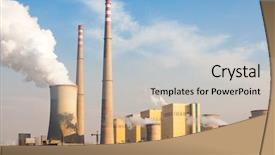
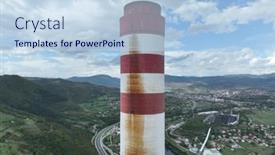
PPT theme enhanced with aerial drone shot of coal power plant with two high cooling towers next to blue river smoke coming out of chimneys and steam from power generation turbines

 Presentation with coal power plant - Presentation theme with coal power plant on blue background and a light blue colored foreground

Coal Power Plant Blue Sky

As the clock strikes midnight and the city lights begin to twinkle like stars in the darkened sky, you can't help but feel a sense of foreboding. The ominous silhouette of a coal power plant looms large on the horizon, casting a shadow over the bustling metropolis below. The air is thick with pollution, and the sound of smoke and sirens fills the air as nature's fury is unleashed upon the world. But amidst the danger and destruction, there is also beauty to be found. A lone figure stands atop the power plant, gazing out at the breathtaking view of the city skyline. They're holding a tablet in one hand, and a pen in the other, ready to capture the moment on paper. This template is designed to transport you to a world where danger lurks around every corner. Featuring a dark color palette with flashes of bright blue, it's the perfect tool for conveying the sense of unease that comes with unleashing pollution upon the world. To create this look, our exclusive Widescreen template is available in Light Sky Blue and includes 4 How To slides to help you get started quickly. With its versatile Arrow Steps Layout, you can customize your presentation to fit your needs. Having a theme of "Radiation Warning" from start to finish, this template is sure to grab the attention of your audience. This template is not just for presentations it's also inclusive of backgrounds with a high resolution image and having an enhanced version on Google Slides. Downloadable and compatible with most software, you can showcase the impact of pollution and coal power plants in cities around the world.

 Presentation with coal power plant - Beautiful PPT layouts featuring coal power plant in page backdrop and a light blue colored foreground

Coal Power Plant Page Arizona

Imagine walking through a bustling coal power plant in Arizona, USA, surrounded by towering smokestacks that stretch high into the desert sky. The air is thick with the smell of burning coal and the sound of hissing steam. This is the perfect backdrop for showcasing your presentation on the latest trends in sustainable energy. The Wide Title template features a design name that's sure to grab attention "Wide Title". It comes in various formats, including widescreen which is perfect for large presentations or slideshows. The Widescreen format ensures that all elements are centered and aligned, creating a clean and professional look. This template is designed with high resolution images in mind, featuring beautiful 4K backgrounds that will make your presentation stand out. From the dramatic smokestacks to the bustling factory floor, every element has been carefully crafted to enhance your message. The Cornflower Blue color palette adds a touch of elegance and sophistication to any design. The template includes various keywords like "chimney", "stack", "USA", "color", and "Arizona" which are sure to resonate with your audience. Featuring a background image that showcases a high resolution coal power plant in Page Arizona USA, this template is perfect for anyone looking to highlight the importance of sustainable energy. This template is downloadable and compatible with Google Slides, making it easy to share and use on any device. Having a theme of "Sustainable Energy" will allow you to showcase your knowledge and expertise while exploring various aspects of renewable energy sources. Enhanced with various layout options like horizontal and vertical alignment, this template ensures that your message is clear and concise. The Pros and Cons Layout slide could include an example where you highlight the advantages of using sustainable energy, such as reduced carbon emissions or increased economic growth. This slide would feature a comparison chart highlighting the benefits of different types of renewable energy sources, making it easy for your audience to understand the pros and cons of each option. Overall, this template is an excellent choice for anyone looking to create a professional looking presentation on sustainable energy. Featuring high resolution images, a beautiful color palette, and various layout options, it's sure to impress your audience and leave a lasting impression.

 Presentation with coal power plant - Cool new presentation theme with power station and cement plant backdrop and a light blue colored foreground

Coal Power Station Cement Plant

Presentation theme with coal power station and cement plant at night

▼Key features of this template

  • They are compatible with both PowerPoint and Google Slides running on either Windows PCs or Macs.

  • They are available in both standard and widescreen slide formats. You can choose your preferred format by clicking on the "Widescreen" check box or icon.

  • Each template includes a beautiful high-resolution background image or video to visually reinforce the theme of your presentation.

  • In addition, each template includes designer-created graphics and modern fonts to give your presentations an up-to-date, professional look.

  • Each template's default design and title text position have been carefully selected to complement its background without covering faces or other key elements.

  • All text includes backdrops whose transparency level is mathematically calculated to maximize text readability while still allowing the background to be seen.

  • And all the text, text backdrops and graphics in every slide are colored with a palette designed to beautifully complement the colors in the background.

  • Our Premium templates (those with the descriptor “Premium” in their subtitle) include over 64 slide layouts to give you maximum flexibility as you create your presentations.

    • Those layouts are available to you whenever you create a new slide or when you want to change the layout of an existing slide.
    • They include everything you need to make all sorts of presentations. In addition to the layouts for the title slide and the usual title and content slide, they include many other layouts for slide types including table of contents slides, org charts, charts, diagrams, infographics, photo slides, thank you slides and more.
    • While creating these layouts our template designers have ensured that all text in every layout adjusts as gracefully as possible to various numbers of words.
  • Customizable templates (those with the descriptor “Customizable” in their subtitle) may be easily modified online before you download them.

    • To modify them, simply click on the pencil editing icon, then select your choice of ready to go designs and title text positions.
    • The editing tool also makes it easy to reposition and scale the background image or video to best suit your needs.

▼FAQs

Please review these FAQs to see if your question is answered. Contact us for more info

  • What is a PowerPoint template?

    • A well designed PowerPoint template is a file that can tell PowerPoint how to make your ordinary templates look extraordinary. They won’t change what your words or numbers say. But they might change their size, color, font and placement. And, overall, they can give your presentations a professionally-designed look that will give your content more credibility and give you more confidence.
  • How many PowerPoint templates do you offer?

    • We have over 32,000 artist-created presentation templates in our PowerPlugs collection With a subscription, PowerPlugs templates are easy to download. Just sign in, find a template and click on the green Download button. ready for you to download. That alone offers you more variety to choose from than any of our competitors can offer. And, as if that weren’t enough, we also offer over 6 million templates in our Crystal collection. Crystal brand templates are our line of templates that have customization options. They have the word "CRYSTAL" on their web page images. You can customize several aspects of the templates. These templates include high-resolution background images from Shutterstock’s vast image collection matched up with artist-created presentation designs customized by our own proprietary AI software.
  • How many templates can I download as a subscriber?

    • You can download an unlimited number of PowerPlugs-brand With a subscription, PowerPlugs templates are easy to download. Just sign in, find a template and click on the green Download button. templates every day for an entire year. (Actually, by default, we set a limit of 25 templates per day to prevent our competitors from stealing our templates. But, if that is not enough, just let us know and we’ll try to accommodate you.) On top of that, with a subscription or an Ultimate Combo, you can also download any 50 Crystal-brand Crystal brand templates are our line of templates that have customization options. They have the word "CRYSTAL" on their web page images. You can customize several aspects of the templates. templates per year selected from our huge Crystal collection. Crystal brand templates are our line of templates that have customization options. They have the word "CRYSTAL" on their web page images. You can customize several aspects of the templates. .
  • Why should I choose your templates instead of the competition’s?

    • We’ve got a larger selection of professionally-designed PowerPoint templates than anyone else in the world.
    • Each template includes a high-resolution background image or video to visually inspire your audiences while reinforcing your message.
    • Each template includes 64 slide layouts to give you maximum flexibility as you create your presentations.
    • Our templates are available in both standard and widescreen slide formats. And our website lets you preview the slides each way.
    • Our free Template Finder™ plugin lets subscribers select and - with a single click - download and insert our templates into their presentations right from within PowerPoint.
    • We’ve been creating designer presentation templates for over 20 years. During that time we’ve won several awards and 5-star ratings for product quality. See About Us for more.
  • Do you offer a money-back guarantee?

    • Yes we do! We offer full 30-day money-back guarantee if you are not 100% satisfied with your purchase.
  • Can I still use my downloaded templates after my subscription runs out?

    • Yes. After your subscription expires, you won't lose any rights or ability to use your PowerPlugs: Templates for PowerPoint. You won't be able to download any new non-watermarked templates. But the non-watermarked templates you've already downloaded will still work and you can still use them as before.
  • Can I share my downloaded templates or passwords with friends or coworkers?

    • Sorry but no. You are authorized to download each paid-for template to up to 3 of your personal devices and to use the templates you download in as many presentations as you want. But you are not authorized to share the templates, themselves, with others. That said, we do offer highly discounted site licenses to suit the needs of both small and large teams. Just tell us your needs and we’ll give you a quote!
  • System requirements:

    • The templates use the standard POTX format. So they are compatible with Google Slides and all PC, Mac and mobile devices running any version of PowerPoint from PowerPoint 2007 up through and including Office 365 desktop.
    • Please note: Google Slides does not currently support background videos. It treats them as still images.
    • For PowerPoint for the Web, first open your template into a desktop version of PowerPoint, then save it back out as a PPTX file. Then you can open that in PowerPoint for the Web.
  • End user license agreement:

    • Click here to view.
  • How will I get my purchased templates?

    • You may download your selected templates as soon as your payment is received by PayPal. If you purchased an individual template, you will be provided with a download link both onscreen and via email. Just click on that link to begin the download process. If you purchased a subscription, you will receive an email containing a password to use along with your email address to sign in to any of the templates pages on CrystalGraphics.com. Once you are signed in, you can immediately start downloading your selected templates.
  • How do I use my templates after I download them?

    • You can either open a template to start a new presentation or you can add a template to an existing presentation. To open a template, just double click on it or use PowerPoint's File > Open tool. To add a template to an existing presentation, on the Design tab, in the Themes group, click Browse for Themes... then browse to select your template.

View more Coal Power Plant templates:

previous 1 2 3 next
93% of Fortune 1000
companies use our
PowerPoint Products
Templates Secure

Standing Ovation Award
Winner: Best PowerPoint
Template Collection
Fortune Logos
200,000+ satisfied
customers worldwide!
Guarantee
100% satisfaction guaranteed
- or send it back for a refund!

Sign up for our free newsletter! You'll get news about our PowerPoint-enhancing product line – including free updates, new product announcements and exclusive special offers. Plus you'll get a link to a free PowerPoint template with every newsletter you receive.
Privacy Policy
Loading...


Help

Contact Us
Product FAQs
Product License Agreements

Company Info

About Us
Privacy Policy
CrystalGraphics, Inc. 1999 S. Bascom Avenue Suite 700 Campbell, CA 95008 USA
© 2026 CrystalGraphics, Inc. All rights Reserved.    |     PowerPlugs is a trademark of CrystalGraphics, Inc.
Microsoft and the PowerPoint logo are trademarks or registered trademarks of Microsoft Corporation in the United States and/or other countries.
Loading...
Loading...