www.crystalgraphics.com CrystalGraphics
  • Ultimate Combo
  • Templates
  • Diagrams
  • Characters
  • Quizzes
  • shopping cart
  • Sign Out Sign Out Sign In
Home > Templates > Power Plant > Coal Power Plant Category
search icon
advanced icon

44 Best Coal Power Plant-Themed Templates for PowerPoint and Google Slides

CrystalGraphics creates templates designed to make even average presentations look incredible. Below you’ll see thumbnail sized previews of the title slides of a few of our 44 best coal power plant templates for PowerPoint and Google Slides. The text you’ll see in in those slides is just example text. The coal power plant-related image or video you’ll see in the background of each title slide is designed to help you set the stage for your coal power plant-related topics and it is included with that template. In addition to the title slides, each of our templates comes with 17 additional slide layouts that you can use to create an unlimited number of presentation slides with your own added text and images. And every template is available in both widescreen and standard formats. With over 6 million presentation templates available for you to choose from, CrystalGraphics is the award-winning provider of the world’s largest collection of templates for PowerPoint and Google Slides. So, take your time and look around. You’ll like what you see! Whether you want 1 great template or an ongoing subscription, we've got affordable purchasing options and 24/7 download access to fit your needs. Thanks to our unbeatable combination of quality, selection and unique customization options, CrystalGraphics is the company you can count on for your presentation enhancement needs. Just ask any of our thousands of satisfied customers from virtually every leading company around the world. They love our products. We think you will, too!

Features & Pricing

Widescreen (16:9) Presentation Templates. Change size...
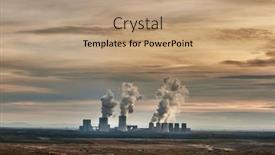
 Presentation with coal power plant - Cool new presentation theme with coal-power-plant-tusimice backdrop and a light blue colored foreground

Coal Power Plant Tusimice Northern

Imagine standing in front of a massive coal power plant in Northern Bohemia, Czech Republic, and witnessing the devastating impact of its emissions on the European Union. The once green hills now bear the scars of pollution, while the nearby town suffers from smog that chokes the air. Yet, amidst this bleak landscape, there's hope – a chance to reduce our reliance on fossil fuels and transition towards a cleaner future. This stunning aerial view of the coal power plant has been elevated using Widescreen technology to create an immersive experience. As you gaze out at the vast expanse of the industrial complex, highlight the intricate network of tunnels, pipes, and machinery that generate smoke and soot. The high resolution images featured on this template are a testament to the importance of showcasing real world environmental issues. The Sky Blue color palette is both calming and striking, evoking feelings of serenity while conveying the urgency of addressing climate change. This theme is woven throughout the design, from the abstract patterns in the background image to the subtle use of blues in the typography. This template is not just a visual representation of the problem – it's also an invitation to explore solutions. With four How To slides at the start, you'll be well on your way to unlocking new ideas and strategies for reducing CO2 emissions. The Stairs Layout slide offers a clear hierarchy, making it easy to navigate through the content while keeping the eye on the prize. By featuring this slide prominently, you can emphasize the importance of taking gradual and incremental steps towards a cleaner future. Including a Background With high resolution images will enhance your presentation's visual impact, allowing audiences to better appreciate the scale and complexity of environmental issues. Having a Theme of showcasing real world data will help keep the content engaging and relatable.

 Presentation with coal power plant - Slides with nuclear - coal power plant at sunrise background and a ocean colored foreground

Coal Power Plant Sunrise

As the world grapples with the challenges of fueling our ever growing needs, pollution continues to ravage our landscapes and skies. From smog laden city streets to sprawling industrial complexes, the impact of human activity on our environment is starkly evident. But there's hope a new wave of sustainable energy solutions is emerging, powered by the latest technology. In this presentation, we'll be taking a closer look at the world of high resolution images, creating stunning backgrounds that transport your audience to the heart of the matter. Our steel blue color palette will provide a sleek and modern backdrop for our discussion, featuring a range of dynamic images showcasing the best of fuel, smog, pollution, building, and powerline. The template is specifically designed with Widescreen in mind, perfect for presenting your data in stunning high definition detail. The background images will be crisp and clear, making it easy to visualize complex concepts and statistics. We've also included some Panoramic Picture Layout features that will allow you to create seamless transitions between sections and make your presentation truly stand out. We're committed to providing the tools our users need to get up and running quickly, with 4 How To slides at the start of the deck that demonstrate the versatility and ease of use. Whether you're a seasoned presenter or just starting out, this template is designed to be enhanced with the features you need featuring high resolution images, including a Background With unique design elements, and having a Theme of modern simplicity and style.

 Presentation with coal power plant - Amazing slides having enviromental - industrial smoke stack of coal backdrop and a tawny brown colored foreground

Industrial Smoke Stack Coal Power

Imagine standing in front of a massive coal power plant chimney belching out steam and smoke into the air, creating a dramatic atmosphere that will transport your audience to a world of industry and innovation. The background image is a high resolution, atmospheric landscape of a industrial setting with a backdrop of smokestacks, suggesting a scene from a documentary about fossil fuel production. The template format is Widescreen, providing an immersive viewing experience for the viewer. The Peru color palette brings warmth and earthiness to the design, evoking a sense of tradition and heritage. Throughout the design, incorporate images Featuring a range of textures and patterns Inspired by real world power plants, including intricate pipes and machinery details. As you build your presentation, consider adding a Background With a custom designed background image that enhances the overall mood and atmosphere. This could be achieved Through Using images or graphics That complement the theme, such as a stylized map of the country or a graphic representation of the plant's operations. Incorporate features Like Having a Theme of Industry and Innovation to tie your presentation together seamlessly. You Could Include A Slideshow With images of different power plants around the world, showcasing various types of fossil fuel production, from coal to natural gas. The template is Enhanced With additional design elements, such As Including a Title slide with the Short Description Of The presentation, which can be customized To fit your specific needs.

 Presentation with coal power plant - Slide set consisting of coal-power-plant-tusimice background and a coral colored foreground

Coal Power Plant Tusimice Northern

The iconic coal power plant in Northern Bohemia, Czech Republic stands tall as a monument to humanity's complicated relationship with the environment. This image is a poignant reminder that even the most seemingly innocuous sources can have devastating consequences for our planet. The industrial landscape of eastern Europe has long been plagued by pollution and CO2 emissions, leaving a trail of devastation in its wake. With this theme in mind, we present to you the Sidebar Title template from CrystalGraphics a powerful tool designed to help organizations navigate the complex challenges of sustainability. This high resolution Widescreen design is perfect for presenting data driven information on prunerov, co2 reduction, fuel, pollution, and Chernobyl's devastating impact on our environment. As you explore this template, you'll notice that it features an olive color palette that evokes a sense of natural harmony with the earth. The background images are high resolution aerial views of coal power plants like the one in Northern Bohemia, providing a striking visual representation of the issue at hand. This template is ideal for creating presentations that include a Background With approach, featuring stunning visuals and informative content. The Circular Approach Layout slide would be an excellent addition to this template, allowing you to showcase data driven information in a visually appealing way. You could Include a Background With approach on this slide, including metrics and statistics to illustrate the devastating impact of CO2 emissions. Featuring a focus on sustainability and environmental conservation, this template is designed to inspire action and drive meaningful change. Having a Theme of, it's perfect for organizations looking to enhance their brand image while promoting eco friendly practices.

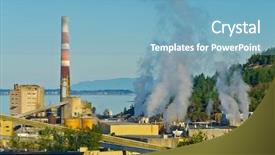
 Presentation with coal power plant - Presentation theme enhanced with power plant with smoking chimney background and a light blue colored foreground

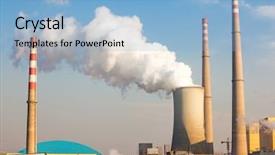
Power Plant Smoking Chimney

The power plant with its prominent chimney is a stark contrast to the serene atmosphere it creates, and when you place it against a backdrop of high resolution images, the effect is nothing short of dramatic. The Wide Title template by CrystalGraphics features a design name that sets the tone for the entire presentation, encompassing an entire industry with its production focused theme. The Widescreen format ensures that every part of your slide will be fully viewable, giving your audience unobstructed views of your subject matter. The Light Steel Blue color palette adds a touch of sophistication to this project, providing a clean and modern backdrop for the various elements featured in the presentation. When it comes to keywords, atmosphere and chimney are prominent themes that will be included to give context to the imagery used throughout the presentation. The production industry is also heavily incorporated into the design, making it clear what kind of power plant you're describing. High resolution images from the background feature a bustling factory with smoke rising from its chimney, creating an energetic atmosphere that is sure to grab your audience's attention. This template can be enhanced with additional imagery to give viewers even more insight into this industrial powerhouse. The Wide Title template itself features a striking animation that brings the scene to life, making it easy for viewers to follow along as they watch. Including a background with soft clouds adds an extra layer of depth and visual interest to the presentation, providing a calming contrast to the chaotic machinery depicted in the image. Having a theme of high production values ensures that every element featured on the slide is carefully crafted to provide valuable insight into this industrial power plant. The overall design is enhanced with precise alignment and spacing, creating a cohesive look throughout the entire template. The Dart Layout slide offers a unique opportunity for customization, allowing you to further enhance your presentation by adding specific elements or graphics that resonate with your audience. This versatile format provides a solid foundation for any slideshow, from sales pitches to market research presentations.

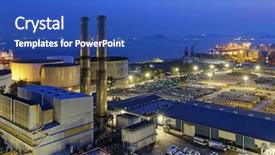
 Presentation with coal power plant - Colorful slide deck enhanced with nuclear - coal power plant at dusk backdrop and a teal colored foreground

Coal Power Plant Dusk

In the heart of a bustling city, as the last rays of sunlight fade into the horizon, the steel blue hues of dusk converge with a backdrop of high resolution images to create an immersive panoramic scene that sets the tone for a captivating powerpoint presentation. The template's design name, Wide Title, perfectly captures the essence of this dynamic atmosphere, where everything is on full display and the focus is on showcasing a specific theme or idea. The template itself, formatted in Widescreen mode, provides a sleek and modern look, with a steel blue color palette that sets a professional tone. The keywords "dusk", "fuel", "objects", "panoramic", and "scene" are incorporated into the design to give it a cohesive feel. Featuring high resolution images of coal power plants, factories, or other industrial settings, this template is perfect for anyone looking to enhance their presentation with a visually appealing background. The 3 x 3 Org Chart Layout slide provides a clear structure for showcasing the hierarchy of roles within an organization. It can be used as a starting point for introducing your team members or departments, helping to establish a sense of unity and purpose. Having a theme of organizational chart, you can feature images of corporate logos, company colors, or other visual elements that evoke a sense of professionalism. The template is downloadable and compatible with Google Slides, making it easy to integrate into your presentation workflow. With its high resolution background and sleek design, this powerpoint template is sure to leave a lasting impression on your audience.

 Presentation with coal power plant - PPT theme with coal power plant background and a light blue colored foreground

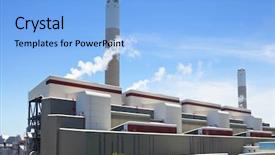
Coal Power Plant

As you create your new presentation on industrial landscapes using CrystalGraphics', imagine yourself standing in front of a bustling coal power plant, where the air is thick with heat and smoke rises from the chimney as it spews out steam into the atmosphere. The warm tones of the Light Sky Blue color palette will transport you to this grueling yet crucial environment. The Corner Title template features four key sections at its core, each designed to help you quickly get up and running. These include a header slide that incorporates a 4x4 Org Chart Layout for easy navigation through your data, featuring images of factory workers in action alongside the names and titles of the departments they oversee. This layout enables seamless transition between individual slides and adds visual interest to your presentation. The background of this template is made up of high resolution images of industrial landscapes, perfectly capturing the essence of a coal power plant without resorting to clichés or sensationalism. These images are optimized for use with Google Slides, ensuring an enhanced viewing experience for your audience. The Light Sky Blue color palette adds a touch of warmth and sophistication to this design, making it perfect for presentations that require both elegance and industry expertise. Including a Background With these warm tones will help you establish a cohesive visual style throughout the presentation, making it easier to convey complex information in an engaging manner.

 Presentation with coal power plant - Beautiful slide deck featuring coal-power-plant-prunerov backdrop and a light blue colored foreground

Coal Power Plant Prunerov Northern

As the world grapples with the devastating consequences of pollution and climate change, we're committed to showcasing solutions that promote sustainability. The Corner Title template is your gateway to creating stunning presentations that highlight the importance of reducing CO2 emissions and mitigating the effects of Chernobyl. Our design is tailored for widescreen format, providing a perfect canvas for your high resolution images Featuring striking visuals that showcase the devastating impact of pollution on our planet. From coal power plants to green initiatives, our template Includes a range of keywords and phrases that will enhance Your presentation's credibility. And Having a theme of sustainability, we've crafted this template to be Enhanced With Googles Slides compatibility. The Corner Title template is designed to be easy to use, even for those new to PowerPoint. It can be downloaded and used immediately, with four How To slides at the start of the deck to help you get up and running quickly. Our goal is to inspire You to create engaging presentations that spark meaningful conversations about our planet's future. With its Dodger Blue color palette, this template Sets a tone of professionalism and sophistication, perfect for showcasing your ideas to a wide audience. Our CRystal Clear Goal slide serves as a focal point, Featuring a striking image that Highlights the importance of taking action on climate change. Whether you're presenting to policymakers or environmental groups, our Corner Title template is sure to make a lasting impression.

 Presentation with coal power plant - Beautiful PPT layouts featuring coal fired electric power plant backdrop and a teal colored foreground

Coal Fired Electric Power Plant

In the heart of urban landscapes, where smokestacks pierce the sky and industrial heritage meets modern innovation, lies the story of a power plant that once harnessed energy from coal to fuel its operations. A relic of a bygone era, it stands as a testament to humanity's quest for progress. Now, imagine witnessing this majestic structure rise from the ashes, powered by cutting edge technology. The Corner Title template is designed in Widescreen format, perfectly suited for showcasing vibrant high resolution images that transport your audience to a world of power and energy. As a royal blue backdrop, it evokes feelings of sophistication and grandeur. To enhance the user experience, this template incorporates keywords such as generator, generating, distribution, point, and high, ensuring that every slide is engaging and informative. The Corner Title features a beautiful coal fired electric power plant in its background, with intricate details and textures that showcase the plant's industrial heritage. The theme of the template is clear: it emphasizes the importance of technology and innovation in shaping our world. As you delve into the PowerPoint presentation, you'll notice four How To slides at the start of the deck, designed to help you get up and running quickly. But don't worry; with these slides as a foundation, you're ready to embark on your own creative journey. The Thank You Layout slide is particularly noteworthy, offering users a chance to express their gratitude for this template's features and capabilities. It could be used in presentations where you want to acknowledge the power of technology or the importance of innovation. As you explore the Corner Title template, you'll discover that it's not just a pretty face; it's also incredibly versatile. Featuring high resolution images, including backgrounds with dynamic effects, having a theme of industrial heritage, and enhanced with intricate details, this template is sure to impress your audience. With its royal blue color palette, it adds a touch of sophistication and style to any presentation. Whether you're creating a presentation for business, education, or entertainment, the Corner Title template has got you covered.

 Presentation with coal power plant - Slides with coal power plant - sunset of the chimney background and a light blue colored foreground

Sunset Chimney

The flickering glow of the sunset on the chimney casts a warm orange hue over the landscape, as if the very heavens themselves were being set ablaze by the fiery blaze within. As the sky transitions from vibrant hues of pink and purple to deep blue, the image shifts seamlessly into the foreground, revealing a sprawling metropolis that seems to stretch out endlessly in every direction. In this breathtaking vista, the pollution ridden air is filled with the sounds of industry, as towering skyscrapers pierce the clouds like shards of glass. The global impact of human activity is starkly apparent, yet somehow also strangely beautiful amidst the chaos. The people going about their daily lives are oblivious to the damage they're causing, lost in the monotony of routine. The scene takes on a life of its own as a single image, and yet it's clear that this photograph was carefully crafted by a designer with a keen eye for detail. The colors are vivid, the composition is balanced, and the overall effect is one of drama and tension. Featuring a background with a subtle gradient to give depth, including a range of textures to add visual interest, having a theme of urbanization, and enhanced with metallic accents to make it truly stand out. The template's design language is reminiscent of classic art, where the bold lines and vibrant colors come together to create a sense of movement and energy. The font used is clear and easy to read, making it perfect for presentations that require attention grabbing visuals. Having a clean layout with plenty of negative space allows for easy navigation through the slides. As you delve deeper into the template, you'll find four How To slides at the start of the deck that will guide you through the process of creating your own visual masterpieces. But don't worry if you're new to PowerPoint these tips and tricks will have you up and running quickly in no time.

 Presentation with coal power plant - Slides enhanced with coal power plant - go green concept hand background and a white colored foreground

Go Green Concept Hand Glove

The Corner Title is a high quality powerpoint template that takes you on a journey to a serene and protected ecological concept. This dark sea green themed template features intricate designs and symbols to convey a message of protection and conservation. The template is designed for those who want to highlight the importance of preserving our natural resources, featuring images such as high resolution background images of forest scenes with grasses and trees to show the direction and growth of nature. The Corner Title template is compatible with Google Slides and can be easily downloaded, making it a convenient choice for users. It also includes four How To slides at the start of the deck to help you get up and running quickly, featuring images such as diagrams, graphs, and flowcharts that illustrate how to apply the ecological concept effectively. The template is enhanced with a theme of sustainability, having a striking visual effect when combined with other Microsoft Office themes. The 4 Pictures in the Grid Layout slide showcase various ways to incorporate protection into your work or projects, including featuring images of endangered species, highlighting the importance of recycling, emphasizing the use of eco friendly products, and showcasing innovative solutions for reducing waste. The dark sea green background colors provide a soothing atmosphere, while the intricate designs and symbols add a touch of elegance. The enhanced with feature ensures that the template adapts to different design styles and formats. Overall, the Corner Title is an excellent choice for anyone who wants to convey a message of protection and conservation in their presentation or project, offering a unique blend of sophistication and natural beauty.

 Presentation with coal power plant - Slide deck having coal fire power plant background and a light blue colored foreground

Coal Fire Power Plant

The power of innovation and energy can be seen in the world around us. As we gaze out at the vast expanse of coal fire power plants generating electricity, one thing becomes clear our reliance on these facilities will only continue to rise. This template is designed to bring a sense of scale and importance to your presentations, with its Widescreen format and high resolution images for the background. The Light Sky Blue color palette provides a clean and inviting atmosphere, perfect for conveying the idea of warmth and energy. As you scroll through the slides, it's clear that each one has been crafted to enhance the overall message. The template is customizable in many ways, including with Featured backgrounds featuring high quality images of power plants or electricity generation equipment. You could also Include a Background With interactive features that let your audience view real time data on energy production, making for an engaging Social Media Concept Layout slide that showcases the latest statistics and trends in the industry. The template is Enhanced With the idea of flexibility and adaptability, allowing you to easily swap out backgrounds or add new elements as needed. Whether you're presenting to a room full of experts or a small group of colleagues, this template has got you covered. It's Compatible With Google Slides, making it easy to import and customize your own designs, or download the file for offline use. By using high resolution images, you can create a truly immersive experience that puts your audience at the forefront of the action. The Widescreen format allows for maximum screen real estate, making it perfect for presenting complex information in an engaging way. With its Light Sky Blue color palette and social media theme layout, this template is sure to get noticed.

 Presentation with coal power plant - Slide deck consisting of coal-fired-power-plant-polluting background and a coral colored foreground

Coal Fired Power Plant Polluting

In the midst of a smog filled dusk, where the majestic boxberg power station stands tall in Germany, a haunting image of pollution and destruction echoes through the air. The fuel powered machinery roars to life, belching out toxic fumes that choke the very atmosphere they were meant to protect. The Wide Title template is an imposing presence on any slide, with its dramatic design and bold typography drawing attention from even the most discerning viewers. Its wide format (1920 x 1080 pixels) makes it a stunning centerpiece for your presentation, featuring a high resolution image of the power plant's majestic turbines on one side. The Peru inspired color palette is a rich and vibrant blend of earthy tones that evoke the warmth of a crackling fire on a cold winter's night. From this theme, we've crafted a template that's both visually striking and thought provoking, perfect for sparking conversations about the impact of human activity on our environment. The template itself is available as a downloadable resource, compatible with Google Slides and other presentation software. You can enhance your slide with a dynamic background image or video to really bring it to life. And when you're ready to dive into the content, don't worry – there are four easy to follow slides at the start of the deck to get you up and running quickly. The template is filled with a mix of informative graphics and high quality images to help illustrate complex concepts in an engaging way. From the intricate details of fuel combustion to the devastating effects of pollution, every element has been carefully crafted to reinforce your message. Whether you're presenting about climate change, energy policy, or environmental sustainability, this template is sure to make a lasting impression. Imagine using it to present findings from a study on the impact of renewable energy sources on air quality, or showcasing a visual representation of the devastating effects of pollution in the natural world. Whatever your purpose, this template has got you covered – and with its easy to use design and high resolution images, you'll be able to create stunning presentations that will leave a lasting impression.

 Presentation with coal power plant - Presentation theme consisting of aerial-view-of-a-coal background and a tawny brown colored foreground

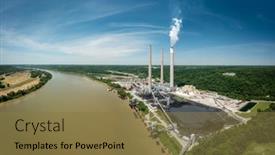
Aerial View Coal-fired Power Plant

You're looking to create a stunning PowerPoint template that captures the essence of the American heartland, particularly the industrial landscape. Introducing "Panoramic Power," a breathtakingly beautiful design featuring a high resolution aerial view of a coal fired power plant by the Ohio River. This template is the perfect blend of steel blue and forest elements, evoking the rugged yet majestic spirit of the United States. "Panoramic Power" boasts an elegant Widescreen format that immerses your audience in its panoramic vista, complete with high resolution images for the background to ensure a seamless viewing experience. The Steel Blue color palette provides a sophisticated backdrop, while incorporating elements of forest and industry seamlessly throughout the template, making it an enhanced addition to any presentation. As you begin creating, remember to include 4 How To slides at the start of your deck to help get up and running quickly. These will feature key takeaways such as how to customize the design, add text and graphics, and use the template in conjunction with other PowerPoint features. A great example could be a slide that showcases "Customizing Your Template" with an accompanying image of a coal fired power plant, highlighting the many ways you can enhance its look and feel. The three step funnel layout is also worth mentioning as it allows you to start with key elements such as the background image, add text and graphics, and finally include interactive elements like animations or transitions. For instance, you could use "Featured Image: Coal Fired Power Plant" as a slide that showcases your initial design choice, followed by "Image Included With Background With Panoramic View of Ohio River," and culminating in "Panoramic Feature with Text Overlay."

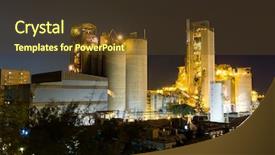
 Presentation with coal power plant - PPT layouts having coal power station and cement background and a tawny brown colored foreground

Coal Power Station Cement Plant

The clock strikes midnight, and the city is bathed in a warm, golden glow as the sun sets behind the towering smokestacks of the coal power station. The sound of humming machinery and the distant rumble of fuel being poured into the reactor echoes through the night air. As the dust settles, a faint flicker of light dances across the rooftops, casting an eerie silhouette against the darkening sky. The Dark Goldenrod color palette is in full effect, with deep, rich tones that evoke a sense of luxury and sophistication. The template's design name is Corner Title, a fitting moniker for this dramatic and attention grabbing presentation. With its high resolution images of chimneys belching fire and the glow of city lights, this template is sure to leave a lasting impression. As you begin your presentation, consider incorporating a 5 P's diagram layout slide to reinforce key points and provide visual clarity. Featuring a beautiful image of the reactor at work, Including a Background With a dramatic cityscape in the background, Having a Theme of energy and power, Enhanced With subtle animations to bring the scene to life, and Supporting Your Message with engaging graphics and charts. This template is not only a stunning representation of your topic, but also easily customizable for Google Slides. Its compatibility with Google's platform means you can create seamless transitions between slides and share your presentation with ease. Get ready to unleash your creativity and present with confidence.

 Presentation with coal power plant - Slide deck consisting of power station and cement plant background and a navy blue colored foreground

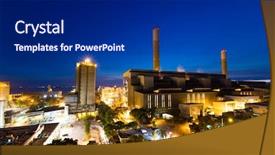
Coal Power Station Cement Plant

The night sky is ablaze with the warm glow of flickering industrial lights, as the steel and stone structures of a coal power station and cement plant stand tall against the inky blackness. The distant hum of machinery and the soft hiss of steam vents create a haunting melody that echoes through the stillness of the evening air. As the sun dips below the horizon, the scene is bathed in a warm, golden light that seems to pulse with an otherworldly energy. The template features steel blue hues that dominate the design, evoking the sleek lines and modernity of cutting edge facilities. High resolution images are included on each slide to bring the industrial landscape to life, from the rugged textures of concrete and metal to the faint outlines of chimneys puffing out wisps of smoke into the air. A strong theme runs throughout, with a focus on showcasing the gritty, utilitarian beauty of these industrial behemoths. The template is designed to be downloadable and compatible with Google Slides, making it easy to import into your own presentation software. The Steel Blue color palette provides a cohesive look that's both professional and striking. Featuring high resolution images and a robust design, this template is perfect for presentations on topics ranging from manufacturing and infrastructure to technology and innovation. Having a theme of showcasing the beauty in industrial complexity, this template is sure to impress your audience with its detailed and realistic depictions of coal power stations and cement plants at night. With 4 How To slides included, you'll be able to jump right into getting started quickly and easily, whether you're new to presentation software or simply looking for some inspiration to enhance your own content. This template is the perfect starting point for creating visually stunning presentations that showcase the industry's most impressive facilities. Whether you're presenting on topics related to energy production, infrastructure development, or technological innovation, this template has got you covered with its high quality images and detailed descriptions.

 Presentation with coal power plant - Presentation enhanced with fire and burning coal background and a yellow colored foreground

Fire Burning Coal Combustion Chamber

Imagine a scene where flames dance across a darkened landscape, casting shadows that seem to come alive in the flickering light. As the camera pans out, we're treated to a breathtakingly beautiful view of a power plant, with towering smokestacks spewing forth a thick cloud of yellow brown particles into the air. This is what your new template will look like Corner Title. It's designed to set the tone for a presentation that's all about energy and passion, with a design name that hints at the heat and intensity of the subject matter. The Dark Goldenrod color palette provides a sophisticated backdrop for the high resolution images that feature in the template, from fiery explosions to smoldering coals. The Corner Title is tailored to your needs it features four quick start slides at the beginning of the deck, perfect for getting up to speed on how to use the template. And with its downloadable compatibility and Google Slides integration, you can easily add this stunning template to your presentation toolkit.

 Presentation with coal power plant - Amazing presentation design having power plant at sunset backdrop and a coral colored foreground

Power Plant Sunset

As the sun sets over the power plant, casting a warm orange glow on the industrial landscape, we find ourselves in front of a scene that is both captivating and thought provoking. The distant lights of the city fade into the horizon, while the vast expanse of the industrial area stretches out before us like an endless canvas waiting to be explored. The Wide Title design name promises to deliver an attention grabbing experience with its clean and modern aesthetic, perfect for grabbing the audience's attention in a crowded presentation. The Widescreen format ensures that every aspect of the slide is showcased, including the high resolution image on the background that adds depth and dimensionality to the scene. Featuring a vibrant orange color palette, the template brings a pop of color to any presentation. The theme of "Dusk" perfectly captures the mood of this moment in time, as if we are witnessing a sunset from directly above. The objects scattered throughout the scene wires, machinery, and debris add to the sense of realism and authenticity. This scene is not just beautiful to look at, but also thought provoking. We see pollution, a major concern for our planet's future, in this very real world. The Backlit effect adds an extra layer of drama to the image, highlighting the contrast between light and dark. Having a theme of "Dusk" allows users to enhance their presentation by including a background with high resolution images that match the color palette they are using. Enhancing this template with additional elements such as animations or transitions can also make it stand out from the crowd. With this template, you can include a Background With option for presenting data or statistics that relate to the scene on the screen. Having a Theme of "Dusk" is ideal for presentations about power plants or energy production, showcasing the beauty and importance of renewable sources of energy.

 Presentation with coal power plant - Beautiful PPT theme featuring chemistry complex - petrochemical industrial plant at night backdrop and a teal colored foreground

Petrochemical Industrial Plant Night Coal

In the heart of a bustling metropolis, the silhouette of a massive factory pierces the night sky, its towering structure a stark contrast to the serene cityscape that surrounds it. The air is thick with the hum of activity as workers scurry about, their footsteps echoing through the desolate landscape like a haunting melody. The building's architecture dominates the screen, a testament to the industry that drives this metropolis forward. From the sleek glass towers to the rusting machinery, every detail tells a story of innovation and progress. The high resolution images used on the background are at their finest, providing an immersive experience for the viewer as they delve deeper into the world of fuel, pollution, research, and more. The template's color palette is rich in royal blue hues, evoking feelings of power and sophistication. This theme continues throughout the entire design, making it a standout among other templates. As users navigate through the various slides, they'll encounter key keywords that spark curiosity and drive engagement. Featuring high resolution images, including a background with text overlays to enhance visuals, having a theme of clean lines and minimalism, and enhancing overall visual impact make this template an ideal choice for any presentation. The 6 x 6 Org Chart Layout slide provides a clear structure for organizing data in a visually appealing manner, making it easy to navigate through the hierarchy. At the top, features a prominent title that sets the tone for the rest of the deck, while the inclusion of background images adds depth and context. Having a theme of professionalism and organization is a major plus, as users can rely on this template to deliver results with ease.

 Presentation with coal power plant - Amazing slides having power plants generating smokes backdrop and a light blue colored foreground

Power Plants Generating Smokes Sunrise

As you start your presentation, imagine a breathtaking sunrise over a power plant, with smoke billowing from the chimneys and the sky turning pink in hues of coral and salmon. The image is so vivid that it's as if you're right there, surrounded by the sights and sounds of this industrial landscape. To create an immersive experience for your audience, consider using high resolution images throughout your presentation. Your Widescreen template is designed to take full advantage of the screen space, with a sky blue color palette that will transport your viewers to a serene world. The colors are calming yet vibrant enough to stimulate the imagination. Featuring a background image of a sunrise over a power plant, this template will enhance the production quality you're aiming for. For added context, consider including images from real life power plants generating smoke at sunrise to illustrate the theme of your presentation. You could even create a scenario where the words "Generating Smoke" appear on screen as a title slide. Having a theme of sustainability is also evident in this template, with keywords like CO2 and production subtly woven throughout. The Bulb Puzzle Layout will come into play when you need to highlight different elements within the slide, such as text or images. This layout allows for flexibility and customization, making it perfect for your presentation's needs. You'll also be able to easily include background images or videos with this feature, enhancing the visual impact of your slides. To ensure compatibility with Google Slides, please note that this template is suitable for download without any additional costs or setup required.

 Presentation with coal power plant - Beautiful PPT layouts featuring young woman getting a massage in a spa backdrop and a mint green colored foreground

Power Station

The power station is a towering behemoth, its industrial presence commanding attention and sparking curiosity. From the earthy tones to the industrial hues, this template brings to life the majestic structure that fuels our modern world. This Short Title Widescreen PowerPoint template features Cornflower Blue as its dominant color palette, providing a crisp and professional foundation for your presentation. It's perfect for showcasing high resolution images of chimneys, stacks, production facilities, and global power stations think towering smokestacks rising above the landscape. The 3 x 3 Org Chart Layout slide brings structure and organization to your presentation, featuring key players and departments in a clear hierarchy. This layout is ideal for including a background with icons or graphics that represent different roles within an organization. For example, you could include a diagram of a power plant's control room, complete with icons for the various personnel working together to optimize production. The template is downloadable and compatible with Google Slides, allowing you to enhance your presentation with additional content and images as needed. Its enhanced features include: Featuring high resolution images; Including a background with animations or transitions; Having a theme of industrial power plants; And Enhanced With customizable backgrounds and templates for individual use.

▼Key features of this template

  • They are compatible with both PowerPoint and Google Slides running on either Windows PCs or Macs.

  • They are available in both standard and widescreen slide formats. You can choose your preferred format by clicking on the "Widescreen" check box or icon.

  • Each template includes a beautiful high-resolution background image or video to visually reinforce the theme of your presentation.

  • In addition, each template includes designer-created graphics and modern fonts to give your presentations an up-to-date, professional look.

  • Each template's default design and title text position have been carefully selected to complement its background without covering faces or other key elements.

  • All text includes backdrops whose transparency level is mathematically calculated to maximize text readability while still allowing the background to be seen.

  • And all the text, text backdrops and graphics in every slide are colored with a palette designed to beautifully complement the colors in the background.

  • Our Premium templates (those with the descriptor “Premium” in their subtitle) include over 64 slide layouts to give you maximum flexibility as you create your presentations.

    • Those layouts are available to you whenever you create a new slide or when you want to change the layout of an existing slide.
    • They include everything you need to make all sorts of presentations. In addition to the layouts for the title slide and the usual title and content slide, they include many other layouts for slide types including table of contents slides, org charts, charts, diagrams, infographics, photo slides, thank you slides and more.
    • While creating these layouts our template designers have ensured that all text in every layout adjusts as gracefully as possible to various numbers of words.
  • Customizable templates (those with the descriptor “Customizable” in their subtitle) may be easily modified online before you download them.

    • To modify them, simply click on the pencil editing icon, then select your choice of ready to go designs and title text positions.
    • The editing tool also makes it easy to reposition and scale the background image or video to best suit your needs.

▼FAQs

Please review these FAQs to see if your question is answered. Contact us for more info

  • What is a PowerPoint template?

    • A well designed PowerPoint template is a file that can tell PowerPoint how to make your ordinary templates look extraordinary. They won’t change what your words or numbers say. But they might change their size, color, font and placement. And, overall, they can give your presentations a professionally-designed look that will give your content more credibility and give you more confidence.
  • How many PowerPoint templates do you offer?

    • We have over 32,000 artist-created presentation templates in our PowerPlugs collection With a subscription, PowerPlugs templates are easy to download. Just sign in, find a template and click on the green Download button. ready for you to download. That alone offers you more variety to choose from than any of our competitors can offer. And, as if that weren’t enough, we also offer over 6 million templates in our Crystal collection. Crystal brand templates are our line of templates that have customization options. They have the word "CRYSTAL" on their web page images. You can customize several aspects of the templates. These templates include high-resolution background images from Shutterstock’s vast image collection matched up with artist-created presentation designs customized by our own proprietary AI software.
  • How many templates can I download as a subscriber?

    • You can download an unlimited number of PowerPlugs-brand With a subscription, PowerPlugs templates are easy to download. Just sign in, find a template and click on the green Download button. templates every day for an entire year. (Actually, by default, we set a limit of 25 templates per day to prevent our competitors from stealing our templates. But, if that is not enough, just let us know and we’ll try to accommodate you.) On top of that, with a subscription or an Ultimate Combo, you can also download any 50 Crystal-brand Crystal brand templates are our line of templates that have customization options. They have the word "CRYSTAL" on their web page images. You can customize several aspects of the templates. templates per year selected from our huge Crystal collection. Crystal brand templates are our line of templates that have customization options. They have the word "CRYSTAL" on their web page images. You can customize several aspects of the templates. .
  • Why should I choose your templates instead of the competition’s?

    • We’ve got a larger selection of professionally-designed PowerPoint templates than anyone else in the world.
    • Each template includes a high-resolution background image or video to visually inspire your audiences while reinforcing your message.
    • Each template includes 64 slide layouts to give you maximum flexibility as you create your presentations.
    • Our templates are available in both standard and widescreen slide formats. And our website lets you preview the slides each way.
    • Our free Template Finder™ plugin lets subscribers select and - with a single click - download and insert our templates into their presentations right from within PowerPoint.
    • We’ve been creating designer presentation templates for over 20 years. During that time we’ve won several awards and 5-star ratings for product quality. See About Us for more.
  • Do you offer a money-back guarantee?

    • Yes we do! We offer full 30-day money-back guarantee if you are not 100% satisfied with your purchase.
  • Can I still use my downloaded templates after my subscription runs out?

    • Yes. After your subscription expires, you won't lose any rights or ability to use your PowerPlugs: Templates for PowerPoint. You won't be able to download any new non-watermarked templates. But the non-watermarked templates you've already downloaded will still work and you can still use them as before.
  • Can I share my downloaded templates or passwords with friends or coworkers?

    • Sorry but no. You are authorized to download each paid-for template to up to 3 of your personal devices and to use the templates you download in as many presentations as you want. But you are not authorized to share the templates, themselves, with others. That said, we do offer highly discounted site licenses to suit the needs of both small and large teams. Just tell us your needs and we’ll give you a quote!
  • System requirements:

    • The templates use the standard POTX format. So they are compatible with Google Slides and all PC, Mac and mobile devices running any version of PowerPoint from PowerPoint 2007 up through and including Office 365 desktop.
    • Please note: Google Slides does not currently support background videos. It treats them as still images.
    • For PowerPoint for the Web, first open your template into a desktop version of PowerPoint, then save it back out as a PPTX file. Then you can open that in PowerPoint for the Web.
  • End user license agreement:

    • Click here to view.
  • How will I get my purchased templates?

    • You may download your selected templates as soon as your payment is received by PayPal. If you purchased an individual template, you will be provided with a download link both onscreen and via email. Just click on that link to begin the download process. If you purchased a subscription, you will receive an email containing a password to use along with your email address to sign in to any of the templates pages on CrystalGraphics.com. Once you are signed in, you can immediately start downloading your selected templates.
  • How do I use my templates after I download them?

    • You can either open a template to start a new presentation or you can add a template to an existing presentation. To open a template, just double click on it or use PowerPoint's File > Open tool. To add a template to an existing presentation, on the Design tab, in the Themes group, click Browse for Themes... then browse to select your template.

View more Coal Power Plant templates:

previous 1 2 3 next
93% of Fortune 1000
companies use our
PowerPoint Products
Templates Secure

Standing Ovation Award
Winner: Best PowerPoint
Template Collection
Fortune Logos
200,000+ satisfied
customers worldwide!
Guarantee
100% satisfaction guaranteed
- or send it back for a refund!

Sign up for our free newsletter! You'll get news about our PowerPoint-enhancing product line – including free updates, new product announcements and exclusive special offers. Plus you'll get a link to a free PowerPoint template with every newsletter you receive.
Privacy Policy
Loading...


Help

Contact Us
Product FAQs
Product License Agreements

Company Info

About Us
Privacy Policy
CrystalGraphics, Inc. 1999 S. Bascom Avenue Suite 700 Campbell, CA 95008 USA
© 2026 CrystalGraphics, Inc. All rights Reserved.    |     PowerPlugs is a trademark of CrystalGraphics, Inc.
Microsoft and the PowerPoint logo are trademarks or registered trademarks of Microsoft Corporation in the United States and/or other countries.
Loading...
Loading...