www.crystalgraphics.com CrystalGraphics
  • Ultimate Combo
  • Templates
  • Diagrams
  • Characters
  • Quizzes
  • shopping cart
  • Sign Out Sign Out Sign In
Home > Templates > Crash Category
search icon
advanced icon

201 Best Crash-Themed Templates for PowerPoint and Google Slides

CrystalGraphics creates templates designed to make even average presentations look incredible. Below you’ll see thumbnail sized previews of the title slides of a few of our 201 best crash templates for PowerPoint and Google Slides. The text you’ll see in in those slides is just example text. The crash-related image or video you’ll see in the background of each title slide is designed to help you set the stage for your crash-related topics and it is included with that template. In addition to the title slides, each of our templates comes with 17 additional slide layouts that you can use to create an unlimited number of presentation slides with your own added text and images. And every template is available in both widescreen and standard formats. With over 6 million presentation templates available for you to choose from, CrystalGraphics is the award-winning provider of the world’s largest collection of templates for PowerPoint and Google Slides. So, take your time and look around. You’ll like what you see! Whether you want 1 great template or an ongoing subscription, we've got affordable purchasing options and 24/7 download access to fit your needs. Thanks to our unbeatable combination of quality, selection and unique customization options, CrystalGraphics is the company you can count on for your presentation enhancement needs. Just ask any of our thousands of satisfied customers from virtually every leading company around the world. They love our products. We think you will, too!

Features & Pricing

Widescreen (16:9) Presentation Templates. Change size...
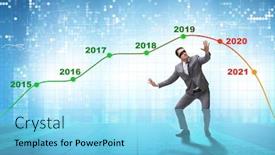
 Presentation with crash - Beautiful theme featuring businessman-in-market-crash-concept backdrop and a light blue colored foreground

Businessman Market Crash Concept

Theme featuring businessman in market crash concept backdrop

 Presentation with crash - Cool new presentation with paramedics helping a car crash backdrop and a tawny brown colored foreground

Paramedics Helping Car Crash Victim

The scene unfolds in a world where medical professionals are always on high alert, ready to respond to emergencies with precision and compassion. It's here that the Wide Title template comes alive, providing a striking visual backdrop for presentations, projects, and applications that require a sense of urgency and importance. This Widescreen template features a stunning yellow green color palette, carefully curated to evoke feelings of calmness, serenity, and relief perfect for conveying the theme of medical assistance in distress. The Wide Title itself is a standout element, with its high resolution images for the background creating a dramatic effect that draws attention away from the text. The logo sleeve badges have been replaced by a non existent logo, adding a touch of modernity to the design without compromising its vintage feel. Featuring a prominent placement of these elements throughout the template enhances the overall look and feel. The Wide Title template is highly downloadable, making it easily integrable into Google Slides, while its compatibility with various software ensures smooth playback. For those looking for additional resources, four How To slides are included to get you started quickly: featuring a Step by Step guide on how to customize the template; Including a Background With a high resolution image of medical equipment for added realism; Having a Theme of Medical Assistance in Distress and Enhanced With features that highlight key elements of the theme.

 Presentation with crash - Presentation design consisting of derailers - crash toy train isolated background and a white colored foreground

Crash Toy Train Isolated White

As you sit down to create your own customizable template with CrystalGraphics Corner Title, you'll want to start by imagining the possibilities a sleek and modern design that sets the tone for a range of exciting projects, from presentations to marketing materials. The Corner Title template is specifically designed in Widescreen format, perfect for showcasing high resolution images as the background. The Powder Blue color palette provides a calming yet striking contrast against any visual content, creating an instantly recognizable look that's sure to grab attention. Featuring this beautiful theme, you can easily incorporate your own designs and graphics into the template to give it a truly unique twist. One of the standout features of Corner Title is its flexibility with Auto and symbol included as keyword options, you'll have endless possibilities for customization. Having a Theme of "Container" will allow you to create a variety of layouts, including horizontal and vertical arrangements, ensuring your content remains eye catching regardless of format. And with Enhanced With a Background image (such as the high resolution train design), you can add depth and visual interest to any slide. For example, imagine using Corner Title as the backdrop for a marketing campaign featuring a toy train set, complete with auto playing animations and dynamic text overlays. The template's Easy to use interface would make it simple to include this interactive element, allowing viewers to engage with your message in real time. As you get started, 4 How To slides will help you quickly get up and running from getting familiar with the basics of PowerPoint to experimenting with advanced features like animations and transitions. The full template is downloadable and compatible with Google Slides, ensuring seamless integration into your workflow. Whether you're creating a presentation for work or school, or simply need a professional looking template to showcase your own designs, Corner Title is the perfect solution download it now and unlock the possibilities!

 Presentation with crash - Audience pleasing theme consisting of spiral arrow - usd cash and crash backdrop and a mint green colored foreground

Usd Cash Crash

The world of finance is full of complex symbols and financial jargon that can be overwhelming to decipher. But with the right template, you can break free from the sea of numbers and focus on what really matters making informed decisions. Introducing the Wide Title template, specifically designed for Widescreen presentations. This template features a dark khaki color palette that exudes professionalism and sophistication. The high resolution images for the background add a touch of elegance to your slides, while the template keywords downward, symbol, arrow, financial, usd provide a clear direction for your content. The template is downloadable and compatible with Google Slides, making it easy to integrate into your workflow. Featuring a theme of financial analysis, this template is perfect for creating presentations that showcase data driven insights. Having a theme of trend analysis, you can create slides that highlight market trends and potential opportunities. The 3 Step Funnel Layout slide provides a clear structure for presenting complex information in an easy to follow manner. This layout includes the following elements: Introduction, Problem Statement, Solution, and Implementation. Featuring a background image with a subtle gradient effect, this slide is sure to grab your audience's attention. Having a theme of decision making, you can create slides that outline the steps involved in making informed financial decisions. The template also includes four How To slides at the start of the deck to help you get up and running quickly. These slides provide step by step guidance on how to use the template, including tips on customizing the layout and adding your own images. With this template, you'll be well on your way to creating engaging and informative presentations that showcase your financial expertise.

 Presentation with crash - Cool new slide deck with businessman-in-market-crash-concept backdrop and a light blue colored foreground

Businessman Market Crash Concept

Slide deck with businessman in market crash concept

 Presentation with crash - Cool new PPT theme with derailers - crash toy train isolated backdrop and a white colored foreground

Crash Toy Train Isolated White

Imagine starting your PowerPoint presentation on a dramatic crash toy train isolated on a stark white background, its wheels screeching against the silence as it hurtles towards an uncertain destiny this is what you can expect from the Corner Title template, a stunning visual representation of a dynamic and attention grabbing design. This template is perfect for those who want to make a statement with their presentation, whether it's at a business meeting or a conference, featuring high resolution images that will leave a lasting impression on your audience. The Corner Title template boasts a light blue color palette, providing a clean and professional background for your content while also having a theme of sophistication and elegance. The 5 x 5 Org Chart Layout slide is a great place to start, as it provides a clear structure for presenting your hierarchy of roles and responsibilities, featuring bold font styles and prominent placement of key elements. This layout will help guide the viewer through the presentation, making it easy to follow and understand. This template is also compatible with Google Slides, allowing you to easily share and collaborate on your presentations with others. It's the perfect solution for anyone looking to create a visually stunning and engaging presentation that will leave a lasting impression on their audience.

 Presentation with crash - PPT layouts featuring businessman-in-market-crash-concept background and a teal colored foreground

Businessman Market Crash Concept

The business world is not without its challenges, and one of the most frustrating experiences can be facing a market crash. A high resolution image of a stock market graph crashes onto the screen, with the words "Market Crash" emblazoned in bold letters across the top. The background image transitions seamlessly into a high contrast photo of a businessman trying to navigate through a crowded office building, looking frantic and desperate for answers. The template features a theme of overcoming obstacles, showcasing how employees can work together to find solutions. In one corner of the grid layout slide, you could feature an image of a team working together at a coffee shop, with laptops scattered about and notes stuck to the table legs. In another section, a picture of a calendar with multiple events overlapping would be used, featuring a businessman attending meetings against a busy office background. The overall mood is one of high energy and productivity, emphasizing that despite setbacks like market crashes, we can always find ways forward. The template includes 4 How To slides to help you get up and running quickly: "Step 1: Assess the Situation", "Step 2: Create a Plan", "Step 3: Take Action", and "Step 4: Monitor Progress". But before diving into those, let's take a look at what you can expect from this template. The background image of a cityscape would feature high resolution skyscrapers against a dark blue sky with stars shining through. To enhance the theme of overcoming obstacles, include a background with subtle texture and gradient effects. And when it comes to having a theme of, well, being in business, including a background with subtle corporate elements like logos and lettering would be fitting.

 Presentation with crash - Colorful slide set enhanced with businessman-in-market-crash-concept backdrop and a light blue colored foreground

Businessman Market Crash Concept

In a world where market downturns can leave even the most seasoned businessmen reeling, one must be prepared to adapt and find new ways to stay ahead. When facing a downward spiral, it's not just about staying positive it's about taking drastic measures to preserve what's left of your grip on reality. The stakes are high, the pressure is intense, and the consequences of failure can be catastrophic. To get back on track, you need a solid foundation. That's where this Widescreen template comes in featuring an all encompassing Light Sky Blue background that sets the tone for a world gone mad. As you navigate through the challenges ahead, you'll want to keep your focus sharp and your eyes on the prize. This template is designed with frustration and desperation in mind after all, who wants to be stuck in a rut when the market's on fire? But don't worry, we've got your back (or should we say, your slide?). With its modern arrow stage layout, you'll have everything you need to stay ahead of the curve. From Featuring a dynamic background with a sense of urgency to Having a theme of high impact visuals, this template's got all the ingredients to help you crush it. And when it comes down to the nitty gritty details such as incorporating a Background With dramatic graphics or Enhancing your slides with interactive elements we've got you covered. This Widescreen template is the perfect starting point for your next big move, whether that's launching a new product or taking on a tough project head on. So what are you waiting for? Get ready to take control and make it happen.

 Presentation with crash - Beautiful presentation featuring businessman-in-market-crash-concept backdrop and a teal colored foreground

Businessman Market Crash Concept

The scene is set in a dimly lit market square on a fateful day. The air is thick with anticipation as the sound of murmured conversations and anxious glances fills the air. A lone figure stands at the center, their eyes fixed intently on the horizon, a look of desperation etched on their face. The camera pans out to reveal a cityscape in chaos high rise buildings ablaze, cars screeching to a halt, and people fleeing for their lives. The design name is Wide Title, a template that exudes a sense of urgency and frustration. It's a Widescreen presentation, optimized for maximum impact, with a steel blue color palette that sets the tone for a dramatic and intense visual experience. The keyword theme is "Crash", which adds an air of realism to the design. The high resolution images on the background provide a blurred view of the chaos below, creating a sense of depth and layering. It's as if the market square has been ravaged by disaster, leaving behind only fragments of what once was. The template includes features such as inclusion of Google Slides, having a theme of enhancing your presentation, and featuring dynamic background images. On this particular slide, the Circular Step Layout could be used to illustrate the idea of taking steps towards recovery, but instead, it's used to create a sense of disorder boxes and wires scattered all over the screen, highlighting the complexity of rebuilding after a disaster. It adds an element of unpredictability to the design, leaving the viewer wondering how they'll navigate this treacherous landscape.

 Presentation with crash - Colorful presentation design enhanced with businessman-in-market-crash-concept backdrop and a light blue colored foreground

Businessman Market Crash Concept

In the midst of chaos, a businessman stands amidst the wreckage of his market, desperate to salvage what's left of his empire. The once thriving stock market has crashed, leaving him feeling frustrated and down. But he refuses to give up, determined to find a way out of this financial storm. The Split Title template is designed to capture the essence of this businessman's struggle, with its bold and eye catching design elements that will grab your attention from the very first slide. The high resolution images for the background are sure to add a professional touch, featuring a dramatic market crash scene with shattered glass and smoke billowing into the air. The template is formatted in widescreen, providing a clean and uncluttered layout that's perfect for showcasing key messages or features. The Light Blue color palette adds a touch of sophistication, while the keywords "frustrated", "desperate", "employee", "down", and "crash" will help you quickly understand what this template is all about. The Split Title template is downloadable and compatible with Google Slides, making it easy to incorporate into your presentation. With its enhanced theme of business and finance, featuring a background with a dramatic market crash scene, having a professional layout that's perfect for showcasing key messages or features, and including a high resolution image, this template will help you create a compelling visual narrative that will engage your audience. The Dart Layout slide is a great place to start when creating your presentation, providing a clean and simple design that allows you to focus on the content. It's a great way to get your message across quickly and effectively, with its bold and eye catching elements that will grab your attention.

 Presentation with crash - Theme consisting of up of toy cars crash background and a light gray colored foreground

Close Up Toy Cars Crash

Theme consisting of close up of toy cars crash

 Presentation with crash - Presentation theme enhanced with car crash toned in blue background and a light blue colored foreground

Car Crash (toned Blue)

Presentation theme enhanced with car crash toned in blue background

 Presentation with crash - PPT theme having children crashed - close up of toy cars background and a yellow colored foreground

Close Up Toy Cars Crash

PPT theme having close up of toy cars crash

 Presentation with crash - Slide set featuring children crashed - close up of toy cars background and a coral colored foreground

Close Up Toy Cars Crash

Slide set featuring close up of toy cars crash

 Presentation with crash - Beautiful presentation theme featuring remains-of-an-old-crash backdrop and a light blue colored foreground

Remains Old Crash-landed Aircraft

Presentation theme featuring remains of an old crash-landed aircraft

 Presentation with crash - Cool new slide set with os - blue screen of system crash backdrop and a cobalt blue colored foreground

Blue Screen System Crash Defocused

As you navigate the world of data analysis and software development, you're likely no stranger to the frustration of encountering a Blue screen of system crash, only to find yourself staring at a defocused background. But what if you could turn this moment into an opportunity? Imagine presenting your findings in a way that's both informative and engaging, featuring high resolution images for the background to grab the audience's attention. The Corner Title template is designed specifically with you in mind, providing a Widescreen format that's perfect for showcasing your data driven insights. The Royal Blue color palette adds a touch of sophistication, while the keywords "critical", "data", "death", "software", and "bsod" give it an edge. This template is downloadable and compatible with Google Slides, making it easy to incorporate into your presentations. The Corner Title template includes four How To slides that will help you get up and running quickly: a Getting Started slide that introduces the basics of data analysis, a Troubleshooting slide that addresses common issues, a Tips & Tricks slide that offers expert advice, and a Conclusion slide that summarizes your key findings. The Pros and Cons Layout slide provides a clear breakdown of the advantages and disadvantages of different approaches, making it an invaluable resource for anyone looking to refine their methodology. On the surface, this template may seem like just another data analysis presentation, but with the right design elements, it can be transformed into a compelling visual narrative that drives engagement. Featuring high resolution images, including a background with a subtle gradient effect, having a theme of "Data Analysis" and Enhanced With a touch of modern typography, this template is sure to make an impression.

 Presentation with crash - Theme having fracture - man injured in car crash background and a ocean colored foreground

Man Injured Car Crash Recovering

As you navigate through the world of medical recovery, you may find yourself sitting on your couch, surrounded by the familiar comforts of home, yet struggling to shake off the pain and discomfort that comes with whiplash injuries. The sound of rain pattering against the windowpane creates a soothing melody, but it's not enough to lift the weight of your worries. You've been prescribed physical therapy, but the road to recovery is long and arduous, leaving you feeling frustrated and helpless. The Corner Title template is designed to be a beacon of hope in this challenging time. With its light steel blue color palette, it provides a calming atmosphere that's perfect for relaxation or focus. The high resolution images featured throughout the template will transport you to a world where you're surrounded by comfort and support. From the serene background of a peaceful landscape to the vibrant colors of medical equipment, every element is carefully crafted to enhance your experience. The Corner Title template includes a grid layout slide that showcases 6 high quality images, including a doctor's stethoscope, a wheelchair, a hospital bed, a couch, a pair of glasses, and a bouquet of flowers. These images are arranged in a harmonious manner, creating a visually appealing composition that will leave you feeling uplifted and inspired. The template is downloadable and compatible with Google Slides, making it easy to incorporate into your existing workflow. With its soothing color palette and calming atmosphere, the Corner Title template is the perfect companion for anyone navigating the challenges of medical recovery.

 Presentation with crash - PPT layouts with derailers - crash toy train isolated background and a white colored foreground

Crash Toy Train Isolated White

The moment you think you've seen the most stylish and creative ways to present your data or information has finally come to an end, because now it's time to bring it to life with this Corner Title template. This stunning design is sure to grab the attention of your audience and make them sit up and take notice. This template features a sleek and modern look that is perfect for presentations, reports, and other types of visual content. The Sky Blue color palette provides a clean and professional backdrop for all the amazing images and graphics you'll be incorporating into this design. The result is a visually stunning presentation that will leave your audience impressed and engaged. The template format is Widescreen, which means it's designed to work seamlessly with any screen size or resolution. This allows you to easily zoom in or out of your content without sacrificing any quality. And the best part? You can use this template as is, straight from the website, or customize it to fit your specific needs. The Sky Blue color palette is just one aspect of what makes this template truly special the 3 Step Funnel Layout slide is a great place to start. This fun and interactive layout is designed to guide you through the process of creating your presentation, from getting started with simple exercises to working your way up to more complex topics. With four How To slides at the beginning of the deck, you'll be able to jump right in and get creative without any hiccups. As an added bonus, this template is downloadable and compatible with Google Slides, making it easy to integrate into your workflow. And with its enhanced features and capabilities, you can truly say that this Corner Title template is one of a kind featuring a background with a rich texture, having a theme of high quality images, and being enhanced with powerful design tools. This template would look fantastic as the centerpiece of any presentation or report, including crash toy trains on white backgrounds. You could also feature it prominently in your own home or office, and even include it as part of a larger slide deck to showcase your expertise and knowledge. Whether you're looking for a professional looking presentation or just want to add some visual flair to an existing one, this Corner Title template is the perfect choice.

 Presentation with crash - Colorful theme enhanced with derailers - crash toy train isolated backdrop and a white colored foreground

Crash Toy Train Isolated White

Imagine a train speeding towards you, its wheels screeching as it hurtles towards the edge of a cliff, leaving a trail of destruction in its wake. This is what the world looks like when things go wrong and that's exactly what our template is designed to convey. The "Crash Toy Train" design features a dark salmon color palette that sets the tone for an emergency situation, with high resolution images of toy trains providing a striking background. The template format is widescreen, perfect for showcasing your slides on a large screen or projector. The Dark Salmon theme is not just a color scheme, it's a mood a feeling of danger and urgency that will grab your audience's attention from the start. And with our premium templates, you can create a cohesive look across all your presentations, from business meetings to training sessions. Featuring 60+ layouts slide options, you'll have endless possibilities for customization. This template is ideal for anyone who wants to convey a sense of urgency and danger in their slides, whether it's for an emergency response plan or a marketing campaign. Having a theme of "Emergency Response" or "Safety Protocols", this template will help you create a clear message that resonates with your audience. Enhanced with high resolution images and a dark salmon color palette, this template is sure to make a statement.

 Presentation with crash - Amazing PPT layouts having derailers - crash toy train isolated backdrop and a white colored foreground

Crash Toy Train Isolated White

The Corner Title template is a stunning design that will grab your audience's attention from the very first glance. This high resolution widescreen template features a bold and eye catching sky blue background with a subtle gradient effect, giving it a dynamic and modern feel. The Sky Blue color palette provides a clean and professional look, perfect for presentations, pitches, or any other business related content. The Corner Title template is designed to be versatile and adaptable, making it easy to incorporate into your existing workflow. With its auto generated container feature, you can easily add text, images, or symbols to create a unique and engaging visual identity. The danger symbol and emergency keyword are prominent throughout the design, adding an edge of sophistication and style. The template is compatible with Google Slides, making it easy to import high resolution images for the background, such as the crash toy train isolated on white background. This image can be used as a starting point or inspiration for your presentation, featuring a bold and colorful design that will surely capture attention. The Circular Approach Layout slide provides an excellent opportunity to showcase multiple elements in a visually appealing way, making it ideal for presentations with complex information. The Corner Title template is perfect for creating engaging and informative content, whether you're presenting new ideas, sharing success stories, or highlighting key takeaways. With its enhanced theme of "Container" and including a background with a subtle gradient effect, this design will help you stand out from the crowd and leave a lasting impression on your audience.

 Presentation with crash - Slides featuring criminal department discussing evidence background and a sky blue colored foreground

Specialists Criminal Department Discussing Evidence

In the midst of a high stakes investigation, agents from the private criminal department gather to discuss evidence and details of the latest air crash. The scene is set in a sleek, modern conference room with a stunning panoramic picture layout that showcases a breathtaking view of the city skyline at sunset. The walls are adorned with rich, earthy tones and feature a warm, golden light that casts a flattering glow on the experts gathered around the table. The Peru inspired color palette brings warmth and sophistication to the space, with deep reds and oranges complemented by soft greens and blues. This unique blend of colors creates a calming yet stimulating atmosphere that encourages thoughtful discussion and collaboration. The overall effect is one of refinement and expertise, setting the tone for a productive and informative meeting. From this dynamic backdrop, specialists from various backgrounds come together to share their insights and expertise. They discuss the intricacies of the air crash, analyzing data and evidence with precision and care. As they delve deeper into the case, they begin to piece together the puzzle of what happened, and how it may have led to such a tragic outcome. The meeting is a masterclass in collaboration, featuring experts from different fields working together seamlessly to uncover the truth. The discussion is enhanced by the inclusion of high resolution images that showcase the devastation caused by the crash, providing a vivid visual representation of the tragedy. As the agents work together, they begin to reveal their unique perspectives and approaches, creating a rich tapestry of knowledge and experience. The meeting concludes with a sense of accomplishment, as the experts have worked together to uncover the truth behind the air crash. The Peru inspired color palette remains, but now it's used in a more subtle way, as a reminder of the expertise and collaboration that went into

▼Key features of this template

  • They are compatible with both PowerPoint and Google Slides running on either Windows PCs or Macs.

  • They are available in both standard and widescreen slide formats. You can choose your preferred format by clicking on the "Widescreen" check box or icon.

  • Each template includes a beautiful high-resolution background image or video to visually reinforce the theme of your presentation.

  • In addition, each template includes designer-created graphics and modern fonts to give your presentations an up-to-date, professional look.

  • Each template's default design and title text position have been carefully selected to complement its background without covering faces or other key elements.

  • All text includes backdrops whose transparency level is mathematically calculated to maximize text readability while still allowing the background to be seen.

  • And all the text, text backdrops and graphics in every slide are colored with a palette designed to beautifully complement the colors in the background.

  • Our Premium templates (those with the descriptor “Premium” in their subtitle) include over 64 slide layouts to give you maximum flexibility as you create your presentations.

    • Those layouts are available to you whenever you create a new slide or when you want to change the layout of an existing slide.
    • They include everything you need to make all sorts of presentations. In addition to the layouts for the title slide and the usual title and content slide, they include many other layouts for slide types including table of contents slides, org charts, charts, diagrams, infographics, photo slides, thank you slides and more.
    • While creating these layouts our template designers have ensured that all text in every layout adjusts as gracefully as possible to various numbers of words.
  • Customizable templates (those with the descriptor “Customizable” in their subtitle) may be easily modified online before you download them.

    • To modify them, simply click on the pencil editing icon, then select your choice of ready to go designs and title text positions.
    • The editing tool also makes it easy to reposition and scale the background image or video to best suit your needs.

▼FAQs

Please review these FAQs to see if your question is answered. Contact us for more info

  • What is a PowerPoint template?

    • A well designed PowerPoint template is a file that can tell PowerPoint how to make your ordinary templates look extraordinary. They won’t change what your words or numbers say. But they might change their size, color, font and placement. And, overall, they can give your presentations a professionally-designed look that will give your content more credibility and give you more confidence.
  • How many PowerPoint templates do you offer?

    • We have over 32,000 artist-created presentation templates in our PowerPlugs collection With a subscription, PowerPlugs templates are easy to download. Just sign in, find a template and click on the green Download button. ready for you to download. That alone offers you more variety to choose from than any of our competitors can offer. And, as if that weren’t enough, we also offer over 6 million templates in our Crystal collection. Crystal brand templates are our line of templates that have customization options. They have the word "CRYSTAL" on their web page images. You can customize several aspects of the templates. These templates include high-resolution background images from Shutterstock’s vast image collection matched up with artist-created presentation designs customized by our own proprietary AI software.
  • How many templates can I download as a subscriber?

    • You can download an unlimited number of PowerPlugs-brand With a subscription, PowerPlugs templates are easy to download. Just sign in, find a template and click on the green Download button. templates every day for an entire year. (Actually, by default, we set a limit of 25 templates per day to prevent our competitors from stealing our templates. But, if that is not enough, just let us know and we’ll try to accommodate you.) On top of that, with a subscription or an Ultimate Combo, you can also download any 50 Crystal-brand Crystal brand templates are our line of templates that have customization options. They have the word "CRYSTAL" on their web page images. You can customize several aspects of the templates. templates per year selected from our huge Crystal collection. Crystal brand templates are our line of templates that have customization options. They have the word "CRYSTAL" on their web page images. You can customize several aspects of the templates. .
  • Why should I choose your templates instead of the competition’s?

    • We’ve got a larger selection of professionally-designed PowerPoint templates than anyone else in the world.
    • Each template includes a high-resolution background image or video to visually inspire your audiences while reinforcing your message.
    • Each template includes 64 slide layouts to give you maximum flexibility as you create your presentations.
    • Our templates are available in both standard and widescreen slide formats. And our website lets you preview the slides each way.
    • Our free Template Finder™ plugin lets subscribers select and - with a single click - download and insert our templates into their presentations right from within PowerPoint.
    • We’ve been creating designer presentation templates for over 20 years. During that time we’ve won several awards and 5-star ratings for product quality. See About Us for more.
  • Do you offer a money-back guarantee?

    • Yes we do! We offer full 30-day money-back guarantee if you are not 100% satisfied with your purchase.
  • Can I still use my downloaded templates after my subscription runs out?

    • Yes. After your subscription expires, you won't lose any rights or ability to use your PowerPlugs: Templates for PowerPoint. You won't be able to download any new non-watermarked templates. But the non-watermarked templates you've already downloaded will still work and you can still use them as before.
  • Can I share my downloaded templates or passwords with friends or coworkers?

    • Sorry but no. You are authorized to download each paid-for template to up to 3 of your personal devices and to use the templates you download in as many presentations as you want. But you are not authorized to share the templates, themselves, with others. That said, we do offer highly discounted site licenses to suit the needs of both small and large teams. Just tell us your needs and we’ll give you a quote!
  • System requirements:

    • The templates use the standard POTX format. So they are compatible with Google Slides and all PC, Mac and mobile devices running any version of PowerPoint from PowerPoint 2007 up through and including Office 365 desktop.
    • Please note: Google Slides does not currently support background videos. It treats them as still images.
    • For PowerPoint for the Web, first open your template into a desktop version of PowerPoint, then save it back out as a PPTX file. Then you can open that in PowerPoint for the Web.
  • End user license agreement:

    • Click here to view.
  • How will I get my purchased templates?

    • You may download your selected templates as soon as your payment is received by PayPal. If you purchased an individual template, you will be provided with a download link both onscreen and via email. Just click on that link to begin the download process. If you purchased a subscription, you will receive an email containing a password to use along with your email address to sign in to any of the templates pages on CrystalGraphics.com. Once you are signed in, you can immediately start downloading your selected templates.
  • How do I use my templates after I download them?

    • You can either open a template to start a new presentation or you can add a template to an existing presentation. To open a template, just double click on it or use PowerPoint's File > Open tool. To add a template to an existing presentation, on the Design tab, in the Themes group, click Browse for Themes... then browse to select your template.

View more Crash templates:

previous 1 2 3 4 5 6 7 8 9 10 next
93% of Fortune 1000
companies use our
PowerPoint Products
Templates Secure

Standing Ovation Award
Winner: Best PowerPoint
Template Collection
Fortune Logos
200,000+ satisfied
customers worldwide!
Guarantee
100% satisfaction guaranteed
- or send it back for a refund!

Sign up for our free newsletter! You'll get news about our PowerPoint-enhancing product line – including free updates, new product announcements and exclusive special offers. Plus you'll get a link to a free PowerPoint template with every newsletter you receive.
Privacy Policy
Loading...


Help

Contact Us
Product FAQs
Product License Agreements

Company Info

About Us
Privacy Policy
CrystalGraphics, Inc. 1999 S. Bascom Avenue Suite 700 Campbell, CA 95008 USA
© 2026 CrystalGraphics, Inc. All rights Reserved.    |     PowerPlugs is a trademark of CrystalGraphics, Inc.
Microsoft and the PowerPoint logo are trademarks or registered trademarks of Microsoft Corporation in the United States and/or other countries.
Loading...
Loading...