www.crystalgraphics.com CrystalGraphics
  • Ultimate Combo
  • Templates
  • Diagrams
  • Characters
  • Quizzes
  • shopping cart
  • Sign Out Sign Out Sign In
Home > Templates > Crash Category
search icon
advanced icon

201 Best Crash-Themed Templates
for PowerPoint & Google Slides

CrystalGraphics creates templates designed to make even average presentations look incredible. Below you’ll see thumbnail sized previews of the title slides of a few of our 201 best crash templates for PowerPoint and Google Slides. The text you’ll see in in those slides is just example text. The crash-related image or video you’ll see in the background of each title slide is designed to help you set the stage for your crash-related topics and it is included with that template. In addition to the title slides, each of our templates comes with 17 additional slide layouts that you can use to create an unlimited number of presentation slides with your own added text and images. And every template is available in both widescreen and standard formats. With over 6 million presentation templates available for you to choose from, CrystalGraphics is the award-winning provider of the world’s largest collection of templates for PowerPoint and Google Slides. So, take your time and look around. You’ll like what you see! Whether you want 1 great template or an ongoing subscription, we've got affordable purchasing options and 24/7 download access to fit your needs. Thanks to our unbeatable combination of quality, selection and unique customization options, CrystalGraphics is the company you can count on for your presentation enhancement needs. Just ask any of our thousands of satisfied customers from virtually every leading company around the world. They love our products. We think you will, too!

Features & Pricing

Widescreen (16:9) Presentation Templates. Change size...
 Presentation with crash - Presentation theme featuring car crash accident on street damaged automobiles background and a ocean colored foreground

Car Crash Accident Street Damaged

As you navigate the world of insurance and auto repair, it's essential to present your content in a visually striking way that grabs attention from the very first moment. The Wide Title template from CrystalGraphics is designed to do just that, featuring a powerful design name that showcases its capabilities and invites viewers into a world of high stakes analysis. With its sleek steel blue color palette, this template sets the tone for a sophisticated and professional presentation. The Widescreen format ensures a seamless viewing experience, whether you're presenting on a large screen or sharing it with colleagues via email. The Steel Blue color scheme provides a clean and modern backdrop for images of damaged automobiles, while also evoking feelings of trust and reliability in your audience. As the template is downloadable and compatible with Google Slides, you can easily integrate it into your workflow without any hassle. The 4 How To slides at the start of the deck serve as an excellent introduction to the world of insurance and auto repair. These slides provide a brief overview of what's to come, setting the stage for a comprehensive presentation that covers various aspects of these high growth industries. Whether you're sharing data, features, or case studies, this template ensures that your content is visually engaging and easy to follow. The Growth Stages Layout slide serves as a great starting point for any presentation on insurance or auto repair. This layout helps viewers visualize the different stages of growth and development, from initial awareness to scaling operations. With its focus on key metrics, such as revenue, customer acquisition, and retention, this template provides valuable insights into the complexities of these industries. As you enhance your presentation with images, charts, and graphs, remember that Featuring a Background With the 4 How To slides can provide context and clarity. Having a Theme of Adding Insights to Your Presentation allows viewers to see connections between different ideas and concepts. By incorporating these elements, you'll create a comprehensive and engaging presentation that leaves a lasting impression on your audience.

 Presentation with crash - Presentation theme consisting of aviation - airplane crash in a storm background and a ocean colored foreground

Airplane Crash Storm Lightning Concept.

Imagine standing on the edge of a stormy sky, surrounded by an intense cloud of lightning that illuminates the horizon as a massive plane hurtles towards the ground. The sound of thunder echoes through the air, and the smell of ozone fills your nostrils. This is what it feels like to be in the midst of a terrible accident. The Corner Title template features 4 high resolution images for the background, showcasing planes soaring through the skies, navigating through turbulent weather conditions, flying towards their destination with caution, and landing safely on the runway. The Steel Blue color palette dominates the design, evoking feelings of trust, reliability, and professionalism. The template's theme is centered around aviation, emphasizing the idea that safety always comes first. From the "Plane" plane to the "Danger" danger sign, every element is carefully crafted to convey a sense of urgency and attention to detail. The high resolution images will enhance your presentation with real world footage, giving your audience a vivid representation of the scene. The template is downloadable and compatible with Google Slides, making it easy to import into your preferred presentation software. To get started quickly, we provide four valuable How To slides that will help you master the basics of using our template, such as creating a basic slide layout and adding text and images. Who We Are Bio Layout can be seen on the left hand side of the screen with an introduction to our company's history and values, followed by key contact information. This section serves as a summary of who we are, highlighting our expertise in designing stunning PowerPoint templates that cater to your specific needs. To further showcase our template's capabilities, you can include a background image or video featuring an airplane taking off or landing, complete with its own soundtrack and sound effects. Having a theme of showcasing real world images will also enhance the overall look and feel of your presentation.

 Presentation with crash - Look what you've done!  car crash accident  anger and worry  call 911

Accident

Look what you've done! car crash accident anger and worry call 911

 Presentation with crash - Economic recession metaphor with downward trend, investor clutching money

Stock Market Crash

Economic recession metaphor with downward trend, investor clutching money

 Presentation with crash - Amazing PPT theme having evidence - forensics at the site backdrop and a light gray colored foreground

Forensics Site Car Crash Policewoman's

The world of insurance law is a complex and intricate one, requiring meticulous attention to detail and a keen eye for evidence. That's why we've created the Split Title template designed specifically with forensic enthusiasts in mind, featuring a warm tan background that evokes a sense of trustworthiness and reliability. This template is perfect for creating presentations on car crashes, accidents, or any other scenario where you need to illustrate the process of gathering evidence and drawing conclusions. The high resolution images throughout ensure that every detail comes through crisp and clear. For example, featuring a close up of a police investigator's notebook page with numbered headings and bullet points, this template is ideal for illustrating how to organize and present your findings. The Split Title design lends itself perfectly to a theme of organization, structure, and precision, making it an excellent addition to any presentation. The tan background color palette creates a calming yet attention grabbing atmosphere that draws the viewer in. Having a unique and creative template like this can help you stand out from the crowd and enhance your credibility as an expert in the field. The Dart on Target Layout slide is just one of many enhancements you could include in this template, such as having a dynamic background image or including a special effect to make it truly engaging. The Split Title template is downloadable and compatible with Google Slides, making it easy to use on any device.

 Presentation with crash - Presentation design consisting of truck trailer rolled over crash background and a sky blue colored foreground

Car Wreck Semi Truck Trailer

As you navigate the treacherous terrain of insurance claims, you'll need a template that's as fierce as it is professional. Introducing Corner Title, a Widescreen PowerPoint Template designed to deliver results in seconds. This premium template features an Alice Blue color palette that exudes sophistication and trustworthiness perfect for showcasing your company's expertise in protecting drivers from damage. Corner Title is specifically crafted with Googel Slides in mind, making it easy to import high resolution images of car wrecks and crashes to create a dramatic visual impact. With its extensive feature set, you'll be able to include a Background With, Having a Theme of, or Enhancing the look of your presentation all without breaking the bank. From insurance claims to rollover disasters, this template is ready to roll with you. The Widescreen format ensures that everything stays in focus, while the four How To slides at the start will get you up and running quickly, saving you time and effort. To give you a better idea of what's inside, let's take a look at the Content Layout slide it's a perfect blend of clean design and ample space to create stunning visuals that grab your audience's attention. The Title of Corner Title is sure to set the tone for any insurance related presentation, conveying a sense of expertise and professionalism. Whether you're featuring a dramatic car wreck or showcasing a sleek wheels model, this template is the ultimate solution for creating engaging and informative content. Enhanced with Googel Slides compatibility, you'll be able to ensure seamless integration into your presentations, unlocking a world of possibilities for your insurance related projects. With Corner Title, you can create stunning visuals, convey complex information, or simply showcase your company's expertise all in minutes rather than hours.

 Presentation with crash - Amazing presentation having old crashed plane in canaima backdrop and a coral colored foreground

Old Crashed Plane Canaima National

As you step into the heart of Canaima National Park in Venezuela, you can't help but feel a sense of excitement and adventure. The vast expanse of the Amazon rainforest stretches out before you, with its towering trees, lush vegetation, and majestic wildlife. It's the perfect backdrop for showcasing your aviation themed presentation. The Corner Title is designed to capture attention from the very first slide, featuring high resolution images of an old crashed plane in the midst of this breathtaking landscape. The Rosy Brown template color palette adds a touch of warmth and sophistication, while the keywords "plane", "fuselage", "canaima", "aviation", and "air" are woven throughout to create a cohesive theme. The widescreen format ensures that your presentation looks stunning on any screen, from conference rooms to outdoor events. With 4 How To slides at the start of the deck, you can quickly get up and running with your project, providing your audience with the basics they need to know before diving into more in depth content. But what really sets this template apart is its seamless integration with Google Slides. Featuring a beautifully designed background that enhances the visuals, Including a Background With gorgeous images of aircraft and aviation related topics, Having a Theme of showcasing your creativity and expertise, it's no wonder that this template has become an instant hit among users. In this presentation, you'll want to use the Growth Layout slide as a starting point. Imagine presenting key statistics or concepts in a clear and concise manner, using arrows and icons to break up the text and add visual interest. Or, show how your aviation themed design can be used to enhance presentations on air travel, flights, or even space exploration. Whether you're looking to showcase a specific aircraft model or highlight the importance of aviation in our daily lives, this template is the perfect choice for you. So why wait? Download and get started today!

 Presentation with crash - Amazing PPT layouts having automobile crash accident on street backdrop and a lemonade colored foreground

Automobile Crash Accident Street Damaged

As you step out into the city streets after a devastating car crash accident, you're met with a scene that's both shocking and heartbreaking. The sound of screeching tires, the smell of smoke and burning rubber, and the sight of damaged cars lining the roads it's an image that will stay with you forever. The Wide Title is designed to grab your attention from the very beginning, with a bold and eye catching font that sets the tone for the rest of the presentation. The Widescreen template format ensures that every detail is showcased in stunning high definition, while the Peach Puff Colored palette adds a touch of warmth and approachability. For a seamless presentation, this template features 4 How To slides at the start of the deck, designed to get you up and running quickly. These slides will walk you through the basics of creating a professional looking powerpoint with ease. But what sets them apart is their clever layout each slide has a clear purpose and design element that enhances the overall user experience. With these 4 How To slides leading the way, you'll be equipped to create your own presentations in no time. And when it comes to adding some extra flair to your slide deck, this template makes it easy to include high resolution images, featuring stunning backgrounds that will draw your audience in. Plus, having a theme of 'Insurance' and 'Damage' is sure to resonate with anyone working in the field of auto repair or insurance claims or even just anyone looking to create engaging presentations about car accidents and city life.

 Presentation with crash - Presentation having traffic - car crash accident on street background and a gray colored foreground

Car Crash Accident Street Damaged

The city is in chaos after a devastating car crash accident on the busy street, with damaged automobiles scattered everywhere. The authorities are scrambling to respond to the disaster, while the public is left wondering how they can avoid such tragedies in their daily lives. As you navigate through the template features, you'll discover that it's designed to help businesses and organizations enhance their branding and marketing efforts, focusing on insurance services, damage repair, and auto related topics. The Steel Blue color palette provides a sleek and professional tone that complements a wide range of backgrounds and themes. Our goal with this template is to deliver a high quality visual experience that inspires creativity and fosters engagement. The Split Title template format ensures a clean and organized structure for easy navigation, featuring four informative slides that will get you up and running quickly. From the introductory slide showcasing our CRystal Clear Goal to the final slide including a call to action, these slides provide a clear direction for your presentation. The background images are high resolution, allowing you to showcase stunning visuals that bring the story to life. When working with Google Slides, you can easily add new content and customize the template to fit your specific needs. This Split Title template is downloadable and compatible with all major platforms, making it easy to share with colleagues or customers. By using this template, you'll be able to create engaging presentations that effectively convey complex information and showcase your expertise in insurance related topics. In a typical presentation, you could use the template as follows: Featuring a striking image of a damaged car on the background, having a theme of "Insurance Services" for the background images, Enhancing with subtle animations and transitions. Having a clear call to action at the end, such as encouraging attendees to visit your website or contact you directly. By incorporating this template into your presentation, you'll be able to convey your message in an effective and memorable way, leaving a lasting impression on your audience.

 Presentation with crash - Colorful presentation enhanced with crash with two automobile backdrop and a soft green colored foreground

Accident Crash Two Automobile Road

In the aftermath of a devastating car accident or a sudden breakdown in traffic, the scene can quickly become chaotic and life threatening. The road is often lined with warning signs, including the iconic city skyline in the background, and the sound of sirens can be heard in the distance. This dramatic scene requires a template that can convey the sense of urgency and danger. The Split Title design is perfect for conveying this sense of turmoil. With two distinct title elements on either side of the slide, it creates a clear visual hierarchy and draws attention to the most critical information. The Goldenrod color palette adds a warm and inviting touch to the overall design, while the high resolution images in the background create a sense of depth and dimensionality. The template is downloadable and compatible with Google Slides, making it easy to import into your own presentation or use as is. It's also available for seamless integration with other PowerPoint templates, ensuring that you can easily find matching elements when needed. The key feature of this template is its ability to enhance the user experience with advanced design elements, such as dynamic backgrounds and interactive effects. On each slide, starting with the Comparison Layout, the Split Title features a clear and concise title element on either side, making it easy for users to focus on the most critical information. For example, the "High Resolution Images" section could include images of real world accidents or traffic scenes, allowing users to visualize what they're working with. The template also includes four helpful slides at the start of the deck, each designed to help users get up and running quickly: a step by step guide on how to access templates online, an introduction to Google Slides, a comparison of different PowerPoint themes, and a tutorial on creating custom backgrounds. The Split Title design is sure to grab attention in any presentation, whether you're presenting technical information or highlighting the importance of road safety. Its ability to convey a sense of urgency and danger while still providing clarity and organization makes it an ideal choice for a wide range of topics.

 Presentation with crash - Slide deck consisting of safety - car crash accident on street background and a light gray colored foreground

Car Crash Accident Street Damaged

In the midst of a chaotic cityscape, where streets are filled with damaged automobiles and the sound of screeching tires echoes through the air, you need a template that is both visually striking and functional. The Corner Title powerpoint template is designed to help you create a compelling presentation that grabs the audience's attention from the very beginning. This template features a 5x5 Org Chart Layout slide that highlights key roles within your organization. At the center of this layout are high resolution images of a car crash accident on street, damaged automobiles after collision in city, providing a dramatic and realistic backdrop for your presentation. The background is complemented by a light blue color palette, creating a sense of calmness while still being attention grabbing. The template includes four How To slides that will help you get up and running quickly with your presentation. These slides are full of useful features, including "Featured" icons to highlight important information, "Including a Background With" elements to showcase high resolution images, and "Having a Theme Of" enhancements to make your content more engaging. To enhance the overall look and feel of your presentation, you can feature a customized background with your company logo or branding. This will help establish your organization's identity and make your presentation stand out from the crowd. Having a theme of enhancing your message is also an option, allowing you to create a cohesive and professional looking template that aligns with your brand. The Corner Title powerpoint template is downloadable and compatible with Google Slides, making it easy to integrate into your workflow. By using this template as the foundation for your presentation, you can create a visually stunning and functional document that will leave a lasting impression on your audience.

 Presentation with crash - Colorful PPT theme enhanced with emergency - car crash accident on street backdrop and a light gray colored foreground

Car Crash Accident Street Wreck

In the midst of chaos, a devastating car crash accident unfolds on a city street, its destruction stark and unflinching as wrecked automobiles sprawl across the pavement. The scene is one of raw power and unbridled force, a testament to the fury of human error that can leave even the most experienced drivers reeling. The Split Title template is a masterclass in dramatic design, with a Widescreen format that immerses the viewer in the action unfolding below. Featuring a rich Bisque color palette, this template is a feast for the eyes, with high resolution images of damaged automobiles adding to its visceral impact. With a Theme of Enhanced Realism, this template is designed to transport you into the heart of the accident scene, where the laws of physics seem to bend and warp in ways that defy explanation. Having a theme of Dramatic Accident, including a Background With dramatic crashes and damage, it's an absolute showstopper, perfect for presentations that require a dose of excitement and energy. The Split Title template is fully downloadable, compatible with Google Slides, and includes 4 How To slides to help you get up and running quickly. Featuring a clean and intuitive layout, these slides provide valuable guidance on the setup process, making it easier than ever to create professional looking presentations that impress even the most discerning audiences.

 Presentation with crash - Beautiful presentation theme featuring accident on street damaged automobile backdrop and a gray colored foreground

Car Crash Accident Street Damaged

The scene unfolds in a cityscape torn apart by a devastating crash, with damaged automobiles lining the street and debris scattered everywhere. The air is thick with the smell of smoke and chaos, as rescue workers scramble to save what's left. A car crashes into another, sending shrapnel flying in all directions, and the sound of sirens echoes through the air. In this dramatic scene, we are reminded that damage can be devastating, and repair requires careful attention. This is where the Wide Title comes in a versatile and striking template that sets the tone for your presentation. With its Widescreen format and Light SlateGray color palette, it's perfect for showcasing high resolution images of damaged automobiles and cityscapes. The template features an enhanced background with a bold image of a car accident scene, complete with rusty metal and twisted wreckage. It's a powerful visual that immediately conveys the gravity of the situation. To make the most of this theme, we can include additional elements such as animated titles and logos to add an extra layer of depth. The template is designed to be downloadable and compatible with Google Slides, making it easy to incorporate into your presentation. And don't worry about compatibility issues just click on "Downloadable" to get access to the High Resolution Images, which can be used in conjunction with this template for maximum impact. With its high resolution images and easy to use format, this template is sure to make a lasting impression on your audience. As you start creating your presentation, consider including the following How To slides to help you get up and running quickly: Getting Started, Creating Your First Slide, Designing Your Template, and Enhancing Your Presentation with Additional Elements. These should be quick to set up, and will give you the foundation you need to create a solid presentation. The Table of Contents slide is your chance to introduce what's in store for your audience, highlighting key topics such as "Getting Started" and "Designing Your Template". You could also include additional details about the template's features and capabilities. For example, you might say something like: "Get ready to showcase high resolution images with our Wide Title template. This Widescreen format makes it easy to display your imagery in a clear and concise

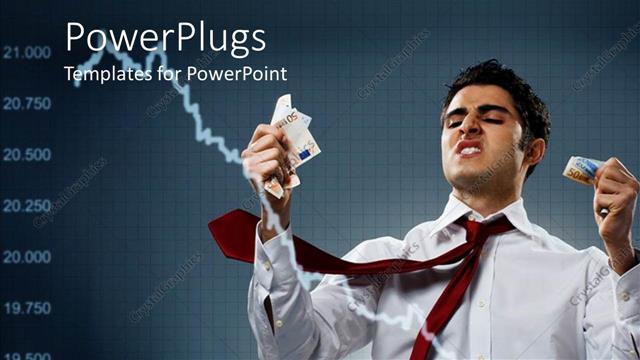
 Presentation with crash - Money and finance depiction. business man thinking about stock market crash

Stock Market Crash

Money and finance depiction. business man thinking about stock market crash

 Presentation with crash - Cool new presentation theme with traffic - car crash accident on street backdrop and a gray colored foreground

Car Crash Accident Street

Imagine being in the midst of a chaotic city scene, where the sound of screeching tires and shattering glass fills the air, as you witness a devastating car crash on the streets. The images are stark and realistic, with high resolution details that will make your audience feel like they're right there in the middle of the action. The Corner Title is a stunning PowerPoint template that's sure to grab attention from start to finish. This Widescreen template features a bright and airy light blue color palette, perfect for conveying a sense of calmness and serenity, even in the midst of chaos. The high resolution images used throughout will make your presentation look professional and polished. The template is downloadable and compatible with Google Slides, making it easy to import and customize as needed. And, as an added bonus, it's available online for instant download. But what really sets this template apart is its unique Arrow Stages Layout slide, which features a clean and modern design that showcases the template's theme of insurance, damage, repair, auto, city. This layout slide will help you get your key points across in a clear and concise manner. Whether you're presenting to an audience or just need a quick and easy way to add some visual interest to your slides, the Corner Title template is the perfect solution. It's enhanced with a theme of insurance and damage, making it a valuable addition to any presentation. And, because it's downloadable and compatible with Google Slides, you can easily incorporate it into your existing workflow. From showcasing the latest advancements in auto technology to highlighting the importance of regular maintenance, this template is perfect for anyone looking to enhance their presentation with some visual interest. With its bright and airy design, high resolution images, and Arrow Stages Layout slide, the Corner Title template is sure to impress.

 Presentation with crash - Audience pleasing slides consisting of accident on street damaged automobile backdrop and a gray colored foreground

Car Crash Accident Street Damaged

This powerpoint template is designed to grab your attention with its dramatic and eye catching image, featuring a car crash accident on street after a high speed collision in the city. The background images will showcase damaged automobiles in various states of repair, creating an immersive experience for the viewer. The Widescreen format allows you to take full advantage of the screen space, making it perfect for showcasing detailed images and graphics. The Cadet Blue color palette is bold and professional, adding a touch of sophistication to your presentation. This template can be used to convey the message of insurance and damage repair services in an auto industry setting, where the main theme is high resolution images of automobiles and cityscapes after accidents. Featuring a background image with a subtle texture or pattern will enhance the overall look and feel of your presentation, including a Background With dynamic clouds or sun rays. Having a Theme of showcasing different types of damage to vehicles can be particularly useful for an insurance company, as it can help illustrate the various ways in which damages can occur. Enhanced With animations or transitions will add an extra layer of engagement to your presentation, making it easier to convey complex information to your audience. The template is designed to be highly customizable, allowing you to include additional elements such as contact information, service offers, or testimonials from satisfied customers. It's a great starting point for anyone looking to create a professional looking presentation that effectively communicates the message of their auto repair services.

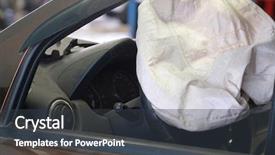
 Presentation with crash - Beautiful presentation theme featuring crash test dummy - airbag exploded at a car backdrop and a dark gray colored foreground

Airbag Exploded Car Accident

This presentation is designed to grab the audience's attention with a dramatic and intense image of an airbag exploding at a car accident. The high resolution images for the background will provide a detailed look at the scene, while the Tan color palette adds warmth and sophistication to the design. The Wide Title format ensures that every slide has ample space to showcase its content, making it easy to read and understand even at small font sizes. This is particularly important when featuring intricate designs or illustrations on certain slides, such as the Dart on Target Layout. Including a Background With dramatic lighting effects will enhance the visual impact of this illustration. The template is downloadable and compatible with Google Slides, offering users flexibility in their presentation's layout and design. The Tan color palette provides a classic and timeless look that will not go out of style quickly. With the addition of a theme of "Safety" to the design, viewers are encouraged to think critically about the importance of car safety features like airbags. Enhanced With advanced illustrations and animations can further emphasize this theme, making it more engaging and memorable for the audience. This presentation is designed to be interactive, featuring 4 How To slides at the start of the deck to help users get up and running quickly. But before we dive into those steps, take a look at what's included in the template. A high resolution image gallery Featuring stunning car accident scenarios will give you ideas for creating visually striking presentations that grab attention. Having a Theme of Safety means you can include relevant images and illustrations to reinforce this message.

 Presentation with crash - Slide set enhanced with disaster - remains of an old crash-landed background and a dark gray colored foreground

Remains Old Crash-landed Aircraft

Imagine stepping into the heart of a high flying aircraft, where steel and glass blend with the rush of wind as you take in the breathtaking views of clouds and sky. The Corner Title PowerPoint template is your gateway to creating stunning presentations that transport your audience to the world of aviation. This Widescreen template features a design name that sets the tone for an immersive experience: Corner Title. It's perfect for showcasing planes, aircraft, or even general aviation topics. With Light Steel Blue as its primary color palette, you'll be transported to an aeroplane, evoking feelings of serenity and calmness. The high resolution images throughout this template will provide a realistic background that complements the template's design perfectly. Featuring a fusion of planes, engines, and control panels in dynamic motion, this template is sure to engage your audience. Including a Background With Light Steel Blue colors, you can enhance your presentations with this sleek and modern theme. The Corner Title PowerPoint template has an Arrowheads Layout slide that adds an element of elegance to any presentation. Having a Theme of showcasing various plane models or aircraft types will help you create visually appealing slides that cater to different aviation enthusiasts. As part of your success, don't underestimate the importance of having a downloadable and compatible Googel Slides version available for all your users. Enhanced with features like AutoFit text and backgrounds, this template is not only visually stunning but also easy to customize for your specific needs.

 Presentation with crash - Presentation theme featuring disaster - road incident car crash background and a gray colored foreground

Road Incident Car Crash Street,

As you step out onto the city streets after a chaotic collision, your gaze falls upon a tangled mess of damaged automobiles, their steel bodies dented and twisted like the wreckage of a car crash. The sirens wail in the distance, while pedestrians scurry for cover, unsure what's happening next. The scene is set against a backdrop of high resolution images for the background sleek skyscrapers, neon lights reflecting off the wet pavement, and the occasional glimpse of a fleeing vehicle all perfectly captured to give your presentation an authentic feel. The Steel Blue color palette provides a sophisticated and modern aesthetic that will appeal to insurance companies, auto repair shops, and anyone involved in city related incidents. The template is available for download on Google Slides, making it easy to share with colleagues or clients who need a quick solution for their presentation needs. Featuring high quality images and design elements, this template includes the keywords you've specified: insurance, damage, repair, auto, and city perfect for creating engaging content that resonates with your audience. This template is ideal for showcasing how different angles can enhance your message, from the "how to" slides to any slide featuring a background image. By including a background with a cityscape or road scene as an example of what you could use in such slides, you'll give your presentation a cohesive look that will leave a lasting impression on your viewers. Having a theme of modern design is also perfectly suited for this template, enhancing its overall aesthetic and making it more visually appealing to potential users. The Oposite Directional Arrows Layout slide could be used as an example of how the template's layout can help guide your presentation effectively, with arrows pointing outward from the center of the screen to create a sense of movement and energy. This is particularly useful when you're trying to convey complex information or illustrate key points in a visually engaging way.

 Presentation with crash - PPT theme consisting of accident on street damaged automobile background and a light gray colored foreground

Car Crash Accident Street Damaged

The city's streets are forever changed when a devastating car crash occurs, sending damaged automobiles careening through the crowded roads and into the midst of chaos. The sound of shattering glass and screeching tires fills the air as the scene unfolds, showcasing the severity of the accident. In the aftermath, emergency responders rush to the scene, while anxious onlookers gather to catch a glimpse of the wreckage. The template's design name is Corner Title, featuring a sleek and modern silhouette that perfectly captures the essence of urban chaos. Widescreen format ensures that the full extent of the crash is showcased, with vibrant images of damaged automobiles and debris scattered across the screen. The light steel blue color palette provides a calming contrast to the high energy visuals, while the 5 Level Pyramid Layout will guide your presentation with ease. The template includes four How To slides at the start of the deck, each offering valuable insights into getting up and running quickly in terms of design and formatting. However, our primary focus is on delivering an engaging and informative presentation that showcases the importance of insurance, damage, repair, auto, and city related topics. Featuring a background with a dynamic image or having a theme of showcasing real life accidents will add depth to your slides. By including high resolution images throughout the template, users can enhance their presentations with crisp visuals that complement the text perfectly. Having a downloadable format is also convenient for those who want to customize and personalize their templates. As an added feature, the template includes a "Background With" option where you can upload or download a pre designed image to go along with your presentation. This will allow users to showcase their own real life accidents or create custom images that fit their theme.

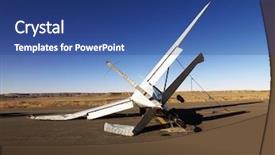
 Presentation with crash - Theme having small crashed aircraft background and a ocean colored foreground

Crashed Aircraft Desert Landscape Side

Imagine soaring through the skies in your very own high res aerial adventure, effortlessly capturing breathtaking shots that will leave your audience speechless. The Corner Title template is your ticket to creating stunning presentations that transport viewers into a world of country charm and rugged beauty. This incredible Widescreen widescreen format makes you look like a true master of the digital sky with high resolution images for the background that take center stage in every slide, giving you a sense of grandeur. And when it comes to colors, nothing gets the job done quite like our Midnight Blue palette, which is as rich and evocative as a clear desert night sky or a soaring flight through the American West. But don't just take our word for it this template also features a range of other enhanced and included elements that will make your presentation truly stand out. For example, Imagine Featuring Four How To slides to help you get up and running quickly, including an Essential slide on getting started with presentations, a Helpful tip on selecting the perfect images, a Strategic slide on organizing your content, and an Inspirational quote to motivate your audience. This template is also designed to work seamlessly in Google Slides, making it easy to incorporate all of these fantastic elements into your presentation without any fuss or hassle. So why wait? Download Corner Title today and take flight with your next presentation it's a real winner!

More Crash templates for PowerPoint and Google Slides:

previous 1 2 3 4 5 6 7 8 9 10 next
93% of Fortune 1000
companies use our
PowerPoint Products
Templates Secure

Standing Ovation Award
Winner: Best PowerPoint
Template Collection
Fortune Logos
200,000+ satisfied
customers worldwide!
Guarantee
100% satisfaction guaranteed
- or send it back for a refund!

Sign up for our free newsletter! You'll get news about our PowerPoint-enhancing product line – including free updates, new product announcements and exclusive special offers. Plus you'll get a link to a free PowerPoint template with every newsletter you receive.
Privacy Policy
Loading...


Help

Contact Us
Product FAQs
Product License Agreements

Company Info

About Us
Privacy Policy
CrystalGraphics, Inc. 1999 S. Bascom Avenue Suite 700 Campbell, CA 95008 USA
© 2025 CrystalGraphics, Inc. All rights Reserved.    |     PowerPlugs is a trademark of CrystalGraphics, Inc.
Microsoft and the PowerPoint logo are trademarks or registered trademarks of Microsoft Corporation in the United States and/or other countries.
Loading...
Loading...