www.crystalgraphics.com CrystalGraphics
  • Ultimate Combo
  • Templates
  • Diagrams
  • Characters
  • Quizzes
  • shopping cart
  • Sign Out Sign Out Sign In
Home > Templates > Data Category
search icon
advanced icon

349 Best Data-Themed Templates for PowerPoint and Google Slides

In the vast library of PowerPoint templates available on CrystalGraphics, one category truly stands out for its unique blend of technical expertise and design flair - Data. Within this esteemed collection, the AI has been provided with three compelling example presentation titles that give context and relevance to these captivating templates.

The Data category boasts a diverse range of themes that evoke a sense of mystery and intrigue, from Magnifying Glass over Computer Data with its lock and bluish background, evoking a sense of cybersecurity, to Presentation theme consisting of young hacker in data security background and a ocean colored foreground, showcasing the intersection of technology and innovation. Other notable titles include Binary Code 101: A Journey Through the World of Digital Numbers and The Ocean of Data, each offering a unique perspective on the world of computer science and networking.

Beyond these example titles, the Data category offers a vast array of templates that cater to various needs and preferences, including a title slide plus sixty additional slides. These can be used in conjunction with other CrystalGraphics templates or customized to fit individual projects perfectly. Additionally, users can explore other categories within the Data collection for inspiration or to find the perfect template for their specific requirements.

As you delve into the world of Data templates on CrystalGraphics, you'll discover a treasure trove of design possibilities waiting to be explored. Whether you're an IT professional seeking a cybersecurity theme or simply looking to elevate your presentation skills, this extensive collection has something to offer. With instant 24/7 download access and compatibility with Google Slides, the Data category offers unparalleled flexibility and convenience for users. Don't settle for mediocre templates - explore the best of what CrystalGraphics has to offer today.

Features & Pricing

Widescreen (16:9) Presentation Templates. Change size...
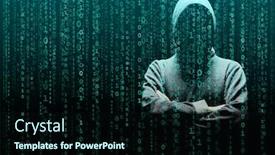
 Presentation with data - Slides with anonymous-computer-hacker-over-abstract background and a wine colored foreground

Anonymous Computer Hacker Over Abstract

Imagine you're an anonymous computer hacker, sneaking through the darknet, avoiding security systems, and evading detection as you crack open encrypted files and steal sensitive data. You're in on a high stakes mission to uncover classified information, but your methods are shrouded in secrecy. This template is inspired by the gritty world of cyber espionage, where agents must navigate the shadows to gather intel and stay one step ahead of their enemies. The Dark Turquoise color palette adds depth and sophistication to this theme, evoking a sense of high tech sophistication while still maintaining a gritty edge. The Corner Title template features a stylized, abstract design that captures the essence of digital rebellion. A masked figure lurks in the shadows, surrounded by distorted images of data streams and circuit boards. The background is a dark grid layout, with subtle textures and gradients to give it an edgy feel. In this world, you're not just fighting for freedom you're fueling the revolution. The design is scalable to any size, making it perfect for presentations that need to be projected on large screens or shared via email attachments. The template is downloadable and compatible with Google Slides, ensuring compatibility across various devices and platforms.

 Presentation with data - Amazing slide set having medical data - doctor whom i explain backdrop and a cool aqua colored foreground

Doctor Explain Patient

In the Corner Title template provided by CrystalGraphics, you'll find yourself standing in the midst of a medical office, surrounded by high resolution images of doctors and medical equipment. The Light Steel Blue color palette sets the tone for a professional and approachable atmosphere. This template is designed to help you explain complex medical concepts to patients with ease. The Corner Title template features an arrow step layout that guides you through the process of creating a compelling presentation. With four slides at the start, you'll be able to get up and running quickly, covering essential topics such as explaining medical conditions, treatments, occupations, and data analysis. The template is downloadable and compatible with Google Slides, making it easy to incorporate into your workflow. As you begin your presentation, consider featuring high resolution images of doctors and medical professionals to add a personal touch. Including a background with a subtle gradient effect can enhance the visual appeal of your slides. Having a theme of professionalism and expertise will help you convey confidence and authority in your explanation. The template is designed to be enhanced with additional elements, such as animations or transitions, to make your presentation more engaging and dynamic. With its clean design and intuitive layout, this template is perfect for medical professionals, educators, or anyone looking to improve their communication skills.

 Presentation with data - Presentation design having info - man typing on modern notebook background and a teal colored foreground

Man Typing Modern Notebook Future

As you start your journey to create a professional and modern presentation, think about how you can make a lasting impression on your audience. Imagine coming across a sleek and sophisticated screen with a high resolution image, surrounded by a royal blue background that exudes power and style. The Corner Title template is designed to be the perfect starting point for any digital marketing project, whether it's launching a new product or promoting a campaign. With its widescreen format, users can easily focus on the content in front of them. The Royal Blue color palette is sure to grab attention, making it an ideal choice for anyone looking to make a bold statement. The template includes four easy to follow slides that will help you get up and running quickly. These include "How To" tutorials that walk viewers through the process of creating a presentation from start to finish, as well as three other informative slides that showcase the power of data visualization in various industries, such as email marketing or screen design. The 5 Stages Pentagon Layout slide provides a clear framework for organizing your content and making it easier to understand. This layout typically includes five stages: idea generation, concept development, prototyping, testing, and launch. By featuring this stage prominently on your presentation, you'll be able to showcase the importance of each step in creating a successful digital marketing campaign. Using this template and incorporating a background with a high resolution image and having a theme of data visualization makes it an Enhanced With solution for anyone looking to create engaging and informative presentations.

 Presentation with data - Amazing PPT layouts having cyber crime - computer hacker in a balaclava backdrop and a black colored foreground

Computer Hacker Balaclava Working Darkness

Imagine being able to create a presentation that looks like you're hacking into a high security data center, with images of laptops and dark alleys on the screen, but in a way that's professional and polished. Welcome to our new template design, featuring a black color palette and a Widescreen format that will make your slides look like they were pulled straight from a Hollywood thriller. This template is designed for private use only, with a Caucasian theme that excludes any content that might be considered insensitive or discriminatory. Our high resolution images are perfect for creating a realistic atmosphere, including a background image of a darkened studio with candles flickering in the corner it's like you're in on a secret. When it comes to styling, we've included a few clever touches, such as having a theme of "studios" and "private" workspaces that will make your audience feel right at home. We've also featured some high quality images of laptops and coding screens to give your slides a bit of a techy edge. The Dart Layout feature is one of our standout features it allows you to create custom layouts with ease, giving you total control over the look and feel of each slide. This means you can use it to include background images, have multiple columns of text, or even add animations to make your slides pop. For example, we could use it to create a slide that's basically a mockup of a password manager, with passwords organized into neat categories it would be perfect for a "featuring" section on the template. Overall, our template is designed to help you stand out from the crowd and create presentations that are both professional and attention grabbing. Whether you're using it for a presentation at work or just want to add some flair to your personal projects, this template has got you covered.

 Presentation with data - Cool new presentation theme with young hacker in data security backdrop and a tawny brown colored foreground

Young Hacker Data Security Concept

Imagine you're a young hacker navigating through the dark alleys of data security, facing danger at every turn but always staying one step ahead by coding with precision. In this template, you'll find yourself in the midst of a high stakes world where your skills are put to the test as you dive into the program of protecting sensitive information. This Wide Title template is a stunning representation of a coder's life, featuring a sea green background that sets the tone for the intense and action packed experience ahead. The design name itself reflects the theme of danger and risk, but with a hint of sophistication and style that will make you feel like you're part of a top secret program. The 5 Year Calendar Timeline Layout is a unique aspect of this template, providing a clear roadmap of your progress from the past to the future. It's an ideal place to track your accomplishments, reflect on your successes, and plan for the challenges ahead. You'll also find four How To slides at the start of the deck that will help you get up and running quickly, featuring examples such as creating high resolution images for the background or incorporating a Background With feature. This template is downloadable and compatible with Google Slides, making it easy to bring your creative vision to life. It's an Enhanced With version of the Wild Title, ensuring that every aspect of this design shines with energy and personality. With its focus on danger, coding, and data security, you'll feel right at home in the World of High Stakes Security.

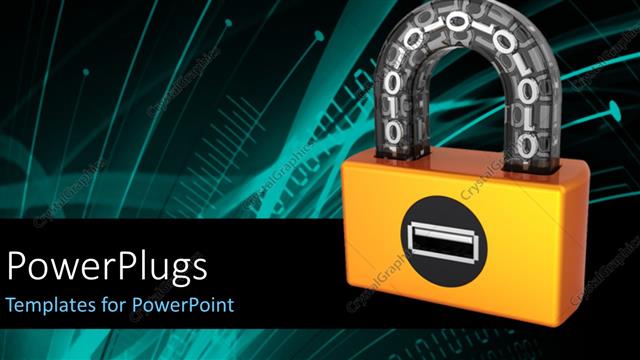
 Presentation with data - Orange digital padlock with binary code in transparent arch and tech design in the background

Data Security

Orange digital padlock with binary code in transparent arch and tech design in the background

 Presentation with data - Data storage devices with series of binary codes

Data Warehouse

Data storage devices with series of binary codes

 Presentation with data - Emerging technology

Binary Data

Emerging technology

 Presentation with data - Cool new theme with newspaper under magnifying glass exposing backdrop and a light gray colored foreground

Newspaper Under Magnifying Glass Exposing

Imagine being in the midst of a high stakes business meeting, surrounded by executives and investors, as you present your latest financial projections to the world. The tension is palpable, but with this stunning PowerPoint template from CrystalGraphics, you'll be able to capture the essence of the newsroom experience like never before. The Wide Title design is perfect for creating a dramatic effect, with its curved lines and elegant typography that sets the tone for an immersive presentation. This Widescreen format brings you closer to your audience, allowing them to visualize the data and information presented in a clear and concise manner. The lavender color palette creates a soothing and professional atmosphere, making it ideal for presentations that require attention to detail. This template is not just limited to business presentations it can also be used to create engaging experiences around news and fiction. The high resolution images used as backgrounds will transport you and your audience to the world of newspapers under magnifying glasses, exposing fake news in a way that's both captivating and informative. The template itself is downloadable and compatible with Google Slides, making it easy to integrate into your workflow. The 3 Member Bio Layout slide provides an opportunity to showcase your professional credentials in a creative and impactful way. Featuring a clear and concise summary of your experience, skills, and achievements, this layout is perfect for highlighting your expertise in the business world. Having a theme of showcasing your personality and style, this design will help you stand out from the crowd and leave a lasting impression on your audience. Including a background with a subtle visual effect can enhance the overall aesthetic of the template, while having a theme of creating a immersive experience is enhanced further by featuring high quality images that draw the viewer in.

 Presentation with data - Colorful slides enhanced with digital - businessman in big data management backdrop and a ocean colored foreground

Businessman Data Management Concept

Imagine yourself as the CEO of a cutting edge tech firm specializing in big data management and software solutions. You're standing in front of a massive screen displaying lines upon lines of data, with networks pulsating in the background like veins on a map. The scene is set against a steel blue backdrop that seems to glow with an otherworldly intensity, inviting you to take control of this vast digital landscape. The template for your presentation, "Wide Title", is designed to be a powerful and modern tool that will help you dominate the screen. This Widescreen template features high resolution images of data sets and software applications in various sections, giving your audience a glimpse into the world of big data management. The Steel Blue color palette provides a professional and sleek backdrop for your content. The template includes keywords such as "big", "data", "software", "screen", and "networking" to give you an edge when discussing these topics on the slide. Featuring a background image of a futuristic cityscape with high rise buildings and flying cars, this template will make your slides stand out in any presentation. In addition to the Widescreen format, each section is designed to have its own unique layout, making it easy to navigate and reference key points throughout your presentation. The Section Header Layout slide provides an overview of what's coming next, including a clear title and a concise description that sets the stage for the content on screen. Having a theme of showcasing your expertise in big data management, this template is sure to impress your audience with its high quality visuals and professional design. The Enhanced With option allows you to add more features such as animations, transitions, and effects to give your slides an extra boost of visual interest.

 Presentation with data - Slides with data - artificial intelligence concept with businessman background and a teal colored foreground

Artificial Intelligence Concept Businessman

In the realm of modern innovation and technological advancement, the concept of artificial intelligence has become increasingly crucial in shaping our digital landscape. It's no surprise that this cutting edge technology has sparked a fascinating fusion of business, software, laptops, robots, and robotic interfaces. The result is a sleek and sophisticated template design that seamlessly blends functionality with style. At the heart of this template are high resolution images for the background, carefully crafted to evoke the essence of advanced artificial intelligence systems. This Widescreen format allows the user's imagination to run wild, creating an immersive experience that's both visually stunning and intellectually stimulating. The Steel Blue color palette adds a sense of sophistication and modernity, perfectly capturing the essence of this technological marvel. The template is designed to be downloadable and compatible with Google Slides, ensuring seamless integration into any presentation or document. As inspiration from the concept of artificial intelligence shines through, the template features prominent images that highlight key elements such as high speed processing, complex algorithms, and cutting edge design principles. The result is a template that's not only visually appealing but also thoughtfully designed to enhance presentations with its theme of innovation and technological advancements. By featuring a background image of a futuristic cityscape at night, for instance, the template can include a Background With feature that showcases this unique aspect of advanced technology. Having a Theme of innovation and technological progress is certainly enhanced with the inclusion of robotic interfaces in various designs throughout the template.

 Presentation with data - Stock market data behind blue bar chart

Stock Graph

Stock market data behind blue bar chart

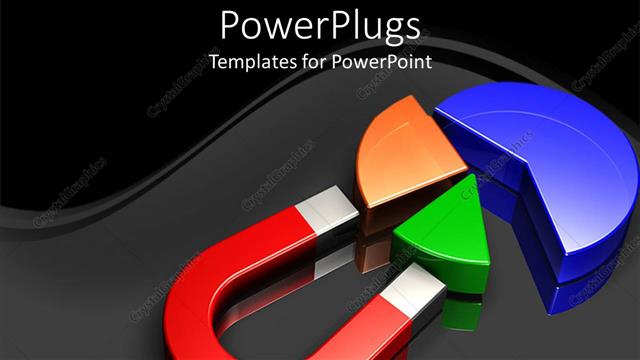
 Presentation with data - Huge red magnet pulling two colorful pieces from blue pie chart

Pulling Data

Huge red magnet pulling two colorful pieces from blue pie chart

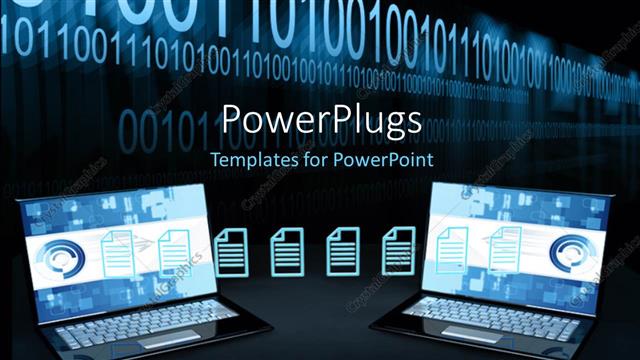
 Presentation with data - Two open laptops transferring files below string of binary numbers

Data Transfer

Two open laptops transferring files below string of binary numbers

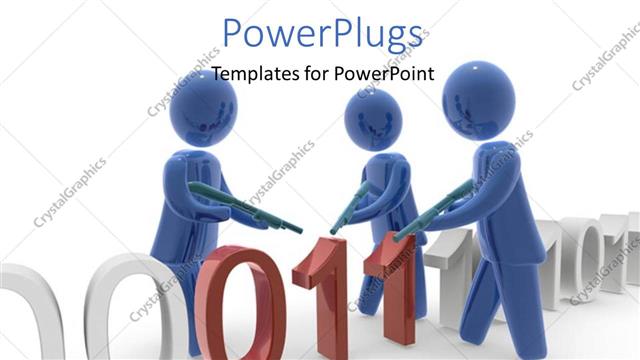
 Presentation with data - Depiction of data security with three 3D men filtering corrupt binary data

Hackers

Depiction of data security with three 3D men filtering corrupt binary data

 Presentation with data - PPT layouts with big data modern computing concept background and a coral colored foreground

Data Modern Computing Concept Businessman

As you dive into the world of data and software, where big ideas meet big screens, imagine yourself as a modern day businessman navigating the complexities of business networking, collaborating with teams and accessing vast amounts of information. Your laptop is your trusted companion, equipped to handle even the most demanding tasks, while a high resolution image dominates the background, setting the tone for this informative presentation. The Wide Title template from CrystalGraphics is perfect for delivering engaging content on a widescreen format, making it ideal for presentations that require attention grabbing visuals. Featuring a dark orchid color palette, this template provides an elegant backdrop for showcasing your data driven insights and software applications. With a theme of featuring the latest advancements in computing technology, you can emphasize the importance of big data and networking in driving business success. From the initial slides to be presented at the start of your deck, here are some key elements that will enhance your visual presentation: How To slides for users who need quick tips and tricks to get started; a Comparison with Image Layout slide that highlights the unique features of this template's image layout; and possibly even an Enhanced With Background slide that showcases additional design elements.

 Presentation with data - Cool new slides with innovation - businessman in data management concept backdrop and a ocean colored foreground

Businessman Data Management Concept

The world of data management is being revolutionized by smartphones and software that provide access to vast amounts of information. As we navigate the complexities of this digital landscape, it's essential to have a strong foundation in order to make informed decisions. That's why we've created Corner Title, a stunning widescreen template designed for business professionals who need to stay on top of their game. Corner Title is a sleek and modern design that exudes professionalism and sophistication. The Steel Blue color palette provides a high contrast background that enhances the features and layout of the template. High resolution images for the background add depth and visual interest, while the strategic keywords featured throughout the template will help you stay focused on your goals. The template is downloadable and compatible with Google Slides, making it easy to integrate into your existing workflow. Whether you're presenting data insights or discussing software implementations, Corner Title has got you covered. With its cutting edge design and advanced features, this template is sure to make a statement in any presentation. By incorporating the 3 Member Bio Layout slide, you can showcase your expertise and accomplishments in data management. This versatile layout allows for easy inclusion of background images and text, making it an excellent addition to any Corner Title deck. For example, you could include a photo of yourself working with software or a screenshot of a major project complete. The template's enhanced theme of data driven decision making is sure to resonate with business professionals who value strategy over style. As you create your presentation, remember to make use of the template's features, including Featuring a Background With a high resolution image and Having a Theme of Data Management. With Corner Title as your guide, you'll be well on your way to crafting presentations that leave a lasting impression.

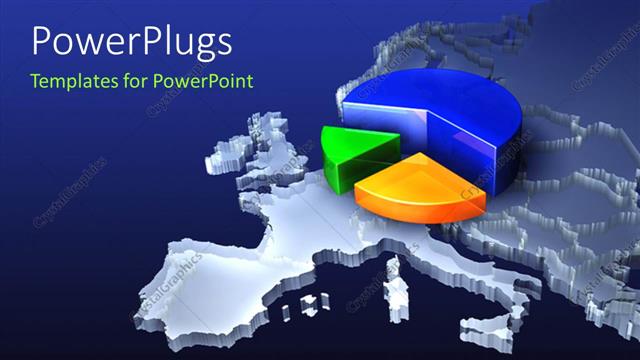
 Presentation with data - A pie chart on top of map of the Earth

European Data

A pie chart on top of map of the Earth

 Presentation with data - Audience pleasing slides consisting of computer-hacker-in-mask backdrop and a tawny brown colored foreground

Computer Hacker Mask Hoodie Over

In the shadows of the darknet, where data thieves and cyber security experts roam free, lies a world of intrigue and deception, where one can become an agent of change. Corner Title is the ultimate template for those who dare to be different, featuring a coding theme that's both edgy and sophisticated. With Cadet Blue as its base color palette, this Widescreen template will transport your audience into a realm of high resolution images, showcasing intricate binary patterns and abstract designs that evoke a sense of mystery. The background is designed to look like a darknet encrypted forum, complete with subtle shadows and texture effects that add depth and dimensionality. As users explore the Corner Title template, they'll discover four How To slides that will help them get up and running quickly. From setting up Googel Slides compatibility to optimizing their presentation for maximum impact, these slides will have everything they need to succeed. But don't worry, it's not all about functionality – this template also features a theme of "Darknet Cyber Security" with an Enhanced With of featuring high quality images and fonts that will make your presentations stand out. Whether you're looking to take your coding skills to the next level or simply want to express yourself through design, Corner Title is the perfect starting point. The Growth Stages Layout slide offers a glimpse into how this template has evolved over time, from its initial concept to its current state of sophistication and refinement. Featuring an included Background With of a darknet encrypted message that hints at the future possibilities of the template, it's clear that Corner Title is more than just a template – it's a roadmap for your coding journey.

 Presentation with data - Locked USB device depicting the security of data on portable storage devices

Secure Data

Locked USB device depicting the security of data on portable storage devices

 Presentation with data - Presentation with hardwares in an internet data background and a royal blue colored foreground

Servers Hardwares Internet Data Center

In the heart of every data center, servers and hardwares thrive under the watchful eye of networking equipment, all connected to the mighty trunk line of high speed internet, as it brings in fresh updates for their day to day operations, featuring seamless collaboration between teams, having a robust theme that is sure to turn heads, enhanced with colorful graphics that stand out. The Wide Title template, designed by CrystalGraphics, presents an eye catching visual representation of servers and networking equipment, perfect for presentations, training sessions, or webinars. Widescreen format ensures maximum readability on any device, while the Yellow color palette adds a pop of brightness to your visuals. This template is downloadable and compatible with Google Slides, making it an excellent choice for those looking to elevate their presentation game. For those who want to get started quickly, four How To slides will guide you through the process: "Getting Started," "Setting Up Your Network," "Configuring Data Centers," and "Troubleshooting Common Issues." However, these steps can be condensed into a concise 5 Step Layout slide that showcases the key takeaways: The template is built to showcase high resolution images for your background, creating an immersive experience for your audience. This means you can include a Background With feature to add depth and texture to your visuals. By incorporating the theme of networking equipment, this template stands out in any presentation or meeting, making it an ideal choice for those who want to convey their message with style and sophistication. In addition, having a Theme of servers and hardwares will make your presentations more engaging and relatable. This enhanced experience can help viewers visualize complex concepts in a more tangible way.

▼Key features of this template

  • They are compatible with both PowerPoint and Google Slides running on either Windows PCs or Macs.

  • They are available in both standard and widescreen slide formats. You can choose your preferred format by clicking on the "Widescreen" check box or icon.

  • Each template includes a beautiful high-resolution background image or video to visually reinforce the theme of your presentation.

  • In addition, each template includes designer-created graphics and modern fonts to give your presentations an up-to-date, professional look.

  • Each template's default design and title text position have been carefully selected to complement its background without covering faces or other key elements.

  • All text includes backdrops whose transparency level is mathematically calculated to maximize text readability while still allowing the background to be seen.

  • And all the text, text backdrops and graphics in every slide are colored with a palette designed to beautifully complement the colors in the background.

  • Our Premium templates (those with the descriptor “Premium” in their subtitle) include over 64 slide layouts to give you maximum flexibility as you create your presentations.

    • Those layouts are available to you whenever you create a new slide or when you want to change the layout of an existing slide.
    • They include everything you need to make all sorts of presentations. In addition to the layouts for the title slide and the usual title and content slide, they include many other layouts for slide types including table of contents slides, org charts, charts, diagrams, infographics, photo slides, thank you slides and more.
    • While creating these layouts our template designers have ensured that all text in every layout adjusts as gracefully as possible to various numbers of words.
  • Customizable templates (those with the descriptor “Customizable” in their subtitle) may be easily modified online before you download them.

    • To modify them, simply click on the pencil editing icon, then select your choice of ready to go designs and title text positions.
    • The editing tool also makes it easy to reposition and scale the background image or video to best suit your needs.

▼FAQs

Please review these FAQs to see if your question is answered. Contact us for more info

  • What is a PowerPoint template?

    • A well designed PowerPoint template is a file that can tell PowerPoint how to make your ordinary templates look extraordinary. They won’t change what your words or numbers say. But they might change their size, color, font and placement. And, overall, they can give your presentations a professionally-designed look that will give your content more credibility and give you more confidence.
  • How many PowerPoint templates do you offer?

    • We have over 32,000 artist-created presentation templates in our PowerPlugs collection With a subscription, PowerPlugs templates are easy to download. Just sign in, find a template and click on the green Download button. ready for you to download. That alone offers you more variety to choose from than any of our competitors can offer. And, as if that weren’t enough, we also offer over 6 million templates in our Crystal collection. Crystal brand templates are our line of templates that have customization options. They have the word "CRYSTAL" on their web page images. You can customize several aspects of the templates. These templates include high-resolution background images from Shutterstock’s vast image collection matched up with artist-created presentation designs customized by our own proprietary AI software.
  • How many templates can I download as a subscriber?

    • You can download an unlimited number of PowerPlugs-brand With a subscription, PowerPlugs templates are easy to download. Just sign in, find a template and click on the green Download button. templates every day for an entire year. (Actually, by default, we set a limit of 25 templates per day to prevent our competitors from stealing our templates. But, if that is not enough, just let us know and we’ll try to accommodate you.) On top of that, with a subscription or an Ultimate Combo, you can also download any 50 Crystal-brand Crystal brand templates are our line of templates that have customization options. They have the word "CRYSTAL" on their web page images. You can customize several aspects of the templates. templates per year selected from our huge Crystal collection. Crystal brand templates are our line of templates that have customization options. They have the word "CRYSTAL" on their web page images. You can customize several aspects of the templates. .
  • Why should I choose your templates instead of the competition’s?

    • We’ve got a larger selection of professionally-designed PowerPoint templates than anyone else in the world.
    • Each template includes a high-resolution background image or video to visually inspire your audiences while reinforcing your message.
    • Each template includes 64 slide layouts to give you maximum flexibility as you create your presentations.
    • Our templates are available in both standard and widescreen slide formats. And our website lets you preview the slides each way.
    • Our free Template Finder™ plugin lets subscribers select and - with a single click - download and insert our templates into their presentations right from within PowerPoint.
    • We’ve been creating designer presentation templates for over 20 years. During that time we’ve won several awards and 5-star ratings for product quality. See About Us for more.
  • Do you offer a money-back guarantee?

    • Yes we do! We offer full 30-day money-back guarantee if you are not 100% satisfied with your purchase.
  • Can I still use my downloaded templates after my subscription runs out?

    • Yes. After your subscription expires, you won't lose any rights or ability to use your PowerPlugs: Templates for PowerPoint. You won't be able to download any new non-watermarked templates. But the non-watermarked templates you've already downloaded will still work and you can still use them as before.
  • Can I share my downloaded templates or passwords with friends or coworkers?

    • Sorry but no. You are authorized to download each paid-for template to up to 3 of your personal devices and to use the templates you download in as many presentations as you want. But you are not authorized to share the templates, themselves, with others. That said, we do offer highly discounted site licenses to suit the needs of both small and large teams. Just tell us your needs and we’ll give you a quote!
  • System requirements:

    • The templates use the standard POTX format. So they are compatible with Google Slides and all PC, Mac and mobile devices running any version of PowerPoint from PowerPoint 2007 up through and including Office 365 desktop.
    • Please note: Google Slides does not currently support background videos. It treats them as still images.
    • For PowerPoint for the Web, first open your template into a desktop version of PowerPoint, then save it back out as a PPTX file. Then you can open that in PowerPoint for the Web.
  • End user license agreement:

    • Click here to view.
  • How will I get my purchased templates?

    • You may download your selected templates as soon as your payment is received by PayPal. If you purchased an individual template, you will be provided with a download link both onscreen and via email. Just click on that link to begin the download process. If you purchased a subscription, you will receive an email containing a password to use along with your email address to sign in to any of the templates pages on CrystalGraphics.com. Once you are signed in, you can immediately start downloading your selected templates.
  • How do I use my templates after I download them?

    • You can either open a template to start a new presentation or you can add a template to an existing presentation. To open a template, just double click on it or use PowerPoint's File > Open tool. To add a template to an existing presentation, on the Design tab, in the Themes group, click Browse for Themes... then browse to select your template.

View more Data templates:

previous 1 2 3 4 5 6 7 8 9 10 11 12 13 14 15 16 17 next
Categories related to Data:
Analysis Analyst Analytics Breach Center Extraction Market Personal Processing Protection Structure Transfer
93% of Fortune 1000
companies use our
PowerPoint Products
Templates Secure

Standing Ovation Award
Winner: Best PowerPoint
Template Collection
Fortune Logos
200,000+ satisfied
customers worldwide!
Guarantee
100% satisfaction guaranteed
- or send it back for a refund!

Sign up for our free newsletter! You'll get news about our PowerPoint-enhancing product line – including free updates, new product announcements and exclusive special offers. Plus you'll get a link to a free PowerPoint template with every newsletter you receive.
Privacy Policy
Loading...


Help

Contact Us
Product FAQs
Product License Agreements

Company Info

About Us
Privacy Policy
CrystalGraphics, Inc. 1999 S. Bascom Avenue Suite 700 Campbell, CA 95008 USA
© 2026 CrystalGraphics, Inc. All rights Reserved.    |     PowerPlugs is a trademark of CrystalGraphics, Inc.
Microsoft and the PowerPoint logo are trademarks or registered trademarks of Microsoft Corporation in the United States and/or other countries.
Loading...
Loading...