www.crystalgraphics.com CrystalGraphics
  • Ultimate Combo
  • Templates
  • Diagrams
  • Characters
  • Quizzes
  • shopping cart
  • Sign Out Sign Out Sign In
Home > Templates > Data Category
search icon
advanced icon

349 Best Data-Themed Templates for PowerPoint and Google Slides

In the vast library of PowerPoint templates available on CrystalGraphics, one category truly stands out for its unique blend of technical expertise and design flair - Data. Within this esteemed collection, the AI has been provided with three compelling example presentation titles that give context and relevance to these captivating templates.

The Data category boasts a diverse range of themes that evoke a sense of mystery and intrigue, from Magnifying Glass over Computer Data with its lock and bluish background, evoking a sense of cybersecurity, to Presentation theme consisting of young hacker in data security background and a ocean colored foreground, showcasing the intersection of technology and innovation. Other notable titles include Binary Code 101: A Journey Through the World of Digital Numbers and The Ocean of Data, each offering a unique perspective on the world of computer science and networking.

Beyond these example titles, the Data category offers a vast array of templates that cater to various needs and preferences, including a title slide plus sixty additional slides. These can be used in conjunction with other CrystalGraphics templates or customized to fit individual projects perfectly. Additionally, users can explore other categories within the Data collection for inspiration or to find the perfect template for their specific requirements.

As you delve into the world of Data templates on CrystalGraphics, you'll discover a treasure trove of design possibilities waiting to be explored. Whether you're an IT professional seeking a cybersecurity theme or simply looking to elevate your presentation skills, this extensive collection has something to offer. With instant 24/7 download access and compatibility with Google Slides, the Data category offers unparalleled flexibility and convenience for users. Don't settle for mediocre templates - explore the best of what CrystalGraphics has to offer today.

Features & Pricing

Widescreen (16:9) Presentation Templates. Change size...
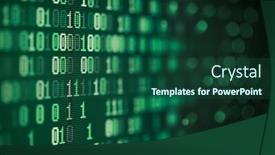
 Presentation with data - PPT layouts consisting of computer-binary-data-abstract-technology background and a ocean colored foreground

Computer Binary Data Abstract Technology

The world of computer technology is constantly evolving, and one aspect that never goes out of style is the concept of digital data. Whether it's binary code, virtual machines, or software applications, understanding this complex subject matter requires a deeper dive into its abstract nature. That's why we've created the Corner Title template, featuring a dark slate gray background with high resolution images throughout to transport you to a world of computational complexity. This template is perfect for showcasing your knowledge in a visually stunning way. The Corner Title has been designed with four key slides that take you on a journey through understanding computer technology: Design Name, Template Format, Template Color Palette, and Template Keywords. Each slide complements the others perfectly, making it an enhanced presentation to educate your audience. The template's dark slate gray color palette will give your presentations a sophisticated look, while its high resolution images for the background will keep viewers engaged. As you explore each slide, you'll find features like including a background with high definition imagery and having a theme of showcasing different aspects of technology, making it a comprehensive resource to enhance your presentation skills. The Corner Title template is compatible with Google Slides and can be downloaded easily from our website. It's an ideal solution for presentations about computer binary data abstract technology background, featuring symbol, virtual, code, data, software, high resolution images, or having a theme of showcasing different aspects of computing, enhanced with the corner title design style.

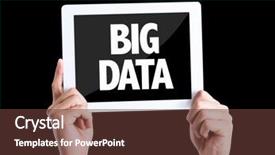
 Presentation with data - PPT theme having pc with text big data background and a tawny brown colored foreground

Tablet Pc Text Data Isolated

Imagine being able to present data in a visually stunning way that grabs your audience's attention and leaves a lasting impression. That's exactly what you can achieve with the Corner Title powerpoint template from CrystalGraphics. This template is designed for widescreen presentations, featuring high resolution images for a professional look. Its Brown color palette provides a warm and inviting background that sets the tone for an engaging presentation. The theme of this template revolves around showcasing big data in all its glory, using hands, metadata, and software to highlight key points. The 5 Step Piramid Layout slide is where things get really interesting Featuring advanced visualizations like scatter plots, bar charts, and histograms that will help you drill down into complex data. Including a background with a subtle gradient that enhances the visuals without overpowering them Adding depth to your presentation. Having a theme of data visualization that's sure to resonate with any audience. This template is downloadable and compatible with Google Slides, making it easy to import and customize. The 4 How To slides at the start will help you get up and running quickly Featuring quick tips on how to create custom layouts, incorporate images, and enhance your presentation with animations. Having a theme of learning that's perfect for anyone looking to improve their data presenting skills. Enrich your presentations with this stunning template, featuring advanced visualizations, subtle color schemes, and a professional design aesthetic.

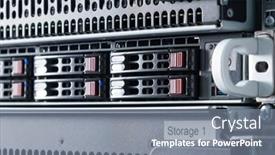
 Presentation with data - Slide deck enhanced with row-of-hard-drives-serving background and a gray colored foreground

Row Hard Drives Serving Data

The world of data storage and backup is a vast and complex one, but with the right tools and template, you can take control of your digital life. Imagine a server room filled with rows of hard drives serving as data storage units, each one humming away at high speeds, storing away precious bytes of information. In this context, our template designed for Google Slides is perfect for showcasing your data in a concise and visually appealing way. With its light steel blue background and 8 picture grid layout, you can easily feature key points and include relevant images to enhance the presentation. This template is specifically designed for Widescreen format, ensuring that all elements are displayed crisply on the screen. It's easy to customize with your own text and images, making it a versatile tool for showcasing data, backup procedures, or even rows of files. The high resolution images used in this template will provide a clear picture of what you can expect from this presentation. Featuring a background image of a sleek server room, this template is sure to engage your audience and drive home the importance of data storage. This template also includes keywords such as "array", "attached", "backup", "bytes" that are likely to be relevant to your topic. Having a theme of data management, you can enhance the presentation by including images or text related to file organization, cloud storage, and security protocols.

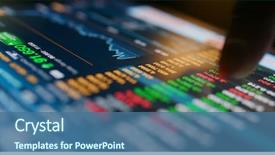
 Presentation with data - Slide set having marketing - stock market data graph background and a ocean colored foreground

Stock Market Data Graph Tablet

The world of financial data is a complex one, and visualizing it can be just as daunting. But with the right tools, anyone can break down the numbers and gain valuable insights into the world of stock market trends. That's why we've created this Split Title template, specifically designed to help you present your findings in a clear and concise manner. The Split Title template is available for download on our website, featuring high resolution images that will enhance your presentation. The Dark Cyan color palette is sleek and sophisticated, perfect for adding a touch of professionalism to any slide. With its modern yet classic design, this template will complement any PowerPoint presentation you create. As you explore the world of financial data, you might find yourself wanting to include an image that showcases the importance of trend analysis in decision making. Here's what our template could do: Featuring high resolution images such as a financial graph or a screen shot of a tablet with various stock market charts open on it, you can enhance your presentation and make it more engaging for your audience. Don't just take our word for it – Take the first step towards creating an amazing presentation. With this Split Title template, you'll be able to create professional slides that showcase your data in a clear and concise manner. And with its modern design, you'll have the perfect combination of style and functionality to make your presentations stand out. The Thank You Layout slide is where all the excitement ends. This is not just another slide – it's an opportunity to express your gratitude to those who have contributed to your project. Featuring a simple yet elegant background with a few key text elements, such as a "Thank you" message and your name, this layout sets the tone for a professional presentation that will leave a lasting impression. We've designed our template to be compatible with Google Slides, so you can easily import it into your presentation software and get started right away. Whether you're creating a comprehensive financial report or simply want to add some visual interest to your slides, this Split Title template is the perfect choice for you.

 Presentation with data - Presentation theme having medical data - stethoscope is on the keyboard background and a light blue colored foreground

Stethoscope Keyboard Computer

The powerpoint template is designed to be visually striking and organized, with a focus on medical and technical concepts. The Wide Title design name suggests a sense of grandeur and importance, while the Widescreen format allows for an immersive viewing experience. A light steel blue color palette is chosen to convey a sense of trustworthiness and expertise. The template features high resolution images as its background, creating a professional and modern look. These images can be used to display various medical equipment or data related topics, such as stethoscopes, medical charts, or electronic keyboards. The layout allows for easy navigation and exploration of different topics. This template is ideal for organizations that require an organized and structured approach to presenting their data or projects. With the 4 How To slides at the start of the deck, users can quickly get up and running with the presentation. These slides could include a "Getting Started" slide featuring a high quality image of a keyboard or computer monitor, followed by additional slides for each slide. For example, the SWOT Analysis Layout slide could be enhanced with a background image of a medical laboratory or a data center, showcasing the intersection of different concepts and ideas. The template's theme of organization can also be highlighted on this slide, featuring bold fonts and colorful graphics to create visual interest. The inclusion of keyboard imagery in various slides is particularly useful for presentations that require hands on demonstrations, such as product demos or educational workshops. Featuring a detailed image of a keyboard or computer interface allows users to easily understand the technical aspects of the presentation.

 Presentation with data - Audience pleasing presentation design consisting of composition-of-senior-male-doctor backdrop and a light blue colored foreground

Composition Senior Male Doctor Viewing

In the heart of any medical facility, a doctor's gaze falls upon a virtual landscape of data and research screens, their eyes scanning the global medicine scene with a sense of curiosity and wonder. The Split Title template is designed to capture this essence, presenting a harmonious blend of form and function that elevates the user experience. The Light Blue color palette serves as a soothing backdrop for the high resolution images that feature in the background, creating an immersive atmosphere that draws the viewer in. This theme of digital visualization is further enhanced by the inclusion of a Background With option, allowing users to customize their template with their own images or backgrounds. The Split Title template's Panoramic Picture Layout slide showcases a stunning image of a doctor standing at the forefront of a medical research facility, surrounded by sleek white surfaces and towering shelves filled with virtual medical equipment. This layout is particularly effective in Featuring a Background With option, where users can choose from various background images to create a unique look. The template's compatibility with Google Slides ensures seamless integration into any presentation, making it an Enhanced With option for educators and professionals alike. The downloadable format allows users to customize their template to suit their specific needs, while the Caucasian theme provides a clean and professional appearance that is inclusive of all audiences.

 Presentation with data - Colorful presentation theme enhanced with encode - casual young man holding laptop backdrop and a light gray colored foreground

Casual Young Man Holding Laptop

In a world where data reigns supreme, and code is the language of the digital age, our Corner Title template invites you to join the virtual revolution. This stunning widescreen masterpiece is designed to be a symbol of power and sophistication, perfect for creating engaging presentations that will leave your audience breathless. As a royal blue champion, we've crafted a color palette that exudes confidence and elegance. The high resolution images used throughout the background ensure that every detail is crisp and vibrant, setting the tone for an unforgettable experience. This template is not just about aesthetics; it's also engineered to deliver results. With four How To slides at the start of your deck, you'll be well on your way to creating a seamless learning process. However, we know that sometimes you need a little guidance – that's why we've included a Timeline Layout slide to help you stay organized and focused. Featuring high quality images of tech wizards typing away on their keyboards, this template is the perfect combination of style and substance. Including a background with subtle animations, it adds an extra layer of visual interest to your presentation. Having a theme of modern minimalism, our design ensures that it won't distract from the content you're trying to convey. Enhanced with advanced slide building features, including shapes and animations, this template is sure to impress even the most discerning eye. And the best part? You can download it for free on Google Slides, so you can get started right away!

 Presentation with data - PPT theme featuring big data computing concept background and a ocean colored foreground

Data Computing Concept Modern Technology

Imagine transforming complex data insights into actionable software solutions that drive business growth with just a few clicks this is the vision behind Corner Title, a stunning widescreen powerpoint template designed to captivate your audience and inspire their curiosity about big data computing. The dark cyan color palette will set the tone for an intense and focused presentation, perfect for networking events or research conferences. As you delve into the world of high resolution images for the background, you'll be transported to a realm of innovation and technological advancements. The template is downloadable and compatible with Google Slides, making it easy to incorporate into your existing workflows. Corner Title boasts four How To slides at the start of the deck, each one designed to get you up and running quickly. The AIDA Block Layout slide will feature a stunning background image showcasing cutting edge software technology, complete with interactive features and animations that engage your audience from the very first slide. As you navigate through the template's various sections, including research focused images and networking icons, you'll be able to include a Background With element that showcases your data sets in action. Having a theme of Data Visualization will enhance the overall experience and leave a lasting impression on your viewers. This is indeed an Enhanced With approach adding depth and context to your presentation without compromising its visual appeal. The template's AIDA Block Layout slide offers a clear call to action, making it easy for you to include relevant information about the high resolution images used throughout the presentation. The overall design is clean, modern, and visually striking, guaranteed to grab attention and leave a lasting impression on your audience. By incorporating these elements into your presentation, you'll be well on your way to delivering an engaging and informative show about big data computing.

 Presentation with data - Beautiful presentation featuring colorful file folders isolated backdrop and a yellow colored foreground

Colorful File Folders Isolated White

The moment you've all been waiting for has finally arrived, and it's time to unleash your creativity with CrystalGraphics' Wide Title PowerPoint template. This stunning design is perfect for showcasing your knowledge and expertise in education, data administration, and more. Featuring a medium turquoise color palette that's both soothing and vibrant, this template will transport your audience to a world of learning. The Widescreen format provides an immersive experience, allowing viewers to zoom in on the subject matter at their fingertips. With high resolution images for the background, you can add a professional touch to your presentation without breaking the bank. This template is downloadable and compatible with Google Slides, making it easy to share with colleagues or clients. As inspiration, think of colorful file folders stacked neatly on a white background it's the perfect representation of organization and productivity. When it comes to the template itself, we've crafted an 8 slide deck that includes four key elements to get you started quickly: Getting Started with Our Template; Organizing Your Content in Style; Presenting Your Data with Ease; and Enhancing Your Presentation Experience. But don't worry, our expert designers have left room for flexibility you can still add your own personal touch. On this template, you'll find a unique 4x4 Org Chart Layout that offers endless possibilities for customization. Imagine presenting your team or department structure in a clear and concise manner, complete with highlighting key roles and responsibilities. This feature will help establish trust and credibility with your audience, making it an invaluable tool for any educational or administrative professional. Throughout the deck, we've included high quality images to enhance the overall design. Featuring a beautiful background with subtle texture, these images will add depth and visual interest to your presentation without overpowering the content. And if you need to include a specific image, no problem simply let us know, and we'll make it happen. Having a theme of clarity and readability in mind, our template is designed to communicate effectively and efficiently. With this stunning Wide Title PowerPoint template, you're ready to take your presentation to the next level. Whether you're sharing insights on education or data administration, this template has got you covered. Get creative, get organized, and get started with CrystalGraphics' incredible design

 Presentation with data - Presentation theme consisting of glowing streams data - green fiber optics lights abstract background and a navy blue colored foreground

Green Fiber Optics Lights Abstract

The world of electronics and networking is revolutionizing the way we communicate, and now you can take your presentation to the next level with the Sidebar Title template from CrystalGraphics. This stunning widescreen template features a mesmerizing green fiber optics background that sets the tone for a high tech and visually appealing presentation. The intricate design elements are perfectly showcased in the accompanying images, which showcase the template's capabilities as a feature rich and easy to use tool. This is not just another static design it comes alive with the inclusion of a Background With photo on slides 1,2,3 and4, making it perfect for those who want to convey information through visuals. The Sidebar Title template is designed to enhance your presentation with its theme of electronics, communicate effectively through data and channel a networking aspect. This makes it an ideal choice for anyone looking to create a visually engaging and informative presentation that showcases their knowledge of the subject matter. When you're ready to get started, explore the four How To slides at the beginning of your deck to help you quickly get up and running, but don't worry these are just suggestions. Instead, let this template be the foundation for your presentation, and add your own unique touch with the Enhanced With background features and layout options. This is a truly versatile template that can be easily customized to fit your needs, making it an excellent choice for both beginners and professionals alike. Whether you're presenting on high resolution images, data visualization, or networking fundamentals, this Sidebar Title template will take your presentation to the next level with its eye catching design and engaging layout options. The Sidebar Title template from CrystalGraphics is a must have for anyone looking to create a professional and visually appealing presentation that communicates their message effectively.

 Presentation with data - Presentation with meta data - business man pointing to transparent background and a white colored foreground

Business Man Pointing Transparent Board

The world of networking is vast and complex, and understanding metadata is key to unlocking its secrets. From data analysis to research, the importance of this concept cannot be overstated. This template is designed to facilitate your exploration of the space, featuring a sleek and modern design that exudes professionalism. The Dark Khaki color palette provides a sophisticated backdrop for your content, while high resolution images add depth and visual interest to the background. A seamless transition between slides is enabled by our customizable layout, allowing you to create a cohesive look that enhances the overall user experience. The template is designed with scalability in mind, making it compatible with Google Slides and suitable for presentation on a wide range of devices. With its flexible design, you can easily incorporate advanced features such as images, videos, and animations to make your content truly engaging. To get started quickly, four key slides will provide a solid foundation: "Getting Started", "Metadata Basics", "Data Analysis", and "Networking Fundamentals". These introductory slides will help you grasp the basics of metadata, data analysis, and networking, setting the stage for further exploration. Some features that are included in this template include a transparent background with text, which can be used to add emphasis or illustrate key concepts.

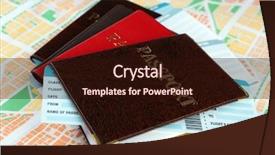
 Presentation with data - Theme consisting of citizen data - passports with tickets on map background and a wine colored foreground

Passports Tickets Map Background

Theme consisting of passports with tickets on map background

 Presentation with data - Cool new presentation theme with data - many screen monitors with charts backdrop and a teal colored foreground

Many Screen Monitors Charts Graphs

The world of finance is a visual landscape where charts and graphs reign supreme. Many screen monitors with colorful stocks and trading symbols are the backdrop to countless presentations, reports, and analyses. To effectively convey complex financial data in an engaging way, it's essential to have a template that stands out from the crowd. Introducing Wide Title, a stunning Widescreen Trading Template featuring a sleek Steel Blue color palette that will make your visualizations pop. This high resolution infographic template is designed for users of all skill levels and is compatible with Google Slides. With its striking background images and clean design, it's the perfect choice to elevate any presentation. The Wide Title template is more than just a set of pre designed elements it's an enhanced visual identity that combines style and functionality. For example, you could use this template as the centerpiece for your high resolution charts and graphs, creating a dynamic visualization that really drives home the message. As you get started with your presentation, don't worry about getting up to speed quickly just dive right in and explore the four How To slides at the beginning of the deck. From mastering the Dart on Target Layout slide to incorporating this template into your workflow, these resources will have you creating engaging visualizations in no time.

 Presentation with data - Colorful slides enhanced with kids data - portrait of two schoolgirls looking backdrop and a coral colored foreground

Portrait Two Schoolgirls Looking Laptop

Slides enhanced with portrait of two schoolgirls looking at the laptop during lesson

 Presentation with data - Cool new PPT theme with discussing data backdrop and a tawny brown colored foreground

Discussing Data

PPT theme with discussing data

 Presentation with data - PPT layouts consisting of searching for data background and a white colored foreground

Searching Data

The world of bio tech is buzzing with excitement as researchers and experts gather to share their findings and insights. Corner Title is the perfect template to get you started, featuring high resolution images of cutting edge equipment and sleek lines that evoke a sense of innovation. Our Widescreen template is designed in Powder Blue, a soothing color palette that provides a calm yet stimulating background for your presentation. This theme also lends itself perfectly to the occupation focused keywords you'll be using throughout your study. Imagine presenting on top of this background with a subtle gradient that highlights important statistics or images – it's a dynamic and engaging way to keep your audience engaged. If you're looking to feature high quality, 4K resolution graphics or include a background with stunning visuals, Corner Title has got you covered. The Social Media Concept Layout slide is also a great starting point, where you can showcase relevant hashtags and keywords in an easy to read format. Have a theme of simplicity yet effectiveness when integrating these social media elements into your presentation. With the expertise of bio tech at its core, this template enhances your ability to stay up to date with the latest research and discoveries. By including interactive features such as links to supporting sources or downloadable resources, you'll make it easy for your audience to dive deeper into the subject matter. The high resolution images used throughout our Widescreen template provide a polished finish that's sure to impress your colleagues and peers. With its Powder Blue color palette, Corner Title is the perfect choice for any bio tech presentation, study session, or professional networking event.

 Presentation with data - Presentation design having businessman-searching-for-big-data background and a ocean colored foreground

Businessman Searching Data

Presentation design having businessman searching for big data

 Presentation with data - PPT theme with executive business abstract - programmer have data info background and a sky blue colored foreground

Programmer Data Info

Imagine sitting in front of a computer screen, surrounded by rows of data, as you ponder the intricacies of your latest project. You've got Palm sized screens and high resolution images floating around in the air, but you need something that will really make an impact on this presentation. That's where Corner Title comes in a beautifully designed template that's sure to grab attention. The Corner Title is available as a widescreen ready format, perfect for showcasing your data and office themed slides. The Light Steel Blue color palette gives it a sleek and professional look that's sure to impress. Featuring high resolution images from around the web, this template has got you covered. Including a Background With plenty of options to choose from, you can customize this template to fit your unique style. Having a Theme of Data is perfect for presentations about programming or data analysis. The Opposite Directional Arrows Layout slide is sure to be a hit just imagine the arrows pointing downwards, emphasizing your message and drawing attention to the most important information on screen. This layout is Enhanced With a clean and modern design that's sure to make your slides stand out from the crowd.

 Presentation with data - Beautiful presentation theme featuring electronic banking - businessman data info backdrop and a teal colored foreground

Businessman Data Info

Imagine presenting your business data to clients in a clear and concise manner, effectively communicating the value of your software based solutions. The Wide Title template is designed specifically for professionals who need to present their high quality information with confidence. The Wide Title template features a sleek and modern design that exudes professionalism. It's available in widescreen format and perfectly complements the Dodger Blue color palette, creating a cohesive look that is both visually appealing and professional. The template includes 4 How To slides at the start of the deck to help you get up and running quickly, including essential shortcuts for PowerPoint. The template also includes 5 P's of Marketing Diagram Layout as a reference guide to enhance your presentation. Featuring high resolution images throughout, this template will showcase your expertise in data analysis and software solutions. Including a background with subtle gradients will give your presentation an enhanced visual appeal. Having a theme of sophistication and professionalism is guaranteed with the Wide Title template. The Enhanced With section highlights that this template is also downloadable and compatible with Google Slides, allowing you to easily integrate it into your existing presentations.

 Presentation with data - Amazing PPT layouts having set of flowers and leaves backdrop and a lemonade colored foreground.

Blue Data Space

PPT layouts having blue data space

 Presentation with data - Presentation design featuring data concept in it technology background and a tawny brown colored foreground

Data Concept Technology

A Corner Title is designed to showcase the Big Data concept in IT technology through high resolution images and a professional Steel Blue color palette that dominates the Widescreen format. The template is perfect for those who want to highlight their data driven research projects or presentations with a sleek and modern design, featuring big, bold fonts and a clear theme of showcasing software, laptops, and research. The Corner Title can be used as a starting point for any project related to IT technology, Big Data, or research. It is an ideal template for creating engaging slides with high resolution images, perfect for presentations, reports, and proposals. The Steel Blue color palette, featuring a range of blue tones from light sky blue to navy, provides a professional and trustworthy look that exudes confidence. The Circular Step Layout slide can be used to highlight key concepts and ideas in the data driven world, providing a clear structure and organization to your slides. For example, it could include features such as including a background with a high resolution image of a cityscape or a futuristic city, having a theme of showcasing data visualization tools, enhanced with interactive elements such as animations and hover effects. The template is downloadable and compatible with Google Slides, making it easy to integrate into your workflow. Its design and functionality are ideal for presentations, reports, proposals, and other projects that require a strong presence in the Big Data space.

▼Key features of this template

  • They are compatible with both PowerPoint and Google Slides running on either Windows PCs or Macs.

  • They are available in both standard and widescreen slide formats. You can choose your preferred format by clicking on the "Widescreen" check box or icon.

  • Each template includes a beautiful high-resolution background image or video to visually reinforce the theme of your presentation.

  • In addition, each template includes designer-created graphics and modern fonts to give your presentations an up-to-date, professional look.

  • Each template's default design and title text position have been carefully selected to complement its background without covering faces or other key elements.

  • All text includes backdrops whose transparency level is mathematically calculated to maximize text readability while still allowing the background to be seen.

  • And all the text, text backdrops and graphics in every slide are colored with a palette designed to beautifully complement the colors in the background.

  • Our Premium templates (those with the descriptor “Premium” in their subtitle) include over 64 slide layouts to give you maximum flexibility as you create your presentations.

    • Those layouts are available to you whenever you create a new slide or when you want to change the layout of an existing slide.
    • They include everything you need to make all sorts of presentations. In addition to the layouts for the title slide and the usual title and content slide, they include many other layouts for slide types including table of contents slides, org charts, charts, diagrams, infographics, photo slides, thank you slides and more.
    • While creating these layouts our template designers have ensured that all text in every layout adjusts as gracefully as possible to various numbers of words.
  • Customizable templates (those with the descriptor “Customizable” in their subtitle) may be easily modified online before you download them.

    • To modify them, simply click on the pencil editing icon, then select your choice of ready to go designs and title text positions.
    • The editing tool also makes it easy to reposition and scale the background image or video to best suit your needs.

▼FAQs

Please review these FAQs to see if your question is answered. Contact us for more info

  • What is a PowerPoint template?

    • A well designed PowerPoint template is a file that can tell PowerPoint how to make your ordinary templates look extraordinary. They won’t change what your words or numbers say. But they might change their size, color, font and placement. And, overall, they can give your presentations a professionally-designed look that will give your content more credibility and give you more confidence.
  • How many PowerPoint templates do you offer?

    • We have over 32,000 artist-created presentation templates in our PowerPlugs collection With a subscription, PowerPlugs templates are easy to download. Just sign in, find a template and click on the green Download button. ready for you to download. That alone offers you more variety to choose from than any of our competitors can offer. And, as if that weren’t enough, we also offer over 6 million templates in our Crystal collection. Crystal brand templates are our line of templates that have customization options. They have the word "CRYSTAL" on their web page images. You can customize several aspects of the templates. These templates include high-resolution background images from Shutterstock’s vast image collection matched up with artist-created presentation designs customized by our own proprietary AI software.
  • How many templates can I download as a subscriber?

    • You can download an unlimited number of PowerPlugs-brand With a subscription, PowerPlugs templates are easy to download. Just sign in, find a template and click on the green Download button. templates every day for an entire year. (Actually, by default, we set a limit of 25 templates per day to prevent our competitors from stealing our templates. But, if that is not enough, just let us know and we’ll try to accommodate you.) On top of that, with a subscription or an Ultimate Combo, you can also download any 50 Crystal-brand Crystal brand templates are our line of templates that have customization options. They have the word "CRYSTAL" on their web page images. You can customize several aspects of the templates. templates per year selected from our huge Crystal collection. Crystal brand templates are our line of templates that have customization options. They have the word "CRYSTAL" on their web page images. You can customize several aspects of the templates. .
  • Why should I choose your templates instead of the competition’s?

    • We’ve got a larger selection of professionally-designed PowerPoint templates than anyone else in the world.
    • Each template includes a high-resolution background image or video to visually inspire your audiences while reinforcing your message.
    • Each template includes 64 slide layouts to give you maximum flexibility as you create your presentations.
    • Our templates are available in both standard and widescreen slide formats. And our website lets you preview the slides each way.
    • Our free Template Finder™ plugin lets subscribers select and - with a single click - download and insert our templates into their presentations right from within PowerPoint.
    • We’ve been creating designer presentation templates for over 20 years. During that time we’ve won several awards and 5-star ratings for product quality. See About Us for more.
  • Do you offer a money-back guarantee?

    • Yes we do! We offer full 30-day money-back guarantee if you are not 100% satisfied with your purchase.
  • Can I still use my downloaded templates after my subscription runs out?

    • Yes. After your subscription expires, you won't lose any rights or ability to use your PowerPlugs: Templates for PowerPoint. You won't be able to download any new non-watermarked templates. But the non-watermarked templates you've already downloaded will still work and you can still use them as before.
  • Can I share my downloaded templates or passwords with friends or coworkers?

    • Sorry but no. You are authorized to download each paid-for template to up to 3 of your personal devices and to use the templates you download in as many presentations as you want. But you are not authorized to share the templates, themselves, with others. That said, we do offer highly discounted site licenses to suit the needs of both small and large teams. Just tell us your needs and we’ll give you a quote!
  • System requirements:

    • The templates use the standard POTX format. So they are compatible with Google Slides and all PC, Mac and mobile devices running any version of PowerPoint from PowerPoint 2007 up through and including Office 365 desktop.
    • Please note: Google Slides does not currently support background videos. It treats them as still images.
    • For PowerPoint for the Web, first open your template into a desktop version of PowerPoint, then save it back out as a PPTX file. Then you can open that in PowerPoint for the Web.
  • End user license agreement:

    • Click here to view.
  • How will I get my purchased templates?

    • You may download your selected templates as soon as your payment is received by PayPal. If you purchased an individual template, you will be provided with a download link both onscreen and via email. Just click on that link to begin the download process. If you purchased a subscription, you will receive an email containing a password to use along with your email address to sign in to any of the templates pages on CrystalGraphics.com. Once you are signed in, you can immediately start downloading your selected templates.
  • How do I use my templates after I download them?

    • You can either open a template to start a new presentation or you can add a template to an existing presentation. To open a template, just double click on it or use PowerPoint's File > Open tool. To add a template to an existing presentation, on the Design tab, in the Themes group, click Browse for Themes... then browse to select your template.

View more Data templates:

previous 1 2 3 4 5 6 7 8 9 10 11 12 13 14 15 16 17 next
Categories related to Data:
Analysis Analyst Analytics Breach Center Extraction Market Personal Processing Protection Structure Transfer
93% of Fortune 1000
companies use our
PowerPoint Products
Templates Secure

Standing Ovation Award
Winner: Best PowerPoint
Template Collection
Fortune Logos
200,000+ satisfied
customers worldwide!
Guarantee
100% satisfaction guaranteed
- or send it back for a refund!

Sign up for our free newsletter! You'll get news about our PowerPoint-enhancing product line – including free updates, new product announcements and exclusive special offers. Plus you'll get a link to a free PowerPoint template with every newsletter you receive.
Privacy Policy
Loading...


Help

Contact Us
Product FAQs
Product License Agreements

Company Info

About Us
Privacy Policy
CrystalGraphics, Inc. 1999 S. Bascom Avenue Suite 700 Campbell, CA 95008 USA
© 2026 CrystalGraphics, Inc. All rights Reserved.    |     PowerPlugs is a trademark of CrystalGraphics, Inc.
Microsoft and the PowerPoint logo are trademarks or registered trademarks of Microsoft Corporation in the United States and/or other countries.
Loading...
Loading...