www.crystalgraphics.com CrystalGraphics
  • Ultimate Combo
  • Templates
  • Diagrams
  • Characters
  • Quizzes
  • shopping cart
  • Sign Out Sign Out Sign In
Home > Templates > Book > Digital Book Category
search icon
advanced icon

159 Best Digital Book-Themed Templates for PowerPoint and Google Slides

Conceptually striking Digital Book PowerPoint templates await you at CrystalGraphics, where a vast collection of 6.7 million templates offers something for every creative project. This expansive library includes:

A sleek and modern template featuring a pair of batteries placed over a digital book with a gray background, perfect for presentations that need an energetic boost.
Another innovative design showcases a beautiful slide with voip inscription coming out backdrop and ocean colored foreground, ideal for projects requiring a touch of sophistication and elegance.
Additionally, this collection boasts stunning slides that highlight the benefits of VoIP technology, perfect for presentations that focus on communication and collaboration.

The sheer variety of Digital Book PowerPoint templates is simply staggering, covering a wide range of themes and styles to cater to diverse needs. From casual wear inspired designs to ocean colored backdrops with modern typography, theres something within this collection for every creative vision.

To take your presentation to the next level, explore CrystalGraphics vast library and discover more than 60 unique templates that offer endless possibilities for customization. Browse through our other categories or select the perfect template for your needs today you wont be disappointed!

Features & Pricing

Widescreen (16:9) Presentation Templates. Change size...
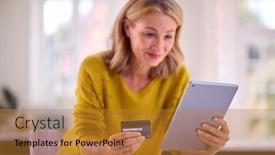
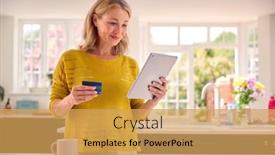
 Presentation with digital-book -

Mature Woman Credit Card Using

The Corner Title template is designed to present a dynamic and engaging image that showcases a mature woman using her digital tablet at home to book holiday or shop. The Goldenrod color palette provides a warm and inviting atmosphere, while the text "Booking Bliss" highlights the excitement of making reservations or purchases online. This template is formatted in widescreen, ideal for showcasing high resolution images. The Background Features A High Quality Image Of A Woman Holding A Digital Tablet And Scanning Documents On Her Computer In Front Of A Window With Natural Light Spilling In From Outside, Creating A Cozy Ambiance That Is Perfect For Relaxing During A Holiday Staycation. The template includes a theme of booking and shopping, with the text "Booking Your Dream Vacation" Featured Across The Top Of Each Slide. Including A Background With A Goldenrod Color Scheme And Matching Text Elements Creates A cohesive Look That Is Enhanced With A Theme Of Travel And Leisure. This is perfect for creating engaging presentation slides that showcase your travels or vacation plans. Having a theme of travel and leisure Enhances The Overall Experience And Will Make Your Slides Stand Out To Your Audience, Whether You're Exploring New Destinations Or Planning A Weekend Getaway.

 Presentation with digital-book -

Mature Woman Credit Card Using

In the context of a powerpoint template provided by CrystalGraphics, featuring a stunning image of a mature woman with a credit card and digital tablet at home to book holiday or shop is an attention grabbing start. This template's design name Corner Title reflects its unique format and style. This template is available in widescreen format, which will take full advantage of your computer's screen real estate. The goldenrod color palette adds a warm and inviting touch to the design. Incorporating high resolution images for the background will give your presentation a professional and polished look. The template keywords are booking, woman, mature, caucasian, happy, enhancing the overall theme of leisure activities and relaxation. Featuring four how to slides at the beginning of the deck will help you get up and running quickly, such as "Quick Links to Frequently Used Features" or "Getting Started with Your New Template". The 6 x 6 Org Chart Layout slide is a great opportunity to showcase your organization structure and team collaboration. For instance, you could include a background image of a desk with a laptop and a calendar on it, highlighting the theme of planning and organization. Having a theme of enhancing productivity will make your presentation more engaging for your audience.

 Presentation with digital-book -

Mature Woman Credit Card Using

The world of business and marketing is often portrayed through the eyes of a mature woman with a confident smile as she navigates her digital life, effortlessly booking holidays or shopping online on her laptop. Her fingers glide effortlessly over the keyboard, her eyes scanning the pages of her tablet as she makes her way to her favorite destination. In this template, you'll find that the design name is Corner Title a fitting choice for any business that wants to make an impression. The Widescreen format ensures that your brand is front and center, while the Dark Goldenrod color palette provides a sophisticated backdrop for your content. Throughout the template, you can feature high resolution images of beautiful women in various settings, from relaxing at home to exploring new destinations. This template includes four How To slides that will help you get started quickly, but we won't reveal those just yet. For now, let's focus on what it could be used for imagine presenting your latest business development strategy or showcasing a successful marketing campaign to a client. You'd want to create an engaging and visually appealing presentation that resonates with your audience. The Circular Approach Layout is a versatile feature that can enhance the overall look and feel of the template. You can include a background image or video, adding visual interest and depth to your content. Having a theme of "digital life" makes this template particularly suitable for showcasing the intersection of business and technology.

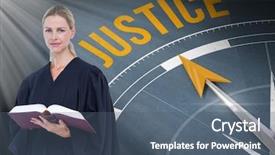
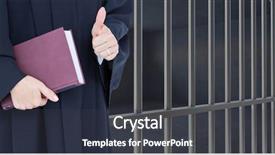
 Presentation with digital-book - Audience pleasing PPT layouts consisting of law nature - digital composite of judge holding backdrop and a light gray colored foreground

Digital Composite Judge Holding Book

In the stillness of a digital landscape, where code and creativity converge, we present to you Corner Title, a stunning PowerPoint template that embodies the essence of serenity and sophistication. Designed in Widescreen format with a pale violet red colored palette, this template is perfect for those who crave a sense of calm and elegance. The perfect backdrop for showcasing your most meaningful content, whether it's a high resolution image featuring a captivating scene or a thought provoking quote. The Corner Title template offers a sophisticated theme that shines bright from the very first glimpse. With four How To slides at the start of the deck to help you get up and running quickly, you'll be well on your way to creating stunning presentations in no time. Featuring a beautiful background with subtle gradient effects, this template includes a Background With elegant design elements such as clean typography, rich textures, and intricate patterns that enhance any presentation. Having a Theme of showcasing your personality and style, the Corner Title template is perfect for those who want to make a lasting impression. The 5 Year Calendar Timeline Layout slide is a masterclass in visual storytelling, allowing you to effectively convey complex information with ease. This unique layout features a detailed calendar view, complete with dates and events, making it an ideal tool for scheduling meetings or planning events. By including this feature in your presentation, you'll be able to showcase your knowledge and expertise in a clear and concise manner. The Corner Title template is downloadable and compatible with Google Slides, ensuring seamless integration into your existing workflow. With its beautiful design elements and intuitive layout, this template is sure to make your presentations stand out from the crowd.

 Presentation with digital-book - Cool new presentation theme with justice text and compass backdrop and a ocean colored foreground

Digital Composite Judge Holding Book

In the digital realm, where pixels are woven into the fabric of our existence, there exists a template that embodies the essence of creativity and innovation the CrystalGraphics powerpoint template "Digital Studio". This design name perfectly captures the essence of a studio where artists, designers, and creatives come together to bring their visions to life. The Steel Blue color palette, reminiscent of a clear summer sky on a warm day, sets the tone for this sleek and modern template. This template is specifically designed with a widescreen format in mind, allowing you to showcase high resolution images as the background features, creating an immersive experience for your audience. With its Caucasian dominated aesthetic, white background adds a clean and professional touch, perfect for showcasing your work. The Steel Blue color palette is enhanced with subtle metallic textures that give it an edgy feel, suitable for presentations where you want to convey excitement and energy. The template's keywords studio, flare, career, and Caucasian are seamlessly integrated into the design, creating a cohesive look and feel that's sure to impress. The download feature allows you to add your own flair to this template, making it truly unique and personalized. And with its compatibility on Google Slides, you can share your digital creations with ease. The best part? This template is available for immediate download, so you can start creating your masterpiece right away just follow the 4 How To slides at the start of the deck to get up and running quickly. A Timeline Layout slide could include a graphic representation of how you've transformed your career journey into this stunning digital studio. This could be accompanied by text such as "From Concept to Reality" or "Creating a Career in [Your Field]" all featuring an inspiring image that showcases your hard work and dedication. With this template, you're not just creating a presentation you're launching your own creative project. And when done correctly, it's sure to leave a lasting impression on your audience.

 Presentation with digital-book - Beautiful presentation theme featuring hand writing on spiral backdrop and a soft green colored foreground

Digital Composite Hand Writing Spiral

In the world of education and communication, a well designed template can make all the difference. One such template is the Wide Title, a unique and attention grabbing design that is sure to stand out in any presentation or infographic. The Wide Title is formatted as a widescreen template, ideal for showcasing high resolution images on the screen. The Chocolate color palette provides a rich and sophisticated background that complements the modern hand shake symbol logo nicely. This template features 4 How To slides at the start of the deck to help you get up and running quickly, but they are not listed here as we want to focus on the main elements first. With its high resolution images and Opposite Directional Arrows Layout slide, which allows for a smooth transition between different parts of the template, this template is perfect for creating an engaging infographic that includes a background with a theme of education. This design can be enhanced with additional features such as including a brief overview or definition in the introduction slide to set the tone for your presentation. Having a clear and concise structure is essential, so making sure you have all the necessary slides ready before starting your presentation is crucial. Featuring a clear call to action at the end of each slide would also be an excellent idea.

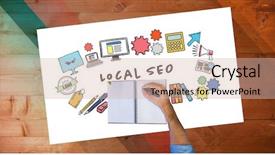
 Presentation with digital-book - Presentation design consisting of seo-inscription-coming-out background and a violet colored foreground

Seo Inscription Coming Out Open

From the opening page of the PowerPoint template provided by CrystalGraphics, you can't help but feel like you're diving into the heart of digital innovation. The Corner Title design is a masterclass in simplicity and sophistication, with its sleek slate gray color palette serving as a perfect backdrop for showcasing high resolution images that seem to leap off the screen. The Widescreen format ensures that your content takes center stage, while the 16:9 aspect ratio provides a seamless viewing experience on any device. This template is ideal for those looking to enhance their notes and documents with a professional touch, whether you're working on a project or simply need a secure space to jot down ideas. The keyword friendly design ensures that your objectives shine through, from high quality notes to cutting edge experiences. The slate gray color palette is inclusive of a background with a subtle gradient effect, making it easy to add some visual interest. Having a theme of modern style and clean lines, this template is sure to make a statement in any presentation. The AIDA Block Layout slide plays a crucial role in building anticipation and emphasis on the key points you want to convey. Featuring a prominent headline, clear call to action, and visually appealing graphics, this slide design effectively sets the tone for your entire deck. Including a background with a subtle texture and incorporating high resolution images of your favorite books or authors can add an element of sophistication and personality to your presentation. Having a theme of creativity and innovation, this template is sure to inspire your audience.

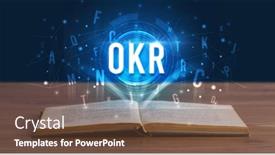
 Presentation with digital-book - Cool new PPT theme with okr-inscription-coming-out backdrop and a tawny brown colored foreground

Okr Inscription Coming Out Open

In the world of professional development, creating high quality content that resonates with audiences is crucial. As we embark on this journey to craft an attention grabbing design, the Corner Title template by CrystalGraphics emerges as a prime inspiration, perfectly encapsulating the essence of what makes effective communication compelling. The Corner Title template boasts a sleek and modern design, featuring a steel blue color palette that exudes professionalism and sophistication. The Widescreen format ensures that the content is visually stunning, with high resolution images for the background that will leave viewers captivated. The theme of notes, documents, experience, secure, objective – these keywords capture the essence of what this template is all about. The download and compatibility with Google Slides make it an ideal addition to any digital professional's toolkit. This template is not just a design; it's a tool that enhances the user experience, making it easier for users to engage and understand complex information. With its premium features and seamless integration, the Corner Title template is sure to become a staple in any creative team. As we delve into this template, we'll discover four groundbreaking slides that will help you get up and running quickly: Introduction, Key Messages, Action Items, and Follow up. These How To slides are designed to guide you through the process of crafting compelling content, making it easier for you to present your ideas effectively. The Section Header Layout slide is a thoughtful touch, providing structure and clarity as you navigate this template. Featuring a clean design with prominent headers, this section sets the tone for the rest of the deck. Having a theme of simplicity, transparency, and elegance, this layout ensures that the content flows effortlessly from one slide to the next. The Corner Title template is an excellent starting point for creating high quality digital content that engages and informs your audience. Its sleek design, premium features, and seamless integration make it a versatile tool for professionals in various industries, from notes and documents to experience and security.

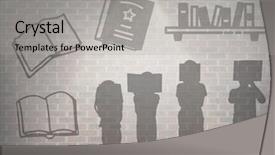
 Presentation with digital-book - PPT theme consisting of digital composite of book reading background and a light gray colored foreground

Digital Composite Book Reading Silhouette

The moment you open this powerpoint template, you'll notice a stunning digital composite of book reading silhouette graphics that will transport you to a world where creativity knows no bounds. The background is designed in a warm and inviting rosy brown color palette, which sets the tone for a professional yet approachable look. With its clean design and high resolution images, this template is perfect for showcasing your ideas and projects. This Wide Title template is specifically designed for Widescreen formats, featuring a bold and modern font that will add a touch of sophistication to any presentation. The rosy brown color palette is complemented by a range of concrete textures that evoke a sense of energy and creativity. Whether you're presenting innovative ideas or sharing your latest creations with colleagues, this template has got you covered. As you begin to work with this template, you'll notice the 4 How To slides at the start of the deck that will help guide you through the process quickly. Each slide provides a helpful starting point for launching your project, and can be customized to fit your specific needs. With its Enhanced Backgrounds and Including a Theme Of capabilities, this template is more than just a blank canvas – it's an invitation to bring your ideas to life. For example, imagine showcasing your latest book on architecture in the "Featuring a Book of the Month" slide, with high resolution images and clear headings to make it easy for attendees to follow. Alternatively, you could include a range of concrete textures and patterns to add depth and visual interest to your presentation. With this template, the possibilities are endless, and it's sure to enhance your presentations with its unique blend of style, functionality, and creativity.

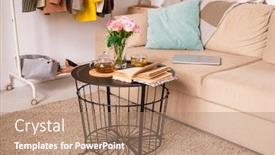
 Presentation with digital-book - PPT theme having small-table-with-pink-roses background and a coral colored foreground

Table Pink Roses Open Book

Create a warm and inviting atmosphere with our Corner Title template featuring a stunning goldenrod color palette that evokes feelings of luxury and serenity. This beautiful design is specifically tailored for the heart of any room the living area. Imagine relaxing on a plush couch surrounded by soft carpet, a comfortable armchair, and a beautifully placed table, adorned with high resolution images that bring this scene to life. Our template is designed to transport you to a tranquil oasis, where the soothing colors and gentle patterns will calm your mind and uplift your spirit. Featuring intricate details such as detailed furniture, rich textures, and soft lighting effects, every element in this design has been carefully crafted to create a sense of depth and dimensionality. Whether it's for a relaxing evening by the fireplace or a cozy movie night under the stars, our Corner Title template is sure to enhance your living space with its warm and inviting theme. Including a background with subtle shading and highlights creates a visually appealing effect that adds to the overall ambiance of your room. Having a theme of creating a sense of warmth and comfort will make you feel relaxed and rejuvenated in no time. The image on this slide, showing high resolution images of furniture and decorative items arranged around a comfortable couch, is a great example of how we've included features like texture and pattern to add visual interest. Enhanced with 4 How To slides that help users get up and running quickly, including a simple setup guide for Google Slides, the Corner Title template offers users a comprehensive resource to learn how to use it. These slides provide clear instructions on how to customize colors, switch between templates, and access additional features. With this template, you can create a unique and personalized design that reflects your personal style and preferences, making it an excellent choice for anyone looking to enhance their workspace or home decor.

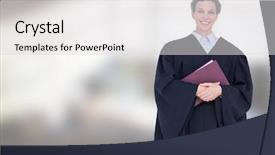
 Presentation with digital-book - Presentation design with judgment day - digital composite of judge holding background and a light gray colored foreground

Digital Composite Judge Holding Book

Imagine standing confidently at your studio desk, wearing your formal attire, with a confident air about you as you hold the book in front of an impressive bright background. This is what it feels like to be a successful career individual, and that's exactly what this template promises to deliver. The Corner Title template is designed to enhance your presentation with a royal blue color palette, making it perfect for formal events or presentations where you want to make a statement. The template features high resolution images of high profile individuals in various settings from judges holding books to celebrities walking down catwalks all set against a stunning bright background that showcases the power and elegance of your brand. The 6 Pictures grid layout slide will give you an idea of what this template is all about, with four key slides designed to help you get up and running quickly: How To 1: Creating Your Master Slide, How To 2: Customizing Your Colors, How To 3: Adding High Quality Images, How To 4: Enhancing Your Template's Theme. Featuring a background image of a luxurious cityscape with sleek skyscrapers and a hint of the night sky, this template is sure to impress your audience. This template is downloadable and compatible with Google Slides, making it easy to incorporate into your presentations or projects. The royal blue color palette ensures that your presentation stands out from the crowd, while the high resolution images provide an immersive experience for your viewers. With its comprehensive design features and accessible layout, this template is sure to enhance any presentation, whether you're a career individual, fashion designer, artist, or anything in between.

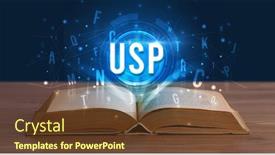
 Presentation with digital-book - Audience pleasing presentation theme consisting of usp-inscription-coming-out backdrop and a tawny brown colored foreground

Usp Inscription Coming Out Open

The moment you think you've found your perfect template has just begun to unfold. Introducing Corner Title, the ultimate design name for any presentation that demands attention and sophistication. This widescreen template is a game changer, featuring a sleek steel blue color palette that exudes confidence and professionalism. Corner Title is more than just a template it's an experience waiting to be had. With its 5 Stages Pentagon Layout slide, you'll get a clear understanding of how the different sections work together to create a cohesive look and feel. The stages include key points, data visualization, real time feedback, action planning, and a call to action. This comprehensive guide will help you navigate even the most complex presentation topics with ease. And that's not all this template is also downloadable and compatible with Google Slides, making it easy to import your own images or use stock photos to enhance your presentation. The high resolution background images are sure to make a statement, and the steel blue color palette will keep your notes organized and stylish. The template keywords you'll find in Corner Title are "notes", "documents", "experience", "secure", and "objective". These themes are all built into the design, so you can focus on what matters most communicating your message effectively. And with its modern format, you can easily add interactive elements, such as notes and summaries, to make your presentation truly engaging. The good news is that Corner Title is more than just a template it's an invitation to create something truly remarkable. So why wait? Get started today and take the first step towards crafting presentations that leave a lasting impression.

 Presentation with digital-book - Presentation design with composite of student reading book background and a soft green colored foreground

Digital Composite Student Reading Book

Imagine starting your presentation with a captivating scene that sets the tone for the rest of your digital journey. A student sitting at a table, surrounded by books and notes, is about to embark on an educational adventure the world of Infographics. The image is warm and inviting, featuring high resolution images in a pale goldenrod color palette, which will serve as the perfect backdrop for your slides. The Split Title template, designed with you in mind, boasts a unique layout that seamlessly integrates text into an eye catching design. The template's circular approach layout allows for effortless navigation through various sections, making it an ideal choice for presentations that need to convey multiple ideas and themes. The contrast between the bold, Western style script font and the soft, golden colors will leave your audience engaged. This template is not only visually striking but also highly versatile. You can featuring high resolution images in various orientations or Including a Background With customizable templates to match your needs. Having a Theme of enhancing visuals and making it easy to download and integrate into Google Slides, this template is sure to impress your audience and provide an enhanced viewing experience. In the Split Title template, you'll have four How To slides at the start of the deck to help you get up and running quickly. These slides will guide you through setting up your presentation with ease, ensuring a smooth flow throughout your digital journey.

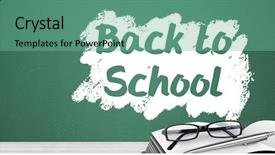
 Presentation with digital-book - Slide set featuring blackboard with glasses and book background and a  colored foreground

Digital Composite Back School Text

In the spirit of academic rigor and visual exploration, we present Corner Title, a template designed to transport you back to the days of textbooks, blackboards, and bright eyed curiosity. This Widescreen masterpiece is formatted with precision, showcasing a stunning Sea Green color palette that evokes feelings of serenity and clarity. As you take in the digital composite of a bustling classroom, featuring high resolution images of students working together on projects, glasses perched on the end of their noses, and textbooks piled haphazardly on desks, you'll be transported to a world of education and learning. The template is fully downloadable and compatible with Google Slides, ensuring seamless integration into your presentation workflow. The Corner Title template boasts an impressive Color Swatch, carefully curated to include a variety of hues that will enhance the visual impact of your slides. From warm neutrals to bold accent colors, every detail has been thoughtfully considered to create a cohesive look and feel that is sure to impress your audience. When working with this template, you'll have access to four How To slides that provide valuable guidance on getting started quickly. These expertly crafted slides will guide you through the process of customizing your template to fit your unique needs and branding. Additionally, each slide has a theme of "Highlighting Essential Features" making it an ideal choice for showcasing your creative vision. The 3 Member Bio Layout slide is sure to be a standout feature in any presentation, featuring a clear and concise format that showcases your expertise. By including relevant keywords and images, you'll make it easy for viewers to quickly scan through your bio and get a sense of who you are.

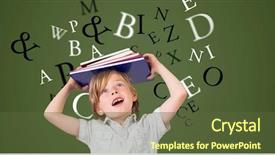
 Presentation with digital-book - Slide set enhanced with image of boy carrying book background and a  colored foreground

Digital Composite Digitally Generated Image

The Corner Title powerpoint template is a visually stunning and engaging design that's sure to grab the attention of your audience. Created with a dark olive green color palette that exudes sophistication and elegance, this template features a high resolution image of a boy carrying a book on his head with letters flying against a vibrant green background. The intricate details and textured elements make it a true showstopper. This template is specifically designed for educational purposes, featuring a Caucasian theme and a focus on conveying knowledge and understanding. The 3 step funnel layout slide offers users a clear guide to navigating the design and creating their own unique content, with easy to follow steps that are sure to enhance the user experience. The Corner Title template can be used to create a variety of educational presentations, including lecture slides, study guides, and exam prep materials. With its customizable background images and vibrant color palette, it's the perfect solution for those looking to make their content stand out from the crowd. The fact that it's downloadable and compatible with Google Slides means you can easily integrate it into your existing presentation software, making it a convenient choice for educators and students alike.

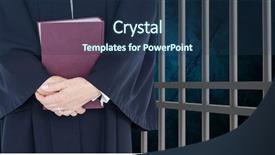
 Presentation with digital-book - PPT layouts featuring midsection of judge with book background and a ocean colored foreground

Digital Composite Midsection Judge Book

In the realm of digital design, there exists a template that captures the essence of justice and order, a Corner Title that stands out from the crowd with its medium violet red color palette and high resolution images for the background. This widescreen template is specifically designed to enhance your presentations with an arrest worthy style, featuring a dynamic vignette that showcases a book nestled between two imposing figures, the judge and the prisoner. Imagine a digital composite of the midsection of a judge standing atop a prison wall, holding a book in one hand and pointing at the prisoners below. The template is downloadable and compatible with Google Slides, making it easy to incorporate into your presentations seamlessly. The Corner Title has an 8 piece Picture Grid Layout slide that showcases four high resolution images: a close up of a judge's face with a hint of intensity, a book lying open on the ground, a prison wall in the background with bars and a sign reading "Lockdown", a pair of eyes peering out from behind the book cover, and a silhouette of a figure standing at the edge of the prison, looking towards the camera. These images work together to create a cohesive theme that reflects the template's medium violet red color palette. The Corner Title is designed to help you get up and running quickly with its 4 How To slides at the start of the deck, featuring features such as including a background with subtle textures, having a theme of futuristic justice, enhancing the presentation with images, and using high resolution images for better visual clarity.

 Presentation with digital-book - Presentation design consisting of black orange safety - digital composite of male student background and a red colored foreground

Digital Composite Male Student Holding

The Corner Title template is a visually striking and engaging design that perfectly captures the essence of college life. Widescreen in format, this stunning template features a high resolution background image that showcases a corner of a bustling university campus, complete with tall brick walls, lockers, and a bright sun shining down on it all. The vibrant Fire Brick color palette is sure to add a pop of color to any presentation. The template's design name perfectly reflects its purpose Corner Title is the perfect starting point for any educational presentation or project that requires a bold and attention grabbing approach. Whether you're featuring a high resolution image of a student holding a book in front of lockers, showcasing the theme of academic success, or enhancing your slides with a clever background element, this template has got you covered. In terms of design features, Corner Title includes an Enhanced With section that showcases how easily it can be customized to fit your specific needs. The Managed Process Layout slide allows for easy organization and navigation of your content, making it perfect for creating visually appealing presentations that engage your audience. With its vibrant colors, dynamic layout, and high resolution images, this template is sure to leave a lasting impression on your students and colleagues alike. Whether you're teaching a college course, leading an educational project, or simply want to add some visual flair to your presentation, Corner Title has everything you need.

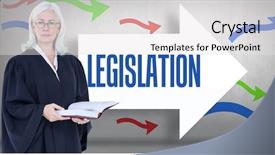
 Presentation with digital-book - Colorful PPT theme enhanced with direct labor - digital composite image of female backdrop and a white colored foreground

Digital Composite Image Female Lawyer

The world of law and technology is changing at an unprecedented rate, and as we navigate this complex landscape, the need for effective communication and branding has never been more crucial. The Corner Title template is designed to help you stand out from the crowd with its striking steel blue color palette and thought provoking design elements. This powerful template features a high resolution image of a woman lawyer holding a book while standing against legislation text on an ar, creating a dynamic and engaging visual effect. The Corner Title is specifically formatted for widescreen displays, ensuring that it looks stunning on any device. The Steel Blue color palette provides a modern and sophisticated look that will appeal to anyone in the law or tech industry. To enhance your presentation, you can include high resolution images of key concepts, such as coding snippets or curved shapes, in the background. Having a theme of branding and design elements, this template is easy to incorporate into your existing presentation, making it simple to get up and running quickly. The Content with Caption Layout slide provides a flexible structure for adding captions and descriptions to your slides, allowing you to tailor the content to suit your specific needs. This feature will help you showcase your expertise in law and technology, while also emphasizing key messages and ideas. Featuring advanced design elements such as curved shapes and arrows, this template is sure to grab the audience's attention from the outset.

 Presentation with digital-book - Cool new presentation theme with composite of judge holding book backdrop and a dark gray colored foreground

Digital Composite Judge Holding Book

Imagine yourself standing in front of a sleek, modern prison cell, with the judge holding a worn leather book in one hand and a pair of bars on the wall in the other, as you gaze out at a digital composite background that features high resolution images of books and codes. The medium violet red color palette is striking, evoking feelings of sophistication and power. This template is perfect for anyone looking to present their knowledge or expertise with style and confidence. The design name is "Code of Justice", and it's a widescreen template that will enhance your presentations with a sleek, modern aesthetic. It's fully compatible with Google Slides, making it easy to import high resolution images and add your own customizations. The template features four key slides at the start of the deck to get you up and running quickly: "Getting Started", "Organizing Your Content", "Adding Visuals", and "Enhancing Your Presentation". These slides are designed to help you create a cohesive look and feel throughout your presentation. The 3 x 3 Org Chart Layout slide is a great way to showcase your organizational skills, with each section featuring a different employee or department. You could use this slide to include a background image of a bookshelf, with the titles of books or coding languages listed on the title slides. For example, you could feature "IT Team", "Marketing Department", and "Finance" in separate sections, each with a list of key players or projects. The template also includes a theme of digital justice, with features like code snippets and book covers that evoke a sense of authority and expertise. Whether you're presenting to colleagues, clients, or investors, this template is sure to make a strong impression.

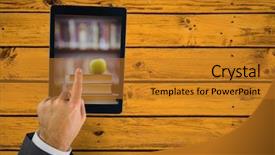
 Presentation with digital-book - Audience pleasing theme consisting of showing book pile with apple backdrop and a gold colored foreground

Digital Composite Hand Touching Tablet

The sun sets over a bustling cityscape as students pour into the library, their eyes scanning the shelves stacked high with books and scrolls. The air is filled with the sound of rustling pages and the hum of digital devices, from tablets to smartphones. Amidst this sea of screens, a figure emerges a young professional typing away on their laptop, their face illuminated by the glow of the screen. This scene is set against a vibrant backdrop of warm earth tones and rich jewel colors, evoking the culture and tradition of ancient civilizations. In this digital composite of Hand touching tablet showing book pile with apple on yellow table, we see the intersection of technology and education come together in a seamless whole. The high resolution images for the background are carefully curated to evoke a sense of depth and dimensionality, drawing the viewer into the world of the template. As users embark on their professional journey, they will find themselves surrounded by templates that enhance their productivity and creativity. Featuring a theme of education and career development, this template is designed to inspire and motivate individuals to push beyond their boundaries and achieve their goals. Including a background with a subtle texture that simulates the feel of parchment paper, you can create a professional look without breaking the bank. The Chart with Caption Layout slide showcases the various features and customization options available in the Wide Title template, from advanced formatting capabilities to easy to use drag and drop functionality. Having a theme of modern elegance, this layout is perfect for creating stunning presentations that stand out from the crowd.

 Presentation with digital-book - Audience pleasing PPT theme consisting of emergency communications - patients with digital tablet backdrop and a ocean colored foreground

Patients Digital Tablet Book Sitting

A healthcare professional's eyes widened as they gazed at the Wide Title template from CrystalGraphics, its regal royal blue background and stylized font captivating their attention. This Widescreen template is designed to bring a touch of entertainment to even the most mundane moments imagine sitting on your hospital bed with a tablet in hand and scanning through medical books, but instead of the usual clinical environment you get a chance to relax while staying connected with what's going on. The theme of this template is clear: to create an engaging and easy to use interface that combines the benefits of medicine with the joy of reading. High resolution images of patients and hospital settings will be the star of the show, providing endless possibilities for creative use. For instance, you could include a background with a large medical textbook or a panoramic picture of a patient's room to add an extra layer of realism. The template is downloadable and compatible with Google Slides, making it easy to import into your preferred presentation software. Once uploaded, the high resolution images will feature in full color, providing crisp and detailed visuals that enhance the overall user experience. This Widescreen template is a versatile tool for creating engaging presentations that cater to different audiences whether you're delivering educational content or simply want to create a more dynamic slide show, this template has got you covered.

▼Key features of this template

  • They are compatible with both PowerPoint and Google Slides running on either Windows PCs or Macs.

  • They are available in both standard and widescreen slide formats. You can choose your preferred format by clicking on the "Widescreen" check box or icon.

  • Each template includes a beautiful high-resolution background image or video to visually reinforce the theme of your presentation.

  • In addition, each template includes designer-created graphics and modern fonts to give your presentations an up-to-date, professional look.

  • Each template's default design and title text position have been carefully selected to complement its background without covering faces or other key elements.

  • All text includes backdrops whose transparency level is mathematically calculated to maximize text readability while still allowing the background to be seen.

  • And all the text, text backdrops and graphics in every slide are colored with a palette designed to beautifully complement the colors in the background.

  • Our Premium templates (those with the descriptor “Premium” in their subtitle) include over 64 slide layouts to give you maximum flexibility as you create your presentations.

    • Those layouts are available to you whenever you create a new slide or when you want to change the layout of an existing slide.
    • They include everything you need to make all sorts of presentations. In addition to the layouts for the title slide and the usual title and content slide, they include many other layouts for slide types including table of contents slides, org charts, charts, diagrams, infographics, photo slides, thank you slides and more.
    • While creating these layouts our template designers have ensured that all text in every layout adjusts as gracefully as possible to various numbers of words.
  • Customizable templates (those with the descriptor “Customizable” in their subtitle) may be easily modified online before you download them.

    • To modify them, simply click on the pencil editing icon, then select your choice of ready to go designs and title text positions.
    • The editing tool also makes it easy to reposition and scale the background image or video to best suit your needs.

▼FAQs

Please review these FAQs to see if your question is answered. Contact us for more info

  • What is a PowerPoint template?

    • A well designed PowerPoint template is a file that can tell PowerPoint how to make your ordinary templates look extraordinary. They won’t change what your words or numbers say. But they might change their size, color, font and placement. And, overall, they can give your presentations a professionally-designed look that will give your content more credibility and give you more confidence.
  • How many PowerPoint templates do you offer?

    • We have over 32,000 artist-created presentation templates in our PowerPlugs collection With a subscription, PowerPlugs templates are easy to download. Just sign in, find a template and click on the green Download button. ready for you to download. That alone offers you more variety to choose from than any of our competitors can offer. And, as if that weren’t enough, we also offer over 6 million templates in our Crystal collection. Crystal brand templates are our line of templates that have customization options. They have the word "CRYSTAL" on their web page images. You can customize several aspects of the templates. These templates include high-resolution background images from Shutterstock’s vast image collection matched up with artist-created presentation designs customized by our own proprietary AI software.
  • How many templates can I download as a subscriber?

    • You can download an unlimited number of PowerPlugs-brand With a subscription, PowerPlugs templates are easy to download. Just sign in, find a template and click on the green Download button. templates every day for an entire year. (Actually, by default, we set a limit of 25 templates per day to prevent our competitors from stealing our templates. But, if that is not enough, just let us know and we’ll try to accommodate you.) On top of that, with a subscription or an Ultimate Combo, you can also download any 50 Crystal-brand Crystal brand templates are our line of templates that have customization options. They have the word "CRYSTAL" on their web page images. You can customize several aspects of the templates. templates per year selected from our huge Crystal collection. Crystal brand templates are our line of templates that have customization options. They have the word "CRYSTAL" on their web page images. You can customize several aspects of the templates. .
  • Why should I choose your templates instead of the competition’s?

    • We’ve got a larger selection of professionally-designed PowerPoint templates than anyone else in the world.
    • Each template includes a high-resolution background image or video to visually inspire your audiences while reinforcing your message.
    • Each template includes 64 slide layouts to give you maximum flexibility as you create your presentations.
    • Our templates are available in both standard and widescreen slide formats. And our website lets you preview the slides each way.
    • Our free Template Finder™ plugin lets subscribers select and - with a single click - download and insert our templates into their presentations right from within PowerPoint.
    • We’ve been creating designer presentation templates for over 20 years. During that time we’ve won several awards and 5-star ratings for product quality. See About Us for more.
  • Do you offer a money-back guarantee?

    • Yes we do! We offer full 30-day money-back guarantee if you are not 100% satisfied with your purchase.
  • Can I still use my downloaded templates after my subscription runs out?

    • Yes. After your subscription expires, you won't lose any rights or ability to use your PowerPlugs: Templates for PowerPoint. You won't be able to download any new non-watermarked templates. But the non-watermarked templates you've already downloaded will still work and you can still use them as before.
  • Can I share my downloaded templates or passwords with friends or coworkers?

    • Sorry but no. You are authorized to download each paid-for template to up to 3 of your personal devices and to use the templates you download in as many presentations as you want. But you are not authorized to share the templates, themselves, with others. That said, we do offer highly discounted site licenses to suit the needs of both small and large teams. Just tell us your needs and we’ll give you a quote!
  • System requirements:

    • The templates use the standard POTX format. So they are compatible with Google Slides and all PC, Mac and mobile devices running any version of PowerPoint from PowerPoint 2007 up through and including Office 365 desktop.
    • Please note: Google Slides does not currently support background videos. It treats them as still images.
    • For PowerPoint for the Web, first open your template into a desktop version of PowerPoint, then save it back out as a PPTX file. Then you can open that in PowerPoint for the Web.
  • End user license agreement:

    • Click here to view.
  • How will I get my purchased templates?

    • You may download your selected templates as soon as your payment is received by PayPal. If you purchased an individual template, you will be provided with a download link both onscreen and via email. Just click on that link to begin the download process. If you purchased a subscription, you will receive an email containing a password to use along with your email address to sign in to any of the templates pages on CrystalGraphics.com. Once you are signed in, you can immediately start downloading your selected templates.
  • How do I use my templates after I download them?

    • You can either open a template to start a new presentation or you can add a template to an existing presentation. To open a template, just double click on it or use PowerPoint's File > Open tool. To add a template to an existing presentation, on the Design tab, in the Themes group, click Browse for Themes... then browse to select your template.

View more digital book templates:

previous 1 2 3 4 5 6 7 8 next
93% of Fortune 1000
companies use our
PowerPoint Products
Templates Secure

Standing Ovation Award
Winner: Best PowerPoint
Template Collection
Fortune Logos
200,000+ satisfied
customers worldwide!
Guarantee
100% satisfaction guaranteed
- or send it back for a refund!

Sign up for our free newsletter! You'll get news about our PowerPoint-enhancing product line – including free updates, new product announcements and exclusive special offers. Plus you'll get a link to a free PowerPoint template with every newsletter you receive.
Privacy Policy
Loading...


Help

Contact Us
Product FAQs
Product License Agreements

Company Info

About Us
Privacy Policy
CrystalGraphics, Inc. 1999 S. Bascom Avenue Suite 700 Campbell, CA 95008 USA
© 2026 CrystalGraphics, Inc. All rights Reserved.    |     PowerPlugs is a trademark of CrystalGraphics, Inc.
Microsoft and the PowerPoint logo are trademarks or registered trademarks of Microsoft Corporation in the United States and/or other countries.
Loading...
Loading...