www.crystalgraphics.com CrystalGraphics
  • Ultimate Combo
  • Templates
  • Diagrams
  • Characters
  • Quizzes
  • shopping cart
  • Sign Out Sign Out Sign In
Home > Templates > Book > Digital Book Category
search icon
advanced icon

159 Best Digital Book-Themed Templates for PowerPoint and Google Slides

Conceptually striking Digital Book PowerPoint templates await you at CrystalGraphics, where a vast collection of 6.7 million templates offers something for every creative project. This expansive library includes:

A sleek and modern template featuring a pair of batteries placed over a digital book with a gray background, perfect for presentations that need an energetic boost.
Another innovative design showcases a beautiful slide with voip inscription coming out backdrop and ocean colored foreground, ideal for projects requiring a touch of sophistication and elegance.
Additionally, this collection boasts stunning slides that highlight the benefits of VoIP technology, perfect for presentations that focus on communication and collaboration.

The sheer variety of Digital Book PowerPoint templates is simply staggering, covering a wide range of themes and styles to cater to diverse needs. From casual wear inspired designs to ocean colored backdrops with modern typography, theres something within this collection for every creative vision.

To take your presentation to the next level, explore CrystalGraphics vast library and discover more than 60 unique templates that offer endless possibilities for customization. Browse through our other categories or select the perfect template for your needs today you wont be disappointed!

Features & Pricing

Widescreen (16:9) Presentation Templates. Change size...
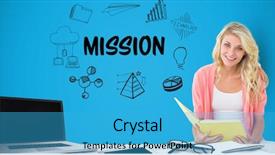
 Presentation with digital-book - Presentation theme with composite of businesswoman holding book background and a teal colored foreground

Digital Composite Businesswoman Holding Book

In a world where words and images converge, the Corner Title template is your guide to creating stunning visuals that capture attention and convey meaning. This sleek and modern design is perfect for showcasing businesswoman icons, infographics, vignettes, western script fonts, and women in various professions. The template features a deep sky blue color palette that evokes feelings of trust and expertise. High resolution images of nature inspired backgrounds are included to enhance the overall visual appeal. A beautiful composition of high contrast text is also provided to give users an idea of what their final output could look like. For instance, featuring a close up shot of a woman's hand holding a book with a mission text superimposed on top adds a touch of professionalism and sophistication to any presentation. With this template, you can create visually appealing slides that have a theme of showcasing successful women in various fields. Having a versatile design framework like the Corner Title template allows users to easily customize it with their preferred fonts and colors, making it highly adaptable for different use cases. The template is also downloadable and compatible with Google Slides, making it easy to incorporate into your existing workflow.

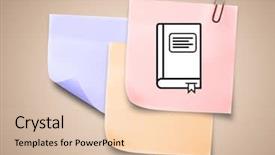
 Presentation with digital-book - Amazing presentation theme having colored sticky note learning book backdrop and a lemonade colored foreground

Digital Composite Colored Sticky Note

Imagine stepping into a world where knowledge is at your fingertips and creativity knows no bounds, all seamlessly integrated into a stunning visual canvas that's about to revolutionize the way you approach education. Corner Title is here, featuring 4 How To slides that will catapult you from zero to hero in no time. This vibrant Widescreen template boasts a Lavender color palette that perfectly complements its digital comic strip inspired design. The perfect blend of elegance and playfulness makes it an ideal choice for any educational or professional setting. With its sleek and modern layout, Corner Title is the ultimate companion for your content creation journey. The high resolution images on this dazzling background will transport you to a world of endless possibilities. From inspiring quotes to clever illustrations, every element in this digital composite comes together to create a truly immersive experience. The template's download compatibility with Google Slides ensures seamless integration into your existing workflow. This stunning Widescreen template is the perfect starting point for any educational or professional project. With its Lavender color palette and Lavish background images, Corner Title is sure to turn heads. Whether you're creating study materials, presentations, or simply want a fresh new look for your content, this template has got you covered. The 'Corner Title' symbol and study focused keywords like paper clip bring an air of authenticity, ensuring it's easy to understand its purpose. The 2 Member Bio Layout slide is particularly impressive, featuring detailed descriptions about the creator and their inspiration behind Corner Title. Take a closer look at what this template has to offer. As you begin working on your project, you'll notice that the 4 How To slides are designed to get you up and running quickly. With simple step by step instructions, you'll be creating stunning visuals in no time. Whether you're looking for inspiration or want to enhance your content with a professional edge, Corner Title has got it all covered. The Lavender color palette is also enhanced with a subtle Gradient background that adds depth and dimension to the design. This elegant touch ensures that every element on screen pops against this stunning backdrop. Take a look at what's possible when you combine high quality images, sleek layouts, and beautiful colors. This template is not just a pretty face; it's designed to get

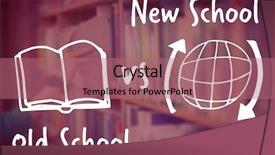
 Presentation with digital-book - Slide set featuring digital composite image of book background and a  colored foreground

Digital Composite Image Book Web

In the realm of higher education, students often seek to make their academic journey more engaging and immersive. To create a captivating presentation that stands out in a sea of generic designs, consider incorporating a vibrant crimson template with a unique 3D inspired vignette background, a perfect blend of elegance and playfulness. This Wide Title design is the epitome of sophistication, featuring high resolution images of books and web browsers against a stunning pink background. The result is an attention grabbing focal point that sets the tone for an engaging presentation. Its versatility makes it easy to include various elements such as icons, illustrations, and graphics within its expansive surface area, creating a visually stunning display. A downloadable template in widescreen format with a crimson color palette will undoubtedly appeal to college students seeking to enhance their educational experience. The Warm Red tones of the Crimson theme create an inviting atmosphere, perfect for conveying passion and academic achievement. Whether you're teaching about online learning or sharing insights on innovative methodologies, this design is sure to include all the necessary elements in an Enhanced With feature, making it easy to create a cohesive narrative. The template's 3D inspired vignette will surely pique the interest of your audience, as they delve into the world of knowledge. Having a theme of exploration and discovery, this design takes students on a journey through various aspects of education, from traditional learning methods to modern digital tools. Its integration with a background featuring high resolution images not only adds depth but also provides an opportunity to showcase educational materials in their most vibrant form. Incorporating 3D elements such as icons and graphics within the template will undoubtedly enhance its appeal. For instance, you could include images of virtual reality experiences, interactive diagrams, or colorful illustrations that complement your theme. This feature making approach will help create a seamless integration with the background, making it easier to maintain visual coherence throughout the presentation. A 4 Step Funnel Layout slide is just one way this template can be used effectively, allowing you to structure your content in a logical and easy to follow manner. By featuring various sections such as an Overview, Methodology, Results, and Conclusion, you'll create a clear narrative that keeps your audience engaged throughout the presentation. By downloading this captivating design into Google

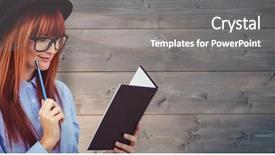
 Presentation with digital-book - PPT theme enhanced with pale grey red - digital composite of redhead businesswoman background and a gray colored foreground

Digital Composite Redhead Businesswoman Reading

Imagine stepping into a vibrant and modern workspace that exudes energy and warmth, where creativity flows freely and productivity soars. Welcome to the Corner Title template, a stunning Widescreen design that's perfect for presenting your ideas, sharing your passion, or showcasing your brand. This template is available in Coral color palette, featuring warm tones of coral, peach, and yellow that will add a touch of optimism and friendliness to any presentation. The Corner Title template comes with 4 easy to follow slides at the start, designed to get you up and running quickly: "Getting Started", "Designing Your Template", "Adding High Resolution Images", and "Finalizing Your Presentation". However, if you're looking for a more in depth experience, featuring customizable background images and having a theme of corporate presentations or business branding. This template is ideal for showcasing your personality and style, whether it's a redheaded businesswoman reading a book over a wooden wall, or a Caucasian entrepreneur presenting to a group of investors. You can also include a fringe effect on the edges of your slides to add some visual interest, stripping away distractions to focus attention on your message. The high resolution images for the background are included in this template, so you can enhance your presentation with crisp and detailed graphics, including illustrations or photographs that will really bring your ideas to life. With its modern design, vibrant colors, and easy to use features, the Corner Title template is sure to make a lasting impression on your audience.

 Presentation with digital-book - Audience pleasing slides consisting of white rose presentation - digital composite of judge holding backdrop and a dark gray colored foreground

Digital Composite Judge Holding Book

The art of creating visual presentations is not just about conveying information but also about making it visually appealing. To truly stand out, you need an attention grabbing opening that sets the tone for the rest of your deck. That's where Wide Title comes in a digital composite of Judge holding book in front of justice text and compass, set against a high resolution background with a steel blue color palette. The result is a template that's both modern and timeless, perfect for presenting complex ideas in an easy to understand manner. This Widescreen template is ideal for showcasing your expertise as a speaker or presenter, whether you're delivering a TED style talk or simply wanting to add some flair to your everyday presentations. Featuring a striking contrast between the background images of different subjects, this template has something for everyone from business and finance to education and technology. Including a Background With option allows you to seamlessly transition between slides, enhancing the overall viewing experience. Having a Theme of 'Flare' not only adds visual interest but also gives your presentation a sense of dynamism.

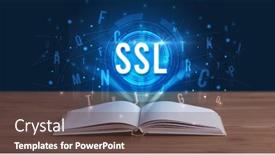
 Presentation with digital-book - Colorful slides enhanced with ssl-inscription-coming-out backdrop and a tawny brown colored foreground

Ssl Inscription Coming Out Open

As you unlock your new Corner Title template, a sense of security and reliability washes over you, like the warm glow of an SSL inscription coming out from an open book, leaving no doubt that you are ready to take control of your digital presence. This template is specifically designed for professionals who value professionalism, with a focus on notes, documents, experience, secure, and SSL. The high resolution images that come with this template will elevate your presentation to the next level, making it perfect for creating engaging and informative content. The Widescreen format allows you to create immersive experiences that draw your audience in, while the Steel Blue color palette provides a sophisticated and professional atmosphere. With this template, you can easily add backgrounds, images, or other elements to enhance your presentation with added features. As you get started, you'll notice four How To slides at the beginning of the deck, providing quick and easy access to getting up and running quickly. These slides will guide you through setting up your presentation, importing content, and customizing your design. The Hexagon Layout slide is a great place to start, as it helps you organize your thoughts and ideas in a clear and concise manner. For example, imagine presenting your team's experience with a project, featuring key milestones and successes on the slide, including a background image or video that complements the content. Overall, Corner Title is a versatile template that can be customized to fit your unique needs and branding. By incorporating elements of security, reliability, and professionalism, you'll be able to showcase your expertise and build trust with your audience.

 Presentation with digital-book - PPT layouts featuring book and glasses against blurry background and a coral colored foreground

Digital Composite Hands Tablet Showing

The moment you start creating with this Wide Title template from CrystalGraphics, your college campus will instantly transform into a vibrant learning environment. The Widescreen format and Light Sea Green color palette will provide the perfect backdrop for high resolution images to transport you to a world of knowledge and discovery. This template is designed specifically for educational institutions, featuring a unique blend of functionality and aesthetics that make it a standout in Google Slides. With its clean and modern look, it's an ideal starting point for your presentation or poster design. The Managed Process Layout ensures that your content flows seamlessly from one slide to the next, making it easy to create a cohesive narrative. The Wide Title template includes four How To slides that can be customized to meet your specific needs. However, getting started quickly is made easier by these pre designed sections: "Step 1: Set Up Your Presentation", "Step 2: Design Your Content", "Step 3: Add Images and Graphics", and "Step 4: Finalize and Export". You'll have all the necessary tools to create a professional looking template, including a background image that will enhance your presentation. The template is also compatible with Google Slides, making it easy to edit and customize.

 Presentation with digital-book - Audience pleasing PPT theme consisting of composite of boy reading book backdrop and a seafoam green colored foreground

Digital Composite Boy Reading Book

Imagine a captivating digital composite that transports you to a world of learning and inspiration, where knowledge takes center stage. As you delve into the Corner Title template from CrystalGraphics, you'll discover a design name that exudes sophistication and elegance. This timeless template is perfect for blank backgrounds, education focused content, and showcasing vignettes. Its medium sea green color palette provides a serene yet vibrant ambiance, setting the tone for a captivating presentation. The Corner Title template is tailored to create an immersive experience with high resolution images in the background, featuring iconic characters from various cultures. The imagery seamlessly blends into the design, making it an excellent choice for showcasing diverse groups of people. Having a theme of inclusivity and diversity, this template offers a unique opportunity to highlight educational content that caters to various age groups and skill levels. The Corner Title template is designed to work seamlessly with Google Slides, featuring four easy to follow slides at the start to help you get up and running quickly. These initial slides include an image grid layout slide where you can showcase your images in a pleasing way. This template is not only visually striking but also easy to use and customize. With its versatility and flexibility, this design name from CrystalGraphics has become an inspiration for designers worldwide.

 Presentation with digital-book - Presentation design featuring composite of businessman holding book background and a  colored foreground

Digital Composite Businessman Holding Book

Incorporating a powerful design element into your presentations is crucial to grab the audience's attention. The Corner Title template by CrystalGraphics offers a unique solution that will elevate your visual content to new heights. This template features a crimson color palette that exudes sophistication and elegance, perfect for creating high end business presentations. The crimson theme is accompanied by a rich background, featuring high resolution images of a businessman holding a book at his desk, set against a clean and minimalist vignette. This contrast will make your content stand out and create an engaging visual experience. The Corner Title template comes in a widescreen format, ideal for displaying dynamic visuals on large screens or projectors. The crisp resolution ensures that all details are preserved, making it perfect for presentations, reports, and marketing materials. To enhance the overall impact of this template, you can include a background with intricate graphics or illustrations to give your content an extra layer of depth. Having a theme of "highly detailed" will add to the realism and professionalism of your presentation. For example, incorporating a historical image or a scenic landscape in the background will add context and interest to your visuals. The Corner Title template is fully compatible with Google Slides, making it easy to import and use within your presentation software. With its 4 How To slides at the start, you'll be well on your way to getting started quickly and easily.

 Presentation with digital-book - PPT theme consisting of rcs-inscription-coming-out background and a tawny brown colored foreground

Rcs Inscription Coming Out Open

Corner Title is a visually striking widescreen template featuring a sleek and modern design that exudes a sense of sophistication and professionalism. The template is tailored to meet the needs of those who require a high level of organization and productivity in their notes, documents, and experience reports. The Steel Blue color palette provides a clean and crisp backdrop for showcasing intricate details, while the inclusion of high resolution images throughout adds a touch of visual interest. One of the standout features of Corner Title is its Panoramic Picture Layout, which showcases multiple images seamlessly integrated into one cohesive design. This layout allows users to easily navigate through their notes and documents, making it an ideal choice for users who require a comprehensive overview of their content. Featuring a background image of an open book, Corner Title presents itself as a digital equivalent of the classic RCSC inscription. By selecting this template, individuals can enhance their presentation with a theme of organization and productivity, while also having a secure foundation to work from. The download feature allows users to access Corner Title on any device connected to the internet, making it an ideal solution for those who require a reliable and portable tool for organizing their notes and documents. The template is compatible with Google Slides, allowing users to easily import images and edit their content without compromising its overall visual integrity. With four How To slides at the start of the deck, users can quickly get up and running with Corner Title, featuring a background image of a digital clock ticking away as it guides them through the process of setting up their new template.

 Presentation with digital-book - Cool new presentation with digital composite of young boy backdrop and a sky blue colored foreground

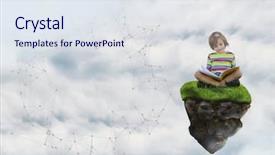
Digital Composite Young Boy Floating

In the vast expanse of data visualization, there's a certain je ne sais quoi that makes a template truly stand out. Corner Title is one such template that seamlessly blends style with substance, effortlessly conveying the complexity and nuance of infographic design. This template features a Light Steel Blue color palette that provides a clean and crisp backdrop for your content. Designed in widescreen format, it's perfect for showcasing multiple images or data points, making it easy to visualize relationships between different pieces of information. The Light Steel Blue tone is both calming and engaging, setting the tone for an informative and visually appealing presentation. Whether you're featuring a high resolution image as the background or including a Panoramic Picture Layout slide that showcases multiple elements in stunning detail, Corner Title has got you covered. With its subtle design language, this template is well suited for those looking to enhance their infographic with a touch of modernity and sophistication. Its compatibility with Google Slides ensures that it's easy to import into your presentation software, allowing for seamless integration with your existing workflow. Whether you're preparing for an upcoming project or simply need a versatile template to get up and running quickly, Corner Title is the perfect choice. By incorporating various design elements, such as including a background with subtle shadows and textures to add depth and dimensionality, you can create visually appealing content that draws attention and sparks engagement. Furthermore, having a theme of presenting data in an unconventional yet effective way will help your audience appreciate the complexity of statistics and insights presented within Corner Title.

 Presentation with digital-book - Cool new theme with sitting on bed at hospital backdrop and a teal colored foreground

Patients Digital Tablet Book Sitting

In this wide screen presentation, patients with digital tablets and books sitting on hospital beds will quickly grasp the importance of emergency preparedness, thanks to a template that seamlessly blends entertainment and medical themes. By featuring high resolution images of digital devices, medical equipment, and hospital settings, this template promises to engage your audience and educate them on the best practices for staying safe during emergencies. The Wide Title design is sure to grab attention with its eye catching font and bold colors, setting the tone for an informative and entertaining presentation. The Cornflower Blue color palette provides a soothing yet professional atmosphere, making it perfect for presentations that require focus and attention. The template's download feature on Google Slides ensures compatibility with all software platforms, making it accessible to everyone. This template is specifically designed for medical professionals and non medical individuals alike, catering to both entertainment and educational needs. The 4 How To slides at the start of the deck will help you get up and running quickly, offering valuable guidance on how to create engaging presentations that cover essential topics such as identifying emergency risks, developing a communication plan, creating an evacuation checklist, and more. The template's Arrow Steps Layout slide is designed to provide a clear visual structure, with icons and illustrations illustrating each step in a sequence. For example, the "Features High Resolution Images" section could include images of various digital devices and medical equipment, while the "Incorporate a Background With Modern Graphics" feature highlights how these images can be beautifully incorporated into your presentation using tools like Adobe Photoshop or Canva. Having a theme of professional yet approachable design ensures that your content looks polished and expert. Enhanced with illustrations and animations, this template will make your presentations stand out in any crowd. The Cornflower Blue color palette is consistently used throughout the template to provide a cohesive look and feel, while also evoking feelings of trust and professionalism. By having an eye catching title and background images that evoke a sense of medical importance, you'll be able to engage your audience from the very start.

 Presentation with digital-book - Presentation theme enhanced with digital-detox-and-leisure-concept background and a light gray colored foreground

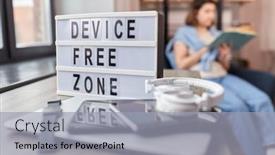
Digital Detox Leisure Concept -

In today's world where digital distractions are at our fingertips, finding a moment of true serenity can be a rare and precious find. It's easy to get caught up in the constant stream of notifications, social media updates, and endless scrolling, leaving us feeling drained and disconnected from what truly matters. The concept of a digital detox and leisure space is more relevant than ever, as we strive for a healthier balance between our online and offline lives. A well designed template can help create this sacred space, where you can unplug, unwind, and reconnect with yourself and the world around you. This template, featuring a calming light steel blue color palette, is designed to evoke feelings of relaxation and tranquility. The smooth, rounded edges and gentle gradients create a soothing atmosphere that invites you to step away from your device and into a peaceful world. The background images on this template are high resolution, featuring stunning photography of nature, landscapes, and cityscapes that evoke a sense of freedom and possibility. Imagine having these same images as the Background Image With feature in your presentation, Included with this template, allowing you to bring this serene environment right into your Google Slides. The layout is clean and simple, making it easy to read and navigate. The text blocks are prominent and clear, while the white space is used to create a sense of breathability. This template can be Enhanced With by adding your own images or text, making it truly unique and personalized. In this Widescreen format, you'll find four How To slides at the start of the deck, providing quick tips and tricks for getting started with your digital detox space. Whether you're looking to create a cozy reading nook or simply find a way to disconnect from your device, these steps will help you establish a healthy routine that promotes relaxation and focus. To bring this template into your Google Slides, simply click on the Download Link, which is Included with this template, and start creating. The Widescreen format provides an ideal environment for showcasing high resolution images, making it easy to add visual interest and create a captivating presentation.

 Presentation with digital-book - Amazing slides having usp-inscription-coming-out backdrop and a tawny brown colored foreground

Usp Inscription Coming Out Open

In the world of digital documentation, there's no doubt that a well designed template can make all the difference. Introducing Corner Title, a stunning widescreen template perfect for notes, documents, and experience driven presentations. This innovative design is inspired by the USP inscription coming out from an open book, showcasing its versatility and creativity. The Steel Blue color palette adds a touch of sophistication, making it easy to create professional looking content. The Corner Title template features 4 How To slides at the start of the deck to help you get up and running quickly. However, with this sleek and modern design, you can achieve just as much in less time. As you explore the possibilities, imagine featuring a high resolution image of a tree standing tall against a clear blue sky. Alternatively, having an engaging background with subtle digital patterns could enhance your presentation's visual appeal. The opposite directional arrows layout is particularly noteworthy, providing a dynamic and interactive experience for your audience. The Enhanced With feature allows you to add custom animations and effects to further elevate your content. This template is compatible with Google Slides, making it easy to download and share your presentations with others. Whether you're creating instructional guides or sharing ideas with colleagues, Corner Title is the perfect companion to take your digital documentation to the next level.

 Presentation with digital-book - Cool new theme with ssh-inscription-coming-out backdrop and a ocean colored foreground

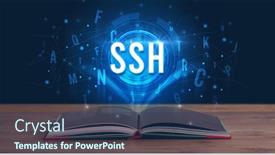
Ssh Inscription Coming Out Open

Imagine your notes and documents organized with style and security, thanks to this Corner Title template, designed to elevate the way you present information in a digital age. Widescreen format allows for stunning high resolution images on the background, creating an immersive experience. The steel blue color palette provides a clean and professional look that is perfect for showcasing your SSH inscription coming out from an open book, or any other digital technology concept. This template is downloadable and compatible with Google Slides, making it easy to create and share presentations in seconds. This template features a Four Arrows Layout slide that showcases your experience and expertise, giving you a professional theme of leadership and innovation. The layout includes a headline, subtitle, icon, and bullet points, making it an enhanced tool for sharing information. For example, you could include a how to guide on setting up SSH connections with ease, featuring high resolution images to illustrate key concepts. Having a theme of security ensures that the template is secure, while also being modern and engaging. The Corner Title template includes 4 How To slides at the start of the deck to help you get up and running quickly, but this can be customized to fit your needs. As with any digital tool, using the correct keywords such as notes, documents, ssh, experience, secure will enhance its functionality and relevance in Google Slides. With its sleek design and steel blue color palette, this template is sure to impress, making it a valuable addition to any presentation or meeting.

 Presentation with digital-book - Amazing PPT layouts having ssh-inscription-coming-out backdrop and a ocean colored foreground

Ssh Inscription Coming Out Open

The Corner Title is a visually striking template that will dominate any presentation. As you gaze at its sleek design, you can't help but notice the intricate details and masterful craftsmanship that go into creating this masterpiece. Corner Title is specifically designed for use on widescreen displays, offering an immersive experience for your audience. The template's steel blue color palette provides a sophisticated backdrop, setting the tone for a professional and secure presentation. The high resolution images featured throughout the template will ensure that your visuals are sharp and engaging, from the subtle texture of the background to the crisp details in the note taking icons. The seamless integration of keywords such as notes, documents, SSH, secure, and experience into the design creates a cohesive theme that reinforces the importance of these concepts. This attention grabbing template is not only visually stunning but also features a comprehensive set of slides that cater to your needs. The four introductory slides at the start of the deck provide valuable guidance on getting started quickly, setting the stage for an engaging and informative presentation. As you build upon this foundation, the Timeline Layout slide comes into play, offering a clear visual representation of the flow of ideas and events during your presentation. You can use it to effectively pace the narrative, emphasizing key points and reinforcing your message. The inclusion of a background with subtle animations adds depth and interactivity, making the experience even more engaging for your audience. When using Corner Title in Google Slides, you can easily enhance its functionality by adding high resolution images or incorporating specific features such as sticky notes or chat bubbles.

 Presentation with digital-book - Cool new PPT theme with scm-inscription-coming-out backdrop and a ocean colored foreground

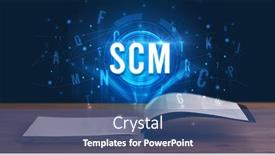
Scm Inscription Coming Out Open

The SCM inscription coming out from an open book, where the pages are filled with high resolution images that showcase the inner workings of modern technology, and at the center of it all is a digital world that has revolutionized the way we live, work, and interact with one another. The Corner Title template is a stunning presentation design that combines steel blue color palette with a unique 5x5 Org Chart Layout to create a visually appealing visual representation of organizational structures. The template features four slides at the start to help you get up and running quickly: "Getting Started", "Creating Documents", "Notes Management", and "Experience Tracking". These slides are designed to be interactive, allowing users to easily navigate through key features and functionalities. The background images for each slide can be customized to fit your brand's identity and aesthetic. For example, on the "Getting Started" slide, a high resolution image of a computer screen with multiple tabs open could feature the SCM inscription coming out from an open book, while a futuristic cityscape in the background could showcase the theme of innovation and progress. The Corner Title template is compatible with Google Slides and can be easily downloaded and installed to enhance your presentation experience. With its sleek design and modern layout, this template is sure to impress your audience and leave a lasting impression.

 Presentation with digital-book - Slides enhanced with digital-detox-and-leisure-concept background and a  colored foreground

Digital Detox Leisure Concept -

As you embark on your digital detox journey, escape into a world of serenity and relaxation where the stresses of modern life melt away, allowing you to reconnect with yourself and rediscover the joys of simple pleasures. To help you achieve this tranquil state, we've designed a bespoke PowerPoint template that embodies the essence of a peaceful retreat, featuring elegant lines, calming colors, and high resolution images that will transport you to a world of serenity. This stunning Widescreen design is carefully crafted with a Light Steel Blue color palette that exudes warmth and sophistication. The entire template is optimized for maximum impact, from the prominent background image on the top right corner to the basket and table setting that adds a touch of whimsy to the overall aesthetic. Featuring an exceptional 4 How To slides at the start of the deck will guide you through a comprehensive setup process, including how to integrate your desired images, colors, and fonts. Incorporating a Background With a subtle texture featuring a soft, muted green provides depth and visual interest without overpowering the rest of the design. With this beautiful template, you'll be able to create a digital detox haven that will leave your audience feeling refreshed and rejuvenated. Having a Theme of Creating a serene atmosphere enhances with an emphasis on relaxation, making it perfect for presentations on stress relief, mindfulness, or wellness. Enhanced With high resolution images ensuring crisp visuals, this is not just a template but a tool to help you create a visual masterpiece that will leave your audience in awe.

 Presentation with digital-book - Presentation design with ssh-inscription-coming-out background and a tawny brown colored foreground

Ssh Inscription Coming Out Open

The Corner Title template is a stunning visual identity that brings together the world of cybersecurity and digital innovation in one sleek package. At its core, this design is centered around the idea of secure notes and documents being protected from prying eyes with a bold and modern steel blue color palette. The overall aesthetic has a high res feel to it, perfect for showcasing 4 how to slides at the start of your deck to help you get up and running quickly. The template's background is crafted using high resolution images of sleek leather bound books, complete with intricate gold details and embossed patterns, giving it a luxurious and sophisticated look. The overall design has a theme of featuring a strong and secure identity that's perfect for showcasing your expertise in the field. You can include a background with digital technology elements like servers, circuits, or coding languages to give it an extra layer of depth. The template includes several key features that make it easy to use and customize. It's downloadable and compatible with Google Slides, allowing you to easily import and modify its various elements. The Steel Blue color palette is also enhanced by the inclusion of a "Secure" theme, making it perfect for presentations where you need to convey a sense of trust and reliability. The Corner Title template includes several layout options that make it easy to customize your presentation. For example, the Social Media Concept Layout slide can be customized with additional design elements like icons, images, or text overlays to enhance its message. This allows you to create a visually appealing and engaging presentation that showcases your expertise in cybersecurity. Overall, this stunning template is perfect for anyone looking to create a professional and secure visual identity for their presentations.

 Presentation with digital-book - Presentation theme featuring ssh-inscription-coming-out background and a ocean colored foreground

Ssh Inscription Coming Out Open

The Corner Title template is designed to make a strong impression with its sleek and modern look. The Steel Blue background provides a clean and professional canvas for showcasing important information. This template format is perfect for creating high quality presentations that can be easily shared on the go. As you scroll through the template, you'll notice a subtle nod to the digital world of technology, as embodied by the SSH inscription coming out from an open book. The design language is inspired by cutting edge concepts and futuristic ideas, making it an ideal choice for any presentation or documentation that requires a high level of sophistication and expertise. In terms of features, this template includes a range of tools to help you create engaging notes, documents, and other essential materials. You'll also have access to four How To slides at the start of your deck, which will guide you through the process of getting up and running quickly. These slides are designed to be highly functional, with clear instructions and visual aids that will help you master your template in no time. When it comes to compatibility, this template is fully compatible with Google Slides, making it easy to import into your existing presentation software. With its enhanced design features and high resolution images, this template is the perfect choice for anyone looking to create professional looking presentations that stand out from the crowd. On a more personal note, the Corner Title template also includes a range of customizable options, allowing you to have a unique theme or background without having to sacrifice functionality. The 4 Member Bio Layout slide provides a great opportunity to showcase your expertise and achievements, featuring a clear call out for your experience and secure credentials.

 Presentation with digital-book - Amazing PPT theme having ivr-inscription-coming-out backdrop and a tawny brown colored foreground

Ivr Inscription Coming Out Open

With Corner Title as your focal point, you'll be standing out from the crowd with its unique blend of functionality and design that perfectly complements digital innovation. This template is a masterpiece of creativity, offering a wealth of possibilities to bring your vision to life. Imagine an IVR inscription coming out from an open book, symbolizing the power of knowledge and expertise. The Widescreen format presents you in a fully immersive environment, with high resolution images for each background element adding depth and dimension. The teal color palette is a soothing blend of greens and blues that exudes professionalism and trust. As you explore Corner Title, you'll notice six engaging slides that will guide you through the process of transforming your workspace into an exceptional digital hub. Featuring a comprehensive outline of how to instructions, including a detailed 6 x 6 Org Chart Layout slide that provides structure and clarity, this template is a valuable resource for anyone looking to elevate their productivity. Having a theme of 'notes' and 'documents', Corner Title is the perfect fit for presentations, meetings, and discussions. You can enhance your slides with interactive elements, such as clickable links and audio clips, to make them more engaging and informative. With its download friendly format and compatibility with Google Slides, you'll be able to bring this template into your own workflow seamlessly. The corner of any room is always a good place for an inspirational quote or message, and in Corner Title, it's right there, waiting to be showcased. Whether you're looking to boost confidence, increase motivation, or simply add some visual interest to your presentations, this template has got you covered.

▼Key features of this template

  • They are compatible with both PowerPoint and Google Slides running on either Windows PCs or Macs.

  • They are available in both standard and widescreen slide formats. You can choose your preferred format by clicking on the "Widescreen" check box or icon.

  • Each template includes a beautiful high-resolution background image or video to visually reinforce the theme of your presentation.

  • In addition, each template includes designer-created graphics and modern fonts to give your presentations an up-to-date, professional look.

  • Each template's default design and title text position have been carefully selected to complement its background without covering faces or other key elements.

  • All text includes backdrops whose transparency level is mathematically calculated to maximize text readability while still allowing the background to be seen.

  • And all the text, text backdrops and graphics in every slide are colored with a palette designed to beautifully complement the colors in the background.

  • Our Premium templates (those with the descriptor “Premium” in their subtitle) include over 64 slide layouts to give you maximum flexibility as you create your presentations.

    • Those layouts are available to you whenever you create a new slide or when you want to change the layout of an existing slide.
    • They include everything you need to make all sorts of presentations. In addition to the layouts for the title slide and the usual title and content slide, they include many other layouts for slide types including table of contents slides, org charts, charts, diagrams, infographics, photo slides, thank you slides and more.
    • While creating these layouts our template designers have ensured that all text in every layout adjusts as gracefully as possible to various numbers of words.
  • Customizable templates (those with the descriptor “Customizable” in their subtitle) may be easily modified online before you download them.

    • To modify them, simply click on the pencil editing icon, then select your choice of ready to go designs and title text positions.
    • The editing tool also makes it easy to reposition and scale the background image or video to best suit your needs.

▼FAQs

Please review these FAQs to see if your question is answered. Contact us for more info

  • What is a PowerPoint template?

    • A well designed PowerPoint template is a file that can tell PowerPoint how to make your ordinary templates look extraordinary. They won’t change what your words or numbers say. But they might change their size, color, font and placement. And, overall, they can give your presentations a professionally-designed look that will give your content more credibility and give you more confidence.
  • How many PowerPoint templates do you offer?

    • We have over 32,000 artist-created presentation templates in our PowerPlugs collection With a subscription, PowerPlugs templates are easy to download. Just sign in, find a template and click on the green Download button. ready for you to download. That alone offers you more variety to choose from than any of our competitors can offer. And, as if that weren’t enough, we also offer over 6 million templates in our Crystal collection. Crystal brand templates are our line of templates that have customization options. They have the word "CRYSTAL" on their web page images. You can customize several aspects of the templates. These templates include high-resolution background images from Shutterstock’s vast image collection matched up with artist-created presentation designs customized by our own proprietary AI software.
  • How many templates can I download as a subscriber?

    • You can download an unlimited number of PowerPlugs-brand With a subscription, PowerPlugs templates are easy to download. Just sign in, find a template and click on the green Download button. templates every day for an entire year. (Actually, by default, we set a limit of 25 templates per day to prevent our competitors from stealing our templates. But, if that is not enough, just let us know and we’ll try to accommodate you.) On top of that, with a subscription or an Ultimate Combo, you can also download any 50 Crystal-brand Crystal brand templates are our line of templates that have customization options. They have the word "CRYSTAL" on their web page images. You can customize several aspects of the templates. templates per year selected from our huge Crystal collection. Crystal brand templates are our line of templates that have customization options. They have the word "CRYSTAL" on their web page images. You can customize several aspects of the templates. .
  • Why should I choose your templates instead of the competition’s?

    • We’ve got a larger selection of professionally-designed PowerPoint templates than anyone else in the world.
    • Each template includes a high-resolution background image or video to visually inspire your audiences while reinforcing your message.
    • Each template includes 64 slide layouts to give you maximum flexibility as you create your presentations.
    • Our templates are available in both standard and widescreen slide formats. And our website lets you preview the slides each way.
    • Our free Template Finder™ plugin lets subscribers select and - with a single click - download and insert our templates into their presentations right from within PowerPoint.
    • We’ve been creating designer presentation templates for over 20 years. During that time we’ve won several awards and 5-star ratings for product quality. See About Us for more.
  • Do you offer a money-back guarantee?

    • Yes we do! We offer full 30-day money-back guarantee if you are not 100% satisfied with your purchase.
  • Can I still use my downloaded templates after my subscription runs out?

    • Yes. After your subscription expires, you won't lose any rights or ability to use your PowerPlugs: Templates for PowerPoint. You won't be able to download any new non-watermarked templates. But the non-watermarked templates you've already downloaded will still work and you can still use them as before.
  • Can I share my downloaded templates or passwords with friends or coworkers?

    • Sorry but no. You are authorized to download each paid-for template to up to 3 of your personal devices and to use the templates you download in as many presentations as you want. But you are not authorized to share the templates, themselves, with others. That said, we do offer highly discounted site licenses to suit the needs of both small and large teams. Just tell us your needs and we’ll give you a quote!
  • System requirements:

    • The templates use the standard POTX format. So they are compatible with Google Slides and all PC, Mac and mobile devices running any version of PowerPoint from PowerPoint 2007 up through and including Office 365 desktop.
    • Please note: Google Slides does not currently support background videos. It treats them as still images.
    • For PowerPoint for the Web, first open your template into a desktop version of PowerPoint, then save it back out as a PPTX file. Then you can open that in PowerPoint for the Web.
  • End user license agreement:

    • Click here to view.
  • How will I get my purchased templates?

    • You may download your selected templates as soon as your payment is received by PayPal. If you purchased an individual template, you will be provided with a download link both onscreen and via email. Just click on that link to begin the download process. If you purchased a subscription, you will receive an email containing a password to use along with your email address to sign in to any of the templates pages on CrystalGraphics.com. Once you are signed in, you can immediately start downloading your selected templates.
  • How do I use my templates after I download them?

    • You can either open a template to start a new presentation or you can add a template to an existing presentation. To open a template, just double click on it or use PowerPoint's File > Open tool. To add a template to an existing presentation, on the Design tab, in the Themes group, click Browse for Themes... then browse to select your template.

View more digital book templates:

previous 1 2 3 4 5 6 7 8 next
93% of Fortune 1000
companies use our
PowerPoint Products
Templates Secure

Standing Ovation Award
Winner: Best PowerPoint
Template Collection
Fortune Logos
200,000+ satisfied
customers worldwide!
Guarantee
100% satisfaction guaranteed
- or send it back for a refund!

Sign up for our free newsletter! You'll get news about our PowerPoint-enhancing product line – including free updates, new product announcements and exclusive special offers. Plus you'll get a link to a free PowerPoint template with every newsletter you receive.
Privacy Policy
Loading...


Help

Contact Us
Product FAQs
Product License Agreements

Company Info

About Us
Privacy Policy
CrystalGraphics, Inc. 1999 S. Bascom Avenue Suite 700 Campbell, CA 95008 USA
© 2026 CrystalGraphics, Inc. All rights Reserved.    |     PowerPlugs is a trademark of CrystalGraphics, Inc.
Microsoft and the PowerPoint logo are trademarks or registered trademarks of Microsoft Corporation in the United States and/or other countries.
Loading...
Loading...