www.crystalgraphics.com CrystalGraphics
  • Ultimate Combo
  • Templates
  • Diagrams
  • Characters
  • Quizzes
  • shopping cart
  • Sign Out Sign Out Sign In
Home > Templates > Engineering Category
search icon
advanced icon

227 Best Engineering-Themed Templates for PowerPoint and Google Slides

At CrystalGraphics, we're proud to offer a vast collection of PowerPoint templates that cater to various industries and professionals. Within our extensive library, you'll find templates specifically designed for the Engineering category, which boasts an impressive array of 3D human characters holding mechanical tools and engineering themes in the background. One such template is titled The Mechanical Mind, showcasing two engineers having a conversation through video, set against widescreen footage with gears and machinery.

In this template, you can explore three engaging presentation titles: Designing the Future of Technology, Solving Complex Problems, and Optimizing Efficiency. Each title complements the accompanying slide, providing context for a professional presentation. This template is designed to be easily customized with your personal touch, allowing you to tailor it to fit your unique needs.

The Engineering category also includes a range of additional slides that can serve as inspiration or provide visual interest in presentations on related topics. These include title slides and multiple close-up images showcasing colored engineering gears connected together. All templates are compatible with Google Slides, offering seamless integration and instant download access.

With CrystalGraphics extensive collection spanning over 6.7 million templates, you'll have the perfect template to suit your needs. Browse through our categories to discover more templates or select Engineering for a tailored experience. Download these templates today and take your presentations to the next level with ease.

Features & Pricing

Widescreen (16:9) Presentation Templates. Change size...
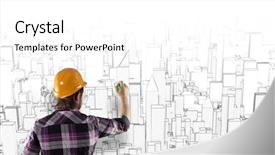
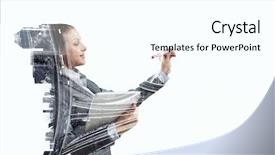
 Presentation with engineering - Slide deck featuring seminar engineering - rear view of engineer drawing background and a white colored foreground

Rear View Engineer Drawing Project

Imagine you're standing in front of a bustling business district at sunset, the warm light casting a golden glow on the tall skyscrapers and sleek architecture. The sounds of traffic hummed through the air as people went about their daily lives, all connected by the intricate network of roads and highways. This is what your Wide Title template will transport you to an ideal place for architects, designers, and individuals who value creativity and productivity. This Widescreen template is designed to evoke a sense of grandeur and sophistication, with a warm Burly Wood Colored color palette that exudes professionalism and approachability. The high resolution images on the background are sure to add depth and visual interest to your presentation, making it impossible to look away from the stunning views. Whether you're presenting an idea or sharing a seminar with colleagues, this template has got you covered. As part of our exclusive template collection, featuring a Background With a theme of showcasing vibrant cityscapes and modern architecture, including a Background Having a focus on urban landscapes and sleek skyscrapers, Enhanced With a unique color scheme that stands out in any presentation. Table of Contents: * Slide 1: Getting Started A Quick Introduction to the Template * Slide 2: Designing Your First Project Tips for Creating a Professional Look * Slide 3: Adding More Depth and Interest Incorporating Custom Images or Graphics * Slide 4: Finalizing Your Presentation Making it Stand Out with Essential Elements

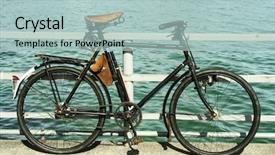
 Presentation with engineering - Colorful PPT theme enhanced with engineering seating - bicycle by the lake focus backdrop and a  colored foreground

Bicycle Lake Focus Seat Handle.

The sun casts a warm glow over the tranquil lake scene, inviting you to take a moment of serenity. As you sit on the bicycle dock, your legs tucked in tight, your gaze is drawn to the sleek titanium spokes that dance across the polished metal surface, a testament to the mechanical beauty that lies just beneath the surface. In this stunning Widescreen template, the Medium Aquamarine color palette brings to life a sense of calmness and serenity. The high resolution images for the background feature lush greenery and vibrant blooms, providing an enhanced visual experience that complements the bicycle scene perfectly. As you explore the template's features, you'll notice that it's designed with maintainability in mind, allowing you to easily customize and personalize your presentation with ease. With its focus on bicycles and gears, this template is sure to feature a cycling enthusiast at heart. However, the Ansoff Matrix Diagram Layout slide provides a clever way to include a background with a cohesive visual identity, ensuring that your presentation remains consistent throughout. Having a theme of simplicity and elegance, this template is the perfect companion for those who value high quality visuals and clean typography. Overall, this Widescreen bicycle landscape will take your audience on a journey of serenity and sophistication.

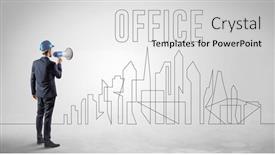
 Presentation with engineering - Slide set consisting of businessman-in-hard-hat-holding background and a light gray colored foreground

Businessman Hard Hat Holding Blueprint

In today's fast paced business world, professionals need to stay organized and focused on their projects, whether they're managing a construction project as a foreman or working in an office environment as part of the design team. A well designed template is essential to help you get up and running quickly, giving you the clarity and control you need to tackle your tasks with confidence. To enhance your productivity and style, we've created the Split Title template, featuring Cornflower Blue as its focal point. The template's background is a high resolution image of a blueprint, complete with an inscription that says "Office" in bold letters, giving it a professional touch. The design name Split Title is short and memorable, making it easy to recall. The template is ideal for showcasing your occupation or expertise as a project manager or designer, whether you're working on a construction site or collaborating with colleagues in the office. It's also perfect for businesses that specialize in engineering and architecture, featuring a theme of precision and attention to detail. To get started, you can find four easy to follow slides at the beginning of the deck, each designed to provide valuable insights and practical tips to help you navigate your project with ease. The Dart Layout slide is particularly useful as it provides a clear representation of the template's layout, making it easier for you to customize and tailor the design to suit your specific needs.

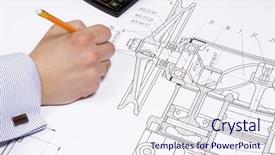
 Presentation with engineering - Presentation theme having engineering paper - engineer's hand holding pen background and a sky blue colored foreground

Engineer's Hand Holding Pen Draw

As you begin your educational journey or note taking endeavors, create a dynamic and engaging template that captures the essence of office life, including buildings and occupation, all while incorporating high resolution images to enhance the visual experience. This template is designed with the user in mind, featuring a Burly Wood Colored background that sets the tone for a professional yet approachable workspace. The entire template is formatted in Widescreen style, allowing users to easily navigate through notes and ideas. With its customizable design elements, including keywords such as education, occupation, and office building, this template is sure to help you stand out from the crowd. The Burly Wood Colored color palette offers a warm and inviting atmosphere, making it perfect for showcasing your personality while still maintaining a level of professionalism. The high resolution images included in the background will surely feature an engineer's hand holding pen at work, adding a touch of realism to your notes. To make the most out of this template, consider including a "Features" section in the first How To slide, highlighting key features such as dynamic layout, customizable design elements, and seamless integration with Google Slides. For instance, you could include an image of a sleek office desk or a person typing away on their computer to showcase the versatility of this template. Throughout the deck, use "Including a Background With" phrases to describe how high resolution images are featured throughout the template, making it easy for users to visualize and enhance their notes. For example, you could say something like "Adding a touch of realism with dynamic background images featuring engineers in action can help bring your ideas to life."

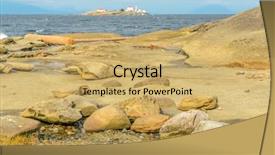
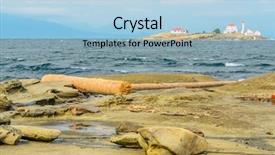
 Presentation with engineering - Beautiful PPT theme featuring reverse engineering - lighthouse over a nice view backdrop and a yellow colored foreground

Lighthouse Over Nice View Blue

The spotlight is shining brightly on a stunning Widescreen template that embodies the essence of a bygone era. This design name, Wide Title, perfectly captures the essence of this captivating look, evoking feelings of sophistication and timelessness. With a rich Tan color palette that exudes warmth and comfort, this template is sure to transport your audience to a tranquil coastal town, where the soothing sounds of seagulls and the gentle lapping of waves against the shore create an atmosphere of serenity. Featuring high resolution images for the background, this Widescreen template is designed to be stunningly visual. The Tan color palette serves as a perfect backdrop for the inclusion of the insurance symbol, lending it a sense of professionalism and authority. As if being transported by a beacon of light, the lighthouse stands tall against the horizon, its beam piercing through the darkness to guide you through the complexities of your industry. With a theme of innovation and tradition, this template is enhanced with detailed elements, including intricate stone carvings and lush foliage, creating a rich and textured background that adds depth and dimensionality. Having a theme of simplicity and elegance, it's the perfect starting point for any presentation or slideshow.

 Presentation with engineering - PPT theme enhanced with reverse engineering - lighthouse over a nice view background and a light blue colored foreground

Lighthouse Over Nice View Blue

The sleek and modern Corner Title template is here to elevate your presentation game, featuring a stunning 4x4 grid layout with high resolution images that will leave a lasting impression on your audience. This charming Widescreen template boasts a sky blue color palette, carefully curated to evoke the feeling of a serene lighthouse standing tall against a breathtaking ocean backdrop. The theme is perfectly enhanced by the inclusion of insurance and beam symbols, which add a touch of sophistication and professionalism. The image of a majestic lighthouse piercing through the waves will be the centerpiece of this template, featured prominently in the Grid Layout slide. This elegant design will showcase your PowerPoint presentation with confidence, giving your audience a sense of the premium quality that awaits them. The Corner Title template is downloadable, compatible with Google Slides, and ready to take your presentations to new heights. With its stunning visuals and crisp layout, it's the perfect starting point for any insurance related or lighthouse themed presentation. Whether you're pitching an idea, discussing a product, or simply sharing some inspiring words, this template will help you convey your message in style.

 Presentation with engineering - Slides featuring engineer with architectural plans background and a  colored foreground

Engineer Architectural Plans Cellphone

In a world where professionals are always on the go, a well designed template can make all the difference. Introducing Corner Title, a premium PowerPoint template that's perfect for experts in various fields who need to present their work efficiently and effectively. This Widescreen template is designed with a happy and vibrant Dodger Blue color palette that sets the tone for success. Corner Title features four easy to use How To slides at the start of the deck, ensuring you get up and running quickly. These slides cover essential topics such as customizing your layout, selecting fonts, and adding images to enhance your presentation. The template also includes a range of high resolution images that can be easily included with, having a theme of, and featuring throughout your presentation. Our Premium Templates are renowned for offering 60+ Layouts slide options, catering to the diverse needs of professionals such as architects, engineers, and entrepreneurs. Corner Title is compatible with Google Slides, making it easy to upload your own images or use our enhanced backgrounds with high resolution photos. By incorporating a laptop theme into your presentation, you'll transport your audience to a world of productivity and innovation. Whether you're creating an architectural plan or simply need to highlight your notes on the go, Corner Title is sure to deliver the results you're looking for.

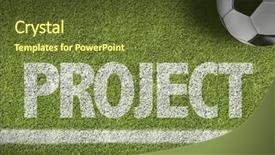
 Presentation with engineering - Cool new slides with value engineering - soccer field with the text backdrop and a tawny brown colored foreground

Soccer Field Text Project

The spotlight shines on you as you embark on a journey to create a professional and dynamic PowerPoint template that showcases your career aspirations. Introducing the Wide Title design, exclusively available at CrystalGraphics.com. This stylish template is crafted in Widescreen format, with stunning dark olive green backgrounds that set the tone for success. The Dark Olive Green color palette is both sophisticated and modern, making it perfect for showcasing your achievements and education. This high resolution image background adds a touch of professionalism to any presentation, while the Wide Title design ensures clarity and focus on your content. Featuring a prominent hero slide with your project or career goals, this template is sure to grab attention and inspire your audience. The 5 Year Calendar Timeline Layout is just one example of what can be achieved with this template. It's designed to help you visualize your progress over time, from the beginning of your journey to major milestones and achievements. Having a theme of success, education, career, strategic planning, and project management, it's the perfect tool for creating a comprehensive and dynamic presentation. Perfectly aligned with Google Slides compatibility, this template is easy to use and customize, allowing you to enhance its features with additional images or backgrounds as needed. To get started quickly, four How To slides are included at the beginning of the deck, providing valuable tips on how to unlock your full potential and achieve your goals.

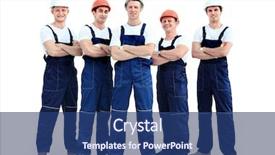
 Presentation with engineering - Slides having engineering groups - large group of workers standing background and a ocean colored foreground

Group Workers Standing Circle Top

The Corner Title template is a striking and professional design that immediately grabs attention with its bold and vibrant royal blue color palette, featuring high resolution images of workers in top view, creating an engaging atmosphere for any presentation or business related content. This Widescreen template is perfect for users looking to showcase their occupation, including a loader or building element, while maintaining a happy and professional tone. The theme of the Corner Title is enhanced with features such as interactive animations and custom fonts that add a touch of sophistication and modernity to your slides. The template's downloadability on Google Slides is facilitated by its compatibility and resolution options allowing users to adjust their presentation settings according to their device. This means you can choose between different image resolutions, colors, and layout configurations tailored to your specific needs. From the Getting Started section of the template, you'll find four valuable How To slides that help you get up and running quickly, providing a solid foundation for creating engaging presentations. For example, slide 1 could include "Design Elements" featuring a stylized illustration of gears in sync, while slide 2 focuses on "Layout and Composition" by showcasing an enhanced background with various shapes and colors.

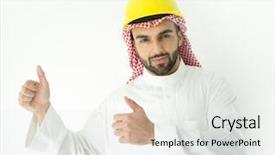
 Presentation with engineering - Audience pleasing PPT theme consisting of islamic engineering - arabic young architect posing backdrop and a white colored foreground

Arabic Young Architect Posing

As you gaze out at the vast expanse of the Arabian desert in the early morning hours, a sense of wonder and excitement fills your heart. The bright sunlight casts a warm glow over the landscape, illuminating the rugged terrain and the majestic architecture that seems to defy gravity. In the distance, a sleek and modern building rises from the sand, its sleek lines and angular features evoking the futuristic design of a space age cityscape. The Corner Title template is a stunning visual representation of this breathtaking setting, featuring a warm and inviting color palette that sets the tone for an uplifting and inspiring presentation. The Khaki background provides a neutral canvas for showcasing high resolution images, while the simple yet elegant font adds a touch of sophistication to the design. The overall effect is one of serenity and tranquility, perfect for highlighting your message. With its enhanced theme of "Hands on Architecture", this template features a prominent illustration of an architect's hands building something from scratch, surrounded by bright colors and energetic patterns. This delightful image will surely grab the audience's attention and leave them eager to learn more about your project. As you delve into the How To slides at the start of the deck, you'll be able to explore this theme further, including tips on how to incorporate a background with stunning images, having a unique design that stands out from the crowd, and enhancing your presentation with creative animations.

 Presentation with engineering - Amazing PPT layouts having consulting engineering - young architect wearing a protective backdrop and a  colored foreground

Young Architect Wearing Protective Helmet

As you step into the world of architecture and design, you're likely to come across women who embody strength, skill, and expertise. Their confidence and precision are contagious, making them an inspiration for anyone in their field. Here's how we can bring this energy into your presentation: The Corner Title template is designed with professionals like these in mind. This Widescreen template features a bright and airy light blue color palette that evokes feelings of professionalism and expertise. The background images are high resolution and perfectly positioned to showcase the main topic at hand, whether it's a contractor working on a jib or an occupation expert discussing architectural designs. The template's design name, Corner Title, reflects its purpose as a header for your presentation. To create a cohesive look, we've included keywords like "contractor," "expert," and "jib" in the color palette and font. You'll also notice that our template is compatible with Google Slides, making it easy to share and collaborate on. For a truly engaging experience, we've included four How To slides at the start of your deck. These slides will help you get up and running quickly, providing valuable tips and tricks for creating stunning presentations. On each slide, we've featured high quality images that showcase various aspects of architecture and design. You'll also notice that our template has a theme of "behind the scenes" features, including an example of a contractor working on a jib. The 5 Level Piramid Layout is another standout feature in this template. This layout allows you to visualize the different levels of your presentation, making it easier to organize and structure your content. You can include backgrounds with textures, fonts, or images to enhance the overall visual appeal of your slide. By using our Corner Title template, you'll be able to create a professional and engaging presentation that showcases your expertise in architecture and design. With its bright light blue color palette, high resolution background images, and expert designed layout, this template is sure to make a lasting impression on your audience.

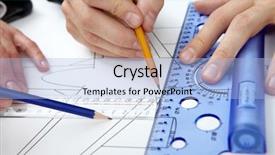
 Presentation with engineering - Beautiful presentation theme featuring corporate engineering - close-up of three hands backdrop and a light blue colored foreground

Close-up Three Hands Ruler Pencils

Here's a description that meets your requirements: Imagine you're a budding graphic designer looking to create a career building template that showcases your expertise in measuring and project management. Start with the "Wide Title" design, featuring a bold and modern light steel blue background that sets the tone for this informative and visually appealing template. With 4 How To slides at the start of the deck, you'll be able to get up and running quickly and efficiently. The Wide Title is the perfect starting point, incorporating high resolution images of draft papers and pencils in a grid layout. These engaging visuals will have your audience's attention from the very beginning. As you build upon this foundation, you can feature a large image of an employee working on a project, highlighting the "employee" keyword prominently. One of the standout features of this template is its seamless integration with Google Slides, making it easy to download and use in any presentation. The light steel blue color palette provides a clean and professional look that's sure to enhance your projects. Have a theme of organization and productivity, featuring images of rulers and measuring tools alongside inspiring quotes about staying focused. In each slide, you can include a high resolution image with a clear call to action, such as "Get started on your project" or "Measure up with our template". This will help your audience understand the value of this template and why it's an essential addition to any design toolkit.

 Presentation with engineering - Theme enhanced with hospital engineering - closeup of a group background and a lemonade colored foreground

Closeup Group Scientists Pharmacists Laboratory.

In the heart of every laboratory, there's a sense of urgency and precision that drives scientists to uncover new breakthroughs in medical research. Corner Title is designed to capture this essence with its unique combination of high resolution images, pale turquoise color palette, and pharmaceutical theme. The template features a container shaped background, perfect for showcasing complex equipment or experimental setups. The template is available as a downloadable resource on Google Slides, making it easy to incorporate into your presentations. Its compatibility ensures smooth integration with various multimedia formats. Corner Title boasts an elegant Caucasian themed design that exudes sophistication and professionalism. This template is ideal for delivering engaging medical or pharmaceutical talks, conferences, or workshops. With its simple yet effective layout, you can easily include relevant images, charts, and graphs to enhance the content. Imagine presenting research findings on a microscope slide, with high resolution images of bacteria and cells in vibrant colors against a pale turquoise background. Featuring this template, you can create visually appealing presentations that leave your audience engaged and eager for more.

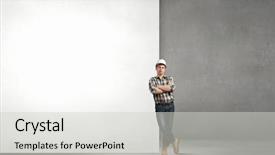
 Presentation with engineering - Presentation theme featuring young builder man leaning background and a  colored foreground

Young Builder Man Leaning White

As you embark on your construction project, you're about to unleash your inner craftsman and build something truly remarkable. This template is designed to take your blank canvas to the next level, featuring a high resolution background image that showcases a young builder in action. The design name for this template is "Foreman's Workshop", which perfectly captures its theme of professionalism and expertise. The template is formatted in widescreen, providing an immersive experience that puts you right in the middle of the construction process. With a tan colored color palette that evokes warmth and authenticity, this template will have your project looking sharp. The keywords for this template are contractor, blank, foreman, caucasian, craftsman all words that scream "construction" to anyone familiar with the industry. And when it comes to compatibility, this template is compatible with Google Slides, allowing you to easily embed high quality images and videos into your deck. As you delve into the template, you'll discover four key slides that will help you get up and running quickly from creating a blank slate for your project to showcasing your finished work. Each slide features an AIDA Block Layout design element, which sets the tone for the presentation and creates a clear narrative arc. The theme of "Foreman's Workshop" is Featured, Including a Background With having a cohesive look and feel that ties everything together. On one hand, you can enhance the template with additional images or graphics to further illustrate key points or add visual interest. Or, you can have a theme of Enhancing Your Brand by including custom branding elements or logos. Whatever your approach, this template is sure to elevate your project to new heights and leave a lasting impression on your audience.

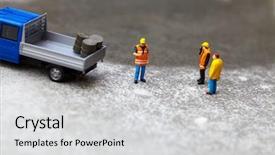
 Presentation with engineering - Beautiful slides featuring engineering roads construction - miniature technicians working backdrop and a light gray colored foreground

Miniature Technicians Working

Slides featuring miniature technicians working backdrop

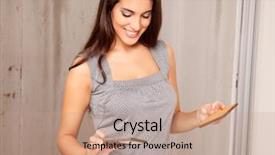
 Presentation with engineering - Slide set featuring financial engineering - business lady with tablet draw background and a pink colored foreground

Business Lady Tablet Draw Graphs

The corner of your window is about to be turned upside down no more boring PowerPoint templates. Introducing Corner Title, a stunning widescreen design that will make you stand out from the crowd and leave a lasting impression on your audience. Corner Title is perfect for anyone who wants to add some personality to their presentation without sacrificing style. The template's light slate gray color palette provides a clean and professional look that can be easily enhanced with any image or theme. With Corner Title, you'll have plenty of opportunities to showcase high resolution images in the background think high definition graphs, sleek renderings, or even beautiful landscapes. This design is sure to Featuring a striking layout that includes a prominent header section, making it easy for your audience to focus on what matters most: getting down to business. For example, imagine creating an engaging presentation about financial projections for a new construction project. You could Include a background image of a beautifully designed floor plan with arrows and lines highlighting key areas of the building, making it easy for your audience to follow along. The theme of Corner Title is all about having a clear focus on what you want to convey in this case, the financial aspects of the project. The Chart with Caption Layout slide is where things really come together, featuring high quality images that drive home key points and statistics. This layout will have your audience nodding their heads in agreement, "This makes sense." With Corner Title, you'll be able to create a professional looking presentation that's both visually appealing and easy to read the perfect combination for any business or personal project. And don't worry about compatibility Corner Title is downloadable and compatible with Google Slides, so you can easily get started right away.

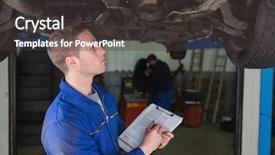
 Presentation with engineering - Beautiful slide set featuring male mechanic under car preparing backdrop and a dark gray colored foreground

Male Mechanic Under Car Preparing

In the heart of any workshop or garage lies a male mechanic meticulously preparing for another day of tinkering with engines and machinery. His hands move with precision as he inspects every detail, his eyes scanning the workspace for what could be a problem to solve. The sound of machines humming in the background adds to the sense of focus required for this vital work. A high resolution image featuring a close up of a young adult's hands holding a wrench and screwdriver is ideal for this slide. This shot should convey the sense of dedication and expertise that comes with being a mechanic. A steel blue color palette, as suggested by the template's format, will provide a calming yet professional backdrop for this scene. To enhance the overall theme of this presentation, incorporating images of various types of machinery or tools could be beneficial. Additionally, having a clear layout featuring the opposite directional arrows can help guide the viewer's attention through the slide and emphasize the importance of considering both directions when working with complex systems. For instance, using an arrow pointing to the right side of the screen while highlighting what needs to be done on the left side creates a sense of balance and proportion. The template is downloadable and compatible with Google Slides, providing a seamless integration into any presentation or project. A simple yet effective design that can be tailored to fit various styles, this Corner Title template showcases a young adult in their workshop, conveying a message of professionalism and expertise through a harmonious blend of colors and imagery.

 Presentation with engineering - Theme having ceramic material engineering - designer looking at two tile background and a  colored foreground

Designer Looking Two Tile Swatches

In the world of graphic design, there's no shortage of inspiration that can spark creativity and set the tone for a brand's visual identity. A new design concept has emerged, one that seamlessly combines ceramics with flooring to create a unique and captivating theme. This Corner Title template is specifically designed for designers looking to elevate their work with a warm and inviting aesthetic. The template features a stunning Widescreen format that showcases high resolution images of ceramic tiles, flooring options, and inspiring visuals that will leave viewers in awe. The Peach Puff Colored color palette adds a touch of elegance and sophistication, while the swatch keywords highlight the beauty of design. This Corner Title template is perfect for creating a cohesive brand identity or providing inspiration for your next project. By featuring high resolution images from ceramic manufacturers to flooring suppliers, you'll be well on your way to developing a comprehensive visual language that showcases your skills. The template is downloadable and compatible with Google Slides, making it easy to bring your design vision to life. With its enhanced theme of creating visually stunning presentations and engaging stories, this Corner Title template is sure to impress.

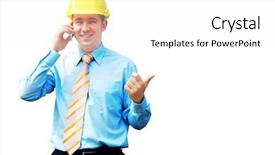
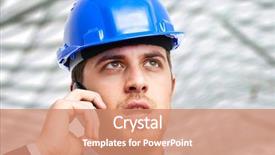
 Presentation with engineering - PPT layouts enhanced with oil engineering - portrait of an engineer talking background and a  colored foreground

Portrait Engineer Talking Phone

In a world where the lines between work and personal life are increasingly blurred, professionals need to stay ahead of the curve with the latest designs that capture their unique essence. And that's exactly what Corner Title is a high resolution template that combines steel and professionalism to create an eye catching visual identity for any project. This Widescreen design features high contrast color palettes, crisp lines, and bold typography that will make your content pop. The Cornflower Blue background provides a clean and sophisticated backdrop for featuring the work of architects, engineers, and site managers who require a professional yet approachable template. The Corner Title template is designed to be downloadable and compatible with Google Slides, making it easy to integrate into your workflow. Its high resolution images will transport you to the world of high stakes projects where precision meets creativity. For instance, imagine using this template for a project showcasing the work of an architect designing a new skyscraper Featuring a dramatic steel frame against a sleek Cornflower Blue background with bold white typography and contrasting shadows would give your presentation a powerful edge.

 Presentation with engineering - Beautiful presentation theme featuring engineering books - young funny girl with opened backdrop and a coral colored foreground

Young Funny Girl Opened Book

As you start your college journey, you've got big dreams and a hunger to learn, just like the young girl who's not afraid to get her hands dirty with her favorite book. The Corner Title PowerPoint template is here to help you make that dream a reality. This stunning design is perfect for colleges and universities looking to enhance their student experience. The template features a modern and sleek style with a khaki color palette, giving it a warm and inviting feel. The background image is high resolution and perfect for showcasing your academic pursuits. You'll love how the intricate details and textures add depth and visual interest to your presentation. The combination of fonts and typography will make your message stand out and engage your audience. The template includes four easy to follow slides that can help you get up and running quickly. These starting points are ideal for beginners, and will give you a solid foundation for creating engaging presentations. For example, the Comparison Layout slide is perfect for comparing different topics or themes related to education. It's a valuable addition to any PowerPoint deck and can be used to highlight key differences and similarities. The template also includes features like Including a Background With, Having a Theme of,Enhanced With, to make it a great starting point for your college journey. By featuring high resolution images and a modern design, you'll have the perfect tool to create presentations that are both visually appealing and engaging.

 Presentation with engineering - PPT layouts enhanced with staff manual - busy interior of engineering workshop background and a wine colored foreground

Busy Interior Engineering Workshop

The Corner Title template is designed to make a strong first impression on your audience, with its Goldenrod color palette and attention grabbing images. Its Widescreen format allows for maximum impact, featuring high resolution images that will draw viewers in. This template is perfect for engineers, workers, and anyone who demands precision, and the Caucasian and overalls keywords give it a clear theme. With its golden accents and dark backgrounds, this design is sure to evoke a sense of professionalism.

▼Key features of this template

  • They are compatible with both PowerPoint and Google Slides running on either Windows PCs or Macs.

  • They are available in both standard and widescreen slide formats. You can choose your preferred format by clicking on the "Widescreen" check box or icon.

  • Each template includes a beautiful high-resolution background image or video to visually reinforce the theme of your presentation.

  • In addition, each template includes designer-created graphics and modern fonts to give your presentations an up-to-date, professional look.

  • Each template's default design and title text position have been carefully selected to complement its background without covering faces or other key elements.

  • All text includes backdrops whose transparency level is mathematically calculated to maximize text readability while still allowing the background to be seen.

  • And all the text, text backdrops and graphics in every slide are colored with a palette designed to beautifully complement the colors in the background.

  • Our Premium templates (those with the descriptor “Premium” in their subtitle) include over 64 slide layouts to give you maximum flexibility as you create your presentations.

    • Those layouts are available to you whenever you create a new slide or when you want to change the layout of an existing slide.
    • They include everything you need to make all sorts of presentations. In addition to the layouts for the title slide and the usual title and content slide, they include many other layouts for slide types including table of contents slides, org charts, charts, diagrams, infographics, photo slides, thank you slides and more.
    • While creating these layouts our template designers have ensured that all text in every layout adjusts as gracefully as possible to various numbers of words.
  • Customizable templates (those with the descriptor “Customizable” in their subtitle) may be easily modified online before you download them.

    • To modify them, simply click on the pencil editing icon, then select your choice of ready to go designs and title text positions.
    • The editing tool also makes it easy to reposition and scale the background image or video to best suit your needs.

▼FAQs

Please review these FAQs to see if your question is answered. Contact us for more info

  • What is a PowerPoint template?

    • A well designed PowerPoint template is a file that can tell PowerPoint how to make your ordinary templates look extraordinary. They won’t change what your words or numbers say. But they might change their size, color, font and placement. And, overall, they can give your presentations a professionally-designed look that will give your content more credibility and give you more confidence.
  • How many PowerPoint templates do you offer?

    • We have over 32,000 artist-created presentation templates in our PowerPlugs collection With a subscription, PowerPlugs templates are easy to download. Just sign in, find a template and click on the green Download button. ready for you to download. That alone offers you more variety to choose from than any of our competitors can offer. And, as if that weren’t enough, we also offer over 6 million templates in our Crystal collection. Crystal brand templates are our line of templates that have customization options. They have the word "CRYSTAL" on their web page images. You can customize several aspects of the templates. These templates include high-resolution background images from Shutterstock’s vast image collection matched up with artist-created presentation designs customized by our own proprietary AI software.
  • How many templates can I download as a subscriber?

    • You can download an unlimited number of PowerPlugs-brand With a subscription, PowerPlugs templates are easy to download. Just sign in, find a template and click on the green Download button. templates every day for an entire year. (Actually, by default, we set a limit of 25 templates per day to prevent our competitors from stealing our templates. But, if that is not enough, just let us know and we’ll try to accommodate you.) On top of that, with a subscription or an Ultimate Combo, you can also download any 50 Crystal-brand Crystal brand templates are our line of templates that have customization options. They have the word "CRYSTAL" on their web page images. You can customize several aspects of the templates. templates per year selected from our huge Crystal collection. Crystal brand templates are our line of templates that have customization options. They have the word "CRYSTAL" on their web page images. You can customize several aspects of the templates. .
  • Why should I choose your templates instead of the competition’s?

    • We’ve got a larger selection of professionally-designed PowerPoint templates than anyone else in the world.
    • Each template includes a high-resolution background image or video to visually inspire your audiences while reinforcing your message.
    • Each template includes 64 slide layouts to give you maximum flexibility as you create your presentations.
    • Our templates are available in both standard and widescreen slide formats. And our website lets you preview the slides each way.
    • Our free Template Finder™ plugin lets subscribers select and - with a single click - download and insert our templates into their presentations right from within PowerPoint.
    • We’ve been creating designer presentation templates for over 20 years. During that time we’ve won several awards and 5-star ratings for product quality. See About Us for more.
  • Do you offer a money-back guarantee?

    • Yes we do! We offer full 30-day money-back guarantee if you are not 100% satisfied with your purchase.
  • Can I still use my downloaded templates after my subscription runs out?

    • Yes. After your subscription expires, you won't lose any rights or ability to use your PowerPlugs: Templates for PowerPoint. You won't be able to download any new non-watermarked templates. But the non-watermarked templates you've already downloaded will still work and you can still use them as before.
  • Can I share my downloaded templates or passwords with friends or coworkers?

    • Sorry but no. You are authorized to download each paid-for template to up to 3 of your personal devices and to use the templates you download in as many presentations as you want. But you are not authorized to share the templates, themselves, with others. That said, we do offer highly discounted site licenses to suit the needs of both small and large teams. Just tell us your needs and we’ll give you a quote!
  • System requirements:

    • The templates use the standard POTX format. So they are compatible with Google Slides and all PC, Mac and mobile devices running any version of PowerPoint from PowerPoint 2007 up through and including Office 365 desktop.
    • Please note: Google Slides does not currently support background videos. It treats them as still images.
    • For PowerPoint for the Web, first open your template into a desktop version of PowerPoint, then save it back out as a PPTX file. Then you can open that in PowerPoint for the Web.
  • End user license agreement:

    • Click here to view.
  • How will I get my purchased templates?

    • You may download your selected templates as soon as your payment is received by PayPal. If you purchased an individual template, you will be provided with a download link both onscreen and via email. Just click on that link to begin the download process. If you purchased a subscription, you will receive an email containing a password to use along with your email address to sign in to any of the templates pages on CrystalGraphics.com. Once you are signed in, you can immediately start downloading your selected templates.
  • How do I use my templates after I download them?

    • You can either open a template to start a new presentation or you can add a template to an existing presentation. To open a template, just double click on it or use PowerPoint's File > Open tool. To add a template to an existing presentation, on the Design tab, in the Themes group, click Browse for Themes... then browse to select your template.

View more Engineering templates:

previous 1 2 3 4 5 6 7 8 9 10 11 next
Categories related to Engineering:
Aeronautical Agricultural Automobile Bridge Chemical Civil Computer Design Electric Foundation Geodetic Highway Hvac Industrial Mechanical Mining Power Structural Survey System Traffic Welding
93% of Fortune 1000
companies use our
PowerPoint Products
Templates Secure

Standing Ovation Award
Winner: Best PowerPoint
Template Collection
Fortune Logos
200,000+ satisfied
customers worldwide!
Guarantee
100% satisfaction guaranteed
- or send it back for a refund!

Sign up for our free newsletter! You'll get news about our PowerPoint-enhancing product line – including free updates, new product announcements and exclusive special offers. Plus you'll get a link to a free PowerPoint template with every newsletter you receive.
Privacy Policy
Loading...


Help

Contact Us
Product FAQs
Product License Agreements

Company Info

About Us
Privacy Policy
CrystalGraphics, Inc. 1999 S. Bascom Avenue Suite 700 Campbell, CA 95008 USA
© 2026 CrystalGraphics, Inc. All rights Reserved.    |     PowerPlugs is a trademark of CrystalGraphics, Inc.
Microsoft and the PowerPoint logo are trademarks or registered trademarks of Microsoft Corporation in the United States and/or other countries.
Loading...
Loading...