www.crystalgraphics.com CrystalGraphics
  • Ultimate Combo
  • Templates
  • Diagrams
  • Characters
  • Quizzes
  • shopping cart
  • Sign Out Sign Out Sign In
Home > Templates > February Category
search icon
advanced icon

213 Best February-Themed Templates for PowerPoint and Google Slides

CrystalGraphics creates templates designed to make even average presentations look incredible. Below you’ll see thumbnail sized previews of the title slides of a few of our 213 best february templates for PowerPoint and Google Slides. The text you’ll see in in those slides is just example text. The february-related image or video you’ll see in the background of each title slide is designed to help you set the stage for your february-related topics and it is included with that template. In addition to the title slides, each of our templates comes with 17 additional slide layouts that you can use to create an unlimited number of presentation slides with your own added text and images. And every template is available in both widescreen and standard formats. With over 6 million presentation templates available for you to choose from, CrystalGraphics is the award-winning provider of the world’s largest collection of templates for PowerPoint and Google Slides. So, take your time and look around. You’ll like what you see! Whether you want 1 great template or an ongoing subscription, we've got affordable purchasing options and 24/7 download access to fit your needs. Thanks to our unbeatable combination of quality, selection and unique customization options, CrystalGraphics is the company you can count on for your presentation enhancement needs. Just ask any of our thousands of satisfied customers from virtually every leading company around the world. They love our products. We think you will, too!

Features & Pricing

Widescreen (16:9) Presentation Templates. Change size...
 Presentation with february -

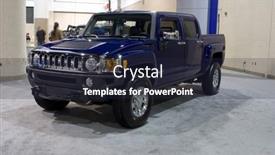
Jacksonville Florida February 14

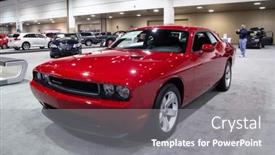
The moment you choose to create and showcase your own unique template on CrystalGraphics, you'll have the opportunity to take full control over its design elements including the font styles, layout, colors, and even imagery used throughout. The Wide Title template is perfectly suited for those who want a clear and concise yet visually appealing start to their presentation. Featuring a car dealership theme and a 3x4 image layout, this template would be ideal for showcasing your company's products or services in a compact yet engaging way. The high resolution images included in the template will give you the freedom to customize the background and add your own personal touch. For instance, if you include a Background With Image of Hummer H3T Truck at the Jacksonville Car Show on February 14, 2009 in Jacksonville, Florida, this template would be perfect for creating a dynamic and immersive experience for your audience. In terms of compatibility, this template is downloadable and suitable for use with Google Slides. And as an added bonus, you can share it freely with others, making it easier to collaborate on projects or share ideas with colleagues.

 Presentation with february - Amazing slide deck having jacksonville-florida-february-18 backdrop and a gray colored foreground

Jacksonville Florida-february 18 2012 Dodge

Imagine walking into a sleek and powerful garage, where the roar of engines and the hum of machinery fill the air as you step out onto a pristine showroom floor. The Warmth Of Crisp Crimson hues radiates from the high resolution images displayed on the background, transporting you to a world of speed and style. The Wide Title template is designed to make a statement, with its bold and eye catching design that stands out from the crowd. The template format is Widescreen, ensuring that all your graphics and images are perfectly proportioned for maximum impact. Whether you're showcasing a stunning image or simply want to create a cohesive look, this template has got you covered. The Crimson color palette is the perfect blend of classic and modern, with a focus on bold and vibrant hues that will leave a lasting impression. From the black trim to the car inspired graphics, every element is carefully designed to enhance your presentation. This isn't just another PowerPoint template it's an auto charged companion that includes a Grid Layout slide where you can easily include high resolution images in the perfect arrangement. With four How To slides at the start of the deck, you'll be well on your way to getting up and running quickly, with features like auto showcasing, including a background with animations, having a theme of automotive excellence, enhanced with transitions, and more. In this template, you can include images from various sources, such as stock photo websites or even capture them yourself using high resolution cameras. For instance, take the image of the 2012 Dodge Challenger SXT at the Jacksonville Car Show featuring a stunning shot that perfectly showcases the car's sleek design. Having a theme of automotive excellence, this template is sure to turn heads and drive your message home.

 Presentation with february - Slide deck with los-angeles-feb-15-charlie background and a coral colored foreground

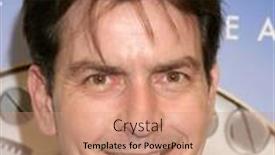
Los Angeles Feb 15:

The spotlight is on the Sidebar Title template, designed to bring your entertainment news and high stakes events to life in stunning 4K resolution. Perfect for Google Slides users, this versatile template features a Cornflower Blue color palette that exudes sophistication and glamour, reminiscent of the red carpet. With its sleek and modern design, you'll be able to showcase your best work on any device. The Sidebar Title template is available as a widescreen format, allowing you to display it in full glory at 16:9. This means you can feature high resolution images from events like Charlie Sheen's latest arrivals, which was featured prominently in the Los Angeles Times. The background of this image provides a stunning red carpet backdrop, complete with flashing cameras and cheering crowds. The template is ideal for entertainment news, including actor profiles, movie premieres, and awards shows. You can have a theme of "Red Carpet Events" throughout the template, using words like "Charlize Theron", "Marion Cotillard", or "Justin Timberlake". Having a background with a high end cityscape would also be fitting for events like the Oscars. For example, you could create a slide that showcases Charlie Sheen's latest arrivals at the Omegamania Antiquorum Cocktail Reception. You could include a high resolution image from the event and feature it prominently on the slide. On this slide, you could have a background with a stylized red carpet and flashing cameras, complete with a title like "Charlie Sheen Makes His Entrance".

 Presentation with february -

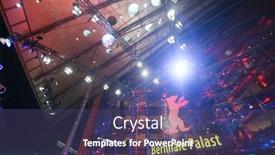
Atmosphere Attends Berlinale During 68th

Theme consisting of atmosphere attends the berlinale during the 68th berlinale international film festival berlin at berlinalepalace on february 16 2018 in berlin germany

 Presentation with february - Colorful presentation design enhanced with lodz-poland-circa-february-1977 backdrop and a mint green colored foreground

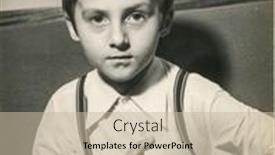
Lodz Poland Circa February 1977:

The powerpoint template provided by CrystalGraphics is a stunning Sidebar Title design that will transport your audience to the sun kissed streets of 18th century Europe. The focus on the iconic image of little boy posing as Napoleon Bonaparte sets the tone for an immersive experience. The Burly Wood Colored theme, featuring warm and rich tones reminiscent of old wooden signs and rustic architecture, perfectly captures the essence of this vintage scene. The template is available in Widescreen format, ideal for showcasing high resolution images that will elevate your presentation to new heights. A carefully curated color palette, Burly Wood Colored, lends itself to a sophisticated aesthetic that exudes refinement and elegance. The incorporation of ancient historical imagery adds an air of authenticity and depth, making this template a perfect fit for anyone looking to transport their audience back in time. The images included on the background will feature stunning high resolution photographs, rich in detail and texture, perfectly capturing the essence of LODZ, Poland circa February 1977. These images can be featured prominently, including a Background With a vintage map of Lodz, or having a theme of showcasing the city's charming streets. For example, you could create an engaging presentation that includes an image slide featuring the iconic Warsaw Uprising Museum in Lodz, highlighting its rich history and significance. The Managed Process Layout ensures that the text is easy to read and understand, with clear headings and concise bullet points making it simple for your audience to follow along. The template also allows you to include images, graphs, and other visual elements to enhance the content and keep your audience engaged.

 Presentation with february -

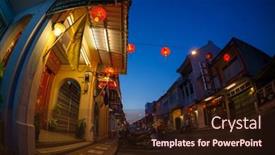
Phuket Thailand February 07,

As the sun dips into the crystal clear waters of Phuket's iconic limestone cliffs, the city comes alive at twilight. The streets are bustling with life as locals and tourists alike soak up the vibrant atmosphere. In this stunning template inspired by PHUKET / THAILAND FEBRUARY 07, 2013: Phuket town at twilight, you'll find yourself transported to the heart of Asia's most breathtaking destinations. The Steel Blue background that sets the tone for your presentation will transport your audience to the bustling streets of Bangkok, Hanoi, or Kuala Lumpur. This template is designed to enhance your message with high resolution images featuring a mix of architecture, urban landscapes, and iconic landmarks. From towering skyscrapers to historic temples, every element in this Steel Blue world is carefully crafted to captivate and inspire. The Widescreen format allows for stunning visuals that will grab the attention of anyone viewing it on a computer or mobile device. With its sleek design and clean layout, this template is perfect for architects, urban planners, marketers, and anyone looking to showcase their ideas in a visually stunning way. Featuring an impressive background with subtle texture and realistic lighting effects, you'll be able to convey complex information in an engaging and easy to understand manner.

 Presentation with february -

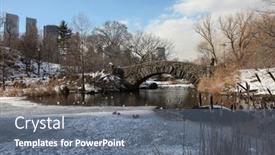
New York February 18:

PPT theme having new york - february 18 winter day scenery with stone bridge and skyline view in central park in new york city usa on february 18 2015

 Presentation with february -

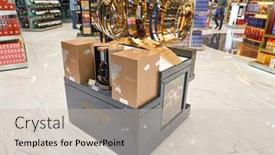
Macao Circa February 2016:

The city of Macao, where the air is thick with intrigue and the promise of fine spirits lingers in every corner. As you step into this world of luxury and opulence, the atmosphere shifts from serene to seductive, drawing you in with the allure of Hennessy cognac and the rich history that surrounds it. The Wide Title template features a grand, burly wood colored design that evokes the warmth and character of an upscale airport lounge. The high resolution images for the background are seamlessly integrated into the template, creating a immersive experience that transports you to the bustling streets of Macao International Airport. With its unique color palette, Featuring a rich blend of earthy tones and deep browns, this template is sure to enhance your presentations with a sense of sophistication and refinement. Including a Background With a subtle gradient effect, it adds depth and dimensionality to any slide, making it feel like a luxurious airport lounge or a cozy study. Having a Theme of creating engaging and interactive slides, this template includes four How To slides that will help you get up and running quickly. These slides are perfect for introducing your audience to the world of cognac and its many varieties, from Hennessy to Courvoisier. Enhancing these templates with custom animations or transitions can further enhance their impact. In Summary, the Wide Title template is a must have for anyone looking to elevate their presentations with a touch of luxury and sophistication. Whether you're showcasing your favorite airport bars or highlighting the rich history of cognac, this template has got you covered.

 Presentation with february - Colorful PPT theme enhanced with mumbai-india-05-february-2015 backdrop and a soft green colored foreground

Mumbai India 05 February

The Mumbaai skyline at sunset is a breathtaking sight to behold, especially when illuminated by the vibrant colors of a freshly printed page. The Wide Title in bold and golden font stretches across the top of each slide, making it impossible not to be noticed. This template's design name, Wide Title, perfectly captures its essence a title that takes center stage. The Widescreen format makes this template a feast for the eyes, with crisp high resolution images serving as the perfect background for any scenario. The Tan color palette brings warmth and coziness to each slide, making it an ideal choice for presentations about Asia or banking notes. For instance, you could include a slide featuring a collage of 10 different Asian banknotes, showcasing their unique designs. The template's keywords "high resolution images", "Tan color palette", and "Asia" are all prominently featured throughout, ensuring that your presentation is seamless and engaging from start to finish. As you explore this template, keep an eye out for the Bulb Puzzle Layout slide, which adds a touch of whimsy with its playful use of shapes and colors. This template is more than just a pretty face; it's also highly downloadable and compatible with Google Slides, making it easy to incorporate into your own content. The 4 How To slides at the start of the deck will get you up and running quickly, providing a solid foundation for any presentation.

 Presentation with february -

Irvine California February 24,

The gates to a California dream home a classic design motif that exudes elegance and sophistication. The Corner Title template is perfect for showcasing your brand's unique personality and style. This stunning Widescreen template features Cornflower Blue as its dominant color palette, evoking the soft hues of a California morning. High resolution images of intricate cast iron gates add a touch of authenticity to every aspect of this design. From the textured patterns on the gates to the subtle gradient effect in the background, every element has been carefully crafted to create an immersive experience. The template is designed to be both visually stunning and easy to use, with Keywords that will enhance your slide's functionality and help users discover it easily in Google Slides. Imagine presenting a beautifully illustrated image of an entrance to a luxurious home on the slide, complete with 3D cast iron gates and lush greenery. It's the perfect way to showcase your brand's expertise and creativity. When creating a new presentation, you can start by including the 4 essential slides at the beginning, making it easy for users to get up and running quickly. The Member Bio Layout slide is a great place to feature high quality images that showcase each member of your team, accompanied by a brief description and contact information. For instance, you could include a high resolution image of a California landscape with a nod to your company's logo, highlighting its connection to the state. Including backgrounds with various textures and patterns will allow users to enhance the visual appeal of your slides. Having a theme of showcasing your team's work is not just beneficial but also encourages collaboration, showcasing your expertise as a cohesive unit. By carefully selecting images that reflect your brand's personality, you can create engaging content that resonates with your audience. Enhanced with advanced animation and effects, each slide can be transformed into a dynamic presentation tool, making it perfect for presentations, pitches, or any other application where creativity and visual appeal are key.

 Presentation with february -

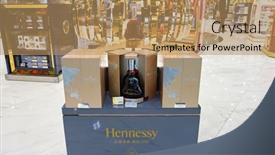
Macao Circa February 2016:

Slides featuring macao - circa february 2016 hennessy bottle displayed in a store at macao international airport hennessy is a cognac house with headquarters in cognac france backdrop

 Presentation with february -

New York-feb 24 Alexa Ray

Presentation enhanced with new york-feb 24 alexa ray joel performs in concert at cafe carlyle on february 24 2015 in new york city

 Presentation with february -

Mt Morris Feb 11:

PPT layouts enhanced with mt morris - feb 11 a car drives by at interstate 79 near mt morris february 11 2009 in mt morris stimulus funding in pennsylvania will add over 1 billion for highway projects this year background

 Presentation with february -

Newport Beach California February

The sun kissed beaches of California beckon to you, where crystal clear waters and powdery white sand await. As you step into this serene world, the gentle rustle of palm trees whispers secrets of a place both familiar and yet, utterly unique. The scenic Balboa Peninsula pier, a haven for beachgoers and photographers alike, stands proudly as a testament to human ingenuity and creative vision. With its Widescreen format, featuring an Enhanced Background With a soothing Cornflower Blue palette, this template is the perfect canvas for showcasing your personal style or professional flair. To get started, you'll begin with four How To slides that will have you launching into high production values in no time. But before we dive into those features, let's take a moment to appreciate the Arrowheads Layout slide a beautiful representation of the template's design elements, carefully crafted to bring your brand or presentation to life. This stunning image of the Newport jetty and Balboa Peninsula is sure to be a highlight of your deck, perhaps even inspiring you to recreate it in all its glory. As you work with this template, remember that you're not just creating something you're crafting an experience for your audience, one that will leave them feeling relaxed and inspired. Imagine having a theme of showcasing California's beauty, with the golden sunrises and starry night skies serving as a backdrop for your designs. The Cornflower Blue color palette is Featured Throughout This Template, ensuring that every element shines in harmony. With this vibrant setting, you'll be able to Include A Background With stunning images from around the world, or simply have a Theme of capturing the essence of California's coastlines. Having a cohesive look and feel throughout your deck will enhance the overall experience for your viewers, making it more engaging and effective.

 Presentation with february -

Shenzhen China February 16,

Slide deck consisting of shenzhen china - february 16 2015 shenzhen bao'an international airpor interior shenzhen bao'an international airport is located near huangtian and fuyong villages in bao'an district shenzhen

 Presentation with february - PPT theme featuring bamako-mali-circa-february-2012 background and a sky blue colored foreground

Bamako Mali Circa February

The vibrant cityscape of Bamako, Mali, frozen in time like a masterpiece of modern art. A fusion of traditional and contemporary elements, the building that stands tall in the background is a testament to the city's rich history and cultural heritage. This Corner Title template is designed to take you on a journey through the bustling streets of Africa, showcasing the energy and dynamism of one of the continent's most vibrant cities. Featuring high resolution images of famous landmarks such as the Djenné mud brick mosques and the ancient Bamako City Hall, this template will transport you to the heart of Mali. The Light Steel Blue color palette provides a clean and crisp backdrop for your presentation, evoking feelings of serenity and sophistication. The two content layout options allow you to choose from a range of possibilities featuring a bold and modern design with a clear hero slide, or including a background image with a subtle texture that adds depth and visual interest. The template is fully downloadable and compatible with Google Slides, making it easy to import into your presentation software. Whether you're creating a professional business presentation or an educational lecture, this Corner Title template is the perfect choice for showcasing the beauty and charm of Africa's capital city.

 Presentation with february -

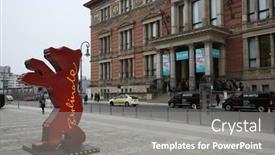
Berlin Germany February 10:

The world of film festival advertising is a unique and captivating one, where brands converge with creatives to capture the essence of the occasion. From giant bears to sleek lines, the design language of high end advertising can be eerily echoed in the meticulous layouts that adorn high resolution images from top festivals like Berlinale. In this template, "Wide Title" brings attention to the subject matter at hand the world of film and festival advertising. With a light steel blue color palette that perfectly complements the cinematic atmosphere, this template is sure to enhance any presentation or marketing material with its soothing yet sophisticated visuals. Featuring an ideal background image showcasing a bustling European Film Market, this template sets itself apart from others in its class. Including a Background With high end photography of iconic festival moments and adding a Theme Of "Gigantic Brands" will help you stand out while showcasing your brand's presence at the Berlinale International Film Festival. Enhanced with subtle animations and transition effects that evoke a sense of energy and excitement, this template is sure to get you noticed. Having a clear and concise Quotation Layout slide allows you to present your key points in a visually appealing manner, making it easier for viewers to grasp the essence of your brand. This slide is particularly useful when featuring a quote from one of the festival's top stars or celebrities.

 Presentation with february - PPT layouts having bamako-mali-circa-february-2012 background and a tawny brown colored foreground

Bamako Mali Circa February

This design name, Wide Title, conveys a sense of grandeur and expansiveness that perfectly captures the essence of a widescreen template. The Widescreen format allows users to immerse themselves in a visual feast, while the Sienna color palette brings warmth and depth to the design. Inspired by the vibrant colors of Africa, this template features high resolution images for the background, creating an immersive experience. The template is downloadable and compatible with Google Slides, making it easy to integrate into any presentation. It's an ideal choice for presentations that require a strong visual identity or a unique theme. With its bold and eclectic style, Wide Title is sure to make your slides stand out from the crowd. This design name, Wide Title, conveys a sense of grandeur and expansiveness that perfectly captures the essence of a widescreen template. The Widescreen format allows users to immerse themselves in a visual feast, while the Sienna color palette brings warmth and depth to the design. Inspired by the vibrant colors of Africa, this template features high resolution images for the background, creating an immersive experience. As inspiration, try using the same style on your presentation slides, featuring a beautiful image of a bustling African market scene. The Circular Approach Layout slide can be enhanced with a dynamic background that showcases a vibrant display of local African patterns and textiles, while having a theme of showcasing cultural diversity.

 Presentation with february - Slides having new-york-feb-12-recording background and a tawny brown colored foreground

New York-feb 12 Recording Artist

In the heart of New York City, where the beauty of steel meets the elegance of style, lies a world of endless possibility. The vibrant streets, the iconic skyscrapers, and the eclectic mix of cultures all come together to create an environment that is truly unique, featuring a city that never sleeps. Imagine walking down a bustling sidewalk, surrounded by the sounds of laughter and music, as passersby from all walks of life hurry to and fro. The smell of freshly brewed coffee wafts through the air, enticing you to stop and sample the latest offerings. As you look around, you notice the eclectic mix of high end boutiques, quirky art galleries, and rundown alleys that tell a story of resilience and determination. For those who are looking to capture this essence on their laptop screen, we present to you our Corner Title template designed specifically for Widescreen presentations. This stunning Sienna color palette is perfect for creating a warm and inviting atmosphere, as the high resolution images included in the background will transport your audience into the world of celebrity fashion shows, glamorous red carpet events, or exclusive after parties. The Corning Title template is more than just a design; it's an enhancement that can add a unique theme to any presentation. From featuring stunning celebrity photoshoots to including high resolution images of iconic locations around the city, our template provides endless possibilities for creative expression. With its sleek and modern arrowhead layout, this template will keep your audience engaged and interested throughout the presentation. With four easy to use slides at the start of your deck, you'll be up and running in no time. From How To tutorials to quick start guides, we've got everything you need to take your presentations to the next level.

 Presentation with february -

Mojave National Preserve California Usa

The sun sets over the vast expanse of California's Mojave National Preserve, casting a warm orange glow on the rugged landscape. The Mojave National Park visitor center at the historic Kelso Train Station stands as a testament to human ingenuity, its walls bearing witness to generations of travelers and adventurers. This Corner Title template is designed to evoke the same sense of awe and exploration, featuring high resolution images that bring the desert landscape to life. The dark khaki color palette provides a dramatic backdrop for this exterior focused design, perfect for editorial visuals that highlight the natural beauty of California's architecture. The template is downloadable and compatible with Google Slides, ensuring seamless integration into your presentation. Incorporating a background image or video can enhance the overall visual impact of the Corner Title, featuring stunning footage of the Mojave National Preserve in all its glory. For example, you could include an aerial view of the visitor center's exterior, showcasing the intricate details and craftsmanship that make this building so unique. Having a theme of "architecture" is perfectly suited for this template, as it showcases the rich history and engineering that have gone into creating these iconic structures. The Stairs Layout slide can be particularly useful in presentations where you need to convey complex information or illustrate key points. By including images of different types of stairs, such as stone steps or metal ladders, you can create a engaging visual aid that helps to clarify the layout and functionality of the building.

 Presentation with february -

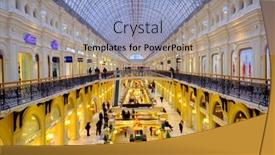
Moscow Russia February 27,

Slide set featuring moscow russia - february 27 2017 interior of gum mall at red square at dusk time

▼Key features of this template

  • They are compatible with both PowerPoint and Google Slides running on either Windows PCs or Macs.

  • They are available in both standard and widescreen slide formats. You can choose your preferred format by clicking on the "Widescreen" check box or icon.

  • Each template includes a beautiful high-resolution background image or video to visually reinforce the theme of your presentation.

  • In addition, each template includes designer-created graphics and modern fonts to give your presentations an up-to-date, professional look.

  • Each template's default design and title text position have been carefully selected to complement its background without covering faces or other key elements.

  • All text includes backdrops whose transparency level is mathematically calculated to maximize text readability while still allowing the background to be seen.

  • And all the text, text backdrops and graphics in every slide are colored with a palette designed to beautifully complement the colors in the background.

  • Our Premium templates (those with the descriptor “Premium” in their subtitle) include over 64 slide layouts to give you maximum flexibility as you create your presentations.

    • Those layouts are available to you whenever you create a new slide or when you want to change the layout of an existing slide.
    • They include everything you need to make all sorts of presentations. In addition to the layouts for the title slide and the usual title and content slide, they include many other layouts for slide types including table of contents slides, org charts, charts, diagrams, infographics, photo slides, thank you slides and more.
    • While creating these layouts our template designers have ensured that all text in every layout adjusts as gracefully as possible to various numbers of words.
  • Customizable templates (those with the descriptor “Customizable” in their subtitle) may be easily modified online before you download them.

    • To modify them, simply click on the pencil editing icon, then select your choice of ready to go designs and title text positions.
    • The editing tool also makes it easy to reposition and scale the background image or video to best suit your needs.

▼FAQs

Please review these FAQs to see if your question is answered. Contact us for more info

  • What is a PowerPoint template?

    • A well designed PowerPoint template is a file that can tell PowerPoint how to make your ordinary templates look extraordinary. They won’t change what your words or numbers say. But they might change their size, color, font and placement. And, overall, they can give your presentations a professionally-designed look that will give your content more credibility and give you more confidence.
  • How many PowerPoint templates do you offer?

    • We have over 32,000 artist-created presentation templates in our PowerPlugs collection With a subscription, PowerPlugs templates are easy to download. Just sign in, find a template and click on the green Download button. ready for you to download. That alone offers you more variety to choose from than any of our competitors can offer. And, as if that weren’t enough, we also offer over 6 million templates in our Crystal collection. Crystal brand templates are our line of templates that have customization options. They have the word "CRYSTAL" on their web page images. You can customize several aspects of the templates. These templates include high-resolution background images from Shutterstock’s vast image collection matched up with artist-created presentation designs customized by our own proprietary AI software.
  • How many templates can I download as a subscriber?

    • You can download an unlimited number of PowerPlugs-brand With a subscription, PowerPlugs templates are easy to download. Just sign in, find a template and click on the green Download button. templates every day for an entire year. (Actually, by default, we set a limit of 25 templates per day to prevent our competitors from stealing our templates. But, if that is not enough, just let us know and we’ll try to accommodate you.) On top of that, with a subscription or an Ultimate Combo, you can also download any 50 Crystal-brand Crystal brand templates are our line of templates that have customization options. They have the word "CRYSTAL" on their web page images. You can customize several aspects of the templates. templates per year selected from our huge Crystal collection. Crystal brand templates are our line of templates that have customization options. They have the word "CRYSTAL" on their web page images. You can customize several aspects of the templates. .
  • Why should I choose your templates instead of the competition’s?

    • We’ve got a larger selection of professionally-designed PowerPoint templates than anyone else in the world.
    • Each template includes a high-resolution background image or video to visually inspire your audiences while reinforcing your message.
    • Each template includes 64 slide layouts to give you maximum flexibility as you create your presentations.
    • Our templates are available in both standard and widescreen slide formats. And our website lets you preview the slides each way.
    • Our free Template Finder™ plugin lets subscribers select and - with a single click - download and insert our templates into their presentations right from within PowerPoint.
    • We’ve been creating designer presentation templates for over 20 years. During that time we’ve won several awards and 5-star ratings for product quality. See About Us for more.
  • Do you offer a money-back guarantee?

    • Yes we do! We offer full 30-day money-back guarantee if you are not 100% satisfied with your purchase.
  • Can I still use my downloaded templates after my subscription runs out?

    • Yes. After your subscription expires, you won't lose any rights or ability to use your PowerPlugs: Templates for PowerPoint. You won't be able to download any new non-watermarked templates. But the non-watermarked templates you've already downloaded will still work and you can still use them as before.
  • Can I share my downloaded templates or passwords with friends or coworkers?

    • Sorry but no. You are authorized to download each paid-for template to up to 3 of your personal devices and to use the templates you download in as many presentations as you want. But you are not authorized to share the templates, themselves, with others. That said, we do offer highly discounted site licenses to suit the needs of both small and large teams. Just tell us your needs and we’ll give you a quote!
  • System requirements:

    • The templates use the standard POTX format. So they are compatible with Google Slides and all PC, Mac and mobile devices running any version of PowerPoint from PowerPoint 2007 up through and including Office 365 desktop.
    • Please note: Google Slides does not currently support background videos. It treats them as still images.
    • For PowerPoint for the Web, first open your template into a desktop version of PowerPoint, then save it back out as a PPTX file. Then you can open that in PowerPoint for the Web.
  • End user license agreement:

    • Click here to view.
  • How will I get my purchased templates?

    • You may download your selected templates as soon as your payment is received by PayPal. If you purchased an individual template, you will be provided with a download link both onscreen and via email. Just click on that link to begin the download process. If you purchased a subscription, you will receive an email containing a password to use along with your email address to sign in to any of the templates pages on CrystalGraphics.com. Once you are signed in, you can immediately start downloading your selected templates.
  • How do I use my templates after I download them?

    • You can either open a template to start a new presentation or you can add a template to an existing presentation. To open a template, just double click on it or use PowerPoint's File > Open tool. To add a template to an existing presentation, on the Design tab, in the Themes group, click Browse for Themes... then browse to select your template.

View more February templates:

previous 1 2 3 4 5 6 7 8 9 10 11 next
93% of Fortune 1000
companies use our
PowerPoint Products
Templates Secure

Standing Ovation Award
Winner: Best PowerPoint
Template Collection
Fortune Logos
200,000+ satisfied
customers worldwide!
Guarantee
100% satisfaction guaranteed
- or send it back for a refund!

Sign up for our free newsletter! You'll get news about our PowerPoint-enhancing product line – including free updates, new product announcements and exclusive special offers. Plus you'll get a link to a free PowerPoint template with every newsletter you receive.
Privacy Policy
Loading...


Help

Contact Us
Product FAQs
Product License Agreements

Company Info

About Us
Privacy Policy
CrystalGraphics, Inc. 1999 S. Bascom Avenue Suite 700 Campbell, CA 95008 USA
© 2026 CrystalGraphics, Inc. All rights Reserved.    |     PowerPlugs is a trademark of CrystalGraphics, Inc.
Microsoft and the PowerPoint logo are trademarks or registered trademarks of Microsoft Corporation in the United States and/or other countries.
Loading...
Loading...