www.crystalgraphics.com CrystalGraphics
  • Ultimate Combo
  • Templates
  • Diagrams
  • Characters
  • Quizzes
  • shopping cart
  • Sign Out Sign Out Sign In
Home > Templates > February Category
search icon
advanced icon

213 Best February-Themed Templates for PowerPoint and Google Slides

CrystalGraphics creates templates designed to make even average presentations look incredible. Below you’ll see thumbnail sized previews of the title slides of a few of our 213 best february templates for PowerPoint and Google Slides. The text you’ll see in in those slides is just example text. The february-related image or video you’ll see in the background of each title slide is designed to help you set the stage for your february-related topics and it is included with that template. In addition to the title slides, each of our templates comes with 17 additional slide layouts that you can use to create an unlimited number of presentation slides with your own added text and images. And every template is available in both widescreen and standard formats. With over 6 million presentation templates available for you to choose from, CrystalGraphics is the award-winning provider of the world’s largest collection of templates for PowerPoint and Google Slides. So, take your time and look around. You’ll like what you see! Whether you want 1 great template or an ongoing subscription, we've got affordable purchasing options and 24/7 download access to fit your needs. Thanks to our unbeatable combination of quality, selection and unique customization options, CrystalGraphics is the company you can count on for your presentation enhancement needs. Just ask any of our thousands of satisfied customers from virtually every leading company around the world. They love our products. We think you will, too!

Features & Pricing

Widescreen (16:9) Presentation Templates. Change size...
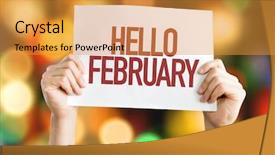
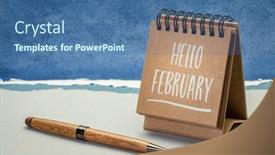
 Presentation with february - PPT theme with january 2016 - hello february placard with bokeh background and a gold colored foreground

Hello February Placard Bokeh Background

With the Split Title template by CrystalGraphics, you can immediately capture attention with its striking design that instantly evokes feelings of warmth and joy. This template takes inspiration from classic placards, where a simple yet elegant design makes everyday objects more relatable and personal. The high resolution images for the background will transport your audience to a golden hued world reminiscent of spring showers on February mornings or sun kissed days in late January. The diverse set of keywords "date", "01", "concept", "greeting", "happy" can be easily incorporated into various slides, giving you a solid foundation for creating engaging content. The Compatibility with Google Slides is a major plus, especially if you plan to share your presentation or use it as a starting point for further customization. The template's design allows you to create separate sections that are enhanced with backgrounds featuring 4 different options: classic, modern, monochromatic, and bold colors. This flexibility will allow you to easily switch between these layouts, giving your audience an immersive experience. The Split Title template is more than just a pretty face; it provides valuable insight into its design elements the carefully chosen goldenrod color palette will elevate any presentation, providing a cohesive look that brings all elements together seamlessly. The 4 How To slides at the start of the deck provide valuable guidance to help you get started quickly and confidently. By incorporating the template's unique theme, Featuring, Including a Background With having a Theme Of, Enhanced With style into your presentations, you'll convey a sense of professionalism and visual appeal that sets you apart from others.

 Presentation with february - Cool new PPT theme with european beaver in wildlife nature backdrop and a gray colored foreground

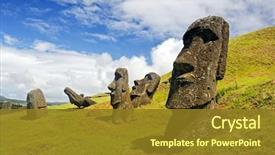
Chile -february 6 Moais Rapa

Imagine yourself standing on the windswept shores of Easter Island, surrounded by towering volcanic peaks and lush green forests, as you gaze out at the stunning beauty of Rano Raruku volcano. This breathtaking landscape is just one of the many destinations that feature in the Corner Title PowerPoint template. The template is designed to transport your audience to a world of luxury and adventure, with high resolution images showcasing the unique charm of each destination. The Cornflower Blue color palette provides a soothing and calming background that will leave your viewers feeling relaxed and inspired. This template is perfect for businesses looking to enhance their tourism marketing efforts, or individuals who want to showcase their favorite travel destinations. The Corner Title template features 6 x 6 Org Chart Layout as its centerpiece, which includes key performance indicators such as revenue growth, customer satisfaction, and employee engagement. Featuring a clear hierarchy of information, this layout provides valuable insights into the success of your business. Including a Background With a beautiful image from each destination, you can showcase different destinations with their unique characteristics. Having a Theme of Destination Marketing is at the heart of this template, featuring images that highlight the beauty and attractions of each location. Enhanced With custom animations and transitions, the Corner Title template will transport your audience to new heights and leave a lasting impression.

 Presentation with february - Audience pleasing theme consisting of february-black-history-month-handwriting backdrop and a coral colored foreground

February Black History Month,

The beauty of February lies in its rich history and vibrant celebration Black History Month a time to acknowledge the contributions and resilience of African Americans throughout their lives. For designers who want to create a template that embodies this theme, Corner Title stands out as an exceptional option. Corner Title is available in widescreen format, making it easy to incorporate into presentations with high resolution images for backgrounds. The Steel Blue color palette provides a sophisticated backdrop for creating designs that honor Black History Month and other observances. This template incorporates key keywords such as calendar, month, observance, reminder, and black history month. To make the most of this template, consider starting your presentation with four How To slides to help viewers get up and running quickly. However, these brief introductions can be skipped if you're looking for a more streamlined approach. For those who do opt for them, Corner Title provides excellent opportunities to highlight its features, such as including a background with high resolution images or having an enhanced theme of celebrating significant events. Incorporating the template into your slides, you can create a desktop calendar with handwritten notes and details, showcasing how it aligns with the annual observance. An example for this could be creating a daily spread in a digital calendar, complete with space for recording important dates, events, or reminders. This template allows for creativity while still maintaining coherence and consistency. By integrating Corner Title into your presentation, you can effectively convey your message and engage your audience in celebrating Black History Month.

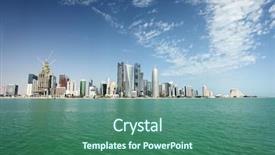
 Presentation with february - Slides with qatar - wide-angle view of the doha background and a ocean colored foreground

Wide-angle View Doha Skyline February

The cityscape unfolds like a canvas of possibility, with towering skyscrapers reaching for the sky and a vibrant green hue that echoes the pulse of this dynamic metropolis. In the heart of Doha lies a majestic high rise complex, its sleek lines and modern architecture a testament to human ingenuity. The Split Title template is a stunning addition to any presentation, boasting an attention grabbing design name that sets the tone for a visually striking display. Available in widescreen format with a sleek slate gray color palette, this template invites you to bring your message to life with ease. Featuring a high resolution background image of the Doha skyline in February 2011, this template is sure to capture the attention of your audience. With a focus on urban landscapes and majestic skyscrapers, this template seamlessly incorporates a cityscape into its design. Taking inspiration from the iconic Burj Khalifa, it's no wonder that this template would be included as one of four "How To" slides to help you get up and running quickly with your presentation. By including a background with a high level of detail, having a theme of stunning cityscapes, enhanced with sleek lines and modern architecture, this template is sure to impress. This template can also feature a prominent green accent wall, adding an extra layer of depth and sophistication. Having a modern look and feel, it's the perfect choice for presentations that require a balance between elegance and informality.

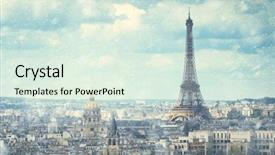
 Presentation with february - Colorful PPT theme enhanced with january february - snow in paris backdrop and a sky blue colored foreground

Snow Paris

The snow in Paris is a breathtaking sight to behold, and with this template, you can create a stunning widescreen presentation that will leave your audience mesmerized. The Wide Title design features a majestic building set against a serene backdrop of snow covered streets and trees, perfectly capturing the essence of a winter wonderland scene. This template's Mint Cream color palette is as soft as freshly fallen snow, providing a calming atmosphere for your content. High resolution images from around the world are included to give your presentation an authentic look. The Wide Title design has a distinct Venn Diagram Layout slide where you can explore different aspects of this theme together. This slide is perfect for featuring key points such as the structure of Paris, its history, and famous landmarks. Including a background with high resolution images will enhance your visuals even further. Having a theme of showcasing iconic buildings, monuments, or architecture is enhanced with having an easy to use PowerPoint template that includes features like inserting a building in the scene, making it simple for you to get started.

 Presentation with february - Slide deck consisting of hello-february-greeting-card-handwriting background and a ocean colored foreground

Hello February Greeting Card -

The Corner Title is a unique and captivating design that is sure to leave a lasting impression on your audience. It's the perfect template for any occasion, whether it's a special event, a milestone, or just a regular reminder. This template features a rich steel blue color palette that exudes sophistication and style. Widescreen format ensures that every detail is showcased, from the high resolution images in the background to the intricate details on the spiral notebook design. The Corner Title can be used as a standalone card or included within a larger presentation, making it an excellent choice for note taking, concept development, or even a sign for a special message. The template includes high resolution images of the background and the notebook design, providing a seamless viewing experience. As users explore the template, they'll notice that it has a theme of organization, with each element carefully curated to enhance the overall look. The 5 Year Calendar Timeline Layout slide is particularly noteworthy, as it showcases how easily this template can be customized to fit any specific calendar or event. This template is not just for card making; it's also an amazing way to add a touch of personality and creativity to your presentations, notes, or even social media posts. By featuring high resolution images, including a background with a beautiful landscape design, having a theme of organization, enhancing the overall look, and being downloadable with compatibility for Google Slides makes this template truly special. With its unique blend of style, functionality, and customization options, the Corner Title is sure to become a favorite among users. Whether you're creating birthday cards, wedding invitations, or simply want to add some flair to your presentations, this template has got you covered.

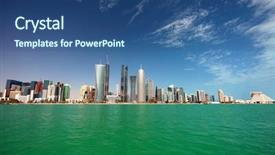
 Presentation with february - PPT layouts featuring city skyline in doha qatar background and a ocean colored foreground

View City Skyline Doha Qatar,

The world is abuzz with excitement as cities around the globe boom into their full potential. The steel blue hues of skyscrapers piercing through the cloudless sky are a visual representation of human ingenuity and progress. In this Split Title template, you'll find yourself transported to the heart of a bustling metropolis. The Split Title design features high resolution images for the background, creating a dynamic and immersive environment that showcases the city's vibrant energy. The template is downloadable and compatible with Google Slides, ensuring seamless integration into your presentation workflow. To take it to the next level, this template includes 4 How To slides to help you get up and running quickly. The Managed Process Layout slide allows you to easily organize your content and features, making it a valuable asset in any presentation. You can include a background with high end images or having a theme of cityscape photography to match the mood and atmosphere of your slides. The enhanced background is made possible by the Steel Blue color palette, providing a cohesive look that ties everything together. This template is perfect for showcasing development projects, highlighting key milestones, and celebrating achievements in a clear and concise manner. Featuring images of important buildings or landmarks can add an extra layer of visual interest to your presentation, while including a background with a cityscape design gives you the freedom to showcase your creativity. Having a theme of innovation and progress ensures that your slides stay true to your message, making it easier for your audience to understand and relate to your content.

 Presentation with february - Beautiful theme featuring february-4-world-cancer-day backdrop and a coral colored foreground

February 4 World Cancer Day.

February 4 World Cancer Day is just around the corner and with that comes the awareness that many lives are touched by the disease, making this theme the perfect opportunity to raise awareness about cancer treatment options. The Corner Title template from CrystalGraphics is designed to provide a visually appealing way to convey this message, featuring high resolution images of medical professionals and patients to highlight the importance of accurate diagnoses. The template's design name, Corner Title, implies that it's all about cornering the attention of your audience with a powerful message. This is reflected in its medium orchid color palette, which adds a touch of sophistication and elegance. The Caucasian skin tone used throughout the template makes it easily recognizable as a medical themed presentation. With 4 How To slides at the start of the deck to help you get up and running quickly, this template provides a solid foundation for presenting your message in a clear and concise manner. From "How Can You Help" to "Understanding Cancer Stages", these slides will guide your audience through the process of learning more about cancer treatment options. The template is available as a downloadable file with high resolution images that are sure to enhance your presentation. Featuring a beautiful background image of a medical office, this slide sets the tone for your discussion on cancer awareness. Having a theme of accurate information and empowering patients, it's the perfect starting point for your conversation about cancer treatment options. The template includes additional slides that provide more in depth information on different aspects of cancer treatment, such as "Understanding Cancer Stages" and "Treatment Options". These slides are carefully designed to educate your audience and enhance their understanding of cancer awareness.

 Presentation with february - PPT theme having february-4-world-cancer-day background and a soft green colored foreground

February 4 World Cancer Day.

To raise awareness and inspire people to take action against cancer, especially for those in need. Corner Title, designed specifically with medical professionals and patients alike in mind, is here to provide the perfect starting point for your presentation. This Widescreen template features a bright and uplifting Yellow Green color palette that evokes feelings of hope and optimism. The Corner Title design provides a unique theme to enhance with your message, featuring a classic corner title format that includes space for names, titles, and other important information. The template's download capability makes it easy to incorporate into your Google Slides presentation, ensuring seamless integration into your existing workflow. For those looking to create an engaging visual narrative, the high resolution images of medical backgrounds will feature prominently in the template, providing a rich and immersive setting for your presentation. The background can be customized with various images, from abstract patterns to real life scenarios, making it easy to tailor the template to fit your specific needs. The Growth Stages Layout slide offers a valuable space to showcase the different stages of cancer treatment, allowing you to highlight the challenges faced by those living with tumor illnesses and the importance of seeking medical attention. This layout can be enhanced with additional images and illustrations, further emphasizing the theme of cancer awareness and care. With its customizable design elements and high resolution images, Corner Title is an excellent starting point for creating a visually appealing and informative presentation that will resonate with your audience.

 Presentation with february - Colorful presentation theme enhanced with month of february written backdrop and a white colored foreground

Month February Written White Background

The countdown to February has begun. Get ready to dive into a world of elegance and sophistication with our Widescreen template, featuring a stunning light coral color palette that will transport you to a world of white and sleek design elements. This template is designed for the creative professional who wants to add a touch of high end style to their presentations. This template is formatted in 16:9 widescreen, perfect for showing off your most important visuals without any distractions. The background images are showcased at their highest resolution, providing an immersive experience that will leave your audience captivated. You'll be able to include a Background With this stylish template and add a touch of drama to your slides with the use of high contrast colors. As you start creating your presentation, don't hesitate to reach out for support on our How To slides, featuring expert tips and techniques to help you get up and running quickly. But first, let's take a look at what this template has in store for you. The Arrow Stages Layout slide is where things really come together, with clean lines and a clear hierarchy of information that makes it easy to scan and understand. This template features a stunning February calendar background, complete with high resolution images and a vibrant light coral color palette that will enhance your message and leave a lasting impression on your audience. With this template, you'll be able to have a Theme of elegance and sophistication, making it perfect for presentations that require a touch of high end style. You can include a Background With this stylish template and add a touch of drama to your slides with the use of high contrast colors. The 4 How To slides will help you get up and running quickly, featuring expert tips and techniques to make your life easier.

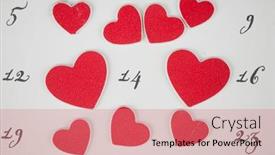
 Presentation with february - Cool new PPT theme with calendar-page-with-the-red backdrop and a coral colored foreground

Calendar Page Red Hearts February

The countdown to Valentine's Day is upon us, and we're giving you the gift of style with our Widescreen Wide Title template. Designed in Crimson, this template is the perfect addition to any presentation that needs to make a statement. With its handsome font and attention grabbing background images, it's sure to leave a lasting impression on your audience. This Valentine's Day themed template features 4 How To slides at the start of the deck to help you get up and running quickly. But don't worry, we'll walk you through the process in our next slide. Take a look at this Comparison Layout idea it includes a Background With the calendar page featuring high resolution images of hearts on February 14th, Saint Valentine's Day. Having a Theme of romantic gestures and thoughtful gifts makes for an Enhanced With presentation that will leave your viewers feeling love struck. The template is also compatible with Google Slides, making it easy to import into your favorite presentation software. And the best part? It's downloadable, so you can share it with others or use it for future presentations. Whether you're a fan of traditional romantic gestures or something more modern and playful, this Crimson themed template has got you covered. When you think back to Valentine's Day last year, what were some of the things that stood out to you? Maybe it was the stunning image of a pair of red hearts on February 14th. This design is Featuring a simple yet effective background with high resolution images, making it easy to customize and enhance your presentation without breaking the bank.

 Presentation with february - Presentation featuring february-4-world-cancer-day background and a coral colored foreground

February 4 World Cancer Day.

The world is facing a growing concern that has sparked a sense of urgency and importance cancer. February 4th marked as World Cancer Day, raising awareness about the devastating effects it has on individuals and families worldwide. The statistics are alarming, with millions of people suffering from various types of tumors each year. It's essential to understand that cancer is not just a medical issue but also an emotional one, affecting not only the patient but also their loved ones. A well designed template can play a significant role in spreading awareness about this critical issue. Introducing Corner Title, a sleek and modern template that incorporates dark khaki as its primary color palette. The template features a high resolution image of a Caucasian woman receiving treatment for cancer on a Widescreen background, enhancing the sense of empathy and understanding. The template's design is accompanied by a range of keywords related to medical issues, such as sickness, treat, and caucasian, which will help you create an informative and engaging presentation. The Dark Khaki color palette creates a somber yet professional atmosphere, making it perfect for healthcare professionals and researchers working on cancer related topics. With 4 How To slides at the start of the deck, users can quickly get up and running with their presentation. These slides will feature arrows to highlight key points, along with images that illustrate complex medical concepts. Additionally, the opposite directional arrow layout slide allows you to create a dynamic visual effect, drawing attention to specific information or ideas. Incorporating a background with a relevant image can enhance the overall design and make it more engaging for your audience. Having a theme of cancer awareness is particularly fitting, as it emphasizes the importance of spreading knowledge about this critical issue.

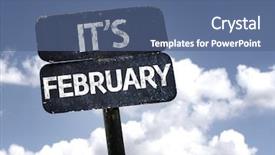
 Presentation with february - Cool new presentation with 2015 plan - it's february sign with clouds backdrop and a ocean colored foreground

's February Sign Clouds Sky

Imagine you're standing in front of a stunning winter wonderland scene on February 1st, surrounded by snowflakes gently falling from the sky, with a bright and cheerful red sign waving high above. The warm glow of happy people celebrating Valentine's Day dances across your face as they smile and wave, their faces filled with joy and love. The background is a beautiful image of clouds drifting lazily across a serene blue sky, perfect for showcasing the theme of a festive holiday season. To enhance this background, you can include high resolution images of winter wonderland scenes from around the world, featuring majestic mountains, sparkling snow covered landscapes, and vibrant festive decorations. As you begin your presentation on "Corner Title", start with a thought provoking question that sets the tone for the entire deck: "What makes this day special?" The answer can be as simple as "Because today is February 1st" or "Because it's Valentine's Day". You could also consider adding some fun facts about the holiday, such as "Did you know that Valentine's Day has its roots in ancient Roman and Christian traditions?" On your first slide, you'll see a brief overview of how to get started quickly, featuring a beautiful image of a team working together towards a common goal. This 5 x 5 Org Chart Layout will help you visualize the structure of your presentation and make it easy to navigate through key points. As you continue on with your presentation, be sure to highlight the importance of having a clear theme throughout your deck. For example, you could say something like: "Today's theme is celebrating love and friendship, featuring high resolution images from around the world to showcase festive decorations and happy moments." This will help keep your audience engaged and interested in what you have to say. The template is compatible with Google Slides and features a stunning Royal Blue color palette that adds a touch of elegance to any presentation. You can also use this theme to create custom backgrounds for each slide, making it easy to enhance the visuals and add a personal touch to your presentation.

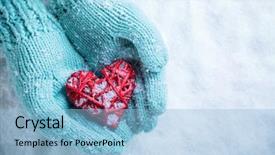
 Presentation with february - Colorful slide deck enhanced with january february - woman hands in light teal backdrop and a light blue colored foreground

Woman Hands Light Teal Knitted

The Corner Title template is designed to capture your attention with its elegant and whimsical concept. A woman's hands in light teal knitted mittens are gently holding a beautiful glossy red heart against a stunning snow background, evoking the feeling of warmth and love on St. Valentine's Day. The soft colors and delicate textures create a romantic atmosphere that is sure to leave a lasting impression. This template features 4 quick start slides that will get you up and running quickly, but its real strength lies in its versatility. The Widescreen format allows for high resolution images that pop against the crisp background, making it perfect for showcasing your branding or design work. The Alice Blue color palette adds a touch of sophistication and elegance, while the keywords "love", "mittens", "hands", "woman", and "color" provide a clear theme throughout the template. The SWOT Analysis Layout slide is particularly noteworthy, as it features a clever combination of static images and text overlays to help you break down your project into its key components. The background image can be customized with a variety of options, including featuring Google Slides or having a theme of showcasing specific elements from your design work. This template is also enhanced with additional design elements such as icons, shapes, and charts to further enhance the overall visual appeal. You could feature this template in your presentation on Valentine's Day, perhaps in a slideshow accompanying a promotional event, or even include it in a wedding planning kit as a unique branding element.

 Presentation with february - Theme featuring happy february card with heart background and a violet colored foreground

Happy February Card Heart Bokeh

Imagine being the lucky recipient of a Valentine's Day card that exudes romance and warm fuzzies, complete with a beautiful, high resolution image of two hearts embracing. This is what we're going to create for you today a stunning PowerPoint template designed specifically with your needs in mind. The design name is "Happy Hearts", a short and sweet title that perfectly captures the essence of this project. Our template format is Widescreen, perfect for showcasing any size image or video. As for the color palette, we're going for Burly Wood Colored a warm, earthy theme that evokes feelings of coziness and comfort. This template is not just about looks; it's also packed with features and functionalities to make your life easier as an instructor or teacher. We've included four How To slides at the start of the deck to help you get up and running quickly featuring key tips, tricks, and best practices for creating engaging presentations. Our 4 x 4 Org Chart Layout slide is a great way to visualize your organizational structure and make it easy to identify your team's roles and responsibilities. To give you an idea of what this template could look like in action, imagine using it to create a Valentine's Day card for a loved one featuring a beautiful background image with a custom greeting, including a few high resolution images to highlight the romantic details. With our template, you'll have everything you need to create stunning slides that will leave your students or clients feeling warm and fuzzy inside.

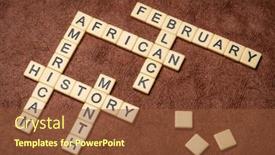
 Presentation with february - Theme featuring february-african-american-or-black background and a tawny brown colored foreground

February African American Black)

The excitement is building as you begin to create your Wide Title template from CrystalGraphics, featuring a unique and thought provoking African American history month crossword design that will surely make a lasting impression. The Widescreen format brings the complexity of this theme to life in stunning detail, showcasing high resolution images of textured handmade paper against an ivory background. The template's rich Sienna color palette is the perfect backdrop for incorporating detailed lettering and keywords such as observance, concept, and crossword. African American history will be highlighted through a combination of historical figures, quotes, and vibrant illustrations. The Widescreen aspect allows you to showcase a variety of angles and perspectives, making this template truly versatile. This incredible design is not only visually stunning but also provides an opportunity for creative expression through the use of iconic images such as February's African American (or Black) History Month crossword in ivory letter tiles against textured handmade paper. A unique layout that incorporates these elements will undoubtedly make a lasting impression.

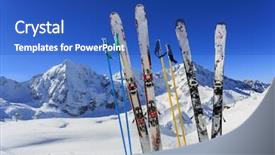
 Presentation with february - Theme consisting of january february - skiing winter season mountains background and a teal colored foreground

Skiing Winter Season Mountains Ski

Imagine yourself standing at the foot of a majestic mountain peak, surrounded by snow capped peaks that stretch far into the distance, their rugged contours softened only by the gentle wisps of frost that dance across their slopes. The air is crisp and cold, carrying the scent of pine trees and damp earth, as you gaze out upon a breathtaking vista that seems to go on forever. A serene ski resort, teeming with activity but still maintaining its tranquil beauty, beckons you to come and experience all it has to offer from world class skiing and snowboarding runs to picturesque villages and mountain lakes. The sound of laughter and joyful shouts fills the air as happy skiers and snowboarders hurtle down the slopes, their excitement infectious. As you take in this winter wonderland scene, your mind begins to wander to the many ways you can capture its essence on film or print. With the Corner Title template from CrystalGraphics, you'll be able to create a stunning Widescreen image that perfectly captures the essence of alpine winter landscapes. The Royal Blue background is sure to make your design stand out, and the inclusion of high resolution images will ensure that every detail of your composition comes alive. The template's sophisticated keywords ski resort, tourism, winter, summit are sure to inspire you as you create a visually stunning presentation that showcases this beautiful scene. As you work with the Corner Title template, remember to enhance its beauty by including a background with subtle texture and fine details that will make your design truly special. The Chart with Caption Layout slide is a great feature in this template, allowing you to showcase important statistics or data while still keeping your content concise and easy to read. For example, you could use it to present information about the resort's facilities, including its ski schools, equipment rentals, and accommodation options.

 Presentation with february - Amazing theme having january february - woman hands in light teal backdrop and a light blue colored foreground

Woman Hands Light Teal Knitted

The Corner Title template is a stunning addition to any presentation, inviting viewers to get cozy and feel the love with high resolution images that will transport them to a winter wonderland. This template's design name, "Corner Title", perfectly captures its essence, featuring an attention grabbing opening sentence that sets the tone for a romantic and emotive presentation. The template's format is Widescreen, making it perfect for showcasing your beautiful slides in full glory. The Light Steel Blue color palette provides a clean and sophisticated backdrop for the high quality images that will make this template stand out from the crowd. From the intricate details of the knitted mittens to the vintage romantic red heart, every element works seamlessly together to create a cohesive look. The inspiration behind this template is clear it's designed to evoke feelings of love and Valentine's Day, featuring charming illustrations like woman hands in light teal knitted mittens are holding a beautiful entwined vintage romantic red heart in a snow background. Love and St. Valentine concept showcases these elements beautifully, with the Chart with Caption Layout slide providing a convenient place to display the illustration and include key details. What makes this template truly special is its compatibility with Google Slides featuring having a theme of adding seamless integration and sharing your presentation instantly, including a Background With section showcasing how to customize it.

 Presentation with february - Audience pleasing slide set consisting of kolkata-india-february-09-queen backdrop and a tawny brown colored foreground

Kolkata,india February 09:

From the moment you open this presentation, you're transported to the ancient streets of KOLKATA,INDIA FEBRUARY 09: Queen Trisala witnesses fourteen great dreams signifying the advent of an omniscient saviour, bass relief on the wall of Jain Temple in Kolkata, India on February 09,2016. The rich history and architectural marvels that dot this city are a feast for the eyes, but what really sets it apart is its vibrant culture and festive atmosphere. The Wide Title template, featuring a majestic image of a JAIN TEMPLE, is the perfect showcase for your audience. With a warm Saddle Brown color palette, the background images will add depth and context to your presentations. High resolution images are included in the package to ensure that every slide pops. The template's design name, Wide Title, reflects its ability to make a statement. The Widescreen format ensures that all visuals, including images and graphics, are presented in their entirety. This means that you'll get to see everything clearly from your slides without any cropping or distortion. Adding the theme of "Advent" and "Ancient" architecture will tie in perfectly with this template's inspiration. This template is perfect for anyone looking to enhance their presentations with a unique and engaging look. Imagine showcasing stunning images of ancient temples, vibrant festivals, or historical landmarks, all set against a rich Saddle Brown background. This Wide Title template is sure to inspire your audience and leave them eagerly anticipating what you'll show next.

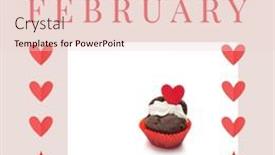
 Presentation with february - Theme with composition-of-hello-february-text background and a lemonade colored foreground

Composition Hello February Text Cupcakes

Creating a Sidebar Title with a Misty Rose Color Palette and featuring high resolution images throughout, this PowerPoint template is perfect for showcasing your love and romance themed graphics. The design name "Sidebar Title" is an attention grabbing choice that sets the tone for the rest of the presentation. With a widescreen format and a modern style, this template is designed to work seamlessly with Google Slides. To ensure compatibility, features high resolution images throughout, providing an enhanced visual experience. The Misty Rose color palette creates a soft, romantic ambiance that complements Valentine's Day and love themed graphics perfectly. This template includes four How To slides at the start of the deck to help you get up and running quickly. However, it doesn't require extensive setup, as all the elements are included for easy customization. The Dart on Target Layout slide is a great example of how this template can be used – with clear and concise text, accompanied by images that beautifully bring your design to life. Including a Background With this template allows you to have a theme of showcasing graphics in a beautiful setting, enhancing the overall visual experience. Having a Theme of showcases graphics as part of a presentation or slide deck enhances the creativity and originality of your content

 Presentation with february - Amazing PPT theme having february-2021-spiral-desktop-calendar backdrop and a lemonade colored foreground

February 2021 Spiral Desktop Calendar

The world is buzzing with excitement as we dive into February 2021 spiral desktop calendar isolated on white, time and business concept. A fresh start is just around the corner, and you're ready to take your brand to the next level. Imagine starting a new year feeling inspired, informed, and connected. This Sidebar Title template brings the perfect blend of style and functionality to help you showcase your latest creations. Widescreen in 16:9 format ensures an immersive experience, while the Peach Puff Colored theme provides a warm and inviting atmosphere that's sure to engage your audience. A high resolution background image featuring a calendar or a clock is included for showcasing your branding, making it easy to include a Background With your logo or design elements. The template is ideal for businesses looking to enhance their February 2021 features, including a business theme, by Incorporating a Background With relevant images and having a Theme of creating engaging visuals that highlight your brand's story. This Sidebar Title template is also downloadable and compatible with Google Slides, making it easy to add to your presentation. In terms of Quotation Layout, the provided design allows for creative freedom to customize the layout according to your needs. For example, you could include a quote from a notable figure or a thought provoking phrase that adds depth to your content. This Sidebar Title template is Enhanced With options for adding images, text, and shapes to further enhance its functionality. To get started quickly, there are four How To slides at the beginning of the deck that provide valuable insights into setting up your presentation effectively. These slides will guide you through the process of creating a professional looking slide deck that showcases your brand's message.

▼Key features of this template

  • They are compatible with both PowerPoint and Google Slides running on either Windows PCs or Macs.

  • They are available in both standard and widescreen slide formats. You can choose your preferred format by clicking on the "Widescreen" check box or icon.

  • Each template includes a beautiful high-resolution background image or video to visually reinforce the theme of your presentation.

  • In addition, each template includes designer-created graphics and modern fonts to give your presentations an up-to-date, professional look.

  • Each template's default design and title text position have been carefully selected to complement its background without covering faces or other key elements.

  • All text includes backdrops whose transparency level is mathematically calculated to maximize text readability while still allowing the background to be seen.

  • And all the text, text backdrops and graphics in every slide are colored with a palette designed to beautifully complement the colors in the background.

  • Our Premium templates (those with the descriptor “Premium” in their subtitle) include over 64 slide layouts to give you maximum flexibility as you create your presentations.

    • Those layouts are available to you whenever you create a new slide or when you want to change the layout of an existing slide.
    • They include everything you need to make all sorts of presentations. In addition to the layouts for the title slide and the usual title and content slide, they include many other layouts for slide types including table of contents slides, org charts, charts, diagrams, infographics, photo slides, thank you slides and more.
    • While creating these layouts our template designers have ensured that all text in every layout adjusts as gracefully as possible to various numbers of words.
  • Customizable templates (those with the descriptor “Customizable” in their subtitle) may be easily modified online before you download them.

    • To modify them, simply click on the pencil editing icon, then select your choice of ready to go designs and title text positions.
    • The editing tool also makes it easy to reposition and scale the background image or video to best suit your needs.

▼FAQs

Please review these FAQs to see if your question is answered. Contact us for more info

  • What is a PowerPoint template?

    • A well designed PowerPoint template is a file that can tell PowerPoint how to make your ordinary templates look extraordinary. They won’t change what your words or numbers say. But they might change their size, color, font and placement. And, overall, they can give your presentations a professionally-designed look that will give your content more credibility and give you more confidence.
  • How many PowerPoint templates do you offer?

    • We have over 32,000 artist-created presentation templates in our PowerPlugs collection With a subscription, PowerPlugs templates are easy to download. Just sign in, find a template and click on the green Download button. ready for you to download. That alone offers you more variety to choose from than any of our competitors can offer. And, as if that weren’t enough, we also offer over 6 million templates in our Crystal collection. Crystal brand templates are our line of templates that have customization options. They have the word "CRYSTAL" on their web page images. You can customize several aspects of the templates. These templates include high-resolution background images from Shutterstock’s vast image collection matched up with artist-created presentation designs customized by our own proprietary AI software.
  • How many templates can I download as a subscriber?

    • You can download an unlimited number of PowerPlugs-brand With a subscription, PowerPlugs templates are easy to download. Just sign in, find a template and click on the green Download button. templates every day for an entire year. (Actually, by default, we set a limit of 25 templates per day to prevent our competitors from stealing our templates. But, if that is not enough, just let us know and we’ll try to accommodate you.) On top of that, with a subscription or an Ultimate Combo, you can also download any 50 Crystal-brand Crystal brand templates are our line of templates that have customization options. They have the word "CRYSTAL" on their web page images. You can customize several aspects of the templates. templates per year selected from our huge Crystal collection. Crystal brand templates are our line of templates that have customization options. They have the word "CRYSTAL" on their web page images. You can customize several aspects of the templates. .
  • Why should I choose your templates instead of the competition’s?

    • We’ve got a larger selection of professionally-designed PowerPoint templates than anyone else in the world.
    • Each template includes a high-resolution background image or video to visually inspire your audiences while reinforcing your message.
    • Each template includes 64 slide layouts to give you maximum flexibility as you create your presentations.
    • Our templates are available in both standard and widescreen slide formats. And our website lets you preview the slides each way.
    • Our free Template Finder™ plugin lets subscribers select and - with a single click - download and insert our templates into their presentations right from within PowerPoint.
    • We’ve been creating designer presentation templates for over 20 years. During that time we’ve won several awards and 5-star ratings for product quality. See About Us for more.
  • Do you offer a money-back guarantee?

    • Yes we do! We offer full 30-day money-back guarantee if you are not 100% satisfied with your purchase.
  • Can I still use my downloaded templates after my subscription runs out?

    • Yes. After your subscription expires, you won't lose any rights or ability to use your PowerPlugs: Templates for PowerPoint. You won't be able to download any new non-watermarked templates. But the non-watermarked templates you've already downloaded will still work and you can still use them as before.
  • Can I share my downloaded templates or passwords with friends or coworkers?

    • Sorry but no. You are authorized to download each paid-for template to up to 3 of your personal devices and to use the templates you download in as many presentations as you want. But you are not authorized to share the templates, themselves, with others. That said, we do offer highly discounted site licenses to suit the needs of both small and large teams. Just tell us your needs and we’ll give you a quote!
  • System requirements:

    • The templates use the standard POTX format. So they are compatible with Google Slides and all PC, Mac and mobile devices running any version of PowerPoint from PowerPoint 2007 up through and including Office 365 desktop.
    • Please note: Google Slides does not currently support background videos. It treats them as still images.
    • For PowerPoint for the Web, first open your template into a desktop version of PowerPoint, then save it back out as a PPTX file. Then you can open that in PowerPoint for the Web.
  • End user license agreement:

    • Click here to view.
  • How will I get my purchased templates?

    • You may download your selected templates as soon as your payment is received by PayPal. If you purchased an individual template, you will be provided with a download link both onscreen and via email. Just click on that link to begin the download process. If you purchased a subscription, you will receive an email containing a password to use along with your email address to sign in to any of the templates pages on CrystalGraphics.com. Once you are signed in, you can immediately start downloading your selected templates.
  • How do I use my templates after I download them?

    • You can either open a template to start a new presentation or you can add a template to an existing presentation. To open a template, just double click on it or use PowerPoint's File > Open tool. To add a template to an existing presentation, on the Design tab, in the Themes group, click Browse for Themes... then browse to select your template.

View more February templates:

previous 1 2 3 4 5 6 7 8 9 10 11 next
93% of Fortune 1000
companies use our
PowerPoint Products
Templates Secure

Standing Ovation Award
Winner: Best PowerPoint
Template Collection
Fortune Logos
200,000+ satisfied
customers worldwide!
Guarantee
100% satisfaction guaranteed
- or send it back for a refund!

Sign up for our free newsletter! You'll get news about our PowerPoint-enhancing product line – including free updates, new product announcements and exclusive special offers. Plus you'll get a link to a free PowerPoint template with every newsletter you receive.
Privacy Policy
Loading...


Help

Contact Us
Product FAQs
Product License Agreements

Company Info

About Us
Privacy Policy
CrystalGraphics, Inc. 1999 S. Bascom Avenue Suite 700 Campbell, CA 95008 USA
© 2025 CrystalGraphics, Inc. All rights Reserved.    |     PowerPlugs is a trademark of CrystalGraphics, Inc.
Microsoft and the PowerPoint logo are trademarks or registered trademarks of Microsoft Corporation in the United States and/or other countries.
Loading...
Loading...