www.crystalgraphics.com CrystalGraphics
  • Ultimate Combo
  • Templates
  • Diagrams
  • Characters
  • Quizzes
  • shopping cart
  • Sign Out Sign Out Sign In
Home > Templates > Fire Category
search icon
advanced icon

344 Best Fire-Themed Templates
for PowerPoint & Google Slides

CrystalGraphics Fire PowerPoint templates are a treasure trove of creative possibilities for healthcare professionals, educators, and organizations looking to bring a touch of passion and urgency to their presentations. With its vast collection of 6.7 million templates at your fingertips, you can craft compelling presentations that convey the importance of fire safety and prevention.

From medical collages featuring ambulance, fire truck, and police car imagery against striking backgrounds to more dramatic designs showcasing flames and black color schemes, our Fire template collection is packed with diverse options to suit various needs and styles. Whether you're looking for a realistic training environment or an inspiring way to present important information, we've got you covered.

Take your presentations from generic to engaging with CrystalGraphics Fire templates, available in both widescreen and standard formats, ensuring compatibility with Google Slides. Plus, customize elements like slide titles, colors, fonts, and backgrounds to fully personalize them to fit your brand or style.

Explore our vast collection of 60+ slides within the title slide, each one a gem waiting to be customized and used as is or combined with other templates for unique designs. Dive into our library of Fire template categories, including Medical Collage, Flames and Black Color Schemes, and Firefighters Attack a Fire, each offering endless possibilities for creativity and innovation.

For those seeking more inspiration, browse through our extensive range of PowerPoint templates across various categories to find the perfect fit for your needs. Don't settle for average templates; download and customize with ease from CrystalGraphics vast library of 6.7 million high-quality templates at your fingertips.

Features & Pricing

Widescreen (16:9) Presentation Templates. Change size...
 Presentation with fire - Theme with fire on a black background background and a wine colored foreground

Fire Black Background

Theme with fire on a black background

 Presentation with fire - Beautiful theme featuring fire label - acrylic colors in water abstract backdrop and a light blue colored foreground

Acrylic Colors Water Abstract Background.

Theme featuring acrylic colors in water abstract background

 Presentation with fire - Audience pleasing PPT layouts consisting of fire salamander salamandra salamandra backdrop and a coral colored foreground

Fire Salamander Salamandra Salamandra Front

PPT layouts consisting of fire salamander salamandra salamandra in front of white background

 Presentation with fire - PPT theme featuring fire in stove background and a black colored foreground

Fire Stove

The flames of creativity have erupted onto your screens with CrystalGraphics' latest template design "Furnace Fury". A fiery fusion of heat and energy, this short and snappy name perfectly captures the essence of the high res images that will be bursting forth from its Widescreen format. Imagine a warm summer day, standing in front of a crackling fire, feeling the rush of the flame as it dances across your skin that's what you'll get with Furnace Fury. The Saddle Brown color palette will transport you to a cozy, rustic setting, complete with high resolution images of old fashioned furnaces and flames. A theme of heat and intensity is woven throughout, providing a sense of dynamism and energy. The template includes four How To slides to help you get up and running quickly featuring simple, easy to use instructions that will guide you through the process of creating your own stunning presentations. However, don't worry if you need a little extra help getting started with CrystalGraphics' Furnace Fury template, having a theme of inspiration and creativity is never far away. Incorporate images of flames licking at the edges of metal furnaces, or a close up shot of a worker adding fuel to a roaring fire. The result will be a presentation that's nothing short of breathtaking, full of energy and life. By featuring high resolution images for backgrounds and having a theme of heat, exploding, furnace, fuel, bright, you'll create a visual feast that will leave your audience in awe.

 Presentation with fire - Amazing slide set having smoking effects environment - large black billowing clouds backdrop and a dark gray colored foreground

Black Billowing Clouds Thick Smoke

Slide set having large black billowing clouds of thick smoke from large fire background texture

 Presentation with fire - PPT theme featuring burning log and fire background and a black colored foreground

Burning Log Fire Black

PPT theme featuring burning log and fire on black

 Presentation with fire - Audience pleasing presentation theme consisting of fireball - set of balls of fire backdrop and a wine colored foreground

Set Balls Fire Isolated Black

Imagine a dramatic scene where four balls of fire are isolated on a black background, their flames dancing in the air as they seem to defy gravity and ignite the darkness. This is what you can expect from the Split Title template, designed for those who want to make a bold statement with their presentations. The Split Title template features a high resolution image of a cityscape at night, with skyscrapers and billboards illuminated by bright yellow lights that seem to pulse with energy. The color palette is dominated by Saddle Brown, which adds a warm and earthy feel to the design. This theme is enhanced with a flare effect that gives it a dynamic and attention grabbing quality. The template format is Widescreen, perfect for showcasing your slides on large screens or presentations. It's also downloadable and compatible with Google Slides, making it easy to import into your favorite presentation software. The Saddle Brown color palette is featured in the background of the template, adding a pop of color to the design. The Split Title template includes four How To slides at the start of the deck, designed to help you get up and running quickly. These slides provide valuable tips and tricks for creating engaging presentations, from choosing the right images to using templates effectively. The @ Pictures With Captions Layout slide is particularly useful for adding captions to your images, making it easy to highlight key points or add context to your slides. The template includes a range of interactive elements, including animations and transitions that enhance the overall visual impact of your presentation. Featuring a background with a dynamic image, having a theme of bright colors, and enhancing it with a flare effect all contribute to a design that is both visually striking and engaging.

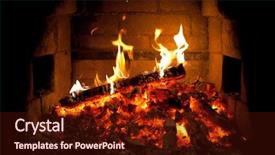
 Presentation with fire - PPT theme featuring burning fire in the fireplace background and a wine colored foreground

Burning Fire Fireplace

PPT theme featuring burning fire in the fireplace

 Presentation with fire - Cool new presentation with outbreak on an abstract background backdrop and a wine colored foreground

Fire Outbreak Abstract Background Sides

The flames of destruction rage across the darkened landscape, fueled by the intense heat emanating from the crackling inferno. The air is thick with smoke and ash, casting a hazy glow over the devastation. In the midst of this chaos, a lone figure stands tall, their rugged features illuminated by the flickering light of a distant fire. The Split Title template is designed to capture the raw energy and intensity of this scene, with its bold font and contrasting colors creating a striking visual effect. The Dark Goldenrod color palette adds depth and warmth to the design, evoking feelings of comfort and coziness in contrast to the fiery chaos around it. This theme is perfect for presentations that require a dramatic and attention grabbing opening. The template features high resolution images for the background, ensuring that every detail is crisp and clear. The 4 How To slides at the start of the deck will help users get up and running quickly, providing a solid foundation for their presentation. These slides can be used to walk viewers through the process of creating a stunning slide with the Split Title template. The arrow steps layout on these slides will guide users through the design process, from choosing colors and fonts to adding images and text. The theme of "Enhanced With" is particularly fitting, as the template is designed to enhance any presentation it's used for, making it a versatile tool for professionals in various fields.

 Presentation with fire - Presentation enhanced with smoking - fire and smoke isolated background and a black colored foreground

Fire Smoke Isolated Black

The moment you launch into your presentation, the lights dim and a fiery inferno erupts on the screen as smoke billows into the air, casting an eerie glow over the darkened room. The camera pans across the flames, revealing sparks dancing in mid air before bursting forth into a kaleidoscope of color as tongues of flame lick at the edges of the screen. It's a visual feast that sets the tone for your presentation and demands attention from your audience. The Saddle Brown template is a sleek and sophisticated design that features high resolution images for its background, perfect for showcasing vibrant colors and patterns. The template itself is downloadable and compatible with Google Slides, making it easy to incorporate into your presentation. With its warm and inviting color palette, this template is sure to enhance the mood of your audience. When you add a theme of heat, smoke, and flames to your presentation, you're creating an immersive experience that will engage your viewers from start to finish. The circular approach layout allows you to feature key points prominently at the center of each slide, drawing attention to important information and keeping the audience focused on what matters most. The template includes four How To slides at the start of the deck, but don't worry we won't get into those details just yet. What's essential is that these slides will help you get up and running quickly, providing a solid foundation for your presentation and setting the stage for the rest of your content. As you create, remember to keep things simple and concise, using clear headings and bullet points to make it easy for your audience to follow along. One example of what this template could be used for is in a workshop or training session on fire safety, where it's essential to demonstrate key concepts and techniques in a clear and concise manner. By featuring high resolution images and a warm color palette, this template creates an engaging and interactive experience that will leave your audience feeling informed and inspired. With its sleek design and easy to use format, this Saddle Brown template is the perfect choice for anyone looking to create a visually stunning presentation that will captivate and engage their audience.

 Presentation with fire - Colorful slides enhanced with burning flame - fire isolated on black backdrop and a wine colored foreground

Fire Isolated Black

Slides enhanced with fire isolated on black

 Presentation with fire - Theme featuring fire background and a black colored foreground

Fire

The moment you click on the link to download the Corner Title template from CrystalGraphics, your eyes will be drawn to its warm and inviting Saddle Brown color palette, reminiscent of a crackling fire on a cold camping night. This design name perfectly captures the essence of warmth and coziness that comes with heat and flames. The high resolution images in this template showcase beautiful landscapes, such as mountains or forests, often accompanied by majestic furnaces burning brightly in the distance. As you begin to explore the features and capabilities of the Corner Title template, you'll notice it's specifically designed for use on Widescreen slides, allowing you to create a seamless and engaging visual experience. The template is optimized for Google Slides, making it easy to import and customize with your own content. With its Bright theme of warmth and energy, this design will elevate any presentation or poster to the next level. The Corner Title template comes packed with four How To slides that are designed to guide you through the process of creating a stunning visual identity for your project. These slides provide clear instructions on how to incorporate the template's unique features, such as the arrow steps layout, and show examples of what this enhanced design could look like in real life scenarios, featuring popular outdoor activities like camping and traveling. The Corner Title template is not just a design, it's an experience that will leave your audience feeling inspired and energized. With its Saddle Brown color palette, high resolution images, and Widescreen format, this template is the perfect choice for anyone looking to create a visually striking presentation or poster that captures the essence of heat and energy.

 Presentation with fire - Beautiful theme featuring up of a fire hydrant backdrop and a tawny brown colored foreground

Close-up Fire Hydrant.

Theme featuring close-up of a fire hydrant backdrop

 Presentation with fire - Slides having incineration - fire in wood background and a  colored foreground

Fire Wood

Slides having fire in wood

 Presentation with fire - Slide deck with pumping water background and a ocean colored foreground

Pumping Water

In the heart of every industrial complex lies a hidden threat a slow and steady drain that can turn even the strongest efforts into a futile endeavor. As we delve into the world of pumping water, we're reminded that sometimes it's not just about having a strong idea, but also in understanding its true potential. The design name for this template is Wide Title, showcasing a sleek and industrial theme that exudes power and strength. The Widescreen format ensures that every aspect of your presentation is presented at its finest, with crisp images and vibrant colors that will leave audiences impressed. This template's Steel Blue color palette is the perfect reflection of our world calm, yet resilient. The template features high resolution images for the background, creating a dynamic visual experience that will keep viewers engaged. The Circular Approach Layout slide is a great place to start, as it provides a clear structure and order to your presentation, making it easy to follow along. By including a Background With and Having a Theme of elements in your template, you'll be able to enhance the overall look and feel of your slides. For instance, featuring images of industrial machinery or pumps can showcase what this template is all about pumping water with efficiency and power. Including a Background With element could also include a visual representation of a pipe system, giving your audience a clear understanding of how this technology works. Having a Theme of Enhanced With allows you to add more features and tools to your presentation, making it even more engaging and interactive. The template is downloadable and compatible with Google Slides, ensuring that you can easily import the images and customize them as needed. With these features in mind, this Wide Title template is perfect for anyone looking to take their presentations to the next level.

 Presentation with fire - Colorful PPT theme enhanced with combustion - wood stove with fire backdrop and a black colored foreground

Wood Stove Fire Blaze

PPT theme enhanced with wood stove with fire and blaze

 Presentation with fire - Slides consisting of fire salamander salamandra salamandra background and a white colored foreground

Fire Salamander Salamandra Salamandra Front

Slides consisting of fire salamander salamandra salamandra in front of white background background

 Presentation with fire - Slides enhanced with burning bush - fire background and a gold colored foreground

Fire

As flames dance across the burning forest, the air is filled with the intense heat that fuels the blaze, leaving only a smoldering embers in its wake. The Corner Title template is designed to take your presentation from ordinary to extraordinary, featuring a dark orange color palette that's sure to ignite inspiration. Widescreen and 4:3 aspect ratio ensure an immersive viewing experience on any device. This template is compatible with Google Slides, making it easy to share and collaborate with others. High resolution images for the background create a stunning visual effect, enhancing your message. As you work through the slides, take note of the 5 Stages Pentagon Layout a classic design that's been used for decades, but still has something to offer in terms of flexibility. The Corner Title template is perfect for presentations on topics like technology, innovation, or any subject that requires a strong visual impact. For example, you could feature a dramatic image of a rocket blasting off into space, accompanied by a quote about the dangers of neglecting our planet's resources. The background will be set to a dark orange hue, with clean white text and bold graphics, creating a visually striking contrast. As you build your presentation around this template, you can add additional features like animations, transitions, or even 3D effects to make it truly stand out. Featuring the Corner Title template is just one step in enhancing your presentation having a theme of creativity and energy will take your message to new heights. Including a background with a dynamic image will keep your audience engaged, while Having a seamless experience across devices ensures that everyone can enjoy your presentation no matter what device they use.

 Presentation with fire - Beautiful presentation design featuring fire backdrop and a tawny brown colored foreground

Fire

As you step into the heart of the flame, where warmth and heat ignite, your creativity is about to soar. The Corner Title template is designed to transport you to a world of magic and wonder, where burnished edges meet smooth surfaces. This Widescreen template features high resolution images that will leave you breathless, with a rich Chocolate color palette that evokes the richness of molten lava. The Corner Title template is a versatile companion for your Google Slides journey, featuring four How To slides to help you get up and running quickly. The first three slides are designed to guide you through the setup process, while the fourth slide showcases an enhanced version of the template, complete with a background image that will make your presentation stand out. The 4 Arrow Steps Layout is a clever way to organize your content, featuring arrows that lead the viewer's eye through the template. This layout is particularly useful when you need to highlight key points or features, such as "Including a Background With" or "Having a Theme of". The Corner Title template also includes an example slide that demonstrates how to use this layout effectively. The Chocolate color palette is a masterstroke, adding depth and warmth to your presentation. This theme is perfect for showcasing heat, magic, burn, and smoke elements in your slides. By incorporating these elements into your design, you'll create a visually stunning presentation that will leave your audience mesmerized.

 Presentation with fire - Cool new slides with fire isolated over black background backdrop and a black colored foreground

Fire Isolated Over Black Background

As you embark on this creative journey, imagine yourself standing in front of a fiery blaze that illuminates the dark canvas of night, a majestic explosion of flames that fuels your imagination and ignites your passion. The setting is a sleek Widescreen template with a high resolution image serving as the perfect background to transport you to a world of innovation and excitement. The Saddle Brown color palette adds a warm and inviting touch to this design, evoking feelings of comfort and sophistication. This template is the perfect blend of creativity and professionalism, making it an ideal choice for anyone looking to enhance their presentation with a unique and eye catching theme. Featuring a background image that's sure to grab attention, this template offers a great starting point for your PowerPoint project. The template includes four How To slides at the start of the deck to help you get up and running quickly, but don't worry, we won't reveal those secrets just yet. For now, let's focus on the Content Layout slide, which showcases the features and benefits of this stunning Saddle Brown Widescreen template. This template includes a range of useful elements such as an Enhanced Background with subtle shading that adds depth and visual interest to your slides. Having a Theme of Blazing Colors and Flaming Images will bring out the best in your presentation, making it truly stand out from the crowd.

 Presentation with fire - Amazing PPT layouts having fire hydrant backdrop and a light blue colored foreground

Fire Hydrant

PPT layouts having fire hydrant backdrop

More Fire templates for PowerPoint and Google Slides:

previous 1 2 3 4 5 6 7 8 9 10 11 12 13 14 15 16 17 next
Categories related to Fire:
Alarm Ball Blue Building Bush Cooking Damage Department Drone Explosion Extinguisher Fighter Fighters Fighting Ice Insurance Red Rescue Service Station System Truck Warning Wild World
93% of Fortune 1000
companies use our
PowerPoint Products
Templates Secure

Standing Ovation Award
Winner: Best PowerPoint
Template Collection
Fortune Logos
200,000+ satisfied
customers worldwide!
Guarantee
100% satisfaction guaranteed
- or send it back for a refund!

Sign up for our free newsletter! You'll get news about our PowerPoint-enhancing product line – including free updates, new product announcements and exclusive special offers. Plus you'll get a link to a free PowerPoint template with every newsletter you receive.
Privacy Policy
Loading...


Help

Contact Us
Product FAQs
Product License Agreements

Company Info

About Us
Privacy Policy
CrystalGraphics, Inc. 1999 S. Bascom Avenue Suite 700 Campbell, CA 95008 USA
© 2025 CrystalGraphics, Inc. All rights Reserved.    |     PowerPlugs is a trademark of CrystalGraphics, Inc.
Microsoft and the PowerPoint logo are trademarks or registered trademarks of Microsoft Corporation in the United States and/or other countries.
Loading...
Loading...