www.crystalgraphics.com CrystalGraphics
  • Ultimate Combo
  • Templates
  • Diagrams
  • Characters
  • Quizzes
  • shopping cart
  • Sign Out Sign Out Sign In
Home > Templates > History Category
search icon
advanced icon

206 Best History-Themed Templates for PowerPoint and Google Slides

CrystalGraphics History PowerPoint Templates are a treasure trove of inspiration for creatives looking to craft engaging presentations that captivate audiences. These 60+ stunning templates take you on a journey through the ages, from ancient civilizations like the pyramids in Egypt with a breathtaking sky background to the birth of democracy in the United States of America.

With a focus on timeless values and historical significance, these templates offer a unique blend of form and function that ensures your presentation stands out. Whether you're looking for a neutral background to showcase a tawny brown colored foreground or a classic American flag design, CrystalGraphics has got you covered. Browse through the vast collection and discover templates that inspire, educate, and engage your audience.

Experience the best in presentation design with instant 24/7 download access and compatibility with Google Slides. The wide range of formats, from widescreen to standard, ensures seamless integration into any presentation workflow. Add a personal touch to your slides by customizing elements for full customization. With CrystalGraphics History PowerPoint Templates, you can unleash your creativity and create unforgettable presentations that leave a lasting impact.

Take the first step towards creating exceptional presentations today! Explore our vast collection of history-themed templates, and discover how you can elevate your presentation game with confidence and ease. Browse through other categories to find the perfect template for your needs, or download and customize with instant 24/7 access.

Features & Pricing

Widescreen (16:9) Presentation Templates. Change size...

 Presentation with history - Beautiful theme featuring blank family tree taken closeup backdrop and a lemonade colored foreground

Blank Family Tree Taken Closeup

In a world where family trees are more than just connections between loved ones, this template brings the beauty and simplicity of nature to your presentation. The design name "Tree of Love" is short for "Family Tree with Nature Elements". This template format is Widescreen, perfect for showcasing high resolution images that will elevate your content. The Navajo White background features a soft, gentle color palette that evokes feelings of serenity and warmth. As you explore this template, you'll notice the elegant use of subtle textures and intricate details, creating an immersive experience that's sure to captivate your audience. The template keywords "blank", "color", "grandmother", "objects", and "tree" are carefully selected to bring a sense of depth and meaning to your presentation. High resolution images of natural objects, such as branches, leaves, and flowers, will be the featured background for this template. To add an extra layer of visual interest, the image will be overlaid with intricate patterns and subtle shading that will enhance the overall appearance. With four How To slides at the start of the deck to get you up and running quickly, you'll be able to dive straight into your presentation and create a stunning slide show that's sure to impress.

 Presentation with history - Beautiful PPT theme featuring history - independence hall in philadelphia pennsylvania backdrop and a red colored foreground

Independence Hall Philadelphia Pennsylvania Usa.

As you step into the grand halls of Independence Hall in Philadelphia, Pennsylvania, USA, where history was made and democracy was born, your attention is drawn to the majestic atmosphere that surrounds it. The imposing structure, with its intricate stone carvings and ornate details, exudes an air of nostalgia and tradition. The warm glow of high resolution images illuminates every corner, transporting you back in time. The template, featuring a backdrop of steel blue hues, is designed to evoke the feeling of being immersed in this historic setting. This template format will bring your presentation to life, making it an essential addition to any historical or educational project. TheSteel Blue color palette adds depth and sophistication, while incorporating keywords such as "usa", "dusk", and "hall" clearly communicates its theme. A downloadable version is readily available for Google Slides, ensuring seamless integration into your existing workflow. This template is compatible with various software applications, making it an ideal solution for users looking to enhance their presentations. The inclusion of high resolution images provides a realistic backdrop that enhances the visual appeal of your content.

 Presentation with history - Audience pleasing slide set consisting of history - fountain pen on an antique backdrop and a lemonade colored foreground

Fountain Pen Antique Handwritten Letter

As you click on the Corner Title template, a world of elegance and sophistication unfolds before your eyes. With its timeless design, this template is sure to make a statement in any presentation or marketing materials. The Corner Title template is designed for widescreen presentations, perfectly suited for showcasing high resolution images of fonts, logos, authors, and old books that evoke a sense of history and refinement. The Bisque color palette adds a touch of warmth and sophistication, making it perfect for featuring classic designs and antique elements. At the heart of this template lies a carefully crafted keywords list: Fountain, Log, Author, Old, Book. These words are woven throughout the design to create a cohesive and recognizable theme. As you navigate through the template's various slides, you'll notice that each slide is enhanced with a specific set of 5 Ps of Marketing Diagram Layout: Personalization, Packaging, Price, Promotion, Place. This template is available for immediate download on Google Slides, making it easy to incorporate into your presentations and marketing materials. Whether you're creating a website, social media campaign, or marketing brochure, the Corner Title template is sure to add a touch of old world charm and sophistication to your content.

 Presentation with history - Colorful theme enhanced with history - vintage grunge still life vintage backdrop and a tawny brown colored foreground

Vintage Grunge Still Life Vintage

In the heart of any bustling city lies a treasure trove of history and culture, waiting to be uncovered by curious eyes. The Split Title template is the perfect canvas for bringing this ancient world to life in high definition. This unique design name perfectly captures the essence of navigation through time, weaving together fragments of past and present into a rich tapestry of color and texture. With a dark goldenrod inspired color palette that exudes warmth and sophistication, you'll be transported to a bygone era with every click. The Split Title template is available in widescreen format, ensuring that your presentation will look stunning on any device. Featuring intricate details such as antique maps and high resolution images of vintage items, this design is sure to feature prominently in any geography focused presentation. As you navigate through the Stairs Layout slide, envision a grand staircase descending into the depths of history, with each rung bearing witness to the passage of time. With its subtle gradient effects and ornate details, this layout will have you having a theme of perfectly balanced composition on your hands. Enhanced with custom animations and transitions, you'll be able to showcase complex information in a seamless and engaging manner. Including a Background With a warm, earthy tone that complements the dark goldenrod color palette seamlessly, you can now create an immersive experience for your audience. Having a Theme of elegant simplicity, this design is perfect for those who want to convey a sense of old world charm without sacrificing clarity or effectiveness.

 Presentation with history - Cool new presentation design with history - old blank parchment or paper backdrop and a lemonade colored foreground

Old Blank Parchment Paper Isolated.

The powerpoint template provided by CrystalGraphics is a unique blend of artistic and technical elements that can elevate any presentation to the next level. This design name is Short Title, a fitting choice for a beautifully crafted template that's sure to impress. The template format is Widescreen, perfect for showcasing high resolution images in all their glory. The Burly Wood Colored template color palette adds a touch of warmth and coziness, while also providing a rich backdrop for your content. To further enhance the overall look and feel, we've included several keywords that will give you an idea of what's coming up next: parchment, clipping, pirate, concept, isolated. The background images in this template are truly exceptional featuring high resolution illustrations of old books, maps, and other literary inspired artwork, these photos will add depth and visual interest to your presentation. For example, you could use one of these backgrounds as the starting slide, with a simple design that includes a clear path through the image. On the In Summary slide, we envision a nicely formatted outline of key points, perhaps including images or illustrations to illustrate each point. This will provide a concise and easy to read overview of what your presentation is about. Featuring a clean layout and plenty of white space, this slide will help guide your audience through the content of your deck. As you explore further, we include four How To slides at the start of the deck to help you get up and running quickly: Setting Up Your Presentation, Choosing Colors and Fonts, Adding Images and Backgrounds, and Creating a Slides Template. However, don't worry these steps are designed to be easy to follow, so you can focus on getting started right away. With this template as your starting point, the possibilities for creative expression are endless. Have fun exploring its features and enhancing it with our premium slides and images.

 Presentation with history - Theme having history - close up of europe background and a tawny brown colored foreground

Close Up Europe Globe

The globe is often referred to as the center of our world and its diverse landscapes showcase the rich history of continents and countries. The continent of Europe, for instance, features iconic landmarks such as the Colosseum in Rome, the Eiffel Tower in Paris, and the Pyramids of Giza in Egypt, showcasing its cultural heritage. The template design Corner Title is a visually striking option that combines classic typography with a modern twist, featuring high resolution images of famous historical sites around the world. The Chocolate color palette adds a warm and inviting touch to the design, making it perfect for presentations that require a sense of nostalgia and sophistication. This template is available in Widescreen format and includes four How To slides that can help you get up and running quickly. The Comparison Layout slide provides an opportunity to highlight the main differences between two or more countries or continents, allowing viewers to compare their unique characteristics. For example, the slide could include a comparison of the economic systems of Italy and China, featuring statistics and images highlighting their respective strengths. This type of layout is particularly useful in presentations that require a deep dive into complex information. Incorporating high resolution background images and a Chocolate color palette can enhance the overall visual impact of your presentation, making it more engaging and memorable for your audience. With its timeless design and Compatibility with Google Slides, this template is ideal for anyone looking to create professional looking presentations that make a lasting impression.

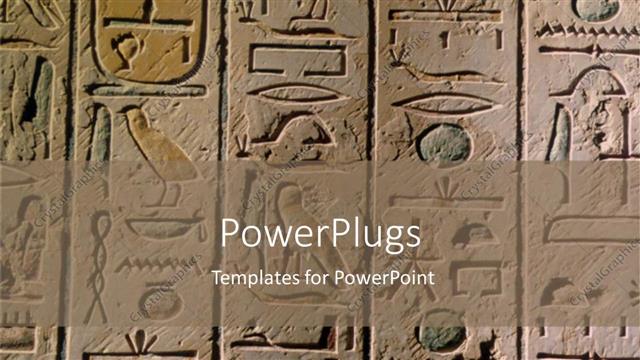
 Presentation with history - Egyptian hieroglyphics craved in stone for history

History

Egyptian hieroglyphics craved in stone for history

 Presentation with history - Audience pleasing theme consisting of history - paper and technology backdrop and a tawny brown colored foreground

Paper Technology

The world of education and study is transforming rapidly with technology, with digital tools becoming increasingly integral to our daily lives. From online lectures to interactive simulations, the boundaries between teacher and student are blurring, creating new opportunities for engagement and learning. And in this fast paced environment, a visually striking template can be the perfect tool to enhance your presentation. Introducing Corner Title, a beautifully designed widescreen template that combines elements of traditional paperwork with modern technology, featuring high resolution images in a stunning Peru color palette, complete with intricate patterns and delicate florals that evoke a sense of beauty and elegance. The template's clean lines and simple shapes create a harmonious balance between form and function, making it an ideal choice for presentations that require a touch of sophistication. As you delve deeper into the world of study and education, you'll notice the importance of having a cohesive theme throughout your presentation. Corner Title is designed to Include a Background With stunning Peru inspired images, such as vintage maps, photographs, or illustrations, seamlessly integrated with the template's clean lines and shapes. Having a Theme of beauty and elegance, this template is perfectly enhanced by the inclusion of these high resolution images, creating a visually striking visual identity that will leave your audience in awe. The four How To slides at the start of the deck are designed to help you get up and running quickly, providing valuable tips and tricks to make the most of your new template. From setting up the presentation's color scheme to choosing the perfect fonts, these steps will give you a solid foundation for creating engaging presentations that showcase your expertise.

 Presentation with history - Theme enhanced with history old pages - ancient book background and a gold colored foreground

Ancient Book

Imagine a majestic ancient book, its leather cover worn and well loved, with intricate gold lettering that seems to dance across the pages. The aroma of aged parchment wafts through the air as you open it, revealing yellowed text and faded illustrations. This is what a Split Title template looks like a stunning design that evokes a sense of history and tradition. The Split Title template features a wide format widescreen screen with a rich chocolate color palette, perfect for creating a dramatic and sophisticated atmosphere. The background image is high resolution, featuring a vintage style illustration of a Christian monastery, complete with stone walls, stained glass windows, and ornate carvings. In the foreground, a stunning image of the Holy Bible appears, its leather bound covers adorned with intricate gold trim. The template's design is enhanced by a grid layout slide that showcases four high resolution images that feature various aspects of Christianity, including icons, quotes, and devotional texts. A picture grid featuring a depiction of the Four Gospels, the Four Last Things, and the Ten Commandments adds an extra layer of depth to the design. This template is downloadable and compatible with Google Slides, making it easy to integrate into your presentations and share with others. With its rich chocolate color palette and vintage inspired background, this Split Title template is sure to make a lasting impression on your audience.

 Presentation with history - Presentation design with literature writing author and history background and a tawny brown colored foreground

Quill Pen Ink Well Resting

In a world where knowledge is power, a book beckons to be opened wide. The rich aroma of freshly inked pages and the gentle swish of quill pens on parchment invite us to delve into the realm of literature, history, and education. This is the concept that inspires our design, a visual representation of the timeless allure of learning. The Wide Title template is a masterpiece in itself, exuding an aura of sophistication and elegance. The Widescreen format allows for stunning visuals that take center stage, while the Royal Blue color palette brings depth and luxury to any presentation. Featuring high resolution images throughout, this template is the ultimate tool for creating engaging educational materials. At its core, the Wide Title template is a versatile design that can be tailored to fit various needs. The inclusion of inkpot illustrations adds an element of whimsy, while featuring the quill pen and book motif pays homage to the literary heritage of yesteryear. Having a theme of timeless classics, this template enhances the educational experience with its rich history and cultural significance. With four How To slides at the start of the deck, users can quickly get up and running, confident in their ability to create engaging presentations that captivate audiences. The Timeline Layout slide stands out as a focal point, providing structure and organization for content that spans multiple slides. Enhanced by including background images with subtle animation, this feature adds an extra layer of visual appeal, inviting viewers to explore further. As users navigate through the template's various features, they'll discover enhanced backgrounds, animations, and transitions that elevate their presentations to new heights. This Wide Title template is more than just a design – it's a gateway to unlocking your full potential as a presenter.

 Presentation with history - PPT theme enhanced with history - constitution of the united states background and a yellow colored foreground

Constitution United States America Wooden

The Constitution of the United States of America on a wooden desk, its intricate details and rich history, all perfectly preserved in this stunning Corner Title template. This breathtaking Widescreen design, available as a downloadable file, is the ultimate tool for those who want to bring their vision to life. Featuring high resolution images, including beautiful hand drawn illustrations and detailed border work, this template will transport you to a world of patriotism and grandeur. As you begin your presentation, you'll have all the tools you need to create an immersive experience that will leave your audience in awe. The template's Dark Orange color palette is perfect for evoking the sense of tradition and heritage that the Constitution embodies. With its intricate details and ornate borders, this Widescreen design is sure to add a touch of sophistication and elegance to any presentation. The background image on this template can be easily customized to include a parchment like texture or a subtle wood grain effect, giving you the freedom to enhance your visual elements with creative flair. This Corner Title template is more than just a pre made design it's an all in one solution that includes four How To slides to help you get up and running quickly. The first two slides will guide you through the process of creating a stunning presentation from scratch, while the last two will walk you through how to customize your visuals with creative enhancements and include background images.

 Presentation with history - Cool new theme with history - old style movie projector still-life backdrop and a ocean colored foreground

Old Style Movie Projector Still-life,

The film industry's most iconic moments are captured with precision and flair by the Corner Title template from CrystalGraphics. This stunning widescreen design is sure to transport your audience into the world of Hollywood, where movie magic happens. Designed in a rich Dark Slate Gray that evokes the feeling of old school cinema projectors, this template boasts high resolution images for its background, ensuring an immersive viewing experience. Featuring a dramatic still life setup and close up shots of movie stars, this design is sure to be a showstopper at any film related presentation. The 4 How To slides at the start of the deck provide a solid foundation, but don't worry you won't need them once you get started with the template. To enhance your project, having a theme of "Studio" will give it that authentic Hollywood feel, and including high resolution images for the background is sure to impress. For example, in this template, "Behind The Scenes" could be showcased as an additional slide, featuring intricate close up shots of movie props or sets from classic films. Having a feature spot dedicated to the studio itself could also make it clear that this is a film related presentation.

 Presentation with history - PPT theme featuring great britain history - brexit concept - double exposure background and a tawny brown colored foreground

Brexit Concept Double Exposure

In the midst of a Brexit fueled frenzy that has gripped the UK, artists and designers alike have stepped up to capture its essence on screen. A striking example can be seen in the visual representation of a "Vote" icon, which appears to be holding hands with the Union Jack flag. This dynamic combination of elements serves as a powerful symbol of unity and hope. The template designed for this occasion is titled Wide Title, a sleek and modern solution that perfectly captures the essence of the theme. Featuring high resolution images of London landmarks such as Big Ben and the Houses of Parliament, this template provides an immersive experience for viewers. A vibrant steel blue color palette adds a touch of sophistication to the design, while incorporating keywords like "cancel", "big", and "London" ensures that the content is relevant to a wide audience. The template's compatibility with Google Slides makes it easily accessible and editable, allowing users to create customized presentations without any technical expertise. The background images are also carefully selected to enhance the overall visual appeal of the template, making it an excellent addition to any PowerPoint deck.

 Presentation with history - Slide set consisting of history vintange paper - old illustration of roe hunting background and a gray colored foreground

Old Illustration Roe Hunting Created

A professional and traditional look for your presentation is achieved with the Split Title design that will draw in your audience with its dark khaki background which features a subtle engraving texture giving it an aged feel to it. This template format ensures compatibility across all Google Slides platforms. With high resolution images of intricate historical illustrations as backgrounds, this Split Title template brings to life the world of engraving, ancestry and history for you to convey through your slides. Featuring four How To slides at the start of the deck that will get you up and running quickly is a great way to kick start your presentation, but for those who want something more personalized it can be included a Background With feature on any slide. For instance, if your topic revolves around paper engraving techniques used in historical typography then this template Enhanced With could be perfect. This Split Title template has a Member Bio Layout section that showcases the designers' background and expertise which is an Included a Background With great way to share personal touch with your audience.

 Presentation with history - Slides with history peasant - medieval ancient kitchen table background and a tawny brown colored foreground

Medieval Ancient Kitchen Table Typical

As you begin your journey to create a stunning PowerPoint template, imagine yourself standing in the midst of a medieval castle kitchen, surrounded by the rich aroma of roasting meats and freshly baked bread. The warm glow of high resolution images adorns the walls, depicting intricate stone carvings, ornate wooden utensils, and vibrant tapestries that tell tales of days gone by. The Saddle Brown color palette reigns supreme, evoking feelings of comfort, warmth, and nostalgia. This template, dubbed Wide Title, is a masterpiece of design that will transport you to a world of elegance and sophistication. Its Widescreen format ensures a cinematic experience, while its mature theme is sure to make your audience feel at ease. To enhance the user experience, we've included four How To slides at the start of the deck: "Getting Started", "Customizing Your Template", "Inserting High Resolution Images", and "Personalizing Your Design". However, don't worry you won't need to spend hours fine tuning every detail; our template is compatible with Google Slides. The SWOT Analysis Layout slide provides a comprehensive overview of the template's features, making it easy to incorporate into your presentation. For instance, this layout could be used to feature an image of a medieval kitchen scene, complete with the Saddle Brown color palette and high resolution images galore. The inclusion of a background with subtle textures and patterns adds depth and visual interest, while having a theme of warmth and comfort is sure to make a lasting impression. This template is perfect for presenting ideas or concepts that require a touch of sophistication and elegance, whether it's a business proposal, academic paper, or simply a presentation to impress. Its Saddle Brown color palette, rich imagery, and elegant design ensure that your audience will be treated to an exceptional viewing experience.

 Presentation with history - Amazing presentation having israel on the lake jesus backdrop and a ocean colored foreground

Sea Galilee Israel Lake Jesus

The corner title template is designed to evoke the sense of wonder and awe that many tourists experience when visiting the iconic Sea of Galilee in Israel, where Jesus Christ performed his miracles. The Dodger Blue color palette adds a touch of sophistication and elegance to this Christian themed template. This template features high resolution images for the background, creating a visually appealing and engaging layout. The Corner Title template is ideal for showcasing your brand's identity and adding a professional touch to your presentations. As you begin your project, we'd like to highlight the four How To slides that will help you get started quickly featuring easy to use templates, including backgrounds with seamless text overlays. The Corner Title template seamlessly integrates with Google Slides, allowing you to easily add your own branding and customize it to fit your needs. With its rich Dodger Blue color palette, this template is sure to make a statement on your screen. Featuring beautiful imagery of the Sea of Galilee, including stunning shots of the Church of the Primacy Tabgha, this template has a unique theme that will enhance your presentations and leave a lasting impression. Including a background with seamless text overlays provides a professional and polished look, while having a subtle gradient effect adds depth and dimension to the design. Having an ample space for customization, this template is perfect for creating visually appealing slides that showcase your brand's message. Enhancing the overall user experience, this template is designed to make your presentations engaging and memorable. By incorporating features such as dynamic text, including animations and transitions, you can create a truly interactive and immersive presentation. With its high quality images and sleek design, the Corner Title template is sure to be a standout on any slide deck.

 Presentation with history - PPT theme with tourist attractions in penang malaysia background and a coral colored foreground

Avalokiteswara Kuan Yin Statues,

The temple of Avalokiteswara in Kuan Yin style is a breathtaking monument that transcends time and space, drawing millions of visitors from around the world to marvel at its grandeur. Its majestic facade has been adorned with intricate carvings and statues over the centuries, showcasing an incredible attention to detail and craftsmanship. This stunning template for Google Slides features a Widescreen design, perfect for showcasing high resolution images of historical buildings and architectural wonders, such as Kek Lok Si in Penang, Malaysia. The Indian Red color palette adds a touch of warmth and vibrancy to the overall aesthetic, while the Keyword "decorate" emphasizes the flexibility of this template to enhance your presentation with creative elements. The Wide Title is an attention grabbing introduction that sets the tone for the rest of the deck. To get started quickly, four How To slides will guide you through the process of customizing and personalizing your presentation. However, before we dive into those, it's worth noting the 3 Member Bio Layout slide a great opportunity to highlight your professional expertise and credentials in a visually appealing way. This template is not only a stunning visual display but also a powerful tool for conveying your message and engaging your audience. By featuring high quality images of Kuan Yin statues, one can showcase the rich cultural heritage and spiritual significance of these iconic landmarks. Including a background with intricate patterns and colors can further enhance the overall visual appeal of the presentation. Having a theme of "Historical Landmarks" makes it perfect for sharing stories about ancient temples, architectural marvels, and cultural icons from around the world. The Enhanced With feature in this template allows you to add your personal touch by incorporating images, shapes, and other graphical elements into your presentation.

 Presentation with history - Presentation having history - knoss palase on the crete background and a tawny brown colored foreground

Knoss Palase Crete,greece

The sun rises over the ancient ruins of Knossos Palace on the Greek island of Crete, casting a warm glow over the crumbling stones and intricate frescoes. The image is a breathtaking portrayal of one of the world's most famous archaeological sites, inviting viewers to step into its rich history and culture. This Wide Title template is designed specifically for presentation professionals who want to showcase stunning images of monuments and tourism related content. Its sky blue color palette provides a clean and uplifting background that complements the breathtaking views. The Widescreen format ensures that the image fills the entire width of the screen, creating an immersive experience for the audience. The template's Managed Process Layout allows for seamless navigation between slides, making it easy to share and collaborate on presentations. Featuring high resolution images from various angles, this template is perfect for showcasing stunning visuals that capture the essence of tourism and monument related content. Included a Background With beautiful sunrise image. Having a Theme of Ancient Greece Enhanced with intricate details and vibrant colors can help convey the rich history and culture associated with tourism and monuments. This template is designed to be compatible with Google Slides, making it easy to download and use on your presentation platform. The 4 How To slides at the start of the deck provide quick starting points for creating engaging presentations, such as: * Creating a captivating title slide * Building an effective slide layout * Incorporating multimedia elements into your presentation * Keeping your content organized and easy to follow With its stunning image, sky blue color palette, and seamless Managed Process Layout, this template is sure to impress audiences and leave a lasting impression.

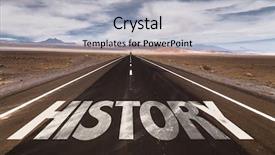
 Presentation with history - Colorful slide set enhanced with timeline - history written on desert road backdrop and a light gray colored foreground

History Written Desert Road

As you embark on your academic journey, a powerful and timeless design can set the tone for your presentations, helping to convey complex information in an engaging way. The Split Title template is specifically crafted with college educated audiences in mind, leveraging its high resolution images that bring to life the essence of history, providing a visually stunning backdrop for your content. Featuring a cornflower blue color palette as its foundation, this Widescreen template is designed to be used on desert road vistas at sunset or sunrise, evoking a sense of nostalgia and historical significance. The Split Title style is characterized by its clean lines, simple shapes, and elegant typography, making it an ideal choice for presenting abstract concepts in a clear and concise manner. Upon opening the template, users will be greeted with 4 How To slides that provide a solid foundation for creating engaging presentations. However, these are not included in this initial presentation. Instead, imagine showcasing your historical research on a dusty college campus, using images of vintage books and old lanterns to illustrate key points. The resulting visuals would be enhanced by the template's background images, which include detailed shots of ancient structures or illustrations from long forgotten texts. The Split Title theme incorporates a Background With design element, allowing users to customize their presentation with their own images or colors, giving it an even more personal touch. Having a Theme of Historical Learning makes this template particularly suitable for educators who wish to create engaging and informative presentations that appeal to students. Enhanced With the addition of interactive elements, such as hover over text effects or animations, this template can be further customized to meet specific needs.

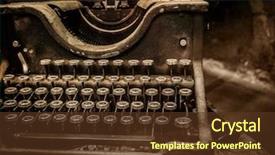
 Presentation with history - Beautiful PPT layouts featuring history - old rusty typewriter backdrop and a tawny brown colored foreground

Old Rusty Typewriter

Imagine stepping back in time to a bygone era where the art of concept and design was an integral part of everyday life. That's exactly how you can bring that vintage charm into your presentation with Corner Title, our stunning widescreen template featuring an old fashioned aesthetic. This high resolution graphics template is designed for ultimate visual impact, with a rich saddle brown color palette that will transport your audience to a world of nostalgia. The perfect blend of classic and modern elements makes it easy to enhance any message with the theme of "old school innovation" or "traditional elegance". The Corner Title template includes 4 How To slides at the start of the deck to help you get up and running quickly, featuring interactive steps that will guide your audience through the design process. The Dart Layout slide is particularly noteworthy, showcasing a unique grid system that allows for seamless integration with any Google Slides presentation. Including a background image or video in your presentation can really make it pop, especially if you're using high resolution images like vintage photos or cityscapes. Having a theme of "captivating visuals" can help tie everything together and create a cohesive look throughout the deck.

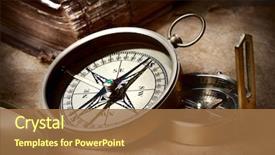
 Presentation with history - Audience pleasing slides consisting of history - old compasses backdrop and a coral colored foreground

Old Compasses

The timeless allure of old compasses, their rugged beauty and intricate designs evoking memories of bygone eras. As we embark on this journey to create a unique PowerPoint template, let's dive into the features that make our Wide Title template stand out. Designed in Widescreen format, the template boasts a high resolution image of an Atlas map, showcasing latitude lines and longitude measurements in elegant detail. The Saddle Brown color palette provides a warm and inviting atmosphere, perfect for a professional or academic presentation. Including a Background With a subtle gradient effect that enhances the overall visual impact, our template features 4 How To slides to get you up and running quickly. These slides will guide your audience through the process of customizing their template, from selecting backgrounds to adding layouts. With the Section Header Layout slide as our starting point, we can include interactive elements such as a button to enable users to customize the background or add a new layout. Having a Theme of Enhanced With allows us to add more features and customization options to further enhance the user experience. This template is truly enhanced with its high quality images and sleek design, making it the perfect choice for anyone looking to create a professional looking presentation. As we move on to the next slides, let's imagine how our template could be used perhaps as a book inspired presentation, featuring a vintage style map as the background, or as an atlas of knowledge, with each slide representing a different topic. The possibilities are endless. With its robust design and seamless integration with Google Slides, this template is sure to deliver high quality results every time.

▼Key features of this template

  • They are compatible with both PowerPoint and Google Slides running on either Windows PCs or Macs.

  • They are available in both standard and widescreen slide formats. You can choose your preferred format by clicking on the "Widescreen" check box or icon.

  • Each template includes a beautiful high-resolution background image or video to visually reinforce the theme of your presentation.

  • In addition, each template includes designer-created graphics and modern fonts to give your presentations an up-to-date, professional look.

  • Each template's default design and title text position have been carefully selected to complement its background without covering faces or other key elements.

  • All text includes backdrops whose transparency level is mathematically calculated to maximize text readability while still allowing the background to be seen.

  • And all the text, text backdrops and graphics in every slide are colored with a palette designed to beautifully complement the colors in the background.

  • Our Premium templates (those with the descriptor “Premium” in their subtitle) include over 64 slide layouts to give you maximum flexibility as you create your presentations.

    • Those layouts are available to you whenever you create a new slide or when you want to change the layout of an existing slide.
    • They include everything you need to make all sorts of presentations. In addition to the layouts for the title slide and the usual title and content slide, they include many other layouts for slide types including table of contents slides, org charts, charts, diagrams, infographics, photo slides, thank you slides and more.
    • While creating these layouts our template designers have ensured that all text in every layout adjusts as gracefully as possible to various numbers of words.
  • Customizable templates (those with the descriptor “Customizable” in their subtitle) may be easily modified online before you download them.

    • To modify them, simply click on the pencil editing icon, then select your choice of ready to go designs and title text positions.
    • The editing tool also makes it easy to reposition and scale the background image or video to best suit your needs.

▼FAQs

Please review these FAQs to see if your question is answered. Contact us for more info

  • What is a PowerPoint template?

    • A well designed PowerPoint template is a file that can tell PowerPoint how to make your ordinary templates look extraordinary. They won’t change what your words or numbers say. But they might change their size, color, font and placement. And, overall, they can give your presentations a professionally-designed look that will give your content more credibility and give you more confidence.
  • How many PowerPoint templates do you offer?

    • We have over 32,000 artist-created presentation templates in our PowerPlugs collection With a subscription, PowerPlugs templates are easy to download. Just sign in, find a template and click on the green Download button. ready for you to download. That alone offers you more variety to choose from than any of our competitors can offer. And, as if that weren’t enough, we also offer over 6 million templates in our Crystal collection. Crystal brand templates are our line of templates that have customization options. They have the word "CRYSTAL" on their web page images. You can customize several aspects of the templates. These templates include high-resolution background images from Shutterstock’s vast image collection matched up with artist-created presentation designs customized by our own proprietary AI software.
  • How many templates can I download as a subscriber?

    • You can download an unlimited number of PowerPlugs-brand With a subscription, PowerPlugs templates are easy to download. Just sign in, find a template and click on the green Download button. templates every day for an entire year. (Actually, by default, we set a limit of 25 templates per day to prevent our competitors from stealing our templates. But, if that is not enough, just let us know and we’ll try to accommodate you.) On top of that, with a subscription or an Ultimate Combo, you can also download any 50 Crystal-brand Crystal brand templates are our line of templates that have customization options. They have the word "CRYSTAL" on their web page images. You can customize several aspects of the templates. templates per year selected from our huge Crystal collection. Crystal brand templates are our line of templates that have customization options. They have the word "CRYSTAL" on their web page images. You can customize several aspects of the templates. .
  • Why should I choose your templates instead of the competition’s?

    • We’ve got a larger selection of professionally-designed PowerPoint templates than anyone else in the world.
    • Each template includes a high-resolution background image or video to visually inspire your audiences while reinforcing your message.
    • Each template includes 64 slide layouts to give you maximum flexibility as you create your presentations.
    • Our templates are available in both standard and widescreen slide formats. And our website lets you preview the slides each way.
    • Our free Template Finder™ plugin lets subscribers select and - with a single click - download and insert our templates into their presentations right from within PowerPoint.
    • We’ve been creating designer presentation templates for over 20 years. During that time we’ve won several awards and 5-star ratings for product quality. See About Us for more.
  • Do you offer a money-back guarantee?

    • Yes we do! We offer full 30-day money-back guarantee if you are not 100% satisfied with your purchase.
  • Can I still use my downloaded templates after my subscription runs out?

    • Yes. After your subscription expires, you won't lose any rights or ability to use your PowerPlugs: Templates for PowerPoint. You won't be able to download any new non-watermarked templates. But the non-watermarked templates you've already downloaded will still work and you can still use them as before.
  • Can I share my downloaded templates or passwords with friends or coworkers?

    • Sorry but no. You are authorized to download each paid-for template to up to 3 of your personal devices and to use the templates you download in as many presentations as you want. But you are not authorized to share the templates, themselves, with others. That said, we do offer highly discounted site licenses to suit the needs of both small and large teams. Just tell us your needs and we’ll give you a quote!
  • System requirements:

    • The templates use the standard POTX format. So they are compatible with Google Slides and all PC, Mac and mobile devices running any version of PowerPoint from PowerPoint 2007 up through and including Office 365 desktop.
    • Please note: Google Slides does not currently support background videos. It treats them as still images.
    • For PowerPoint for the Web, first open your template into a desktop version of PowerPoint, then save it back out as a PPTX file. Then you can open that in PowerPoint for the Web.
  • End user license agreement:

    • Click here to view.
  • How will I get my purchased templates?

    • You may download your selected templates as soon as your payment is received by PayPal. If you purchased an individual template, you will be provided with a download link both onscreen and via email. Just click on that link to begin the download process. If you purchased a subscription, you will receive an email containing a password to use along with your email address to sign in to any of the templates pages on CrystalGraphics.com. Once you are signed in, you can immediately start downloading your selected templates.
  • How do I use my templates after I download them?

    • You can either open a template to start a new presentation or you can add a template to an existing presentation. To open a template, just double click on it or use PowerPoint's File > Open tool. To add a template to an existing presentation, on the Design tab, in the Themes group, click Browse for Themes... then browse to select your template.

View more History templates:

previous 1 2 3 4 5 6 7 8 9 10 next
Categories related to History:
Akbar American Ancient Asia Black Book Bulgaria Bulgarian Church Egypt Europe Family France Genocide Indonesia Iran Islamic Italy Japanese Life Mughal Ottoman Philippine Pompeii Roman Vietnam War World
93% of Fortune 1000
companies use our
PowerPoint Products
Templates Secure

Standing Ovation Award
Winner: Best PowerPoint
Template Collection
Fortune Logos
200,000+ satisfied
customers worldwide!
Guarantee
100% satisfaction guaranteed
- or send it back for a refund!

Sign up for our free newsletter! You'll get news about our PowerPoint-enhancing product line – including free updates, new product announcements and exclusive special offers. Plus you'll get a link to a free PowerPoint template with every newsletter you receive.
Privacy Policy
Loading...


Help

Contact Us
Product FAQs
Product License Agreements

Company Info

About Us
Privacy Policy
CrystalGraphics, Inc. 1999 S. Bascom Avenue Suite 700 Campbell, CA 95008 USA
© 2026 CrystalGraphics, Inc. All rights Reserved.    |     PowerPlugs is a trademark of CrystalGraphics, Inc.
Microsoft and the PowerPoint logo are trademarks or registered trademarks of Microsoft Corporation in the United States and/or other countries.
Loading...
Loading...