www.crystalgraphics.com CrystalGraphics
  • Ultimate Combo
  • Templates
  • Diagrams
  • Characters
  • Quizzes
  • shopping cart
  • Sign Out Sign Out Sign In
Home > Templates > History Category
search icon
advanced icon

215 Best History-Themed Templates for PowerPoint and Google Slides

CrystalGraphics History PowerPoint Templates are a treasure trove of inspiration for creatives looking to craft engaging presentations that captivate audiences. These 60+ stunning templates take you on a journey through the ages, from ancient civilizations like the pyramids in Egypt with a breathtaking sky background to the birth of democracy in the United States of America.

With a focus on timeless values and historical significance, these templates offer a unique blend of form and function that ensures your presentation stands out. Whether you're looking for a neutral background to showcase a tawny brown colored foreground or a classic American flag design, CrystalGraphics has got you covered. Browse through the vast collection and discover templates that inspire, educate, and engage your audience.

Experience the best in presentation design with instant 24/7 download access and compatibility with Google Slides. The wide range of formats, from widescreen to standard, ensures seamless integration into any presentation workflow. Add a personal touch to your slides by customizing elements for full customization. With CrystalGraphics History PowerPoint Templates, you can unleash your creativity and create unforgettable presentations that leave a lasting impact.

Take the first step towards creating exceptional presentations today! Explore our vast collection of history-themed templates, and discover how you can elevate your presentation game with confidence and ease. Browse through other categories to find the perfect template for your needs, or download and customize with instant 24/7 access.

Features & Pricing

Widescreen (16:9) Presentation Templates. Change size...
 Presentation with history - Presentation theme having contributor - make history background and a tawny brown colored foreground

Make History

The legacy of Hollywood's greatest leaders is about to take center stage in this visually stunning PowerPoint template. Corner Title is designed to make history, with a dark khaki color palette that exudes sophistication and elegance. The 4 How To slides at the start of the deck will get you up and running quickly, but for now, let's dive into what makes this template truly special. The Corner Title template features high resolution images of iconic Hollywood landmarks, such as the Walk of Fame or the Hollywood Sign, which serve as a perfect background for your presentation. The dark khaki color palette provides a dramatic and cinematic feel, while the 5 x 5 Org Chart Layout slide is a great example of how to effectively display a hierarchical structure, making it easy to navigate and understand. This layout also allows you to feature key team members or executives in high profile roles, adding a touch of glamour and sophistication to your presentation. The template includes keywords such as "leader", "storytelling", "Hollywood", "legacy", and "movie" throughout the design elements, ensuring that your message is conveyed clearly and effectively. Additionally, the template's seamless integration with Google Slides makes it easy to create a professional looking presentation without any additional software or setup. The Corner Title template is an enhanced version of traditional PowerPoint templates, featuring advanced animations and transitions that bring the content to life. The background images are also customizable, allowing you to include a Background With element to add more visual interest to your slides. Whether you're looking for a professional looking presentation or a unique way to stand out in the crowd, this template has got you covered. The four How To slides at the start of the deck will get you up and running quickly, with expert advice on

 Presentation with history - Presentation having history - panorama general view of old background and a light blue colored foreground

Panorama General View Old Havana

Presentation having panorama general view of old havana

 Presentation with history - PPT theme enhanced with young doctors discuss medical history background and a sky blue colored foreground

Young Doctors Discuss Medical History

PPT theme enhanced with young doctors discuss medical history

 Presentation with history - Amazing presentation theme having history of usa backdrop and a coral colored foreground

History Usa

Presentation theme having history of usa backdrop

 Presentation with history - Cool new presentation with history math - abacus backdrop and a tawny brown colored foreground

Abacus

The ancient art of calculation has been perfected over centuries with the help of ingenious devices like the abacus, a mechanical tool that uses beads to perform basic arithmetic operations. Its intricate design and mechanical movement make it an iconic symbol of old world ingenuity. The Wide Title template takes inspiration from this historical device, featuring a stylized abacus inspired logo as its background, accompanied by high resolution images of ancient calculators and clocks. This timeless design will transport your audience to the days of manual calculation and mechanical precision. The template's rich Peru color palette brings warmth and vibrancy to the screen, reminiscent of traditional textiles and artwork from this exotic region. The Wide Title has a robust keyword set that includes features such as calculator, old, count, mechanical, and high resolution images which will enhance its visual impact. The accompanying background with a subtle texture featuring the abacus inspired logo adds depth and sophistication. The High Resolution Images of ancient devices and clocks provide an immersive experience for your audience. For example, you could use a slide that features a medieval abacus alongside a picture of a ancient calculator to illustrate the concept of calculating mathematical operations. This template is not only visually stunning but also has a clear and concise design layout that makes it easy to navigate through its features. It includes four How To slides at the start of the deck, featuring the high level of detail expected from this presentation. The Peru color palette will enhance your overall look with a warm and welcoming atmosphere, incorporating elements such as traditional textiles, artwork, and architectural details reminiscent of this culturally rich region. This template is easily download able on Google Slides, making it compatible with various platforms and software, including PowerPoint and Google Slides. It also offers a high level of customization options to fit your unique needs and branding style, featuring the Wide Title as its prominent design element. In terms of the SWOT Analysis Layout slide, the template's color palette can be enhanced further by adding symbolic elements such as a mechanical gear or an abacus inspired shape to make it stand out. This would feature a combination layout that combines strategic (SW) and tactical (Opportunities & Threats, Weaknesses & Strong Points analysis) assessment of your plan. The Wide Title template is the perfect

 Presentation with history - Slides with background history - old glasses on the vintage background and a coral colored foreground

Old Glasses Vintage Document

Old glasses on the vintage document The perfect blend of nostalgia and functionality, this template is designed to evoke a sense of classic elegance while incorporating modern elements. A warm tawny brown color palette sets the tone for a sophisticated look that is both timeless and contemporary. This inviting atmosphere invites you to create a compelling narrative, one that tells a story of vision, perseverance, and success. The words "testimonial", "memory", "eyesight", and "concept" are woven throughout this template, providing a framework for you to craft your own unique message or concept. Each word is carefully chosen to enhance the overall mood and tone of the document. This template can be used as a starting point for creating high-quality presentations, reports, or documents that require a touch of nostalgia and sophistication. It's perfect for professionals looking to showcase their expertise in areas such as business, finance, or healthcare. With its high-resolution images, this template is ideal for showcasing stunning visuals without sacrificing image quality. The grid layout on the 6 Pictures slide provides ample space to include multiple images, making it easy to create a visually appealing presentation. Featuring a background with subtle texture and a modern design element adds depth and interest to the overall look. Having a theme of showcasing success stories is enhanced by including a series of images that tell inspiring tales of individuals who have achieved remarkable things. Having a cohesive style and tone throughout the template ensures consistency and professionalism, making it an excellent choice for presenting complex information or sharing personal anecdotes. With its sleek design, this template is easy to use and customize, allowing you to add your own unique touch. It's downloadable and compatible with Google Slides, ensuring seamless integration into your workflow. To get started quickly, we offer four How-To slides that provide a solid foundation for creating engaging presentations. These introductory slides will help guide you through the process of getting up and running with our template. The 6 Pictures slide serves as a focal point, featuring stunning images that highlight the importance of showcasing success stories. The resulting visual presentation is sure to capture your audience's attention and leave a lasting impression.

 Presentation with history - Cool new PPT theme with history of usa backdrop and a gray colored foreground

History Usa

PPT theme with history of usa

 Presentation with history - Beautiful presentation theme featuring doctor looking at computer screen backdrop and a light gray colored foreground

Doctor Looking Computer Screen

As you step into the world of medical innovation and determination, your eyes are drawn to the screen, where a brilliant doctor is pouring over lines of code, searching for a cure. The dimly lit room is filled with the soft glow of computer screens, casting an eerie ambiance that seems to pulse with life. The air is thick with the scent of fresh coffee and the hum of machinery, creating a sense of anticipation. The Corner Title template is designed to be a stunning centerpiece for your presentation, featuring a high resolution image of a medical professional at work. This Widescreen format allows you to showcase your content in all its glory, while the Burly Wood Colored color palette adds a touch of sophistication and professionalism. The theme of this template is clear: it's about showcasing your expertise and dedication to medical innovation. The background images are carefully curated to feature high quality photos of medical equipment, surgical procedures, and patient care settings. These images will enhance your presentation with a sense of realism and authenticity, making your message more impactful. For example, you could include an image of a doctor examining a patient's chart, or a shot of a hospital room filled with medical equipment. The template is downloadable and compatible with Google Slides, allowing you to easily share it with others and enhance their experience. With four How To slides at the start of your deck, you'll be off to a great start in helping your audience get up and running quickly.

 Presentation with history - Cool new slides with sentence-my-history-written backdrop and a light gray colored foreground

Sentence History Written Typewriter.

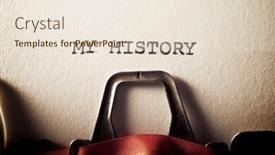
In the heart of every successful project, there's a story to be told My History, written with a typewriter on worn paper, its ink bleeding into the margins as I recount my journey. This is where we'll begin, with a template that will transform your presentations from mere slides to dynamic works of art. The Corner Title design name screams for attention, with bold typography and clever layout. The Widescreen format is perfect for showcasing high resolution images in all their glory, creating an immersive experience for your audience. This template's Tomato color palette adds a pop of vibrancy, making it easy to include a Background With stunning visuals that will leave viewers wanting more. The template includes four How To slides at the start to help you get up and running quickly featuring a seamless integration with Google Slides, I'm confident you'll be able to customize this template in no time. As for the Dart Layout slide, it's not just about adding some filler text or images; it's actually an advanced layout system that allows you to include multiple elements side by side, taking up valuable real estate without sacrificing any space. By including a Background With high quality images and having a theme of enhancing your presentation with a professional look and feel, you'll be able to showcase your expertise in no time. By using this template, you'll be able to create presentations that are not only visually stunning but also easy to use and customize. Whether you're presenting to clients or colleagues, this template will make a lasting impression it's the type of experience you want your audience to have when they look at your work.

 Presentation with history - Colorful PPT layouts enhanced with computer monitor health - young doctors discuss medical history backdrop and a sky blue colored foreground

Young Doctors Discuss Medical History

PPT layouts enhanced with young doctors discuss medical history

 Presentation with history - PPT layouts consisting of templar - almourol castle - reflection background and a tawny brown colored foreground

Almourol Castle Reflection History.

The majestic Almourol castle stands tall in the rolling hills of Portugal, its stone walls bearing witness to centuries of history and intrigue. This stunning template is designed to transport you to the picturesque town of Santarem, where the gentle River Tejo flows through the streets like a lifeblood. This Wide Title template features a Cornflower Blue color palette that evokes a sense of calmness and serenity, perfect for showcasing your most important slides. The Widescreen format ensures that every detail is showcased in stunning high resolution images, making it ideal for presentations that require maximum impact. The Cornflower Blue theme is inspired by the rolling hills and historic buildings of Portugal, featuring a warm and inviting color scheme that will transport your audience to a bygone era. With a focus on showcasing your content in a visually appealing way, this template is perfect for creating engaging slideshows that leave a lasting impression. This template includes four How To slides at the start of the deck to help you get up and running quickly, but don't worry, they're not too complicated just take it one step at a time. And when you need some inspiration, featuring high resolution images of Almourol castle or other stunning Portuguese landmarks can be included in your presentation. The two Member Bio Layout slide is a great way to showcase your team's expertise and personalities, with each member featured prominently on their own page. You could include a background image of the Santarem town square, surrounded by historic buildings, and have each member's photo and bio displayed separately for easy reference. Having a theme of showcasing individual profiles can be enhanced with additional elements such as company logos or awards to make it even more impressive. This template is downloadable and compatible with Google Slides,

 Presentation with history - Presentation enhanced with archetecture history - historic architecture background and a white colored foreground

Historic Architecture

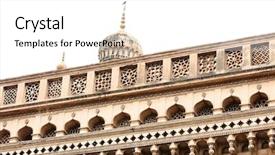
Imagine walking through the bustling streets of historic Andhra Pradesh's capital city, Manarits, where colonial era architecture and traditional Indian design blend seamlessly together in a stunning display of style and elegance. The Corner Title template is designed to elevate your presentations with a rich and vibrant Peru color palette, featuring warm golden tones and deep blues that evoke the spirit of historic cities. The Widescreen format ensures a seamless viewing experience on large screens, while the 4 How To slides at the start of the deck provide valuable tips and tricks to get you up and running quickly. The template's background image is a breathtaking high resolution photo of a majestic ancient temple, set against a stunning backdrop of Andhra Pradesh's iconic architecture. The content layout slide showcases a beautiful image of the temple's intricate carvings and ornate details, making it easy to incorporate into your presentation. Featuring a mix of modern and traditional elements, this template is designed to enhance your presentations with a unique blend of style and sophistication. Including a background with subtle texture and shading, Having a theme of historic architecture, Enhancing With vibrant colors, the Corner Title template is sure to captivate your audience and leave a lasting impression. This stunning template can be downloaded for free and used on Google Slides, making it an ideal choice for any presentation or project.

 Presentation with history - Theme enhanced with sentence-my-history-written background and a lemonade colored foreground

Sentence History Written Typewriter.

The digital age has given us a plethora of options to express our creativity and bring our ideas to life. From sleek and modern designs to retro chic aesthetics, there's a template out there that can help you stand out from the crowd. And when it comes to creating a professional looking presentation, having the right design elements is crucial. That's why I'm excited to introduce Split Title, a stunning widescreen template specifically designed for office use. This beautiful template features a warm and inviting tan color palette that exudes a sense of sophistication and professionalism. The high resolution images on the background will transport your audience to a world of efficiency and productivity. To enhance the overall look and feel, we've included a range of keywords such as "capital," "mechanic," and "office" in our design elements. The template itself is formatted specifically for widescreen presentation, making it easy to view from any angle. The design name Split Title stands out with its classic typewriter inspired font, which adds a touch of elegance to your presentation. If you're looking to showcase your expertise and share your experience with the world, this template is the perfect choice. With its sleek layout and impressive background images, you'll be able to create a compelling narrative that will leave your audience in awe. For those who want to get started quickly, we've included four helpful slides at the beginning of the deck to guide you through the process. These include "Getting Started," "Customizing Your Template," "Adding Backgrounds," and "Enhancing Your Experience." With Split Title, featuring a background with a theme of modern professionalism, including a high resolution image of a cityscape, having a layout that's streamlined for easy navigation, enhanced with customizable typography, and made easily accessible on Google Slides, you'll be able to create stunning presentations in no time. In this template, you can include a wide range of images, from illustrations of machines to photographs of offices. The Ansoff Matrix Diagram Layout slide provides a great opportunity to showcase how your business can grow through innovation and strategic expansion. With its clean design elements and seamless integration with Google Slides, Split Title is the perfect solution for anyone looking to elevate their presentation game.

 Presentation with history - Audience pleasing slide deck consisting of search bar on virtual backdrop and a white colored foreground

History Written Search Bar Virtual

The era of historical education is upon us, and with that comes the need for a captivating visual theme. Imagine stepping into a world where ancient civilizations come alive on your screen, their stories woven together like the threads of a rich tapestry. The Design Name "Timeless Academia" encapsulates this essence perfectly. This widescreen template features high resolution images of seashells, evoking a sense of nostalgia and wonder. The Seashell color palette is the perfect blend of soft, calming hues that will transport your audience to a bygone era. From the serene tones of ocean blue to the warm shades of sand and coral, every detail has been carefully crafted to evoke a sense of history. The template's keywords are "college", "education", "historical", "used", and "geography", ensuring it meets the requirements for any presentation. This template is not just a design; it's an experience. It includes high resolution images featuring famous landmarks, historical figures, and iconic events that will captivate your audience's imagination. The background features seamless transitions, allowing you to easily incorporate maps, charts, and other visual elements without compromising on image quality. With the Stairs Layout slide, you can present complex data in an engaging and easy to follow manner. This template is featured with a background of high quality images, including ancient artifacts, historic photographs, and detailed illustrations of geographical features. It's enhanced with interactive elements, such as links to online resources and downloadable content, making it truly a one stop solution for your presentation needs.

 Presentation with history - Presentation with make history card with sky background and a teal colored foreground

Make History Card Sky Background

The spotlight is on you as you take center stage in this captivating presentation. Imagine being part of a grand narrative that tells the story of your career journey and achievements, set against a breathtaking sky background that transports your audience to a world of possibilities. This template, Wide Title, is a high end design that exudes professionalism and sophistication, perfect for leaders who want to make a lasting impression on their audiences. With its Widescreen format, this template is the epitome of visual grandeur, featuring crisp and clear images that bring your message to life. The Cornflower Blue color palette is a calming yet energetic blend of soft pastels that will make your content pop. This theme is featured prominently in the high resolution background image of our hero slide, which showcases a stunning landscape with a bright blue sky and fluffy white clouds. The simplicity of this background allows the template's other elements to take center stage, making it easy to enhance with creative text overlays. Incorporating relevant keywords like "leader", "career", "storytelling", "education", and "hands" throughout the design will give your audience a clear understanding of what you're trying to convey. The template is downloadable and compatible with Google Slides, ensuring that it can be easily integrated into any presentation. The four How To slides at the start of the deck are designed to help you get up and running quickly, featuring easy to follow instructions on how to customize your template to fit your needs. But one slide stands out the Comparison Layout slide which showcases a side by side comparison of different templates, allowing you to choose the one that best suits your needs. As you explore this captivating template, consider what makes it truly unique. The Include a Background With feature on the hero slide ensures that every element is beautifully set against a stunning sky background, while Having a Theme of enhancing the overall look and feel of your content is demonstrated in the Cornflower Blue color palette.

 Presentation with history - Presentation theme enhanced with hakka has a long history background and a tawny brown colored foreground

Earth Tower Hakka Long History.

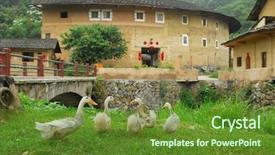
Presentation theme enhanced with earth tower of hakka has a long history

 Presentation with history - Slides enhanced with vintage photo young doctor background and a coral colored foreground

Vintage Photo Young Doctor Hospital (

Slides enhanced with vintage photo young doctor in hospital early seventies

 Presentation with history - Beautiful slide set featuring pile of old books backdrop and a coral colored foreground

Pile Old Books

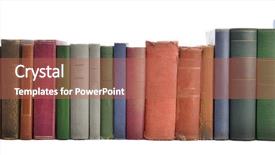
Imagine yourself standing amidst a vast, ancient library, surrounded by a towering pile of old books that stretch as far as the eye can see. The air is thick with the musty scent of aged paper and the whisper of forgotten knowledge. This Split Title template is designed to transport you into a world where education and learning are taken to new heights. With its Widescreen format, you'll be immersed in a cinematic experience that leaves no stone unturned. The Pale Violet Red Colored background will set the tone for an visually stunning presentation, making it easy to enhance with animations, transitions, and high resolution images. The template's download and compatibility with Google Slides make it a dream come true for anyone looking to share engaging educational content on the go. So why wait? Dive into this Split Title template and get ready to educate your audience in style. With four How To slides at the start of the deck, you'll be off to a flying start, setting yourself up for success. In its Featuring mode, the template showcases an elegant grid layout that perfectly balances images with text. You can include background images or have them included in the design itself, making it easier to create a cohesive look. Having a theme of simplicity and elegance, this template is sure to impress your audience.

 Presentation with history - Cool new presentation theme with sunset seacoast skyline with walk backdrop and a lemonade colored foreground.

Panama Flag Wooden Background

Imagine starting your PowerPoint presentation with a vibrant and eye catching image that transports your audience to a new land the country of America. The Corner Title template by CrystalGraphics is designed specifically for this purpose, offering a royal blue background that sets the tone for an impressive presentation. The Widescreen format ensures that your content is fully showcased on the screen, making it perfect for presentations that require visual impact. The Royal Blue color palette features high resolution images as the primary design elements, providing a sophisticated and professional look. As you begin your presentation, consider how to feature this stunning background image in various ways perhaps including a puzzle piece layout slide that highlights the unique aspects of American culture. This template is designed to be compatible with Google Slides, allowing you to easily integrate high quality images and add seamless transitions to enhance your visuals. With its royal blue color scheme and country themed keywords, you'll feel like you're right there in America, exploring its vast landscapes and diverse nation's history.

 Presentation with history - Presentation enhanced with historic old pharmacy bottles background and a coral colored foreground

Historic Old Pharmacy Bottles Label

Historic old pharmacy bottles with label and Old-fashioned weight scales, on wooden Background Gray color scheme with warm tones, evoking a sense of nostalgia and tradition Featuring classic typography, such as serif fonts, to convey a sense of age and authenticity Including a Background With subtle textures and patterns, adding depth and visual interest Our template is perfect for creating a unique and captivating presentation that celebrates the art of traditional pharmacy practices. Imagine showcasing your favorite old-fashioned remedies or medications in a beautifully crafted deck that transports viewers to a bygone era. This template can be used as inspiration for various presentations, such as product launches, historical events, or educational materials about the history of pharmacy. It's ideal for creating a visually appealing and engaging presentation that will leave your audience impressed and informed. For example, you could use this template to create a promotional video for a new line of herbal remedies, showcasing the traditional packaging and labeling used in the industry. Or, you could incorporate it into a historical research project to highlight the importance of old-fashioned pharmacy practices during a particular time period. Having a Theme of enhancing your presentation with vintage elements can result in a truly unique and memorable experience for your audience. Enhanced With our template, you'll have access to high-resolution images that are optimized for use on Google Slides, making it easy to create professional-looking presentations on-the-go. The 4 How-To slides at the start of the deck will help you get up and running quickly, providing a solid foundation for your presentation. Section Header Layout slide can be customized to include a personalized message or logo, making it an ideal way to personalize your template.

 Presentation with history - PPT theme having history old pages - abstract brown grunge background background and a coral colored foreground

Abstract Brown Grunge Background

As you begin to create your brand new Wide Title PowerPoint template, take a moment to appreciate the rich, earthy tones that will set the tone for your visual identity. A warm, brownish hue reminiscent of parchment paper and aged paint, this palette is perfect for evoking a sense of luxury and sophistication. This Widescreen template features 1 stunning high resolution image as its background, crumpled and textured to give it a unique, organic feel that will add depth and visual interest to any presentation. The Peru color palette provides the perfect backdrop for your design elements, ranging from muted earth tones to rich jewel colors. With 4 How To slides at the start of the deck, you'll be able to get up and running quickly and easily. But what makes this template truly unique is its ability to feature, including a background with, having a theme of, enhanced with subtle nuances that will elevate your presentation from ordinary to extraordinary. Imagine incorporating these features into your next project, whether it's a proposal, conference presentation, or simply a professional email – the possibilities are endless. In terms of customization options, this template is compatible with Google Slides and can be easily downloaded for use in your own presentations. With its rich, textured background and Peru color palette, you'll be able to create visuals that are both visually appealing and sophisticated. Whether you're looking to add a touch of elegance or convey a message of creativity, this Wide Title template is sure to impress. The image on the Right With Caption Layout slide could include a beautiful illustration of a vintage parchment page, with hand drawn paint splatters adding a touch of whimsy and personality. This could be used as a header for a presentation on art or design, or simply to add some visual interest to a corporate email.

▼Key features of this template

  • They are compatible with both PowerPoint and Google Slides running on either Windows PCs or Macs.

  • They are available in both standard and widescreen slide formats. You can choose your preferred format by clicking on the "Widescreen" check box or icon.

  • Each template includes a beautiful high-resolution background image or video to visually reinforce the theme of your presentation.

  • In addition, each template includes designer-created graphics and modern fonts to give your presentations an up-to-date, professional look.

  • Each template's default design and title text position have been carefully selected to complement its background without covering faces or other key elements.

  • All text includes backdrops whose transparency level is mathematically calculated to maximize text readability while still allowing the background to be seen.

  • And all the text, text backdrops and graphics in every slide are colored with a palette designed to beautifully complement the colors in the background.

  • Our Premium templates (those with the descriptor “Premium” in their subtitle) include over 64 slide layouts to give you maximum flexibility as you create your presentations.

    • Those layouts are available to you whenever you create a new slide or when you want to change the layout of an existing slide.
    • They include everything you need to make all sorts of presentations. In addition to the layouts for the title slide and the usual title and content slide, they include many other layouts for slide types including table of contents slides, org charts, charts, diagrams, infographics, photo slides, thank you slides and more.
    • While creating these layouts our template designers have ensured that all text in every layout adjusts as gracefully as possible to various numbers of words.
  • Customizable templates (those with the descriptor “Customizable” in their subtitle) may be easily modified online before you download them.

    • To modify them, simply click on the pencil editing icon, then select your choice of ready to go designs and title text positions.
    • The editing tool also makes it easy to reposition and scale the background image or video to best suit your needs.

▼FAQs

Please review these FAQs to see if your question is answered. Contact us for more info

  • What is a PowerPoint template?

    • A well designed PowerPoint template is a file that can tell PowerPoint how to make your ordinary templates look extraordinary. They won’t change what your words or numbers say. But they might change their size, color, font and placement. And, overall, they can give your presentations a professionally-designed look that will give your content more credibility and give you more confidence.
  • How many PowerPoint templates do you offer?

    • We have over 32,000 artist-created presentation templates in our PowerPlugs collection With a subscription, PowerPlugs templates are easy to download. Just sign in, find a template and click on the green Download button. ready for you to download. That alone offers you more variety to choose from than any of our competitors can offer. And, as if that weren’t enough, we also offer over 6 million templates in our Crystal collection. Crystal brand templates are our line of templates that have customization options. They have the word "CRYSTAL" on their web page images. You can customize several aspects of the templates. These templates include high-resolution background images from Shutterstock’s vast image collection matched up with artist-created presentation designs customized by our own proprietary AI software.
  • How many templates can I download as a subscriber?

    • You can download an unlimited number of PowerPlugs-brand With a subscription, PowerPlugs templates are easy to download. Just sign in, find a template and click on the green Download button. templates every day for an entire year. (Actually, by default, we set a limit of 25 templates per day to prevent our competitors from stealing our templates. But, if that is not enough, just let us know and we’ll try to accommodate you.) On top of that, with a subscription or an Ultimate Combo, you can also download any 50 Crystal-brand Crystal brand templates are our line of templates that have customization options. They have the word "CRYSTAL" on their web page images. You can customize several aspects of the templates. templates per year selected from our huge Crystal collection. Crystal brand templates are our line of templates that have customization options. They have the word "CRYSTAL" on their web page images. You can customize several aspects of the templates. .
  • Why should I choose your templates instead of the competition’s?

    • We’ve got a larger selection of professionally-designed PowerPoint templates than anyone else in the world.
    • Each template includes a high-resolution background image or video to visually inspire your audiences while reinforcing your message.
    • Each template includes 64 slide layouts to give you maximum flexibility as you create your presentations.
    • Our templates are available in both standard and widescreen slide formats. And our website lets you preview the slides each way.
    • Our free Template Finder™ plugin lets subscribers select and - with a single click - download and insert our templates into their presentations right from within PowerPoint.
    • We’ve been creating designer presentation templates for over 20 years. During that time we’ve won several awards and 5-star ratings for product quality. See About Us for more.
  • Do you offer a money-back guarantee?

    • Yes we do! We offer full 30-day money-back guarantee if you are not 100% satisfied with your purchase.
  • Can I still use my downloaded templates after my subscription runs out?

    • Yes. After your subscription expires, you won't lose any rights or ability to use your PowerPlugs: Templates for PowerPoint. You won't be able to download any new non-watermarked templates. But the non-watermarked templates you've already downloaded will still work and you can still use them as before.
  • Can I share my downloaded templates or passwords with friends or coworkers?

    • Sorry but no. You are authorized to download each paid-for template to up to 3 of your personal devices and to use the templates you download in as many presentations as you want. But you are not authorized to share the templates, themselves, with others. That said, we do offer highly discounted site licenses to suit the needs of both small and large teams. Just tell us your needs and we’ll give you a quote!
  • System requirements:

    • The templates use the standard POTX format. So they are compatible with Google Slides and all PC, Mac and mobile devices running any version of PowerPoint from PowerPoint 2007 up through and including Office 365 desktop.
    • Please note: Google Slides does not currently support background videos. It treats them as still images.
    • For PowerPoint for the Web, first open your template into a desktop version of PowerPoint, then save it back out as a PPTX file. Then you can open that in PowerPoint for the Web.
  • End user license agreement:

    • Click here to view.
  • How will I get my purchased templates?

    • You may download your selected templates as soon as your payment is received by PayPal. If you purchased an individual template, you will be provided with a download link both onscreen and via email. Just click on that link to begin the download process. If you purchased a subscription, you will receive an email containing a password to use along with your email address to sign in to any of the templates pages on CrystalGraphics.com. Once you are signed in, you can immediately start downloading your selected templates.
  • How do I use my templates after I download them?

    • You can either open a template to start a new presentation or you can add a template to an existing presentation. To open a template, just double click on it or use PowerPoint's File > Open tool. To add a template to an existing presentation, on the Design tab, in the Themes group, click Browse for Themes... then browse to select your template.

View more History templates:

previous 1 2 3 4 5 6 7 8 9 10 11 next
Categories related to History:
Akbar American Ancient Asia Black Book Bulgaria Bulgarian Church Egypt Europe Family France Genocide Indonesia Iran Islamic Italy Japanese Life Mughal Ottoman Philippine Pompeii Roman Vietnam War World
93% of Fortune 1000
companies use our
PowerPoint Products
Templates Secure

Standing Ovation Award
Winner: Best PowerPoint
Template Collection
Fortune Logos
200,000+ satisfied
customers worldwide!
Guarantee
100% satisfaction guaranteed
- or send it back for a refund!

Sign up for our free newsletter! You'll get news about our PowerPoint-enhancing product line – including free updates, new product announcements and exclusive special offers. Plus you'll get a link to a free PowerPoint template with every newsletter you receive.
Privacy Policy
Loading...


Help

Contact Us
Product FAQs
Product License Agreements

Company Info

About Us
Privacy Policy
CrystalGraphics, Inc. 1999 S. Bascom Avenue Suite 700 Campbell, CA 95008 USA
© 2025 CrystalGraphics, Inc. All rights Reserved.    |     PowerPlugs is a trademark of CrystalGraphics, Inc.
Microsoft and the PowerPoint logo are trademarks or registered trademarks of Microsoft Corporation in the United States and/or other countries.
Loading...
Loading...