www.crystalgraphics.com CrystalGraphics
  • Ultimate Combo
  • Templates
  • Diagrams
  • Characters
  • Quizzes
  • shopping cart
  • Sign Out Sign Out Sign In
Home > Templates > Lights Category
search icon
advanced icon

286 Best Lights-Themed Templates for PowerPoint and Google Slides

At CrystalGraphics, we're obsessed with creating tools that help you shine. Our Lights template collection is packed with 60+ stunning PowerPoint templates designed to illuminate any presentation, whether it's a Big Stars background with stars and lights glowing, a PPT theme with Christmas-themed visuals in a festive glow, or even a Red stage curtain with selective lights and shadows that'll make your showstopper shine. But what really sets us apart is our commitment to accessibility - explore our extensive collection of templates that cater to various devices and formats, ensuring you can bring your ideas to life no matter the screen size.

From Christmas-themed presentations to Red carpet events, we've got the perfect template for any occasion. And when it comes to customization, our AI-powered tools make it easy to personalize your content with ease. With instant 24/7 download access and compatibility with Google Slides, you can work on your project at your convenience. Whether you're a designer, educator, or simply someone who loves the magic of PowerPoint, our Lights templates are the perfect starting point for creating engaging presentations that leave a lasting impression.

Features & Pricing

Widescreen (16:9) Presentation Templates. Change size...
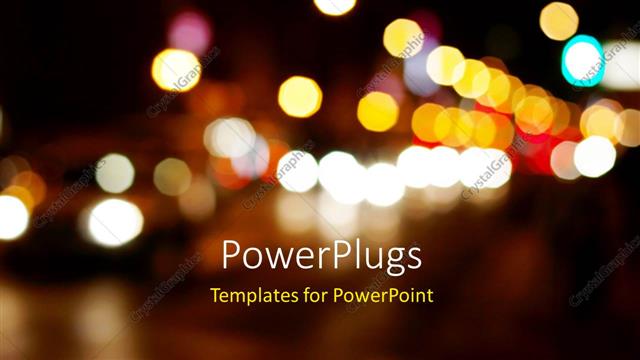
 Presentation with lights - A number of colorful lights with dark background

Blurred Lights

A number of colorful lights with dark background

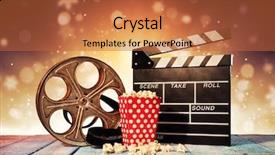
 Presentation with lights - Amazing presentation design having retro film production accessories placed backdrop and a red colored foreground

Retro Film Production Accessories Placed

In the heart of Hollywood's bustling streets, where the sweet scent of cinematic magic wafts through the air, lies the perfect backdrop for your film studio or still life photography. To capture that essence, you'll want to harness the power of a retro inspired template that embodies the spirit of old school filmmaking. Introducing Wide Title, a Widescreen design format that perfectly complements the Sandy Brown color palette, reminiscent of warm wooden planks and vintage film stocks. This template is the ultimate tool for creating visually stunning presentations, whether you're showcasing your latest still life photography or sharing your studio's work with the world. The combination of high resolution images for the background, combined with a clean and modern design, makes it easy to create engaging visual content that will leave viewers in awe. As inspiration from classic film production accessories on wooden planks, Wide Title is designed to evoke the warm, intimate feel of a Hollywood set. Featuring a subtle blur spot light effect on the background, this template is sure to transport your audience to the silver screen. Including a Background With option, you can enhance the scene with stunning graphics and animations that bring your film making concepts to life. Having a Theme of, one example would be incorporating vintage film cameras as key elements in your design. The SWOT Analysis Layout slide provides an insightful view into your brand's strengths, weaknesses, opportunities, and threats, making it easier to identify areas for improvement.

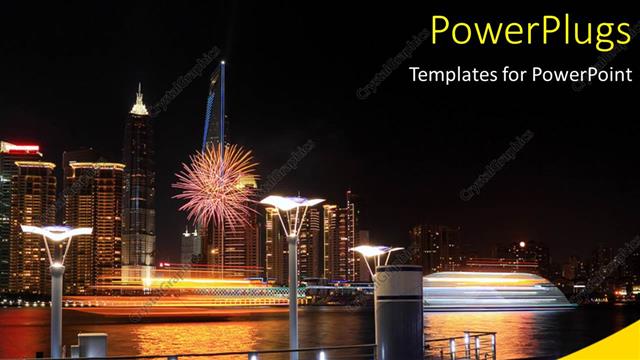
 Presentation with lights - Lots of high buildings with lights and a ship by the sea side

Holiday Night

Lots of high buildings with lights and a ship by the sea side

 Presentation with lights - PPT layouts enhanced with music - rock concert cheering crowd background and a wine colored foreground

Rock Concert Cheering Crowd Front

In a world where excitement meets innovation, the perfect template to capture the energy of a rock concert is here. Wide Title, a stunning Widescreen Template, is designed to transport you and your audience to a vibrant scene that screams "rock on!" With Goldenrod as its backdrop, this 4:3 ratio Template is the epitome of style, perfect for showcasing high resolution images that will leave viewers in awe. Featuring a crowd that's overflowing with joy, this template offers an ideal theme to enhance any presentation. Including a Background With vibrant colors and dynamic textures, the possibilities are endless. The template itself, compatible with Google Slides, is easy to download and use just click the link to get started. As you begin creating your presentation, be sure to check out the four How To slides that will help you get up and running quickly. But what makes this template truly special? A Comparison Layout slide, perfect for comparing different aspects of your presentation, is included. Having a Theme of dynamic visuals and engaging storytelling, Wide Title offers endless possibilities for customization. With its clean design and high quality images, this template is the ultimate tool for creating a memorable concert experience. And with its 4:3 ratio, it's perfect for showcasing large images without losing any detail. Featuring a bold color palette that will grab attention from start to finish, Wide Title is sure to impress your audience.

 Presentation with lights - Amazing slide set having phone-in-hand-silhouette backdrop and a wine colored foreground

Phone Hand Silhouette Male Hand

As you click your way to innovation and progress, the phone in hand is often at the forefront, its bright screen illuminating the world around us like a beacon of modernity. Whether it's for work or play, the smartphone has become an indispensable part of our lives, a constant companion that never fails to deliver. In this corner title template, we've crafted a design that perfectly captures the essence of the mobile world. Our template is available in Widescreen format, featuring high resolution images that will transport you to a futuristic realm where electronics and gadgets reign supreme. The Midnight Blue color palette is both sleek and sophisticated, providing a stunning backdrop for your presentations. This template is designed to enhance your Google Slides experience with its cutting edge features and crisp visuals. It's the perfect companion to help you get up and running quickly, with four easy to follow slides at the start of the deck to guide you through the process. The Content with Caption Layout slide showcases the phone in all its glory, with a striking background image that will leave your audience captivated. You can include a Background With feature by adding a photo of the smartphone screen to the design, or simply choose from one of our pre made templates to give it an extra boost of style. As you explore this template, you might be wondering how to incorporate high resolution images into your presentation. Think of it as having a theme of showcasing the latest and greatest in technology, with features like Enhanced With that will take your content to the next level. And when it comes time for the How To slides, don't worry we've got you covered, featuring four easy to follow steps that will walk your audience through the process with confidence.

 Presentation with lights - PPT theme enhanced with club christmas celebration clubbing life background and a wine colored foreground

Image Nightclub Lights Red Spotlight

Introducing "Midnight Fever" a visually striking powerpoint template that takes you on a journey through the vibrant and energetic world of nightlife, entertainment, and technology. This stunning design is perfect for presentations, demos, or any project that requires a dynamic and engaging visual identity. Our template features a sleek Widescreen format, ideal for showcasing high resolution images in all their glory. The Medium VioletRed color palette provides a rich and vibrant backdrop for your content, while the keywords "beam", "color", "entertainment", "year", and "sound" will help you include a background with visual interest, enhancing your presentation's overall impact. The Midnight Fever template is designed to transport your audience into the heart of the party scene, whether it's a bustling nightclub, a festive holiday celebration, or a high tech laser performance. The four How To slides at the start of the deck are there to help you get up and running quickly, providing a solid foundation for your presentation. Imagine using this template to create a concert promotion that includes a background with colorful festive rays on the stage, complete with high resolution images of performers in mid performance. Or picture yourself using it to present a year in review report featuring stunning visuals and engaging animations, with a theme of celebration and milestones achieved over the past 12 months. Don't miss out on this opportunity to elevate your presentation with Midnight Fever's cutting edge design, vibrant color palette, and engaging keyword features. Downloadable and compatible with Google Slides, this template is ready to be brought to life with your own high quality images and visuals.

 Presentation with lights - PPT layouts with summer - hanging decorative christmas lights background and a tawny brown colored foreground

Hanging Decorative Christmas Lights Back

With the Wide Title as your attention grabbing starting point, you're ready to create a stunning presentation that will set the tone for an unforgettable occasion. This Dark Olive Green Widescreen template is designed specifically for Google Slides, making it easy to customize and enhance with high resolution images. The template's design name suggests a grand and festive atmosphere, perfect for showcasing your best holiday decor. The theme of "Wide Title" is straightforward feature the title prominently in all caps, paired with elegant font styles and subtle animations that add visual appeal. In terms of compatibility, this Dark Olive Green Widescreen template is fully functional and compatible with Google Slides, allowing you to create seamless transitions between slides. When it comes to showcasing your theme, "Wide Title" has a sleek design layout that makes the most of its width, featuring an included Background With decorative string hanging in the background. To give you a better idea, consider using this template for a Hang Yard Party or String Entertainment theme the high resolution images on the backgrounds will provide ample opportunities to showcase your decorations. Having a Theme of featuring a holiday setting, the included Section Header Layout slide is designed to make navigation a breeze, with clear headings and concise text that guide you through your presentation. One exciting feature of this template is its Enhanced With ability to include additional elements like animations, transitions, or even video clips all within minutes of uploading the file to Google Slides.

 Presentation with lights - Beautiful slides featuring twinkle - silver lights background backdrop and a lemonade colored foreground

Silver Lights Background

With its striking wide title design and sleek Widescreen format, this template is sure to capture the attention of all who view it. The Light Sky Blue color palette adds a touch of sophistication, while also providing a bright and airy feel that's perfect for presentations that require visual impact. The Wide Title features high resolution images for the background, which can be easily replaced with your own to give the template a personalized touch. This design is sure to help you stand out from the crowd and make a lasting impression on your audience. To add an extra layer of interest to this template, consider incorporating some sparkle elements throughout the design. This could include features such as glittery borders or confetti like effects that will catch the eye and leave a lasting impression. For those who prefer a more traditional approach, the Wide Title template can also be used in conjunction with other layouts to create a unique blend of styles. The Comparison Layout slide, which includes a background with a blurred image of a cityscape, is a great example of how this template can be enhanced with different elements to give it a fresh new look. This powerful template is fully compatible with Google Slides and can be easily downloaded for use in your own presentations.

 Presentation with lights - Slide set with nighttime-tornadic-mezocyclone-lightning-storm background and a gray colored foreground

Nighttime Tornadic Mezocyclone Lightning Storm

The corner of the screen comes alive with a mesmerizing display of power and fury as a devastating tornado rages through Tornado Alley, its dark skies illuminated by the intense lightning storm. The ominous clouds swirl and twist, like a living entity, as the thunder boom echoes through the air. High resolution images of the scene are seamlessly integrated into the template, creating an immersive experience that draws the viewer in. The Corner Title corner title is a powerful design element, featuring a stylized font with bold lines and sharp edges, conveying a sense of danger and intensity. The text is set against a dark slate blue background, which provides a dramatic backdrop for the images that follow. This theme of danger and power permeates every aspect of the template, from the high res images to the keywords used to describe it. The corner title's design name is the inspiration behind this powerful template, designed to grab attention and convey a sense of energy and excitement. The Widescreen format ensures that the viewer can fully immerse themselves in the scene, while the Dark Slate Blue color palette adds depth and sophistication to the overall design. Incorporating a background with thunderstorm clouds and lightning bolts creates an enhanced visual experience that draws the viewer in. The template's keyword of "danger" is woven throughout the design elements, from the high res images to the text descriptions. This theme of danger and power is a common thread throughout the entire template, making it perfect for use in presentations or projects where you want to convey a sense of urgency and importance.

 Presentation with lights - Beautiful slides featuring american football player running backdrop and a white colored foreground

American Football Player Running Ball

The moment you start creating your PowerPoint template is when the real work begins. With Corner Title as your design name, this template format will take center stage it's a widescreen masterpiece featuring images that are sure to draw in your audience and set the tone for any presentation or slide show. This template boasts an elegant lavender color palette that's both soothing and vibrant, perfect for creating engaging visuals. Inspired by the high energy world of American football, the design is carefully crafted to bring out the muscular and dynamic side of the game perfect for capturing attention on your slides. To make it easy for you to get started, we've included four How To slides that will walk you through the process of customizing and enhancing your template. But don't worry, these aren't daunting tasks they're designed to be straightforward and intuitive, helping you to create a unique look that's all your own. We know what you want: a template that's packed with creative possibilities. That's why we've included plenty of space for adding your own flair, whether it's incorporating background images or features a theme of dynamic movement. The result is an enhanced version of Corner Title the perfect starting point for any project.

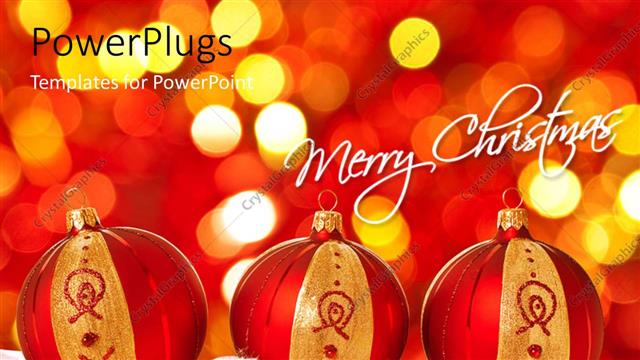
 Presentation with lights - Three red and gold colored christmas balls with lights

Christmas Balls

Three red and gold colored christmas balls with lights

 Presentation with lights - Slide set featuring empty night football arena in lights background and a light gray colored foreground

Empty Night Football Arena Lights

Imagine standing in the midst of a bustling empty night football arena bathed in vibrant red lights that stretch across the massive field. The scoreboard glows with numbers and words that seem to be having a competition for attention as teams face off against each other. In this high energy setting, gamers, athletes, and fans alike converge to witness the thrilling game on display. This template is designed to give you a head start in creating an immersive experience that will leave your audience in awe. The widescreen format ensures everyone can see and participate in the action. Featuring bright colors and bold graphics, this template will make your presentation stand out from the crowd. The high resolution images for the background will transport your viewers to the arena's digital version, providing a seamless transition into the game. These templates are compatible with Google Slides and are optimized for download, ensuring you can easily add them to your presentations or share them directly with others. To get started quickly, try our four easy to follow slides. The first one will help you navigate through the template's features and settings, while the next three provide valuable tips on creating a winning presentation that engages audiences from all walks of life. Having a theme of showcasing bold graphics and vibrant colors throughout the deck, this template ensures your message is conveyed in a visually appealing way. The Panoramic Picture Layout slide will be particularly useful in highlighting key elements such as game statistics, player stats, or even a detailed overview of the competition. This feature allows you to include a background with dynamic images that enhance the overall experience. Enhanced with interactive animations and transitions, this template is sure to capture your audience's attention from start to finish. Incorporating these features will give you an edge over others in conveying your message effectively. By using keywords like "game", "activity", "bright", "competition", "arena" throughout the deck, you'll be able to attract viewers who are eager for excitement and entertainment. With its bright red color palette, this template is sure to stand out on any presentation slide.

 Presentation with lights - A plain purple background surface tile with bright white stripes

Dance Of Lights

A plain purple background surface tile with bright white stripes

 Presentation with lights - Presentation theme enhanced with purple lights on story bridge background and a violet colored foreground

Vibrant Night Time Panorama Brisbane

Imagine standing in the midst of one of Australia's most iconic city skylines at sunset, with vibrant purple lights illuminating the Story Bridge and casting a golden glow on the bustling streets below. The night air is filled with the sounds of laughter and celebration as people from all walks of life come together to experience this incredible moment. The Corner Title template by CrystalGraphics is a stunning design that takes you on a journey through the vibrant cityscape, featuring high resolution images that will transport you into the heart of Brisbane's best attractions. This Widescreen template is designed with style and sophistication in mind, creating an immersive atmosphere that will leave your audience in awe. The Steel Blue color palette provides a clean and professional look, while magenta accents add a pop of excitement to each slide, bringing the city to life. The template is downloadable and compatible with Google Slides, making it easy to incorporate into your presentations. For those looking to enhance their presentation with a Background With element, we can include a stunning image of the Brisbane River running through the heart of the city. Our Arrow Stages Layout slide features four iconic buildings that dominate the skyline: the Sydney Opera House, the Queensland Performing Arts Centre, the Brisbane City Hall, and the State Library of Queensland. By including these elements in your presentation, you'll be able to showcase the stunning cityscape that is Brisbane, without having to worry about designing it from scratch.

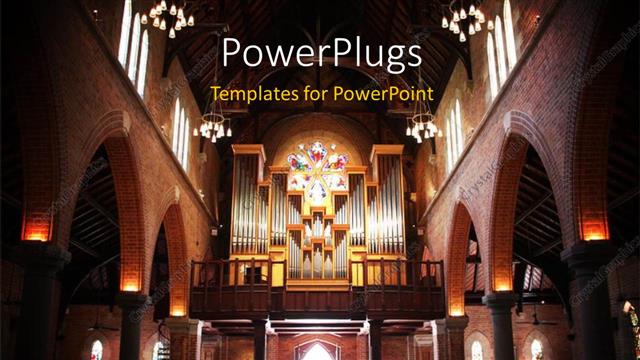
 Presentation with lights - A beautiful church with a number of lights

Cathedral

A beautiful church with a number of lights

 Presentation with lights - Slide deck with racial discrimination - racism wrong card with colorful background and a coral colored foreground

Racism Wrong Card Colorful Background

You need to start your presentation with a dramatic and eye catching image that sets the tone for the rest of the presentation. Imagine being in a high pressure courtroom where emotions are running wild the sounds of arguments and anxiety are palpable as the judge stands tall, ready to deliver the verdict. The Corner Title template is designed to grab attention, featuring a bold and striking design with fire brick color that pops against the backdrop of a dark colored screen. The 4 How To slides at the start of the deck will help you get up and running quickly, providing a solid foundation for your presentation. These slides are essential building blocks, allowing you to establish a clear structure and set the stage for your message. The template itself is a high resolution image that's ideal for Google Slides. The Widescreen format ensures that your content fills the entire screen, while the fire brick color palette adds a touch of sophistication and style. This theme of Enhanced With will help create an immersive experience, making your presentation more engaging and memorable. Including a Background With this template is easy you can simply add it to your slide using CrystalGraphics' seamless transitions. The Three Step Funnel Layout slide is also designed to work seamlessly with the Corner Title template. This layout features a clear progression from introduction to conclusion, making it an ideal choice for presentations that require a logical flow of ideas. For example, let's say you're giving a presentation on a high profile case involving racism and arrest. The Three Step Funnel Layout slide can be used to outline your argument, with the first step focusing on the background, the second step presenting the evidence, and the third step delivering the verdict. Featuring a colorful background with defocused lights adds an extra layer of drama, making it easier for your audience to follow along. Overall, the Corner Title template is a powerful tool for creating engaging presentations that capture your audience's attention and hold their interest. With its fire brick color palette, high resolution images, and 3 Step Funnel Layout slide, this template is sure to make your presentation stand out from the crowd.

 Presentation with lights - Beautiful slide deck featuring two-small-handmade-wooden-hearts backdrop and a yellow colored foreground

Two Handmade Wooden Hearts Bright

The power of love is timeless and can bring joy to anyone's life. It's the small gestures that count, like the handmade wooden hearts holding hands on a warm winter evening, surrounded by bright golden lights and subtle bokeh effects. A wide title with bold font would perfectly capture this essence. The design name, Wide Title, exudes a sense of grandeur and romance, making it perfect for Valentine's Day cards or any occasion that demands attention. The template format, Widescreen, ensures the image is visually appealing on all devices. A classic Burly Wood Colored color palette adds warmth and coziness to the overall look. The high resolution images featured throughout this template are sure to impress. They're not just pretty backgrounds; they feature stunning real life settings that will transport you straight into a world of love and romance. The template keywords, gift, love, small, romance, couple, perfectly encapsulate the theme. These words have been carefully selected to evoke feelings of warmth and affection. One notable feature of this template is its compatibility with Google Slides. If you're looking for a seamless experience, this is the way to go. Having a theme of "Gifts" or "Valentines Day Cards" could be an excellent idea, as it sets the tone for the entire presentation. The Thank You Layout slide offers an opportunity to showcase your appreciation and gratitude in a visually appealing way. This could include including a background with a beautiful image of two people holding hands, surrounded by subtle hearts and flowers. The enhanced design elements would add a touch of magic, making this slide truly special. This template is designed for users who want to create stunning slides that tell a story or convey a message. With its wide format and high resolution images, you can create content that's both visually appealing and engaging. Whether you're a beginner or an experienced presenter, this template will help you get up and running quickly with four easy to follow slides at the start of your presentation.

 Presentation with lights - A plain green and white surface tile with blurry lights

Nice Bokeh

A plain green and white surface tile with blurry lights

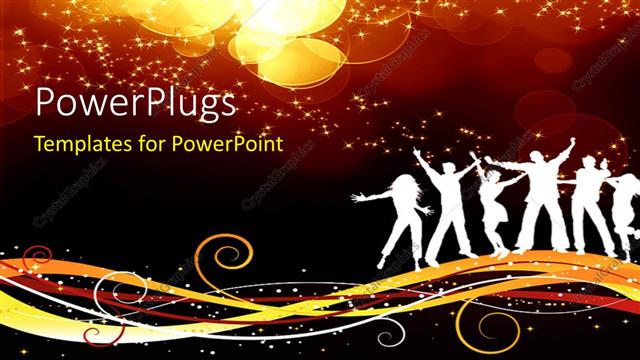
 Presentation with lights - A silhouette of men and women over a music theme

Blurred Lights

A silhouette of men and women over a music theme

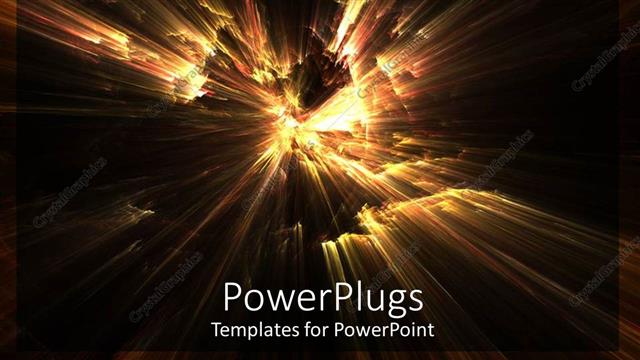
 Presentation with lights - Abstract depiction of flashing fire lights on black background

Abstract

Abstract depiction of flashing fire lights on black background

 Presentation with lights - Cool new presentation with coming from an open book backdrop and a tawny brown colored foreground

Yellow Lights Sparkles Coming Open

As you unlock the Corner Title template, you're transported to a world of magic and wonder where sparkles dance across your screen and yellow lights burst forth from an open book, beckoning you to dive in and explore its endless possibilities. The template's sleek design makes it the perfect canvas for bringing your most creative ideas to life. The Widescreen format offers an immersive experience, allowing viewers to fully immerse themselves in the world of magic and fantasy that awaits within the Corner Title. The Saddle Brown color palette is rich and inviting, evoking a sense of luxury and sophistication that's sure to leave a lasting impression. This template is designed to help you create stunning presentations with ease, featuring high resolution images for the background that will elevate your visuals to new heights. From whimsical illustrations to dramatic lighting effects, every detail has been carefully considered to ensure that your presentation shines. With its comprehensive keyword list and downloadable compatibility with Google Slides, this template is sure to enhance your creative process. Imagine creating a stunning presentation that includes a Background With rich textures and warm colors, or Having a Theme of fantasy landscapes that transport viewers to magical worlds. The Corner Title template makes it all possible, allowing you to craft presentations that captivate, inspire, and leave a lasting impression on your audience.

▼Key features of this template

  • They are compatible with both PowerPoint and Google Slides running on either Windows PCs or Macs.

  • They are available in both standard and widescreen slide formats. You can choose your preferred format by clicking on the "Widescreen" check box or icon.

  • Each template includes a beautiful high-resolution background image or video to visually reinforce the theme of your presentation.

  • In addition, each template includes designer-created graphics and modern fonts to give your presentations an up-to-date, professional look.

  • Each template's default design and title text position have been carefully selected to complement its background without covering faces or other key elements.

  • All text includes backdrops whose transparency level is mathematically calculated to maximize text readability while still allowing the background to be seen.

  • And all the text, text backdrops and graphics in every slide are colored with a palette designed to beautifully complement the colors in the background.

  • Our Premium templates (those with the descriptor “Premium” in their subtitle) include over 64 slide layouts to give you maximum flexibility as you create your presentations.

    • Those layouts are available to you whenever you create a new slide or when you want to change the layout of an existing slide.
    • They include everything you need to make all sorts of presentations. In addition to the layouts for the title slide and the usual title and content slide, they include many other layouts for slide types including table of contents slides, org charts, charts, diagrams, infographics, photo slides, thank you slides and more.
    • While creating these layouts our template designers have ensured that all text in every layout adjusts as gracefully as possible to various numbers of words.
  • Customizable templates (those with the descriptor “Customizable” in their subtitle) may be easily modified online before you download them.

    • To modify them, simply click on the pencil editing icon, then select your choice of ready to go designs and title text positions.
    • The editing tool also makes it easy to reposition and scale the background image or video to best suit your needs.

▼FAQs

Please review these FAQs to see if your question is answered. Contact us for more info

  • What is a PowerPoint template?

    • A well designed PowerPoint template is a file that can tell PowerPoint how to make your ordinary templates look extraordinary. They won’t change what your words or numbers say. But they might change their size, color, font and placement. And, overall, they can give your presentations a professionally-designed look that will give your content more credibility and give you more confidence.
  • How many PowerPoint templates do you offer?

    • We have over 32,000 artist-created presentation templates in our PowerPlugs collection With a subscription, PowerPlugs templates are easy to download. Just sign in, find a template and click on the green Download button. ready for you to download. That alone offers you more variety to choose from than any of our competitors can offer. And, as if that weren’t enough, we also offer over 6 million templates in our Crystal collection. Crystal brand templates are our line of templates that have customization options. They have the word "CRYSTAL" on their web page images. You can customize several aspects of the templates. These templates include high-resolution background images from Shutterstock’s vast image collection matched up with artist-created presentation designs customized by our own proprietary AI software.
  • How many templates can I download as a subscriber?

    • You can download an unlimited number of PowerPlugs-brand With a subscription, PowerPlugs templates are easy to download. Just sign in, find a template and click on the green Download button. templates every day for an entire year. (Actually, by default, we set a limit of 25 templates per day to prevent our competitors from stealing our templates. But, if that is not enough, just let us know and we’ll try to accommodate you.) On top of that, with a subscription or an Ultimate Combo, you can also download any 50 Crystal-brand Crystal brand templates are our line of templates that have customization options. They have the word "CRYSTAL" on their web page images. You can customize several aspects of the templates. templates per year selected from our huge Crystal collection. Crystal brand templates are our line of templates that have customization options. They have the word "CRYSTAL" on their web page images. You can customize several aspects of the templates. .
  • Why should I choose your templates instead of the competition’s?

    • We’ve got a larger selection of professionally-designed PowerPoint templates than anyone else in the world.
    • Each template includes a high-resolution background image or video to visually inspire your audiences while reinforcing your message.
    • Each template includes 64 slide layouts to give you maximum flexibility as you create your presentations.
    • Our templates are available in both standard and widescreen slide formats. And our website lets you preview the slides each way.
    • Our free Template Finder™ plugin lets subscribers select and - with a single click - download and insert our templates into their presentations right from within PowerPoint.
    • We’ve been creating designer presentation templates for over 20 years. During that time we’ve won several awards and 5-star ratings for product quality. See About Us for more.
  • Do you offer a money-back guarantee?

    • Yes we do! We offer full 30-day money-back guarantee if you are not 100% satisfied with your purchase.
  • Can I still use my downloaded templates after my subscription runs out?

    • Yes. After your subscription expires, you won't lose any rights or ability to use your PowerPlugs: Templates for PowerPoint. You won't be able to download any new non-watermarked templates. But the non-watermarked templates you've already downloaded will still work and you can still use them as before.
  • Can I share my downloaded templates or passwords with friends or coworkers?

    • Sorry but no. You are authorized to download each paid-for template to up to 3 of your personal devices and to use the templates you download in as many presentations as you want. But you are not authorized to share the templates, themselves, with others. That said, we do offer highly discounted site licenses to suit the needs of both small and large teams. Just tell us your needs and we’ll give you a quote!
  • System requirements:

    • The templates use the standard POTX format. So they are compatible with Google Slides and all PC, Mac and mobile devices running any version of PowerPoint from PowerPoint 2007 up through and including Office 365 desktop.
    • Please note: Google Slides does not currently support background videos. It treats them as still images.
    • For PowerPoint for the Web, first open your template into a desktop version of PowerPoint, then save it back out as a PPTX file. Then you can open that in PowerPoint for the Web.
  • End user license agreement:

    • Click here to view.
  • How will I get my purchased templates?

    • You may download your selected templates as soon as your payment is received by PayPal. If you purchased an individual template, you will be provided with a download link both onscreen and via email. Just click on that link to begin the download process. If you purchased a subscription, you will receive an email containing a password to use along with your email address to sign in to any of the templates pages on CrystalGraphics.com. Once you are signed in, you can immediately start downloading your selected templates.
  • How do I use my templates after I download them?

    • You can either open a template to start a new presentation or you can add a template to an existing presentation. To open a template, just double click on it or use PowerPoint's File > Open tool. To add a template to an existing presentation, on the Design tab, in the Themes group, click Browse for Themes... then browse to select your template.

View more Lights templates:

previous 1 2 3 4 5 6 7 8 9 10 11 12 13 14 next
Categories related to Lights:
Glowing Led String
93% of Fortune 1000
companies use our
PowerPoint Products
Templates Secure

Standing Ovation Award
Winner: Best PowerPoint
Template Collection
Fortune Logos
200,000+ satisfied
customers worldwide!
Guarantee
100% satisfaction guaranteed
- or send it back for a refund!

Sign up for our free newsletter! You'll get news about our PowerPoint-enhancing product line – including free updates, new product announcements and exclusive special offers. Plus you'll get a link to a free PowerPoint template with every newsletter you receive.
Privacy Policy
Loading...


Help

Contact Us
Product FAQs
Product License Agreements

Company Info

About Us
Privacy Policy
CrystalGraphics, Inc. 1999 S. Bascom Avenue Suite 700 Campbell, CA 95008 USA
© 2026 CrystalGraphics, Inc. All rights Reserved.    |     PowerPlugs is a trademark of CrystalGraphics, Inc.
Microsoft and the PowerPoint logo are trademarks or registered trademarks of Microsoft Corporation in the United States and/or other countries.
Loading...
Loading...