www.crystalgraphics.com CrystalGraphics
  • Ultimate Combo
  • Templates
  • Diagrams
  • Characters
  • Quizzes
  • shopping cart
  • Sign Out Sign Out Sign In
Home > Templates > Lights Category
search icon
advanced icon

286 Best Lights-Themed Templates for PowerPoint and Google Slides

At CrystalGraphics, we're obsessed with creating tools that help you shine. Our Lights template collection is packed with 60+ stunning PowerPoint templates designed to illuminate any presentation, whether it's a Big Stars background with stars and lights glowing, a PPT theme with Christmas-themed visuals in a festive glow, or even a Red stage curtain with selective lights and shadows that'll make your showstopper shine. But what really sets us apart is our commitment to accessibility - explore our extensive collection of templates that cater to various devices and formats, ensuring you can bring your ideas to life no matter the screen size.

From Christmas-themed presentations to Red carpet events, we've got the perfect template for any occasion. And when it comes to customization, our AI-powered tools make it easy to personalize your content with ease. With instant 24/7 download access and compatibility with Google Slides, you can work on your project at your convenience. Whether you're a designer, educator, or simply someone who loves the magic of PowerPoint, our Lights templates are the perfect starting point for creating engaging presentations that leave a lasting impression.

Features & Pricing

Widescreen (16:9) Presentation Templates. Change size...
 Presentation with lights - PPT layouts having vibration - multi-colored lights vibrating and swirling background and a tawny brown colored foreground

Multi-colored Lights Vibrating Swirling Night

Imagine yourself standing in front of a mesmerizing display of lights that seem to dance and swirl at night, their colors shifting and vibrating as they pulse with an otherworldly energy. This is the essence of the Wide Title template from CrystalGraphics, a stunning Widescreen design that will transport you to a world of vibrant excitement. The Saddle Brown color palette provides a warm and inviting backdrop for your creative endeavors, while the high resolution images on the background will add depth and dimensionality to your presentation. The template is downloadable and compatible with Google Slides, making it easy to import into your favorite presentation software. This template is not just a pretty face it's also packed with features that will enhance your content and make it stand out from the crowd. Featuring a range of 60+ Layouts slide options, you'll have endless possibilities for creating visually stunning presentations. Including a Background With option, you can customize the background to match your brand or style, while Having a Theme of feature allows you to create a cohesive look across all your slides. Whether you're looking to shake things up and add some excitement to your presentation, or simply want to enhance your content with a professional looking template, this Wide Title is the perfect choice. With its vibrant colors, dynamic patterns, and high resolution images, it's sure to grab attention and leave a lasting impression on your audience.

 Presentation with lights - Slides with dramatic-image-of-an-offshore background and a  colored foreground

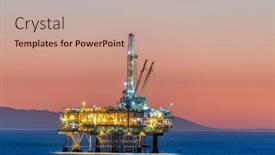
Dramatic Image Offshore Oil Platform

As the world's fastest growing continent slowly gives way to twilight, the once pristine waters of the Pacific turn pink as the sun sets behind an endless expanse of oil rigs and pipelines, casting an eerie glow over the landscape. The sound of engines humming, steel creaking, and seagulls crying fills the air as the offshore platforms stand sentinel, their towering silhouettes a testament to human ingenuity and industry. This dramatic scene is captured in stunning high resolution images, perfectly rendered by CrystalGraphics to bring this iconic image to life. The Split Title template brings together a dark salmon color palette that adds depth and richness to any presentation, while the sleek Widescreen format ensures a crystal clear display of the breathtaking imagery. With its comprehensive template keywords continental, habitat, ecosystem, production, and dusk you'll be well equipped to tackle even the most complex topics with confidence. As you delve into your presentation, take advantage of the four How To slides at the start of the deck to get up and running quickly, featuring an impressive montage of key slides that showcase the template's capabilities. For example, the Gears in Sync Layout slide will have you expertly navigating complex transitions and animations with ease. By incorporating Featured Background With a subtle gradient effect, Including a Background With a dramatic sunset overlay, Having a Theme of a dynamic workflow, Enhanced With Googel Slides integration, this template is sure to make your presentations truly stand out from the crowd. Whether you're presenting about offshore oil platforms or discussing environmental issues, the Split Title template is the perfect companion for any project.

 Presentation with lights - Beautiful blurred bokeh lights with colors

Abstract Ripple

Beautiful blurred bokeh lights with colors

 Presentation with lights - PPT theme enhanced with colorful bright neon blue background and a gray colored foreground

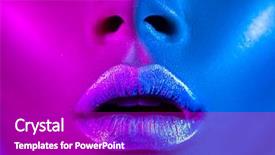
High Fashion Model Metallic Silver

In a world where beauty and high fashion reign supreme, the Corner Title template is your ultimate destination to create stunning presentations that leave a lasting impression. This exquisite design features a woman in vibrant neon colors with metallic silver lips, perfectly capturing the essence of high end makeup and glamour. The Corner Title Widescreen template boasts a captivating Magenta color palette that will make your slides stand out from the crowd. With its sleek and modern design, this template is perfect for showcasing 4 How To slides to help you get up and running quickly, including a Guidance Slide to guide you through the creative process. As you work with the Corner Title Widescreen, you'll notice the Growing Layout slide that provides an expansive canvas for showcasing your artwork. This dynamic layout allows you to create a seamless transition between sections, making it easy to refine and polish your presentation until it's simply stunning. To enhance the overall experience, Featuring high resolution images of makeup and beauty products will transport your audience into the world of creative expression. Including a background with neon lights or glow in the dark effects will add an extra layer of depth and visual appeal to your slides. Having a theme of modern chic and trendy fashion will ensure that your presentation stays current and on trend, making it perfect for showcasing makeup tutorials or product demonstrations. This template is easily downloadable and compatible with Google Slides, allowing you to share your creations with ease. The sleek Magenta color palette ensures that the template looks professional and polished, even in a large format or high resolution image.

 Presentation with lights - Beautiful theme featuring tv news studio with camera backdrop and a arctic colored foreground

Tv News Studio Camera Lights

The Corner Title PowerPoint template is a stunning visual representation of a TV news studio, designed to take your presentations to the next level with its high resolution images and sophisticated design. This versatile template is available for download in widescreen format, perfect for showcasing content on Google Slides. With a Sky Blue color palette that evokes feelings of serenity and trust, this template offers a unique blend of style and functionality. The template's keywords are carefully crafted to ensure it resonates with industries such as broadcast, studio, TV, production, and channel, making it an excellent choice for professionals in these fields. To enhance the overall viewing experience, the Corner Title template includes four How To slides that provide valuable guidance on getting started quickly. However, we won't delve into those specifics here. When using this template, you can feature high quality images from various backgrounds to create a visually appealing presentation, including a background with subtle texture or pattern to add depth and interest. The Growth Stages Layout slide is particularly noteworthy, as it showcases the progress of your presentation from introduction to conclusion. It's an excellent opportunity to highlight key points and call to actions, making it easier for your audience to follow along. You can enhance this slide by including additional graphics, charts, or infographics to make your content more engaging and dynamic. The Corner Title template is fully compatible with Google Slides and offers seamless integration, allowing you to easily add or remove slides as needed. Its Sky Blue color palette and TV news studio theme create a professional and trustworthy atmosphere, perfect for presentations of all types.

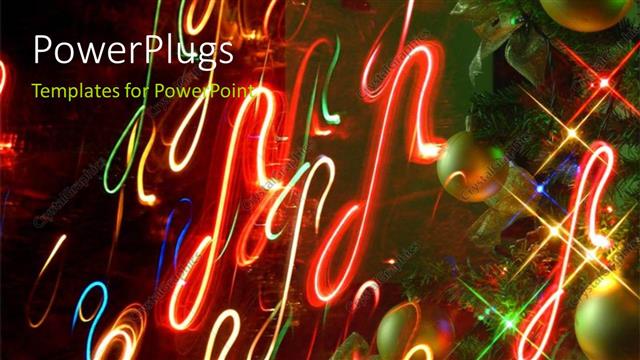
 Presentation with lights - A number of celebration balls with a lot of lights

Christmas Lights

A number of celebration balls with a lot of lights

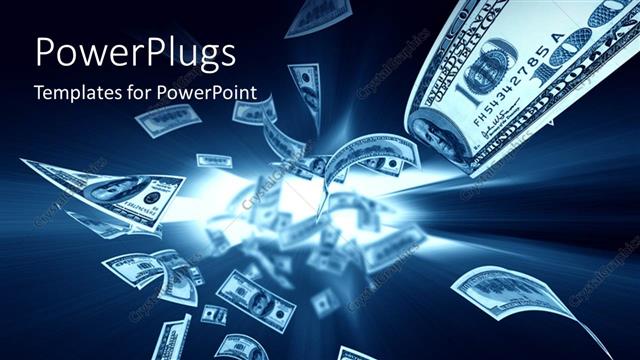
 Presentation with lights - Dollar Flying Out from a Sphere of Lights with blue color

Flying Money

Dollar Flying Out from a Sphere of Lights with blue color

 Presentation with lights - PPT theme having man-lights-a-cigarette background and a wine colored foreground

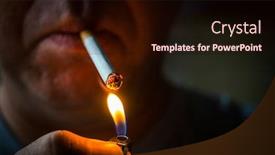
Man Lights Cigarette Lighter Night.

As you start this PowerPoint template, you're about to ignite a new creative journey with Corner Title, a stylish and modern design that's sure to spark your imagination. This Widescreen template features a saddle brown color palette that exudes warmth and sophistication, perfect for presenting a wide range of ideas, from the mundane to the extraordinary. The Corner Title template is downloadable and compatible with Google Slides, making it easy to incorporate into your workflow. The high resolution images on the background are sure to add a touch of luxury and professionalism, while the isolated design elements will help you stay focused and concentrated. With its bright and hot theme, this template is perfect for projects that require energy and excitement. Featuring a lively liquor inspired color scheme, this template has all the makings of a standout presentation. Including a background with a cityscape or bustling street scene, this template's dynamic layout will keep your audience engaged from start to finish. With four How To slides at the start of the deck to help you get up and running quickly, you'll be able to dive straight into creating something amazing. Table of Contents slide: This is where you can outline all the different sections and features of the template, making it easy for users to navigate through the various parts of the document. As an example, you could include a section called "Getting Started" that provides step by step instructions on how to customize the template to fit your needs. Alternatively, you could feature a slide with a screenshot of the template in action, showcasing its flexibility and versatility. Enhanced With: The Corner Title template is enhanced with high resolution images for the background, ensuring that every element pops against the Saddle Brown color palette. Having a theme of modern sophistication and creativity, this template is perfect for projects that require a fresh and exciting approach. Featuring a lively liquor inspired color scheme, this template is sure to add some excitement and energy to your presentation. As you begin creating with Corner Title, remember that having a clear Table of Contents slide can help guide users through the various sections and features of the template. Don't forget to include section headings and clear instructions on how to customize the template for your specific needs. With this template as your starting point, the possibilities are endless!

 Presentation with lights - PPT layouts having rainbow of lights background and a yellow colored foreground

Rainbow Lights

Imagine walking into a magical world where the ordinary becomes extraordinary with the introduction to Corner Title, a stunning PowerPoint template that will set your presentations ablaze with its vibrant Dark Cyan color palette and sparkly magic. This template is not just a pretty face, featuring high resolution images of 4D rainbow colored clouds and fire breathing dragons, but also provides an enhanced visual experience for your audience. Corner Title is designed in a widescreen format, perfect for showcasing stunning visuals that will leave your viewers enchanted. The Dark Cyan color palette adds depth and dimension to the design, creating a captivating atmosphere that's sure to grab attention. With its theme of magic and sparkle, this template has everything you need to create an entertaining experience for your audience. The template is downloadable and compatible with Google Slides, making it easy to integrate into your presentation workflow. The 4 How To slides at the start of the deck will help you get up and running quickly, providing a solid foundation for your creative endeavors. But don't just take our word for it featuring high quality images from top sources, including Getty Images and Unsplash, this template is sure to inspire your next project. The template layout is designed with ease of use in mind, making it simple to incorporate into your presentation software. The Content Layout slide provides a clear overview of the template's features, while Including a Background With allows you to add your own custom images or graphics to enhance the design. Having a Theme of adds an extra layer of sophistication, making this template perfect for presentations that require a touch of luxury and glamour. Overall, Corner Title is the perfect choice for anyone looking to create engaging, entertaining presentations that will leave a lasting impression on their audience. With its stunning visuals, versatile layout, and downloadable compatibility, it's no wonder why we're featuring this template as one of our top picks for presentation designers.

 Presentation with lights - PPT theme enhanced with single-golden-skeleton-key-surrounded background and a black colored foreground

Single Golden Skeleton Key Surrounded

Imagine starting your day with a vision board that embodies the message "Unlock Your Potential", a bold and eye catching design that sets the tone for a successful business journey. The Corner Title template is a stunning example of modern graphics design at its finest, featuring a high resolution image of a golden skeleton key surrounded by sparkling lights in a Saddle Brown color palette. The template is perfect for showcasing your business success story, highlighting the importance of financial opportunity and achieving goals through hard work and determination. With its sleek and modern look, it's sure to grab attention and inspire others to join you on this journey. The background features high quality images that enhance the overall design, making it perfect for a variety of presentations. The template is downloadable and compatible with Google Slides, allowing you to easily share it with your team or clients. Featuring a clean and simple layout, the template includes a Timeline Layout slide that provides a clear overview of your business journey. Having a theme of "Unlocking Opportunities", this slide helps to illustrate how different events and milestones can contribute to achieving success. This template is designed to be enhanced with additional elements, such as icons or graphics, to further enhance its visual appeal. With its sleek design and modern feel, it's the perfect starting point for any presentation or marketing material.

 Presentation with lights - PPT layouts with mission possible card with colorful background and a coral colored foreground

Mission Possible Card Colorful Background

The world is waiting to see you achieve your dreams and make them happen, but sometimes getting started can be as tough as trying to put together a puzzle. That's where this Split Title template comes in a vibrant and dynamic design that will inspire and motivate you to take the first step towards reaching your goals. This template is specifically tailored for creating presentations on leadership, career, achievement, and blog related topics, making it perfect for anyone looking to showcase their accomplishments or share their expertise. The split title format gives way to an endless possibilities of creative presentation design, with a bold background that can be customized with the desired images, colors, and fonts. The template's Tomato inspired color palette is sure to make your presentations pop, featuring a warm orange hue paired with deep reds and yellows that evoke feelings of excitement and success. The key features include the ability to use high resolution images for the background, making it easy to enhance the overall visual impact of your presentation. This template is easily downloadable and compatible with Google Slides, allowing you to create stunning presentations on the go. With its engaging design and flexible layout, this template will help you take control of your slide deck and showcase your expertise in no time.

 Presentation with lights - Beautiful PPT theme featuring diminishing - view from side of car backdrop and a tawny brown colored foreground

View Side Car Moving Modern

As you gaze out at the vibrant cityscape from the side of a sleek car speeding down the highway, the blurred motion of traffic and lights creates an electrifying atmosphere that seems to pulse with energy. The night sky above is ablaze with twinkling stars and neon lights, casting a kaleidoscope of colors across the screen. The Wide Title, featuring a bold, chocolate colored font, dominates the top half of the slide, with the words "Wide Scene" embossed in a subtle, metallic texture that catches the eye. Below, a stylized illustration of a building looms large, its sleek design and modern architecture a perfect complement to the cityscape. The background image is rendered in breathtaking high resolution, capturing every detail of the scene from 4K. A grid layout provides a clear view of the four key features that will enhance your presentation: How To slides, Pictures, Images, and Backgrounds. In the first slide, you'll find four How To slides to help you get up and running quickly. They're designed to provide instant answers to common questions, making it easier for others to follow your lead. The first slide includes a screenshot of how to text, accompanied by images and diagrams that illustrate key concepts. On this page, a picture grid layout will feature the following elements: How To Step 1, How To Text Box, Picture Slide, and Image Grid Layout. This design will provide a clear visual representation of each step, allowing you to quickly scan through the information and get started on your presentation. You can include background images with vibrant colors to enhance the overall atmosphere of your slide. By using images featuring bold fonts or textures, you'll add an extra layer of sophistication to your presentation. Having a theme of showcasing high quality visuals will keep your audience engaged and interested in what's to come.

 Presentation with lights - Colorful theme enhanced with caucassian baseball players in dynamic backdrop and a tawny brown colored foreground

Caucassian Baseball Players Dynamic Action

The excitement is building as you launch into your presentation with Corner Title, a dynamic and engaging template that is sure to capture the attention of your audience. This widescreen design features a dark cyan color palette that is perfect for creating a professional atmosphere in your slides. Corner Title is a downloadable template, fully compatible with Google Slides, making it easy to integrate into your existing presentation style. Its high resolution images for the background will transport your audience to an arena where the competition is fierce and the action is fast paced. The game of baseball comes alive as Caucassian players clash in a thrilling match, set against the dramatic backdrop of stadium lights. The template's design lends itself perfectly to the addition of various features such as including a background with dynamic images, enhancing the theme of professional sports, or featuring interactive elements like animations and transitions. The Arrow Stages Layout slide is particularly noteworthy, providing a clear structure for organizing your content in a logical and easy to follow manner. Whether you're presenting about a product launch, showcasing your expertise, or highlighting a competition that requires attention grabbing visuals, Corner Title has got you covered. Its versatility and customization options make it an ideal choice for any presentation style, from business meetings to training sessions. With its sleek and modern design, this template is sure to leave a lasting impression on your audience.

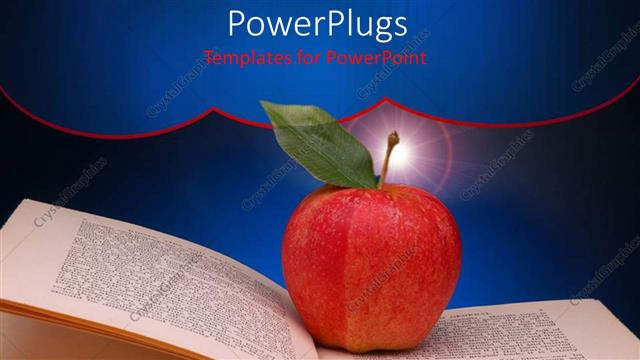
 Presentation with lights - Big red apple on an open book page with spot lights

Education

Big red apple on an open book page with spot lights

 Presentation with lights - PPT layouts with s at midnight - old clock background and a cream colored foreground

New Year's Midnight Old

The clock is ticking, and with it comes the countdown to a brand new year's celebration. The old clock strikes twelve, its familiar face glowing bright in the darkness, as fireworks explode across the night sky, casting a kaleidoscope of colors and patterns above the bustling streets below. A sense of joy and excitement fills the air, as people of all ages gather together to welcome the dawn of a new era. The Corner Title template is designed for those who want to create a visually striking presentation that perfectly captures the essence of New Year's Eve celebrations. With its crisp cadet blue color palette, this template will transport your audience to the vibrant and festive atmosphere of the season. The four How To slides at the start of the deck are there to help you get up and running quickly, but the real magic happens when you add our 5 Year Calendar Timeline Layout slide to the mix. This exciting feature is sure to enhance the impact of your presentation, featuring a beautifully designed calendar layout that showcases a year in stunning detail. The bright colors and fun illustrations will have your audience smiling from ear to ear, while the interactive nature of this feature adds an extra layer of engagement and interactivity. Whether you're including a background with festive graphics or having a theme of celebrating milestones, our template is sure to make a great impression. And with its compatibility features, you can easily add high resolution images for the background, making it perfect for Google Slides presentations. The Corner Title template is easy to download and use, so get creative and start creating your own unique celebration today!

 Presentation with lights - Presentation having happy hour placard with night background and a coral colored foreground

Happy Hour Placard Night Lights

The ultimate destination for your friendship and concept themed presentations is now within reach. The Corner Title template is designed to set the tone for an engaging and inspiring experience that leaves a lasting impact on your audience. This powerful Widescreen template is perfect for creating high energy, motivational, and uplifting content. At its core, this template is all about conveying a message of friendship and concept, making it ideal for anything from conferences and presentations to social media platforms like Facebook and Twitter. The Goldenrod color palette adds a touch of warmth and sophistication, while the featured images of happy hour placards with night lights create an immersive atmosphere that will draw your audience in. With its high resolution images included as background options, you can choose the perfect image for your presentation or slideshow. To enhance the overall experience, our template comes with a downloadable version that is compatible with Google Slides. The Corner Title template is designed to provide a foundation for creating visually appealing and engaging content. With its seamless integration of keywords like friendship, concept, greeting, happy, and sign, you can create presentations that are both informative and entertaining. As inspiration, think about featuring images that showcase the theme, including backgrounds with subtle animations or effects that will add an extra layer of depth to your presentation. This template is a great starting point for creating your own unique content, and its compatibility with Google Slides makes it easy to customize and adapt to your needs. With its powerful design elements and high resolution images included as background options, you can create presentations that are truly exceptional. The Corner Title template is the perfect choice for anyone looking to elevate their presentation game and convey a clear message to their audience.

 Presentation with lights - Bright multicolored lights in soft focus on black background

Abstract

Bright multicolored lights in soft focus on black background

 Presentation with lights - Slide deck featuring rock - silhouettes of concert crowd background and a navy blue colored foreground

Silhouettes Concert Crowd Front Bright

The spotlight is on the Wide Title template designed specifically to bring high energy events like concerts to life on Google Slides. This stunning Widescreen template features a mesmerizing design that will leave your audience in awe with its vibrant sky blue color palette and crowd filled silhouettes against bright stage lights. This template is perfect for creating a dynamic atmosphere, showcasing the excitement of live performances and inspiring young audiences to be part of something special. Its high resolution images for the background will transport you and your audience to the heart of the action, making this template an ideal choice for any event or presentation that needs to capture attention. The Sky Blue color palette is not just a pretty sight; it's also highly versatile, ensuring that your template will look great with various colors schemes and fonts. This theme is indeed featuring a beautiful combination of bright lights and lively crowd scenes, making it perfect for presentations that require an energetic and engaging atmosphere. Including a background with subtle animations can enhance the overall visual impact, having a theme of adding depth to your presentation. This template has all the makings of a showstopper: high resolution images, vibrant colors, and a unique design that's sure to grab attention. The perfect fit for presentations that need to inspire and energize, such as concerts or youth events. Enhancing with animations can take it to the next level, making this template an excellent choice for anyone looking to create an unforgettable experience for their audience.

 Presentation with lights - Audience pleasing PPT theme consisting of railroad traffic lights and infrastructure backdrop and a tawny brown colored foreground

Railroad Traffic Lights Infrastructure During

In the heart of city streets at dusk, where railcars and traffic signals weave in harmony with the sky, the industrial landscape comes alive as the sun dips into its final pose. The steel blue hue of night descends, shrouding the scene in mystery. It's a moment to capture the essence of this vibrant urban setting. The Wide Title template is designed for Widescreen presentations with a sleek and modern aesthetic, featuring high resolution images that transport viewers to this world of steel and steel blues. This stunning backdrop sets the tone for an immersive experience, perfect for showcasing railcars as they traverse through city streets, under the watchful eye of busy traffic signals. With the Steel Blue color palette, the template is enhanced with a sophisticated and professional look, ideal for presentations that require a touch of industrial chic. When combined with high resolution images, the result is truly breathtaking it's like taking a journey through the bustling metropolis at dusk. As inspiration draws from the beautiful sunset on railroad tracks and the colorful sky above, this template combines the elements of transportation and industry to create an unparalleled visual experience. It makes for an enhanced and engaging presentation that showcases your ideas with clarity and style. The Wide Title template is downloadable and compatible with Google Slides, providing users with a seamless experience to customize and enhance their presentations. Table of Contents slide features detailed instructions on how to get started quickly, so you can dive into the world of railcars and traffic signals in no time.

 Presentation with lights - Audience pleasing slide set consisting of music - crowd at concert - cheering backdrop and a sky blue colored foreground

Crowd Concert Cheering Crowd

Imagine being part of an electric crowd that's buzzing with excitement as the music starts to play, filling the air with vibrant energy and infectious beats. The lights on stage begin to dance in time with the pulsating rhythm, drawing you in and making you want to move your body to the music. The template is a high resolution widescreen design featuring a bright and colorful background that perfectly captures the essence of a concert experience. Lavender is the dominant color palette, providing a calming yet lively atmosphere that's sure to enhance any presentation or event. Whether it's a crowd of young people cheering on their favorite band or an entertainment company showcasing their latest production, this template has the power to bring all the excitement and energy of the performance to life. As you delve into the world of high definition visuals, you'll discover four easy to use How To slides that are perfect for getting up and running quickly. But these templates also come with a theme in other words, they're full of creative ways to Incorporate Backgrounds With unique designs that can be used to add an extra layer of visual interest to your presentation. You could use them to create a dynamic and engaging Comparison Layout slide, showcasing different elements side by side to give viewers a clear understanding of what you're trying to convey. This template is also Enhanced with the feature of Having a Theme Of adding a cohesive look that makes it easy for creators to find inspiration from other designs in their library. And, with its Compatibility With Google Slides and ability to be Downloaded For Free on CrystalGraphics' website, this template is ready to be used by anyone who wants to bring excitement and energy into their presentations.

 Presentation with lights - Amazing theme having high fashion model girl backdrop and a purple colored foreground

High Fashion Model Girl Colourful

The spotlight shines brightly on the Corner Title PowerPoint template, an eye catching creation that will leave your audience spellbound. This stunning design is specifically crafted to transport users into a world of high fashion beauty and makeup artistry, featuring vibrant, colourful images of models posing in studio settings amidst trendy neon lights. High resolution images are beautifully integrated throughout the template, creating a dynamic and immersive experience. The Corner Title template boasts a medium orchid color palette that adds a touch of sophistication to any presentation, while its keywords makeup, beauty, beautiful, high, make up ensure it stands out in any digital environment. This template is designed for Googleslides users who require stunning visuals and seamless integration with their existing presentations. The Corner Title is built around the principles of featuring a high resolution background image that showcases models posing in studio settings, including a dramatic shot of a model surrounded by neon lights. The makeup design boasts vibrant, glowing metallic tones that will draw attention. This template also includes a Member Bio Layout slide, perfect for showcasing individual profiles and sharing stories behind your content. The Corner Title is an enhanced and included background with all necessary elements, allowing users to focus on delivering their message without the need for additional design work. The template's overall theme of high fashion beauty and makeup artistry makes it an ideal choice for anyone looking to create engaging presentations that showcase stunning visuals and inspiring ideas.

▼Key features of this template

  • They are compatible with both PowerPoint and Google Slides running on either Windows PCs or Macs.

  • They are available in both standard and widescreen slide formats. You can choose your preferred format by clicking on the "Widescreen" check box or icon.

  • Each template includes a beautiful high-resolution background image or video to visually reinforce the theme of your presentation.

  • In addition, each template includes designer-created graphics and modern fonts to give your presentations an up-to-date, professional look.

  • Each template's default design and title text position have been carefully selected to complement its background without covering faces or other key elements.

  • All text includes backdrops whose transparency level is mathematically calculated to maximize text readability while still allowing the background to be seen.

  • And all the text, text backdrops and graphics in every slide are colored with a palette designed to beautifully complement the colors in the background.

  • Our Premium templates (those with the descriptor “Premium” in their subtitle) include over 64 slide layouts to give you maximum flexibility as you create your presentations.

    • Those layouts are available to you whenever you create a new slide or when you want to change the layout of an existing slide.
    • They include everything you need to make all sorts of presentations. In addition to the layouts for the title slide and the usual title and content slide, they include many other layouts for slide types including table of contents slides, org charts, charts, diagrams, infographics, photo slides, thank you slides and more.
    • While creating these layouts our template designers have ensured that all text in every layout adjusts as gracefully as possible to various numbers of words.
  • Customizable templates (those with the descriptor “Customizable” in their subtitle) may be easily modified online before you download them.

    • To modify them, simply click on the pencil editing icon, then select your choice of ready to go designs and title text positions.
    • The editing tool also makes it easy to reposition and scale the background image or video to best suit your needs.

▼FAQs

Please review these FAQs to see if your question is answered. Contact us for more info

  • What is a PowerPoint template?

    • A well designed PowerPoint template is a file that can tell PowerPoint how to make your ordinary templates look extraordinary. They won’t change what your words or numbers say. But they might change their size, color, font and placement. And, overall, they can give your presentations a professionally-designed look that will give your content more credibility and give you more confidence.
  • How many PowerPoint templates do you offer?

    • We have over 32,000 artist-created presentation templates in our PowerPlugs collection With a subscription, PowerPlugs templates are easy to download. Just sign in, find a template and click on the green Download button. ready for you to download. That alone offers you more variety to choose from than any of our competitors can offer. And, as if that weren’t enough, we also offer over 6 million templates in our Crystal collection. Crystal brand templates are our line of templates that have customization options. They have the word "CRYSTAL" on their web page images. You can customize several aspects of the templates. These templates include high-resolution background images from Shutterstock’s vast image collection matched up with artist-created presentation designs customized by our own proprietary AI software.
  • How many templates can I download as a subscriber?

    • You can download an unlimited number of PowerPlugs-brand With a subscription, PowerPlugs templates are easy to download. Just sign in, find a template and click on the green Download button. templates every day for an entire year. (Actually, by default, we set a limit of 25 templates per day to prevent our competitors from stealing our templates. But, if that is not enough, just let us know and we’ll try to accommodate you.) On top of that, with a subscription or an Ultimate Combo, you can also download any 50 Crystal-brand Crystal brand templates are our line of templates that have customization options. They have the word "CRYSTAL" on their web page images. You can customize several aspects of the templates. templates per year selected from our huge Crystal collection. Crystal brand templates are our line of templates that have customization options. They have the word "CRYSTAL" on their web page images. You can customize several aspects of the templates. .
  • Why should I choose your templates instead of the competition’s?

    • We’ve got a larger selection of professionally-designed PowerPoint templates than anyone else in the world.
    • Each template includes a high-resolution background image or video to visually inspire your audiences while reinforcing your message.
    • Each template includes 64 slide layouts to give you maximum flexibility as you create your presentations.
    • Our templates are available in both standard and widescreen slide formats. And our website lets you preview the slides each way.
    • Our free Template Finder™ plugin lets subscribers select and - with a single click - download and insert our templates into their presentations right from within PowerPoint.
    • We’ve been creating designer presentation templates for over 20 years. During that time we’ve won several awards and 5-star ratings for product quality. See About Us for more.
  • Do you offer a money-back guarantee?

    • Yes we do! We offer full 30-day money-back guarantee if you are not 100% satisfied with your purchase.
  • Can I still use my downloaded templates after my subscription runs out?

    • Yes. After your subscription expires, you won't lose any rights or ability to use your PowerPlugs: Templates for PowerPoint. You won't be able to download any new non-watermarked templates. But the non-watermarked templates you've already downloaded will still work and you can still use them as before.
  • Can I share my downloaded templates or passwords with friends or coworkers?

    • Sorry but no. You are authorized to download each paid-for template to up to 3 of your personal devices and to use the templates you download in as many presentations as you want. But you are not authorized to share the templates, themselves, with others. That said, we do offer highly discounted site licenses to suit the needs of both small and large teams. Just tell us your needs and we’ll give you a quote!
  • System requirements:

    • The templates use the standard POTX format. So they are compatible with Google Slides and all PC, Mac and mobile devices running any version of PowerPoint from PowerPoint 2007 up through and including Office 365 desktop.
    • Please note: Google Slides does not currently support background videos. It treats them as still images.
    • For PowerPoint for the Web, first open your template into a desktop version of PowerPoint, then save it back out as a PPTX file. Then you can open that in PowerPoint for the Web.
  • End user license agreement:

    • Click here to view.
  • How will I get my purchased templates?

    • You may download your selected templates as soon as your payment is received by PayPal. If you purchased an individual template, you will be provided with a download link both onscreen and via email. Just click on that link to begin the download process. If you purchased a subscription, you will receive an email containing a password to use along with your email address to sign in to any of the templates pages on CrystalGraphics.com. Once you are signed in, you can immediately start downloading your selected templates.
  • How do I use my templates after I download them?

    • You can either open a template to start a new presentation or you can add a template to an existing presentation. To open a template, just double click on it or use PowerPoint's File > Open tool. To add a template to an existing presentation, on the Design tab, in the Themes group, click Browse for Themes... then browse to select your template.

View more Lights templates:

previous 1 2 3 4 5 6 7 8 9 10 11 12 13 14 next
Categories related to Lights:
Glowing Led String
93% of Fortune 1000
companies use our
PowerPoint Products
Templates Secure

Standing Ovation Award
Winner: Best PowerPoint
Template Collection
Fortune Logos
200,000+ satisfied
customers worldwide!
Guarantee
100% satisfaction guaranteed
- or send it back for a refund!

Sign up for our free newsletter! You'll get news about our PowerPoint-enhancing product line – including free updates, new product announcements and exclusive special offers. Plus you'll get a link to a free PowerPoint template with every newsletter you receive.
Privacy Policy
Loading...


Help

Contact Us
Product FAQs
Product License Agreements

Company Info

About Us
Privacy Policy
CrystalGraphics, Inc. 1999 S. Bascom Avenue Suite 700 Campbell, CA 95008 USA
© 2025 CrystalGraphics, Inc. All rights Reserved.    |     PowerPlugs is a trademark of CrystalGraphics, Inc.
Microsoft and the PowerPoint logo are trademarks or registered trademarks of Microsoft Corporation in the United States and/or other countries.
Loading...
Loading...