www.crystalgraphics.com CrystalGraphics
  • Ultimate Combo
  • Templates
  • Diagrams
  • Characters
  • Quizzes
  • shopping cart
  • Sign Out Sign Out Sign In
Home > Templates > Memory Category
search icon
advanced icon

273 Best Memory-Themed Templates for PowerPoint and Google Slides

CrystalGraphics creates templates designed to make even average presentations look incredible. Below you’ll see thumbnail sized previews of the title slides of a few of our 273 best memory templates for PowerPoint and Google Slides. The text you’ll see in in those slides is just example text. The memory-related image or video you’ll see in the background of each title slide is designed to help you set the stage for your memory-related topics and it is included with that template. In addition to the title slides, each of our templates comes with 17 additional slide layouts that you can use to create an unlimited number of presentation slides with your own added text and images. And every template is available in both widescreen and standard formats. With over 6 million presentation templates available for you to choose from, CrystalGraphics is the award-winning provider of the world’s largest collection of templates for PowerPoint and Google Slides. So, take your time and look around. You’ll like what you see! Whether you want 1 great template or an ongoing subscription, we've got affordable purchasing options and 24/7 download access to fit your needs. Thanks to our unbeatable combination of quality, selection and unique customization options, CrystalGraphics is the company you can count on for your presentation enhancement needs. Just ask any of our thousands of satisfied customers from virtually every leading company around the world. They love our products. We think you will, too!

Features & Pricing

Widescreen (16:9) Presentation Templates. Change size...
 Presentation with memory - Amazing slide set having times to the 20th century backdrop and a tawny brown colored foreground

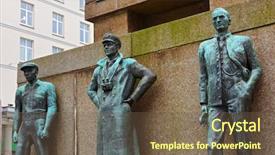
Monument Memory Sailors Viking Times

Slide set having monument in memory of sailors from viking times to the 20th century - bergen norway

 Presentation with memory - Beautiful slide deck featuring brainpuzzles - old woman with wrinkeld hands backdrop and a white colored foreground

Old Woman Wrinkeld Hands Solves

A high energy presentation is on your mind, and you're looking for inspiration to take your skills to the next level. Imagine starting with an image that showcases a strong, confident woman engaging in brain strengthening calisthenics exercises. This vibrant background could feature images of seniors doing various activities like playing chess or solving puzzles, all while their wrinkled hands move effortlessly through each exercise. The Medium Turquoise color palette adds a touch of sophistication and calmness to this energetic scene. The Split Title template is designed for maximum impact. With its four How To slides at the beginning, you'll be able to dive straight into your training routine and get started quickly. Featuring a layout that complements the image, this template allows you to focus on delivering engaging content while keeping your branding consistent. Including a Background With a subtle texture to give it a professional feel, having a theme of showcasing your expertise is enhanced with clear typography and a clean design aesthetic. For example, you could use this template as a starting point for an interactive presentation where the background changes depending on the topic being discussed. Having a dynamic element like this can really grab the audience's attention. As an added bonus, it's also compatible with Google Slides, making it easy to customize and share with others. Enhanced With illustrations or graphics can add visual interest and illustrate key points, further enhancing your message.

 Presentation with memory - Presentation design consisting of memory phrases - memories never die card background and a seafoam green colored foreground

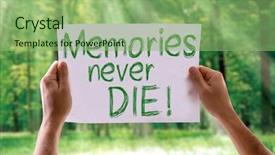
Memories Never Die Card Nature

As you begin your presentation on "Creating Memorable Content with Split Title", let's take a moment to reflect on the power of storytelling and how it can elevate any message. Just as memories never truly die, but instead live on in our minds, so too can the impact of your content be left behind for years to come. This template, designed specifically for CrystalGraphics, is the perfect canvas to bring your ideas to life. Featuring a vibrant yellow green color palette, it's sure to capture attention and leave a lasting impression. The Split Title design allows for a unique layout that showcases key elements in a clear and concise manner, making it an ideal choice for presentations that require a bit of flair. The template is optimized for widescreen formats, ensuring that every aspect of your presentation looks its best on devices ranging from laptops to tablets. With four How To slides at the start of the deck, you'll have ample opportunities to help your audience get up and running quickly, making it easier for them to grasp the key concepts. The Circular Approach Layout slide is a great example of this – featuring a beautiful illustration of trees against a stunning background, it's designed to draw the viewer in and make the content easy to understand. It's also an excellent way to include a background with your presentation, enhancing its visual appeal and making it more engaging. This template is designed to be downloadable and compatible with Google Slides, allowing you to easily integrate it into your workflow. With its high resolution images for the background and keywords like "through" and "die" that pay homage to nature inspired designs, you'll be able to create content that truly stands out from the crowd.

 Presentation with memory - Audience pleasing theme consisting of beautiful-brunette-woman-being-interviewed backdrop and a lemonade colored foreground

Beautiful Brunette Woman Being Interviewed

Theme consisting of beautiful brunette woman being interviewed by reporter holding microphone surprised with hand on head for mistake remember error forgot bad memory concept

 Presentation with memory - PPT layouts with young-beautiful-redhead-woman-holding background and a tawny brown colored foreground

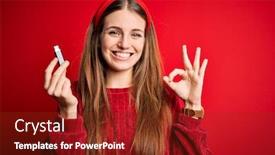
Young Beautiful Redhead Woman Holding

PPT layouts with young beautiful redhead woman holding usb memory over isolated red background doing ok sign with fingers excellent symbol

 Presentation with memory - Colorful presentation enhanced with young-little-caucasian-kid backdrop and a coral colored foreground

Young Caucasian Kid Blue Eyes

As you take a seat in front of your computer screen, you can't help but feel frustrated as the clock ticks away and you're still trying to recall that simple math problem from last week. The blank expression on your face is all too familiar, especially when you notice the stupid mistake highlighted in bold red letters on the calculator screen. It's moments like these that make you wonder how you ever managed without a good reminder tool. Luckily, we've got just the thing for you our brand new template, Corner Title, designed to help you stay on track and remember even the most mundane tasks. This stunning Widescreen template is set against a striking turquoise background, featuring six high resolution images that will keep your eyes engaged from start to finish. The grid layout slide is a feast for the eyes, showcasing four unique graphics in a beautifully arranged layout Featuring a smiling kid with bright blue eyes and glasses, a frustrated expression on his face, a Caucasian figure holding a smartphone with a confused look, a hand covering its head, and a clock ticking away in the background. These images are all part of the enhanced theme of this template, designed to add depth and context to your content. With Corner Title, you can have a theme of using humorous illustrations or memes to convey important information in a lighthearted way. For example, if you're presenting data on student grades, you could include a slide Featuring a cartoon kid with a bad grade on the wall, surrounded by silly numbers and symbols. This template is also compatible with Google Slides, making it easy to update and share your content with others. So why wait? Download Corner Title today and start using it to enhance your presentations in no time it's free, featuring a beautiful turquoise background, six high resolution images, and a theme of humor and lightheartedness that will make your content stand out from the crowd.

 Presentation with memory - Amazing slides having senior-caucasian-man-wearing-business backdrop and a yellow colored foreground

Senior Caucasian Man Wearing Business

In the midst of chaos, a senior Caucasian man's face turns beet red as he frantically tries to remember where he put his notes, only to realize he has no idea what he's supposed to be working on. The camera pans out to reveal a cluttered desk, with papers and pens scattered all over the place, adding to the sense of frustration that permeates the scene. As we delve deeper into this scenario, it becomes clear that something went terribly wrong. A meeting with a "stupid" client has turned into a nightmare, and our protagonist is at his wit's end. The image of him slumped in his chair, head bowed in defeat, is both humorous and relatable. But what happens next? How does he salvage the situation? As we explore this situation further, it becomes clear that the solution lies not in solving the problem, but in facing it head on. This is where our template comes in a high resolution image of a man standing confidently in front of a whiteboard, with a chalk filled hand raised in determination. The background of the template features a warm and inviting wooden color scheme, complete with bold lines and textures that evoke a sense of maturity. With this theme in mind, we can enhance our template to include interactive elements such as adding charts or diagrams to the presentation. For example, on the Chart with Caption Layout slide, we could add a caption that reads "Mistakes Happen" featuring a simple chart that illustrates the concept of memory and how it relates to mistakes. Including a background with a subtle texture that resembles old fashioned paper would also enhance this theme, adding a sense of nostalgia and informality. Furthermore, our template is designed to be downloadable and compatible with Google Slides, making it easy to use and edit. With its mature design and high resolution images, our Corner Title template is the perfect solution for anyone looking to add a touch of sophistication to their presentations.

 Presentation with memory - Theme having card-reader isolated background and a  colored foreground

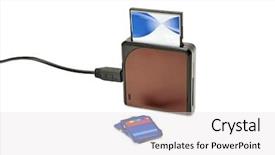
Card-reader Isolated White

The Corner Title template is designed to provide users with a visually appealing and functional solution for their presentation needs. This design name suggests that the template will feature a prominent title or corner section, which in this case is designed to grab attention. The template format is Widescreen, ensuring that content fills the entire screen without any wasted space. The Light Steel Blue color palette provides a clean and professional look, making it perfect for presentations and slideshows. This theme of light steel blue will also help create an overall feeling of high end quality, enhancing the user experience. The template is designed with small elements in mind, featuring tiny icons and graphics that add visual interest without overwhelming the audience. The keyword "small" is carefully included to emphasize this aspect. Additionally, the focus on electronics, mobility, memory highlights the importance of these topics in modern life, making it an engaging and relevant choice for presentations. As users create their slides with this template, they can expect high resolution images for the background that will provide clear and crisp visuals. The template is downloadable and compatible with Google Slides, ensuring ease of use and compatibility across different platforms.

 Presentation with memory - PPT theme enhanced with memory game - catcher behind the plate background and a coral colored foreground

Catcher Behind Plate.

In the world of sports and entertainment, the iconic catcher's glove is often at the center of action, protecting the ball from harm while also being a symbol of trust and reliability. This design concept for a PowerPoint template, titled Corner Title, brings this theme to life in a stunning way. The Corner Title template features a high resolution image of a baseball player catching a fly ball, set against a bold crimson background that exudes energy and excitement. The color palette is carefully curated to evoke the feeling of a lively ballpark on a sunny day, complete with warm tones and vibrant accents. This template is designed to be downloadable and compatible with Google Slides, making it easy to incorporate into your presentations. The Corner Title template includes four How To slides that will help you get up and running quickly, featuring expert tips and tricks for creating engaging content. However, the real showstopper is the Thank You Layout slide, which showcases a beautifully designed background image of a baseball stadium at sunset, complete with a giant scoreboard and cheering crowds. This layout is sure to leave your audience in awe. The Corner Title template is perfect for anyone looking to enhance their presentations with a theme of sports and entertainment. Featuring a bold crimson color scheme, including a Background With a high resolution image of a baseball player catching a fly ball, this template is sure to make a lasting impression. Having a Theme of sports and entertainment, the Corner Title template includes four How To slides that will help you get up and running quickly, making it an ideal choice for anyone looking to create engaging content.

 Presentation with memory - Amazing PPT layouts having memory-management-road-sign backdrop and a gray colored foreground

Memory Management Road Sign

The world's memory is filled with vast amounts of data, but sometimes clarity and focus are the keys to unlocking innovation. As we navigate the complex landscape of business and technology, it's easy to get lost in the noise. That's where the Wide Title template comes in a sleek and modern design that sets the tone for a productive and visually appealing presentation. This Widescreen template features high resolution images throughout, providing a stunning backdrop for your slides. The Cornflower Blue color palette adds a touch of sophistication and professionalism, while the keywords business, idea, concept provide a clear theme for your content. Whether you're looking to enhance your memory management skills or showcase your latest business idea, this template has got you covered. As you begin creating with the Wide Title template, you'll find that it's easily download able and compatible with Google Slides. The 4 How To slides at the start of the deck will guide you through a quick get started process, so you can dive into your presentation without delay. The @ Pictures With Captions Layout is a versatile feature that allows you to add images and captions to your slides, making it easy to include relevant content and enhance the user experience. This layout could be featured prominently in the "Slide 3" section of your deck, providing a visual representation of how to use this feature. With its modern design and high quality images, the Wide Title template is an excellent choice for anyone looking to create engaging and informative presentations. By incorporating this template into your workflow, you'll be able to streamline your process and produce professional looking slides that will leave a lasting impression on your audience.

 Presentation with memory - Slide set having flash cards - someone inserting a memory card background and a white colored foreground

Someone Inserting Memory Card Memory

You can't create a PowerPoint template without design name and keywords that capture its essence. This template is designed to facilitate communication between individuals in the context of sharing data and information, with a focus on being compact yet comprehensive. The background image is high resolution, featuring illustrations of computer components as if someone was inserting a memory card into a memory card reader, setting the scene for easy understanding. The design language is inspired by the theme of enhancing users' experience while navigating through vast amounts of data. The pale violet red colored palette provides a soothing and attention grabbing atmosphere that will keep your audience engaged. This template is downloadable and compatible with Google Slides, making it easily accessible to users worldwide. This template includes four How To slides at the start of the deck to help you get up and running quickly. These include "How to Insert an Image into a Slide", "How to Change Colors for Enhancements", "How to Customize the Layout for Better Readability", and "How to Ensure Compatibility with Google Slides". When using this template, be sure to include a Background With feature by adding high resolution images of computer components or other relevant elements in your slides. Having a Theme of Customization allows you to enhance your deck's look and feel without compromising its functionality. The In Summary Layout slide provides an overview of the template's features, highlighting key benefits such as compactness, data rich content, and ease of use. This section could include examples like "This template is perfect for sharing complex information with a small group of people" or "It's ideal for creating presentations that require minimal design expertise".

 Presentation with memory - Presentation consisting of memory nostalgic concept background - wonderful background and a lemonade colored foreground

Memory Nostalgic Concept Background -

The Sidebar Title is a stunning template that takes you on a nostalgic journey to a wonderful past time. The warm and inviting Peach Puff Colored design transports you to a bygone era, where the simple pleasures of life are savored. High resolution images featuring vintage items like old cameras, music records, and antique toys add texture and depth to this theme. The Sidebar Title template is perfect for creating a personalized gift or romantic gesture that exudes love and warmth. You can use it as inspiration for your next slideshow or presentation, incorporating elements of memory, nostalgia, and joy. To enhance the overall feel, you can include a Background With a subtle background image or texture to give it an extra layer of depth. This template is also ideal for creating a blank canvas, allowing you to add your own personalized touch with feather like animations, pink highlights, and other creative elements. Having a Theme of showcasing cherished memories, Enhanced With the use of high quality images and elegant design elements, this template will transport your audience to a warm and fuzzy state. The Sidebar Title can be used as inspiration for creating unique gift boxes, personalized cards, or romantic gestures that are sure to melt hearts. It's also perfect for presentations, talks, or events where you want to convey love, nostalgia, and warmth to your audience. With its high resolution images and Peach Puff Colored design, this template is a must have for anyone looking to create a captivating slideshow that exudes personality and charm.

 Presentation with memory - Amazing slides having confident young man working on special laptop while standing in workshop near a car note visible grain at 100 best at smaller sizes backdrop and a gray colored foreground

Usb Memory Stick Isolated White

The moment you enter your studio environment, the Corner Title template will be waiting for you with a sleek and modern design that sets the tone for an innovative workflow. This high resolution widescreen layout is perfect for showcasing your memories, data, and USB connections with precision, featuring a silver color palette that adds a touch of sophistication to any setting. The Corner Title template is downloadable and compatible with Google Slides, making it easy to incorporate into your presentation on the go. Its design language aligns perfectly with the concept of isolated elements, evoking a sense of focus and concentration essential for any creative project. The image of an isolated USB memory stick on a white background serves as a fitting example of what this template could be used for. A prominent Member Bio Layout slide will take center stage, providing a clear overview of your team's expertise and accomplishments, complete with personalized photographs and concise descriptions that highlight their individual strengths. This layout is not only visually appealing but also thoughtfully designed to enhance the overall user experience, making it an essential component in any presentation or marketing material. Incorporating this template into your workflow will undoubtedly make you feel more organized and focused, allowing you to dive deeper into each project with confidence.

 Presentation with memory - Beautiful PPT layouts featuring transfer money - usb memory stick resting backdrop and a lemonade colored foreground

Usb Memory Stick Resting European

Imagine your presentation as a high tech gadget that securely stores and transmits valuable data, from USB memory sticks to banknotes. This is where our Short Title "USB Secure" comes in, featuring a sleek Light Steel Blue color palette that evokes trust and reliability. The template format is Widescreen, allowing you to showcase your slides with ease. The background of this template could be enhanced with high resolution images of USB memory sticks resting on European banknotes, creating a visually striking image that grabs the audience's attention right away. The Light Steel Blue color palette adds a touch of sophistication and calmness to the overall design. This template is not just for data storage, but also includes a "Bank" keyword to highlight its financial theme. Featuring a subtle background pattern with hexagons, this slide adds visual interest and depth to your presentation. Including a Background With a gradient effect, it provides a dynamic look that complements other slides nicely. Having a Theme of professionalism, this template is perfect for banking, finance, or any industry where security and data storage are top priorities. When designing the layout, we've incorporated a clear hierarchy of information with featured sections at eye level, making it easy to scan and understand the content. The text is included with a clean font style, using a size that's large enough to be readable from a distance. Enhancements like animations or interactive elements could also be added for an extra touch. Incorporating this template into your Google Slides presentation will surely enhance its professionalism and credibility, making it an excellent choice for presentations, meetings, or webinars in the financial sector.

 Presentation with memory - Cool new presentation theme with stack of sd memory cards backdrop and a ocean colored foreground

Stack Sd Memory Cards Isolated

The world of memory and electronics is a vast and fascinating one that deserves to be visually represented on the big screen. Imagine standing in front of a stunning backdrop of a stack of high resolution images perhaps SD memory cards isolated on white, with sleek lines and vibrant colors that shine like a technological masterpiece. When it comes to creating an engaging PowerPoint template, we have a range of design names that are sure to pique your interest. Our top choice for this project is the "Wide Title" design, which boasts a clean and modern aesthetic that's perfect for conveying complex information in a concise manner. This template format allows for widescreen projections, making it ideal for displaying visuals at large scales. The Cornflower Blue color palette offers a soothing and calming ambiance that perfectly complements our electronics theme. This design is filled with high resolution images of small components, stacked together to create a visually striking effect. The result is a beautiful and informative template that will leave your audience in awe. Our template keywords are carefully curated to include "small," "electronics," "stack," "cards," and "memory" all keywords that play a crucial role in conveying the essence of this project. The resulting design is enhanced with subtle animations and transitions, making it easier to navigate through the various slides and presentations. This template is not only visually stunning but also incredibly versatile. It can be used to create engaging How To slides, showcasing step by step instructions for launching your memory based technology projects. For example, you could use this template as a starting point to design a presentation that highlights the benefits of using high resolution images in your presentations, or even features a "Behind the scenes" look at how the technology works. Incorporating a background with rich textures and subtle patterns can add an extra layer of depth to your content, making it more engaging and memorable. Having a theme of showcasing technology and innovation is also fitting, as this template is designed to convey a sense of excitement and curiosity about the world of memory and electronics.

 Presentation with memory - Presentation design with compact disk - stack of sd memory cards background and a dark gray colored foreground

Stack Sd Memory Cards Isolated

As you embark on your creative journey with CrystalGraphics' Corner Title template, imagine yourself in the midst of a bustling electronics factory, surrounded by rows of sleek SD memory cards stacked high, their transparent plastic exteriors glistening like precious jewels. The air is electric with anticipation, and your mind is racing with ideas for capturing this moment on paper. This stunning Widescreen template is designed to transport you to a world of limitless possibility, where the possibilities are endless and the creativity knows no bounds. Featuring a rich Royal Blue color palette that exudes luxury and sophistication, this template is perfect for showcasing your unique style and flair. Including a Background With A high resolution image of an electronics stack, this template will provide a stunning foundation for any presentation or project. Having a Theme of Customization is available for you to fully explore, allowing you to tailor the template to fit your specific needs. Enhanced With cutting edge features like seamless transitions and smooth animations, this template is designed to deliver a truly immersive experience. A perfect starting point for your creative endeavors lies in four How To slides that will guide you through the process of bringing your ideas to life: Designing Your Scene, Choosing Colors And Styles, Adding Graphics And Textures, and Bringing It All Together.

 Presentation with memory - PPT theme with cork-board-and-memory-paper background and a lemonade colored foreground

Cork Board Memory Paper Wooden

Imagine starting your day on a crisp autumn morning with a blank canvas, a fresh cork board, and the soothing sound of birds chirping in the background. As you begin to plan your day, you want something that sets the tone for a productive and organized schedule. That's where this high resolution image of a wooden background texture featuring a corkboard on memory paper comes in it's the perfect starting point for creating your own template. This template is designed to enhance your workflow with its unique Sky Blue color palette, carefully curated to evoke feelings of calmness and clarity. The Widescreen format ensures that all elements fit perfectly, from the high resolution images to the clean text layout. You'll find four How To slides at the start of the deck to help you get up and running quickly featuring a simple setup process for importing your own content, as well as some tips on customizing the template's background. This theme is perfect for anyone who wants to create a visual representation of their business, hobby, or personal life. It's ideal for entrepreneurs, freelancers, students, and anyone looking to streamline their productivity. With its clean design and high resolution images, this template is sure to be a valuable asset in your daily routine. The template is downloadable and compatible with Google Slides, making it easy to import into your own presentation. Once you've customized the background, you can easily add your own content, including text, images, and shapes, to create a truly unique visual representation of yourself or your brand.

 Presentation with memory - Slides with menopausal-mature-woman-with-poor background and a gray colored foreground

Menopausal Mature Woman Poor Memory

Slides with menopausal mature woman with poor memory burning meal in oven at home

 Presentation with memory - Slide deck consisting of wooden bus stop in winter countryside in lapland finland background and a light gray colored foreground

Green Usb Memory Stick Isolated

Start with the following sentence: Welcome to the Split Title template, designed to help you create eye catching presentations that grab your audience's attention and leave a lasting impression. This template is perfect for anyone looking to add some visual interest to their slides, whether it's for a presentation at work, a conference, or even a personal project. The Split Title design features four easy to follow slides that will guide you through the process of creating a high quality presentation. From getting started to finalizing your slide deck, these slides provide valuable tips and tricks to help you create a professional looking presentation. The template is formatted in widescreen mode, perfect for showing off those high resolution images on screen. The background design is clean and minimalist, featuring light green as the primary color palette. This theme is enhanced with subtle electronics and software elements that will give your slides some much needed personality. One of the standout features of this template is its ability to include a Background With feature, allowing you to easily add your own images or graphics to create a unique look. The included pictures and captions layout slide is ideal for getting started on your presentation, providing inspiration and guidance as you begin to design.

 Presentation with memory - Presentation theme consisting of different kind of memory card background and a  colored foreground

Data Storage Different Kind Memory

Imagine a world where data is stored on different types of memory cards, from compact flash drives to solid state drives, and the flexibility to upgrade or replace them with ease. This is what our Sidebar Title template aims to deliver: a powerful and intuitive design that makes managing your digital life a breeze. Our template features a sleek Widescreen format, perfect for showcasing high resolution images of storage devices and related components. The Cornflower Blue color palette provides a calming background that complements the modern feel of Google Slides. As you delve into the world of data management, our template is ready to help you navigate it with ease. Incorporating a Background With premium graphics and illustrations, our template showcases high resolution images Featuring a sleek and modern design, Including a clear call to action to get started quickly, Having a theme that incorporates popular technology trends Enhanced With advanced features like customization options and branding opportunities. Our template is also downloadable and compatible with Google Slides, making it easy to integrate into your workflow. In Summary Layout, the sidebar section will serve as a central hub for managing data storage needs, featuring a range of interactive elements such as pop ups, tooltips, and hyperlinks, all within a concise and easy to use format. This includes Additional sections like a "What's Inside" slide that showcases a selection of storage devices Featured With clear labels and descriptions to help users quickly identify the type of device they're working with. From there, we'll move on to four key How To slides that will walk you through the process of getting up and running quickly, but without listing the steps. By providing a roadmap for your digital life, our template is designed to Enhance productivity and efficiency, making it easier to stay organized and focused.

 Presentation with memory - Cool new PPT layouts with people-play-a-puzzle-together backdrop and a coral colored foreground

People Play Puzzle Together Memory

Imagine standing in a large, vibrant rest home surrounded by hundreds of residents, all sharing stories and laughter together as they work towards memory training against dementia. The warm, cozy atmosphere is enhanced with high resolution images of people playing games, enjoying activities, and embracing each other's company. The Wide Title, designed to grab attention, features a bold, colorful font with the words "Play. Hands. Occupation." in a circular pattern around a subtle background image of intergenerational connections. The Peru color palette brings warmth and hospitality to the design, evoking feelings of comfort and belonging. This template is ideal for presentations that showcase people at work in a rest home setting, highlighting their unique roles and contributions. It's a great way to Include a Background With vibrant colors and textures, such as the image of a group of people playing games together, or showcasing individual residents enjoying activities. The 5 x 5 Org Chart Layout slide is particularly useful for Featuring large amounts of data and information on the team members' roles and responsibilities. With high resolution images of Googles Slides templates, this design is also Compatible with these platforms, making it Easy to Add a Touch of Professionalism to any presentation.

▼Key features of this template

  • They are compatible with both PowerPoint and Google Slides running on either Windows PCs or Macs.

  • They are available in both standard and widescreen slide formats. You can choose your preferred format by clicking on the "Widescreen" check box or icon.

  • Each template includes a beautiful high-resolution background image or video to visually reinforce the theme of your presentation.

  • In addition, each template includes designer-created graphics and modern fonts to give your presentations an up-to-date, professional look.

  • Each template's default design and title text position have been carefully selected to complement its background without covering faces or other key elements.

  • All text includes backdrops whose transparency level is mathematically calculated to maximize text readability while still allowing the background to be seen.

  • And all the text, text backdrops and graphics in every slide are colored with a palette designed to beautifully complement the colors in the background.

  • Our Premium templates (those with the descriptor “Premium” in their subtitle) include over 64 slide layouts to give you maximum flexibility as you create your presentations.

    • Those layouts are available to you whenever you create a new slide or when you want to change the layout of an existing slide.
    • They include everything you need to make all sorts of presentations. In addition to the layouts for the title slide and the usual title and content slide, they include many other layouts for slide types including table of contents slides, org charts, charts, diagrams, infographics, photo slides, thank you slides and more.
    • While creating these layouts our template designers have ensured that all text in every layout adjusts as gracefully as possible to various numbers of words.
  • Customizable templates (those with the descriptor “Customizable” in their subtitle) may be easily modified online before you download them.

    • To modify them, simply click on the pencil editing icon, then select your choice of ready to go designs and title text positions.
    • The editing tool also makes it easy to reposition and scale the background image or video to best suit your needs.

▼FAQs

Please review these FAQs to see if your question is answered. Contact us for more info

  • What is a PowerPoint template?

    • A well designed PowerPoint template is a file that can tell PowerPoint how to make your ordinary templates look extraordinary. They won’t change what your words or numbers say. But they might change their size, color, font and placement. And, overall, they can give your presentations a professionally-designed look that will give your content more credibility and give you more confidence.
  • How many PowerPoint templates do you offer?

    • We have over 32,000 artist-created presentation templates in our PowerPlugs collection With a subscription, PowerPlugs templates are easy to download. Just sign in, find a template and click on the green Download button. ready for you to download. That alone offers you more variety to choose from than any of our competitors can offer. And, as if that weren’t enough, we also offer over 6 million templates in our Crystal collection. Crystal brand templates are our line of templates that have customization options. They have the word "CRYSTAL" on their web page images. You can customize several aspects of the templates. These templates include high-resolution background images from Shutterstock’s vast image collection matched up with artist-created presentation designs customized by our own proprietary AI software.
  • How many templates can I download as a subscriber?

    • You can download an unlimited number of PowerPlugs-brand With a subscription, PowerPlugs templates are easy to download. Just sign in, find a template and click on the green Download button. templates every day for an entire year. (Actually, by default, we set a limit of 25 templates per day to prevent our competitors from stealing our templates. But, if that is not enough, just let us know and we’ll try to accommodate you.) On top of that, with a subscription or an Ultimate Combo, you can also download any 50 Crystal-brand Crystal brand templates are our line of templates that have customization options. They have the word "CRYSTAL" on their web page images. You can customize several aspects of the templates. templates per year selected from our huge Crystal collection. Crystal brand templates are our line of templates that have customization options. They have the word "CRYSTAL" on their web page images. You can customize several aspects of the templates. .
  • Why should I choose your templates instead of the competition’s?

    • We’ve got a larger selection of professionally-designed PowerPoint templates than anyone else in the world.
    • Each template includes a high-resolution background image or video to visually inspire your audiences while reinforcing your message.
    • Each template includes 64 slide layouts to give you maximum flexibility as you create your presentations.
    • Our templates are available in both standard and widescreen slide formats. And our website lets you preview the slides each way.
    • Our free Template Finder™ plugin lets subscribers select and - with a single click - download and insert our templates into their presentations right from within PowerPoint.
    • We’ve been creating designer presentation templates for over 20 years. During that time we’ve won several awards and 5-star ratings for product quality. See About Us for more.
  • Do you offer a money-back guarantee?

    • Yes we do! We offer full 30-day money-back guarantee if you are not 100% satisfied with your purchase.
  • Can I still use my downloaded templates after my subscription runs out?

    • Yes. After your subscription expires, you won't lose any rights or ability to use your PowerPlugs: Templates for PowerPoint. You won't be able to download any new non-watermarked templates. But the non-watermarked templates you've already downloaded will still work and you can still use them as before.
  • Can I share my downloaded templates or passwords with friends or coworkers?

    • Sorry but no. You are authorized to download each paid-for template to up to 3 of your personal devices and to use the templates you download in as many presentations as you want. But you are not authorized to share the templates, themselves, with others. That said, we do offer highly discounted site licenses to suit the needs of both small and large teams. Just tell us your needs and we’ll give you a quote!
  • System requirements:

    • The templates use the standard POTX format. So they are compatible with Google Slides and all PC, Mac and mobile devices running any version of PowerPoint from PowerPoint 2007 up through and including Office 365 desktop.
    • Please note: Google Slides does not currently support background videos. It treats them as still images.
    • For PowerPoint for the Web, first open your template into a desktop version of PowerPoint, then save it back out as a PPTX file. Then you can open that in PowerPoint for the Web.
  • End user license agreement:

    • Click here to view.
  • How will I get my purchased templates?

    • You may download your selected templates as soon as your payment is received by PayPal. If you purchased an individual template, you will be provided with a download link both onscreen and via email. Just click on that link to begin the download process. If you purchased a subscription, you will receive an email containing a password to use along with your email address to sign in to any of the templates pages on CrystalGraphics.com. Once you are signed in, you can immediately start downloading your selected templates.
  • How do I use my templates after I download them?

    • You can either open a template to start a new presentation or you can add a template to an existing presentation. To open a template, just double click on it or use PowerPoint's File > Open tool. To add a template to an existing presentation, on the Design tab, in the Themes group, click Browse for Themes... then browse to select your template.

View more Memory templates:

previous 1 2 3 4 5 6 7 8 9 10 11 12 13 next
Categories related to Memory:
Loving Ram
93% of Fortune 1000
companies use our
PowerPoint Products
Templates Secure

Standing Ovation Award
Winner: Best PowerPoint
Template Collection
Fortune Logos
200,000+ satisfied
customers worldwide!
Guarantee
100% satisfaction guaranteed
- or send it back for a refund!

Sign up for our free newsletter! You'll get news about our PowerPoint-enhancing product line – including free updates, new product announcements and exclusive special offers. Plus you'll get a link to a free PowerPoint template with every newsletter you receive.
Privacy Policy
Loading...


Help

Contact Us
Product FAQs
Product License Agreements

Company Info

About Us
Privacy Policy
CrystalGraphics, Inc. 1999 S. Bascom Avenue Suite 700 Campbell, CA 95008 USA
© 2026 CrystalGraphics, Inc. All rights Reserved.    |     PowerPlugs is a trademark of CrystalGraphics, Inc.
Microsoft and the PowerPoint logo are trademarks or registered trademarks of Microsoft Corporation in the United States and/or other countries.
Loading...
Loading...