www.crystalgraphics.com CrystalGraphics
  • Ultimate Combo
  • Templates
  • Diagrams
  • Characters
  • Quizzes
  • shopping cart
  • Sign Out Sign Out Sign In
Home > Templates > Memory Category
search icon
advanced icon

273 Best Memory-Themed Templates for PowerPoint and Google Slides

CrystalGraphics creates templates designed to make even average presentations look incredible. Below you’ll see thumbnail sized previews of the title slides of a few of our 273 best memory templates for PowerPoint and Google Slides. The text you’ll see in in those slides is just example text. The memory-related image or video you’ll see in the background of each title slide is designed to help you set the stage for your memory-related topics and it is included with that template. In addition to the title slides, each of our templates comes with 17 additional slide layouts that you can use to create an unlimited number of presentation slides with your own added text and images. And every template is available in both widescreen and standard formats. With over 6 million presentation templates available for you to choose from, CrystalGraphics is the award-winning provider of the world’s largest collection of templates for PowerPoint and Google Slides. So, take your time and look around. You’ll like what you see! Whether you want 1 great template or an ongoing subscription, we've got affordable purchasing options and 24/7 download access to fit your needs. Thanks to our unbeatable combination of quality, selection and unique customization options, CrystalGraphics is the company you can count on for your presentation enhancement needs. Just ask any of our thousands of satisfied customers from virtually every leading company around the world. They love our products. We think you will, too!

Features & Pricing

Widescreen (16:9) Presentation Templates. Change size...
 Presentation with memory -

Young Homosexual Couple Standing Over

Theme enhanced with young homosexual couple standing over white background surprised with hand on head for mistake remember error forgot bad memory concept

 Presentation with memory -

African American Man Sitting Floor

Theme enhanced with african american man sitting on the floor at new home surprised with hand on head for mistake remember error forgot bad memory concept

 Presentation with memory -

Caucasian Woman Listening Music Using

Presentation with caucasian woman listening to music using headphones surprised with hand on head for mistake remember error forgot bad memory concept

 Presentation with memory -

Beautiful Blonde Woman Wearing Casual

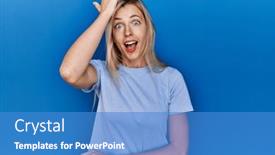
Presentation theme with beautiful blonde woman wearing casual t shirt over blue background surprised with hand on head for mistake remember error forgot bad memory concept background

 Presentation with memory -

African American Man Sitting Floor

In the midst of chaos, a young man's eyes widen as he stares at the blueprints on the floor, his hand instinctively reaching for something to steady himself. The weight of regret settles in, making every mistake seem monumental. He sits on the worn wooden floor, surrounded by scraps of paper and notes that haven't yet made sense. It's a daunting task to get things right, but with determination, he takes his first step. The Corner Title template is specifically designed for those who want to create a captivating presentation without breaking a sweat. This Widescreen template features high resolution images that will take your audience on an emotional journey. Its Light Steel Blue color palette adds a touch of sophistication and modernity, while its keywords handsome, frustrated, memory, regret, young perfectly capture the essence of this topic. The template is downloadable and compatible with Google Slides, allowing you to easily customize it to suit your needs. The 4 How To slides at the start of the deck will guide you through the process quickly, saving you time and effort. These slides are designed to be informative yet concise, helping you get up and running in no time. When using this template, consider how you want to showcase its features. You could create a powerful "Pros and Cons" slide that highlights the benefits of using the Light Steel Blue color palette, or include a Background With section to enhance the overall look of your presentation. Having a theme of creating a visually appealing background can also be showcased with Featuring, Including a Background With.

 Presentation with memory - Slide set enhanced with young-arab-man-wearing-camouflage background and a coral colored foreground

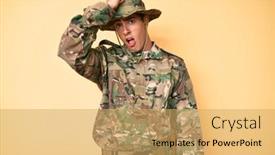
Young Arab Man Wearing Camouflage

Slide set enhanced with young arab man wearing camouflage army uniform surprised with hand on head for mistake remember error forgot bad memory concept

 Presentation with memory - PPT theme enhanced with young-hispanic-man-working background and a  colored foreground

Young Hispanic Man Working Florist

As you delve into the world of Corner Title, a design that embodies frustration and regret, you'll find yourself drawn into a realm where high resolution images paint vivid pictures in your mind, transporting you to a shop where memories are made and gardening is a labor of love. This template, featuring a crimson color palette that evokes feelings of passion and energy, is the perfect addition to any presentation that requires attention grabbing visuals. The Corner Title template is specifically designed for widescreen presentations, ensuring an immersive experience for your audience. With four How To slides at the start of the deck to get you up and running quickly, it's a solid foundation for crafting engaging content that sets your message apart from the rest. As you begin creating with this template, you'll notice how easily it lends itself to enhancing your presentation with an included background featuring a beautiful image of a florist shop at dawn, or having a theme of gardening that showcases intricate details of a well manicured garden. The high resolution images in the template are simply stunning, making them perfect for use on your Google Slides. One example of how you could use this template is to create a presentation showcasing the challenges of memory and how they can impact our daily lives. You could feature handprints or footprints as background elements, or include a "memory lane" slide that takes viewers through different stages of life, highlighting the importance of remembering those little moments. In terms of layout, it's a versatile template that includes a range of design elements, from simple to complex, making it easy to tailor your presentation to suit your needs. The Thank You Layout is particularly noteworthy, as it provides a thoughtful way to express gratitude and appreciation for your audience's time, setting the tone for a warm and engaging closing.

 Presentation with memory -

Young Hispanic Man Wearing Doctor

Presentation theme featuring young hispanic man wearing doctor uniform and stethoscope surprised with hand on head for mistake remember error forgot bad memory concept

 Presentation with memory - Slide deck featuring handsome-middle-age-mature-man background and a coral colored foreground

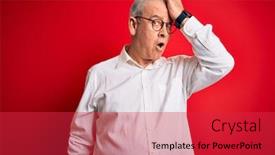
Handsome Middle Age Mature Man

Slide deck featuring handsome middle age mature man wearing casual clothes surprised with hand on head for mistake remember error forgot bad memory concept

 Presentation with memory - Slide set with beautiful-hispanic-woman-wearing-casual background and a light blue colored foreground

Beautiful Hispanic Woman Wearing Casual

The Corner Title PowerPoint template from CrystalGraphics is designed to capture attention with its vibrant theme, which features a stunning Hispanic woman wearing casual clothes and glasses, her expression a mixture of surprise and frustration. The high resolution images for the background add depth and dimensionality to this template. The Corner Title template is a widescreen format that will provide an immersive experience, setting it apart from other templates available on Google Slides. As a key element in any presentation or marketing material, it serves as a powerful branding tool that leaves a lasting impression on the viewer. The colorful palette of thistle tones adds a touch of elegance and sophistication. The template features a unique theme where mistakes are an integral part of life's journey, highlighting the importance of memory and the need to learn from our mistakes. This concept lends itself well to showcasing how we can grow and improve with time. By including a range of images that evoke emotions, this template allows for creative expression and storytelling. For instance, you could feature high resolution images of various Hispanic women in different scenarios, demonstrating how mistakes and errors are an essential part of the learning process. Using this design, you can create engaging visuals that illustrate key points and spark meaningful discussions. The Corner Title template offers many opportunities to get creative with its layout, incorporating background images or adding a theme to enhance the overall visual appeal. The Pros and Cons Layout slide provides valuable insights into the benefits and drawbacks of using this template, offering actionable advice for potential users. By including these elements, you can provide context and clarity on how to effectively utilize the Corner Title PowerPoint template in your own work. With its unique theme and colorful palette, the Corner Title template is sure to capture attention and leave a lasting impression on your audience. Its versatility allows it to be customized with various backgrounds, images, and layout options, making it an ideal choice for both professionals and entrepreneurs.

 Presentation with memory - PPT layouts featuring young-beautiful-blonde-woman-wearing background and a coral colored foreground

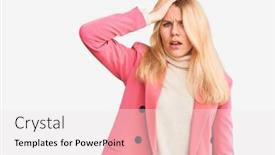
Young Beautiful Blonde Woman Wearing

PPT layouts featuring young beautiful blonde woman wearing bikini and sunglasses over isolated pink background surprised with hand on head for mistake remember error forgot bad memory concept

 Presentation with memory - PPT layouts enhanced with young-man-with-beard-using background and a coral colored foreground

Young Man Beard Using Laptop

In a world where mistakes are an inevitable part of life, frustration is often the first response. But what if you could turn that frustration into focus? Introducing Corner Title, a stunning PowerPoint template designed to help you regain control and clarity in your thoughts. Featuring a goldenrod background with high resolution images for added depth, this template is perfect for individuals who need a fresh start. With a theme of embracing regret and young mistakes, Corner Title encourages you to look back on past errors and learn from them. By including a "Mistakes" slide on your dashboard, you can easily track and reflect on the ones that have slipped through your fingers. The template's design is sleek and modern, with clean lines and simple shapes that will fit seamlessly into any presentation. Having a theme of focus and clarity, Corner Title provides the perfect backdrop for showcasing your expertise. The template is downloadable and compatible with Google Slides, making it easy to import and enhance with your own images or graphics. High resolution images for the background are available on CrystalGraphics, featuring stunning visuals that will elevate your presentation to the next level. With its unique design and features, Corner Title is sure to inspire and motivate you to take control of your thoughts and actions.

 Presentation with memory -

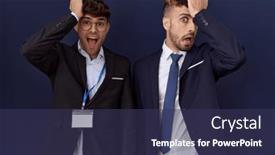
Two Hispanic Business Men Wearing

Presentation design having two hispanic business men wearing business clothes surprised with hand on head for mistake remember error forgot bad memory concept

 Presentation with memory - Presentation theme consisting of young-beautiful-blonde-woman-wearing background and a sky blue colored foreground

Young Beautiful Blonde Woman Wearing

The world has been turned upside down, and all anyone can see is a brilliant blonde woman standing on the edge of a cliff, staring blankly at the ground below, wondering what went wrong, what she did to offend the universe. The sky above is a sickly shade of pink, a color that seems to mock her as she struggles to comprehend the gravity of her mistake. She's wearing elegant clothes, or rather, she was supposed to be, but now they're stained and torn in places, a testament to the frustration and despair that's consuming her. In this sterile, yet somehow elegant space, we find ourselves surrounded by high resolution images featuring cartoon characters, like a group of teenagers trying to learn how to use PowerPoint. The background for these images is a mesmerizing pink gradient, a color that seems to shift and change as you gaze at it, much like the emotions swirling inside this poor woman's head. As she frantically tries to recall what led up to her mistake, we're presented with four How To slides that promise to get us up and running quickly. But let's not get ahead of ourselves – for now, our focus is on getting to know this gorgeous blonde woman and the world around her. Her hair, a rich shade of dark brown, falls down her back like a waterfall, casting shadows on her face as she struggles to hold onto something that's slipping away. In the background, we can see a stylized image of a pyramid, a symbol of knowledge and wisdom, but it's also a reminder that sometimes, getting to the bottom of things requires us to dig deep. The level of this pyramid is roughly 5, making it easy to follow along with our journey through her world. We're told to "feature" high resolution images for the backgrounds, including a shot of a beautiful woman in a stunning white dress, which looks absolutely fabulous – but let's not get distracted by beauty when we have more important things on our minds. As we delve deeper into this world, you'll notice that we're having a theme of using a pink color palette to create a sense of warmth and approachability. And just like the images in our template, our characters are designed with a mix of Caucasian and blonde

 Presentation with memory - Presentation design featuring middle-age-blonde-woman-working background and a light gray colored foreground

Middle Age Blonde Woman Working

As you find yourself staring at a screen full of lines of code and formulas, the weight of your profession bearing down on you, it's easy to feel frustrated. But what if you could take control back, and regain that sense of clarity? Introducing Corner Title, the ultimate PowerPoint template designed to help you get up and running quickly. Corner Title is a Widescreen presentation with a Sky Blue color palette that will elevate your slides from basic to breathtaking. Featuring high resolution images for the background, including stunning photographs of women in their prime, this template has got you covered. Incorporating a Theme of "Women in Science" and having a distinct Look and Feel, Corner Title is sure to make a statement. Take a look at the Picture on Right With Caption Layout slide it's a breathtaking image of a woman confidently standing in front of a blackboard filled with complex equations, her brow furrowed in concentration. The caption reads: "Remembering that one experiment that went awry? Don't let regret hold you back." This is just one example of the high quality images and content that can be included within this template. Having a theme of Memory and Featuring stunning graphics and animations will surely make your presentations more engaging, interactive and memorable.

 Presentation with memory -

Young Arab Man Wearing Casual

Slide deck with young arab man wearing casual white shirt and glasses surprised with hand on head for mistake remember error forgot bad memory concept background

 Presentation with memory - Presentation design having middle-age-handsome-hoary-man background and a red colored foreground

Middle Age Handsome Hoary Man

In a world where we're constantly faced with mistakes and forgotten memories, it's easy to feel frustrated and like we're just one step behind. But what if you could turn that frustration into something positive, even inspiring? Imagine being able to walk out onto a sunny morning, feeling refreshed and rejuvenated, with the warm glow of a crimson background in front of you. That's exactly what this template promises: a bright and cheerful space that will leave your audience smiling. This Corner Title template is designed specifically for high resolution images, perfect for presentations on Google Slides. The Widescreen format ensures that every detail is showcased, from the subtle nuances of lighting to the intricate textures of the background. And with our custom Crimson color palette, you'll be surrounded by a rich and regal atmosphere that's sure to impress. But don't just take our word for it this template includes 4 How To slides to get you up and running quickly, whether you're looking to enhance your presentation or simply add some extra flair. But let's face it: sometimes the best way to learn is by doing, so rather than featuring a blank canvas from the start, we'll include a Background With approach to help guide you through the design process. In fact, on slides like Stairs Layout, the possibilities are endless imagine having a seamless transition between sections, with clear headings and concise text that draws the viewer's eye. And when it comes to including a Theme of, well, a theme is always in style, and our Crimson template is no exception. With its high quality images and customizable format, this Corner Title template is the perfect choice for anyone looking to add some visual interest to their presentation. So why wait? Get ready to walk out onto that sunny morning with confidence, knowing your audience will be smiling along with you.

 Presentation with memory - Slide deck enhanced with young-hispanic-man-sitting background and a  colored foreground

Young Hispanic Man Sitting Floor

In a world where frustration was a constant companion, one young Hispanic man found himself lost in the labyrinthine corridors of university studies, his mind consumed by the crushing weight of memory and mistakes. His eyes scanned the floor, searching for solace, but all he saw were scattered notes and empty coffee cups. As he sat amidst the chaos, a phrase echoed in his mind "Remember, remember" the mantra of a generation worn down by the relentless tedium of learning. He felt like a lab rat trapped in a never ending cycle of trial and error, with no escape from the dark depths of his own forgetfulness. But then, something shifted. A spark of determination ignited within him, and he rose from his chair, his eyes locked on the clock ticking away the seconds until his next class. And as he walked out of the room, a sense of purpose settled in to rise above the noise, to learn from his mistakes, and to emerge stronger. The Corner Title template is designed to be your trusted companion on this journey, featuring a light steel blue background that evokes feelings of serenity and calmness. With 4 How To slides at the start of the deck, you'll have everything you need to get started quickly. But don't worry, you're not alone we're here to help you every step of the way. This template is downloadable and compatible with Google Slides, so you can enhance your presentations with a beautiful background image or feature it as is. And if you want to add an extra layer of personality to your slides, simply include a Background With or Having a Theme of section to give them a unique twist. We're not just a template we're a community of creatives who believe in the power of education and the importance of memory. Our Who We Are Bio Layout slide features a quote from a renowned educator, emphasizing the value of learning and growth. And our Enhanced With theme allows you to showcase your personality and style while still enhancing your slides with a professional touch. So why wait? Download the Corner Title template today and start creating engaging presentations that will leave a lasting impression on your audience.

 Presentation with memory - Cool new slide deck with young-handsome-man-wearing-camouflage backdrop and a yellow colored foreground

Young Handsome Man Wearing Camouflage

Slide deck with young handsome man wearing camouflage army uniform surprised with hand on head for mistake remember error forgot bad memory concept

 Presentation with memory - Presentation theme with handsome-middle-age-doctor-man background and a  colored foreground

Handsome Middle Age Doctor Man

The doctor's hands trembled as he scribbled notes on the chart, his brow furrowed in concentration. The fluorescent lights overhead cast an unforgiving glare, illuminating the frustration etched on his face. He was a handsome middle aged man, with a strong jawline and piercing brown eyes that seemed to bore into the minds of those around him. His thick beard added to his mature air, giving him an authoritative presence. But despite his polished demeanor, he looked like a man who had given up hope. In this stark clinical environment, mistakes were inevitable. The doctor's hands often turned red as he struggled to recall what he had done wrong. He was a victim of bad memory and poor decision making. Featuring a background image of a medical chart with scribbled notes, this template would be perfect for showcasing the story behind a statistic or a shocking revelation. Having a theme of "Medical Mayhem" would fit seamlessly into the "Stupid Medical Moments" series. The 4 How To slides at the start of the deck would provide a quick guide on how to get up and running quickly, but that's not what this template is about. It's an invitation to take a closer look at a particular medical case, with all its attendant drama and tension. Imagine presenting this on a Google Slides presentation, incorporating high resolution images for added impact, such as the doctor's lab coat or a snapshot of the hospital hallway. The template would include features like dynamic text and graphics, Enhanced With to give it that extra oomph. You could even Include a Background With to create a immersive experience by adding a subtle gradient effect to your charts and graphs. Having a mature color palette of Tan tones would add warmth to the design while still maintaining its crisp aesthetic. In terms of compatibility, this template is downloadable and compatible with Google Slides, ensuring that it looks stunning across different devices and platforms.

 Presentation with memory - Slides enhanced with middle-age-handsome-man-wearing background and a ocean colored foreground

Middle Age Handsome Man Wearing

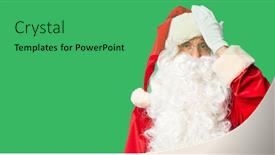
Slides enhanced with middle age handsome man wearing santa claus costume and beard standing surprised with hand on head for mistake remember error forgot bad memory concept

▼Key features of this template

  • They are compatible with both PowerPoint and Google Slides running on either Windows PCs or Macs.

  • They are available in both standard and widescreen slide formats. You can choose your preferred format by clicking on the "Widescreen" check box or icon.

  • Each template includes a beautiful high-resolution background image or video to visually reinforce the theme of your presentation.

  • In addition, each template includes designer-created graphics and modern fonts to give your presentations an up-to-date, professional look.

  • Each template's default design and title text position have been carefully selected to complement its background without covering faces or other key elements.

  • All text includes backdrops whose transparency level is mathematically calculated to maximize text readability while still allowing the background to be seen.

  • And all the text, text backdrops and graphics in every slide are colored with a palette designed to beautifully complement the colors in the background.

  • Our Premium templates (those with the descriptor “Premium” in their subtitle) include over 64 slide layouts to give you maximum flexibility as you create your presentations.

    • Those layouts are available to you whenever you create a new slide or when you want to change the layout of an existing slide.
    • They include everything you need to make all sorts of presentations. In addition to the layouts for the title slide and the usual title and content slide, they include many other layouts for slide types including table of contents slides, org charts, charts, diagrams, infographics, photo slides, thank you slides and more.
    • While creating these layouts our template designers have ensured that all text in every layout adjusts as gracefully as possible to various numbers of words.
  • Customizable templates (those with the descriptor “Customizable” in their subtitle) may be easily modified online before you download them.

    • To modify them, simply click on the pencil editing icon, then select your choice of ready to go designs and title text positions.
    • The editing tool also makes it easy to reposition and scale the background image or video to best suit your needs.

▼FAQs

Please review these FAQs to see if your question is answered. Contact us for more info

  • What is a PowerPoint template?

    • A well designed PowerPoint template is a file that can tell PowerPoint how to make your ordinary templates look extraordinary. They won’t change what your words or numbers say. But they might change their size, color, font and placement. And, overall, they can give your presentations a professionally-designed look that will give your content more credibility and give you more confidence.
  • How many PowerPoint templates do you offer?

    • We have over 32,000 artist-created presentation templates in our PowerPlugs collection With a subscription, PowerPlugs templates are easy to download. Just sign in, find a template and click on the green Download button. ready for you to download. That alone offers you more variety to choose from than any of our competitors can offer. And, as if that weren’t enough, we also offer over 6 million templates in our Crystal collection. Crystal brand templates are our line of templates that have customization options. They have the word "CRYSTAL" on their web page images. You can customize several aspects of the templates. These templates include high-resolution background images from Shutterstock’s vast image collection matched up with artist-created presentation designs customized by our own proprietary AI software.
  • How many templates can I download as a subscriber?

    • You can download an unlimited number of PowerPlugs-brand With a subscription, PowerPlugs templates are easy to download. Just sign in, find a template and click on the green Download button. templates every day for an entire year. (Actually, by default, we set a limit of 25 templates per day to prevent our competitors from stealing our templates. But, if that is not enough, just let us know and we’ll try to accommodate you.) On top of that, with a subscription or an Ultimate Combo, you can also download any 50 Crystal-brand Crystal brand templates are our line of templates that have customization options. They have the word "CRYSTAL" on their web page images. You can customize several aspects of the templates. templates per year selected from our huge Crystal collection. Crystal brand templates are our line of templates that have customization options. They have the word "CRYSTAL" on their web page images. You can customize several aspects of the templates. .
  • Why should I choose your templates instead of the competition’s?

    • We’ve got a larger selection of professionally-designed PowerPoint templates than anyone else in the world.
    • Each template includes a high-resolution background image or video to visually inspire your audiences while reinforcing your message.
    • Each template includes 64 slide layouts to give you maximum flexibility as you create your presentations.
    • Our templates are available in both standard and widescreen slide formats. And our website lets you preview the slides each way.
    • Our free Template Finder™ plugin lets subscribers select and - with a single click - download and insert our templates into their presentations right from within PowerPoint.
    • We’ve been creating designer presentation templates for over 20 years. During that time we’ve won several awards and 5-star ratings for product quality. See About Us for more.
  • Do you offer a money-back guarantee?

    • Yes we do! We offer full 30-day money-back guarantee if you are not 100% satisfied with your purchase.
  • Can I still use my downloaded templates after my subscription runs out?

    • Yes. After your subscription expires, you won't lose any rights or ability to use your PowerPlugs: Templates for PowerPoint. You won't be able to download any new non-watermarked templates. But the non-watermarked templates you've already downloaded will still work and you can still use them as before.
  • Can I share my downloaded templates or passwords with friends or coworkers?

    • Sorry but no. You are authorized to download each paid-for template to up to 3 of your personal devices and to use the templates you download in as many presentations as you want. But you are not authorized to share the templates, themselves, with others. That said, we do offer highly discounted site licenses to suit the needs of both small and large teams. Just tell us your needs and we’ll give you a quote!
  • System requirements:

    • The templates use the standard POTX format. So they are compatible with Google Slides and all PC, Mac and mobile devices running any version of PowerPoint from PowerPoint 2007 up through and including Office 365 desktop.
    • Please note: Google Slides does not currently support background videos. It treats them as still images.
    • For PowerPoint for the Web, first open your template into a desktop version of PowerPoint, then save it back out as a PPTX file. Then you can open that in PowerPoint for the Web.
  • End user license agreement:

    • Click here to view.
  • How will I get my purchased templates?

    • You may download your selected templates as soon as your payment is received by PayPal. If you purchased an individual template, you will be provided with a download link both onscreen and via email. Just click on that link to begin the download process. If you purchased a subscription, you will receive an email containing a password to use along with your email address to sign in to any of the templates pages on CrystalGraphics.com. Once you are signed in, you can immediately start downloading your selected templates.
  • How do I use my templates after I download them?

    • You can either open a template to start a new presentation or you can add a template to an existing presentation. To open a template, just double click on it or use PowerPoint's File > Open tool. To add a template to an existing presentation, on the Design tab, in the Themes group, click Browse for Themes... then browse to select your template.

View more Memory templates:

previous 1 2 3 4 5 6 7 8 9 10 11 12 13 next
Categories related to Memory:
Loving Ram
93% of Fortune 1000
companies use our
PowerPoint Products
Templates Secure

Standing Ovation Award
Winner: Best PowerPoint
Template Collection
Fortune Logos
200,000+ satisfied
customers worldwide!
Guarantee
100% satisfaction guaranteed
- or send it back for a refund!

Sign up for our free newsletter! You'll get news about our PowerPoint-enhancing product line – including free updates, new product announcements and exclusive special offers. Plus you'll get a link to a free PowerPoint template with every newsletter you receive.
Privacy Policy
Loading...


Help

Contact Us
Product FAQs
Product License Agreements

Company Info

About Us
Privacy Policy
CrystalGraphics, Inc. 1999 S. Bascom Avenue Suite 700 Campbell, CA 95008 USA
© 2026 CrystalGraphics, Inc. All rights Reserved.    |     PowerPlugs is a trademark of CrystalGraphics, Inc.
Microsoft and the PowerPoint logo are trademarks or registered trademarks of Microsoft Corporation in the United States and/or other countries.
Loading...
Loading...