www.crystalgraphics.com CrystalGraphics
  • Ultimate Combo
  • Templates
  • Diagrams
  • Characters
  • Quizzes
  • shopping cart
  • Sign Out Sign Out Sign In
Home > Templates > Plant > Power Plant Category
search icon
advanced icon

197 Best Power Plant-Themed Templates for PowerPoint and Google Slides

CrystalGraphics creates templates designed to make even average presentations look incredible. Below you’ll see thumbnail sized previews of the title slides of a few of our 197 best power plant templates for PowerPoint and Google Slides. The text you’ll see in in those slides is just example text. The power plant-related image or video you’ll see in the background of each title slide is designed to help you set the stage for your power plant-related topics and it is included with that template. In addition to the title slides, each of our templates comes with 17 additional slide layouts that you can use to create an unlimited number of presentation slides with your own added text and images. And every template is available in both widescreen and standard formats. With over 6 million presentation templates available for you to choose from, CrystalGraphics is the award-winning provider of the world’s largest collection of templates for PowerPoint and Google Slides. So, take your time and look around. You’ll like what you see! Whether you want 1 great template or an ongoing subscription, we've got affordable purchasing options and 24/7 download access to fit your needs. Thanks to our unbeatable combination of quality, selection and unique customization options, CrystalGraphics is the company you can count on for your presentation enhancement needs. Just ask any of our thousands of satisfied customers from virtually every leading company around the world. They love our products. We think you will, too!

Features & Pricing

Widescreen (16:9) Presentation Templates. Change size...
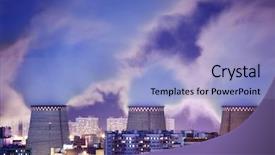
 Presentation with power plant - Presentation having acid rain - power plant emissions background and a ocean colored foreground

Power Plant Emissions Atmosphere

Imagine a world where pollution and smog choke the atmosphere, and the once blue skies are now a hazy gray. The air is thick with toxic fumes that seem to seep into every corner of our lives. This is what we're heading into, folks, as we explore the devastating impact of human activity on our environment. Our design name is Wide Title, a template that takes your presentation on a thrilling journey through the world of pollution and environmental disaster. The template format is Widescreen, ensuring that every slide is filled to the brim with stunning images that will leave your audience in awe. And when it comes to color palette, Steel Blue dominates, evoking feelings of danger, urgency, and trepidation. This stunning template features high resolution images for each background slide, including dramatic aerial shots of industrial sites, pollution filled skies, and deserted landscapes. The steel blue theme is sleek and modern, featuring a bold font that adds a touch of sophistication to your presentation. But don't just take our word for it as with all our templates, this one is downloadable and compatible with Google Slides, making it easy to get started. As you begin creating your presentation, consider including How To slides to walk your audience through the process, offering tips and tricks for success. For example, signpost slides could include icons or graphics highlighting key points, such as "Before We Begin" or "Technical Requirements." The template also includes a theme of Enhanced With, allowing you to add even more depth and interest to your design. The Signpost Layout slide would be a great opportunity to introduce the main topic of your presentation, providing context for your audience before diving into the nitty gritty details. For instance, it could include images or graphics that illustrate the devastating impact of pollution on our environment, setting the tone for what's to come.

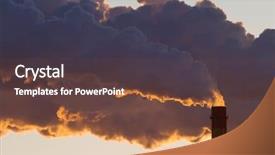
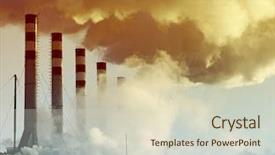
 Presentation with power plant - PPT theme having carbon dioxide - steaming power plant pipe background and a tawny brown colored foreground

Steaming Power Plant Pipe Against

Imagine a power point presentation that takes your audience on a journey through the dark side of human activity, exposing the harsh realities of fuel smog danger pollution filled landscapes. Our Short Title template is designed to be attention grabbing and thought provoking, featuring high resolution images that will leave viewers with a lasting impression. The Dark Slate Blue background provides a dramatic setting for this template, evoking feelings of danger and unease. The Widescreen format ensures that your visuals are crisp and clear, without being too overwhelming. Our key features include fuel smog danger pollution filled landscapes, featuring high resolution images that will make you feel like you're right there in the midst of it all. The template's theme is centered around a steaming power plant pipe against a sunset sky, creating an image of industrial activity at its most ominous. You can use this template to create presentations that tackle tough topics such as climate change and environmental degradation, or to simply showcase stunning high resolution images that will leave your audience in awe. This template includes four How To slides that will help you get up and running quickly: Getting Started, Mastering the Template, Customizing Your Graphics, and Delivering Your Message. But don't worry if you're not tech savvy we've got all the resources you need to enhance your presentation with a background featuring a beautiful image of a desert landscape, complete with cacti and sand dunes. Our goal is simple: to provide users with a powerful tool that will help them communicate complex ideas with impact. And with our template's focus on showcasing stunning images, you'll be able to deliver your message in a way that will leave your audience thinking long after they've left the presentation.

 Presentation with power plant - PPT layouts enhanced with working in power plant control background and a light gray colored foreground

Experienced Electrician Working Power Plant

In a world where technology reigns supreme, an electrician's life is one of precision and power, but sometimes even the most seasoned professionals need a little nudge to get back on track. Corner Title presents a Widescreen design that perfectly captures the essence of this high pressure occupation. Featuring a Burly Wood Colored background that evokes the feeling of a classic control room, our template is the perfect starting point for anyone looking to elevate their presentation. The template's high resolution images will have you and your audience in awe as you showcase stunning visuals of electricians at work. The 5 Steps to Success Layout slide provides a clear structure for organizing your content, ensuring that every detail is accounted for. This layout makes it easy to visualize the progression of your ideas from introduction to conclusion. When it comes to design elements, Corner Title includes all the bells and whistles you need to create a visually appealing presentation. Whether you're featuring an electrician's profile or showcasing a technical diagram, our template has got you covered. Including a Background With high contrast colors, modern fonts, and subtle texture effects will enhance your content and make it stand out. Having a Theme of precision and attention to detail, Corner Title is the perfect companion for any project that requires accuracy and clarity. Enhanced with Googles Slides compatibility, this template makes it easy to share and collaborate on presentations in real time.

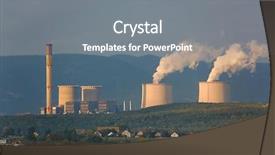
 Presentation with power plant - Theme featuring cooling tower with smoke background and a teal colored foreground

Cooling Tower Smoke Modern Power

Imagine standing in front of a sleek and modern power plant, its towering structure gleaming in the sunlight as steam rises from its top, carrying with it the faint glow of pollution. The sounds of machinery humming to life are muffled by the whir of fans and the hiss of cooling systems. The Wide Title "Cooled with Precision" sets the scene for a showcase of industry's latest innovations, featuring cutting edge technology that makes our power plants more efficient and sustainable. This is what you can expect from the images, expertly shot in high resolution to bring these modern marvels to life. The Cornflower Blue template adds a touch of professionalism, making it perfect for presentations that need to convey a sense of authority and expertise. The Widescreen format allows viewers to immerse themselves fully in the scene, with each slide seamlessly integrating into the next. This is especially useful when showcasing how industry's latest designs can help combat pollution and improve energy production. The Grid Layout feature will allow you to easily highlight key features and statistics on a 6 Picture Slide, making it easy for your audience to quickly grasp complex information. The images are carefully selected to showcase the design of these modern power plants, while also highlighting the benefits of using Cornflower Blue as a template. Featuring the chimney's sleek exterior, along with industry specific icons and graphics, this background will add depth and visual interest to your slides. Including a Background With, having a theme of industrial heritage, and enhanced with 6 Pictures can help set the tone for an engaging presentation that showcases modern innovations and their practical applications. Getting started is easy, with four How To slides at the beginning of the deck that provide tips and tricks for quickly getting up and running with this template.

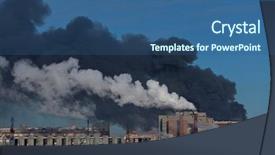
 Presentation with power plant - Slide deck featuring transport air pollutant - fire at the power-plant background and a ocean colored foreground

Fire Power-plant

As flames erupt from the smoldering remains of the power plant, the once thriving industrial complex now stands as a testament to the devastating consequences of neglect and greed. The air is thick with the acrid smell of smoke and ash, and the only sound is the distant rumble of thunder echoing through the deserted streets. The Steel Blue background dominates the widescreen template, evoking a sense of foreboding and unease. High resolution images of distressed chimneys and fuel tanks are seamlessly integrated into the design, creating a visually striking effect. The template's theme is clear: a powerful, industrial power plant has been ravaged by disaster. The Corner Title logo is emblazoned across the top of the slide, featuring a stylized flame motif that adds a touch of sophistication to the overall design. This layout allows for easy navigation and makes it clear what each section of the deck will be showcasing. This template would be an ideal starting point for presentations on industrial disasters or environmental issues, providing a dramatic and thought provoking backdrop for discussion. By incorporating distressing images and a strong color palette, the template strikes a bold tone that is sure to grab attention.

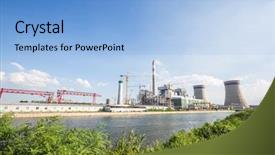
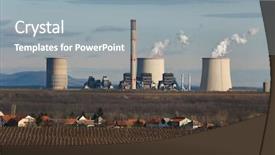
 Presentation with power plant - Theme featuring thermal pollution - modern power plant near river background and a light blue colored foreground

Modern Power Plant Near River

Imagine standing in front of a bustling modern power plant near a serene river on a clear blue sky day the air is filled with the sounds of machinery humming to life as workers scurry about their daily tasks the sky above is a brilliant shade of steel blue with just a hint of grey at the edges creating an atmosphere that exudes energy and dynamism This template is designed to be a modern and sleek representation of industrial power, with clean lines and high resolution images bringing the scene to life. The Light Steel Blue color palette provides a sophisticated backdrop for any image or design element featured within this template. The 6 x 6 Org Chart Layout at the start of the deck will provide you with the tools you need to organize your content in a clear and concise manner. The Wide Title can be used as a header slide featuring a prominent title that emphasizes the focus of the presentation, while the background images can be modified to include additional elements such as a factory chimney or electricity lines. The overall design of this template is meant to evoke a sense of industry and technological advancement. The High Resolution Images for the Background feature a range of high quality photographs showcasing various aspects of power plants including factories, chimneys, and electrical equipment each image is optimized for use within PowerPoint allowing for seamless integration into your presentation.

 Presentation with power plant - PPT layouts consisting of nuke - power plant with an intense background and a yellow colored foreground

Power Plant Intense Red Cloudy

As the clock strikes midnight, the world is bathed in an eerie glow, as if the very fabric of time itself is unraveling. The once peaceful landscape is now a battleground for danger and uncertainty, where the lines between reality and madness are blurred. In this desolate landscape, only one thing remains constant the ominous presence of radiation, casting an otherworldly shadow over everything. The design name for this template is Wide Title, a fitting moniker for a presentation that's sure to grab attention. The Widescreen format ensures that every detail is magnified, making it perfect for showcasing high resolution images that will leave your audience breathless. The Sandy Brown color palette provides a warm and inviting backdrop for the radioactive theme, while the accompanying keywords danger, end time, shadow, dusk paint a vivid picture of a world on the brink of collapse. The template is downloadable and compatible with Google Slides, making it easy to import into your presentation software. With its 4 How To slides at the start of the deck, you'll be up and running quickly, getting started on creating a compelling narrative that will leave your audience on the edge of their seats. Featuring high resolution images from around the world, including dramatic landscapes and eerie atmospheres, this template is sure to enhance any presentation with its rich visuals. Including a background with subtle texture and shading, having a theme of blending science fiction with post apocalyptic elements, and enhanced with bold lines and vibrant colors will make your presentation truly stand out. The template's design is perfect for showcasing the dangers that lurk in the shadows, from radioactive waste to mysterious creatures lurking in the darkness.

 Presentation with power plant - Colorful PPT layouts enhanced with nuke - power plant with an intense backdrop and a yellow colored foreground

Power Plant Intense Red Cloudy

Imagine yourself standing at the edge of a vast and ominous power plant, surrounded by an intense red glow emanating from within its walls. The sky above is a deep, foreboding grey, with clouds that seem to shift and writhe like living things, casting long, ominous shadows on the ground below. As you look out into this eerie landscape, you can't shake the feeling of being watched, as if something is lurking just beyond the edges of perception. The high resolution images in the background of the template are crisp and detailed, featuring bold lines and sharp textures that evoke a sense of energy and power. The Sandy Brown color palette adds a warm, earthy tone to the overall design, but it's not just any ordinary brown it's a deep, rich colour with a slightly orange undertone, giving the impression of a warm, burning fire. The template is designed in a Widescreen format, perfect for presenting detailed information or showcasing multiple images. The Managed Process Layout ensures that all elements stay organized and easy to navigate, featuring a clear hierarchy of headings and subheadings throughout the deck. With four How To slides at the start of the deck, you'll be able to get up and running quickly and easily, with simple instructions on how to customize the template and make it your own. The Includes A Background With feature allows you to add high resolution images or graphics directly into the slide backgrounds, adding an extra layer of depth and visual interest. Having a Theme Of allows you to choose from various pre built themes and templates, each with its own unique design elements and formatting options. The Enhanced With option enables you to incorporate advanced features such as animations and transitions, taking your presentation to the next level. The template is fully compatible with Google Slides, allowing you to easily insert images, links, and other content into your slides. With this template, you'll be able to create a visually stunning and engaging presentation that captures your audience's attention and leaves a lasting impression.

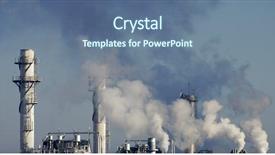
 Presentation with power plant - Slides with carbon dioxide - power plant smokestacks emitting smoke background and a light blue colored foreground

Power Plant Smokestacks Emitting Smoke

Imagine standing at the edge of a vast, polluted cityscape, surrounded by towering smokestacks that seem to stretch on forever, as the sun sets behind them casting a golden glow over the concrete jungle. The air is thick with the smell of fuel and smoke, a noxious mixture that chokes the life out of this once thriving metropolis. This image has been captured in stunning high resolution by @PicturesWithCaptions, featuring a breathtaking view of the cityscape at sunset. The resulting background image is perfect for use as a slide background in your presentation, and can be easily downloaded and incorporated into your slides using Google Slides. The template format is Widescreen, allowing you to showcase this dramatic image in all its glory. The Royal Blue color palette adds a touch of sophistication and elegance to the design, while the scenic theme ensures that the focus remains on the stunning view. To enhance the overall viewing experience, consider including a Background With feature, where you can add additional elements to the slide background, such as subtle city lights or a misty atmosphere. Having a Theme of, this image is already set up for use in your presentation, and can be easily customized with different colors and fonts to match your brand. The template includes four How To slides at the start of the deck, designed to help you get up and running quickly. These slides provide valuable tips and tricks for creating engaging presentations, from choosing the right design elements to crafting compelling slide text.

 Presentation with power plant - Audience pleasing PPT layouts consisting of power plant emitin smoke backdrop and a gray colored foreground

Power Plant Emitin Smoke Steam

The city skyline at dawn is a breathtaking sight to behold, but behind that beauty lies a dark and ominous presence the power plant, spewing out smoke and steam into the air. The once pristine atmosphere is now tainted by the pollutants and greenhouse gases released into the atmosphere. Imagine walking through a smoggy urban landscape, the air thick with haze and industrial chemicals. The sound of machinery humming in the distance adds to the cacophony of sounds that fill the air. This is the world we live in today where power plants are not just a necessary evil, but a deadly force that threatens our very survival. The Steel Blue color palette provides a somber and foreboding tone for this presentation, evoking feelings of unease and discomfort. The high resolution images that will accompany the template will feature dramatic overcast skies, industrial landscapes, and pollution ridden cities in all their grimy glory. To enhance the overall look and feel of the template, Featuring a Background With high quality illustrations or graphics would be ideal. The Steel Blue color palette is both soothing and striking, making it an excellent choice for this project. Having a Theme of Industrial Power Plants would add to the authenticity of the presentation. For those who want to include a background with a dramatic sky, Having a Sky that includes the silhouette of power plants against a dark blue horizon would be perfect. The template is downloadable and compatible with Google Slides, ensuring that it can seamlessly integrate into your presentation workflow. The Table of Contents slide will provide an overview of what's to come in the deck, featuring four How To slides that outline the essential steps for getting up and running quickly.

 Presentation with power plant - Colorful PPT theme enhanced with co2 - power plant with smoke backdrop and a soft green colored foreground

Power Plant Smoke

This PowerPoint template is designed to showcase a striking image of a power plant with smoke engulfing its surroundings. The tan colored background provides a dramatic backdrop for the high resolution images that will be featured throughout the presentation. The Widescreen format ensures that your audience can fully immerse themselves in the visuals, and the 4 How To slides at the start of the deck are perfect for getting up and running quickly. From there, you'll have plenty of time to dive into more detailed topics on supply chain management, risk assessment, and pollution mitigation. The tan colored theme continues throughout the presentation, from the text colors to the background images. As you explore the different slides, you'll notice how each one enhances the overall design and adds a layer of depth. The Featured slide is particularly noteworthy, as it includes a high resolution image of a power plant in all its gritty glory. When using this template on Google Slides, you can incorporate additional features such as backgrounds with animations or images that are overlaid onto the slides for added visual interest. The theme is designed to be enhanced with specific keywords like "smog", "danger", and "pollution" to help your audience understand the context of the presentation. The template also includes a Thank You Layout slide, which provides a brief overview of the benefits of using this design. This could include examples such as "By incorporating this theme into your presentations, you'll be able to present complex data in a clear and concise manner", or "This template is perfect for anyone looking to make their presentations more engaging and informative".

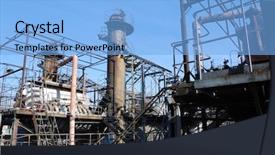
 Presentation with power plant - Colorful theme enhanced with steam turbine - old power plant backdrop and a light blue colored foreground

Old Power Plant

As you enter the world of high energy visuals, where factories hum with activity and industrial landscapes ignite sparks of innovation, imagine yourself standing alongside the imposing structures of old power plants a testament to human ingenuity. The Split Title template is your gateway to this gritty yet captivating realm, where steel beams pierce through smokestacks and furnaces that belch fiery flames. This Widescreen template is designed for those who crave sharp images that can elevate their presentation to the next level, perfect for presentations about heat, production, fuel, or any other topic that requires intensity. The Cornflower Blue color palette adds a touch of sophistication to your visual identity, while the accompanying keywords heat, steel, chimney, production, and fuel ensure that your content is relevant and engaging. With this template as your starting point, you'll be able to create stunning slides featuring high resolution images for the background. You can include these visuals in various ways, such as having a background with a split title that incorporates industrial elements, or enhancing the slide layout with a design of steam pipes rising from the chimney. The possibilities are endless, and the Social Media Concept Layout is your chance to showcase how to effectively share engaging visuals across different platforms. The four How To slides at the start of the deck will guide you through the process of getting started, providing valuable tips on using this template in various settings. With the Split Title as your canvas, you'll be able to craft compelling presentations that capture audiences' attention and leave a lasting impression perfect for industries ranging from technology to manufacturing.

 Presentation with power plant - Slide set enhanced with plant with huge cooling tower background and a sky blue colored foreground

Power Plant Cooling Towers Against

Imagine standing in front of a massive power plant, its towering cooling towers stretching high into the clear blue sky like giant sentinels, a testament to the industry's relentless pursuit of progress and efficiency. The air is thick with the smog of pollution, but amidst the toxic haze, you sense a faint glow the hum of activity, the thrum of machinery, and the eerie radiation that radiates from the very heart of this behemoth. In this environment, four key elements come together to create a dynamic presentation. The background features a high resolution image of the power plant's cooling towers against a bright blue sky, conveying the raw energy and vitality of the scene. This template format is ideal for Google Slides users, offering seamless integration with their existing content. The theme of this template is centered around showcasing the often overlooked aspects of industrial production in this case, the dangers and risks associated with high tech power plants. Featuring a dramatic image of a malfunctioning reactor core, for example, this template encourages exploration and critical thinking about the human cost of progress. Including a Background With stunning visuals of a smoggy cityscape at sunset, you can easily enhance your presentation with dramatic lighting effects. Having a Theme of highlighting the importance of safety protocols is also evident in this design, as seen on the Dart on Target Layout slide. By emphasizing the risks and consequences of neglecting these protocols, you can use this template to raise awareness about the need for responsible industrial practices. Enhanced With vibrant colors and bold typography, this layout encourages engagement and prompts viewers to consider the potential outcomes of their actions. The template itself is compatible with Google Slides, allowing users to easily add or remove slides as needed. Whether you're working in a classroom setting or presenting to an industry audience, this template is sure to impress.

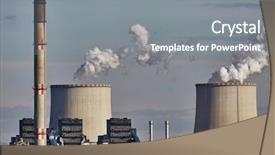
 Presentation with power plant - Theme featuring power plant emitin smoke background and a gray colored foreground

Power Plant Emitin Smoke Steam

Imagine standing in front of a massive power plant on a gloomy overcast day, with thick gray smoke billowing upwards into the atmosphere, accompanied by a faint hissing sound as fuel is released and transformed into energy. This is what your new "Wide Title" template promises to deliver a powerful visual representation that captures the essence of pollution and the environment. This Widescreen template will transport you to an immersive world where technology meets nature, featuring high resolution images for a seamless viewing experience. You'll be able to include a background with smoke and steam effects, creating a dynamic and engaging atmosphere that draws your audience in. Having a theme of environmental awareness, this template is designed to showcase the impact of human actions on our planet. The Managed Process Layout slide will provide a clear overview of how your data flows, featuring maps and diagrams to help you visualize complex systems. With an enhanced color palette of sky blue, this template will evoke feelings of calmness and serenity while still conveying information about pollution and its effects. The contrast between light and dark tones creates visual interest and makes the information more digestible. This Widescreen template is not just a presentation tool, but also a creative outlet. You can include images from around the world to showcase different types of pollution, making it an ideal tool for educators, researchers, or anyone looking to raise awareness about environmental issues. With compatibility with Google Slides and 4 How To slides to help you get up and running quickly, this template is ready to take your presentation to the next level.

 Presentation with power plant - Audience pleasing slide set consisting of power plant emitin smoke backdrop and a light gray colored foreground

Power Plant Emitin Smoke Steam

Power plants are behemoths that dominate the urban landscape, emitting smoke and steam into the air as they churn out electricity to fuel our modern world. In this Corner Title template, we've designed a stunning widescreen layout that's sure to grab your audience's attention from the very first slide. The Steel Blue color palette provides a sleek and professional backdrop for showcasing high resolution images of power plants and smoke filled skies. This theme is perfect for highlighting the connection between energy production and environmental concerns, as in Featuring a background image of a polluted cityscape with smoke billowing out of a power plant, Incorporating a subtle gradient that gives it a smoky depth, Enhanced With a simple yet effective font style to keep things clean. The template's keywords – overcast, fuel, release, smog, pollution – will resonate with audiences who are passionate about sustainability and environmental protection. The 4 How To slides at the start of the deck provide valuable quick start guides that can help users get up and running quickly. Whether you're a professional looking for a polished presentation or an educator seeking to engage students, this template is sure to deliver. With its steel blue color scheme and smog filled backgrounds, this template is Enhanced With a sense of urgency and importance, making it the perfect choice for any presentation that needs to convey a strong message about environmental issues. Whether you're showcasing data on power plant emissions or highlighting innovative solutions for reducing pollution, this Corner Title template will help you do so in style and with ease.

 Presentation with power plant - Colorful PPT layouts enhanced with power plant emitin smoke backdrop and a gray colored foreground

Power Plant Emitin Smoke Steam

You are on a mission to breathe new life into your presentation with this sleek and powerful template. The moment you start clicking through the pages, you'll be transported to a world of steel blue skies, overcast hues, and the hum of activity just like a power plant emitting smoke and steam. Get ready for a dramatic reveal as the background images soar above, featuring 4 high resolution photographs showcasing different aspects of pollution and its effects. This template is not just about aesthetics; it's also designed to help you convey your message in an engaging way. The Steel Blue color palette provides a clean and professional look, perfect for any presentation or video content. It's the perfect combination of sophistication and modernity. And when you're done, don't worry you can export the template as is, complete with four actionable How To slides to get your audience up and running quickly. The 3 Column Layout is a versatile feature that allows you to include all the elements you need in one place, keeping things organized and easy to navigate. For example, you could use it to display key statistics, images, or even a simple animation to illustrate a point. And with features like Including a Background With and Having a Theme of, you can create a seamless transition between slides. The Steel Blue color palette is not just about looks; it also helps to convey the theme of your presentation pollution and its effects on our environment. It's an enhanced version of a classic green blue color scheme, giving your presentation a cohesive and professional look. And with Google Slides compatibility, you can work seamlessly in your favorite tool. Whether you're presenting at a conference or sharing your thoughts with colleagues, this template is sure to impress. So why wait? Download it now and start creating engaging presentations that leave a lasting impression.

 Presentation with power plant - PPT layouts enhanced with chp - territory of power plant background and a light blue colored foreground

Territory Power Plant Winter View

Imagine standing in front of a breathtaking winter landscape featuring high resolution aerial images of Moscow's power plant at dawn, with the sky painted in hues of light blue and pink. The image is rendered in stunning detail, giving you a glimpse into a world where pollution seems to disappear as the city comes alive. The Corner Title template is designed for widescreen use, perfect for showcasing your presentation or video content on a large format screen. This photorealistic background will leave your audience captivated and eager to learn more about the theme of the presentation, featuring a unique aerial view that immerses them in the world you're presenting. The Light Sky Blue color palette adds a touch of serenity and calmness, evoking feelings of peacefulness and tranquility. The template is packed with keywords like "moscow", "aerial", "pollution", "building", and "Russia" to give your audience a sense of the topic's relevance and scope. This high resolution image can be included as a background or featured in various design elements throughout your presentation, creating an enhanced visual experience. Having a theme of showcasing visuals or live images is perfect for presentations that require stunning imagery, and this template delivers with its beautiful aerial views and photorealistic graphics. The 5 Steps to Success layout slide will guide you through the key takeaways from your presentation, providing a clear structure and organization to help you get the most out of your content. It's perfect for any visual or multimedia presentation that requires a structured approach to convey your message effectively.

 Presentation with power plant - PPT theme with smoking-power-plant-chimney-over background and a coral colored foreground

Smoking Power Plant Chimney Over

PPT theme with smoking power plant chimney over a town

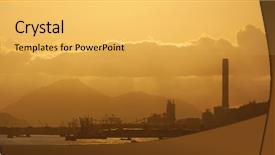
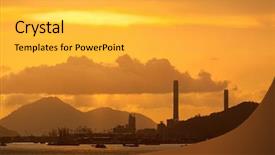
 Presentation with power plant - Audience pleasing PPT layouts consisting of modern waterfront power plant backdrop and a light blue colored foreground

Modern Waterfront Power Plant Sunset

As the camera pans over the modern waterfront power plant at sunset, the warm glow of the horizon sets the stage for a dramatic visual narrative that showcases the contrast between industry and natural beauty. The Wide Title design is specifically crafted to evoke a sense of grandeur and drama, with its bold font and eye catching imagery. This template format is ideal for showcasing large, high resolution images on the screen at once. The Widescreen aspect ratio provides an immersive viewing experience that draws the audience in. For those looking to enhance their presentation with a professional theme, Wide Title features a Cornflower Blue color palette that exudes trust and reliability. The template keywords chimney, sunrise, industry, pollution, twilight provide a rich foundation for showcasing high quality images related to these subjects. Incorporating a Background With industrial settings such as power plants or factories, having a Theme of pollution reduction featuring a sunrise with clean energy solutions is an excellent way to convey the importance of sustainable practices. The Dart on Target Layout slide adds a layer of sophistication and visual interest to the presentation, allowing for easy navigation and quick access to key information. This slide can be used to showcase specific data or statistics related to pollution, while also providing a concise overview of industry trends.

 Presentation with power plant - Colorful PPT theme enhanced with power plant at night backdrop and a royal blue colored foreground

Power Plant Night

As night falls over the vast expanse of the industrial landscape, the power plant stands tall, a behemoth of industry and progress. Its towering structure casts long shadows across the ground, illuminating the city in a soft, warm glow. The sound of machinery humming to life fills the air, a constant reminder of the raw energy that drives our modern world. The template is designed to be a stunning backdrop for presentations that showcase the power and beauty of fossil fuel based industry. The Widescreen format ensures that every detail is fully showcased, from the high resolution images of the background to the saturated colors that bring the scene to life. Featuring high quality images of power plants, factories, and industrial landscapes, this template is sure to enhance any presentation. The Royal Blue color palette adds a touch of sophistication and elegance, while the inclusion of keywords such as "transformer" and "industry" gives it a theme of precision engineering and dedication to excellence. Having a strong brand identity that showcases your company's commitment to innovation and sustainability is essential for reaching your audience and leaving a lasting impression. Who We Are Bio Layout could include a section highlighting your company's mission, values, and culture, showcasing what makes you unique and special. For example, "Our team of experts is dedicated to providing unparalleled support and service to our clients, combining their expertise with cutting edge technology to deliver exceptional results." The template is downloadable and compatible with Google Slides, making it easy to import into your presentation software of choice.

 Presentation with power plant - Cool new theme with panoramic shot of power plant backdrop and a cobalt blue colored foreground

Panoramic Shot Power Plant Sunset

The moment you step into the Corner Title template, you're immediately struck by its dramatic and industrial chic design. The Royal Blue color palette sets the tone for a sophisticated and modern look that's sure to turn heads. As the dominant colors, it evokes feelings of power, innovation, and energy. This template is specifically designed to work with Widescreen presentations, making it perfect for showcasing stunning visuals or cinematic shots. With its high resolution images featured prominently in the background, you'll get an immersive experience that draws your audience in. Imagine a breathtaking panoramic shot of a busy Power Plant at dusk, the warm tones and vibrant colors capturing the essence of industrial activity. This template is ideal for presentations that require a dynamic and engaging atmosphere, such as product launches, trade shows, or conference keynote addresses. The Corner Title's design lends itself perfectly to showcasing high quality images, making it an excellent choice for any digital presentation. The accompanying How To slides offer valuable guidance on how to get the most out of this template, but we won't delve into the details just yet. Let's just say that with these slides, you'll be well equipped to create a stunning and effective presentation that will leave your audience in awe.

▼Key features of this template

  • They are compatible with both PowerPoint and Google Slides running on either Windows PCs or Macs.

  • They are available in both standard and widescreen slide formats. You can choose your preferred format by clicking on the "Widescreen" check box or icon.

  • Each template includes a beautiful high-resolution background image or video to visually reinforce the theme of your presentation.

  • In addition, each template includes designer-created graphics and modern fonts to give your presentations an up-to-date, professional look.

  • Each template's default design and title text position have been carefully selected to complement its background without covering faces or other key elements.

  • All text includes backdrops whose transparency level is mathematically calculated to maximize text readability while still allowing the background to be seen.

  • And all the text, text backdrops and graphics in every slide are colored with a palette designed to beautifully complement the colors in the background.

  • Our Premium templates (those with the descriptor “Premium” in their subtitle) include over 64 slide layouts to give you maximum flexibility as you create your presentations.

    • Those layouts are available to you whenever you create a new slide or when you want to change the layout of an existing slide.
    • They include everything you need to make all sorts of presentations. In addition to the layouts for the title slide and the usual title and content slide, they include many other layouts for slide types including table of contents slides, org charts, charts, diagrams, infographics, photo slides, thank you slides and more.
    • While creating these layouts our template designers have ensured that all text in every layout adjusts as gracefully as possible to various numbers of words.
  • Customizable templates (those with the descriptor “Customizable” in their subtitle) may be easily modified online before you download them.

    • To modify them, simply click on the pencil editing icon, then select your choice of ready to go designs and title text positions.
    • The editing tool also makes it easy to reposition and scale the background image or video to best suit your needs.

▼FAQs

Please review these FAQs to see if your question is answered. Contact us for more info

  • What is a PowerPoint template?

    • A well designed PowerPoint template is a file that can tell PowerPoint how to make your ordinary templates look extraordinary. They won’t change what your words or numbers say. But they might change their size, color, font and placement. And, overall, they can give your presentations a professionally-designed look that will give your content more credibility and give you more confidence.
  • How many PowerPoint templates do you offer?

    • We have over 32,000 artist-created presentation templates in our PowerPlugs collection With a subscription, PowerPlugs templates are easy to download. Just sign in, find a template and click on the green Download button. ready for you to download. That alone offers you more variety to choose from than any of our competitors can offer. And, as if that weren’t enough, we also offer over 6 million templates in our Crystal collection. Crystal brand templates are our line of templates that have customization options. They have the word "CRYSTAL" on their web page images. You can customize several aspects of the templates. These templates include high-resolution background images from Shutterstock’s vast image collection matched up with artist-created presentation designs customized by our own proprietary AI software.
  • How many templates can I download as a subscriber?

    • You can download an unlimited number of PowerPlugs-brand With a subscription, PowerPlugs templates are easy to download. Just sign in, find a template and click on the green Download button. templates every day for an entire year. (Actually, by default, we set a limit of 25 templates per day to prevent our competitors from stealing our templates. But, if that is not enough, just let us know and we’ll try to accommodate you.) On top of that, with a subscription or an Ultimate Combo, you can also download any 50 Crystal-brand Crystal brand templates are our line of templates that have customization options. They have the word "CRYSTAL" on their web page images. You can customize several aspects of the templates. templates per year selected from our huge Crystal collection. Crystal brand templates are our line of templates that have customization options. They have the word "CRYSTAL" on their web page images. You can customize several aspects of the templates. .
  • Why should I choose your templates instead of the competition’s?

    • We’ve got a larger selection of professionally-designed PowerPoint templates than anyone else in the world.
    • Each template includes a high-resolution background image or video to visually inspire your audiences while reinforcing your message.
    • Each template includes 64 slide layouts to give you maximum flexibility as you create your presentations.
    • Our templates are available in both standard and widescreen slide formats. And our website lets you preview the slides each way.
    • Our free Template Finder™ plugin lets subscribers select and - with a single click - download and insert our templates into their presentations right from within PowerPoint.
    • We’ve been creating designer presentation templates for over 20 years. During that time we’ve won several awards and 5-star ratings for product quality. See About Us for more.
  • Do you offer a money-back guarantee?

    • Yes we do! We offer full 30-day money-back guarantee if you are not 100% satisfied with your purchase.
  • Can I still use my downloaded templates after my subscription runs out?

    • Yes. After your subscription expires, you won't lose any rights or ability to use your PowerPlugs: Templates for PowerPoint. You won't be able to download any new non-watermarked templates. But the non-watermarked templates you've already downloaded will still work and you can still use them as before.
  • Can I share my downloaded templates or passwords with friends or coworkers?

    • Sorry but no. You are authorized to download each paid-for template to up to 3 of your personal devices and to use the templates you download in as many presentations as you want. But you are not authorized to share the templates, themselves, with others. That said, we do offer highly discounted site licenses to suit the needs of both small and large teams. Just tell us your needs and we’ll give you a quote!
  • System requirements:

    • The templates use the standard POTX format. So they are compatible with Google Slides and all PC, Mac and mobile devices running any version of PowerPoint from PowerPoint 2007 up through and including Office 365 desktop.
    • Please note: Google Slides does not currently support background videos. It treats them as still images.
    • For PowerPoint for the Web, first open your template into a desktop version of PowerPoint, then save it back out as a PPTX file. Then you can open that in PowerPoint for the Web.
  • End user license agreement:

    • Click here to view.
  • How will I get my purchased templates?

    • You may download your selected templates as soon as your payment is received by PayPal. If you purchased an individual template, you will be provided with a download link both onscreen and via email. Just click on that link to begin the download process. If you purchased a subscription, you will receive an email containing a password to use along with your email address to sign in to any of the templates pages on CrystalGraphics.com. Once you are signed in, you can immediately start downloading your selected templates.
  • How do I use my templates after I download them?

    • You can either open a template to start a new presentation or you can add a template to an existing presentation. To open a template, just double click on it or use PowerPoint's File > Open tool. To add a template to an existing presentation, on the Design tab, in the Themes group, click Browse for Themes... then browse to select your template.

View more Power Plant templates:

previous 1 2 3 4 5 6 7 8 9 10 next
Categories related to Power Plant:
Coal power plant Electricity power plant Food processing plant Geothermal power plant Hand holding plant Plant genetic engineering Power plant industrial Sewage treatment plant Thermal power plant Wind power plant
93% of Fortune 1000
companies use our
PowerPoint Products
Templates Secure

Standing Ovation Award
Winner: Best PowerPoint
Template Collection
Fortune Logos
200,000+ satisfied
customers worldwide!
Guarantee
100% satisfaction guaranteed
- or send it back for a refund!

Sign up for our free newsletter! You'll get news about our PowerPoint-enhancing product line – including free updates, new product announcements and exclusive special offers. Plus you'll get a link to a free PowerPoint template with every newsletter you receive.
Privacy Policy
Loading...


Help

Contact Us
Product FAQs
Product License Agreements

Company Info

About Us
Privacy Policy
CrystalGraphics, Inc. 1999 S. Bascom Avenue Suite 700 Campbell, CA 95008 USA
© 2026 CrystalGraphics, Inc. All rights Reserved.    |     PowerPlugs is a trademark of CrystalGraphics, Inc.
Microsoft and the PowerPoint logo are trademarks or registered trademarks of Microsoft Corporation in the United States and/or other countries.
Loading...
Loading...