www.crystalgraphics.com CrystalGraphics
  • Ultimate Combo
  • Templates
  • Diagrams
  • Characters
  • Quizzes
  • shopping cart
  • Sign Out Sign Out Sign In
Home > Templates > Rabbit Category
search icon
advanced icon

311 Best Rabbit-Themed Templates for PowerPoint and Google Slides

Explore the whimsical world of CrystalGraphics vast collection of 6.7 million templates, and discover a treasure trove of inspiration with our stunning Rabbit category. This enchanting series of PowerPoint templates is packed with vibrant visuals and engaging designs that will transport your presentations to a sunny meadow filled with colorful balloons and a rich purple backdrop.

From the adorable scene of a cute small baby playing with a white rabbit, to an amazing slide set featuring a group of farm animals in perfect harmony on horseback, each template offers a unique perspective on this beloved animal. And whether you're looking for something romantic and soft, or action-packed and dynamic, our Rabbit category has got you covered.

With the Rabbit templates, you'll have access to a wide range of options, including title slides plus 60+ additional slides that will elevate your presentations to new heights. Our collection is designed to be flexible, allowing you to customize elements to suit your individual style and branding needs. Plus, with instant 24/7 download access, you can work on your templates at any time.

So why settle for a generic template when you can have a truly unique one? Browse through our extensive collection of Rabbit PowerPoint templates today, select the perfect design for your presentation, and transform it into something truly special. Download now and unleash your creativity!

Features & Pricing

Widescreen (16:9) Presentation Templates. Change size...
 Presentation with rabbit - Slide deck featuring scientist doing testing on animals background and a lemonade colored foreground

Scientist Doing Testing Animals Rabbit

The world of medical research and testing is full of complex procedures and high stakes experiments. Dr. Emma Taylor, a renowned scientist in the field, has spent years developing a groundbreaking new treatment for a debilitating disease that affects millions worldwide. Her latest project involves designing a custom laboratory setup to test the efficacy of her new therapy on infected rabbit models. The team needs to create a visually striking presentation to showcase their findings, and they're looking for a template that will help them get up and running quickly. Featuring high resolution images of lab equipment and medical research facilities, this template is designed to enhance the viewer's experience and include a background with subtle graphics that will provide context. The template has a sleek and modern design, featuring a light steel blue color palette that evokes feelings of trust and professionalism. The Four Arrows Layout is used consistently throughout the deck, providing a clear structure for each section and slide. Each element, from the backgrounds to the images, has been carefully selected to reflect the medical theme of the project. The template is downloadable and compatible with Google Slides, making it easy to share with colleagues or use in house. The four How To slides at the start of the deck will walk viewers through the process of setting up their presentation, from importing data to adding animations and effects.

 Presentation with rabbit - Beautiful PPT theme featuring vet doctor examining rabbit backdrop and a sky blue colored foreground

Vet Doctor Examining Rabbit Pet

Imagine walking into a serene and inviting pet hospital, surrounded by the soothing sounds of gentle whispers and the warmth of soft lighting this is what your Corner Title PowerPoint template is all about creating. This design name perfectly captures the essence of your template, evoking feelings of relaxation and trust in healthcare professionals. The Corner Title template features a beautiful light steel blue color palette that exudes professionalism and sophistication, perfect for any office setting or workplace. The high resolution images on the background will transport you to a world of medical precision, where every detail is meticulously crafted to provide an enhanced experience. As you begin your presentation, you'll feel confident and prepared to tackle even the most challenging topics. This template is designed with small details in mind, showcasing how attention to little things can make all the difference. You'll see four How To slides at the start of your deck, which will help you get up and running quickly making it easier to stay focused on what matters most. The Member Bio Layout slide takes center stage, featuring a clear and concise breakdown of key points about yourself as a vet doctor or medical professional. This section will be an opportunity to showcase your expertise and personality, setting the tone for a compelling narrative throughout your presentation. On any given day, this template could be used to present information on the latest vaccination techniques in veterinary medicine, including exciting new developments and emerging trends that are likely to shape the future of animal healthcare. With its captivating visuals and thoughtful layout, this Corner Title PowerPoint template is sure to enhance your presentations and leave a lasting impression on your audience.

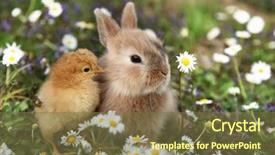
 Presentation with rabbit - Slide deck featuring bunny rabbit and chick are background and a tawny brown colored foreground

Bunny Rabbit Chick Best Friends

Imagine a colorful and whimsical world where Easter bunnies and their friends are at play. The sun shines brightly behind the trees, casting a warm glow over the vibrant landscape. A gentle breeze rustles the leaves as the camera pans across the rolling hills, before landing on a happy group of chicks playing together in a sunny meadow. They're surrounded by Easter eggs, colorful flowers, and lush greenery, all blending seamlessly into a breathtaking scene. In this idyllic setting, high resolution images featuring beautiful landscapes and playful animals come to life on screen. The Olive color palette brings a sense of warmth and coziness, perfect for showcasing the festive atmosphere. The Corner Title template is designed to make a statement, standing out from the crowd with its bold and eye catching design. The Widescreen format ensures that all elements fit comfortably within the frame, creating a seamless viewing experience. The full frame aspect ratio provides maximum visibility, making it ideal for presentations and slideshows. Featuring a stunning background image, this template is sure to grab your audience's attention. Including a Background With high quality images of Easter bunnies and their friends, you'll be able to showcase the theme without sacrificing clarity or detail. Having a Theme of vibrant colors and playful graphics will enhance the overall visual appeal. The template includes four How To slides at the start of the deck to help users get up and running quickly. These slides provide essential guidance on setting up the template, customizing it, and sharing it with others. With its high resolution images and engaging design, this Corner Title template is a great way to add some Easter cheer to your presentations.

 Presentation with rabbit - Colorful presentation theme enhanced with animal - bunny rabbit and chick are backdrop and a violet colored foreground

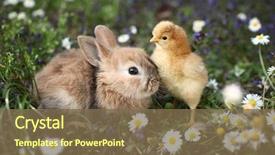
Bunny Rabbit Chick Best Friends

Imagine a world where the Easter bunny and his best friend chick are inseparable, their friendship is rooted in a deep bond that can only be nurtured by lush greenery. The Corner Title template is designed to bring this whimsical duo to life on your computer screen, with a dynamic background of high resolution images that will transport you to a magical world of fauna and friendship. The template's Dark Olive Green color palette sets the tone for a sophisticated and elegant design, perfect for showcasing your Easter themed creations. The full frame aspect ratio ensures that every detail is maximized, from the intricate textures to the vibrant colors. The Corner Title template is versatile enough to be used as a standalone design or enhanced with other graphics elements, making it an ideal choice for presentations, posters, and other projects that require a touch of whimsy and fun. Whether you're featuring high resolution images of Easter eggs, bunnies in motion, or simply adding some background fun to your slides, this template is sure to delight. The Two Content Layout slide can include text overlays highlighting the importance of friendship and showcasing how the bunny and chick's bond serves as a model for our own relationships. Alternatively, you could have a split screen design featuring an Easter egg illustration with a caption "Hopping into Friendship" or something similar. This template is your chance to inject some fun and personality into your presentations, making them more engaging and memorable for your audience.

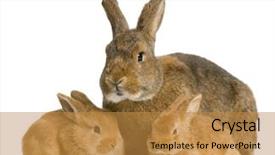
 Presentation with rabbit - Audience pleasing PPT layouts consisting of animal reproduction - mother rabbit with her new backdrop and a gold colored foreground

Mother Rabbit New Born Bunny

The Corner Title PowerPoint template is a stunning design that perfectly captures the essence of a studio setting. Imagine working in a cozy little abode with your new born bunny by your side, surrounded by warm and inviting elements such as high resolution images featuring soft fur textures and rich colors like tan. The Corner Title template's background design is nothing short of breathtaking, with intricate details and subtle shading that creates a sense of depth and dimensionality. The Widescreen format allows the viewer to fully immerse themselves in this serene atmosphere, making it perfect for presentations about growth stages such as infancy. The Tan color palette provides a calming and natural backdrop for your content, while the Innocence theme adds a touch of warmth and nurturing. To enhance the user experience, you can include high resolution images like these featuring babies and toddlers playing, learning, and growing. Having a theme of "studio" is perfectly in line with this concept, allowing users to focus on the creative process rather than distractions. The Corner Title template's downloadable format makes it easy to share and incorporate into your own presentations.

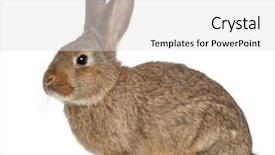
 Presentation with rabbit - Amazing slides having rabbit sitting against white background backdrop and a light gray colored foreground

Rabbit Sitting Against White Background

The Corner Title template is a stunning design that will elevate your presentation to the next level. This Widescreen template features a tan color palette with a warm and inviting tone that sets the perfect stage for any domestic animal themed presentation. The high resolution images for the background are sure to impress, providing a visually appealing canvas for your content. The Corner Title template is designed with isolation in mind, featuring a clear distinction between the text and the image. This makes it easy to focus on the main message and avoid distractions. The isolated design also allows you to add your own personal touch by including a background with your preferred color scheme or theme. One of the standout features of this template is its Circular Approach Layout slide. This slide provides a clear overview of how to structure your presentation, featuring a simple yet effective design that makes it easy to get started quickly. The circular layout also allows you to include additional elements such as images, charts, and graphs, making it an ideal choice for presentations with complex content. The Corner Title template is more than just a design it's a comprehensive solution that includes four How To slides to help you get up and running quickly. These slides cover topics such as creating engaging titles, designing effective layouts, and adding visual elements to enhance your presentation. With this template, you'll be well on your way to creating presentations that are both visually stunning and easy to understand. The tan color palette is a perfect fit for a domestic animal themed presentation, evoking feelings of warmth and coziness. The high resolution images for the background can be used to create a realistic and immersive experience, making it ideal for presentations with complex graphics or animations. Overall, the Corner Title template is an excellent choice for anyone looking to elevate their presentation game with

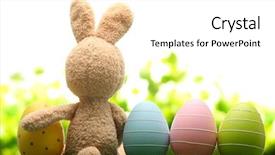
 Presentation with rabbit - PPT theme featuring sugar rabbit and easter eggs background and a white colored foreground

Sugar Rabbit Easter Eggs Meadow.

The art of creating a stunning visual presentation is all about striking the perfect balance between form and function. By adding just the right amount of color and texture to your design, you can elevate your message from bland to grand. Imagine presenting a beautifully crafted Easter basket filled with colorful eggs and sweet treats on a warm summer meadow, surrounded by lush greenery and vibrant wildflowers. This is what we're aiming for with our template, which combines the warmth of goldenrod with the whimsy of painted objects and the excitement of seasonal themes. This template is designed to be versatile enough to showcase your creativity and expertise in various ways. The goldenrod color palette provides a rich and inviting backdrop for showcasing high resolution images that bring your Easter themed design to life. Whether you're presenting a gift or just want to add some festive flair to your slides, this template has got you covered. For our downloadable presentation, we've chosen the Widescreen format to ensure that all the intricate details of your design are showcased in stunning high definition. The Ansoff Matrix Diagram Layout slide is particularly notable for its ability to help users understand how different product development strategies can lead to increased market share and revenue growth. By including a Background With image on our template, we're featuring high quality images that will enhance the overall visual impact of your presentation. Our gift themed template is perfect for showing off your Easter egg hunts, holiday preparations, or any other seasonal celebration you'd like to highlight. The included How To slides can help new users get up and running quickly with a solid foundation for their presentations.

 Presentation with rabbit - Audience pleasing PPT layouts consisting of woman holding little cute rabbit backdrop and a red colored foreground

Woman Holding Cute Rabbit Close

PPT layouts consisting of woman holding little cute rabbit close up backdrop

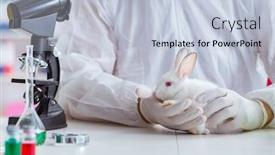
 Presentation with rabbit - Beautiful slide deck featuring white-rabbit-in-scientific-lab backdrop and a light blue colored foreground

White Rabbit Scientific Lab Experiment

You've received the powerpoint template from CrystalGraphics, and it's your chance to create an attention grabbing presentation that showcases your medical research in action. The design name is "Sick Lab," and it features a short description of a white rabbit in a scientific lab experiment. Imagine the excitement on your audience's faces as you unveil this visually striking template. The template is set in a widescreen format, perfect for showcasing high resolution images of the lab scene without any loss of detail. The Light Steel Blue color palette creates a clean and professional atmosphere that will enhance your presentation's overall look. This theme is sure to grab attention and inspire your audience to dive into the world of medical research. The template includes four how to slides at the start to help you get up and running quickly, but don't worry too much about those now just know they're there if you need them. When it comes to creating an engaging presentation, "Sick Lab" is sure to have a theme of making complex ideas easy to understand. Think of it as having a background that features a stunning image of a microscope, including a subtle gradient effect in the Light Steel Blue color palette. The opposite directional arrows layout on this template will keep your audience engaged and captivated throughout the presentation. It's an enhanced feature that adds visual interest and makes navigation easier. This theme is all about conveying information in a clear and concise manner just like how "Sick Lab" does with its white rabbit, featuring a high resolution image of a lab scene in the background. With these features in mind, you're ready to create your own presentation masterpiece that showcases the importance of medical research. Don't be afraid to experiment and have fun with it!

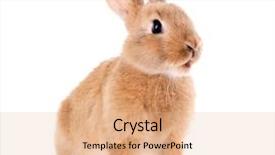
 Presentation with rabbit - Slide set with little rabbit isolated on white background and a coral colored foreground

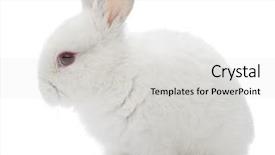
Rabbit Isolated White

Slide set with little rabbit isolated on white

 Presentation with rabbit - PPT theme featuring young girl holding bunny rabbit background and a coral colored foreground

Happy Young Girl Holding Bunny

Imagine a bright and cheerful summer day in London where a young girl is spending quality time with her adorable bunny rabbit in the backyard. The warm sun shines down on them as they play together, creating a joyful atmosphere that's sure to put a smile on everyone's face. This image would be perfect for a welcome slide, setting the tone for the rest of your presentation. The Corner Title template is designed to complement this happy scene perfectly. With its sleek and modern design, it will instantly grab attention and draw the viewer in. The high resolution images of the background are sure to make your slides pop, transporting viewers to a vibrant and lively atmosphere. The Yellow Green color palette is a bright and uplifting choice that evokes feelings of happiness and warmth. It's the perfect combination for a presentation about friendship, love, or any other topic that needs a cheerful vibe. This template features a Caucasian theme, making it easily accessible and relatable to your target audience. You can include a background image featuring colorful flowers or balloons to enhance the festive atmosphere. The Growth Stages Layout slide is an excellent way to showcase how you plan to structure your presentation. By including images of different stages, such as "Getting Started" and "Putting It All Together", it will give viewers an idea of what to expect from the rest of the deck. Using this template for a Google Slide can be incredibly helpful, as it's downloadable and compatible with a wide range of devices. You'll have access to high resolution images that will elevate your presentation to the next level.

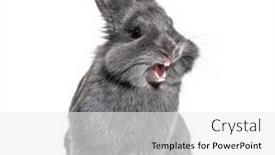
 Presentation with rabbit - Amazing slide deck having expressive-grey-young-rabbit-standing backdrop and a white colored foreground

Expressive Grey Young Rabbit Standing

In the world of pet owners, there's nothing quite like bringing a furry friend into your life, and with that comes the joy of creating a welcoming space for them to roam. The Sidebar Title template is designed to expressively capture the essence of this experience, with its vibrant crimson color palette evoking feelings of warmth and comfort. The Sidebar Title template features four How To slides at the start of the deck, providing a solid foundation for you to get up and running quickly: "Setting Up Your Studio," "Designing Your Space," "Adding Your First Pet Image," and "Configuring Your Template." However, what truly sets this template apart is its seamless integration with Google Slides. To feature your new pet as the star of your studio, simply include a high resolution background image featuring a happy young rabbit in front, isolated from the distractions of everyday life. The Sidebar Title template also includes a Gear in Sync Layout slide, which showcases an impressive array of features and tools at your disposal to enhance your presentation. For example, you could have a section titled "Features," highlighting the template's compatibility with Google Slides, as well as its ability to include a background image or add animations. The best part? This stunning Sidebar Title template is now downloadable and compatible with all major browsers, including Google Slides. By incorporating this template into your presentation, you'll be able to create engaging, pet themed slides that leave a lasting impression on your audience.

 Presentation with rabbit - Presentation theme consisting of shot of a white rabbit background and a light gray colored foreground

Studio Shot White Rabbit Isolated

In the heart of every creative studio lies a canvas waiting to be brought to life with the perfect template. This is where our design name comes in "Studio Shot" a fitting title that evokes the feeling of being in the midst of a bustling workspace. Our template format is Widescreen, designed to provide an immersive experience for users. The Peach Puff Colored background palette adds a touch of warmth and coziness to the overall look, making it perfect for presentations that require a creative and inviting atmosphere. The keywords we've chosen for this template are lagomorphs, studio, no, fur, isolated a unique combination that sets it apart from other templates. With high resolution images featured throughout the design, users will be able to showcase their creativity with ease. The 5 x 5 Org Chart Layout slide is particularly useful in showcasing the hierarchy of a team or organization, making it easy for users to visualize and understand the structure. This template is downloadable and compatible with Google Slides, allowing users to easily incorporate high quality images into their presentations. As inspiration, we've drawn from the classic studio shot of a white rabbit isolated on a white background a timeless image that exudes creativity and sophistication.

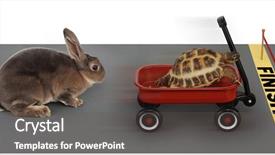
 Presentation with rabbit - Theme enhanced with competitive advantage - turtle winning the race background and a dark gray colored foreground

Turtle Winning Race Against Rabbit

As you dive into the world of visual design, one key element stands out: attention. A well crafted PowerPoint template can elevate your presentation from mere information to an immersive experience that captures your audience's imagination. Introducing Split Title, a unique and captivating template designed specifically for creatives who need to convey a message with ease and flair. This 4 slide deck begins with a straightforward yet effective introduction: Featuring high resolution images of lush green forests in the background, Split Title is a template that transforms the traditional presentation format into an engaging visual narrative. The subtle gradient effect on the colors creates a dynamic atmosphere that invites the viewer to explore further. The Template Format is Widescreen, allowing you to display your content with maximum impact. This template's color palette is Tomato inspired, adding a pop of warmth and energy to any presentation. The 3x3 Org Chart Layout slide provides a clear structure, highlighting key roles and responsibilities in a competitive work environment. Having a Theme of Teamwork and Collaboration, this layout offers valuable insights into how individuals can come together to achieve outstanding results. As you delve deeper into your presentation, the How To slides will provide crucial tips and tricks to help you stay on track. Don't worry; these are there to guide you, not overwhelm you. With Split Title as your trusted companion, you'll be able to showcase your ideas with confidence and style. This template is downloadable and compatible with Google Slides, ensuring seamless integration into your workflow. Adding a splash of fun to the traditional format, this template features high resolution images of turtles crossing roads in bright colors, setting the tone for an engaging experience. Incorporating these elements will not only capture attention but also make your presentation more memorable. With Split Title on your side, you'll be ready to tackle any challenge that comes your way, armed with determination and a solid understanding of how to harness it.

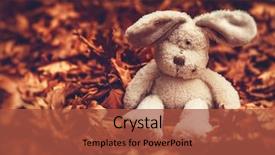
 Presentation with rabbit - Presentation enhanced with little sad plush rabbit background and a red colored foreground

Closeup Photo Sad Plush Rabbit

A desperate little rabbit sits alone in the forest, its once fluffy fur now dull and matted with dry tree leaves, a poignant reminder of all that has been lost. The background image is high resolution, providing a clear and detailed view of the melancholy scene unfolding before our eyes. The template's design name is Wide Title, a fitting moniker given the rabbit's downtrodden demeanor. The Widescreen format ensures that every aspect of this template is presented at its largest and most immersive size, from the tiny details to the expansive background images. The Crimson color palette provides a bold and eye catching backdrop for our theme, drawing attention with its deep, rich tones. Featuring an inclusion of high resolution images throughout will ensure that your presentation looks stunning. A small but crucial element to consider is the template's compatibility with Google Slides. This makes it accessible to users worldwide, regardless of their preferred platform. Having a theme of "Forest Elegy" or "Downfall in Bloom" could be an excellent choice for this content, as it evokes a sense of melancholy and loss. The Hexagon Layout slide would make a perfect starting point for your presentation, providing a clear visual structure and organization of the content. This feature, along with Having a Background With crisp white space to separate sections and Enhance With additional graphics or images to break up the flow, will keep your audience engaged from start to finish.

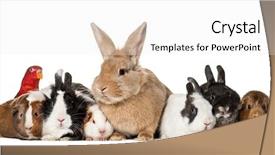
 Presentation with rabbit - Slide set consisting of rabbits guinea pigs and chattering background and a white colored foreground

Rabbits Guinea Pigs Chattering Lory

Imagine walking into a colorful pet studio where adorable rabbits, Guinea Pigs, and chattering lorikeets are busy preparing for a photo shoot. The warm and inviting atmosphere is perfect for showcasing your latest creations to the world. This attention grabbing scene features a delightful mix of pets in front view settings, with high resolution images that bring your vision to life. When it comes to creating a stunning presentation, CrystalGraphics offers an extensive range of design name options to choose from. For instance, some popular choices include Bright Canvas, Skybound Studio, and Urban Oasis. The template format is Widescreen, making it ideal for showcasing visuals without any distractions. The rosé brown color palette provides the perfect backdrop for your creative journey. You can incorporate various keywords such as 'pets', 'studio', 'looking away', 'front view', and 'rabbits' to give a clear idea of what your presentation is about. Featuring high resolution images, this template includes a Background With plenty of fun design elements, including a smiling rabbit in the center. Each slide has an Enhanced With of showcasing these features, making it easier for viewers to follow along. Whether you're creating a slideshow for personal use or sharing it with colleagues, having a Theme of color and layout can really make your presentation stand out. The four How To slides at the start of the deck will help you get up and running quickly, but some tips suggest that you should also include step by step instructions on using the template. As an example, you could use one of these image backgrounds with a caption slide to showcase high quality images from your pets. For instance, imagine featuring a happy rabbit sitting against a white background while wearing a cute outfit or holding a fun prop. This format can help illustrate what types of visuals are included in the template. The end result is a presentation that showcases your creativity and attention to detail, making it perfect for showcasing your latest pet related projects to potential clients or sharing with colleagues.

 Presentation with rabbit - Slides with portrait of a european rabbit background and a coral colored foreground

Portrait European Rabbit Oryctolagus Cuniculus,

The spotlight is on you as you create your very own Corner Title PowerPoint template, featuring high resolution images that will make any pet lover's eyes pop. This stunning design name has been carefully crafted to evoke the feeling of being in a cozy rabbit studio where creativity and cuteness come together seamlessly. This template format is perfect for showcasing your talents on Widescreen mode, allowing you to display 16:9 aspect ratio images with ease. The Bisque color palette will transport your audience to a warm and inviting world filled with soft pastel colors and gentle textures. As inspiration, take note of the beautifully rendered European Rabbit portrait in white, its fur looking absolutely adorable against the crisp background. The Corner Title template is packed with features that make it incredibly versatile, including a range of keywords that will help you establish your brand identity as an expert in pet themed graphics. Whether you're using this template for personal projects or presentations, having a theme of "pet lovers" and featuring high resolution images that showcase your creativity will surely capture your audience's attention. This template is not just a design, but a valuable resource that includes four How To slides at the start of the deck to help you get up and running quickly. These slides cover essential topics such as getting familiar with Google Slides, setting up templates, creating new projects, and troubleshooting common issues. Having a theme of "getting started" is also included in the template, making it easy for users to navigate the basics. If you're looking for a stunning background with a simple yet effective design, featuring a beautiful European Rabbit portrait that will make your audience smile, then this Corner Title template is sure to meet your requirements.

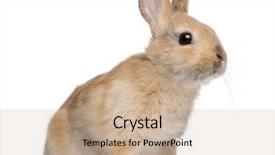
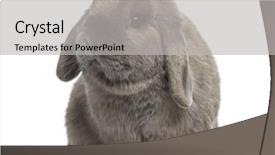
 Presentation with rabbit - Slides enhanced with cute holland lop rabbit isolated background and a light gray colored foreground

Cute Holland Lop Rabbit Isolated

In a world where creativity knows no bounds, and innovation is always on the rise, our Corner Title template is the perfect companion to bring your vision to life. This stylish and versatile design features a warm tan color palette that will transport you to a studio of your dreams. The result is an isolated, vibrant image that showcases high resolution backgrounds to elevate your presentation. The template's format is perfect for showcasing your work in full 16:9 widescreen proportions. With its rich tan color scheme, it seamlessly integrates with any digital platform. Our team has carefully curated the keywords and descriptions to ensure maximum impact from "studio" to "high resolution images," we've got you covered. This template is a must have for anyone looking to enhance their presentation with a unique blend of style and substance. With its 5 x 5 Org Chart Layout slide, you'll be able to visualize your team's structure in a clear and concise manner. This layout will also feature a Featured section highlighting the top performers, making it easy to track progress and motivation. Incorporating a Background With various high resolution images of the studio setting or inspirational quotes can add an extra layer of depth and sophistication to your presentation. Having a Theme of innovation and creativity will keep your audience engaged throughout the deck. Featuring this template as a starting point for your Google Slides project is a great idea it's downloadable, compatible with Google Slides, and ready to be customized with your own branding.

 Presentation with rabbit - PPT layouts with european rabbit or common rabbit background and a coral colored foreground

European Rabbit Common Rabbit 2

The moment you start to create your Sidebar Title template with CrystalGraphics is one that will grab attention. Imagine yourself surrounded by vibrant and colorful European rabbits, their distinctive white coats glistening in the sunlight as they hop across a beautiful Peruvian landscape. This sidebar title design is perfect for showcasing your content on a wide screen format. With its soothing Peru color palette, it's sure to evoke feelings of warmth and serenity. The template keywords are front view, domestic animal, isolated, vertebrate, and white background, making it the ultimate tool for creating engaging slideshows. The high resolution images used in this design will give your audience a vivid sense of what you're featuring, whether it's an adorable two month old European rabbit or an impressive photograph of a common rabbit. The template is downloadable and compatible with Google Slides, making it easy to incorporate into your existing workflow. As you start building your Sidebar Title, remember that the four How To slides at the beginning will help you get up and running quickly. These slides are sure to be the backbone of any successful presentation or slideshow. The 4 Pictures + Captions Layout slide is a great example of how you can enhance your design with interactive elements. Featuring a background image with text overlays can make for an engaging way to present information, while including a call to action button or adding images to break up large blocks of text will keep your audience engaged. Having a theme of showcasing a specific subject matter, such as wildlife photography, is also a great idea. The Sidebar Title template from CrystalGraphics offers the perfect canvas for you to create stunning slideshows that will leave your audience in awe. With its Peru color palette and high resolution images, it's sure to be a hit with anyone looking to showcase their content on a wide screen format.

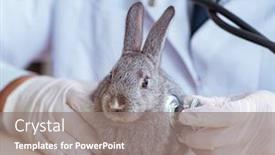
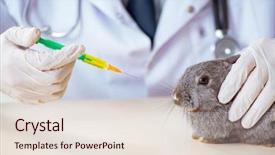
 Presentation with rabbit - Presentation design consisting of vet-doctor-checking-up-rabbit background and a gray colored foreground

Vet Doctor Checking Up Rabbit

Imagine walking into a state of the art veterinary clinic where the vet is conducting an essential check up on a rabbit, giving you a glimpse into the high tech world of modern medicine featuring small animals. Corner Title's visually appealing design name highlights the unique aspect of this template that combines medical expertise with heart pumping excitement. The Widescreen format provides users with the immersive experience they need to create engaging presentations without compromising image quality. The Light Steel Blue color palette adds a touch of sophistication and professionalism, while the accompanying keywords small, medical, heartbeat, sick, lab perfectly capture the essence of this template's theme. Featuring high resolution images for the background is just one way to enhance the visual appeal of the template, which also includes Having a Theme of Medical Care and Enhanced With various graphics elements. The Ansoff Matrix Diagram Layout slide would be an ideal starting point for any new user, providing a clear overview of how to use the template in its various stages. It could be described as Featuring high impact visuals, including colorful icons and charts, Including a Background With beautifully designed illustrations, Having a Clear Theme of Medical Expertise, and Enhancing the overall presentation with custom graphics.

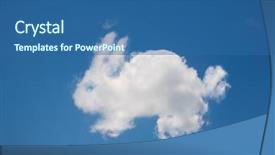
 Presentation with rabbit - PPT theme having rabbit shaped cloud background and a ocean colored foreground

Rabbit Shaped Cloud Blue Sky

Imagine walking into a serene and mystical forest on a warm Easter morning, surrounded by vibrant wildflowers and towering trees that seem to stretch up to the sky. The air is filled with the sweet scent of blooming flowers and the gentle chirping of birds as they sing their happy songs. The temple design features a unique symbol at its center, a stylized rabbit shape that seems to come alive amidst the lush greenery. This rabbit is surrounded by clouds that resemble wispy brushstrokes on a watercolor painting, giving it an ethereal quality. The cloud shapes are intricately detailed and feature subtle gradient effects that give them depth and dimension. The background image of the Easter forest is high resolution and features 4D effects that allow the viewer to feel as if they're walking through the trees or flying above the landscape. This ensures a seamless and immersive experience. The template is designed to be customizable, featuring multiple levels of nesting designs, making it easy to create complex layouts while maintaining a clean and elegant aesthetic. The Level Piramid Layout slide offers 5 different options, each with its own unique features and enhancements. For example, the first option could include a background image of a serene lake on a warm summer day, complete with tall trees that seem to stretch up towards the sky. Having a theme of "Symbolic Elements" this template is packed with symbol rich designs, from eggs to rabbits, each one carefully crafted to enhance the overall mood and atmosphere. The Easter theme is perfect for creative professionals, students, or anyone looking to add a touch of whimsy to their presentations.

▼Key features of this template

  • They are compatible with both PowerPoint and Google Slides running on either Windows PCs or Macs.

  • They are available in both standard and widescreen slide formats. You can choose your preferred format by clicking on the "Widescreen" check box or icon.

  • Each template includes a beautiful high-resolution background image or video to visually reinforce the theme of your presentation.

  • In addition, each template includes designer-created graphics and modern fonts to give your presentations an up-to-date, professional look.

  • Each template's default design and title text position have been carefully selected to complement its background without covering faces or other key elements.

  • All text includes backdrops whose transparency level is mathematically calculated to maximize text readability while still allowing the background to be seen.

  • And all the text, text backdrops and graphics in every slide are colored with a palette designed to beautifully complement the colors in the background.

  • Our Premium templates (those with the descriptor “Premium” in their subtitle) include over 64 slide layouts to give you maximum flexibility as you create your presentations.

    • Those layouts are available to you whenever you create a new slide or when you want to change the layout of an existing slide.
    • They include everything you need to make all sorts of presentations. In addition to the layouts for the title slide and the usual title and content slide, they include many other layouts for slide types including table of contents slides, org charts, charts, diagrams, infographics, photo slides, thank you slides and more.
    • While creating these layouts our template designers have ensured that all text in every layout adjusts as gracefully as possible to various numbers of words.
  • Customizable templates (those with the descriptor “Customizable” in their subtitle) may be easily modified online before you download them.

    • To modify them, simply click on the pencil editing icon, then select your choice of ready to go designs and title text positions.
    • The editing tool also makes it easy to reposition and scale the background image or video to best suit your needs.

▼FAQs

Please review these FAQs to see if your question is answered. Contact us for more info

  • What is a PowerPoint template?

    • A well designed PowerPoint template is a file that can tell PowerPoint how to make your ordinary templates look extraordinary. They won’t change what your words or numbers say. But they might change their size, color, font and placement. And, overall, they can give your presentations a professionally-designed look that will give your content more credibility and give you more confidence.
  • How many PowerPoint templates do you offer?

    • We have over 32,000 artist-created presentation templates in our PowerPlugs collection With a subscription, PowerPlugs templates are easy to download. Just sign in, find a template and click on the green Download button. ready for you to download. That alone offers you more variety to choose from than any of our competitors can offer. And, as if that weren’t enough, we also offer over 6 million templates in our Crystal collection. Crystal brand templates are our line of templates that have customization options. They have the word "CRYSTAL" on their web page images. You can customize several aspects of the templates. These templates include high-resolution background images from Shutterstock’s vast image collection matched up with artist-created presentation designs customized by our own proprietary AI software.
  • How many templates can I download as a subscriber?

    • You can download an unlimited number of PowerPlugs-brand With a subscription, PowerPlugs templates are easy to download. Just sign in, find a template and click on the green Download button. templates every day for an entire year. (Actually, by default, we set a limit of 25 templates per day to prevent our competitors from stealing our templates. But, if that is not enough, just let us know and we’ll try to accommodate you.) On top of that, with a subscription or an Ultimate Combo, you can also download any 50 Crystal-brand Crystal brand templates are our line of templates that have customization options. They have the word "CRYSTAL" on their web page images. You can customize several aspects of the templates. templates per year selected from our huge Crystal collection. Crystal brand templates are our line of templates that have customization options. They have the word "CRYSTAL" on their web page images. You can customize several aspects of the templates. .
  • Why should I choose your templates instead of the competition’s?

    • We’ve got a larger selection of professionally-designed PowerPoint templates than anyone else in the world.
    • Each template includes a high-resolution background image or video to visually inspire your audiences while reinforcing your message.
    • Each template includes 64 slide layouts to give you maximum flexibility as you create your presentations.
    • Our templates are available in both standard and widescreen slide formats. And our website lets you preview the slides each way.
    • Our free Template Finder™ plugin lets subscribers select and - with a single click - download and insert our templates into their presentations right from within PowerPoint.
    • We’ve been creating designer presentation templates for over 20 years. During that time we’ve won several awards and 5-star ratings for product quality. See About Us for more.
  • Do you offer a money-back guarantee?

    • Yes we do! We offer full 30-day money-back guarantee if you are not 100% satisfied with your purchase.
  • Can I still use my downloaded templates after my subscription runs out?

    • Yes. After your subscription expires, you won't lose any rights or ability to use your PowerPlugs: Templates for PowerPoint. You won't be able to download any new non-watermarked templates. But the non-watermarked templates you've already downloaded will still work and you can still use them as before.
  • Can I share my downloaded templates or passwords with friends or coworkers?

    • Sorry but no. You are authorized to download each paid-for template to up to 3 of your personal devices and to use the templates you download in as many presentations as you want. But you are not authorized to share the templates, themselves, with others. That said, we do offer highly discounted site licenses to suit the needs of both small and large teams. Just tell us your needs and we’ll give you a quote!
  • System requirements:

    • The templates use the standard POTX format. So they are compatible with Google Slides and all PC, Mac and mobile devices running any version of PowerPoint from PowerPoint 2007 up through and including Office 365 desktop.
    • Please note: Google Slides does not currently support background videos. It treats them as still images.
    • For PowerPoint for the Web, first open your template into a desktop version of PowerPoint, then save it back out as a PPTX file. Then you can open that in PowerPoint for the Web.
  • End user license agreement:

    • Click here to view.
  • How will I get my purchased templates?

    • You may download your selected templates as soon as your payment is received by PayPal. If you purchased an individual template, you will be provided with a download link both onscreen and via email. Just click on that link to begin the download process. If you purchased a subscription, you will receive an email containing a password to use along with your email address to sign in to any of the templates pages on CrystalGraphics.com. Once you are signed in, you can immediately start downloading your selected templates.
  • How do I use my templates after I download them?

    • You can either open a template to start a new presentation or you can add a template to an existing presentation. To open a template, just double click on it or use PowerPoint's File > Open tool. To add a template to an existing presentation, on the Design tab, in the Themes group, click Browse for Themes... then browse to select your template.

View more Rabbit templates:

previous 1 2 3 4 5 6 7 8 9 10 11 12 13 14 15 next
93% of Fortune 1000
companies use our
PowerPoint Products
Templates Secure

Standing Ovation Award
Winner: Best PowerPoint
Template Collection
Fortune Logos
200,000+ satisfied
customers worldwide!
Guarantee
100% satisfaction guaranteed
- or send it back for a refund!

Sign up for our free newsletter! You'll get news about our PowerPoint-enhancing product line – including free updates, new product announcements and exclusive special offers. Plus you'll get a link to a free PowerPoint template with every newsletter you receive.
Privacy Policy
Loading...


Help

Contact Us
Product FAQs
Product License Agreements

Company Info

About Us
Privacy Policy
CrystalGraphics, Inc. 1999 S. Bascom Avenue Suite 700 Campbell, CA 95008 USA
© 2026 CrystalGraphics, Inc. All rights Reserved.    |     PowerPlugs is a trademark of CrystalGraphics, Inc.
Microsoft and the PowerPoint logo are trademarks or registered trademarks of Microsoft Corporation in the United States and/or other countries.
Loading...
Loading...