www.crystalgraphics.com CrystalGraphics
  • Ultimate Combo
  • Templates
  • Diagrams
  • Characters
  • Quizzes
  • shopping cart
  • Sign Out Sign Out Sign In
Home > Templates > Rabbit Category
search icon
advanced icon

311 Best Rabbit-Themed Templates for PowerPoint and Google Slides

Explore the whimsical world of CrystalGraphics vast collection of 6.7 million templates, and discover a treasure trove of inspiration with our stunning Rabbit category. This enchanting series of PowerPoint templates is packed with vibrant visuals and engaging designs that will transport your presentations to a sunny meadow filled with colorful balloons and a rich purple backdrop.

From the adorable scene of a cute small baby playing with a white rabbit, to an amazing slide set featuring a group of farm animals in perfect harmony on horseback, each template offers a unique perspective on this beloved animal. And whether you're looking for something romantic and soft, or action-packed and dynamic, our Rabbit category has got you covered.

With the Rabbit templates, you'll have access to a wide range of options, including title slides plus 60+ additional slides that will elevate your presentations to new heights. Our collection is designed to be flexible, allowing you to customize elements to suit your individual style and branding needs. Plus, with instant 24/7 download access, you can work on your templates at any time.

So why settle for a generic template when you can have a truly unique one? Browse through our extensive collection of Rabbit PowerPoint templates today, select the perfect design for your presentation, and transform it into something truly special. Download now and unleash your creativity!

Features & Pricing

Widescreen (16:9) Presentation Templates. Change size...
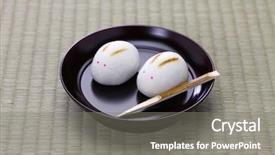
 Presentation with rabbit - Theme featuring past events - rabbit manju japanese confection background and a  colored foreground

Rabbit Manju Japanese Confection Moon

The night sky is ablaze with the soft glow of Japanese confectionery, as the moon casts its silvery light upon the tranquil landscape. The isolated figure stands amidst the serene scene, lost in thought as they await the perfect moment to behold the starry night sky. It's a moment sacred to many, particularly during the traditional New Year's Eve celebration, where people gather to pay respects to their ancestors and make wishes for a prosperous future. In this captivating atmosphere, high resolution images of Japanese confectionery adorn the background of the Split Title template, evoking a sense of warmth and hospitality. The Dark Khaki color palette exudes sophistication and elegance, providing a perfect backdrop for the celebration. As you navigate through the slides, you'll discover key elements that enhance your visual storytelling. The Four Arrows Layout is an iconic design element in Japanese culture, representing balance and harmony between yin and yang. On this template, it's featured prominently on the background, with subtle animations to give it a dynamic feel. Having a theme of "Japense Celebration" allows you to create a cohesive narrative that ties together all aspects of your presentation. Enhanced with high resolution images of Japanese confectionery and intricate details, this layout will transport your audience to a world of tradition and wonder.

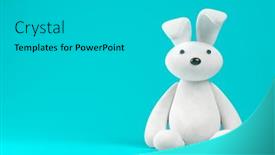
 Presentation with rabbit - Slides having white-toy-rabbit-on-blue background and a teal colored foreground

White Toy Rabbit Blue Background

Slides having white toy rabbit on blue background 3d illustration

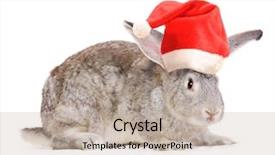
 Presentation with rabbit - Beautiful PPT layouts featuring christmas pets animals concept - rabbit in a santas hat backdrop and a mint green colored foreground

Rabbit Santas Hat Isolated White.

As you scroll through the pages of your new Corner Title template, you can't help but notice how effortlessly it weaves its way into any room, making even the most mundane spaces feel like a winter wonderland. This stunning template is perfect for anyone looking to add a touch of whimsy and charm to their slides, whether they're creating presentations or simply adding some personality to their workspace. The Corner Title design name is inspired by the classic corner title card that you'd find on old movie reels and VHS tapes think of it as the perfect combination of vintage flair and modern sophistication. The template features a wide screen format with a sleek and clean aesthetic, making it perfect for showcasing your creations or including a background with stunning high resolution images. The Light Coral color palette is bright and cheerful, featuring soft pastel hues that evoke feelings of warmth and optimism. This unique theme is inspired by the natural world think of the sweet innocence of a rabbit in a Santa hat, isolated on a snowy landscape. The fur texture adds an extra layer of depth to this already enchanting design. The Four Arrows Layout slide is perfect for creating an engaging and dynamic presentation. Imagine having your own personal "Winter Wonderland" featuring animated snowflakes, festive lights, and even a little Santa Claus waving hello it's the ultimate creative spark that will get your audience in the mood for fun and excitement.

 Presentation with rabbit - Beautiful theme featuring side view of cute rabbit backdrop and a light gray colored foreground

Side View Cute Rabbit Against

Theme featuring side view of cute rabbit against wood panelling backdrop

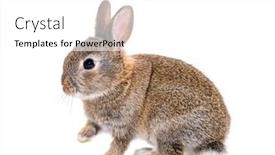
 Presentation with rabbit - Slide deck with side-view-of-a-young background and a  colored foreground

Side View Young European Rabbit,

Imagine walking into a charming little café in a quaint European village, surrounded by the warm glow of soft lighting and the vibrant colors of fresh flowers adorning every table. The atmosphere is lively and inviting, making you feel right at home. This is exactly what this Corner Title template offers a refreshing and modern design that will elevate your presentation to new heights. This stunning template features a dark salmon color palette that exudes sophistication and elegance, perfect for creating a professional yet approachable tone. The overall style is sleek and streamlined, with clean lines and minimalist illustrations that add a touch of sophistication. The high resolution images on the background are featured prominently in the center of the slide, showcasing a delightful young European rabbit sitting at a small wooden table, surrounded by delicious pastries and fresh fruits. The content layout is simple yet effective, providing ample space for text and imagery while keeping the design crisp and uncluttered. With this template, you'll be able to create stunning presentations that are sure to impress your audience from showcasing products to sharing ideas and stories. The 4 How To slides at the start of the deck will help you get up and running quickly, providing a solid foundation for creating engaging and effective content.

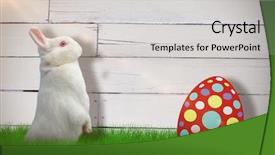
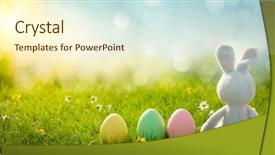
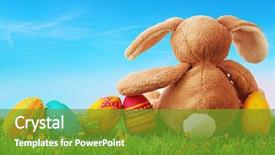
 Presentation with rabbit - Theme with eggshell - sugar rabbit with easter eggs background and a cream colored foreground

Sugar Rabbit Easter Eggs Meadow

The humble eggshell has been transformed into a vibrant gift symbol, its delicate curves and intricate patterns now bursting forth in a kaleidoscope of colors. The result is a visually striking template that exudes warmth and elegance, perfect for creating stunning presentations and designs. This design name combines the whimsy of an Easter egg hunt with the rustic charm of a rural meadow, resulting in a unique and captivating visual identity. The Khaki color palette adds a soothing element to the overall look, while the 4 How To slides at the start of the deck provide a solid foundation for getting started quickly. As you begin creating your presentation, think about how you can feature high resolution images that capture the essence of an Easter egg hunt in the meadow. You could include a beautiful image of a rabbit peeking out from behind a patch of grass, surrounded by vibrant flowers and lush greenery. Having a theme of highlighting objects that are often found in nature is another great idea. The SWOT Analysis Layout slide can be enhanced with interactive elements, such as clickable icons or animations, to add an extra layer of engagement to your presentation. With its inclusion of a Background With feature, you can easily customize the color scheme and texture of the image to match your brand's visual identity. To take it to the next level, consider adding some extra flair by including a 'How To' section with step by step instructions for creating your own Easter egg inspired designs. You could also include a link to download the template, complete with a compatible Google Slides file that you can easily share with others.

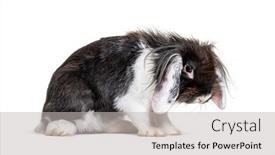
 Presentation with rabbit - PPT layouts featuring shaggy-black-and-white-lop background and a light gray colored foreground

Shaggy Black White Lop Rabbit

Corner Title is designed to grab your attention with its dramatic and dark salmon color palette, evoking the feeling of being in a dimly lit studio where creativity reigns. The template features high resolution images that will transport you to a world of fur and desperation, perfect for showcasing your skills and bringing your ideas to life. In this Corner Title template, you'll find a versatile design that's ideal for various projects, from small, one off designs to larger studio projects. Its dark salmon color palette is both elegant and edgy, making it suitable for both artistic and professional applications. With the high resolution images on the background, the template will enhance your presentations with a sense of depth and texture. The Corner Title is formatted in widescreen, providing an immersive experience for your viewers. The dark salmon color palette is carefully curated to include a range of shades, from rich berry tones to deep navy blues, giving it a unique and sophisticated look. Featuring a beautiful 4 color illustration on the right with caption layout slide, this template showcases the best features of Corner Title. Having a theme of featuring high quality illustrations in creative ways, this design will help you stand out from the crowd and take your presentations to the next level. Enhancing the overall visual impact, Corner Title is designed to be downloaded and compatible with Google Slides, making it easy to incorporate into your workflows.

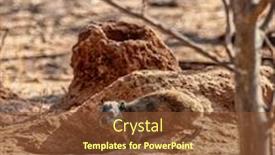
 Presentation with rabbit - Slide set with rock-rabbit-digging-a-hole background and a tawny brown colored foreground

Rock Rabbit Digging Hole African

Imagine yourself standing amidst the rolling hills and vast expanse of Africa's rural landscape, surrounded by the majestic creatures that call this unforgiving yet beautiful environment home. The warm sunlight casts long shadows across the ground, illuminated only by the occasional burst of light from a distant tree or rock formation. In the midst of this serene scene, a small but determined figure emerges the rock rabbit, its fur fluffed up against the chill of the morning air. As you take in this breathtaking vista, your attention is drawn to the rich brown color palette that dominates the template, evoking the warmth and earthiness of the African savannah. The high resolution images for the background feature stunning vistas of lush vegetation, towering trees, and a variety of wildlife roaming freely, all within a neat and tidy frame that adds to the overall sense of simplicity and rustic charm. The Sidebar Title is more than just a header it sets the tone for the entire template, guiding you through the features and benefits that await. This template is carefully crafted to deliver a high level of quality and sophistication, making it an ideal choice for those who want to create engaging presentations that leave a lasting impression on their audience.

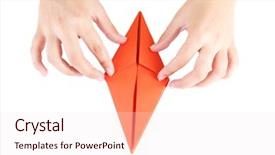
 Presentation with rabbit - PPT theme having hands making origami rabbit close up isolated on white background and a sky blue colored foreground

Hands Making Origami Rabbit Close

The moment you click on the Wide Title template from CrystalGraphics, your eyes are immediately drawn to the stunning background image a serene landscape of Japan's cherry blossoms at sunset. The vibrant colors and delicate petals create a sense of tranquility, perfectly capturing the essence of this iconic symbol. As you delve deeper into the template, you'll notice that it features high resolution images throughout, ensuring that every detail is crisp and clear. The Dark Salmon color palette adds depth and sophistication to the design, while the inclusion of various keywords such as "studio", "decorate", "symbol", and "color" will help you create visually appealing presentations. The template's compatibility with Google Slides ensures seamless integration into your existing workflow. One of the standout features of this template is its ability to enhance your presentation with a theme of "Japanese Studio". This includes a range of layouts, such as featuring a single image or having multiple images arranged in a collage style. Having a theme of "Studio" also allows you to include background images and colors that evoke a sense of creativity and productivity. The Our Premium Templates section on CrystalGraphics showcases an impressive 60+ Layouts slide, offering endless possibilities for customization and use. Whether you're creating a professional presentation or a creative project, this template is sure to inspire your imagination and help you bring your ideas to life.

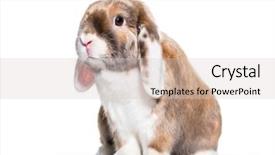
 Presentation with rabbit - Colorful PPT theme enhanced with cute rabbit looking at camera backdrop and a lemonade colored foreground

Cute Rabbit Looking Camera Against

This Corner Title template is a visually stunning and customizable design that can help create a professional look for any presentation or project. Designed in a widescreen format to make it perfect for showcasing high resolution images, this template features a silver color palette that adds a touch of sophistication to any setting. The template is made up of four main slides, each with its own unique theme and purpose: How To Slides to help you get started quickly, a Comparison Layout slide to showcase your design choices, an "Including a Background With" feature allowing you to easily add images from CrystalGraphics, and a Having a Theme of section that highlights the template's versatility. This feature is particularly useful when featuring high resolution images such as those found in wildlife documentaries or photography. This template can be easily downloaded and compatible with Google Slides, making it simple to incorporate into your workflow. Featuring a white background, this template has plenty of opportunities to add your own visual flair while still maintaining a clean and professional look that enhances the overall presentation.

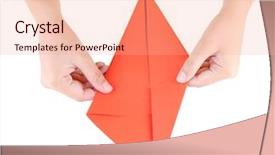
 Presentation with rabbit - Amazing theme having hands making origami rabbit close up isolated on white backdrop and a coral colored foreground

Hands Making Origami Rabbit Close

Imagine creating a stunning visual identity that transports your audience to the serene world of Japan, where tradition meets modernity. Introducing "Studio Sakura" a captivating template designed for designers and creatives who want to bring their unique style to life. This Dark Salmon themed Widescreen template is perfect for showcasing high resolution images of origami rabbits, cherry blossoms, or other Japanese inspired motifs. The 5 P's of Marketing Diagram Layout slide will help you create a cohesive visual identity that resonates with your target audience. Featuring a beautiful background image, including a subtle texture and color palette, this template is sure to enhance any presentation. The Dark Salmon color palette provides a sophisticated and elegant tone, while the Japanese inspired design elements add a touch of warmth and personality. The Widescreen format ensures that your content takes center stage, making it perfect for showcasing 4 How To slides at the start of the deck to help you get up and running quickly. These slides will provide valuable tips and tricks for creating stunning visuals, from designing with the 5 P's to incorporating creative elements into your work. This template is downloadable and compatible with Google Slides, making it easy to incorporate into your workflow. With its unique blend of traditional Japanese design elements and modern functionality, "Studio Sakura" is sure to inspire your creativity and help you stand out in a crowded market.

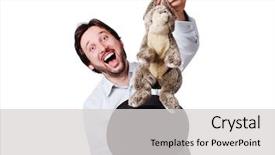
 Presentation with rabbit - PPT theme having big laugh with rabbit background and a light gray colored foreground

Funny Man Laugh Rabbit Hat

This Corner Title PowerPoint template is designed to showcase a charming and whimsical image that will capture the attention of your audience. The Peach Puff Colored background provides a warm and inviting atmosphere, perfect for creating a sense of magic and wonder. The Corner Title template features high resolution images throughout, with four key slides at the start of the deck that provide a foundation for your presentation: "Get Started Quickly", "Designing Your Layout", "Setting Up Your Images", and "Creating Your First Slide". These slides will guide you through the process of setting up your template, ensuring you have everything you need to create an engaging visual experience. The background of this template is simply delightful, with a playful image of a funny man wearing a top hat and holding a rabbit from his hat. This iconic scene is sure to bring a smile to everyone's face. On the "Right With Caption Layout" slide, featuring a large picture of the happy couple in their garden at sunset, you can include a caption such as "Love in full bloom" or "A romantic getaway". The combination of the warm colors and playful illustration will make this slide stand out and enhance your presentation. The Peach Puff Colored theme is seamless to incorporate with Google Slides, making it easy to download and use. With high resolution images at every turn, you'll be able to create a stunning visual experience that will leave your audience in awe. The handsome young characters featured throughout the template add to its appeal, making this a great choice for any presentation about magic, play, or anything related to these themes.

 Presentation with rabbit - Slides featuring side-view-of-a-checkered background and a white colored foreground

Side View Checkered Giant Rabbit,

This stunning template is designed to take your presentations to the next level, starting with an attention grabbing image that showcases a checkered giant rabbit isolated on a stark white background. The dark salmon color palette adds a touch of sophistication and high end style, perfect for creating a professional look in any presentation. The template's design name could be "Checkered Giant Studio," while the short title is "Studio". The Widescreen format ensures that your content takes up the full width of the slide, giving you ample space to include detailed images and graphics. This template features high resolution images for the background, making it perfect for showcasing high end imagery. To give you an idea of how this template can enhance your presentations, imagine a comprehensive presentation on "The Art of Animation," featuring beautiful animations and 3D elements in the foreground, all set against the dramatic backdrop of the checkered giant rabbit. This template allows you to include a background with images or videos easily, making it ideal for creating engaging animated presentations. With this template, you can have a theme of creativity and imagination at play, from the studio setting to the isolated giant rabbit. To take it to the next level, consider using advanced tools like image overlay effects, 3D transformations, and motion graphics to make your content truly stand out. The Enhanced With feature allows you to add extra flair and polish to your presentation, making it a must have for any serious presenter. Overall, this template is perfect for anyone looking to elevate their presentations with high end visuals and style.

 Presentation with rabbit - Slide deck consisting of colorful easter eggs and rabbit background and a tawny brown colored foreground

Colorful Easter Eggs Rabbit Green

Imagine waking up to a vibrant Easter morning where colorful easter eggs and adorable rabbits hop across the green grass, their bright pink feathers glistening in the sunlight. A whimsical scene that sets the tone for a fun and festive presentation. The Corner Title template is designed to transport you to this imaginative world with its Sky Blue background featuring soft, subtle textures. The classic Widescreen format allows for an expansive layout, making it ideal for showcasing your creative ideas. This template is perfect for those who want to add a pop of color and personality to their presentations. The Sky Blue hue provides a calming and uplifting atmosphere, setting the stage for an engaging conversation or demonstration. By incorporating this theme, you'll make a great first impression on your audience, establishing your brand's personality and tone. Imagine presenting a seasonal graphic with animated Easter themed elements featuring high resolution images that bring the colorful easter eggs and rabbits to life. With this template, you can easily create a visually appealing presentation that will leave your audience smiling and engaged. The Corner Title template is more than just a design; it's also a great starting point for creating an enhanced, including a background with layout that showcases your creativity and ideas. By incorporating beautiful images, animations, and high resolution graphics, you'll be able to showcase your products or services in the best possible light. For Who We Are Bio Layout, featuring a simple yet effective design that highlights your brand's key message. A clean and concise format with bold text and eye catching visuals will make it easy for your audience to quickly grasp your company's story.

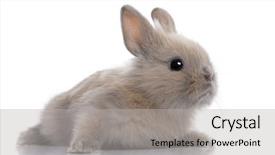
 Presentation with rabbit - Presentation consisting of side-view-of-a-young background and a white colored foreground

Side View Young European Rabbit

The art of creating eye catching presentations has never been more accessible with CrystalGraphics, offering users the power to craft stunning visuals that capture their audience's attention. Imagine walking into a bright and cheerful studio on a sunny day, surrounded by lush greenery and vibrant flowers. This is what our Short Title template, "Tan Studio Delight", embodies a warm and inviting atmosphere perfect for showcasing your creativity. Designed in a wide screen format, this template is tailored to bring out the best in high resolution images that will transport your audience to a happy world. Featuring a stunning tan background with accents of bright yellow and green, our template is sure to set the tone for any presentation or project. With its theme of embracing warmth and coziness, it's an ideal choice for projects that require a touch of personality and whimsy. The Tan Studio Delight template includes the following elements: Our template features 4 How To slides at the start of your deck, designed to get you up and running quickly, making it easier than ever to create engaging presentations. The 5 Year Calendar Timeline Layout slide is an enhanced version of a traditional timeline format, providing a comprehensive overview of key events throughout the year. With its simple yet informative design, this slide features a background with a subtle gradient effect, adding depth and visual interest to your presentation. Having a theme of showcasing individual personalities, our template includes the following details: A custom made banner featuring a playful illustration of a young European rabbit, Oryctolagus cuniculus, adds an extra layer of personality to your presentation. The background images included with this template are high resolution and perfect for use as a standalone image or incorporated into your slides. By incorporating these features into your presentation, you'll be able to create content that is both engaging and memorable.

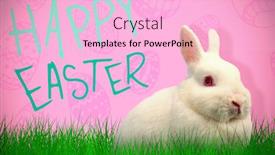
 Presentation with rabbit - Audience pleasing presentation theme consisting of close up portrait of cute rabbit against pink background backdrop and a lemonade colored foreground

Close Up Portrait Cute Rabbit

The Corner Title template is a stunning design that will elevate your presentations to new heights. This gorgeous widescreen template features a hot pink background that's sure to grab attention and leave a lasting impression on your audience. The high resolution images for the background are carefully curated to showcase beautiful flora, perfect for an Easter themed presentation or any occasion where you want to add a touch of whimsy. The Corner Title template is designed with a happy and playful vibe in mind, making it ideal for presentations that feature cute rabbits or other adorable animals. The hot pink color palette adds a pop of color and energy to the design, while the beautiful keywords such as "looking at camera" and "beautiful" will help you convey your message effectively. The template is downloadable and compatible with Google Slides, making it easy to import into your favorite presentation software. With its Puzzle Pieces Layout slide, you can easily organize your content and add visual interest to your presentation. This slide features a clever design that showcases four puzzle pieces coming together to form a complete picture, perfect for highlighting key points or ideas. The Corner Title template is the perfect starting point for any presentation, whether it's an Easter themed event or just a regular meeting with colleagues. With its hot pink background and beautiful keywords, this template will enhance your message and leave a lasting impression on your audience.

 Presentation with rabbit - Theme with chocolate easter eggs and rabbit background and a cool aqua colored foreground

Chocolate Easter Eggs Rabbit Plate,

Theme with chocolate easter eggs and rabbit on plate on color wooden background

 Presentation with rabbit - Slides having cute funny rabbit sitting on notebook and woman at desk background and a coral colored foreground

Cute Funny Rabbit Sitting Notebook

The Corner Title PowerPoint template is designed to bring a touch of warmth and personality to your presentations. This stylish template features a cute funny rabbit sitting on a notebook and woman at desk, surrounded by high resolution images for the background that will transport you to a sunny meadow filled with fluffy white clouds and vibrant green grass. The Pale Violet Red Colored theme is perfect for showcasing your creativity and adding a pop of color to any presentation. The template includes four How To slides to help you get up and running quickly, but don't worry, we won't reveal the secrets just yet. Instead, let's dive into what this template has to offer. The Corner Title template is downloadable and compatible with Google Slides, making it easy to import high resolution images for your presentations. The Pale Violet Red Colored theme is enhanced with a warm and inviting color palette that will make your slides stand out from the crowd. Featuring a beautiful woman in a bright yellow sundress, this template includes a Background With a subtle texture that adds depth and visual interest. The Content with Caption Layout slide showcases the various elements of the template, including the rabbit and woman at desk, as well as the high resolution images for the background. This slide is included to help you get familiar with the layout and design of the template. Having a Theme of, this template includes a range of customization options to enhance your presentation, such as adding or removing elements, changing colors, and adjusting font sizes. The Corner Title template is perfect for creating engaging presentations that showcase your creativity and personality. With its cute funny rabbit and woman at desk, this template is sure to bring a smile to your audience's faces.

 Presentation with rabbit - Presentation theme having picture of man and woman working with something imaginary background and a dark gray colored foreground

View Rabbit Hat Isolated White

In a world where magic and wonder await, a certain bespectacled rabbit in a top hat stands tall, its fur glistening under the spotlight. This whimsical design is sure to captivate your audience, transporting them to a realm of enchantment. Our Sidebar Title template is the perfect fit for those who crave a touch of fantasy in their presentations. TheSidebar Title template is specifically designed in Widescreen format, making it ideal for showcasing high resolution images as the background. The Burly Wood Colored theme is rich and earthy, evoking the feeling of a mystical forest. Featuring a warm and inviting color palette, this design will help to create an immersive experience for your viewers. The template includes four How To slides to help you get started quickly, but for now, let's focus on its features. Having a clear and concise theme is essential, which is why we've included the 'Pros' slide that highlights our team's expertise in creating magical presentations. Including a Background With feature allows you to add an extra layer of depth to your slides, making them more visually appealing. With Enhanced With, you can take it to the next level by incorporating interactive elements and animations into your template. Our Sidebar Title template is downloadable and compatible with Google Slides, making it easy to import and use in your presentations. This design is perfect for those who want to add a touch of magic to their slides without breaking the bank. With its high resolution images and rich color palette, this template is sure to enhance any presentation.

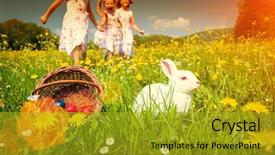
 Presentation with rabbit - Amazing presentation theme having egg hunt for easter backdrop and a gold colored foreground

Children Egg Hunt Easter Rabbit

Imagine a warm and inviting scene where children are busy searching high and low for hidden Easter eggs in the beautiful meadow, with a happy rabbit watching over them all. The sun shines down, casting a golden glow over the entire scene, while the sound of chirping birds fills the air. In this idyllic setting, the focus is on the joy and excitement of the hunt, as children eagerly search for treats and surprises. The template features a dark goldenrod color palette that evokes feelings of warmth and coziness, perfect for creating a welcoming atmosphere. The design name "Wide Title" sets the tone for the rest of the presentation, while the Widescreen format ensures that every detail is showcased in stunning high resolution. This template is ideal for anyone looking to create engaging presentations on Easter themed hunts or other nature inspired topics. With its rich colors and detailed images, it's sure to enhance any slide with a theme of "Featuring a Beautiful Background" or "Having a Theme of Nature". The 4 Member Bio Layout slide can be used to showcase the creator's personality and style, while also highlighting their expertise in creating engaging presentations. The template is downloadable and compatible with Google Slides, making it easy to import into your presentation software. With its high resolution images and dark goldenrod color palette, this template is sure to add a touch of elegance and sophistication to any slide.

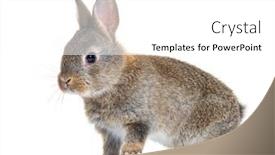
 Presentation with rabbit - Presentation theme featuring brown baby rabbit 5 weeks background and a light gray colored foreground

Brown Baby Rabbit (5 Weeks

Imagine starting your presentation on a warm and inviting background featuring a beautiful brown baby rabbit in front of a crisp white plain, creating the perfect setting to showcase your ideas. This stunning image will grab the audience's attention from the very beginning. The Corner Title template is designed for widescreen presentations that cater to professionals looking to create a studio like atmosphere. The template features a tan color palette with a mix of warm and neutral tones, perfectly blending together to create a cohesive look. Featuring a bold and playful background with high resolution images, this template will elevate your presentation from ordinary to exceptional. The Corner Title is compatible with Google Slides, making it easily downloadable and adaptable to any platform. As you explore the template's features, you'll discover a grid layout slide that showcases six vibrant pictures of adorable fur babies. These high quality images are perfect for featuring or including in your slides, creating visual interest and engaging your audience. Having a theme of youthful energy, this slide is sure to delight young viewers. Enhanced with graphics and animations, it's the perfect starting point for any presentation. The 4 How To slides at the start of the deck will guide you through the basics of using the template, providing a solid foundation for your learning journey. But don't worry, we won't spell everything out for you just get started quickly with these essential steps to get the most out of your new template.

▼Key features of this template

  • They are compatible with both PowerPoint and Google Slides running on either Windows PCs or Macs.

  • They are available in both standard and widescreen slide formats. You can choose your preferred format by clicking on the "Widescreen" check box or icon.

  • Each template includes a beautiful high-resolution background image or video to visually reinforce the theme of your presentation.

  • In addition, each template includes designer-created graphics and modern fonts to give your presentations an up-to-date, professional look.

  • Each template's default design and title text position have been carefully selected to complement its background without covering faces or other key elements.

  • All text includes backdrops whose transparency level is mathematically calculated to maximize text readability while still allowing the background to be seen.

  • And all the text, text backdrops and graphics in every slide are colored with a palette designed to beautifully complement the colors in the background.

  • Our Premium templates (those with the descriptor “Premium” in their subtitle) include over 64 slide layouts to give you maximum flexibility as you create your presentations.

    • Those layouts are available to you whenever you create a new slide or when you want to change the layout of an existing slide.
    • They include everything you need to make all sorts of presentations. In addition to the layouts for the title slide and the usual title and content slide, they include many other layouts for slide types including table of contents slides, org charts, charts, diagrams, infographics, photo slides, thank you slides and more.
    • While creating these layouts our template designers have ensured that all text in every layout adjusts as gracefully as possible to various numbers of words.
  • Customizable templates (those with the descriptor “Customizable” in their subtitle) may be easily modified online before you download them.

    • To modify them, simply click on the pencil editing icon, then select your choice of ready to go designs and title text positions.
    • The editing tool also makes it easy to reposition and scale the background image or video to best suit your needs.

▼FAQs

Please review these FAQs to see if your question is answered. Contact us for more info

  • What is a PowerPoint template?

    • A well designed PowerPoint template is a file that can tell PowerPoint how to make your ordinary templates look extraordinary. They won’t change what your words or numbers say. But they might change their size, color, font and placement. And, overall, they can give your presentations a professionally-designed look that will give your content more credibility and give you more confidence.
  • How many PowerPoint templates do you offer?

    • We have over 32,000 artist-created presentation templates in our PowerPlugs collection With a subscription, PowerPlugs templates are easy to download. Just sign in, find a template and click on the green Download button. ready for you to download. That alone offers you more variety to choose from than any of our competitors can offer. And, as if that weren’t enough, we also offer over 6 million templates in our Crystal collection. Crystal brand templates are our line of templates that have customization options. They have the word "CRYSTAL" on their web page images. You can customize several aspects of the templates. These templates include high-resolution background images from Shutterstock’s vast image collection matched up with artist-created presentation designs customized by our own proprietary AI software.
  • How many templates can I download as a subscriber?

    • You can download an unlimited number of PowerPlugs-brand With a subscription, PowerPlugs templates are easy to download. Just sign in, find a template and click on the green Download button. templates every day for an entire year. (Actually, by default, we set a limit of 25 templates per day to prevent our competitors from stealing our templates. But, if that is not enough, just let us know and we’ll try to accommodate you.) On top of that, with a subscription or an Ultimate Combo, you can also download any 50 Crystal-brand Crystal brand templates are our line of templates that have customization options. They have the word "CRYSTAL" on their web page images. You can customize several aspects of the templates. templates per year selected from our huge Crystal collection. Crystal brand templates are our line of templates that have customization options. They have the word "CRYSTAL" on their web page images. You can customize several aspects of the templates. .
  • Why should I choose your templates instead of the competition’s?

    • We’ve got a larger selection of professionally-designed PowerPoint templates than anyone else in the world.
    • Each template includes a high-resolution background image or video to visually inspire your audiences while reinforcing your message.
    • Each template includes 64 slide layouts to give you maximum flexibility as you create your presentations.
    • Our templates are available in both standard and widescreen slide formats. And our website lets you preview the slides each way.
    • Our free Template Finder™ plugin lets subscribers select and - with a single click - download and insert our templates into their presentations right from within PowerPoint.
    • We’ve been creating designer presentation templates for over 20 years. During that time we’ve won several awards and 5-star ratings for product quality. See About Us for more.
  • Do you offer a money-back guarantee?

    • Yes we do! We offer full 30-day money-back guarantee if you are not 100% satisfied with your purchase.
  • Can I still use my downloaded templates after my subscription runs out?

    • Yes. After your subscription expires, you won't lose any rights or ability to use your PowerPlugs: Templates for PowerPoint. You won't be able to download any new non-watermarked templates. But the non-watermarked templates you've already downloaded will still work and you can still use them as before.
  • Can I share my downloaded templates or passwords with friends or coworkers?

    • Sorry but no. You are authorized to download each paid-for template to up to 3 of your personal devices and to use the templates you download in as many presentations as you want. But you are not authorized to share the templates, themselves, with others. That said, we do offer highly discounted site licenses to suit the needs of both small and large teams. Just tell us your needs and we’ll give you a quote!
  • System requirements:

    • The templates use the standard POTX format. So they are compatible with Google Slides and all PC, Mac and mobile devices running any version of PowerPoint from PowerPoint 2007 up through and including Office 365 desktop.
    • Please note: Google Slides does not currently support background videos. It treats them as still images.
    • For PowerPoint for the Web, first open your template into a desktop version of PowerPoint, then save it back out as a PPTX file. Then you can open that in PowerPoint for the Web.
  • End user license agreement:

    • Click here to view.
  • How will I get my purchased templates?

    • You may download your selected templates as soon as your payment is received by PayPal. If you purchased an individual template, you will be provided with a download link both onscreen and via email. Just click on that link to begin the download process. If you purchased a subscription, you will receive an email containing a password to use along with your email address to sign in to any of the templates pages on CrystalGraphics.com. Once you are signed in, you can immediately start downloading your selected templates.
  • How do I use my templates after I download them?

    • You can either open a template to start a new presentation or you can add a template to an existing presentation. To open a template, just double click on it or use PowerPoint's File > Open tool. To add a template to an existing presentation, on the Design tab, in the Themes group, click Browse for Themes... then browse to select your template.

View more Rabbit templates:

previous 1 2 3 4 5 6 7 8 9 10 11 12 13 14 15 next
93% of Fortune 1000
companies use our
PowerPoint Products
Templates Secure

Standing Ovation Award
Winner: Best PowerPoint
Template Collection
Fortune Logos
200,000+ satisfied
customers worldwide!
Guarantee
100% satisfaction guaranteed
- or send it back for a refund!

Sign up for our free newsletter! You'll get news about our PowerPoint-enhancing product line – including free updates, new product announcements and exclusive special offers. Plus you'll get a link to a free PowerPoint template with every newsletter you receive.
Privacy Policy
Loading...


Help

Contact Us
Product FAQs
Product License Agreements

Company Info

About Us
Privacy Policy
CrystalGraphics, Inc. 1999 S. Bascom Avenue Suite 700 Campbell, CA 95008 USA
© 2026 CrystalGraphics, Inc. All rights Reserved.    |     PowerPlugs is a trademark of CrystalGraphics, Inc.
Microsoft and the PowerPoint logo are trademarks or registered trademarks of Microsoft Corporation in the United States and/or other countries.
Loading...
Loading...