www.crystalgraphics.com CrystalGraphics
  • Ultimate Combo
  • Templates
  • Diagrams
  • Characters
  • Quizzes
  • shopping cart
  • Sign Out Sign Out Sign In
Home > Templates > Station Category
search icon
advanced icon

284 Best Station-Themed Templates for PowerPoint and Google Slides

CrystalGraphics creates templates designed to make even average presentations look incredible. Below you’ll see thumbnail sized previews of the title slides of a few of our 284 best station templates for PowerPoint and Google Slides. The text you’ll see in in those slides is just example text. The station-related image or video you’ll see in the background of each title slide is designed to help you set the stage for your station-related topics and it is included with that template. In addition to the title slides, each of our templates comes with 17 additional slide layouts that you can use to create an unlimited number of presentation slides with your own added text and images. And every template is available in both widescreen and standard formats. With over 6 million presentation templates available for you to choose from, CrystalGraphics is the award-winning provider of the world’s largest collection of templates for PowerPoint and Google Slides. So, take your time and look around. You’ll like what you see! Whether you want 1 great template or an ongoing subscription, we've got affordable purchasing options and 24/7 download access to fit your needs. Thanks to our unbeatable combination of quality, selection and unique customization options, CrystalGraphics is the company you can count on for your presentation enhancement needs. Just ask any of our thousands of satisfied customers from virtually every leading company around the world. They love our products. We think you will, too!

Features & Pricing

Widescreen (16:9) Presentation Templates. Change size...
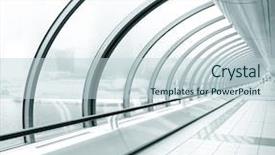
 Presentation with station - Cool new presentation theme with metro station backdrop and a gray colored foreground

Metro Station

In the heart of Moscow, where the pulse of modern life beats faster than ever before, comes a template that takes you on a journey through the corridors of history and time. This design name is Wide Title, a striking creation that draws inspiration from the grandeur of Moscow's iconic metro stations. With its bold and dynamic style, it sets the tone for an immersive experience. This Widescreen template features a mesmerizing background with high resolution images of Moscow's underground world, creating an atmosphere of opulence and sophistication. The vibrant Peru color palette adds warmth to the design, evoking feelings of comfort and relaxation. Featuring a prominent theme of corridors and hallways, this template is designed to be enhanced with various layout elements, including separate slides for a two part presentation. Including a background with dynamic visuals, Having a Theme of grandeur and opulence, and Enhancing With high resolution images, Wide Title is the perfect choice for creating engaging presentations that draw your audience in. With its unique design and features, this template provides an exciting starting point for any presentation or slide deck.

 Presentation with station - Beautiful slide set featuring weather station instruments backdrop and a violet colored foreground

Weather Station Instruments

As you step out into the warm summer air, the vibrant atmosphere of nature beckons you to explore its secrets. The weather station instruments are carefully arranged, each one measuring and recording the intricacies of the environment. The Wide Title template is designed in a Widescreen format, perfect for showcasing stunning high resolution images of various weather conditions and instruments on the screen. This Widescreen style provides an immersive viewing experience, drawing your attention to the fascinating world of measurements and scale. Our template features a rich Tan Color Palette that evokes feelings of relaxation and tranquility, making it ideal for presentations where you want to transport your audience into a serene atmosphere. As a downloadable and compatible solution with Google Slides, this template is ready to enhance any presentation, whether it's about weather patterns or the world of measurement. The High resolution images included in our template are meant to showcase the intricacies of the instruments and the environment they're monitoring, creating an engaging atmosphere that draws your audience in. By incorporating a Background With Tan color scheme, you'll be able to have a theme of warm and inviting tones that will leave your viewers feeling comfortable and interested. The 3 x 3 Org Chart Layout slide is designed to provide a clear structure for presenting your team's hierarchy, making it easy to include important information about key stakeholders. This layout allows for an Enhanced With Tan color scheme background, adding visual interest and depth to the presentation. In this template, you'll find four How To slides that will help you get up and running quickly with your new project. These slides are crucial in guiding your audience through the process of creating a stunning presentation, from choosing the right images to refining the design.

 Presentation with station - Slide deck having space station - diminishing transparent hallway background and a lemonade colored foreground

Diminishing Transparent Hallway

Imagine walking down a seemingly endless corridor that stretches into infinity, with rows upon rows of identical office spaces in the distance. The fluorescent lights overhead cast an eerie glow, illuminating only the faint hum of fluorescent bulbs and the occasional clink of a keyboard on a nearby desk. As you navigate this virtual thoroughfare, keep an eye out for glimpses of open offices, featuring lines of people typing away at their computers or huddled over papers. The hallways of corporate America are always bustling with activity, from meetings to brainstorming sessions, and even the occasional impromptu watercooler chat. With this Widescreen template, you can recreate the feeling of being lost in a sea of cubicles and conference rooms. The Light Blue color palette is reminiscent of a clear summer sky or a gentle morning fog. It's calming yet sophisticated, perfect for creating an atmosphere that's both professional and approachable. The 4 How To slides at the start of your deck will help you get up and running quickly, but they're not as exciting as this initial shot – after all, there's no getting lost in a mysterious hallway to begin with. In fact, let me illustrate just how versatile this template is. You could include a Background With intricate details of office architecture or even a Background Featuring high resolution images of historic buildings. Having a Theme of creating a sense of space and atmosphere is also perfectly achieved here. And, with Enhanced With options for text and graphics, you can really get creative with the design elements. The Widescreen format ensures that your content takes center stage, while the Light Blue color palette keeps things feeling airy and calm. Whether you're showcasing real life offices or just using it as a starting point for your own creative projects, this template is sure to inspire.

 Presentation with station - Slide set with subway station hdri background and a ocean colored foreground

Subway Station (hdri)

This stunning PowerPoint template is designed to take your presentations on the road, with its high resolution images and sleek dark slate gray color palette transporting users to the bustling streets of Moscow. The subtle texture adds an extra layer of depth, enhancing the overall immersive experience. This template features a unique design that combines the best elements of sublimated HDRI (High Dynamic Range Imaging) technology with the rich cultural heritage of Moscow. The result is a visually stunning background that perfectly complements the interior theme you've chosen for your presentation. The dark slate gray color palette provides a sophisticated and professional look, perfect for presentations in various industries such as technology or business. It's also ideal for use in Google Slides, making it easy to share and collaborate with others. As inspiration for this design, we drew from the iconic subway stations of Moscow, capturing the essence of bustling streets and vibrant city life. The result is a template that not only looks incredible but also features high resolution images for a seamless visual experience. The template includes four helpful slides at the start of your deck to get you up and running quickly: "Getting Started," "Setting Up Your Template," "Customizing Your Design," and "Uploading Your Content." These slides cover essential topics such as template compatibility, downloading options, and basic setup instructions.

 Presentation with station - Amazing presentation theme having young-girl-at-the-subway backdrop and a dark gray colored foreground

Young Girl Subway Station Nyc

Presentation theme having young girl at the subway station nyc

 Presentation with station - Slide set with empty nurse's station background and a coral colored foreground

Empty Nurse's Station Modern Hospital

Slide set with empty nurse's station in modern hospital background

 Presentation with station - PPT theme consisting of cargo stations - subway station motion blurred color background and a light gray colored foreground

Subway Station (motion Blurred Color

In the heart of every city lies a secret world where diesel engines hum, carriage wheels creak, and depots stand waiting to serve as passage points for travelers on their journey. This is what you'll experience when you step into this unique PowerPoint template that takes you by the hand, guiding you through the sights and sounds of the bustling streets. This design name, short and sweet, sets the tone for an engaging and informative presentation. The Widescreen format ensures a cinematic viewing experience, perfect for sharing with colleagues or clients who appreciate visual storytelling. The Indian Red color palette is bold and vibrant, featuring high resolution images that will transport your audience to the vibrant streets of India. As you explore this template, you'll notice its Keyword theme diesel, carriage, depot, passage, traveler expertly woven throughout the design, creating a cohesive narrative that takes your viewers on a journey through the world of transportation. High res images for the background will add depth and texture to any presentation, making it easy to enhance with graphics, charts, or illustrations. Whether you're planning a presentation at the office or looking to create a captivating online course, this template is sure to engage your audience and leave them wanting more. With four How To slides at the start of the deck, you'll be well on your way to getting up and running quickly, feeling confident and prepared for any situation that arises. On a related note, this template makes an excellent feature in presentations featuring Indian culture or transportation systems. Its warm color palette will evoke feelings of nostalgia and familiarity, making it perfect for sharing stories about heritage routes or cultural traditions. Having a theme of "India" including background images with historical landmarks, street food, or traditional attire adds depth and context to your presentation, enhancing the overall experience. As you begin creating your slide deck using this template, remember that its Growing Stages Layout feature is particularly useful for illustrating growth stages like startup to scale. For instance, you could include a slide showing the early days of a new business, followed by images from years of expansion and growth, highlighting key milestones along the way. The layout allows for easy navigation and exploration, making it an ideal tool for navigating complex data or showcasing multiple projects in a single presentation

 Presentation with station - Presentation design having smokestack - power station at night background and a teal colored foreground

Power Station Night Smoke

Imagine standing at the base of a massive power station at night, surrounded by a haze of smoke that rises into the air, a stark contrast to the sleek and modern buildings surrounding it. The city skyline is visible in the background, with its towering skyscrapers and bustling streets, but the power station takes center stage as the focal point. This is what your PowerPoint template is designed to look like. The template features a high resolution image of the power station at night, set against a gradient of Dodger Blue hues that give it a dynamic and energetic feel. The color palette is carefully curated to evoke a sense of motion and activity, while also conveying a sense of importance and scale. The background image is a 4x6 grid layout featuring four images: one of the power station's sleek control room, another of the factory floor where fuel is manufactured, a third of the emissions monitoring system, and the fourth of a city street with smoke billowing into the air. The Dodger Blue color scheme provides a cohesive look throughout the template, while also giving it a sense of sophistication and reliability. The images included in this template are high resolution, allowing you to see every detail and nuance. Featuring a range of textures and patterns that add depth and interest to each slide, including a building facade, smoke trails, and industrial machinery. Including a background with subtle gradients and shadows adds an extra layer of realism, making it easy to visualize the power station at work. Having a theme of "Power Generation" is clear throughout the template, with images that showcase the various components and processes involved in creating electricity. Enhanced With image effects such as blur, vignette, and glow add a professional touch to each slide, while also giving them visual impact.

 Presentation with station - PPT theme consisting of train station background and a dark gray colored foreground

Train Station

The world of PowerPoint templates is a vast and wondrous place, where creativity knows no bounds and imagination runs wild. Take the case of Split Title, a template that stands out from the crowd with its goldenrod infused color palette, reminiscent of a classic railroad station, complete with warm tones of yellow and orange. The high resolution images for the background ensure that every detail is meticulously crafted to transport users to a world of high speed trains and bustling terminals. Split Title's format is designed for widescreen presentation, ideal for dramatic impact and maximum visual appeal. This template features a striking theme of railroad station, complete with elevated platforms, freight cars, and ornate architectural details, all carefully selected from the master image library to enhance its overall look and feel. This template is downloadable on Google Slides, making it easy to access and update your presentation files. The structure of this template is designed for ease of use, featuring four How To slides at the start of the deck to get you up and running quickly. However, these steps are not presented in a dull or dry manner; instead, they're presented as engaging introductions that set the tone for the rest of your presentation. The three Member Bio Layout slide is a great place to showcase your personal touch, featuring a warm and inviting photo of yourself, highlighting your skills and expertise. This feature makes it easy to include a background with a subtle railroad station pattern, adding depth and visual interest to your presentation. Split Title offers an enhanced viewing experience, with its use of 4K images making every slide look incredibly sharp and clear. The theme of railroad station is sure to captivate audiences, making it an ideal template for any presentation that needs to convey a sense of excitement, energy, or adventure.

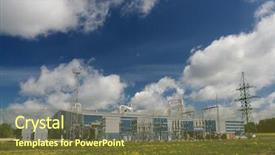
 Presentation with station - Presentation theme having technical source - electric power station against clear background and a teal colored foreground

Electric Power Station Against Clear

The city's skyline is dominated by a massive power station, its steel structure gleaming in the clear blue sky. The electric sparks of the turbines are a testament to humanity's reliance on this vital source of energy. This template is designed for those who want to convey a sense of high levels of activity and innovation, with the words "vibe", "source", "pollution", "supply", and "high" woven throughout its design. The Steel Blue color palette provides a sleek and modern backdrop for your content. The Widescreen format ensures that all elements are expansive and immersive, making it perfect for presentations or multimedia projects. The template features 4 How To slides at the start of the deck to help you get up and running quickly, but let's focus on its core design first. The five Level Piramid Layout slide is a great place to start, featuring a clear structure with well defined sections that guide your audience through the presentation. As you scroll down this slide, you'll see a dramatic representation of the city's energy landscape, complete with swirling clouds of electricity and molten lava flows. This dynamic imagery will get your message across and leave a lasting impression on your viewers. The template is downloadable and compatible with Google Slides, making it easy to incorporate into your existing workflow. By including a Background With option, you can easily customize the look and feel of the slide to suit your needs. Having a Theme of Electronic Energy, you'll be able to enhance this design with visuals that are sure to electrify your audience. The High Resolution images for the background will transport your viewers into a world of power and innovation. Featuring high quality graphics and textures, this template is the perfect choice for presentations, reports, or any other multimedia project that requires a professional touch. Including a Background With option, you can create custom backgrounds to match your unique branding and style. With its sleek design, Widescreen format, and customizable features, this template is sure to make a lasting impression on your audience. Having a Theme of Electric Power Station against clear blue sky, it's the perfect choice for anyone looking to convey high levels of energy and activity.

 Presentation with station - Amazing PPT theme having power station backdrop and a seafoam green colored foreground

Power Station

As you embark on your journey to create a dynamic and engaging presentation, consider starting with a statement that grabs the audience's attention. The Sidebar Title template is designed to be a versatile and customizable companion for your Google Slides deck, featuring a sleek light steel blue color palette that exudes professionalism and sophistication. This template is perfect for presentations that require a high level of detail and accuracy, such as technical diagrams or instructional guides. Its wide screen format ensures that all elements are visible and unobstructed, making it ideal for showcasing complex information in a clear and concise manner. The light steel blue color palette provides a clean and modern backdrop for your images, featuring high resolution backgrounds that will enhance the overall visual appeal of your presentation. The Sidebar Title template is designed to be easily integrated into your Google Slides deck, with features such as including a background with a subtle gradient effect or having a theme of "Power Station" which could be used to create a cohesive and immersive experience. The Growth Stages Layout slide provides a clear visual representation of the different stages of development, from generation to deployment, making it an excellent starting point for your presentation. This template is also enhanced with additional features such as insulating elements that can help to reduce distractions and improve focus on the main message. With its sleek design and high resolution images, the Sidebar Title template is sure to make a lasting impression on your audience.

 Presentation with station - Slide set with diesel train - locomotive arriving to a station background and a light blue colored foreground

Locomotive Arriving Station

The moment you've been waiting for has finally arrived the arrival of your new PowerPoint template, designed to transport you and your audience to a world of precision and sophistication. This stunning template is perfect for anyone looking to elevate their presentation game with a unique blend of style and functionality. Featuring a light blue color palette that exudes serenity and calmness, this Widescreen template is the perfect choice for any occasion. The high resolution images that come with it will transport you to a world of beauty and wonder, making your presentations truly unforgettable. As you begin your journey, you'll notice four How To slides at the start of the deck, each one designed to help you get up and running quickly. But don't worry, we won't leave you hanging these slides are packed with valuable tips and tricks to ensure a seamless experience for both you and your audience. The Social Media Concept Layout slide is a great example of how this template can be used to create engaging content that resonates with your target audience. Imagine presenting your latest project or achievement on social media, featuring high quality images and a clean design that showcases your work in the best possible light. With this template, you'll have all the tools you need to create visually stunning presentations that will leave a lasting impression. As you explore this template further, you'll notice that it's designed to be enhanced with various features, including Including a Background With, Having a Theme of Precision and Arrival, and Featuring high resolution images. Whether you're looking to create a professional looking presentation or a more creative one, this template has got you covered. So why wait? Download your copy today and start creating presentations that will leave a lasting impression on your audience.

 Presentation with station - Slides enhanced with electrification - electric power station background and a  colored foreground

Electric Power Station

The once thriving landscape of cities now resembles a smoggy, polluted nightmare, as electric power stations stand as empty symbols of progress and consumption. For the design name Corner Title, we opt for a bold and attention grabbing approach that perfectly encapsulates the theme. The template will feature high resolution images for the background to create an immersive atmosphere that draws your audience in. The Steel Blue color palette serves as a fitting backdrop, evoking feelings of trust and stability amidst the chaos caused by human neglect. This palette is well suited for conveying a sense of reliability and dependability, making it ideal for depicting industrial facilities like power stations. To complement this design, we can include a Background With feature to enhance the realism of the images, allowing you to showcase pollution ridden skies or overflowing fuel storage tanks. The template's format will be Widescreen, perfect for showcasing details and adding depth to your slides. As it is downloadable and compatible with Google Slides, you can easily incorporate it into your presentation.

 Presentation with station - Colorful PPT theme enhanced with toll station backdrop and a gray colored foreground

Toll Station

PPT theme enhanced with toll station

 Presentation with station - Theme with steam generator - power station background and a teal colored foreground

Power Station

The intersection of industry and innovation has given rise to power plants, towering structures that dominate the landscape with their sheer scale and majesty. Corner Title is the perfect template to showcase your company's commitment to the energy sector through the creation of a majestic centerpiece. This Widescreen Template Features 4 High Resolution Images From Real Life Power Plants Including A Hydroelectric Dam And A Coal Fired Plant That Will Elevate Your Presentations To The Next Level. It Includes A Quotation Layout Slide With A Bold Font And A Relevant Background Image, Making It Perfect For Presenting Quotes Related To Energy And Technology. The Steel Blue Color Palette Adds A Touch Of Sophistication To This Widescreen Template, Creating A Professional and Appealing Visual Identity. The Template Is Downloadable And Compatible With Google Slides, So You Can Customize Your Presentation On The Go. Featuring High Resolution Images From Real Life Power Plants Including A Hydroelectric Dam And A Coal Fired Plant Will Give Your Presentations An Enhanced And Realistic Look. The template is perfect for presentations that include images of power plants, showcasing the engineering and technical aspects of these structures. Having a Theme Of Power and Energy in your presentation will tie everything together nicely. With Corner Title, you'll be able to create visually stunning presentations that grab the audience's attention from the very start. When it comes to Quotation Layout Slides, this template allows for flexibility with its included Bold Font And Relevant Background Image, making it easy to customize and insert quotes related to your presentation topic.

 Presentation with station - Beautiful PPT layouts featuring motion speed velocity - yellow transport station backdrop and a tawny brown colored foreground

Yellow Transport Station

PPT layouts featuring yellow transport station

 Presentation with station - Slide set with power station for manufactory background and a tawny brown colored foreground

Power Station Manufactory

The world of power stations and manufacturing facilities is full of high energy excitement, but the real focus is on efficient transmission and distribution of valuable resources. Imagine walking into a facility where danger lurks around every corner, from malfunctioning equipment to hazardous materials. But amidst this potentially ominous atmosphere, there's a sense of determination and innovation that drives progress. The Wide Title template features a sleek and modern design with a theme of power stations for manufacturing facilities. The slate gray color palette provides a sophisticated backdrop for high resolution images that will transport you into the heart of the action. Images of machinery, pipes, and electrical panels are featured prominently throughout the slide, showcasing the dangers and challenges of these industries. The grid layout slide is where things get really exciting, with 8 high resolution images arranged in a symmetrical pattern to create a sense of balance and harmony. These images include detailed shots of transmission lines, substation equipment, and manufacturing processes, all set against a warm and inviting background that makes you feel like you're part of the operation. For example, this slide could be used as an introduction to a new presentation on "Transmission in Manufacturing: Trends and Challenges." With its high resolution images and sleek design, it's sure to grab attention and draw your audience in.

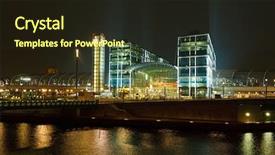
 Presentation with station - Presentation having railway station in berlin background and a wine colored foreground

Railway Station Berlin

Presentation having railway station in berlin

 Presentation with station - Presentation design enhanced with transportation mrt - stair in subway station background and a soft green colored foreground

Stair Subway Station

Imagine walking through a bustling subway station, surrounded by the hum of trains and the chatter of commuters. The worn wooden doors swing open, revealing a long corridor that stretches into the distance. The design name for this template is Commuter Passage. It's a widescreen format, perfect for showcasing high resolution images of doorways, commercial establishments, or even staircases in subway stations. This template features a wheat color palette, with warm tones and soft textures that evoke a sense of nostalgia. It includes 4 how to slides to help you get started quickly: "Getting Started", "Setting Up Your Layout", "Adding High Resolution Images", and "Customizing Your Commuter Passage". The Pros and Cons slide is designed to provide an in depth look at the advantages and disadvantages of using a wheat themed template for your presentation. This template has a strong theme, incorporating a background with a subtle subway station effect. Featuring high resolution images of doors, corridors, and commercial establishments, this template is sure to enhance any presentation. Including a background with vibrant colors and patterns, you can create visually appealing slides that set the tone for your Commuter Passage template. Having a theme of showcasing different aspects of commuter life, you can customize the layout to include or exclude images based on your needs. Enhanced with Googles Slides compatibility, this template is easily downloadable and compatible with other presentation software.

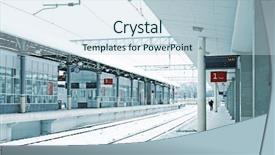
 Presentation with station - Audience pleasing PPT layouts consisting of train station in winter backdrop and a sky blue colored foreground

Train Station Winter

PPT layouts consisting of train station in winter

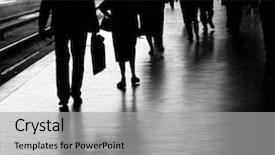
 Presentation with station - Slide deck consisting of people at the train station background and a light gray colored foreground

People Train Station

Slide deck consisting of people at the train station

▼Key features of this template

  • They are compatible with both PowerPoint and Google Slides running on either Windows PCs or Macs.

  • They are available in both standard and widescreen slide formats. You can choose your preferred format by clicking on the "Widescreen" check box or icon.

  • Each template includes a beautiful high-resolution background image or video to visually reinforce the theme of your presentation.

  • In addition, each template includes designer-created graphics and modern fonts to give your presentations an up-to-date, professional look.

  • Each template's default design and title text position have been carefully selected to complement its background without covering faces or other key elements.

  • All text includes backdrops whose transparency level is mathematically calculated to maximize text readability while still allowing the background to be seen.

  • And all the text, text backdrops and graphics in every slide are colored with a palette designed to beautifully complement the colors in the background.

  • Our Premium templates (those with the descriptor “Premium” in their subtitle) include over 64 slide layouts to give you maximum flexibility as you create your presentations.

    • Those layouts are available to you whenever you create a new slide or when you want to change the layout of an existing slide.
    • They include everything you need to make all sorts of presentations. In addition to the layouts for the title slide and the usual title and content slide, they include many other layouts for slide types including table of contents slides, org charts, charts, diagrams, infographics, photo slides, thank you slides and more.
    • While creating these layouts our template designers have ensured that all text in every layout adjusts as gracefully as possible to various numbers of words.
  • Customizable templates (those with the descriptor “Customizable” in their subtitle) may be easily modified online before you download them.

    • To modify them, simply click on the pencil editing icon, then select your choice of ready to go designs and title text positions.
    • The editing tool also makes it easy to reposition and scale the background image or video to best suit your needs.

▼FAQs

Please review these FAQs to see if your question is answered. Contact us for more info

  • What is a PowerPoint template?

    • A well designed PowerPoint template is a file that can tell PowerPoint how to make your ordinary templates look extraordinary. They won’t change what your words or numbers say. But they might change their size, color, font and placement. And, overall, they can give your presentations a professionally-designed look that will give your content more credibility and give you more confidence.
  • How many PowerPoint templates do you offer?

    • We have over 32,000 artist-created presentation templates in our PowerPlugs collection With a subscription, PowerPlugs templates are easy to download. Just sign in, find a template and click on the green Download button. ready for you to download. That alone offers you more variety to choose from than any of our competitors can offer. And, as if that weren’t enough, we also offer over 6 million templates in our Crystal collection. Crystal brand templates are our line of templates that have customization options. They have the word "CRYSTAL" on their web page images. You can customize several aspects of the templates. These templates include high-resolution background images from Shutterstock’s vast image collection matched up with artist-created presentation designs customized by our own proprietary AI software.
  • How many templates can I download as a subscriber?

    • You can download an unlimited number of PowerPlugs-brand With a subscription, PowerPlugs templates are easy to download. Just sign in, find a template and click on the green Download button. templates every day for an entire year. (Actually, by default, we set a limit of 25 templates per day to prevent our competitors from stealing our templates. But, if that is not enough, just let us know and we’ll try to accommodate you.) On top of that, with a subscription or an Ultimate Combo, you can also download any 50 Crystal-brand Crystal brand templates are our line of templates that have customization options. They have the word "CRYSTAL" on their web page images. You can customize several aspects of the templates. templates per year selected from our huge Crystal collection. Crystal brand templates are our line of templates that have customization options. They have the word "CRYSTAL" on their web page images. You can customize several aspects of the templates. .
  • Why should I choose your templates instead of the competition’s?

    • We’ve got a larger selection of professionally-designed PowerPoint templates than anyone else in the world.
    • Each template includes a high-resolution background image or video to visually inspire your audiences while reinforcing your message.
    • Each template includes 64 slide layouts to give you maximum flexibility as you create your presentations.
    • Our templates are available in both standard and widescreen slide formats. And our website lets you preview the slides each way.
    • Our free Template Finder™ plugin lets subscribers select and - with a single click - download and insert our templates into their presentations right from within PowerPoint.
    • We’ve been creating designer presentation templates for over 20 years. During that time we’ve won several awards and 5-star ratings for product quality. See About Us for more.
  • Do you offer a money-back guarantee?

    • Yes we do! We offer full 30-day money-back guarantee if you are not 100% satisfied with your purchase.
  • Can I still use my downloaded templates after my subscription runs out?

    • Yes. After your subscription expires, you won't lose any rights or ability to use your PowerPlugs: Templates for PowerPoint. You won't be able to download any new non-watermarked templates. But the non-watermarked templates you've already downloaded will still work and you can still use them as before.
  • Can I share my downloaded templates or passwords with friends or coworkers?

    • Sorry but no. You are authorized to download each paid-for template to up to 3 of your personal devices and to use the templates you download in as many presentations as you want. But you are not authorized to share the templates, themselves, with others. That said, we do offer highly discounted site licenses to suit the needs of both small and large teams. Just tell us your needs and we’ll give you a quote!
  • System requirements:

    • The templates use the standard POTX format. So they are compatible with Google Slides and all PC, Mac and mobile devices running any version of PowerPoint from PowerPoint 2007 up through and including Office 365 desktop.
    • Please note: Google Slides does not currently support background videos. It treats them as still images.
    • For PowerPoint for the Web, first open your template into a desktop version of PowerPoint, then save it back out as a PPTX file. Then you can open that in PowerPoint for the Web.
  • End user license agreement:

    • Click here to view.
  • How will I get my purchased templates?

    • You may download your selected templates as soon as your payment is received by PayPal. If you purchased an individual template, you will be provided with a download link both onscreen and via email. Just click on that link to begin the download process. If you purchased a subscription, you will receive an email containing a password to use along with your email address to sign in to any of the templates pages on CrystalGraphics.com. Once you are signed in, you can immediately start downloading your selected templates.
  • How do I use my templates after I download them?

    • You can either open a template to start a new presentation or you can add a template to an existing presentation. To open a template, just double click on it or use PowerPoint's File > Open tool. To add a template to an existing presentation, on the Design tab, in the Themes group, click Browse for Themes... then browse to select your template.

View more Station templates:

previous 1 2 3 4 5 6 7 8 9 10 11 12 13 14 next
Categories related to Station:
Petrol
93% of Fortune 1000
companies use our
PowerPoint Products
Templates Secure

Standing Ovation Award
Winner: Best PowerPoint
Template Collection
Fortune Logos
200,000+ satisfied
customers worldwide!
Guarantee
100% satisfaction guaranteed
- or send it back for a refund!

Sign up for our free newsletter! You'll get news about our PowerPoint-enhancing product line – including free updates, new product announcements and exclusive special offers. Plus you'll get a link to a free PowerPoint template with every newsletter you receive.
Privacy Policy
Loading...


Help

Contact Us
Product FAQs
Product License Agreements

Company Info

About Us
Privacy Policy
CrystalGraphics, Inc. 1999 S. Bascom Avenue Suite 700 Campbell, CA 95008 USA
© 2026 CrystalGraphics, Inc. All rights Reserved.    |     PowerPlugs is a trademark of CrystalGraphics, Inc.
Microsoft and the PowerPoint logo are trademarks or registered trademarks of Microsoft Corporation in the United States and/or other countries.
Loading...
Loading...