www.crystalgraphics.com CrystalGraphics
  • Ultimate Combo
  • Templates
  • Diagrams
  • Characters
  • Quizzes
  • shopping cart
  • Sign Out Sign Out Sign In
Home > Templates > Station Category
search icon
advanced icon

284 Best Station-Themed Templates for PowerPoint and Google Slides

CrystalGraphics creates templates designed to make even average presentations look incredible. Below you’ll see thumbnail sized previews of the title slides of a few of our 284 best station templates for PowerPoint and Google Slides. The text you’ll see in in those slides is just example text. The station-related image or video you’ll see in the background of each title slide is designed to help you set the stage for your station-related topics and it is included with that template. In addition to the title slides, each of our templates comes with 17 additional slide layouts that you can use to create an unlimited number of presentation slides with your own added text and images. And every template is available in both widescreen and standard formats. With over 6 million presentation templates available for you to choose from, CrystalGraphics is the award-winning provider of the world’s largest collection of templates for PowerPoint and Google Slides. So, take your time and look around. You’ll like what you see! Whether you want 1 great template or an ongoing subscription, we've got affordable purchasing options and 24/7 download access to fit your needs. Thanks to our unbeatable combination of quality, selection and unique customization options, CrystalGraphics is the company you can count on for your presentation enhancement needs. Just ask any of our thousands of satisfied customers from virtually every leading company around the world. They love our products. We think you will, too!

Features & Pricing

Widescreen (16:9) Presentation Templates. Change size...
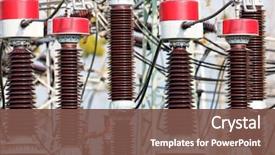
 Presentation with station - Presentation design consisting of electrical engineer - power station background and a tawny brown colored foreground

Power Station

The image of power stations towers over us, their imposing structures belied by sleek lines and precision engineering. Crisscrossing the landscape like steel ribbons, pylons stand guard, while transformers hum in the background, generating electricity to power our lives. In the heart of this power station complex lies a generator, its massive blades spinning with ferocious intensity as it harnesses the energy of the wind or water to produce power. The scene is set against a high resolution image featuring a majestic, monolithic structure, with crisscrossing steel beams and towering above a verdant landscape. The template's theme is firmly established by its crimson color palette, evoking the fiery passion of innovation and progress. High resolution images throughout the background will enhance the overall look, drawing attention to key elements like power lines snaking across the terrain or transformers looming in the distance. The Puzzle Pieces Layout slide will feature a visually striking image showcasing the intricate interplay between different components, with each piece fitting seamlessly into its designated space. This template is designed for Googleslide compatibility and download on any desktop computer. To get started quickly, four helpful slides are included: Getting Started, Mastering PowerPoint Features, Troubleshooting Common Issues, and Advanced Customization. With these essentials under your belt, you'll be well equipped to tackle even the most complex presentations.

 Presentation with station - Audience pleasing slide deck consisting of toll station backdrop and a light gray colored foreground

Toll Station

As you arrive at the toll station in Francisco, you notice the sleek steel structure looming above, its lines crisply defined against the backdrop of high resolution images, transporting you to a world of efficiency and precision. This striking template, designed by CrystalGraphics, is the perfect starting point for creating engaging presentations that draw your audience in. The Wide Title template is a stunning example of how design and style can elevate a presentation from ordinary to extraordinary. With its bold font and imposing logo, it sets the tone for an immersive experience that will keep your viewers on the edge of their seats. The Steel Blue color palette adds a touch of sophistication, while the inclusion of a boundary line creates a sense of structure and purpose. This template is perfect for showcasing the intricacies of traffic flow, highlighting key features such as bus lanes, waiting areas, and line markings. For instance, you could use it to create a presentation on "The Anatomy of a Traffic Toll Station," featuring stunning high resolution images that illustrate each aspect in vivid detail. Having a theme of precision engineering, this template is sure to impress your audience with its attention to detail and commitment to accuracy. It's also enhanced with interactive elements such as the 5 Year Calendar Timeline Layout slide, which provides an engaging visual representation of time and sequence. The How To slides at the start of the deck offer valuable tips and tricks for getting up and running quickly, ensuring that you can tailor your presentation to suit your specific needs. With its sleek design and versatile features, this template is sure to leave a lasting impression on your audience.

 Presentation with station - Theme consisting of underground economy - empty metro station background and a light blue colored foreground

Empty Metro Station

Imagine standing at the empty metro station on a chilly morning, surrounded by steel grey walls and a deserted cityscape in the background. The atmosphere is one of anticipation, as if something momentous is about to unfold. This scene sets the tone for the Split Title template, a visually stunning widescreen presentation that perfectly captures the essence of arrival and destination. The Steel Blue color palette provides a sleek and sophisticated backdrop for your content, while Featuring high resolution images in 8 vibrant cityscapes will elevate your visuals and give a glimpse into various cities around the world. In fact, you might Include a Background With a stunning image of Tokyo's Shibuya Crossing or Sydney's iconic Opera House to showcase different destinations. With its unique columns design, Split Title template provides an Enhanced With an all inclusive set of features, including text elements in multiple column layouts and varying font styles to make your content stand out. Having a Theme of Travel is perfectly encapsulated within this beautiful template, and you can incorporate it by using various images or even a pre defined background image. The high resolution visuals ensure that every slide looks sharp and crisp on Google Slides, allowing for seamless transitions between slides. The downloadable format makes it easy to share with others, while the compatibility guarantee ensures that your presentation runs smoothly across all devices.

 Presentation with station - Audience pleasing theme consisting of train station underpass backdrop and a light blue colored foreground

Train Station Underpass

The clock is ticking as you embark on a new design adventure with CrystalGraphics' latest template, "Corridor Passage", a stunning Widescreen template that will transport your audience to the heart of commercial hubs. Imagine stepping into the bustling underpass of a train station, where steel beams and concrete provide a gritty backdrop for sleek, modern branding. In this Corridor Passage template, you'll find the perfect blend of industrial chic and sophisticated style. This template is designed to deliver high resolution images that will transport your content to life, with striking visuals that rival those found in Google Slides. The Light Steel Blue color palette is both calming and dynamic, providing a versatile canvas for your branding. To enhance the user experience, we've included four How To slides at the start of the deck to help you get up and running quickly. As an addition to this template, CrystalGraphics also offers a Background With option featuring 4 stunning how to videos that walk users through the process of creating their own Corridor Passage templates. These videos are included as part of your download package.

 Presentation with station - Presentation design consisting of tunnel construction engineering - modern underground station background and a  colored foreground

Modern Underground Station

Presentation design consisting of modern underground station background

 Presentation with station - PPT theme enhanced with clock in train station background and a tawny brown colored foreground

Clock Train Station

The clock strikes midnight on your journey to create a stunning PowerPoint template that will leave a lasting impression. Introducing the Split Title template, designed to take you by storm with its unique blend of style and functionality. This premium template features a spacious Widescreen format perfect for showcasing high resolution images in all their glory, and is set against a captivating Peru color palette that evokes the feeling of an old city hall at sunset. With four How To slides to get you started quickly, but no need to invest too much time into learning how to use it just dive right in. To enhance your presentation, this template includes a Background Featuring option that allows you to add any image or video you like to the background of your slide, making it perfect for showcasing cityscapes at night or waiting around for something to happen. Having a Theme of enhancing the visual appeal of your slides is perfectly captured in the SWOT Analysis Layout slide, which provides a clear overview of the strengths and weaknesses of each slide. The Split Title template is also fully downloadable and compatible with Google Slides, making it easy to share with colleagues or collaborators who may need to use it. Whether you're looking for a sleek and modern look or something more traditional and classic, this template has got you covered.

 Presentation with station - Beautiful PPT layouts featuring town railway station backdrop and a gray colored foreground

Town Railway Station

In the midst of city life, where steel skyscrapers pierce the sky and streets hum with activity, one architectural wonder stands tall the town railway station. The building's imposing presence is a testament to human ingenuity and a reminder that even in the midst of concrete and steel, beauty can be found. The Wide Title template features a sleek and modern design that perfectly complements its theme. With a horizontal layout and a focus on high resolution images for the background, this template is sure to make your presentations stand out. Its Steel Blue color palette provides a clean and professional look that's perfect for any industry or field of study. The Wide Title is available in Widescreen format, ideal for showcasing 16:9 screens or devices. And with its interchangeable keywords dusk, building, commuting, horizontal, Russia you can tailor the template to suit your specific needs. Featuring a background image of a bustling railway station at sunset, this template includes a Background With option allowing you to easily swap it out for different scenery. The Circular Approach Layout slide is a great way to visualize how to structure your presentation, with its concentric circles representing key points and ideas. For example, if you're presenting on "The Impact of Urbanization", the slide could include images of city streets, buildings, and commuters going about their daily lives. Having a Theme of enhancing user experience, this template offers a wealth of features to make your presentations engaging and interactive. With its downloadable format and compatibility with Google Slides, The Wide Title template is the perfect choice for anyone looking to elevate their presentation game.

 Presentation with station - Slide set enhanced with time table - grand central station background and a dark gray colored foreground

Grand Central Station

As you embark on your travel or destination presentation, imagine yourself standing in front of one of the world's most iconic landmarks: Grand Central Station. The majestic architecture, bustling energy, and rich history all come together to create an unparalleled experience. To bring this grandeur to life on your screen, we present a stunning Wide Title template that perfectly captures the essence of travel destinations. This Widescreen template features a high resolution image of Grand Central Station as its background, bringing the majestic structure to life in breathtaking detail. The Saddle Brown color palette adds warmth and sophistication, evoking feelings of luxury and adventure. Whether you're showcasing a vibrant cityscape or a serene beach destination, this template is the perfect starting point for your presentation. The Wide Title format is ideal for displaying your title, with ample space to showcase your text in high definition. The design name "Wide Title" itself tells you exactly what this template is all about – a grand and attention grabbing title that sets the tone for your entire presentation. With four How To slides at the start of the deck, you'll be equipped to get up and running quickly and confidently, making it easier than ever to share your expertise with others. The template is downloadable and compatible with Google Slides, ensuring seamless integration into your existing workflow. Featuring a Venn Diagram Layout slide, this template provides an excellent opportunity to showcase the different elements that make up your presentation – from background images to interactive features. Having a theme of showcasing destinations around the world, you'll be able to include a variety of fascinating facts and figures in each slide. With the Enhanced Background image included with every template, you'll have plenty of opportunities to add depth and interest to your slides. The ultimate goal is to create an immersive experience for your audience, transporting them to far flung destinations and sparking their imagination.

 Presentation with station - Beautiful presentation featuring fluorescent lamp - entrance to subway station backdrop and a light blue colored foreground

Entrance Subway Station

Presentation featuring entrance to subway station

 Presentation with station - Audience pleasing presentation theme consisting of breathing bad air - sandstorm on railway station backdrop and a gray colored foreground

Sandstorm Railway Station

Imagine walking through a city under a harsh overcast sky where the streets are empty and the buildings loom above you like giant metal beasts, their yellow hues glowing in the dim light. This is what a city feels like on a bad day. The wide screen version of your presentation will take that feeling to the next level, featuring high resolution images of the urban landscape at its best. The Widescreen Wide Title format allows you to showcase 4 visually striking slides at the start of your deck to help get up and running quickly from the basics like formatting and font sizes to more advanced topics like adding interactive elements. But for now, let's dive into the details that make this template truly stand out. The Peru color palette brings warmth and coziness to the overall design while maintaining a sense of ruggedness reminiscent of an old train route. You'll notice Stairs Layout slide is included in this Widescreen Wide Title deck it gives you an idea on how to structure your content, including breaking up sections into bite sized chunks with visual elements to break up the text. As you explore this template, featuring high quality images from around the world will become a staple of your presentations. You might even consider using the truck that's driving down the highway as a metaphor for progress or momentum perhaps there are some yellow and black stripes on its side panel that could add an interesting visual element to your presentation. Including a Background With feature allows you to easily add dynamic elements to your slide, making it feel more immersive. Having a Theme of enhancing your content with animation effects can take your slides to the next level, creating engaging visuals that draw in your audience. Enhanced With allows you to go beyond just static images and bring your presentation to life imagine having an interactive element on your slide that changes depending on the user's interaction, like a quiz or a poll. It's not just about looking good either, this template is also compatible with Google Slides, making it easy to share with others.

 Presentation with station - Amazing presentation theme having lock machine - entrance of railway station backdrop and a light blue colored foreground

Entrance Railway Station

In the heart of bustling cities, you find majestic railway stations that have been the gateway to countless journeys and opportunities, their grandeur and beauty a testament to human innovation and design. Imagine yourself standing in front of one of these iconic structures, surrounded by towering pillars, intricate railings, and an endless expanse of waiting passengers. The air is filled with the hum of activity, as people from all walks of life hurry to catch their trains. The Wide Title template, designed specifically for Widescreen presentation formats like Google Slides, features a striking light slate gray color palette that perfectly captures the essence of these magnificent landmarks. The template's design name "Wide Title" conveys the grandeur and majesty of the railway stations, while its keywords "door", "passage", "accessibility", "high", and "barrier" highlight the themes of entrance, journey, adaptability, elevation, and inclusivity that are woven throughout. The template is made to be downloadable and compatible with Google Slides. High resolution images for the background will transport your audience to these vibrant cityscapes, while the template's compatibility ensures seamless integration into your presentation. As you explore this design, notice the 6x6 Org Chart Layout slide a clever way to visualize the hierarchical structure of large organizations like railway stations, featuring a clear color coded hierarchy that highlights leadership and responsibility. This layout can be used as an example for creating org charts on your own presentations or projects. The template's accessibility features are noteworthy, including the inclusion of a background with text and images that adapt to different screen sizes and orientations. Having a theme of showcasing complex information in a clear and concise manner is also evident throughout, from the clean typography to the emphasis on key concepts. Enhanced with modern design elements and innovative layouts, this template ensures your presentation stands out from the crowd.

 Presentation with station - Presentation theme enhanced with entrance of railway station background and a light gray colored foreground

Entrance Railway Station

As you step into the heart of the railway station, the grand entrance beckons you to embark on an exciting journey through its labyrinthine corridors. The sprawling structure stands as a testament to human ingenuity and perseverance. Its intricate network of doors, passages, and barriers has been crafted with precision to ensure seamless access for all users. The Wide Title template is designed to dominate any presentation, making a lasting impression on your audience from the very start. With its crisp crimson color palette, this template offers an elevated ambiance that will leave viewers in awe. From high resolution images of railway stations to 3D backgrounds featuring intricate details, every element has been carefully crafted to enhance the overall experience. The Widescreen format allows for maximum visual impact, making it a perfect fit for presentations and projects that require attention grabbing visuals. With its accessibility features and inclusive theme, this template is designed to cater to diverse audiences, ensuring everyone can enjoy the seamless journey through the railway station's layout. This template features three distinct Org Chart Layouts – including a 3x3 structure – providing flexibility for organizing complex hierarchies. The included Background With feature enables you to showcase any image or video in the background of your slide, further enhancing the overall visual appeal. Having a Theme of can be achieved through various customization options, allowing you to tailor this template to suit specific needs. Enhanced with additional design elements such as icons and graphics, this template is sure to turn heads on any presentation.

 Presentation with station - Amazing PPT theme having train at the monorail station backdrop and a light blue colored foreground

Train Monorail Station

Imagine walking down a bustling city street as the morning sun rises over the skyscrapers, casting a warm light on the crowds rushing to start their day. The sounds of honking horns and chatter fill the air as people hurry to catch their first bus or train of the day. This is what a new template from CrystalGraphics looks like. Designed for a powerpoint presentation, it's formatted in widescreen with 4 high resolution images on the background that create an immersive experience. The Light Sky Blue color palette shines through with crisp white text and bold accents. The theme of this template revolves around public transportation, highlighting a commuter's daily commute by train or bus. Featuring vibrant colors, including shades of blue and green to evoke feelings of tranquility and efficiency. Including a Background With the cityscape, taking the audience on a thrilling ride as they move from one location to another. Enhanced with detailed line art illustrations that illustrate the inner workings of trains and buses, this template is complete with 4 action packed slides for an engaging start to your presentation. The Gears in Sync Layout slide showcases how these tools are intertwined, highlighting the synchronization of wheels on a train or engine's gears on a bus as they move forward together in harmony.

 Presentation with station - Presentation having car on a filling station background and a soft green colored foreground

Car Filling Station

The scene unfolds like a diesel engine revving to life at a bustling filling station, where the fuel is pumping and the truckers are refueling their rigs. The background image is a high resolution photo of a classic American gas pump, complete with a bright yellow glow emanating from within. The template's design name is "Fuel Station Frenzy" and it's formatted in a widescreen aspect ratio, perfect for showcasing the action on screen. The Khaki color palette provides a warm and earthy tone that evokes feelings of nostalgia and reliability. It's the perfect theme to feature a background with a utility style image, such as a stack of crates or a toolbox, adding a practical touch to the design. The template includes a range of keywords like "diesel", "fuel", "truck", "utility", and "gasoline" to help users quickly identify what they're looking for. The high resolution images used throughout the template are sure to enhance the overall look and feel. For example, you could include a photo of a vintage gas pump with a bright red and white checkered pattern, or a shot of a modern truck parked in front of a sleek, black fueling station. The template is downloadable and compatible with Google Slides, making it easy to incorporate into your presentations. The "Fuel Station Frenzy" template is designed to be flexible and adaptable, featuring a range of layouts that can be customized to suit different needs. On the Bulb Puzzle Layout slide, you could include a photo of a gas pump with multiple fueling stations branching off from it, creating a fun and interactive visual effect. The template's enhanced features make it an ideal choice for presentations that require a high level of customization and creativity.

 Presentation with station - Cool new PPT theme with trainstation - platform at a train station backdrop and a tawny brown colored foreground

Platform Train Station.

A train station platform is where passengers wait and arrive, but before they step onto the tracks, they first need to gather their belongings and find their way. The anticipation builds as the train pulls in, its arrival announced by a loud horn that echoes through the empty corridors. The depot, with its worn wooden signs and faded murals, stands tall in the background, a reminder of the industry that runs beneath it. The high resolution images of passengers walking towards the train station's entrance provide a sense of movement and energy, while the images of train cars parked along the tracks add to the visual interest. The Saddle Brown color palette, with its warm tones of beige and brown, brings a cozy feel to the template. This is where it starts a platform at a train station, waiting for the next arrival. The 6 x 6 Org Chart Layout slide features a diagramming tool that shows how different departments within an organization are organized, with each level clearly labeled from the top down. It's a great example of how to visually represent complex organizational structures in a clear and concise manner. The template is downloadable and compatible with Google Slides, making it easy to import images and add interactive elements. As you begin using this Corner Title template, you can include background images featuring a bustling train station at arrival, having a theme of 'Platform Life' Incorporating a Background With the high resolution image of a busy train station in the background, you can enhance the overall feel with animations and transitions. The template is also enhanced with bold fonts and icons to make it more engaging, making it ideal for presentations that require attention grabbing visuals. For example, this template could be used to create a presentation about a company's new project launch, where passengers are waiting at the station to receive updates on their progress. It would feature high resolution images of people checking in and out, as well as animated graphs showing the team's milestones. The layout is designed to include features such as links to external websites and social media feeds, making it easy for attendees to engage with the content.

 Presentation with station - Presentation featuring chemical truck - power station at sunset background and a light blue colored foreground

Power Station Sunset

The golden hour has arrived, and we're serving up a power station at sunset that's sure to leave your audience in awe. The Warmth of the setting sun casts a golden glow over the vast expanse of pipes and turbines, as if the very essence of smog has been transformed into a breathtaking work of art. But what really sets this template apart is its sleek and modern design, featuring a curved container shape that echoes the contours of the power station itself. The template is available in Widescreen format for seamless integration with your Google Slides presentation, ensuring that every detail is crisp and clear. And when you need to add an extra layer of depth, simply Incorporate a Background With a subtle gradient effect that brings the scene to life. Having a Theme of Energy Efficiency, this design is not only visually stunning but also showcases the importance of maintaining optimal conditions for fuel production. The template's Cornflower Blue color palette, Featuring High Resolution Images For The Background That will surely elevate your presentation, adds a touch of sophistication and professionalism. And with its Compatible With Google Slides feature, you can easily enhance this design to fit your specific needs. Whether you're showcasing the inner workings of a power station or highlighting the importance of environmental sustainability, this template is sure to deliver Enhanced Results that leave a lasting impression on your audience.

 Presentation with station - Presentation theme featuring toll station and billboard background and a sky blue colored foreground

Toll Station Billboard

The ultimate visual tool for businesses and advertisers looking to dominate the road with their brand identity is here. The Wide Title template, designed specifically for commercial use, brings together a bold and eye catching design that screams "look at me". This stunning Widescreen template features a Cornflower Blue color palette, evoking feelings of trust and professionalism. The template's high resolution images for the background will leave a lasting impression on your audience. From cityscapes to billboards, these images are sure to grab attention and set the tone for your branding strategy. Whether you're creating a toll station sign or a billboard advertisement, this template has got you covered. As inspiration for its design, consider incorporating elements of a toll station and Billboard into your presentation. For instance, you could include a simple signpost layout featuring the company name, logo, and contact information. Having a theme of "enhanced branding" would allow you to showcase how this template can elevate your commercial efforts to the next level. With its engaging design and accompanying background images, this template is the perfect tool for businesses looking to make their mark on the road with their brand identity.

 Presentation with station - Theme having crowd of a subway station background and a gray colored foreground

Crowd Subway Station.

Imagine a bustling metropolis, with a sea of faces rushing to and fro, as the sound of distant trains hums in the background. The crowd is alive and vibrant, but also divided by the walls that separate them, creating confluence of emotions and reactions. The design name for this template is Wide Title, and it's exclusively created for Widescreen format, with a dark khaki color palette that gives it an edgy, urban feel. The theme is inspired by high resolution images of corridors, passageways, and crowded spaces, conveying the energy and movement of a bustling city. As you enter this template, you'll be struck by its seamless integration with Google Slides, featuring features like Including a Background With that allows for maximum flexibility in creating stunning slides. The Ansoff Matrix Diagram Layout slide is also perfectly positioned to help you navigate your content, making it easy to visualize the different stages of growth and expansion. This template is Enhanced With a range of design elements, including high contrast colors, bold typography, and dynamic graphics that bring the crowd to life. It's designed to be both visually striking and functional, ensuring that your presentations are engaging and effective. By choosing this template, you'll have everything you need to create compelling slides that capture your audience's attention and convey your message with confidence.

 Presentation with station - PPT layouts with toll station background and a gray colored foreground

Toll Station

This template is a sleek and modern design that embodies the spirit of a bustling toll station. Imagine stepping into a busy hub where travelers from all walks of life converge to pay their fees and wait in line for their turn. The Light Steel Blue color palette sets the tone for a high tech, fast paced environment that exudes efficiency and punctuality. The template features a Widescreen format, making it ideal for presentations, meetings, or any content that requires plenty of space to convey information. You'll notice a prominent background image showcasing a busy toll booth, complete with a sleek metal wall and a waiting crowd filtering in and out. To enhance the overall visual impact, we've included high resolution images throughout the template. The Light Steel Blue color palette also features subtle gradients that give the design a professional finish. In this template, you can find keywords such as "boundary", "francisco" (the city), "bus" (as in bus fare), and "waiting" (as in waiting in line). These elements form an integral part of the theme. The template's layout is carefully designed to include a seamless transition between different sections. You'll also find several useful slides, including the How To section at the start of the deck. This section will provide you with quick start guidance on how to get up and running with your new template in just four easy to follow steps. In terms of customization, this template is fully compatible with Google Slides, making it a great choice for those who want to easily incorporate features like Featuring a Background With or Having a Theme of into their presentations.

 Presentation with station - Cool new slide set with old train at a station backdrop and a gray colored foreground

Old Train Station

The city's underbelly, where decay and fumes fuel the lifeblood of commuters. A place where the past is palpable, yet to be discovered, in the crumbling facades of abandoned buildings that cling to the steel beams like skeletal fingers. To create a template that embodies this narrative, I present Wide Title, a design name that evokes a sense of vastness and mystery. This Widescreen template is perfect for presenting a theme of decay with a focus on poor, as it features high resolution images of grimy, decaying buildings and industrial landscapes. The Peru color palette adds a warm, earthy tone to the overall aesthetic, reminiscent of old photographs or weathered maps. Featuring vibrant hues of terracotta, sienna, and umber, this background will transport your audience to a world that's both gritty and haunting. Incorporating a Circular Step Layout slide, Wide Title takes the traditional "road trip" theme on an unexpected journey through abandoned streets and forgotten landscapes. Imagine a map that showcases the detritus of human activity, with crumbling buildings and rusting cars serving as the landmarks, providing context for your message. Having a Theme of Features high resolution images of industrial machinery, this template is enhanced with detailed illustrations of fuzesabony explosions, adding an air of intensity to the presentation. Enhanced with dynamic animations, such as smoke trails or burning debris, this feature will keep your audience engaged and entertained. In addition to these features, Wide Title includes 4 How To slides at the start of the deck to help you get up and running quickly. With its clean design and easy to use interface, this template is the perfect starting point for any presentation or project that requires a sense of urgency and focus.

 Presentation with station - Cool new presentation design with rail transport - historic union station in denver backdrop and a black colored foreground

Historic Union Station Denver

Presentation design with historic union station in denver

▼Key features of this template

  • They are compatible with both PowerPoint and Google Slides running on either Windows PCs or Macs.

  • They are available in both standard and widescreen slide formats. You can choose your preferred format by clicking on the "Widescreen" check box or icon.

  • Each template includes a beautiful high-resolution background image or video to visually reinforce the theme of your presentation.

  • In addition, each template includes designer-created graphics and modern fonts to give your presentations an up-to-date, professional look.

  • Each template's default design and title text position have been carefully selected to complement its background without covering faces or other key elements.

  • All text includes backdrops whose transparency level is mathematically calculated to maximize text readability while still allowing the background to be seen.

  • And all the text, text backdrops and graphics in every slide are colored with a palette designed to beautifully complement the colors in the background.

  • Our Premium templates (those with the descriptor “Premium” in their subtitle) include over 64 slide layouts to give you maximum flexibility as you create your presentations.

    • Those layouts are available to you whenever you create a new slide or when you want to change the layout of an existing slide.
    • They include everything you need to make all sorts of presentations. In addition to the layouts for the title slide and the usual title and content slide, they include many other layouts for slide types including table of contents slides, org charts, charts, diagrams, infographics, photo slides, thank you slides and more.
    • While creating these layouts our template designers have ensured that all text in every layout adjusts as gracefully as possible to various numbers of words.
  • Customizable templates (those with the descriptor “Customizable” in their subtitle) may be easily modified online before you download them.

    • To modify them, simply click on the pencil editing icon, then select your choice of ready to go designs and title text positions.
    • The editing tool also makes it easy to reposition and scale the background image or video to best suit your needs.

▼FAQs

Please review these FAQs to see if your question is answered. Contact us for more info

  • What is a PowerPoint template?

    • A well designed PowerPoint template is a file that can tell PowerPoint how to make your ordinary templates look extraordinary. They won’t change what your words or numbers say. But they might change their size, color, font and placement. And, overall, they can give your presentations a professionally-designed look that will give your content more credibility and give you more confidence.
  • How many PowerPoint templates do you offer?

    • We have over 32,000 artist-created presentation templates in our PowerPlugs collection With a subscription, PowerPlugs templates are easy to download. Just sign in, find a template and click on the green Download button. ready for you to download. That alone offers you more variety to choose from than any of our competitors can offer. And, as if that weren’t enough, we also offer over 6 million templates in our Crystal collection. Crystal brand templates are our line of templates that have customization options. They have the word "CRYSTAL" on their web page images. You can customize several aspects of the templates. These templates include high-resolution background images from Shutterstock’s vast image collection matched up with artist-created presentation designs customized by our own proprietary AI software.
  • How many templates can I download as a subscriber?

    • You can download an unlimited number of PowerPlugs-brand With a subscription, PowerPlugs templates are easy to download. Just sign in, find a template and click on the green Download button. templates every day for an entire year. (Actually, by default, we set a limit of 25 templates per day to prevent our competitors from stealing our templates. But, if that is not enough, just let us know and we’ll try to accommodate you.) On top of that, with a subscription or an Ultimate Combo, you can also download any 50 Crystal-brand Crystal brand templates are our line of templates that have customization options. They have the word "CRYSTAL" on their web page images. You can customize several aspects of the templates. templates per year selected from our huge Crystal collection. Crystal brand templates are our line of templates that have customization options. They have the word "CRYSTAL" on their web page images. You can customize several aspects of the templates. .
  • Why should I choose your templates instead of the competition’s?

    • We’ve got a larger selection of professionally-designed PowerPoint templates than anyone else in the world.
    • Each template includes a high-resolution background image or video to visually inspire your audiences while reinforcing your message.
    • Each template includes 64 slide layouts to give you maximum flexibility as you create your presentations.
    • Our templates are available in both standard and widescreen slide formats. And our website lets you preview the slides each way.
    • Our free Template Finder™ plugin lets subscribers select and - with a single click - download and insert our templates into their presentations right from within PowerPoint.
    • We’ve been creating designer presentation templates for over 20 years. During that time we’ve won several awards and 5-star ratings for product quality. See About Us for more.
  • Do you offer a money-back guarantee?

    • Yes we do! We offer full 30-day money-back guarantee if you are not 100% satisfied with your purchase.
  • Can I still use my downloaded templates after my subscription runs out?

    • Yes. After your subscription expires, you won't lose any rights or ability to use your PowerPlugs: Templates for PowerPoint. You won't be able to download any new non-watermarked templates. But the non-watermarked templates you've already downloaded will still work and you can still use them as before.
  • Can I share my downloaded templates or passwords with friends or coworkers?

    • Sorry but no. You are authorized to download each paid-for template to up to 3 of your personal devices and to use the templates you download in as many presentations as you want. But you are not authorized to share the templates, themselves, with others. That said, we do offer highly discounted site licenses to suit the needs of both small and large teams. Just tell us your needs and we’ll give you a quote!
  • System requirements:

    • The templates use the standard POTX format. So they are compatible with Google Slides and all PC, Mac and mobile devices running any version of PowerPoint from PowerPoint 2007 up through and including Office 365 desktop.
    • Please note: Google Slides does not currently support background videos. It treats them as still images.
    • For PowerPoint for the Web, first open your template into a desktop version of PowerPoint, then save it back out as a PPTX file. Then you can open that in PowerPoint for the Web.
  • End user license agreement:

    • Click here to view.
  • How will I get my purchased templates?

    • You may download your selected templates as soon as your payment is received by PayPal. If you purchased an individual template, you will be provided with a download link both onscreen and via email. Just click on that link to begin the download process. If you purchased a subscription, you will receive an email containing a password to use along with your email address to sign in to any of the templates pages on CrystalGraphics.com. Once you are signed in, you can immediately start downloading your selected templates.
  • How do I use my templates after I download them?

    • You can either open a template to start a new presentation or you can add a template to an existing presentation. To open a template, just double click on it or use PowerPoint's File > Open tool. To add a template to an existing presentation, on the Design tab, in the Themes group, click Browse for Themes... then browse to select your template.

View more Station templates:

previous 1 2 3 4 5 6 7 8 9 10 11 12 13 14 next
Categories related to Station:
Petrol
93% of Fortune 1000
companies use our
PowerPoint Products
Templates Secure

Standing Ovation Award
Winner: Best PowerPoint
Template Collection
Fortune Logos
200,000+ satisfied
customers worldwide!
Guarantee
100% satisfaction guaranteed
- or send it back for a refund!

Sign up for our free newsletter! You'll get news about our PowerPoint-enhancing product line – including free updates, new product announcements and exclusive special offers. Plus you'll get a link to a free PowerPoint template with every newsletter you receive.
Privacy Policy
Loading...


Help

Contact Us
Product FAQs
Product License Agreements

Company Info

About Us
Privacy Policy
CrystalGraphics, Inc. 1999 S. Bascom Avenue Suite 700 Campbell, CA 95008 USA
© 2026 CrystalGraphics, Inc. All rights Reserved.    |     PowerPlugs is a trademark of CrystalGraphics, Inc.
Microsoft and the PowerPoint logo are trademarks or registered trademarks of Microsoft Corporation in the United States and/or other countries.
Loading...
Loading...