www.crystalgraphics.com CrystalGraphics
  • Ultimate Combo
  • Templates
  • Diagrams
  • Characters
  • Quizzes
  • shopping cart
  • Sign Out Sign Out Sign In
Home > Templates > Bank Category
search icon
advanced icon

299 Best Bank-Themed Templates for PowerPoint and Google Slides

CrystalGraphics extensive collection of 6.7 million PowerPoint templates brings together a vast array of innovative designs to elevate your presentation game. Within this treasure trove, you'll find the perfect template for your needs - and that's where the magic begins. With the 3D Golden Key Chain with Two Keys, House, Car and Piggy Bank template as an example, you're introduced to a world of possibilities.

This stunning design is just one of many treasures waiting to be discovered in CrystalGraphics Bank category. Other examples include:

The 3D cubes form investment and savings crossword with piggy bank on grass,
A colorful slide deck enhanced with hacker stealing dollars from bank backdrop and an ocean colored foreground,
And the timeless allure of a house, car, and piggy bank iconography.

Each template is carefully crafted to meet your unique needs, offering flexibility and customization options to ensure your presentation truly reflects you. From compatibility with Google Slides to availability in both widescreen and standard formats, every detail has been considered to make it easy for you to create a memorable experience.

Take the first step towards elevating your presentation game with CrystalGraphics unparalleled collection of templates. Explore our vast library, browse through other categories, or discover what makes us stand out from the rest. With instant 24/7 download access, the possibilities are endless.

Features & Pricing

Widescreen (16:9) Presentation Templates. Change size...

 Presentation with bank - Presentation theme enhanced with red ribbons with bank space background and a coral colored foreground

Red Ribbons Bank Space Text

In the heart of India's rich history and culture lies the magnificent flag of the country, with its red stripes serving as a symbol of strength and courage. The Wide Title template by CrystalGraphics is designed to be a stunning addition to any presentation, making it perfect for educational, promotional, or marketing materials that need to convey a sense of authority and professionalism. This Widescreen template features an Indian Red color palette that exudes warmth and energy, which can be enhanced with various design elements such as standard shapes, blank backgrounds, flags, colors, and insignia. The high resolution images for the background are sure to provide a professional look without overwhelming the audience's attention. The Wide Title template is compatible with Google Slides and offers features like downloadable links to access its accompanying 4 How To slides that help users get up and running quickly, including step by step guides on how to customize and create their own templates. The pictures and captions layout slide can be used as a creative way to display images while providing context for the text, such as featuring a high resolution image of a historical landmark with its caption "India's rich cultural heritage". The template includes features like Featuring a background with a stunning Indian flag design, Including a Background With a subtle texture effect that adds depth to the presentation, Having a Theme of professionalism and elegance, Enhanced With various design elements that can be easily customized and rearranged as needed. The high quality images used in the template are sure to make your presentations stand out, making it an excellent choice for any project that requires a touch of India's rich culture and history.

 Presentation with bank - Cool new presentation theme with along south bank on winter backdrop and a dark gray colored foreground

Couple Walking Along South Bank

The city break scene is always so captivating, and when paired with a lovely woman on a romantic stroll along the South Bank of London, it's pure magic. The focus is on capturing the essence of this special moment in time, where the couple's love shines through. This Wide Title template, featuring a high resolution image of the cityscape at sunset, perfectly complements the theme of the city break scene. The Steel Blue color palette provides a sophisticated backdrop for showcasing the stunning images that are included throughout the template. The background is designed to enhance the overall atmosphere of the couple walking along the South Bank, capturing the vibrant energy and charm of this iconic location. The template is downloadable and compatible with Google Slides, making it easy to incorporate into your presentations. To add an extra layer of depth to your slides, consider featuring a high resolution image of the city's landmarks or architecture in one of the How To slides. This could include a detailed layout of how to create a beautiful cityscape background using Quotation Layout, which can be particularly helpful for those who want to include a lot of text or images on their slide. For example, you could use this template to enhance your presentation by including a background with a quote about love and relationships in the middle of the slide, accompanied by an image of two people embracing. The theme of the couple walking along the South Bank, taking in the sights and sounds of London, is also enhanced through the inclusion of a Background With feature. This allows you to customize your slides with different colors or backgrounds, creating unique looks for each presentation. Having a Theme of showcases the template's versatility and flexibility, making it perfect for use in various types of presentations and projects. A couple strolls along the South Bank are always a delight, especially during a winter visit to London, when the city takes on an even more magical atmosphere. This Wide Title template is sure to capture your audience's attention and leave them with a lasting impression of this romantic scene.

 Presentation with bank - PPT theme consisting of bank icon with superimposed background background and a white colored foreground

Bank Icon Superimposed Background One

The Corner Title template is a stunning design that immediately catches the eye with its unique symbol icon featuring in the corner, creating a sense of balance and harmony. The background image of one hundred US dollars banknotes provides a pop of color and high contrast, making it perfect for showcasing corporate logos or branding elements. The overall aesthetic is elegant and sophisticated, evoking feelings of luxury and professionalism. The template format is Widescreen, which ensures that every element is perfectly sized for maximum impact. Featuring a Pale Goldenrod color palette adds warmth and subtlety to the design, while also providing a neutral background for adding high contrast elements such as the symbol icon or bold fonts. The template keywords "symbol", "hundred", "concept", "invest", and "icon" are all expertly incorporated into various parts of the design. The Corner Title is an ideal choice for presentations that require a touch of modern style with a hint of tradition, such as investor presentations, corporate pitches, or financial reports. The template can be enhanced with inclusion of high resolution images to provide visually stunning backgrounds, such as featuring a large image of a company logo in the background. Having a theme of simplicity and elegance, this design is sure to impress audiences. The Corner Title offers a range of customization options, including 4 x 4 Org Chart Layout, which allows users to arrange their hierarchy into clear sections. Featuring the org chart on one slide, you can include key milestones and achievements, while also providing space for other important information such as financial data or meeting notes. Having a theme of organization, this layout is perfect for businesses looking to streamline their workflows. Including a background with subtle animations and transitions adds an extra layer of engagement, making it easy to keep your audience's attention. By enhancing the template with a combination of modern design elements and high quality images, you can create stunning presentations that leave a lasting impression on your viewers.

 Presentation with bank - PPT layouts featuring an outdoor bank machine background and a light gray colored foreground

Close Up Detail Outdoor Bank

The digital banking landscape is revolutionizing the way we interact with financial transactions on the go. As we navigate this new frontier, modern design and user experience become increasingly important to stand out from the crowd. For a template that embodies these values, consider the Wide Title "Wide Title" a high resolution, widescreen design that sets the tone for a sleek and professional interface. This template is designed to feature advanced keyboard shortcuts and multi line input fields, perfect for developers who want to enhance their coding skills. The Widescreen format ensures an immersive experience on any screen, whether it's a large monitor or even a bank branch. The Widescreen template comes in a range of resolutions, including 1366x768 and 1920x1080 pixels, ensuring compatibility with Google Slides and various devices. The template color palette is designed to resemble financial institutions, featuring tones of metallic gray, navy blue, and crisp white. A deep shade of green adds a touch of sophistication, while a subtle gradient effect enhances the overall design. The template also includes key features such as including a background with a photo of an iconic banking building, having a theme of modern minimalism, and being enhanced with interactive elements like mini icons and dynamic text effects.

 Presentation with bank - PPT layouts with three piggy banks with books background and a wine colored foreground

Three Piggy Banks Books Coins

In the heart of academia lies a treasure trove of knowledge waiting to be unlocked. The pursuit of education is a journey that requires dedication and perseverance, but with the right tools, it can be a rewarding experience. This PowerPoint template, designed specifically for college students, aims to provide a comprehensive platform for learning and growth. The Wide Title design features a bold, steel blue background that sets the tone for an engaging presentation. The template is formatted in widescreen, ensuring a seamless viewing experience on any device. The Steel Blue color palette provides a professional and modern look, perfect for academic settings. This template includes four How To slides to help you get up and running quickly, featuring high resolution images of blackboards, piggy banks, and coins. Each slide is designed to enhance your presentation with a unique theme, including "Study Space" and "Achievement Tracker". The Chart with Caption Layout slide allows for easy customization, making it an ideal addition to any presentation. The template is downloadable and compatible with Google Slides, ensuring that you can easily import the images and customize the layout to suit your needs. With its sleek design and modern color palette, this PowerPoint template is sure to make a statement in any academic setting.

 Presentation with bank - Slide deck featuring sports teamwork - low angle view of two background and a ocean colored foreground

Low Angle View Two Skiers

As you click into the world of high energy winter sports, the thrill of speeding down snowy slopes is palpable, and the sense of camaraderie among fellow skiers is undeniable. The Corner Title template is the perfect way to showcase this dynamic scene in a visually stunning and easily customizable format that's sure to grab your audience's attention. The Corner Title template is available as a widescreen, 1080p resolution image that can be downloaded for free on Google Slides or used as a static background for PowerPoint presentations. The Slate Gray color palette provides a sophisticated yet approachable backdrop for the high contrast images and bold typography that will elevate your slides to new heights. The template is carefully designed to incorporate the USA theme, with nods to iconic national parks and winter sports landmarks throughout. Featuring a stunning image of a snowbank bursting into powder, the template also includes a layout option called @Pictures With Captions Layout which allows you to have a background that has relevant pictures alongside your text content for enhanced visual interest. This feature is particularly useful when using images such as a mountain scene with a prominent figure in action – having a theme of Featuring and Including a Background With will bring the image right into focus while also providing a clear call to action. Having a Theme Of will add depth to your presentation by incorporating relevant elements from the background image, enhancing the overall aesthetic. The Corner Title template is made possible by a carefully curated selection of 4 high resolution images that showcase the beauty and excitement of winter sports. Featuring an image of two skiers launching off a snowbank, one with their arms outstretched in triumph – this dynamic scene is sure to get your audience pumped up and ready to hit the slopes. For example, you could include a slide like @Pictures With Captions Layout featuring the same high resolution image as the slides above. This will allow you to have a background that showcases the action packed moment of launching off a snowbank while also providing relevant text content for enhanced visual interest. Having a Theme Of and Including a Background With will further enhance the presentation, making it feel more immersive and engaging. The template is available in Widescreen format for easy slide switching and customization, perfect for creating seamless transitions between slides or adding dynamic effects

 Presentation with bank - PPT theme consisting of political science - globe over many american dollar background and a soft green colored foreground

Globe Over Many American Dollar

Imagine taking your presentation to the next level by adding a touch of excitement and energy with our Wide Title template. This stunning design is perfect for anyone who wants to grab their audience's attention and keep them engaged throughout your talk or presentation. Featuring a globe on its side with many American dollar bank notes, this template takes inspiration from nature and money, making it the perfect fit for any business, financial, or stock related presentation. Our Widescreen format is ideal for showcasing high resolution images in all directions, ensuring that every aspect of your design looks sharp and professional. The Sky Blue color palette provides a clean and modern look, while also matching the bright tones of an American dollar bank note stack. For added realism, we've included a 1 Picture on left and Content Layout slide, complete with a detailed background image of a bustling cityscape with skyscrapers and billboards. With a theme of "Stacks" and a focus on finance, this template is perfect for businesses that want to convey a sense of stability and security. By including elements such as paying bills, checking balances, and making payments, our template provides a comprehensive look at the world of finances. Having an enhanced theme with accompanying images, you can effectively highlight key concepts and make your presentation more engaging. The design is both visually appealing and easy to read, making it perfect for presentations that require clear instructions or complex financial information. Whether you're looking to launch a new product or service, showcase a business model, or simply enhance your existing content, this template is sure to impress.

 Presentation with bank - Beautiful presentation design featuring frankfurt-germany-aug-23 backdrop and a cobalt blue colored foreground

Frankfurt Germany Aug 23:

Innovative architectural designs have the power to transform any space into a masterpiece. From modern skyscrapers to historic landmarks, Corner Title is designed to bring balance and harmony to your presentation. The template features 4 How To slides at the start of the deck to help you get up and running quickly, but for now, let's dive into its amazing design. The template format is Widescreen, making it perfect for showcasing stunning high resolution images that will leave your audience in awe. The template color palette is Cornflower Blue, a soothing and calming hue that sets the tone for an informative and engaging presentation. This theme is Featured in many architectural designs, including iconic buildings and landmarks. Including a background with subtle textures adds depth to the design and enhances its visual appeal. Having a theme of balance means using elements that work together seamlessly to create a cohesive look. The template keywords are banking and architecture, making it an ideal choice for presentations about finance and building design. Incorporating these keywords into your content will help you stand out from the crowd. For example, you could feature a high resolution image of a beautiful bank vault in Frankfurt, Germany, with its iconic Big Euro Sign, to showcase your expertise in banking and architecture. The template is Enhanced With Googles Slides compatibility, making it easy to edit and customize your presentation on the go. The Widescreen format allows for stunning visuals that will capture your audience's attention.

 Presentation with bank - Amazing slides having chinken - piggy bank backdrop and a  colored foreground

Piggy Bank

Slides having piggy bank

 Presentation with bank - Colorful presentation theme enhanced with safety closets in bank backdrop and a gray colored foreground

Safety Closets Bank

The safety closets in bank, where students rush to find their essential items before class a reassuring oasis amidst the chaos of academic life. In this Widescreen PowerPoint template, you're about to unlock the doors to productivity and organization with Wide Title as your guiding light. Featuring high resolution images for a visually stunning background, Wide Title is designed to provide a seamless online experience that complements its downloadable format and compatibility with Google Slides. This 16:9 Widescreen template is perfect for colleges, universities, or educational institutions looking to enhance their branding and presence in the education sector. The Peru color palette sets the tone for an inviting and sophisticated atmosphere, while the steel and door themes pay homage to the practical yet functional design of safety closets in banks. This template is a must have for those seeking to establish a professional online identity, with features such as including a background with subtle texture, having a theme of modern and sleek, or enhancing with creative animations. Incorporating 4 How To slides at the start of your deck will help you get up and running quickly, giving you an instant edge in presenting your template to clients. But what exactly can you expect from these slides? A presentation that includes visual aids, interactive elements, and clear instructions will ensure a smooth user experience. On the slide featuring High Resolution Images for Backdrop, you'll be able to showcase stunning visuals of safety closets in banks, such as a cozy interior with students rummaging through shelves filled with textbooks and laptops. This image can help illustrate how Wide Title's Widescreen format ensures that your content remains prominent and engaging on any device. In addition, having a theme of High Quality Images will make it easy to include these visuals in other slides throughout your presentation. With Enhanced Textures and Effects added to the images, you'll be able to create an immersive experience for your audience.

 Presentation with bank - PPT theme with money order - visitors in bank background and a soft green colored foreground

Visitors Bank

As visitors navigate through a bustling bank, their attention is drawn to the sleek steel façade and corridors that stretch out like a labyrinth, a maze of possibilities waiting to be explored. The high resolution images on the background create a sense of depth and scale, drawing the viewer's eye down towards the marbled patterns that dance across the walls, evoking the feeling of worn stone beneath their feet. The split title, a clever play on words that highlights the dual nature of the bank, is set against a warm tan color palette that adds to the welcoming atmosphere. The background images are carefully crafted to feature dynamic shots of employees at work, with subtle animations and transitions adding a touch of interactivity to the design. As visitors scroll through the presentation, they're treated to an immersive experience that makes them feel like they're right there in the bank. The template is downloadable and compatible with Google Slides, making it easy to customize and share with others. The high resolution images on the background ensure that every detail is preserved, from the intricate patterns on the walls to the vibrant colors of the marbled floor. As you create your presentation, feature a shot of a bustling bank lobby, complete with employees rushing to and fro, and have the theme of "Accessibility" guiding your design choices, ensuring that all elements are inclusive and usable by everyone. The Thank You Layout slide is a beautiful way to cap off the presentation, featuring a stunning image of a completed project with a ribbon cutting ceremony, and inviting the viewer to take a step back and appreciate their hard work. It's a fitting conclusion to an engaging and interactive presentation that showcases your skills and creativity.

 Presentation with bank - Presentation featuring money drop - piggy bank background and a lemonade colored foreground

Piggy Bank

Presentation featuring piggy bank

 Presentation with bank - Presentation theme featuring bank-note-swirl-background background and a gray colored foreground

Bank Note Swirl Background

Presentation theme featuring bank note swirl background

 Presentation with bank - PPT theme with deposit - safety closets in bank background and a gray colored foreground

Safety Closets Bank

Safety closets in bank security systems are designed to protect valuable items from theft and damage as they try to get up and running quickly. The Wide Title template features a dark khaki background that includes high resolution images of steel doors providing additional safety. This template format is ideal for college education environments where a professional look is required, particularly when featuring a theme of modern security systems. The Dark Khaki color palette dominates this design, creating a cohesive and sophisticated appearance. The inclusion of a Background With a subtle gradient gives it an enhanced visual effect. Having a Theme of modern safety systems makes this template easily adaptable to various situations such as including a background with intricate steel patterns or having a theme of high security doors. This Wide Title template is downloadable and compatible with Google Slides, allowing users to create presentations that are both professional and engaging. When using the Stairs Layout slide, you can envision a model displaying a sleek steel door on the wall, showcasing the safety features of this design.

 Presentation with bank - Slides consisting of decorative red ribbon banner background and a white colored foreground

Decorative Red Ribbon Banner Bank

The template design is inspired by traditional heraldry and flag patterns, with a rich dark salmon color palette that evokes the feeling of luxury and sophistication. The overall aesthetic is reminiscent of old world flags, featuring intricate details and symbolic elements. This stunning Wide Title template is perfect for those who want to add a touch of drama and flair to their presentations. With its bold font and elegant design, it's sure to make a statement. The dark salmon color palette provides a sophisticated backdrop for showcasing your branding and messaging. High resolution images are used throughout the background to create a visually appealing atmosphere. The template is compatible with Google Slides and can be downloaded in various file formats, making it easy to incorporate into your presentations. With its seamless integration features, you can easily include backgrounds with your own content or add a new slide for each project. Having a theme of professional branding, this template offers a classic look that's sure to impress.

 Presentation with bank - Presentation theme with deposit - safety closets in bank background and a gray colored foreground

Safety Closets Bank

The world of education is built on safety and security, just like the steel doors that protect us from harm in bank vaults. A well designed powerpoint template can be a valuable tool for professionals looking to enhance their presentations with high quality visuals and engaging content. Our Wide Title design features a sleek and modern theme with a dark khaki color palette that exudes professionalism and sophistication. The template is available in a widescreen format, ideal for showcasing large images or videos. High resolution background images are provided to give your presentation a professional finish. To add an extra layer of depth, we have incorporated some clever features such as including a Background With our unique texture and Having a Theme of showcasing various educational institutions. Our template is compatible with Google Slides, making it easy to download and use on the go. We're confident that this template will be a valuable asset for anyone looking to create engaging and informative presentations about college education or safety closets in banks. This template is perfect for professionals who want to showcase their expertise in these areas or share knowledge with others.

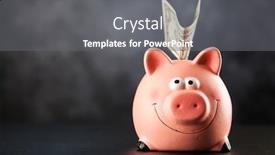
 Presentation with bank - Presentation design enhanced with piggy bank on black background background and a dark gray colored foreground

Piggy Bank Black Background

Presentation design enhanced with piggy bank on black background

 Presentation with bank - Beautiful presentation theme featuring gate in city of london backdrop and a gray colored foreground

Bank Gate City London

The cityscape of London's iconic Bank Gate is set against a warm and inviting tan background that perfectly complements the stonework and ornate details of this historic landmark. The Sidebar Title template is designed to transport you to the bustling streets of the City of London, where business and finance thrive amidst the vibrant atmosphere. This template features high resolution images for the background, creating an immersive experience that draws you in and makes you feel like you're right there in the heart of the city. The tan color palette provides a sophisticated backdrop for your content, while the ornate details and stonework add a touch of elegance and refinement. The Sidebar Title template is perfect for showcasing your business or professional brand, whether it's a company logo, a personal website, or a presentation on finance and commerce. With its Two Content Layout slide, you can easily include a background image with text overlays, having a theme of enhancing the visual impact of your content. Featuring high quality images and a range of customization options, this template is sure to impress your audience and leave a lasting impression. The Sidebar Title template is downloadable and compatible with Google Slides, making it easy to incorporate into your presentations and projects. With its sleek design and attention grabbing features, this template is the perfect choice for anyone looking to elevate their presentation or website content.

 Presentation with bank - Cool new PPT theme with piggy-bank-on-black-background backdrop and a gray colored foreground

Piggy Bank Black Background

In the world of financial markets, where excitement meets stability, a unique template is required to convey a message that's both captivating and informative. The Corner Title template is specifically designed for this purpose, featuring a high resolution image that sets the tone for the rest of the presentation. Widescreen mode ensures that every detail is showcased without any compromise on visual impact. The Midnight Blue color palette provides a sophisticated backdrop for the content, while the pink accents add a touch of playfulness to balance out the professionalism. This template knows how to deliver, with high resolution images for the background that will make you feel like you're sitting in front of the piggy bank itself. The humble object on black paper transforms into a powerful symbol of financial literacy. The Corner Title is more than just an image; it's a theme. Featuring a hammer and dollar signs intertwined, this template has a clear narrative arc that ties everything together. Having a theme of 'financial empowerment' Enhanced With a dash of creativity, the design process involved creating a comprehensive layout that incorporates a background with subtle animations to enhance engagement.

 Presentation with bank - Cool new presentation theme with safe lock dial - photo of kids coin bank backdrop and a white colored foreground

Photo Kids Coin Bank

Incorporating a design that perfectly captures the essence of a dynamic, high tech cash register system, Corner Title is the ultimate template for showcasing your company's premium offerings. This sleek and modern template is designed to make any presentation stand out with its clean lines, metallic steel accents, and vibrant medium aquamarine color palette. The background images, including 4 stunning high resolution photos of coins or a similar theme, add an extra layer of sophistication and visual interest. With Corner Title, you'll be able to create engaging presentations that feature your company's premium templates in style. This template is made specifically for use with Google Slides, so you can easily share it with your team and clients without any compatibility issues. The download link is included, making it easy to access the full version of this cutting edge template. Featuring a vast library of layouts, Corner Title offers more than 60 customizable options to suit your specific needs. Whether you're showcasing product demonstrations or simply highlighting the features of a particular template, this template provides endless possibilities for creative expression. Incorporating a background with a professional image or having a theme of modern minimalism can be achieved easily. Enhanced by its clean design and versatile layout options, Corner Title is an ideal choice for any presentation that requires a premium touch. Having a consistent look and feel throughout the deck ensures seamless navigation and visual flow. It's no wonder this template has garnered over 60+ layouts, making it one of our most popular collections.

 Presentation with bank - Cool new slides with saving money in a piggy backdrop and a light blue colored foreground

Saving Money Piggy Bank

Imagine being able to create a presentation that not only communicates your message effectively but also inspires and motivates your audience to take action something like the "Corner Title" powerpoint template from CrystalGraphics. This stunning template is designed to grab attention with its bright light blue background, perfect for presenting ideas about financial management or starting a new project. The Corner Title template is a widescreen masterpiece that features high resolution images throughout, providing a visually appealing and professional look. The template's design name, "Corner Title", perfectly captures the theme of creating a central point of interest, in this case, the title of your presentation. This template's Managed Process Layout allows for easy navigation through the different slides, ensuring that your message is conveyed clearly and concisely. The Corner Title template is specifically designed to incorporate high quality images, making it perfect for presentations on college campuses or financial institutions. The light blue color palette provides a clean and modern look, while the keywords "ceramic", "college", "young", "financial", and "isolated" provide valuable inspiration for your presentation. The template is also downloadable and compatible with Google Slides, ensuring that you can easily edit and customize it to fit your needs. If you're looking to feature a background image in your slides, the Corner Title template allows you to do so seamlessly, creating an enhanced viewing experience for your audience. With this amazing template, you'll be well on your way to creating presentations that inspire and motivate your audience.

▼Key features of this template

  • They are compatible with both PowerPoint and Google Slides running on either Windows PCs or Macs.

  • They are available in both standard and widescreen slide formats. You can choose your preferred format by clicking on the "Widescreen" check box or icon.

  • Each template includes a beautiful high-resolution background image or video to visually reinforce the theme of your presentation.

  • In addition, each template includes designer-created graphics and modern fonts to give your presentations an up-to-date, professional look.

  • Each template's default design and title text position have been carefully selected to complement its background without covering faces or other key elements.

  • All text includes backdrops whose transparency level is mathematically calculated to maximize text readability while still allowing the background to be seen.

  • And all the text, text backdrops and graphics in every slide are colored with a palette designed to beautifully complement the colors in the background.

  • Our Premium templates (those with the descriptor “Premium” in their subtitle) include over 64 slide layouts to give you maximum flexibility as you create your presentations.

    • Those layouts are available to you whenever you create a new slide or when you want to change the layout of an existing slide.
    • They include everything you need to make all sorts of presentations. In addition to the layouts for the title slide and the usual title and content slide, they include many other layouts for slide types including table of contents slides, org charts, charts, diagrams, infographics, photo slides, thank you slides and more.
    • While creating these layouts our template designers have ensured that all text in every layout adjusts as gracefully as possible to various numbers of words.
  • Customizable templates (those with the descriptor “Customizable” in their subtitle) may be easily modified online before you download them.

    • To modify them, simply click on the pencil editing icon, then select your choice of ready to go designs and title text positions.
    • The editing tool also makes it easy to reposition and scale the background image or video to best suit your needs.

▼FAQs

Please review these FAQs to see if your question is answered. Contact us for more info

  • What is a PowerPoint template?

    • A well designed PowerPoint template is a file that can tell PowerPoint how to make your ordinary templates look extraordinary. They won’t change what your words or numbers say. But they might change their size, color, font and placement. And, overall, they can give your presentations a professionally-designed look that will give your content more credibility and give you more confidence.
  • How many PowerPoint templates do you offer?

    • We have over 32,000 artist-created presentation templates in our PowerPlugs collection With a subscription, PowerPlugs templates are easy to download. Just sign in, find a template and click on the green Download button. ready for you to download. That alone offers you more variety to choose from than any of our competitors can offer. And, as if that weren’t enough, we also offer over 6 million templates in our Crystal collection. Crystal brand templates are our line of templates that have customization options. They have the word "CRYSTAL" on their web page images. You can customize several aspects of the templates. These templates include high-resolution background images from Shutterstock’s vast image collection matched up with artist-created presentation designs customized by our own proprietary AI software.
  • How many templates can I download as a subscriber?

    • You can download an unlimited number of PowerPlugs-brand With a subscription, PowerPlugs templates are easy to download. Just sign in, find a template and click on the green Download button. templates every day for an entire year. (Actually, by default, we set a limit of 25 templates per day to prevent our competitors from stealing our templates. But, if that is not enough, just let us know and we’ll try to accommodate you.) On top of that, with a subscription or an Ultimate Combo, you can also download any 50 Crystal-brand Crystal brand templates are our line of templates that have customization options. They have the word "CRYSTAL" on their web page images. You can customize several aspects of the templates. templates per year selected from our huge Crystal collection. Crystal brand templates are our line of templates that have customization options. They have the word "CRYSTAL" on their web page images. You can customize several aspects of the templates. .
  • Why should I choose your templates instead of the competition’s?

    • We’ve got a larger selection of professionally-designed PowerPoint templates than anyone else in the world.
    • Each template includes a high-resolution background image or video to visually inspire your audiences while reinforcing your message.
    • Each template includes 64 slide layouts to give you maximum flexibility as you create your presentations.
    • Our templates are available in both standard and widescreen slide formats. And our website lets you preview the slides each way.
    • Our free Template Finder™ plugin lets subscribers select and - with a single click - download and insert our templates into their presentations right from within PowerPoint.
    • We’ve been creating designer presentation templates for over 20 years. During that time we’ve won several awards and 5-star ratings for product quality. See About Us for more.
  • Do you offer a money-back guarantee?

    • Yes we do! We offer full 30-day money-back guarantee if you are not 100% satisfied with your purchase.
  • Can I still use my downloaded templates after my subscription runs out?

    • Yes. After your subscription expires, you won't lose any rights or ability to use your PowerPlugs: Templates for PowerPoint. You won't be able to download any new non-watermarked templates. But the non-watermarked templates you've already downloaded will still work and you can still use them as before.
  • Can I share my downloaded templates or passwords with friends or coworkers?

    • Sorry but no. You are authorized to download each paid-for template to up to 3 of your personal devices and to use the templates you download in as many presentations as you want. But you are not authorized to share the templates, themselves, with others. That said, we do offer highly discounted site licenses to suit the needs of both small and large teams. Just tell us your needs and we’ll give you a quote!
  • System requirements:

    • The templates use the standard POTX format. So they are compatible with Google Slides and all PC, Mac and mobile devices running any version of PowerPoint from PowerPoint 2007 up through and including Office 365 desktop.
    • Please note: Google Slides does not currently support background videos. It treats them as still images.
    • For PowerPoint for the Web, first open your template into a desktop version of PowerPoint, then save it back out as a PPTX file. Then you can open that in PowerPoint for the Web.
  • End user license agreement:

    • Click here to view.
  • How will I get my purchased templates?

    • You may download your selected templates as soon as your payment is received by PayPal. If you purchased an individual template, you will be provided with a download link both onscreen and via email. Just click on that link to begin the download process. If you purchased a subscription, you will receive an email containing a password to use along with your email address to sign in to any of the templates pages on CrystalGraphics.com. Once you are signed in, you can immediately start downloading your selected templates.
  • How do I use my templates after I download them?

    • You can either open a template to start a new presentation or you can add a template to an existing presentation. To open a template, just double click on it or use PowerPoint's File > Open tool. To add a template to an existing presentation, on the Design tab, in the Themes group, click Browse for Themes... then browse to select your template.

View more Bank templates:

previous 1 2 3 4 5 6 7 8 9 10 11 12 13 14 15 next
Categories related to Bank:
Piggy Power World
93% of Fortune 1000
companies use our
PowerPoint Products
Templates Secure

Standing Ovation Award
Winner: Best PowerPoint
Template Collection
Fortune Logos
200,000+ satisfied
customers worldwide!
Guarantee
100% satisfaction guaranteed
- or send it back for a refund!

Sign up for our free newsletter! You'll get news about our PowerPoint-enhancing product line – including free updates, new product announcements and exclusive special offers. Plus you'll get a link to a free PowerPoint template with every newsletter you receive.
Privacy Policy
Loading...


Help

Contact Us
Product FAQs
Product License Agreements

Company Info

About Us
Privacy Policy
CrystalGraphics, Inc. 1999 S. Bascom Avenue Suite 700 Campbell, CA 95008 USA
© 2026 CrystalGraphics, Inc. All rights Reserved.    |     PowerPlugs is a trademark of CrystalGraphics, Inc.
Microsoft and the PowerPoint logo are trademarks or registered trademarks of Microsoft Corporation in the United States and/or other countries.
Loading...
Loading...