www.crystalgraphics.com CrystalGraphics
  • Ultimate Combo
  • Templates
  • Diagrams
  • Characters
  • Quizzes
  • shopping cart
  • Sign Out Sign Out Sign In
Home > Templates > Bank Category
search icon
advanced icon

299 Best Bank-Themed Templates for PowerPoint and Google Slides

CrystalGraphics extensive collection of 6.7 million PowerPoint templates brings together a vast array of innovative designs to elevate your presentation game. Within this treasure trove, you'll find the perfect template for your needs - and that's where the magic begins. With the 3D Golden Key Chain with Two Keys, House, Car and Piggy Bank template as an example, you're introduced to a world of possibilities.

This stunning design is just one of many treasures waiting to be discovered in CrystalGraphics Bank category. Other examples include:

The 3D cubes form investment and savings crossword with piggy bank on grass,
A colorful slide deck enhanced with hacker stealing dollars from bank backdrop and an ocean colored foreground,
And the timeless allure of a house, car, and piggy bank iconography.

Each template is carefully crafted to meet your unique needs, offering flexibility and customization options to ensure your presentation truly reflects you. From compatibility with Google Slides to availability in both widescreen and standard formats, every detail has been considered to make it easy for you to create a memorable experience.

Take the first step towards elevating your presentation game with CrystalGraphics unparalleled collection of templates. Explore our vast library, browse through other categories, or discover what makes us stand out from the rest. With instant 24/7 download access, the possibilities are endless.

Features & Pricing

Widescreen (16:9) Presentation Templates. Change size...
 Presentation with bank - PPT theme with hacker stealing dollars from bank background and a dark gray colored foreground

Hacker Stealing Dollars Bank

The Dark Side of Banking: A Cybersecurity Threat In the shadows, hackers lurk, waiting to strike. Their eyes are fixed on the lucrative accounts of high stakes players, and their fingers fly across keyboards to execute complex hacks. But what happens when a hacker strikes, leaving millions in the dust? The scenario is eerily similar to the one played out in real life bank heists, with cybercriminals using sophisticated techniques to steal sensitive information and plunder bank accounts. As we delve into the world of cybersecurity, it's clear that the stakes are higher than ever. Our template takes inspiration from this dark tale, with a striking sea green color palette that evokes feelings of high stakes gaming. The Widescreen format provides an immersive viewing experience, while the accompanying images on the background will leave you guessing will you see a hazy cityscape, or a chaotic bank vault? This attention grabbing image is sure to draw you in and make you want more. The template itself features a secure theme that perfectly captures the essence of high security environments. From coding terms like "password" to keywords like "secure," it's clear that our users are the champions of data security. The inclusion of Google Slides compatibility ensures seamless integration with your existing presentation software, and the downloadable feature allows you to take it home with you. As we explore the world of cybersecurity, one thing is certain it's a world where hackers and gamers alike need to stay on their toes. But with our template, you'll be well equipped to defend against these threats, featuring a theme that emphasizes innovation and security.

 Presentation with bank - Presentation theme enhanced with pension fund - glass bank for tips background and a white colored foreground

Glass Bank Tips Money Isolated

Presentation theme enhanced with glass bank for tips with money isolated on white

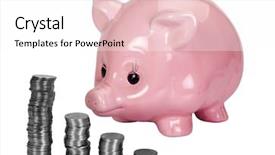
 Presentation with bank - PPT layouts consisting of a stacks of coins background and a white colored foreground

Close-up Piggy Bank Stacks Coins

PPT layouts consisting of close-up of a piggy bank and a stacks of coins

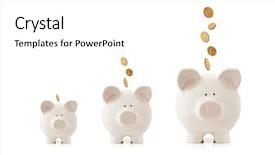
 Presentation with bank - Colorful theme enhanced with piggy banks increasing in size backdrop and a white colored foreground

Piggy Banks Increasing Size Coins

Imagine starting your day with a burst of energy and excitement, as if you're about to crack open the safe in your very own piggy bank. The sun is shining bright outside, casting a warm glow over the scene, while the sound of coins clinking into place fills the air, creating a sense of anticipation and possibility. In this Corner Title template from CrystalGraphics, you'll find yourself transported to a world of finance, where money grows with every passing day. The Peach Puff Colored background is simply irresistible, featuring high resolution images of growing investment concepts that will leave your audience eager for more. This stunning template is designed for widescreen presentations, perfect for corporate slideshows or financial reports. With four How To slides to get you started quickly, you'll be up and running in no time. Featuring a grid layout slide where the 6 Pictures showcase different aspects of money management, including high resolution images of coins falling into piggy banks, growing investments, financial news, stock market trends, budgeting, and saving goals. This template is highly compatible with Google Slides, allowing you to easily enhance your presentation with dynamic backgrounds, animations, and transitions. So why wait? Get creative with this Enhanced With design, including a Background With of a vibrant Peach Puff Colored background, Having a Theme of a growing investment concept, Featuring a grid layout slide, Including high resolution images from around the world, and Using high end graphics to create an impactful display. With its engaging theme and stunning visuals, this template is sure to inspire your audience and leave a lasting impression. So why settle for anything less? Dive into the world of finance with Corner Title and experience it for yourself.

 Presentation with bank - Amazing PPT theme having south african man holding new backdrop and a white colored foreground

South African Man Holding New

The Corner Title template is designed to grab your attention with its bold and eye catching peach puff colored background featuring four high resolution images that will set the tone for your presentation. The corner title itself stands out as the centerpiece of the slide, inviting the audience to engage with the content. This widescreen format allows for a clean and uncluttered design, making it perfect for showcasing large amounts of information. The color palette is vibrant and festive, bringing a touch of warmth and energy to your slides. Peach Puff Colored is a unique combination of pastel pink and creamy white that will add a playful touch to your presentation. As you create your notes and financial reports, the Corner Title template is easy to download and incorporate into your Google Slides. This layout feature allows for seamless integration with other elements in your slide deck, making it an ideal choice for presentations that require balance and harmony among various sections. The template includes four How To slides at the start of the deck to help you get up and running quickly, featuring a combination of images and key points that will guide you through the process. The Growth Layout is perfect for showcasing your financial growth or success stories, allowing you to highlight key milestones and achievements. This layout can be enhanced with various design elements such as charts, graphs, and infographics to make it visually appealing.

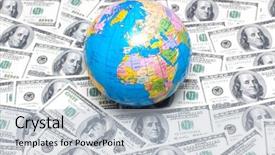
 Presentation with bank - Presentation theme with usmap - globe over many american dollar background and a light blue colored foreground

Globe Over Many American Dollar

As you embark on your journey to creating a visually stunning presentation, imagine yourself standing in front of a vibrant globe, surrounded by a sea of American dollar bank notes, their bright colors and bold typography evoking the excitement of exploring new possibilities. The Wide Title template from CrystalGraphics is designed to grab attention with its striking sky blue color palette, reminiscent of clear skies on a sunny day. The Widescreen format ensures that every aspect of your presentation is at its sharpest, creating an immersive experience for your audience. This template features high resolution images in the background, bringing the scene to life and setting the tone for an engaging presentation. With the sky blue color palette as its centerpiece, you'll have ample opportunities to incorporate additional colors and designs to enhance the overall look and feel of your content. As you dive into the world of PowerPoint templates from CrystalGraphics, you may find that there are four How To slides at the start of the deck to help you get up and running quickly. These tutorials will guide you through setting up your template, customizing its settings, and learning how to use its various features to create stunning presentations. The Thank You Layout slide is a great opportunity to showcase your finished work, featuring a beautiful background image that showcases your creativity. This template is indeed downloadable and compatible with Google Slides, allowing you to bring your vision to life in the digital world.

 Presentation with bank - Amazing PPT theme having hacker stealing dollars from bank backdrop and a ocean colored foreground

Hacker Stealing Dollars Bank

Imagine a world where hackers have cracked the code to stealing millions from banks around the globe, leaving security experts scrambling to keep up with the latest threats. A sinister plot unfolds in the shadows, with high stakes data at stake. In this dark narrative, you're about to join the game. This template is designed for those who want to dive into the world of coding and security, where each slide offers a valuable tool to enhance your skills. The Wide Title feature stands out on the screen, drawing attention to the key phrases that set your presentation apart. As you explore this Widescreen template, you'll notice the high resolution images are carefully chosen to provide an immersive experience. The Light Sky Blue color palette provides a clean and professional backdrop for showcasing various elements throughout the deck. The 3 Column Layout slide is particularly useful for presenting multiple slides at once, making it easy to stay organized and focused on your message. The template Includes a Background With subtle animations, allowing you to create engaging transitions between slides. Having a Theme of Enhanced With ensures that each element feels cohesive and polished. Featuring high quality images from the world of coding and security, this template is designed to inspire and educate, whether you're just starting out or looking to take your skills to the next level. This template is Downloadable and Compatible with Google Slides, making it easy to incorporate into your presentation.

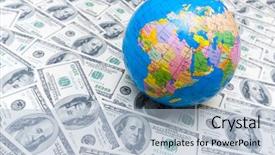
 Presentation with bank - PPT layouts with political science - globe over many american dollar background and a light blue colored foreground

Globe Over Many American Dollar

In the heart of America, where cash flows like rivers and dreams take flight, lies a template that embodies the essence of financial grandeur. This is Wide Title, a stunning PowerPoint design that brings the world of finance to life with its striking steel blue color palette and sleek, high resolution images. Wide Title's Widescreen format ensures that your slides are visually stunning, making it perfect for presentations that require a lot of visual attention. The template's theme revolves around American icons, from the iconic American dollar bank note to the majestic globe hovering above them all. Featuring a breathtaking background image of a bustling cityscape with skyscrapers and billboards, this design is sure to impress your audience. High resolution images throughout the template ensure that every detail is crisp and clear, whether you're showcasing a stock market graph or highlighting key financial statistics. This template is downloadable and compatible with Google Slides, making it easily accessible to users worldwide. As an added touch, Wide Title includes 4 How To slides at the start of your deck to help you get up and running quickly. These slides cover essential topics such as creating a professional logo, designing a consistent color palette, and selecting high quality images for your presentation. Having a theme of "Creating a cohesive visual identity" throughout the template is also enhanced with its comprehensive guidelines on how to incorporate key elements into your design. This template includes a picture that showcases Featuring a beautiful background image of a skyscraper on one side and captioned "Building Business Success", while having a theme of Building Business Success Throughout the rest of the slide.

 Presentation with bank - PPT theme featuring putting coins into piggy bank background and a coral colored foreground

Mother Daughter Putting Coins Piggy

Here is a description that meets your requirements: Imagine walking into a room filled with warmth and love as you put coins into the piggy bank together with your mother. This scene is a symbol of the special bond between two people a parent and their offspring. Our Corner Title template features this iconic moment, bringing a sense of nostalgia and familiarity to any presentation. The template is designed in a Widescreen format, perfect for showcasing high resolution images that truly pop on screen. The Light Sea Green color palette provides a calming and serene atmosphere, ideal for conveying feelings of love and comfort. This theme is reinforced by the inclusion of a Background With option, allowing you to choose from various photo combinations to create a unique look. The six x 6 Org Chart Layout slide is also enhanced with this theme, featuring a clean and modern design that's perfect for showcasing hierarchical structures. The layout includes a prominent title block, columns for key personnel, and space for notes and tags. This template is ideal for presentations where you need to highlight organizational charts or management teams. A downloadable version of this template can be found on the CrystalGraphics website, alongside other high quality PowerPoint templates. Additionally, its compatibility with Google Slides ensures that it will run smoothly on any platform. With just a few easy steps, you'll have your new Corner Title template set up and ready to go in no time.

 Presentation with bank - Theme with lots-of-gold-coins background and a gold colored foreground

Lots Gold Coins 100 Usd

Theme with lots of gold coins and 100 usd bank notes

 Presentation with bank - PPT theme consisting of doctors stethescope - female doctor holding stethoscope background and a coral colored foreground

Female Doctor Holding Stethoscope Pink

The world of medical technology is often shrouded in mystery, but with the right tools and resources, even the most complex concepts can be made accessible to everyone. From simple fee calculations to intricate medical procedures, it's all within reach. The Corner Title template is a high resolution design that perfectly captures this essence. Its sleek and modern aesthetic features a light sky blue color palette that provides a clean and calming background for your presentation. The theme of the template is indeed "fees", making it an ideal choice for any slide related to medical billing or insurance. Including a Background With feature ensures that you can easily switch between different image backgrounds, providing ample opportunities for creative expression. The Corner Title's design language seamlessly incorporates subtle references to feminine elements like pink piggy banks and medical professionals, adding a touch of personality to your presentation. For instance, featuring an abstract illustration of a female doctor holding a stethoscope alongside a pink piggy bank could be used as inspiration for the "How To" slides. The template is designed to enhance your overall visual brand, making it easy to find style elements and create cohesive visual identities across various presentations. As you delve into the world of medical technology, you can confidently include this light sky blue Corner Title design in your content, accompanied by a range of backgrounds that are enhanced with Googles Slide compatibility. The template is downloadable and compatible for use in Google Slides, allowing you to easily integrate it into your presentation.

 Presentation with bank - Presentation theme consisting of smart vault - composite image of blonde businesswoman background and a dark gray colored foreground

Composite Image Blonde Businesswoman Holding

As you begin your career journey, take inspiration from this powerful template that embodies the perfect blend of professionalism and creativity. The Wide Title design features a bold, golden font with a clean layout, setting the tone for an engaging and informative presentation. This downloadable template is specifically formatted in Widescreen mode, allowing you to showcase high resolution images as your background. The Dark Goldenrod color palette provides a sophisticated backdrop, perfect for highlighting important information. For instance, featuring a stunning image of a blonde businesswoman with a bright smile, holding a pink piggy bank overflowing with coins, will not only make the template stand out but also convey a sense of confidence and optimism. This template is enhanced with a theme of success and achievement, making it an ideal choice for showcasing your accomplishments. The template includes a Background With option to add a subtle gradient effect, giving you more creative control over the design. Having a consistent layout throughout will help keep your presentation organized and easy to follow. As you dive into your high resolution images, you can include them on the Timeline Layout slide, which provides a clear visual representation of the key points in your presentation. The template is perfect for showcasing your career journey, with 4 How To slides at the start of the deck to help you get up and running quickly, but don't worry about diving into those just yet. The first two slides set the stage for a captivating introduction that will leave your audience eager to hear more. With this Wide Title template as your guide, you'll be well on your way to creating an engaging presentation that showcases your skills and expertise.

 Presentation with bank - Beautiful theme featuring money - cute girl putting coins backdrop and a sky blue colored foreground

Cute Girl Putting Coins Piggy

Theme featuring cute girl putting coins into piggy bank at home

 Presentation with bank - Audience pleasing PPT layouts consisting of retirement saving - satisfied mature gentleman posing backdrop and a lemonade colored foreground

Satisfied Mature Gentleman Posing Over

PPT layouts consisting of satisfied mature gentleman posing over a piggy bank at his home backdrop

 Presentation with bank - Slide set featuring house model and piggy bank background and a light blue colored foreground

Attractive Senior Couple Holding House

In a world where real estate and insurance have become integral parts of our daily lives, the Corner Title template by CrystalGraphics is the perfect addition to your presentation or brochure. This stunning Widescreen template features an attractive senior couple holding a house model and piggy bank, set against a beautiful Alice Blue background that exudes warmth and elegance. The template is designed with high resolution images in mind, ensuring that every detail is crisp and clear. The layout is optimized for Google Slides, making it easy to incorporate into your presentation or brochure. With its customizable color palette and keywords, this template is the perfect choice for any occasion, including real estate and insurance presentations. The Corner Title template includes a grid layout section where you can include 4 How To slides at the start of your deck to help you get up and running quickly. This feature Enhanced With our existing templates, making it easy to create professional looking content with minimal effort. In this Grid Layout slide, you can Featuring a clear call to action, including "Get Started" or "Plan Your Future", Having a Theme of Professionalism, and Including a Background With the Corner Title's beautiful Alice Blue color scheme. You can use this template as is or Enhance it with our existing templates to create a unique presentation that sets your audience apart. The Corner Title template is downloadable and compatible with Google Slides, making it easy to incorporate into any project.

 Presentation with bank - Slide deck consisting of greenpeace volunteers in uniform looking background and a teal colored foreground

Greenpeace Volunteers Uniform Looking Camera

Slide deck consisting of greenpeace volunteers in uniform looking at camera with riverside and river bank on background background

 Presentation with bank - PPT theme with reveal - savings and finances concept background and a ocean colored foreground

Savings Finances Concept Man Revealing

In a world where saving and investing are essential aspects of our lives, the concept of Corner Title is born a dynamic template that embodies the spirit of financial literacy and encourages users to take control of their finances. This stunning Widescreen template features Cornflower Blue as its primary color palette, evoking feelings of trust and reliability. Designed with assets in mind, it showcases high resolution images from various sources to give your slides an authentic feel. The template includes a range of keywords such as "capital," "piggy bank," "concept," "save," and "assets" that can be incorporated into your content, making it perfect for use in presentations on financial planning, saving tips, and investment strategies. Having a theme of enhancing the user experience with clean lines, modern typography, and ample space to organize content is also a priority. The template's background is indeed a key feature, as Featured images of people saving money or featuring their goals are used to create a compelling visual narrative that grabs the viewer's attention. Including a Background With a subtle texture adds depth and dimensionality, while Having a seamless transition between slides ensures an unobtrusive experience. For instance, this template can be Utilized with ease in presentations on "Savings Strategies" or "Financial Planning," where it presents an informative and engaging visual representation of key concepts. By using Table of Contents slide, you can include essential information such as page numbers, keywords, and a brief description of each How To slide, making it easy for users to navigate through the content.

 Presentation with bank - Beautiful presentation theme featuring frankfurt-germany-aug-22 backdrop and a navy blue colored foreground

Frankfurt Germany Aug 22:

Presentation theme featuring frankfurt germany - aug 22 the famous big euro sign at the european central bank on august 22 2012 in frankfurt germany the bank was established by the treaty of amsterdam in 1998

 Presentation with bank - Slides enhanced with bank managers - businessman talking to a couple background and a dark gray colored foreground

Businessman Talking Couple Office

As you step into the corporate world, it's essential to make a lasting impression on your potential employers. The Split Title template from CrystalGraphics is designed specifically for individuals looking to break into their chosen profession or start a new career path. This stylish template features a modern approach that combines sleek design elements with a professional tone. The Split Title template comes in a range of styles, including the classic Widescreen format, which provides ample space for showcasing high resolution images on your screen. The Light SlateGray color palette adds a touch of sophistication to any presentation, making it perfect for demonstrating leadership qualities or featuring inspiring stories from successful individuals. This template is also compatible with Google Slides and can be downloaded easily. To get started quickly, you'll begin with four How To slides that will help you get the most out of this template. But don't worry, we've got you covered these steps are designed to take your presentation to the next level. The Circular Approach Layout slide features a beautiful spiral design that wraps around the main content, providing an engaging visual effect for your audience. Imagine using this template to showcase your career aspirations as a young agent working with a dynamic boss and partner in a thriving office environment. Or picture yourself featuring a stunning image of a couple enjoying their professional life together, highlighting the benefits of pursuing a successful career path. Whether you're looking to enhance your presentation or simply want to add some style to your slides, this template is an excellent choice.

 Presentation with bank - Theme having monetary - red ribbon wrapped background and a soft green colored foreground

Red Ribbon Wrapped Around Bundle

The Corner Title PowerPoint template is designed to make a bold statement with its striking pale violet red colored background and high resolution images that will grab the audience's attention from the very first slide. This template is perfect for creating a gift themed presentation that showcases your creativity and flair. The design name itself sets the tone for what's to come, featuring a clever play on words with "Corner Title" that hints at the content of the presentation. The template format is Widescreen, making it ideal for showcasing high resolution images and graphics. The pale violet red colored background provides a sophisticated and elegant look, while the white bank notes add a touch of warmth and authenticity to the design. This color palette is enhanced with subtle red accents that will catch the eye and draw attention. The template keywords are clear: gift, red tapism, Rs, hundred, stack all of which come together to create a visually appealing and engaging presentation. The high resolution images for the background will provide a crisp and professional look, making it perfect for Google Slides. Featuring a beautiful image of a bundle of Indian rupee currency notes wrapped in a red ribbon is just one example of what this template could be used for perhaps as a promotional item or a marketing tool to showcase your brand's style. The SWOT Analysis Layout slide will provide an overview of the strengths, weaknesses, opportunities, and threats facing your organization. This slide is particularly useful when you need to present complex information in a clear and concise manner. Having a theme of "Strengths" can help to highlight your team's skills and accomplishments, while including a background with subtle red accents will add a touch of sophistication. The template is downloadable and compatible with Google Slides, making it easy to use and customize

 Presentation with bank - Slides enhanced with reserver bank - close up of two dollar background and a soft green colored foreground

Close Up Two Dollar Bill

The vast expanse of wealth and opportunity beckons from the horizon, and it's up to you to take the reins. Step into our stunning Wide Title PowerPoint template, designed to make a lasting impression on your audience. This Widescreen template features high resolution images that will transport your viewers to the grandeur of America's financial hubs. The Pale Violet Red Colored background palette adds a touch of sophistication and luxury, perfect for showcasing notes, financial reports, or business presentations. The template is downloadable and compatible with Google Slides, ensuring seamless integration into any presentation. As you explore our design, you'll notice the rich imagery throughout, from the iconic two dollar bill to images of wealthy individuals and their opulent lifestyles. Incorporating a Venn Diagram Layout into your presentation will help highlight the key differences between high net worth individuals and financially savvy businesses. With its elegant font and precise layout, this slide is sure to leave a lasting impression on your audience. Featuring an innovative "Note" feature, our template provides a unique space for you to jot down ideas, reminders, or quotes that will inspire your next big idea. Including a Background With a subtle texture, the note section adds depth and visual interest to any presentation. Having a Theme of showcasing success stories and financial triumphs, this template is designed to motivate and inspire your audience. Enhanced with elegant animations and transitions, it's sure to engage and captivate anyone who sees it.

▼Key features of this template

  • They are compatible with both PowerPoint and Google Slides running on either Windows PCs or Macs.

  • They are available in both standard and widescreen slide formats. You can choose your preferred format by clicking on the "Widescreen" check box or icon.

  • Each template includes a beautiful high-resolution background image or video to visually reinforce the theme of your presentation.

  • In addition, each template includes designer-created graphics and modern fonts to give your presentations an up-to-date, professional look.

  • Each template's default design and title text position have been carefully selected to complement its background without covering faces or other key elements.

  • All text includes backdrops whose transparency level is mathematically calculated to maximize text readability while still allowing the background to be seen.

  • And all the text, text backdrops and graphics in every slide are colored with a palette designed to beautifully complement the colors in the background.

  • Our Premium templates (those with the descriptor “Premium” in their subtitle) include over 64 slide layouts to give you maximum flexibility as you create your presentations.

    • Those layouts are available to you whenever you create a new slide or when you want to change the layout of an existing slide.
    • They include everything you need to make all sorts of presentations. In addition to the layouts for the title slide and the usual title and content slide, they include many other layouts for slide types including table of contents slides, org charts, charts, diagrams, infographics, photo slides, thank you slides and more.
    • While creating these layouts our template designers have ensured that all text in every layout adjusts as gracefully as possible to various numbers of words.
  • Customizable templates (those with the descriptor “Customizable” in their subtitle) may be easily modified online before you download them.

    • To modify them, simply click on the pencil editing icon, then select your choice of ready to go designs and title text positions.
    • The editing tool also makes it easy to reposition and scale the background image or video to best suit your needs.

▼FAQs

Please review these FAQs to see if your question is answered. Contact us for more info

  • What is a PowerPoint template?

    • A well designed PowerPoint template is a file that can tell PowerPoint how to make your ordinary templates look extraordinary. They won’t change what your words or numbers say. But they might change their size, color, font and placement. And, overall, they can give your presentations a professionally-designed look that will give your content more credibility and give you more confidence.
  • How many PowerPoint templates do you offer?

    • We have over 32,000 artist-created presentation templates in our PowerPlugs collection With a subscription, PowerPlugs templates are easy to download. Just sign in, find a template and click on the green Download button. ready for you to download. That alone offers you more variety to choose from than any of our competitors can offer. And, as if that weren’t enough, we also offer over 6 million templates in our Crystal collection. Crystal brand templates are our line of templates that have customization options. They have the word "CRYSTAL" on their web page images. You can customize several aspects of the templates. These templates include high-resolution background images from Shutterstock’s vast image collection matched up with artist-created presentation designs customized by our own proprietary AI software.
  • How many templates can I download as a subscriber?

    • You can download an unlimited number of PowerPlugs-brand With a subscription, PowerPlugs templates are easy to download. Just sign in, find a template and click on the green Download button. templates every day for an entire year. (Actually, by default, we set a limit of 25 templates per day to prevent our competitors from stealing our templates. But, if that is not enough, just let us know and we’ll try to accommodate you.) On top of that, with a subscription or an Ultimate Combo, you can also download any 50 Crystal-brand Crystal brand templates are our line of templates that have customization options. They have the word "CRYSTAL" on their web page images. You can customize several aspects of the templates. templates per year selected from our huge Crystal collection. Crystal brand templates are our line of templates that have customization options. They have the word "CRYSTAL" on their web page images. You can customize several aspects of the templates. .
  • Why should I choose your templates instead of the competition’s?

    • We’ve got a larger selection of professionally-designed PowerPoint templates than anyone else in the world.
    • Each template includes a high-resolution background image or video to visually inspire your audiences while reinforcing your message.
    • Each template includes 64 slide layouts to give you maximum flexibility as you create your presentations.
    • Our templates are available in both standard and widescreen slide formats. And our website lets you preview the slides each way.
    • Our free Template Finder™ plugin lets subscribers select and - with a single click - download and insert our templates into their presentations right from within PowerPoint.
    • We’ve been creating designer presentation templates for over 20 years. During that time we’ve won several awards and 5-star ratings for product quality. See About Us for more.
  • Do you offer a money-back guarantee?

    • Yes we do! We offer full 30-day money-back guarantee if you are not 100% satisfied with your purchase.
  • Can I still use my downloaded templates after my subscription runs out?

    • Yes. After your subscription expires, you won't lose any rights or ability to use your PowerPlugs: Templates for PowerPoint. You won't be able to download any new non-watermarked templates. But the non-watermarked templates you've already downloaded will still work and you can still use them as before.
  • Can I share my downloaded templates or passwords with friends or coworkers?

    • Sorry but no. You are authorized to download each paid-for template to up to 3 of your personal devices and to use the templates you download in as many presentations as you want. But you are not authorized to share the templates, themselves, with others. That said, we do offer highly discounted site licenses to suit the needs of both small and large teams. Just tell us your needs and we’ll give you a quote!
  • System requirements:

    • The templates use the standard POTX format. So they are compatible with Google Slides and all PC, Mac and mobile devices running any version of PowerPoint from PowerPoint 2007 up through and including Office 365 desktop.
    • Please note: Google Slides does not currently support background videos. It treats them as still images.
    • For PowerPoint for the Web, first open your template into a desktop version of PowerPoint, then save it back out as a PPTX file. Then you can open that in PowerPoint for the Web.
  • End user license agreement:

    • Click here to view.
  • How will I get my purchased templates?

    • You may download your selected templates as soon as your payment is received by PayPal. If you purchased an individual template, you will be provided with a download link both onscreen and via email. Just click on that link to begin the download process. If you purchased a subscription, you will receive an email containing a password to use along with your email address to sign in to any of the templates pages on CrystalGraphics.com. Once you are signed in, you can immediately start downloading your selected templates.
  • How do I use my templates after I download them?

    • You can either open a template to start a new presentation or you can add a template to an existing presentation. To open a template, just double click on it or use PowerPoint's File > Open tool. To add a template to an existing presentation, on the Design tab, in the Themes group, click Browse for Themes... then browse to select your template.

View more Bank templates:

previous 1 2 3 4 5 6 7 8 9 10 11 12 13 14 15 next
Categories related to Bank:
Piggy Power World
93% of Fortune 1000
companies use our
PowerPoint Products
Templates Secure

Standing Ovation Award
Winner: Best PowerPoint
Template Collection
Fortune Logos
200,000+ satisfied
customers worldwide!
Guarantee
100% satisfaction guaranteed
- or send it back for a refund!

Sign up for our free newsletter! You'll get news about our PowerPoint-enhancing product line – including free updates, new product announcements and exclusive special offers. Plus you'll get a link to a free PowerPoint template with every newsletter you receive.
Privacy Policy
Loading...


Help

Contact Us
Product FAQs
Product License Agreements

Company Info

About Us
Privacy Policy
CrystalGraphics, Inc. 1999 S. Bascom Avenue Suite 700 Campbell, CA 95008 USA
© 2026 CrystalGraphics, Inc. All rights Reserved.    |     PowerPlugs is a trademark of CrystalGraphics, Inc.
Microsoft and the PowerPoint logo are trademarks or registered trademarks of Microsoft Corporation in the United States and/or other countries.
Loading...
Loading...