www.crystalgraphics.com CrystalGraphics
  • Ultimate Combo
  • Templates
  • Diagrams
  • Characters
  • Quizzes
  • shopping cart
  • Sign Out Sign Out Sign In
Home > Templates > Cyber > Cyber Attack Category
search icon
advanced icon

159 Best Cyber Attack-Themed Templates for PowerPoint and Google Slides

CrystalGraphics creates templates designed to make even average presentations look incredible. Below you’ll see thumbnail sized previews of the title slides of a few of our 159 best cyber attack templates for PowerPoint and Google Slides. The text you’ll see in in those slides is just example text. The cyber attack-related image or video you’ll see in the background of each title slide is designed to help you set the stage for your cyber attack-related topics and it is included with that template. In addition to the title slides, each of our templates comes with 17 additional slide layouts that you can use to create an unlimited number of presentation slides with your own added text and images. And every template is available in both widescreen and standard formats. With over 6 million presentation templates available for you to choose from, CrystalGraphics is the award-winning provider of the world’s largest collection of templates for PowerPoint and Google Slides. So, take your time and look around. You’ll like what you see! Whether you want 1 great template or an ongoing subscription, we've got affordable purchasing options and 24/7 download access to fit your needs. Thanks to our unbeatable combination of quality, selection and unique customization options, CrystalGraphics is the company you can count on for your presentation enhancement needs. Just ask any of our thousands of satisfied customers from virtually every leading company around the world. They love our products. We think you will, too!

Features & Pricing

Widescreen (16:9) Presentation Templates. Change size...
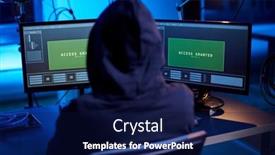
 Presentation with cyber attack - Presentation enhanced with cybercrime-hacking-and-technology-concept background and a navy blue colored foreground

Cybercrime Hacking Technology Concept -

This is where things get interesting as you dive into the world of cybercrime and hacking. Imagine navigating through a dark room, surrounded by high resolution images of computer screens and security systems, the air thick with tension as your eyes scan the shadows for any sign of movement. The sounds of whispering data packets and hum of machinery create a sense of unease, as if you're being watched by an unseen presence. The Dark Cyan template is designed to immerse you in this world, featuring a rich background that evokes feelings of sophistication and danger at the same time. The high resolution images are carefully curated to showcase the high tech nature of cybercrime, while the Dark Cyan color palette adds a sense of mystery and foreboding. This isn't just a template, it's an experience. Our premium templates include 60+ layouts slide, each one designed to help you create visually striking presentations that feature your theme. From featuring futuristic cityscapes to including a background with distorted screens, we've got the tools you need to take your slides from bland to grand. This Dark Cyan template is perfect for those who want to enhance their presentation skills and showcase their creativity. With its dark and gritty aesthetic, it's sure to grab attention and leave a lasting impression.

 Presentation with cyber attack - Presentation theme enhanced with hacker-coding-virus-ransomware-using background and a navy blue colored foreground

Hacker Coding Virus Ransomware Using

In the dark alleys of cyberspace, where hackers and cyber threats lurk in every corner, software developers strive to create secure digital landscapes. The latest malware virus is spreading rapidly, using laptops and computers as its virtual playground. With ransomware, system breaking, and code concepts on high alert, one can't help but wonder what's behind this malicious threat. As the world becomes increasingly dependent on technology, it's essential to stay vigilant and protect our digital assets from falling prey to these cyber threats. The Split Title template is designed in a sleek and modern style, featuring a midnight blue color palette that evokes a sense of sophistication and unease. High resolution images for the background add depth and dimensionality to the design, making it perfect for creating immersive presentations. This template is downloadable and compatible with Google Slides, allowing you to showcase your creations on the fly. At first glance, the Split Title template appears to be just another generic PowerPoint design. But take a closer look, and you'll discover that this template has a life of its own. The five stage pentagon layout provides a solid foundation for creating presentations that are both visually appealing and informative. By featuring a background with a subtle gradient effect, including a dark blue tone that echoes the midnight blue color palette, we can create a sense of depth and dimensionality. The template includes four How To slides that will help you get up and running quickly. These slides provide a clear guide on how to use the template, from setting up your slide deck to adding high resolution images and customization options. Having a theme of "Virtual World" and enhanced with creative elements such as animations and transitions, this template is perfect for creating presentations that are engaging and informative. The Split Title template is not just another design; it's an experience. It's a journey through the dark alleys of cyberspace, where you'll encounter malware viruses, system breakdowns, and code concepts. But with this template as your guide, you'll be well equipped to navigate these challenges and create presentations that are both informative and engaging.

 Presentation with cyber attack - Colorful slide deck enhanced with north korea threat of cyber backdrop and a black colored foreground

Double Exposure Hacker Working Laptop

Slide deck enhanced with double exposure of hacker working with laptop and flag of north korea threat of cyber attack

 Presentation with cyber attack - PPT layouts having cybercrime-hacking-and-technology-concept background and a navy blue colored foreground

Cybercrime Hacking Technology Concept -

In the shadows of the darknet, where cybercrime and hacking reign supreme, our Corner Title template takes you on a journey through the high stakes world of technology and data. Designed to be both visually striking and informative, this widescreen masterpiece will have you hooked from the very first slide. Our template features a rich teal color palette that evokes the sleek, modern feel of a cutting edge laptop, complete with sharp lines and bold accents. The Hexagon Layout ensures maximum visibility on any screen size, providing a clear and concise structure for your content. Whether you're looking to take your presentation from basic to blockbuster status or just need some inspiration to get started, our Corner Title template is the perfect starting point. With its sophisticated design and advanced features, it's sure to leave a lasting impression. Featuring an accompanying background with subtle animations and graphics, including a dramatic video clip of a high speed computer virus program, this template will take your audience on a thrilling ride. And don't worry about compatibility our template is fully optimized for Google Slides, so you can easily download and incorporate it into your presentation without any issues.

 Presentation with cyber attack - Presentation theme enhanced with cybercrime-hacking-and-technology-concept background and a navy blue colored foreground

Cybercrime Hacking Technology Concept -

In the heart of the digital age, where cybercrime and hacking are prevalent concerns, women like her have become pioneers in the tech world, using their skills to fight for data security. The world may not know her name yet, but she is out there working tirelessly behind the scenes. With her trusty computer and codebook, she navigates through the dark alleys of cyberspace, searching for vulnerabilities to exploit. The latest innovation in cybersecurity technology has taken the form of a new template designed specifically for professionals who want to showcase their skills on Google Slides. The design features a wide title that dominates the background image, complete with a high resolution picture of a woman coding away on her laptop. Featuring the Midnight Blue color palette, this template is both sophisticated and sleek. The Widescreen format ensures an immersive viewing experience for the audience, while the High Resolution images provide the perfect backdrop for showcasing the vibrant and dynamic content within. The template's compatibility with Google Slides makes it a convenient tool for professionals to create engaging presentations quickly. For the first four slides of this deck, you can include a Background With a Dark Cityscape image featuring the "Virtual" theme of cybercrime investigation. For example, having a Theme of Cybersecurity and Enhanced With a sophisticated color palette can enhance your presentation's overall effectiveness. The template is designed to be easily downloadable, and it can be used with any internet connection to create powerful presentations that showcase your skills in data security and hacking.

 Presentation with cyber attack - Amazing slide set having attack system breaking and malware backdrop and a black colored foreground

Wanted Hackers Coding Virus Ransomware

The screens are cluttered with lines of code, the air thick with the hum of machinery as hackers dive headfirst into the dark world of cyber warfare. In this high stakes game of cat and mouse, agents must use their wits to outsmart the enemy, unleashing a torrent of malware upon the system, exploiting its vulnerabilities to break it down. The template is designed for a widescreen presentation, with a sleek and modern design that exudes power and intensity. The Dark Slate Gray color palette provides a dramatic backdrop for the images and text that will adorn this canvas. As you begin your journey into the world of cyber attack and system breakdown, 4 key slides will help you get up and running quickly featuring an intense background image of a laptop screen with a crack in it, or having a theme of "The Dark Web" where you can include images of encrypted codes. The How To slides are designed to be both informative and engaging, providing clear instructions on how to set up the template in Google Slides. You'll also find Enhanced With options for customizing your presentation, making it truly unique and tailored to your needs. Whether you're a seasoned hacker or just starting out, this template is sure to inspire and motivate you to take on the challenge of creating your own cyber threat.

 Presentation with cyber attack - Cool new PPT theme with table concept of cyber backdrop and a ocean colored foreground

Man Working Computer Table Concept

PPT theme with man working with computer at table concept of cyber attack

 Presentation with cyber attack - PPT theme featuring wanted-hackers-coding-virus-ransomware background and a navy blue colored foreground

Wanted Hackers Coding Virus Ransomware

As you dive into the world of cybersecurity, you're likely to encounter hackers using laptops and computers in dark alleys, their screens aglow with malicious activity. The stakes are high, the consequences severe, but the rewards can be great for those who dare to take on the challenge. With this template, you'll have the tools you need to tackle even the most complex problems, from identifying vulnerabilities to developing effective countermeasures. This Widescreen template features a clean and modern design, with a focus on conveying the intensity of cyber warfare. The teal color palette provides a striking contrast against the dark, gritty imagery that will likely be used to depict the world of hacking. Featuring high resolution images of laptops and computers in action, this template is sure to grab your attention. The 4 slides at the start of the deck are designed to help you get up and running quickly, covering the basics of setting up a new laptop or computer for cybersecurity work. From configuring the system to launching antivirus software, these slides will walk you through the process with ease. The images on these slides can be used to show off your newly set up machine, with captions that highlight key features and functionality. The Pictures + Captions Layout slide is a great way to showcase your work, perhaps featuring a split screen image of a laptop screen versus a malicious program, or an illustration of a hacker's hand typing away on their keyboard. Having a theme of "Cybersecurity in Action" this slide can be enhanced with images from the previous slides to create a cohesive look. In addition to these slides, you may also want to consider featuring a background image that evokes the feeling of a dark, underground lair. With a few carefully chosen images and some creative text formatting, you can create an immersive experience that will leave your audience on the edge of their seats. Having a theme of "Cyber Warfare" this slide can be included with images from the previous slides to create a cohesive look. With this template as your starting point, you'll be able to get up and running quickly and start tackling complex cybersecurity problems. The 4 How To slides at the start of the deck will provide valuable guidance on setting up a new laptop or computer for cybersecurity work, while the

 Presentation with cyber attack - PPT theme having wanted hackers coding virus ransomware background and a black colored foreground

Wanted Hackers Coding Virus Ransomware

Imagine being part of a clandestine group of hackers and coders who are not afraid to push the boundaries and challenge the status quo. The screens glow with high resolution images as the agents work tirelessly to bring down the system, their laptops humming with intensity. In the shadows, they plot and scheme, fueled by data and a desire for power. The template design is sleek and modern, with a focus on creating an immersive experience that brings the cyber world to life. The Dark Slate Gray color palette provides a sophisticated backdrop for showcasing 4 How To slides, each one providing valuable insights into getting started quickly. From setting up a laptop environment to tackling complex system vulnerabilities, these slides are your guide through the process. The Corner Title template features a bold and eye catching design that sets it apart from the rest. The theme of dark alleys and clandestine operations is woven throughout, with intricate details that will leave viewers on the edge of their seats. Having a theme of "Cyber Warfare" in our templates, you can enhance your presentations with engaging images and graphics that evoke the sense of adventure and danger. The 3 Member Bio Layout slide takes center stage, showcasing the key players in this high stakes world. Each member is featured individually, highlighting their skills and expertise in the realm of cybersecurity. This layout allows for a clear hierarchy of information, making it easy to scan and understand the roles within your team. As you click on any of the How To slides, you'll be taken to features such as "Cyber Security Essentials", "Malware Analysis", or "System Vulnerability Testing". Having a theme of "Intrusion Detection" in our templates, you can include a background with surveillance footage and red herrings to keep things interesting. Enhanced with animations and transitions, these slides will have viewers on the edge of their seats. With its sleek design, high resolution images, and engaging layouts, this template is sure to be a hit with your audience. Featuring a Dark Slate Gray color palette that sets it apart from the crowd, you can add a Background With modern twist to enhance visuals. Having a theme of "Cyber Warfare" in our templates, we've included 4 How To slides to get you started quickly. Incorporating

 Presentation with cyber attack - Amazing presentation design having wanted hackers coding virus ransomware backdrop and a navy blue colored foreground

Wanted Hackers Coding Virus Ransomware

As you dive into the world of cybersecurity, where hackers roam free, coding viruses, ransomware, and malware lurk, one thing is clear: the threat landscape has never been more complex. The dark alleys of the internet are filled with malicious actors, and it's up to us the agents in this game to stay one step ahead. This template, Split Title, is designed to help you navigate the high stakes world of cybersecurity with ease. Featuring a Dark Slate Gray color palette that evokes the feeling of a gritty, high tech lair, this Widescreen template will transport you to a world of screens and laptops, where data reigns supreme. High resolution images for the background ensure that your presentation is visually stunning, providing an immersive experience for your audience. With 4 How To slides at the start of the deck, getting up and running quickly will be a breeze. But don't just take our word for it what could this template help you achieve? It's not just a pretty face; Having a theme of showcasing data in all its glory, Enhanced With a sophisticated layout that includes a background with a subtle gradient, making it easy to incorporate into your presentation style.

 Presentation with cyber attack - PPT theme having concept-of-hacker-attack-virus background and a  colored foreground

Concept Hacker Attack Virus Infected

As you step into the futuristic world of virtual reality, the boundaries between the digital and physical realms begin to blur, giving rise to a realm of endless possibilities. Imagine yourself in a dark alleyway, surrounded by flickering fluorescent lights, the hum of machinery, and the distant echoes of code being written. The air is thick with the smell of ozone and burning circuitry, as you navigate through the labyrinthine streets of the cyber underworld. This world of virtual reality is where the lines between fiction and fact begin to blur, and the notion of what's real and what's not becomes increasingly murky. But amidst this darkness, there are those who seek to protect us from the dangers that lurk in the shadows. They are the guardians of the dark web, the enforcers of cybersecurity, and the defenders of digital freedom. TheSidebar Title template features a high resolution image of a futuristic cityscape at night, with neon lights illuminating the streets and skyscrapers towering above the crowd. The background is a gradient of deep blues and purples, evoking a sense of mystery and intrigue. Throughout the slide, you'll see intricate patterns and shapes made from binary code, adding an extra layer of depth and visual interest. As you explore this world of virtual reality, you're invited to join forces with others who share your passion for innovation and progress. With its themes of cybersecurity, data analysis, and software development, this template is designed to inspire and educate. But it's not just about the technical aspects – it's also a showcase for high quality images that will make your presentation stand out from the crowd.

 Presentation with cyber attack - Audience pleasing PPT theme consisting of composition-of-binary-coding-over backdrop and a navy blue colored foreground

Composition Binary Coding Over Hacker

In the heart of the digital world, code whispers secrets to those who dare to listen, and data is the currency that fuels our online existence. The hacker's hood, where shadows dance with binary codes, beckons those willing to take on the challenge. The Wide Title template, designed in Widescreen format, takes you on a journey through the digital realm with its calming teal color palette. This soothing background ensures that your presentation remains focused, like a perfectly aligned code snippet in a digitally generated image. Featuring high resolution images throughout, this template is the perfect accompaniment to your online security cyber attack concept, showcasing the complex world of data protection. From the comfort of Google Slides, you can download and import this template for seamless compatibility. This Widescreen format allows you to create stunning slides with ease, while having a theme that includes a diverse range of layouts to suit any style. For instance, on the Dart on Target Layout slide, imagine an image featuring binary coding patterns against a clean white background, complete with subtle textures and shading that bring depth to your design. With its enhanced features, this template is designed for maximum impact, making it ideal for presenting complex concepts or showcasing data driven insights in a visually appealing way. The Widescreen format also enables you to create dynamic backgrounds and slideshows, perfect for conveying information in a clear and concise manner.

 Presentation with cyber attack - Slide set consisting of businessman-defending-with-umbrella background and a ocean colored foreground

Businessman Defending Umbrella Cyber Attack

The corporate world is facing unprecedented threats from cyber attacks and data breaches, leaving businesses vulnerable to financial losses and reputational damage. To combat this menace, insurance professionals are in high demand, particularly those with expertise in securing sensitive information. This Wide Title template is designed to feature a prominent symbol of security at its center, alongside the tagline "Protecting Your Business with Insurance" in a modern font. The Deep Sky Blue color palette will provide a professional and trustworthy tone, perfect for insurance related presentations that require a sense of gravitas. To create an immersive experience, the template is formatted as Widescreen, ensuring the images take center stage and never overwhelm the viewer. The template includes a downloadable version compatible with Google Slides, allowing users to enhance their presentation with a custom background and add their own images. With its secure theme and features a high resolution image for the background, this template is ideal for showcasing data related content, such as analytics reports or financial statements. To include a Background With feature, users can customize the colors and layout to match their brand's identity, while Having a Theme of "Cyber Security" will ensure consistency throughout the presentation. The Content with Caption Layout slide will allow users to add captions and descriptions to their images, providing context and supporting data that enhances the overall message. This template is packed with Enhanced With features, such as having a robust image editing tool for seamless customization and making use of built in design elements like icons and shapes to make it more visually appealing. By featuring a cyber security concept in the background with high resolution images, this template will provide an authentic representation of the importance of cybersecurity. Including a Background With option allows users to create their own custom backgrounds that match their branding and style, while Having a Theme of "Cyber Security" ensures consistency throughout the presentation.

 Presentation with cyber attack - Beautiful slides featuring table concept of cyber backdrop and a ocean colored foreground

Young Woman Working Computer Table.

Slides featuring young woman working with computer at table concept of cyber attack

 Presentation with cyber attack - Beautiful slides featuring attack system breaking and malware backdrop and a black colored foreground

Wanted Hackers Coding Virus Ransomware

The world of cybersecurity is a realm where agents of chaos lurk in the shadows, seeking to break free from the shackles of digital captivity. Their ultimate goal: to unleash a cyber attack, shattering systems and leaving victims reeling. The screen is their canvas, and data is their paintbrush, as they concoct schemes to wreak havoc on the world of technology. In this dark slate gray template, Corner Title, you'll find yourself immersed in a world of high resolution images for every element. Featuring a background with a gritty, urban landscape, along with intricate details that evoke a sense of tension and foreboding. Including a Background With bold, crimson hues that bleed into the shadows, adding depth and dimension to your screen. Having a Theme of High Tech Intrigue, this template is designed to transport you to a world of data breaches and cyber warfare. As you delve deeper into the template, you'll find four How To slides at the start of the deck that will help you get up and running quickly. But don't worry, they're not too shabby after all, you want to be able to put this template into action in no time. Enhanced With a focus on ease of use, these slides will walk you through the basics of creating a customized presentation on Google Slides. On some slides, you might see examples of how to include interactive elements, such as links to external websites or embedded videos that bring your presentation to life. For instance, the "How To: Adding Visuals" slide might feature an example of how to use Googles' built in image editor, allowing you to select a stunning high resolution background and apply it directly onto your screen. As you work through the slides, keep in mind that this template is designed to be flexible and adaptable so don't be afraid to experiment and add your own unique touches.

 Presentation with cyber attack - Cool new presentation with anonymous-computer-hacker-over-abstract backdrop and a ocean colored foreground

Anonymous Computer Hacker Over Abstract

In the depths of the darknet, where the anonymous computer hacker reigns supreme, their digital throne is shrouded in mystery and deception. The walls are made of layered code, each piece carefully crafted to evade detection. But amidst the shadows, there's a figure that watches, waiting for the perfect moment to strike. With this template, you'll be able to create a dark and gritty background that exudes the essence of high stakes cyber warfare. Featuring a dark slate gray color palette, this design is sure to add a layer of sophistication to your presentations, making them stand out from the crowd. The Widescreen format provides an immersive experience for your audience, drawing them into the world of code and data. The template's background is designed to look like a high resolution image, featuring a subtle gradient effect that gives it depth and dimension. You can include a Background With a subtle fade out effect to enhance the overall feel. Having a Theme of Darknet Cyber Warfare, this design is sure to help you convey your message in a way that's both informative and engaging. The Puzzle Pieces Layout slide will serve as a key component in organizing your information, featuring a split screen layout with two main sections: one for high level topics like data security and another for technical details. You can include images or icons to break up the text and illustrate complex concepts. For example, you could use this template on a presentation about "The Dark Web's Secret Code", showcasing how the hacker community uses obscure phrases and acronyms to communicate. Alternatively, you could feature it on a presentation about "Cybersecurity Threats: A Data Driven Approach" and include visual aids like graphs or charts to illustrate key findings. This template is not just for presentations; it can also be used as a standalone resource, providing a comprehensive guide to the world of cyber warfare. With its high resolution images, dark slate gray color palette, and Puzzle Pieces Layout, this design is sure to make your content stand out from the noise.

 Presentation with cyber attack - Presentation with composition-of-binary-coding-over background and a navy blue colored foreground

Composition Binary Coding Over Hacker

The digital realm beckons with secrets and lies, where hackers weave their digital spells to outsmart the security systems. In this world, code is king, and data is power. This Split Title template is designed in Widescreen format, perfect for showcasing high resolution images of binary coding, laptops, and cybersecurity concepts. The Steel Blue color palette provides a sleek and modern backdrop that complements the digital theme. Featuring a background with subtle gradients and textures, this template is sure to enhance your presentation. The template's keywords align perfectly with young adult audiences who are interested in technology and online security. The theme of coding and data is well represented, from the concept art style backgrounds to the inclusion of images that feature code snippets. The Split Title design includes a layout for three Member Bio slides: each slide showcasing a different member's background information, including their name, role, and achievements. This format allows for a clear and concise display of information without overwhelming the audience. In this template, the Member Bio Layout has a clean and modern theme, with a focus on high quality images that complement the Steel Blue color palette. The example featured below shows how this design can be used to create an engaging and informative presentation: The four How To slides at the start of the deck provide a quick start guide for those new to creating presentations using CrystalGraphics. These slides are not exhaustive, but rather serve as a foundation for further learning. By downloading and incorporating this template into your Google Slides, you'll be able to create engaging and polished presentations that showcase your expertise in virtual coding concepts.

 Presentation with cyber attack - Audience pleasing presentation theme consisting of cyber crime - be aware of hacker attack backdrop and a navy blue colored foreground

Aware Hacker Attack

As technology advances rapidly, hackers are constantly finding new ways to exploit vulnerabilities in our digital lives. But with the right tools and strategies, we can stay one step ahead of them. In this presentation, we'll take you on a journey through the world of virtual data management, where code meets creativity and cityscapes come alive. This template is designed to be a visually striking Widescreen presentation, perfect for Google Slides. The chocolate color palette will transport your audience into a world of sophistication and style, while the high resolution images for the background will add depth and dimensionality. Featuring a blend of urban and futuristic elements, this template will enhance your presentations with an immersive theme. The Wide Title is at the forefront, inviting your audience to join you on this journey. The 4 How To slides are designed to get you up and running quickly, providing a solid foundation for your virtual data management project. But what makes these slides truly special is their Arrow Steps Layout. By carefully arranging the content in a clear and concise manner, you'll have your audience following along effortlessly. With these features, you'll be able to Include a Background With a stunning cityscape on one slide, Having a Theme of "Code Cracking" on another, and Featuring a sophisticated data visualization technique on yet another. The result is a presentation that's both visually appealing and informative, making it an ideal choice for anyone looking to showcase their skills in virtual data management. The template is downloadable and compatible with Google Slides, allowing you to enhance your presentations with ease. So why wait? Get started today and take control of your digital presence!

 Presentation with cyber attack - Colorful theme enhanced with hacker-coding-virus-ransomware-using backdrop and a light blue colored foreground

Hacker Coding Virus Ransomware Using

As you dive into the world of digital security and coding, you're about to uncover a sinister plot that threatens the very fabric of our online existence. Imagine yourself as a master thief, hacking into secure systems and sowing chaos with ease a virtual world of code and deceit awaits your creation. This template is designed specifically for those who want to take their knowledge to the next level, from beginners to experts. With its sleek light steel blue color palette, it's sure to enhance any presentation and make a bold statement. The Widescreen format will transport your audience into a virtual world of high resolution images, featuring dynamic backgrounds that are sure to keep them engaged. The template includes four How To slides at the start of the deck, designed to get you up and running quickly with code and data analysis. But don't worry, we won't hold it against you if you fall behind include a Background With feature to add some extra flair to your presentation. For example, on slide 3, "Cyber Attack: System Breaking", featuring an image of a malicious malware virus spreading rapidly across the digital landscape, you can enhance the text with a font that's bold and futuristic. And having a Theme of Dark Gradients will give it a sleek and ominous tone, perfect for conveying the sense of danger and uncertainty. This template is also compatible with Google Slides, making it easy to import and share with others. So why wait? Download this template today and take your presentation on the road, wherever the digital world may lead you next.

 Presentation with cyber attack - Amazing slide deck having hand-holding-wireless-peripheral backdrop and a navy blue colored foreground

Hand Holding Wireless Peripheral Ddos

In the heart of any modern organization lies the need to protect its most valuable asset its data. The threat landscape is constantly evolving, with cyber threats becoming more sophisticated and widespread. To stay ahead of the curve, businesses must invest in robust cybersecurity measures that can detect even the most advanced attacks. The Split Title template from CrystalGraphics offers a sleek and modern solution for incorporating antivirus software into your presentation. This template features a high resolution image of a wireless peripheral with DDOS ATTACK inscription, creating an attention grabbing background that sets the tone for the rest of the deck. The Steel Blue color palette provides a professional and secure atmosphere, perfect for showcasing data security. The Split Title template is designed to be downloadable and compatible with Google Slides, making it easy to integrate into your presentation. With its Arrowheads Layout slide, you can create a visually appealing design that includes a background image of a high tech laboratory or a futuristic cityscape. This layout allows you to feature the antivirus software prominently, highlighting its capabilities and features. This template is an enhanced version of the original Split Title, featuring additional elements such as icons and graphics that add depth and visual interest to the design. The Steel Blue color palette provides a cohesive look throughout the deck, while the Arrowheads Layout slide adds a touch of sophistication and modernity. By incorporating this template into your presentation, you'll be able to showcase antivirus software in a professional and engaging way, helping to educate and inform your audience about data security.

 Presentation with cyber attack - Beautiful PPT theme featuring businessman-defending-with-umbrella backdrop and a teal colored foreground

Businessman Defending Umbrella Cyber Attack

In a world where cyber threats loom large and data security is everyone's top concern, one need only glance at the statistics to understand the gravity of the situation. The alarming rate of online breaches has led many to seek out solutions that can help safeguard their precious information. And for businesses just starting out or looking to enhance their existing operations, it's a no brainer: investing in robust cybersecurity measures is essential. To mitigate these risks and create a strong defense against cyber attacks, you'll need the perfect tools at your disposal. That's where Corner Title comes in an innovative solution that not only protects your data but also features a powerful logo that stands out from the crowd. This template, built to scale, offers a professional finish with its Deep Sky Blue color palette and comprehensive keywords tailored to insurance, symbols, and more. The visuals are top notch too, thanks to high resolution images that transport you to a world of security and safety. You'll find four How To slides at the start of the deck to help get your setup underway quickly and efficiently these will be essential for any business looking to integrate Corner Title into their daily operations. You can use it to create presentations on insurance, data protection, and cybersecurity best practices – a perfect blend of industry insights and visually stunning images. For instance, you could include a section dedicated to online security concepts, showcasing how to safeguard sensitive information in the digital world. And with its theme of enhanced safety, Corner Title is sure to be a standout in your slides. By incorporating this template into your workflow, you'll be well equipped to defend against cyber threats and keep your business secure. Whether you're a seasoned pro or just starting out, Corner Title's got you covered – and it's downloadable for your Google Slides use case.

▼Key features of this template

  • They are compatible with both PowerPoint and Google Slides running on either Windows PCs or Macs.

  • They are available in both standard and widescreen slide formats. You can choose your preferred format by clicking on the "Widescreen" check box or icon.

  • Each template includes a beautiful high-resolution background image or video to visually reinforce the theme of your presentation.

  • In addition, each template includes designer-created graphics and modern fonts to give your presentations an up-to-date, professional look.

  • Each template's default design and title text position have been carefully selected to complement its background without covering faces or other key elements.

  • All text includes backdrops whose transparency level is mathematically calculated to maximize text readability while still allowing the background to be seen.

  • And all the text, text backdrops and graphics in every slide are colored with a palette designed to beautifully complement the colors in the background.

  • Our Premium templates (those with the descriptor “Premium” in their subtitle) include over 64 slide layouts to give you maximum flexibility as you create your presentations.

    • Those layouts are available to you whenever you create a new slide or when you want to change the layout of an existing slide.
    • They include everything you need to make all sorts of presentations. In addition to the layouts for the title slide and the usual title and content slide, they include many other layouts for slide types including table of contents slides, org charts, charts, diagrams, infographics, photo slides, thank you slides and more.
    • While creating these layouts our template designers have ensured that all text in every layout adjusts as gracefully as possible to various numbers of words.
  • Customizable templates (those with the descriptor “Customizable” in their subtitle) may be easily modified online before you download them.

    • To modify them, simply click on the pencil editing icon, then select your choice of ready to go designs and title text positions.
    • The editing tool also makes it easy to reposition and scale the background image or video to best suit your needs.

▼FAQs

Please review these FAQs to see if your question is answered. Contact us for more info

  • What is a PowerPoint template?

    • A well designed PowerPoint template is a file that can tell PowerPoint how to make your ordinary templates look extraordinary. They won’t change what your words or numbers say. But they might change their size, color, font and placement. And, overall, they can give your presentations a professionally-designed look that will give your content more credibility and give you more confidence.
  • How many PowerPoint templates do you offer?

    • We have over 32,000 artist-created presentation templates in our PowerPlugs collection With a subscription, PowerPlugs templates are easy to download. Just sign in, find a template and click on the green Download button. ready for you to download. That alone offers you more variety to choose from than any of our competitors can offer. And, as if that weren’t enough, we also offer over 6 million templates in our Crystal collection. Crystal brand templates are our line of templates that have customization options. They have the word "CRYSTAL" on their web page images. You can customize several aspects of the templates. These templates include high-resolution background images from Shutterstock’s vast image collection matched up with artist-created presentation designs customized by our own proprietary AI software.
  • How many templates can I download as a subscriber?

    • You can download an unlimited number of PowerPlugs-brand With a subscription, PowerPlugs templates are easy to download. Just sign in, find a template and click on the green Download button. templates every day for an entire year. (Actually, by default, we set a limit of 25 templates per day to prevent our competitors from stealing our templates. But, if that is not enough, just let us know and we’ll try to accommodate you.) On top of that, with a subscription or an Ultimate Combo, you can also download any 50 Crystal-brand Crystal brand templates are our line of templates that have customization options. They have the word "CRYSTAL" on their web page images. You can customize several aspects of the templates. templates per year selected from our huge Crystal collection. Crystal brand templates are our line of templates that have customization options. They have the word "CRYSTAL" on their web page images. You can customize several aspects of the templates. .
  • Why should I choose your templates instead of the competition’s?

    • We’ve got a larger selection of professionally-designed PowerPoint templates than anyone else in the world.
    • Each template includes a high-resolution background image or video to visually inspire your audiences while reinforcing your message.
    • Each template includes 64 slide layouts to give you maximum flexibility as you create your presentations.
    • Our templates are available in both standard and widescreen slide formats. And our website lets you preview the slides each way.
    • Our free Template Finder™ plugin lets subscribers select and - with a single click - download and insert our templates into their presentations right from within PowerPoint.
    • We’ve been creating designer presentation templates for over 20 years. During that time we’ve won several awards and 5-star ratings for product quality. See About Us for more.
  • Do you offer a money-back guarantee?

    • Yes we do! We offer full 30-day money-back guarantee if you are not 100% satisfied with your purchase.
  • Can I still use my downloaded templates after my subscription runs out?

    • Yes. After your subscription expires, you won't lose any rights or ability to use your PowerPlugs: Templates for PowerPoint. You won't be able to download any new non-watermarked templates. But the non-watermarked templates you've already downloaded will still work and you can still use them as before.
  • Can I share my downloaded templates or passwords with friends or coworkers?

    • Sorry but no. You are authorized to download each paid-for template to up to 3 of your personal devices and to use the templates you download in as many presentations as you want. But you are not authorized to share the templates, themselves, with others. That said, we do offer highly discounted site licenses to suit the needs of both small and large teams. Just tell us your needs and we’ll give you a quote!
  • System requirements:

    • The templates use the standard POTX format. So they are compatible with Google Slides and all PC, Mac and mobile devices running any version of PowerPoint from PowerPoint 2007 up through and including Office 365 desktop.
    • Please note: Google Slides does not currently support background videos. It treats them as still images.
    • For PowerPoint for the Web, first open your template into a desktop version of PowerPoint, then save it back out as a PPTX file. Then you can open that in PowerPoint for the Web.
  • End user license agreement:

    • Click here to view.
  • How will I get my purchased templates?

    • You may download your selected templates as soon as your payment is received by PayPal. If you purchased an individual template, you will be provided with a download link both onscreen and via email. Just click on that link to begin the download process. If you purchased a subscription, you will receive an email containing a password to use along with your email address to sign in to any of the templates pages on CrystalGraphics.com. Once you are signed in, you can immediately start downloading your selected templates.
  • How do I use my templates after I download them?

    • You can either open a template to start a new presentation or you can add a template to an existing presentation. To open a template, just double click on it or use PowerPoint's File > Open tool. To add a template to an existing presentation, on the Design tab, in the Themes group, click Browse for Themes... then browse to select your template.

View more Cyber Attack templates:

previous 1 2 3 4 5 6 7 8 next
93% of Fortune 1000
companies use our
PowerPoint Products
Templates Secure

Standing Ovation Award
Winner: Best PowerPoint
Template Collection
Fortune Logos
200,000+ satisfied
customers worldwide!
Guarantee
100% satisfaction guaranteed
- or send it back for a refund!

Sign up for our free newsletter! You'll get news about our PowerPoint-enhancing product line – including free updates, new product announcements and exclusive special offers. Plus you'll get a link to a free PowerPoint template with every newsletter you receive.
Privacy Policy
Loading...


Help

Contact Us
Product FAQs
Product License Agreements

Company Info

About Us
Privacy Policy
CrystalGraphics, Inc. 1999 S. Bascom Avenue Suite 700 Campbell, CA 95008 USA
© 2026 CrystalGraphics, Inc. All rights Reserved.    |     PowerPlugs is a trademark of CrystalGraphics, Inc.
Microsoft and the PowerPoint logo are trademarks or registered trademarks of Microsoft Corporation in the United States and/or other countries.
Loading...
Loading...