www.crystalgraphics.com CrystalGraphics
  • Ultimate Combo
  • Templates
  • Diagrams
  • Characters
  • Quizzes
  • shopping cart
  • Sign Out Sign Out Sign In
Home > Templates > Cyber > Cyber Attack Category
search icon
advanced icon

159 Best Cyber Attack-Themed Templates for PowerPoint and Google Slides

CrystalGraphics creates templates designed to make even average presentations look incredible. Below you’ll see thumbnail sized previews of the title slides of a few of our 159 best cyber attack templates for PowerPoint and Google Slides. The text you’ll see in in those slides is just example text. The cyber attack-related image or video you’ll see in the background of each title slide is designed to help you set the stage for your cyber attack-related topics and it is included with that template. In addition to the title slides, each of our templates comes with 17 additional slide layouts that you can use to create an unlimited number of presentation slides with your own added text and images. And every template is available in both widescreen and standard formats. With over 6 million presentation templates available for you to choose from, CrystalGraphics is the award-winning provider of the world’s largest collection of templates for PowerPoint and Google Slides. So, take your time and look around. You’ll like what you see! Whether you want 1 great template or an ongoing subscription, we've got affordable purchasing options and 24/7 download access to fit your needs. Thanks to our unbeatable combination of quality, selection and unique customization options, CrystalGraphics is the company you can count on for your presentation enhancement needs. Just ask any of our thousands of satisfied customers from virtually every leading company around the world. They love our products. We think you will, too!

Features & Pricing

Widescreen (16:9) Presentation Templates. Change size...
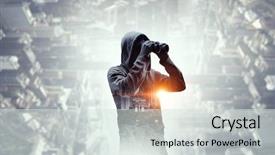
 Presentation with cyber attack - Audience pleasing slides consisting of cyber crime - be aware of hacker attack backdrop and a sky blue colored foreground

Aware Hacker Attack

Imagine a cityscape at night, with high resolution images of skyscrapers and neon lights, set against a vibrant cornflower blue background that's both calming and energetic. The Split Title template is designed to be attention grabbing, with a unique layout that features four How To slides at the start of the deck to help you get up and running quickly. This template is perfect for anyone looking to create engaging presentations on virtual concepts, code, data, or city related topics. With its Cornflower Blue color palette, it's easy to incorporate into your Google Slides presentation. The high resolution images in the background will add a professional touch, while the theme of "Enhanced with Virtual Concepts" will give you an idea of what to expect. The template is compatible with Google Slides and can be downloaded for free. It features a grid layout that showcases four key points: How To 1: Setting Up Your Environment, How To 2: Choosing the Right Tools, How To 3: Creating Virtual Scenarios, and How To 4: Sharing Your Results. Each slide is designed to be visually appealing and easy to understand, making it perfect for a variety of topics. The Split Title template is ideal for anyone looking to create presentations that are both informative and engaging. With its unique layout and high resolution images, you'll be able to showcase your ideas in a way that's both professional and attention grabbing.

 Presentation with cyber attack - Colorful presentation theme enhanced with businessman-defending-with-umbrella backdrop and a ocean colored foreground

Businessman Defending Umbrella Cyber Attack

As you step into the world of high stakes business and finance, one thing is clear: security is paramount. You're not just protecting your company's assets you're safeguarding its reputation and bottom line. But with cyber threats lurking around every corner, it's no wonder that online security has become a top priority. In this template, you'll find a Widescreen design that exudes high resolution images to convey the importance of data protection. The Steel Blue color palette is sleek and modern, conveying a sense of professionalism and trustworthiness. Featuring high quality background images, this template is ideal for anyone looking to establish an online presence as a serious business. When it comes to enhancing your presentation, we've got you covered with Chart with Caption Layout. This slide allows you to include relevant data in a clear and concise manner, making it easier to understand complex information. Having a theme of finance and security, this template is designed to provide a cohesive look that aligns perfectly with your topic. With 4 How To slides at the start of the deck, you'll be well on your way to getting up and running quickly. But what sets our template apart is its versatility it's fully downloadable and compatible with Google Slides, ensuring you can customize it to fit your specific needs. Adding a Background With element, you can easily change the layout of your slides or add more visual interest to your presentation. Our Wide Title feature adds an extra touch of professionalism, featuring a stylized title that will make your slide stand out from the crowd. Featuring 4 additional slides for further customization, this template is designed to provide all the tools you need to take your presentation to the next level.

 Presentation with cyber attack - Colorful PPT layouts enhanced with hacker-coding-virus-ransomware-using backdrop and a ocean colored foreground

Hacker Coding Virus Ransomware Using

In a world where cyber threats lurk around every digital corner, where the lines between code and chaos are blurred, and where security is a perpetual cat and mouse game, it's no wonder that hackers, viruses, ransomware, and malware have become synonymous with modern technology. Their sinister tactics have stolen data, crashed systems, and brought economies to their knees. To navigate this treacherous landscape, one must be well versed in the world of high resolution images, from the sleek lines of laptops to the distorted screens of infected computers. A template that showcases these themes is the "Wide Title" series by CrystalGraphics. This downloadable Widescreen template features a Cornflower Blue color palette, perfect for creating a cohesive and professional look. The design name, Wide Title, evokes the idea of something broad and encompassing, much like a hacker's code that can infiltrate any system. The four How To slides at the start of the deck are meant to help you get up and running quickly, offering valuable insights into the world of cybersecurity. These slides feature high resolution images as backgrounds, including malware themed art pieces. For example, the 4 x 4 Org Chart Layout slide could include a large, bold image of a hacker's lair, complete with a throne room style computer system and a few strategically placed malware icons. The template is designed to be Enhanced With, Featuring a Theme Of, Including a Background With high resolution images throughout. The Cornflower Blue color palette provides a calm background that sets the tone for the rest of the deck, while the 4 x 4 Org Chart Layout slide adds an extra layer of depth and visual interest. This template is ready to unleash your creativity on Google Slides, allowing you to create engaging presentations that showcase your expertise in the world of cybersecurity.

 Presentation with cyber attack - PPT theme having wanted-hackers-coding-virus-ransomware background and a wine colored foreground

Wanted Hackers Coding Virus Ransomware

Imagine being part of a clandestine operation, sneaking around in the shadows to uncover the darkest secrets of the digital world. Your mission is to infiltrate the most secure systems, dodging firewalls and antivirus software with ease. You're a rebel, a hacker, a mastermind who's always one step ahead of the game. The Corner Title template is designed to transport you into this world, with its sleek and modern design that exudes high tech sophistication. The Light Sea Green color palette provides a calming yet intense backdrop for your digital exploits, while the keywords "rebel", "data", "screen", "laptop", and "hack" are strategically placed throughout the template to evoke the sense of urgency and danger that comes with navigating the dark web. The high resolution images on the background will transport you to a world of cyber warfare, where laptops and computers hum in the darkness. The Social Media Concept Layout slide is a great example of how this template can be used to create an immersive experience. Imagine featuring a dramatic image of a hacker's lair, complete with dimly lit rooms and rows of humming servers. You could include a background with a subtle gradient effect that gives the impression of depth, making it feel like you're exploring a virtual world. The Corner Title template is downloadable and compatible with Google Slides, so you can easily import high resolution images and customize your presentation to fit your needs. With its sleek design and advanced features, this template is sure to enhance your digital exploits and leave a lasting impression on your audience.

 Presentation with cyber attack - Beautiful presentation theme featuring hacker-coding-virus-ransomware-using backdrop and a wine colored foreground

Hacker Coding Virus Ransomware Using

In the midst of a high stakes cybersecurity battle, hackers turn their attention to the digital realm, seeking to exploit vulnerabilities in software and systems. The world's most sophisticated cyber attacks involve malware ridden code and ransomware, designed to break down even the most secure defenses. As the threat landscape evolves, it becomes increasingly essential for individuals and organizations to stay vigilant. For those new to the virtual world of cybersecurity, this presentation aims to provide a comprehensive introduction, covering the basics of high resolution images featuring clever graphics and animations. The template format is specifically designed for widescreen displays, with a soothing cornflower blue color palette that adds a touch of sophistication. This downloadable template is compatible with Google Slides and is perfect for businesses, schools, or individuals looking to enhance their presentation skills. As you delve into the world of cybersecurity, you'll discover five essential steps to success: Identifying Threats, Understanding Vulnerabilities, Implementing Security Measures, Monitoring for Signs of Attack, and Responding to Incidents. By including a background with a subtle hacker image and having a theme of digital security, this presentation will help you quickly get up and running. For those looking to take their cybersecurity knowledge to the next level, we feature high resolution images of laptops and computers, showcasing the latest tools and technologies used in modern hacking scenarios. The template is also enhanced with interactive elements, making it an ideal companion for online courses or tutorials. With its customizable layout and engaging design, this presentation will become a valuable resource for anyone looking to improve their cybersecurity skills.

 Presentation with cyber attack - Audience pleasing presentation design consisting of cyber crime - be aware of hacker attack backdrop and a light blue colored foreground

Aware Hacker Attack

To boost your online security and protect yourself from cyber threats, one must remain vigilant and stay informed about the latest hacking techniques. In today's digital age, it is more important than ever to have a solid understanding of coding and data security. Our Corner Title template is designed to help you create engaging presentations that convey complex information in an easy to understand manner. This template features high resolution images for its background, making it perfect for showcasing your content in a visually appealing way. The Cornflower Blue color palette provides a professional and calming atmosphere, ideal for promoting your brand or product. The Corner Title template is designed to be versatile and can enhance any presentation with a theme of virtual data analytics or coding concepts. It can also include a background with a futuristic cityscape or a simple yet effective design that grabs the audience's attention. Having a background with a warm, sunny color like orange can also help you convey the idea of success and growth. The template is also downloadable and compatible with Google Slides, making it easy to use and share with others. This makes it a great option for businesses, educators, and individuals looking to create professional presentations that stand out in the crowd. With over 60+ layouts available, you can choose from a variety of designs to suit your needs. Featuring an extensive library of premium templates, including data visualization and coding concepts, this template is sure to meet your requirements. Including a background with a subtle texture or pattern, it provides a unique look that sets it apart from other templates. Having a theme of coding and data analysis can also help you showcase your expertise in these areas. Having a professional design, the Corner Title template can enhance any presentation with ease. You can include the template on slides for your presentations on virtual hacking techniques or coding concepts.

 Presentation with cyber attack - Colorful slide deck enhanced with wanted-hackers-coding-virus-ransomware backdrop and a wine colored foreground

Wanted Hackers Coding Virus Ransomware

Imagine yourself as a master hacker, code whisperer, and rebel against the digital giants who seek to control your every move. Your domain is the laptop, the screen, and the data that fuels your every decision. As an agent of chaos, you must navigate the high stakes world of cyber warfare with precision and cunning. Your template is designed for a widescreen presentation, where you can showcase your skills and expertise in the agent like role of controlling the digital terrain. The medium violet red color palette sets the tone for a dramatic and intense presentation, perfect for conveying the high pressure atmosphere of a cybersecurity operation. This template is downloadable and compatible with Google Slides, ensuring seamless integration into your presentation workflow. The background features high resolution images that will transport you to the dark alleys of the internet, where cyber threats lurk around every corner. The laptop screen becomes a focal point for showcasing your malware tactics and strategies. As you build your reputation as a master hacker, you'll have a theme of control, with each element working together to create an immersive experience. The Comparison Layout slide is an opportunity to highlight the differences between a traditional presentation style and this template's unique features. You can include a background image with a subtle gradient that gives it a futuristic feel, featuring a blurred cityscape or a neon lit cyberpunk landscape. Having a theme of control will emphasize your mastery over the digital domain. The template is designed to be Enhanced With, including advanced features like animations and transitions to add an extra layer of dynamism to your presentation. The agent like persona is featured prominently throughout the template, with bold fonts and striking visuals that draw attention to key points. As you navigate the world of cybersecurity, this template will be your trusted companion, helping you to stay one step ahead of the digital threats that seek to bring you down. Including a Background With image featuring a laptop screen on a dark background, complete with subtle gradient effect and a few strategically placed pixels to give it a sense of depth. Having a Theme of Control is evident throughout, with each element working together to create an immersive experience that's hard to forget. The Comparison Layout slide can showcase a comparison of different presentation styles, highlighting the unique features of this template as the best choice

 Presentation with cyber attack - Slides featuring wanted-hackers-coding-virus-ransomware background and a ocean colored foreground

Wanted Hackers Coding Virus Ransomware

As you delve into the world of data security and computer hacking, it's essential to understand that the lines between good and evil are often blurred. The pursuit of perfection can sometimes lead to chaos, and even the most well intentioned individuals may find themselves caught in a web of their own creation. Featuring high resolution images of laptops and computers in the basement, the Corner Title template is designed to evoke this sense of unease, inviting you to enter a world where data is power and security is a luxury. With its Teal color palette, it's the perfect backdrop for showcasing 5 Stages Pentagon Layouts that represent the intricate mechanisms of cybersecurity. As you navigate through the corners of your screen, you'll encounter features like including a background with subtle gradient effects, having a theme of futuristic neon lights, and enhancing with animations to give your presentation an extra layer of realism. This template is downloadable for Google Slides and compatible with all devices, making it easy to create engaging presentations that leave a lasting impression on your audience.

 Presentation with cyber attack - Audience pleasing PPT theme consisting of background concept of cyber security backdrop and a wine colored foreground

Businessman Holding Virtual Shield Against

PPT theme consisting of businessman holding virtual shield against dark background concept of cyber security and attack

 Presentation with cyber attack - PPT theme featuring hacker working with world map background and a navy blue colored foreground

Hacker Working World Map Virtual

PPT theme featuring hacker working with world map on virtual screen against dark background threat of global cyber attack

 Presentation with cyber attack - Slide set enhanced with cyber crime - be aware of hacker attack background and a cool aqua colored foreground

Aware Hacker Attack

Immersive and futuristic presentations are all the rage in today's digital landscape where data is king and security is always on everyone's mind. A well designed presentation can be a game changer, especially when it comes to showcasing complex concepts like virtual reality, coding, or even city models. This template is designed to transport your audience into a dark salmon colored world of high resolution images, perfect for creating an immersive experience. The Dark Salmon color palette is inspired by the rich tones of a cityscape at night, with subtle hints of blue and purple to evoke a sense of sophistication. The Widescreen format ensures that every aspect of the design, from the background image to the text layout, is optimized for maximum impact. Featuring a dynamic background with 4 high resolution images, this template includes a Background With theme, enhancing your presentation's visual appeal. Having a Theme of Data, you can showcase how different data points come together to form a cohesive whole. The In Summary Layout slide is designed to provide a concise overview of the key takeaways from your presentation, while also giving your audience something to think about. This could be used as an example with the template's interactive elements, such as interactive charts or infographics. By featuring modern design principles, including enhanced usability and accessibility features, this template is engineered to work seamlessly in Google Slides. Adding extra functionality, such as integration with third party tools or templates, makes it easy to create a seamless workflow for your users. With its versatility, customizability, and high resolution images, this Dark Salmon colored template is sure to leave a lasting impression on any audience.

 Presentation with cyber attack - PPT theme featuring wanted-hackers-coding-virus-ransomware background and a violet colored foreground

Wanted Hackers Coding Virus Ransomware

Imagine yourself in a dimly lit basement, surrounded by rows of humming computers and laptops, as you attempt to breach the security of your own system. The air is thick with the smell of burning circuit boards and the sound of distant beeps echoes through the space. You're a rebel, a hacker on a mission to uncover the truth behind the digital world. In this darkened lair, you'll find yourself at the starting line of a high stakes adventure, where the stakes are higher than just winning or losing it's about breaking free from the shackles of conformity and embracing the chaos that lies within. The screens flicker to life as you begin your journey, featuring a mesmerizing background image of a laptop screen with a malicious virus crawling across its surface. The template is designed for widescreen presentation, ensuring that every detail is meticulously crafted to transport your audience into this gritty world. A soothing teal color palette will guide your eyes through the darkness, while keywords like "rebel", "data", and "screen" will be woven throughout the design to evoke a sense of intrigue. This template is not just for hackers it's for anyone who dares to challenge the status quo and push the boundaries of what's possible. With its high resolution images and sleek layout, this template is perfect for delivering your message in a clear and concise manner. The downloadable format makes it easy to customize and adapt to your needs, while the Googel Slides compatibility ensures that your presentation will shine like a beacon in any digital realm. The Section Header Layout slide will feature a striking image of a hacker's lair, complete with dimly lit computers and ancient looking monitors. As you work through the deck, expect to see each slide include

 Presentation with cyber attack - Amazing theme having hacker-coding-virus-ransomware-using backdrop and a navy blue colored foreground

Hacker Coding Virus Ransomware Using

In the dark alleys of cyberspace, a new era of virtual espionage has emerged, and hackers are using code to break into systems and steal sensitive data. The latest threat is the emergence of malware, a potent virus that can bring down even the most secure computer networks. The Corner Title template from CrystalGraphics is designed to showcase this cyber threat in high resolution, with a bold Dodger Blue color palette that adds a touch of menace to your slides. The template features a futuristic arrowhead layout that adds a sense of intensity and energy to your presentation. Imagine a slide that includes a dramatic image of a laptop screen filled with code, or a graphic representing the malware virus spreading rapidly through a system. The Corner Title template is perfect for showcasing high quality images in conjunction with your text, making it easy to enhance the visual impact of your slides. And with its downloadable format and compatibility with Google Slides, you can easily share your presentation with others and make it as interactive as possible.

 Presentation with cyber attack - Slide deck enhanced with wanted-hackers-coding-virus-ransomware background and a wine colored foreground

Wanted Hackers Coding Virus Ransomware

As you step into the dark alleys of cyber space, where hackers roam free and data is their ultimate goal, you're about to embark on a journey that will take you down a rabbit hole of innovation and creativity. Imagine yourself hacking into a secure server, dodging firewalls and encryption algorithms with ease, as your laptop screens glow bright red with the glow in the dark neon colors of the screen. The sound system pulsates with a thumping bass, as you channel your inner rebel, unleashing a digital storm that leaves no enemy unscathed. With the Corner Title template, you'll be able to feature your rebels in high resolution images for the background, showcasing their signature style and flair. This template is designed to be downloaded and compatible with Google Slides, ensuring seamless integration into your online presence. Featuring a teal color palette, this theme will enhance your presentation with a pop of color that's sure to grab attention. The Corner Title template boasts a widescreen format, ideal for laptops and computers in the basement. The Ansoff Matrix Diagram Layout slide allows you to visualize the different stages of market expansion, from product development to mass production, making it easier to analyze your strategy and make informed decisions. Having a theme of innovation and creativity, this template will help you stand out from the crowd and showcase your expertise. In the next slides, you'll find 4 How To slides that will guide you through the process of creating a cyber attack plan, breaking down systems into malware infested havens, developing ransomware viruses to extort money from unsuspecting victims, and deploying them on unsuspecting servers like a digital freight train. These slides are designed to be interactive, allowing you to customize your presentation with different backgrounds, fonts, and colors. The ultimate goal of these templates is to enhance your online presence and showcase your creativity. With the Corner Title template, you'll be able to create visually stunning presentations that captivate audiences and leave a lasting impression. So don't hesitate download this template today and join the ranks of the cyber rebels!

 Presentation with cyber attack - Beautiful slide deck featuring young caucasian hacker man backdrop and a light gray colored foreground

Young Caucasian Hacker Man Over

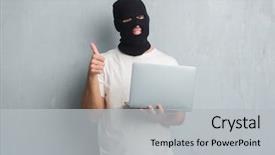
Slide deck featuring young caucasian hacker man over grey grunge wall doing cyber attack using laptop happy with big smile doing ok sign thumb up with fingers excellent sign

 Presentation with cyber attack - Presentation design with hacker-coding-virus-ransomware-using background and a light blue colored foreground

Hacker Coding Virus Ransomware Using

Imagine a world where hackers and cybercriminals are on the loose, using their skills to break into systems and steal sensitive data. The scene is set in a dark, high tech lair, with laptops and computers humming away as they work tirelessly to stay one step ahead of the law. But what if you could create a presentation that showcases this world without actually featuring it? That's exactly what we're going to do. This template is designed for a Widescreen presentation format, perfect for showcasing high resolution images of laptops and computers on a large screen. The Steel Blue color palette provides a sleek and modern look, while the Venn Diagram Layout slide will help you visualize the different concepts and ideas that come together to create this cyber world. Featuring a background with subtle animations and transitions, this template is sure to grab your audience's attention. The template includes four How To slides at the start of the deck, each one providing valuable tips and tricks for getting up and running quickly. But don't worry, we won't list them all here just know that they're included so you can dive right in. Having a theme of "Cyber Security" throughout the presentation will help reinforce your message and keep your audience engaged. This template is downloadable and compatible with Google Slides, making it easy to use on any device. With its high resolution images and sleek design, this template is sure to enhance your presentations and leave a lasting impression on your audience.

 Presentation with cyber attack - Amazing presentation theme having young caucasian hacker man backdrop and a light gray colored foreground

Young Caucasian Hacker Man Over

Presentation theme having young caucasian hacker man over grey grunge wall doing cyber attack using laptop with angry face negative sign showing dislike with thumbs down rejection concept

 Presentation with cyber attack - PPT theme featuring dark room concept of cyber background and a navy blue colored foreground

Hacker's Workplace Computers Dark Room.

PPT theme featuring hacker's workplace with computers in dark room concept of cyber attack background

 Presentation with cyber attack - PPT theme with hacker using keyboard at table background and a wine colored foreground

Hacker Using Keyboard Table Dark

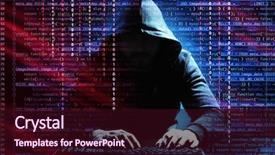
PPT theme with hacker using keyboard at table on dark background concept of cyber security and attack

 Presentation with cyber attack - Presentation enhanced with dark background concept of cyber background and a navy blue colored foreground

Businessman Holding Virtual Icon Lock

Presentation enhanced with businessman holding virtual icon with lock on dark background concept of cyber attack and security

 Presentation with cyber attack - Presentation design consisting of wanted-hackers-coding-virus-ransomware background and a wine colored foreground

Wanted Hackers Coding Virus Ransomware

The darkness that lies beneath the surface of our digital lives is often shrouded in secrecy, and yet, it's precisely this obscurity that fuels the creativity of those who dare to challenge the status quo. Corner Title is a visually striking PowerPoint template designed to spark imagination and ignite innovation, featuring a bold and gritty aesthetic that perfectly captures the essence of rebellion against the digital norms. The Dark Slate Gray color palette provides a dramatic backdrop for high resolution images of laptops and computers, laptops, and other computer hardware elements, creating an immersive experience that transports users into the world of hacking and coding. The template's layout is carefully crafted to evoke a sense of intensity and urgency, with bold fonts and menacing icons conveying a sense of danger and risk. A prominent Quotation Layout slide can be used to feature a quote from a notorious hacker or cybersecurity expert, providing context and insight into the world of high stakes hacking and cyber warfare. The template's design also incorporates various elements that enhance its functionality and compatibility with popular presentation software such as Google Slides. With four How To slides at the start of the deck, users can quickly get up and running with the basics of creating a visually appealing PowerPoint slide deck, complete with features, including: * Featuring a detailed background image with customizable text overlays * Including a Background With option for seamless transitions between slides * Having a Theme of Enhanced With to easily integrate advanced animations and effects.

▼Key features of this template

  • They are compatible with both PowerPoint and Google Slides running on either Windows PCs or Macs.

  • They are available in both standard and widescreen slide formats. You can choose your preferred format by clicking on the "Widescreen" check box or icon.

  • Each template includes a beautiful high-resolution background image or video to visually reinforce the theme of your presentation.

  • In addition, each template includes designer-created graphics and modern fonts to give your presentations an up-to-date, professional look.

  • Each template's default design and title text position have been carefully selected to complement its background without covering faces or other key elements.

  • All text includes backdrops whose transparency level is mathematically calculated to maximize text readability while still allowing the background to be seen.

  • And all the text, text backdrops and graphics in every slide are colored with a palette designed to beautifully complement the colors in the background.

  • Our Premium templates (those with the descriptor “Premium” in their subtitle) include over 64 slide layouts to give you maximum flexibility as you create your presentations.

    • Those layouts are available to you whenever you create a new slide or when you want to change the layout of an existing slide.
    • They include everything you need to make all sorts of presentations. In addition to the layouts for the title slide and the usual title and content slide, they include many other layouts for slide types including table of contents slides, org charts, charts, diagrams, infographics, photo slides, thank you slides and more.
    • While creating these layouts our template designers have ensured that all text in every layout adjusts as gracefully as possible to various numbers of words.
  • Customizable templates (those with the descriptor “Customizable” in their subtitle) may be easily modified online before you download them.

    • To modify them, simply click on the pencil editing icon, then select your choice of ready to go designs and title text positions.
    • The editing tool also makes it easy to reposition and scale the background image or video to best suit your needs.

▼FAQs

Please review these FAQs to see if your question is answered. Contact us for more info

  • What is a PowerPoint template?

    • A well designed PowerPoint template is a file that can tell PowerPoint how to make your ordinary templates look extraordinary. They won’t change what your words or numbers say. But they might change their size, color, font and placement. And, overall, they can give your presentations a professionally-designed look that will give your content more credibility and give you more confidence.
  • How many PowerPoint templates do you offer?

    • We have over 32,000 artist-created presentation templates in our PowerPlugs collection With a subscription, PowerPlugs templates are easy to download. Just sign in, find a template and click on the green Download button. ready for you to download. That alone offers you more variety to choose from than any of our competitors can offer. And, as if that weren’t enough, we also offer over 6 million templates in our Crystal collection. Crystal brand templates are our line of templates that have customization options. They have the word "CRYSTAL" on their web page images. You can customize several aspects of the templates. These templates include high-resolution background images from Shutterstock’s vast image collection matched up with artist-created presentation designs customized by our own proprietary AI software.
  • How many templates can I download as a subscriber?

    • You can download an unlimited number of PowerPlugs-brand With a subscription, PowerPlugs templates are easy to download. Just sign in, find a template and click on the green Download button. templates every day for an entire year. (Actually, by default, we set a limit of 25 templates per day to prevent our competitors from stealing our templates. But, if that is not enough, just let us know and we’ll try to accommodate you.) On top of that, with a subscription or an Ultimate Combo, you can also download any 50 Crystal-brand Crystal brand templates are our line of templates that have customization options. They have the word "CRYSTAL" on their web page images. You can customize several aspects of the templates. templates per year selected from our huge Crystal collection. Crystal brand templates are our line of templates that have customization options. They have the word "CRYSTAL" on their web page images. You can customize several aspects of the templates. .
  • Why should I choose your templates instead of the competition’s?

    • We’ve got a larger selection of professionally-designed PowerPoint templates than anyone else in the world.
    • Each template includes a high-resolution background image or video to visually inspire your audiences while reinforcing your message.
    • Each template includes 64 slide layouts to give you maximum flexibility as you create your presentations.
    • Our templates are available in both standard and widescreen slide formats. And our website lets you preview the slides each way.
    • Our free Template Finder™ plugin lets subscribers select and - with a single click - download and insert our templates into their presentations right from within PowerPoint.
    • We’ve been creating designer presentation templates for over 20 years. During that time we’ve won several awards and 5-star ratings for product quality. See About Us for more.
  • Do you offer a money-back guarantee?

    • Yes we do! We offer full 30-day money-back guarantee if you are not 100% satisfied with your purchase.
  • Can I still use my downloaded templates after my subscription runs out?

    • Yes. After your subscription expires, you won't lose any rights or ability to use your PowerPlugs: Templates for PowerPoint. You won't be able to download any new non-watermarked templates. But the non-watermarked templates you've already downloaded will still work and you can still use them as before.
  • Can I share my downloaded templates or passwords with friends or coworkers?

    • Sorry but no. You are authorized to download each paid-for template to up to 3 of your personal devices and to use the templates you download in as many presentations as you want. But you are not authorized to share the templates, themselves, with others. That said, we do offer highly discounted site licenses to suit the needs of both small and large teams. Just tell us your needs and we’ll give you a quote!
  • System requirements:

    • The templates use the standard POTX format. So they are compatible with Google Slides and all PC, Mac and mobile devices running any version of PowerPoint from PowerPoint 2007 up through and including Office 365 desktop.
    • Please note: Google Slides does not currently support background videos. It treats them as still images.
    • For PowerPoint for the Web, first open your template into a desktop version of PowerPoint, then save it back out as a PPTX file. Then you can open that in PowerPoint for the Web.
  • End user license agreement:

    • Click here to view.
  • How will I get my purchased templates?

    • You may download your selected templates as soon as your payment is received by PayPal. If you purchased an individual template, you will be provided with a download link both onscreen and via email. Just click on that link to begin the download process. If you purchased a subscription, you will receive an email containing a password to use along with your email address to sign in to any of the templates pages on CrystalGraphics.com. Once you are signed in, you can immediately start downloading your selected templates.
  • How do I use my templates after I download them?

    • You can either open a template to start a new presentation or you can add a template to an existing presentation. To open a template, just double click on it or use PowerPoint's File > Open tool. To add a template to an existing presentation, on the Design tab, in the Themes group, click Browse for Themes... then browse to select your template.

View more Cyber Attack templates:

previous 1 2 3 4 5 6 7 8 next
93% of Fortune 1000
companies use our
PowerPoint Products
Templates Secure

Standing Ovation Award
Winner: Best PowerPoint
Template Collection
Fortune Logos
200,000+ satisfied
customers worldwide!
Guarantee
100% satisfaction guaranteed
- or send it back for a refund!

Sign up for our free newsletter! You'll get news about our PowerPoint-enhancing product line – including free updates, new product announcements and exclusive special offers. Plus you'll get a link to a free PowerPoint template with every newsletter you receive.
Privacy Policy
Loading...


Help

Contact Us
Product FAQs
Product License Agreements

Company Info

About Us
Privacy Policy
CrystalGraphics, Inc. 1999 S. Bascom Avenue Suite 700 Campbell, CA 95008 USA
© 2026 CrystalGraphics, Inc. All rights Reserved.    |     PowerPlugs is a trademark of CrystalGraphics, Inc.
Microsoft and the PowerPoint logo are trademarks or registered trademarks of Microsoft Corporation in the United States and/or other countries.
Loading...
Loading...