www.crystalgraphics.com CrystalGraphics
  • Ultimate Combo
  • Templates
  • Diagrams
  • Characters
  • Quizzes
  • shopping cart
  • Sign Out Sign Out Sign In
Home > Templates > Cyber > Cyber Attack Category
search icon
advanced icon

161 Best Cyber Attack-Themed Templates for PowerPoint and Google Slides

CrystalGraphics creates templates designed to make even average presentations look incredible. Below you’ll see thumbnail sized previews of the title slides of a few of our 161 best cyber attack templates for PowerPoint and Google Slides. The text you’ll see in in those slides is just example text. The cyber attack-related image or video you’ll see in the background of each title slide is designed to help you set the stage for your cyber attack-related topics and it is included with that template. In addition to the title slides, each of our templates comes with 17 additional slide layouts that you can use to create an unlimited number of presentation slides with your own added text and images. And every template is available in both widescreen and standard formats. With over 6 million presentation templates available for you to choose from, CrystalGraphics is the award-winning provider of the world’s largest collection of templates for PowerPoint and Google Slides. So, take your time and look around. You’ll like what you see! Whether you want 1 great template or an ongoing subscription, we've got affordable purchasing options and 24/7 download access to fit your needs. Thanks to our unbeatable combination of quality, selection and unique customization options, CrystalGraphics is the company you can count on for your presentation enhancement needs. Just ask any of our thousands of satisfied customers from virtually every leading company around the world. They love our products. We think you will, too!

Features & Pricing

Widescreen (16:9) Presentation Templates. Change size...

 Presentation with cyber attack - Slides enhanced with wanted-hackers-coding-virus-ransomware background and a wine colored foreground

Wanted Hackers Coding Virus Ransomware

Slides enhanced with wanted hackers coding virus ransomware using laptops and computers in the basement cyber attack system breaking and malware

 Presentation with cyber attack - PPT layouts enhanced with wanted-hackers-coding-virus-ransomware background and a wine colored foreground

Wanted Hackers Coding Virus Ransomware

PPT layouts enhanced with wanted hackers coding virus ransomware using laptops and computers in the basement cyber attack system breaking and malware

 Presentation with cyber attack - Colorful presentation theme enhanced with information governance - wanted hackers coding virus ransomware backdrop and a forest green colored foreground

Wanted Hackers Coding Virus Ransomware

Imagine a world where hackers are on the loose, unleashing their coding skills upon unsuspecting victims, leaving a trail of malware and chaos in their wake. The screens are ablaze with high resolution images of laptops and computers, as if they're under siege by rogue agents trying to breach the system. The Teal template format is sleek and modern, evoking the feeling of a cyber attack unfolding before your very eyes. It's a bold choice, but one that pays off in spades, providing an immersive experience for your audience. And with its high resolution images, you'll have no trouble transporting them to this digital battlefield. The Teal color palette is eye catching, setting the tone for a template that's both stylish and sophisticated. From the sleek lines of the Gears in Sync Layout slide to the bold, graphic elements featured on the How To slides, every element is designed to enhance the overall look and feel of your presentation. For example, you could use this template to create a presentation about cyber security, with the high resolution images of laptops and computers serving as a powerful metaphor for the importance of protecting our digital assets. Or maybe you'll include a Background With feature, having a theme of sleek modernity that sets your presentation apart from the rest. By featuring this template alongside other cutting edge presentations on Google Slides, you'll be able to showcase your creativity and expertise to your audience. And with its compatibility features making it easily shareable on other platforms, you can reach a wider audience than ever before. Having a theme of seamless integration across different devices is key, allowing users to easily switch between their laptop and screen at any time.

 Presentation with cyber attack - Colorful presentation theme enhanced with attack system breaking and malware backdrop and a black colored foreground

Wanted Hackers Coding Virus Ransomware

Imagine yourself as a master hacker, breaking into a high security system to steal sensitive data. Your skills are honed to perfection, and your tools of choice are laptops and computers at your disposal. You're on a mission to unleash chaos and destruction upon the digital world. The template is designed with you in mind, featuring a sleek and modern design that screams "agent" a rebel taking on the system. The Teal color palette adds a touch of sophistication, while the high resolution images for the background will transport you to a world of cyber warfare. This template is not just a tool, but a companion in your quest for digital domination. To get started quickly, here are four How To slides that will help you build your skills: * Featured Image: "Rebel Hackers in Action" * Including Background With Teal Gradient and High Resolution Images * Having a Theme of Cyber Warfare * Enhanced With Additional Icons and Buttons This template is downloadable and compatible with Google Slides, making it easy to incorporate into your presentations.

 Presentation with cyber attack - Slide set with wanted-hackers-coding-virus-ransomware background and a wine colored foreground

Wanted Hackers Coding Virus Ransomware

In the dimly lit basement, agents of data were brought to life on screens as they plotted their next move, their laptops humming with power. The air was thick with tension as they sipped from their cups, fingers flying across keyboards, planning their next attack. But what if they could turn this chaos into a masterpiece? This is the world of cyber hacking, where agents use data to break free from digital chains. Featuring high resolution images of laptops and computers, this template takes you through four steps to get started quickly: Understanding the basics of programming languages, how to set up a secure online environment, choosing a platform for your next attack, and mastering malware creation. Including a Background With sleek dark slate gray backgrounds and having a theme of cyber warfare, this template is designed to enhance your understanding of the subject matter. Having a clean design that is easy on the eyes, this template includes four slides to help you get up and running quickly: "Getting Started", "Setting Up Security", "Choosing Your Platform", and "Creating Malware". Featuring high quality images of laptops, computers, and coding screens, these slides will give you an idea of what it's like to be in the field. Enhanced With a dark slate gray color palette that adds depth and sophistication, this template is perfect for anyone looking to dive into cyber hacking. This template can be used to create presentations on various aspects of cyber warfare, including data breaches, malware creation, and system vulnerabilities. It can also be used as a starting point for creating your own slides on the subject matter, making it an excellent resource for students or professionals who want to learn more about the world of cyber hacking. The template includes 4 How To slides at the start of the deck to help you get up and running quickly: 1. "Installing a Secure Operating System", 2. "Configuring Firewalls and Security Software", 3. "Choosing the Right Programming Language", 4. "Understanding Malware Types and Attack Strategies".

 Presentation with cyber attack - Slide set enhanced with hacker-coding-virus-ransomware-using background and a navy blue colored foreground

Hacker Coding Virus Ransomware Using

This graphic design template, designed to take your presentations to the next level, is all about unleashing your creativity and hacking into new levels of visual appeal. Corner Title is a versatile layout that can be used to showcase a variety of designs and ideas, from technical concepts like coding and data analysis to more creative themes such as virtual worlds and cyberpunk landscapes. When it comes to background images, this template features high resolution graphics that will leave your audience impressed. The Dark Slate Gray color palette adds a touch of sophistication and professionalism, while the inclusion of 4 How To slides at the start of the deck provides a clear roadmap for getting started quickly. From there, you can dive into more advanced topics or explore different design elements. The Arrowheads Layout is a unique feature that gives your presentation a dynamic feel, making it easy to visualize complex ideas and concepts. With this template, you'll be able to include background images with ease, having a theme of showcasing your expertise in the field. The enhanced features will take your presentation to new heights, providing an immersive experience for your audience. This template is fully downloadable and compatible with Google Slides, making it easy to integrate into your existing workflow. So why wait? Dive into Corner Title today and unleash your creativity!

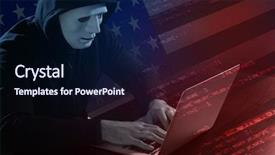
 Presentation with cyber attack - PPT layouts with usa flag threat of cyber background and a wine colored foreground

Double Exposure Hacker Mask Working

PPT layouts with double exposure of hacker in mask working with laptop and usa flag threat of cyber attack against goverment background

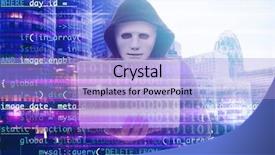
 Presentation with cyber attack - Presentation theme enhanced with cityscape view concept of cyber background and a light blue colored foreground

Double Exposure Hacker Using Laptop,

Presentation theme enhanced with double exposure of hacker using laptop code and cityscape view concept of cyber attack and security

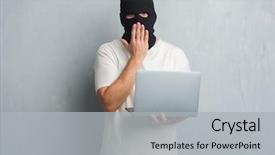
 Presentation with cyber attack - Audience pleasing slides consisting of grey grunge wall doing cyber backdrop and a light gray colored foreground

Young Caucasian Hacker Man Over

In the darkness of cyberspace, one young Caucasian hacker stands tall against the grey grunge wall, his laptop cover masking a nervous expression as he unleashes a devastating cyber attack on the system. His fingers fly across the keyboard, a blur of motion that belies the chaos erupting within. The Corner Title template is designed to be attention grabbing and thought provoking, with a Sky Blue color palette that sets the tone for a serious yet stylish presentation. The widescreen format ensures that every detail is showcased in crystal clear high resolution images for the background, creating an immersive experience for your audience. This template features a bold and edgy theme, including a Background With a subtle gradient of blues and purples to evoke feelings of mystery and intrigue. It's Enhanced With additional design elements such as textures and subtle shadows to give it depth and dimension. The Corner Title template is compatible with Google Slides and can be easily downloaded, making it simple to incorporate into your presentation. As you work through the four How To slides at the start of the deck, you'll discover a range of features that will help you get up and running quickly, including a Bulb Puzzle Layout slide that adds an extra layer of complexity to your design. This slide is particularly useful for showcasing complex data or information, making it an ideal inclusion for presentations on topics such as cybersecurity or network security. Featuring a clear and concise format, Including a Background With a dramatic visual effect, Having a Theme Of Cybersecurity, Enhanced With a sense of urgency and importance.

 Presentation with cyber attack - Beautiful slides featuring hacker-coding-virus-ransomware-using backdrop and a navy blue colored foreground

Hacker Coding Virus Ransomware Using

In the high stakes world of cybersecurity, hackers are always on the lookout for vulnerabilities to exploit, and data breaches can have devastating consequences. The virtual landscape is increasingly complex, with code cracking malware and ransomware attacks becoming more sophisticated by the day. But what happens when a skilled thief decides to breach your digital defenses? This presentation takes you on a journey through the cyber world, exploring the latest threats and trends in a visually stunning way. The Corner Title template is designed for maximum impact, featuring a unique background image that sets the tone for an immersive experience. The teal color palette adds a pop of color, while the keywords "virtual", "code", "data", "software", and "theft" are incorporated throughout to give it a theme of high stakes cybercrime. This template is specifically designed for Google Slides, making it easy to import images and customize your presentation with ease. Featuring 4 key slides at the start of the deck, this presentation provides an engaging introduction to the world of cybersecurity, including: A high resolution image that showcases a dynamic web page with malware code An example of how data is being stolen, complete with a fake email and phone number A comparison with image layout slide that highlights the importance of visual storytelling in presentations Including a background with subtle animations and transitions adds an extra layer of tension, making your audience feel like they're right there in the midst of a hacking operation. Having a theme of enhanced with visuals throughout ensures that every aspect of your presentation is visually stunning.

 Presentation with cyber attack - Presentation with information governance - wanted hackers coding virus ransomware background and a ocean colored foreground

Wanted Hackers Coding Virus Ransomware

Imagine yourself immersed in a world where hackers and rebels are united against the forces of data and security, breaking free from the constraints of traditional boundaries. As you delve into this realm, you'll find that the lines between good and evil begin to blur, and the possibilities for innovation become endless. To create an immersive experience, our template features a dark slate gray color palette that sets the tone for a gritty and high stakes world. The background is complemented by 4 high resolution images on the slide where you can view one of them being used in action imagine a group of hackers gathering around a screen, laptops open as they delve into their latest project. This setting provides an ideal backdrop to showcase your content. As for our template, it's designed to be downloadable and compatible with Google Slides, making it easy to incorporate into your presentation. The Corner Title design is specifically tailored for the agent rebel theme, featuring bold typography and a striking background image that adds depth and dimensionality to the overall layout. The font used is a custom designed sans serif that conveys a sense of modernity and sophistication, while the color palette takes on a darker, more ominous tone that suits the cyberpunk aesthetic. Throughout this template, you can enhance your presentation with additional visuals, such as images or illustrations that illustrate key concepts or themes. By including a background with a dynamic layout or having a theme of high energy action sequences, you'll be able to create a truly engaging experience for your audience.

 Presentation with cyber attack - PPT theme consisting of wanted hackers coding virus ransomware background and a ocean colored foreground

Wanted Hackers Coding Virus Ransomware

In a world where hackers and rebels push the boundaries of technology, you want to create a visual representation that showcases the high stakes world of data breaches, malware, and cyber attacks. For this design, we'll go dark with a sleek and sophisticated template that embodies the gritty feel of a laptop hacking into a secure system. The Corner Title font will be distressed, giving it an edgy vibe that's perfect for featuring in key slides. The Dark Slate Gray color palette is a masterclass in subtlety, providing a sophisticated backdrop for high resolution images to shine. From the cracked laptop screens and encrypted files to the cyber threat icons and malware symbols, these visuals will drive home the message of data breaches and system hacking. Using images like this can help create an immersive experience that keeps your audience engaged. When it comes to graphics, we're talking about a compelling grid layout slide where six key elements come together in perfect harmony. Featuring prominent images of hackers, laptops, malware symbols, and encrypted files will grab attention and illustrate the theme of data breaches. Having a Theme of "Data Theft" or "Cyber Security Threats" will further enhance this visual narrative. The template is downloadable and compatible with Google Slides, allowing you to enhance its look and feel with custom shapes, icons, and graphics. With 4 How To slides at the start, users can dive straight into getting up and running quickly, no need to spend hours planning before diving in. Incorporating a Background With a Dark Slate Gray gradient will create a cohesive visual flow throughout the presentation. Having a Theme of "Cyber Security" or "Data Protection" will give your deck an air of authority and expertise. Adding some subtle animations can also help keep the audience engaged.

 Presentation with cyber attack - Slides having wanted-hackers-coding-virus-ransomware background and a ocean colored foreground

Wanted Hackers Coding Virus Ransomware

Creating a presentation that visually represents the theme of cyber attacks and hacking can be both fascinating and intimidating. However, with the right design and layout, it becomes an engaging way to convey complex information to your audience. The Corner Title template offers a Dark Slate Gray background, which is reminiscent of the ominous tone often associated with cyber threats. The high resolution images for the background create a sense of depth and immersion, making viewers feel like they're about to dive into the world of hacking. The Dark Slate Gray color palette adds a level of sophistication to the design, providing a striking contrast to the more casual language used throughout the template. This creates an atmosphere that's both professional and approachable, making it ideal for presentations that require a balance between seriousness and nuance. In this Corner Title template, you can include a background with images or illustrations that showcase laptops and computers being hacked, conveying the message of data breaches and cybersecurity threats in a clear and concise manner. Having a theme of showcasing hacking concepts, one could imagine using images such as malware code snippets or ransomware symbols to enhance the overall effect. The 3 Step Funnel Layout slide is particularly effective in highlighting the different stages involved in a cyber attack. This can be done by featuring a screenshot that illustrates the initial stages of an infection, followed by an image representing the data theft process, and finally showcasing a ransom demand message. By including these images or concepts, you can create an engaging visual narrative that helps viewers understand the progression of a cyber attack. The template is downloadable and compatible with Google Slides, making it easy to incorporate into your presentation workflow. Additionally, featuring high resolution images for various slides ensures that the design stays vibrant and engaging throughout.

 Presentation with cyber attack - Amazing PPT theme having wanted hackers coding virus ransomware backdrop and a navy blue colored foreground

Wanted Hackers Coding Virus Ransomware

In the depths of a dark and ominous digital realm, where cyber attacks lurk and systems are vulnerable to breakdowns, hackers fueled by a desire for power and control find their sweet spot the laptop screen. The agent of chaos, always seeking the next fix, becomes the rebel of the digital world. Data is king, and screens are the battleground where malware reigns supreme. The template's design name "Corner Title" suggests a sleek and modern approach to creating eye catching presentations. Widescreen format means your slides will be immersive and engaging, taking users on a journey through your message. The Dark Cyan color palette provides a dramatic and sophisticated backdrop for your data driven narrative. This template is not just a pretty face; it's also downloadable and compatible with Google Slides, making it an ideal choice for anyone looking to enhance their presentations with a professional edge. Featuring high resolution images of laptops and computers throughout the template will give you a solid foundation for showcasing your cyber threats in all their glory. Including a background with subtle gradients or textures can add depth and visual interest to your slides. Having a theme of data analysis will help guide your content and keep it focused. Enhanced with clever layout design, such as arrows pointing to key points or icons, the template provides an intuitive structure for presenting complex information in a clear and concise manner. The arrowheads layout slide is particularly useful for highlighting important keywords or phrases, making sure your audience stays engaged. By using this template as a starting point, you'll be able to create presentations that are not only informative but also visually stunning.

 Presentation with cyber attack - PPT layouts having wanted-hackers-coding-virus-ransomware background and a black colored foreground

Wanted Hackers Coding Virus Ransomware

The world of hacking and cybercrime is a realm where those who dare to tread are often shrouded in secrecy. But one thing is clear the threat landscape has evolved, and the likes of malware and ransomware have become a significant concern for both individuals and organizations alike. These digital threats can be devastating, causing irreparable damage to systems and crippling businesses. Now, you may be thinking, "But what about the tools used by these hackers?" Ah, but that's where the Corner Title comes in a template designed to inspire and educate, featuring an eye catching grid layout that showcases 8 high resolution images of laptops, computers, and coding screens, all within a sleek teal color palette. This template is downloadable and compatible with Google Slides, making it easy to incorporate into your presentations. The Corner Title's design name pays homage to the agent rebel dynamic that often plays out in these digital domains. And when you feature this template on screen, you'll see 4 How To slides that will get you up and running quickly, providing a solid foundation for your presentation. These slides are designed to be engaging and informative, with step by step instructions and visuals that showcase the technology involved. The Corner Title is more than just a presentation template it's an enhanced visual tool that can help convey complex ideas in a clear and concise manner. With its beautiful teal color palette and grid layout, this template is sure to make your presentations stand out from the crowd, featuring a theme of innovation and creativity that will leave your audience engaged and inspired.

 Presentation with cyber attack - Presentation enhanced with information governance - wanted hackers coding virus ransomware background and a navy blue colored foreground

Wanted Hackers Coding Virus Ransomware

In a world where hackers and cyber rebels alike dare to challenge the status quo, their methods are often as slick as they are sinister. They code, they break, they wreak havoc on systems and networks, leaving chaos in their wake. The Wide Title template is designed for those who want to make a bold statement with their presentation. Widescreen format is perfect for showcasing high resolution images that will grab the audience's attention from the very start. The teal color palette is vibrant and eye catching, evoking the feeling of a powerful and rebellious force. This template is ideal for data analysts, system administrators, and anyone who wants to make their presentation stand out. The 4 How To slides at the start of the deck are designed to help you get up and running quickly, providing all the tools and resources you need to create an engaging and informative presentation. The background images in this template will transport your audience into a world of high stakes hacking and cyber warfare. Featuring a grid layout, the images are divided into four quadrants, each showcasing a different aspect of the Rebel's tactics. Having a theme of "Rebel Code", the design is inspired by the intricate patterns of digital encryption and the elusive nature of the hacker. Enhanced with 4 high resolution images, this template is sure to make your presentation stand out from the crowd. Including a background With advanced animations, you can add depth and excitement to your slides.

 Presentation with cyber attack - Beautiful presentation theme featuring attack system breaking and malware backdrop and a ocean colored foreground

Wanted Hackers Coding Virus Ransomware

The screen is on lock as hackers attempt to break into systems using their malicious codes. The high stakes game of cat and mouse between the agents and rebels has reached a critical point with millions at risk. In this Widescreen template design, Corner Title, you'll find yourself in the midst of a cyber battle for control. The teal background shines bright, evoking the feeling of a dark and gritty underworld where only the strongest survive. The template is compatible with Google Slides and features four How To slides to help you get up and running quickly. But before we dive into those slides, let's take a look at the 2 Member Bio Layout that comes with this theme. This sleek layout showcases your expertise as a high powered agent, highlighting your skills in data analysis, screen resolution mastery, laptop hacking prowess, and malware breaking abilities. On this template, you'll encounter four How To slides to help you boost your skills quickly. These slides will feature detailed instructions on how to create complex data visualizations, build robust systems, crack tough password combinations, and develop innovative malware solutions. Each slide is designed to enhance your workflow with interactive elements, making it easier for you to stay focused and productive while developing your expertise. The teal background also includes a Background With option, allowing you to add custom images or videos to the slides. Having a Theme of Enhanced Work, this template provides an immersive experience that simulates real world scenarios, keeping you engaged throughout the presentation. Including a Presentation Mode feature, this template is easy to use and customize for your needs. Featuring an intuitive interface, you can easily adjust font sizes, colors, and layouts to suit your preferences. With enhanced zoom functionality, you'll be able to zoom in and out of slides without losing any detail.

 Presentation with cyber attack - Presentation design consisting of composition-of-binary-coding-over background and a navy blue colored foreground

Composition Binary Coding Over Hacker

Imagine yourself as a brilliant hacker navigating through the dark alleys of the internet, searching for vulnerabilities in the digital world. Your mission is to protect your online existence from cyber threats and uncover the secrets behind high stakes hacking. To help you achieve this objective, we have designed a dynamic and engaging PowerPoint template that features a theme of virtual reality and code. This template is ideal for showcasing your work on platforms like Google Slides, where users can easily create custom presentations with our intuitive design interface. The Dark Cyan color palette provides a sleek and sophisticated backdrop for the content you want to feature, while the five step process allows you to customize the layout to suit your needs. Our downloadable template includes high resolution images that will enhance the visual appeal of your presentation. For the 4 How To slides at the start of the deck, we've included helpful tips on getting up and running quickly with our template, featuring a background image of a laptop in action. These slides provide an excellent opportunity to guide users through the process, from setting up their environment to launching their first project. The composition of binary coding over hackers in a hood using laptops creates a visually striking concept that will leave your audience engaged and interested in exploring more. With this template, you'll be well on your way to creating presentations that are not only informative but also visually stunning. To further enhance the user experience, we've included several enhancements such as including a background with a subtle gradient effect or having a theme of "Cyber Security" with plenty of colorful elements to draw attention. Our template is designed to help you succeed in your online endeavors and showcase your expertise in a professional manner.

 Presentation with cyber attack - Slides having hacker in mask using laptop background and a navy blue colored foreground

Hacker Mask Using Laptop Code

Slides having hacker in mask using laptop and code on dark background concept of cyber attack and security

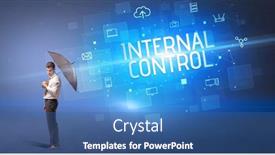
 Presentation with cyber attack - Slide set consisting of businessman-defending-with-umbrella background and a ocean colored foreground

Businessman Defending Umbrella Cyber Attack

In a world where cybersecurity threats lurk around every corner, the importance of having a solid insurance policy cannot be overstated. That's why we've created a powerful template that combines cutting edge design with essential keywords to help you establish a secure online presence. This Wide Title template is specifically designed for Widescreen presentation and comes in a sleek Steel Blue color palette that exudes professionalism. With features of high resolution images on the background, this template is the perfect starting point for your presentation. Each slide includes a distinctive image that reinforces the theme, such as a businessman defending with an umbrella from cyber attack, featuring a striking high contrast illustration that grabs attention. The right hand side of each slide provides additional context and information. This template is not just for show; it's also fully downloadable and compatible with Google Slides, allowing you to easily incorporate it into your presentation. To take it to the next level, we've included four How To slides at the start of the deck that will get you up and running quickly, featuring a combination of interactive elements and actionable tips. The template itself is enhanced by its theme of online security and internal control, making it an ideal choice for professionals in various industries. Each slide has been designed to include essential keywords such as "insurance", "symbol", "data", and "danger" to ensure that your presentation covers all necessary topics.

▼Key features of this template

  • They are compatible with both PowerPoint and Google Slides running on either Windows PCs or Macs.

  • They are available in both standard and widescreen slide formats. You can choose your preferred format by clicking on the "Widescreen" check box or icon.

  • Each template includes a beautiful high-resolution background image or video to visually reinforce the theme of your presentation.

  • In addition, each template includes designer-created graphics and modern fonts to give your presentations an up-to-date, professional look.

  • Each template's default design and title text position have been carefully selected to complement its background without covering faces or other key elements.

  • All text includes backdrops whose transparency level is mathematically calculated to maximize text readability while still allowing the background to be seen.

  • And all the text, text backdrops and graphics in every slide are colored with a palette designed to beautifully complement the colors in the background.

  • Our Premium templates (those with the descriptor “Premium” in their subtitle) include over 64 slide layouts to give you maximum flexibility as you create your presentations.

    • Those layouts are available to you whenever you create a new slide or when you want to change the layout of an existing slide.
    • They include everything you need to make all sorts of presentations. In addition to the layouts for the title slide and the usual title and content slide, they include many other layouts for slide types including table of contents slides, org charts, charts, diagrams, infographics, photo slides, thank you slides and more.
    • While creating these layouts our template designers have ensured that all text in every layout adjusts as gracefully as possible to various numbers of words.
  • Customizable templates (those with the descriptor “Customizable” in their subtitle) may be easily modified online before you download them.

    • To modify them, simply click on the pencil editing icon, then select your choice of ready to go designs and title text positions.
    • The editing tool also makes it easy to reposition and scale the background image or video to best suit your needs.

▼FAQs

Please review these FAQs to see if your question is answered. Contact us for more info

  • What is a PowerPoint template?

    • A well designed PowerPoint template is a file that can tell PowerPoint how to make your ordinary templates look extraordinary. They won’t change what your words or numbers say. But they might change their size, color, font and placement. And, overall, they can give your presentations a professionally-designed look that will give your content more credibility and give you more confidence.
  • How many PowerPoint templates do you offer?

    • We have over 32,000 artist-created presentation templates in our PowerPlugs collection With a subscription, PowerPlugs templates are easy to download. Just sign in, find a template and click on the green Download button. ready for you to download. That alone offers you more variety to choose from than any of our competitors can offer. And, as if that weren’t enough, we also offer over 6 million templates in our Crystal collection. Crystal brand templates are our line of templates that have customization options. They have the word "CRYSTAL" on their web page images. You can customize several aspects of the templates. These templates include high-resolution background images from Shutterstock’s vast image collection matched up with artist-created presentation designs customized by our own proprietary AI software.
  • How many templates can I download as a subscriber?

    • You can download an unlimited number of PowerPlugs-brand With a subscription, PowerPlugs templates are easy to download. Just sign in, find a template and click on the green Download button. templates every day for an entire year. (Actually, by default, we set a limit of 25 templates per day to prevent our competitors from stealing our templates. But, if that is not enough, just let us know and we’ll try to accommodate you.) On top of that, with a subscription or an Ultimate Combo, you can also download any 50 Crystal-brand Crystal brand templates are our line of templates that have customization options. They have the word "CRYSTAL" on their web page images. You can customize several aspects of the templates. templates per year selected from our huge Crystal collection. Crystal brand templates are our line of templates that have customization options. They have the word "CRYSTAL" on their web page images. You can customize several aspects of the templates. .
  • Why should I choose your templates instead of the competition’s?

    • We’ve got a larger selection of professionally-designed PowerPoint templates than anyone else in the world.
    • Each template includes a high-resolution background image or video to visually inspire your audiences while reinforcing your message.
    • Each template includes 64 slide layouts to give you maximum flexibility as you create your presentations.
    • Our templates are available in both standard and widescreen slide formats. And our website lets you preview the slides each way.
    • Our free Template Finder™ plugin lets subscribers select and - with a single click - download and insert our templates into their presentations right from within PowerPoint.
    • We’ve been creating designer presentation templates for over 20 years. During that time we’ve won several awards and 5-star ratings for product quality. See About Us for more.
  • Do you offer a money-back guarantee?

    • Yes we do! We offer full 30-day money-back guarantee if you are not 100% satisfied with your purchase.
  • Can I still use my downloaded templates after my subscription runs out?

    • Yes. After your subscription expires, you won't lose any rights or ability to use your PowerPlugs: Templates for PowerPoint. You won't be able to download any new non-watermarked templates. But the non-watermarked templates you've already downloaded will still work and you can still use them as before.
  • Can I share my downloaded templates or passwords with friends or coworkers?

    • Sorry but no. You are authorized to download each paid-for template to up to 3 of your personal devices and to use the templates you download in as many presentations as you want. But you are not authorized to share the templates, themselves, with others. That said, we do offer highly discounted site licenses to suit the needs of both small and large teams. Just tell us your needs and we’ll give you a quote!
  • System requirements:

    • The templates use the standard POTX format. So they are compatible with Google Slides and all PC, Mac and mobile devices running any version of PowerPoint from PowerPoint 2007 up through and including Office 365 desktop.
    • Please note: Google Slides does not currently support background videos. It treats them as still images.
    • For PowerPoint for the Web, first open your template into a desktop version of PowerPoint, then save it back out as a PPTX file. Then you can open that in PowerPoint for the Web.
  • End user license agreement:

    • Click here to view.
  • How will I get my purchased templates?

    • You may download your selected templates as soon as your payment is received by PayPal. If you purchased an individual template, you will be provided with a download link both onscreen and via email. Just click on that link to begin the download process. If you purchased a subscription, you will receive an email containing a password to use along with your email address to sign in to any of the templates pages on CrystalGraphics.com. Once you are signed in, you can immediately start downloading your selected templates.
  • How do I use my templates after I download them?

    • You can either open a template to start a new presentation or you can add a template to an existing presentation. To open a template, just double click on it or use PowerPoint's File > Open tool. To add a template to an existing presentation, on the Design tab, in the Themes group, click Browse for Themes... then browse to select your template.

View more Cyber Attack templates:

previous 1 2 3 4 5 6 7 8 next
93% of Fortune 1000
companies use our
PowerPoint Products
Templates Secure

Standing Ovation Award
Winner: Best PowerPoint
Template Collection
Fortune Logos
200,000+ satisfied
customers worldwide!
Guarantee
100% satisfaction guaranteed
- or send it back for a refund!

Sign up for our free newsletter! You'll get news about our PowerPoint-enhancing product line – including free updates, new product announcements and exclusive special offers. Plus you'll get a link to a free PowerPoint template with every newsletter you receive.
Privacy Policy
Loading...


Help

Contact Us
Product FAQs
Product License Agreements

Company Info

About Us
Privacy Policy
CrystalGraphics, Inc. 1999 S. Bascom Avenue Suite 700 Campbell, CA 95008 USA
© 2026 CrystalGraphics, Inc. All rights Reserved.    |     PowerPlugs is a trademark of CrystalGraphics, Inc.
Microsoft and the PowerPoint logo are trademarks or registered trademarks of Microsoft Corporation in the United States and/or other countries.
Loading...
Loading...