www.crystalgraphics.com CrystalGraphics
  • Ultimate Combo
  • Templates
  • Diagrams
  • Characters
  • Quizzes
  • shopping cart
  • Sign Out Sign Out Sign In
Home > Templates > Wheel Category
search icon
advanced icon

325 Best Wheel-Themed Templates for PowerPoint and Google Slides

In the world of PowerPoint templates, few categories offer as much versatility and style as CrystalGraphics extensive collection. Among its vast offerings lies the Wheel template category, where users can discover a diverse range of wheel-related themes that cater to various needs and interests. With this category, users can explore presentation titles such as Steering the Course: A Look at Roadmaps, Navigating Change: The Story Behind Lighthouses, and Wind in Your Sails: Exploring Energy-Powered Wind Mills. Each title is carefully crafted to give context and relevance to the surrounding content.

Whether you're looking for a wheel of inspiration with a navigator and lighthouse over an antique paper map or a chair as comfortable as it is green, this category has something for everyone. The Wheel template collection also features stunning visuals such as blue energy power wind mills with colorful skies, giving users endless possibilities to enhance their presentations.

In addition to these captivating themes, the Wheel category boasts compatibility with Google Slides, making it an excellent choice for users looking to seamlessly integrate their designs into their online platforms. Furthermore, each wheel-themed template comes in both widescreen and standard formats, ensuring that users can easily tailor their content to fit any device or screen size.

To take your presentation to the next level, this Wheel category offers a wide range of customizable elements that enable full personalization. With instant 24/7 download access, you can quickly explore new templates, browse through other categories, and select the perfect one for your needs all without having to wait for others to prepare it for you.

So why settle for an ordinary presentation when you can create something truly unique with CrystalGraphics Wheel template category? Explore its vast collection today, discover new themes that inspire your creativity, and unlock a world of possibilities with instant download access.

Features & Pricing

Widescreen (16:9) Presentation Templates. Change size...
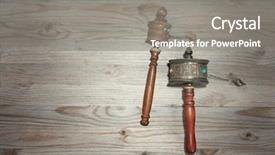
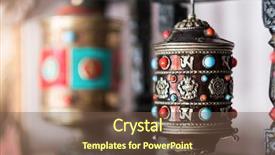
 Presentation with wheel - Beautiful theme featuring bhutanese - tibetan prayer wheel or mani backdrop and a gray colored foreground

Tibetan Prayer Wheel Mani Wheel

In the midst of a crowded presentation landscape, you may struggle to stand out and make your message resonate with your audience. That's where Wide Title comes in a striking design that sets the tone for your entire slide deck. With its warm tan color palette, featuring hexagonal layouts that add an extra layer of depth and visual interest, Wide Title is sure to grab attention from the start. The template format allows for maximum flexibility, making it easy to tailor the look and feel to suit your brand or style. Whether you're creating a promotional material, e learning course, or simply a visually appealing presentation, Wide Title has got you covered. For instance, imagine showcasing a beautiful Tibetan prayer wheel on an old wooden background with a serene landscape in the foreground. The dramatic light in a vintage tone creates a sense of drama and mystery, while the wide title adds a touch of sophistication and elegance. Including a Background With feature from the template allows you to easily swap out images or backgrounds to match your needs. One of the standout features of Wide Title is its ability to be enhanced with additional text and images, making it an ideal choice for presentations that require a lot of visual information. Having a theme of storytelling is also evident in this design, as the template's focus on rich imagery and symbolism creates a narrative arc that engages the audience from the very beginning. Whether you're looking to create a high energy presentation or a more relaxed, introspective one, Wide Title is sure to deliver.

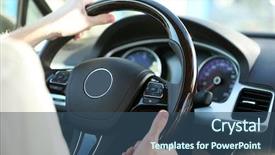
 Presentation with wheel - Slide deck featuring hands on a steering wheel background and a ocean colored foreground

Man's Hands Steering Wheel

Slide deck featuring man's hands on a steering wheel

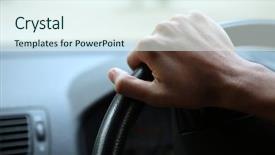
 Presentation with wheel - PPT theme having male hand on steering wheel background and a sky blue colored foreground

Close-up Male Hand Steering Wheel

PPT theme having close-up of a male hand on steering wheel in a modern car in the uk steering wheel on the right

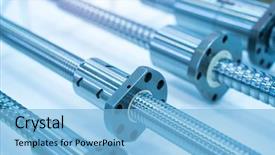
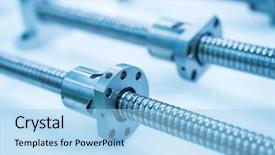
 Presentation with wheel - PPT theme having gear wheel transmits energy flat background and a light blue colored foreground

Gear Wheel Transmits Energy Flat

PPT theme having gear wheel transmits energy flat has a rack

 Presentation with wheel - PPT layouts with stack of four wheel new background and a light gray colored foreground

Stack Four Wheel New Black

The winter sports enthusiast's dream come true has finally arrived in the form of CrystalGraphics' new powerpoint template, "Winter Wonderland". This stunning template is designed to transport your audience to a magical world of snow covered landscapes and sleek, high performance vehicles. Featuring a dramatic stack of four wheel new black tyres for winter car driving isolated on white background, this template is sure to impress. The Dark Khaki theme dominates the template's color palette, providing a sophisticated backdrop for your slides. The 6 x 6 Org Chart Layout slide takes center stage, showcasing a structured and organized layout that will leave your audience impressed. To enhance the theme, you could include high resolution images of winter sports events or scenic landscapes featuring snow covered mountains and frozen lakes. The template's Widescreen format ensures that every detail is visible and maximizes screen real estate for each slide. The dark background provides a dramatic contrast to the auto related keywords such as "auto", "stack", "grooves", and "isolated". This template is not only visually stunning but also feature rich, making it an ideal choice for presentations on car culture and winter sports. To make your presentation truly stand out, consider featuring high resolution images of your audience's favorite winter sports cars or racing tracks. Having a theme of "Winter Sports" could also be incorporated through the background image or graphics used throughout the template. Enhancing with additional design elements such as metallic accents, snowflakes, or frosty textures can further elevate the overall look and feel of your presentation. The downloadable nature of this template ensures that you have all the necessary assets to create a polished and professional looking presentation on Google Slides. Whether you're looking to showcase car culture or winter sports, "Winter Wonderland" has got you covered with its unique blend of style and functionality.

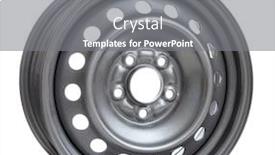
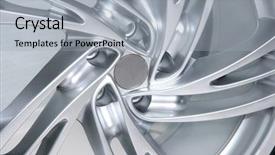
 Presentation with wheel - Slide deck having steel wheel rim on white background background and a gray colored foreground

Steel Wheel Rim White Background

Slide deck having steel wheel rim on white background

 Presentation with wheel - Cool new presentation with suit running in hamster wheel backdrop and a light gray colored foreground

Young Businessman Suit Running Hamster

In a world where innovation and productivity reign supreme, a young businessman in a sleek suit is seen running in a hamster wheel, his eyes fixed intently on the horizon as he pushes himself to new heights. The background of this image is a high resolution photo of a bustling cityscape at sunset, with towering skyscrapers and neon lights reflecting off the wet pavement. The overall mood is one of energy and momentum. The Corner Title template is designed for widescreen presentations, featuring a clean and modern design that will make your slides stand out on any screen. This template is available in Light SlateGray, a soothing color palette that evokes feelings of calmness and serenity. It's the perfect choice for anyone looking to enhance their presentation with a touch of sophistication. This template includes four key slides at the start of the deck: "Getting Started", "Organizing Your Ideas", "Creating Action Plans", and "Reviewing Progress". The first slide, "Getting Started", is designed to help you quickly get up and running, featuring an image of a person typing away on their laptop. This slide sets the tone for the rest of the presentation, providing a clear outline of what to expect. The 4 x 4 Org Chart Layout slide is a great way to visualize your organizational structure, with each section representing a different level of management. It's easy to include this slide in your template, featuring an image of a hierarchical chart or diagram. This layout will help you clearly communicate your team's roles and responsibilities. The Corner Title template includes a background with a subtle texture that gives it a premium feel. You can also customize the text and images to fit your specific needs, making it easy to enhance your presentation with a unique theme.

 Presentation with wheel - Amazing presentation having casting aluminum - winter wheel isolated on white backdrop and a light gray colored foreground

Winter Wheel Isolated White

Presentation having winter wheel isolated on white

 Presentation with wheel - PPT layouts consisting of linear - gear wheel transmits energy flat background and a light blue colored foreground

Gear Wheel Transmits Energy Flat

PPT layouts consisting of gear wheel transmits energy flat has a rack background

 Presentation with wheel - Colorful theme enhanced with gear wheel transmits energy flat backdrop and a light blue colored foreground

Gear Wheel Transmits Energy Flat

Theme enhanced with gear wheel transmits energy flat has a rack

 Presentation with wheel - Audience pleasing PPT theme consisting of airbags - airbag explodes on steering wheel backdrop and a wine colored foreground

Airbag Explodes Steering Wheel

PPT theme consisting of airbag explodes on steering wheel

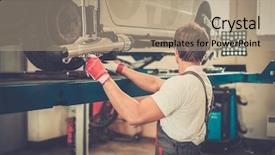
 Presentation with wheel - Cool new presentation with autoangle - young serviceman checking wheel alignment backdrop and a coral colored foreground

Young Serviceman Checking Wheel Alignment

Presentation with young serviceman checking wheel alignment in a car workshop

 Presentation with wheel - Theme having indoor navigation - hands on the wheel background and a tawny brown colored foreground

Hands Wheel

Corner Title is designed to take you on a journey through city life in Peru, where the hustle and bustle of modern navigation meets the warmth and excitement of exploring new places. The template features stunning high resolution images for the background, which will transport you to the vibrant streets of Lima or Cusco, showcasing iconic landmarks like the Plaza de Armas or the ancient Inca Temple of Pachacamac. The Peruvian color palette is rich and warm, with a focus on earthy tones that evoke feelings of exploration and discovery. The template's layout is carefully crafted to incorporate key elements of city life, including streets, buildings, and cultural landmarks. A central section will feature a stylized image of a navigator, adding a touch of sophistication and expertise. The Corner Title template is compatible with Google Slides and can be easily customized to fit your needs. With four How To slides at the start of the deck, you'll have everything you need to get up and running quickly, featuring high quality images and engaging content that will keep your audience engaged throughout the discussion or trip. The theme of the template is one of navigation and exploration, with a clear focus on bringing together key elements of city life in Peru.

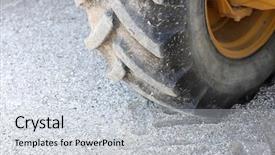
 Presentation with wheel - Cool new presentation design with truck tires - wheel backdrop and a light gray colored foreground

Wheel

Presentation design with wheel backdrop

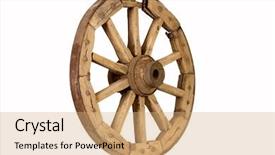
 Presentation with wheel - Colorful presentation theme enhanced with old cart - antique wooden wheel isolated backdrop and a coral colored foreground

Antique Wooden Wheel Isolated White

Presentation theme enhanced with antique wooden wheel isolated on white background

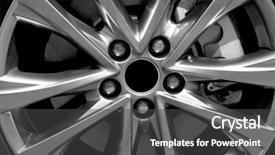
 Presentation with wheel - PPT theme consisting of auto profile - modern car wheel closeup background and a dark gray colored foreground

Modern Car Wheel Closeup

PPT theme consisting of modern car wheel closeup background

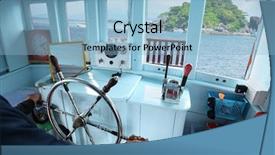
 Presentation with wheel - PPT layouts having ship captain - skipper hands on a steering background and a light blue colored foreground

Skipper Hands Steering Wheel Boat

PPT layouts having skipper hands on a steering wheel of a boat motoring in tropical sea background

 Presentation with wheel - Cool new slides with bhutanese - nepalese prayer wheel backdrop and a tawny brown colored foreground

Nepalese Prayer Wheel Street Souvenir

In the heart of Kathmandu's bustling streets, a vibrant market beckons with its colorful stalls and enticing aromas, drawing in visitors from far and wide to experience the rich cultural heritage of Nepal. The sound of chanting monks and lively chatter fills the air as devotees gather to pay homage to their deities, seeking solace and guidance on their spiritual journeys. Amidst this kaleidoscope of activity, a serene prayer wheel spins slowly, its intricate carvings telling ancient stories of good fortune and prosperity. The Wide Title template is designed for maximum impact, featuring a stunning high resolution image of the Nepalese prayer wheel at the market's center, surrounded by lush greenery and vibrant flowers. The Indian Red color palette adds a pop of warmth and energy to the design, evoking feelings of tradition and spirituality. This template is perfect for showcasing your brand's personality and values, whether you're promoting a spiritual retreat, a cultural festival, or simply a unique shopping experience. The Widescreen format ensures that every detail is showcased in stunning clarity, making it ideal for presentations, websites, or social media platforms. The template includes four How To slides to help you get up and running quickly, but the real magic happens when you start using this design. Featuring a beautiful background with intricate patterns and textures, including a Background With of a serene mountain landscape, Having a Theme of spiritual growth and self discovery, Enhanced With stunning visuals that will leave your audience in awe. This template is also compatible with Google Slides, making it easy to import high resolution images and customize the design to fit your brand's unique style. With its rich cultural heritage and spiritual significance, this template is sure to resonate with anyone who visits Kathmandu or

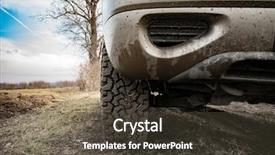
 Presentation with wheel - Presentation design with closeup photo of car wheel background and a tawny brown colored foreground

Closeup Photo Car Wheel Muddy

Presentation design with closeup photo of car wheel on muddy terrain background

 Presentation with wheel - Slides enhanced with tire tread - close up wheel background and a light gray colored foreground

Close Up Wheel Spots Car

In the realm of corporate presentation design, there's one template that stands out from the crowd Split Title. This sleek and modern template is designed to deliver precision and attention to detail, making it an ideal choice for businesses looking to elevate their visual identity. Widescreen format ensures a stunning cinematic experience, while Light SlateGray color palette provides a calming and sophisticated backdrop for your slides. The template's keyword driven design allows you to focus on showcasing the high resolution images that bring this theme to life. Featuring these images throughout the presentation will showcase your brand's personality and reinforce its identity. This template is downloadable and compatible with Google Slides, making it an excellent choice for sharing with colleagues or clients. The accompanying slides provide a clear structure for establishing a strong visual narrative. Four How To slides can be used at the start of the deck to help you get up and running quickly these will cover topics such as setting up the template on your chosen platform. As you delve into Split Title, you'll discover that its 3 Member Bio Layout slide is perfect for highlighting key company members, showcasing their roles and expertise. This layout can be customized to fit your brand's unique voice and tone, making it an excellent way to include a background with, having a theme of, or even enhancing the template itself.

 Presentation with wheel - Colorful presentation enhanced with beautiful sky and valley in vietnam backdrop and a tawny brown colored foreground

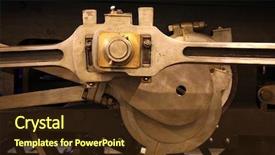
Train Wheel

Presentation enhanced with train wheel backdrop

▼Key features of this template

  • They are compatible with both PowerPoint and Google Slides running on either Windows PCs or Macs.

  • They are available in both standard and widescreen slide formats. You can choose your preferred format by clicking on the "Widescreen" check box or icon.

  • Each template includes a beautiful high-resolution background image or video to visually reinforce the theme of your presentation.

  • In addition, each template includes designer-created graphics and modern fonts to give your presentations an up-to-date, professional look.

  • Each template's default design and title text position have been carefully selected to complement its background without covering faces or other key elements.

  • All text includes backdrops whose transparency level is mathematically calculated to maximize text readability while still allowing the background to be seen.

  • And all the text, text backdrops and graphics in every slide are colored with a palette designed to beautifully complement the colors in the background.

  • Our Premium templates (those with the descriptor “Premium” in their subtitle) include over 64 slide layouts to give you maximum flexibility as you create your presentations.

    • Those layouts are available to you whenever you create a new slide or when you want to change the layout of an existing slide.
    • They include everything you need to make all sorts of presentations. In addition to the layouts for the title slide and the usual title and content slide, they include many other layouts for slide types including table of contents slides, org charts, charts, diagrams, infographics, photo slides, thank you slides and more.
    • While creating these layouts our template designers have ensured that all text in every layout adjusts as gracefully as possible to various numbers of words.
  • Customizable templates (those with the descriptor “Customizable” in their subtitle) may be easily modified online before you download them.

    • To modify them, simply click on the pencil editing icon, then select your choice of ready to go designs and title text positions.
    • The editing tool also makes it easy to reposition and scale the background image or video to best suit your needs.

▼FAQs

Please review these FAQs to see if your question is answered. Contact us for more info

  • What is a PowerPoint template?

    • A well designed PowerPoint template is a file that can tell PowerPoint how to make your ordinary templates look extraordinary. They won’t change what your words or numbers say. But they might change their size, color, font and placement. And, overall, they can give your presentations a professionally-designed look that will give your content more credibility and give you more confidence.
  • How many PowerPoint templates do you offer?

    • We have over 32,000 artist-created presentation templates in our PowerPlugs collection With a subscription, PowerPlugs templates are easy to download. Just sign in, find a template and click on the green Download button. ready for you to download. That alone offers you more variety to choose from than any of our competitors can offer. And, as if that weren’t enough, we also offer over 6 million templates in our Crystal collection. Crystal brand templates are our line of templates that have customization options. They have the word "CRYSTAL" on their web page images. You can customize several aspects of the templates. These templates include high-resolution background images from Shutterstock’s vast image collection matched up with artist-created presentation designs customized by our own proprietary AI software.
  • How many templates can I download as a subscriber?

    • You can download an unlimited number of PowerPlugs-brand With a subscription, PowerPlugs templates are easy to download. Just sign in, find a template and click on the green Download button. templates every day for an entire year. (Actually, by default, we set a limit of 25 templates per day to prevent our competitors from stealing our templates. But, if that is not enough, just let us know and we’ll try to accommodate you.) On top of that, with a subscription or an Ultimate Combo, you can also download any 50 Crystal-brand Crystal brand templates are our line of templates that have customization options. They have the word "CRYSTAL" on their web page images. You can customize several aspects of the templates. templates per year selected from our huge Crystal collection. Crystal brand templates are our line of templates that have customization options. They have the word "CRYSTAL" on their web page images. You can customize several aspects of the templates. .
  • Why should I choose your templates instead of the competition’s?

    • We’ve got a larger selection of professionally-designed PowerPoint templates than anyone else in the world.
    • Each template includes a high-resolution background image or video to visually inspire your audiences while reinforcing your message.
    • Each template includes 64 slide layouts to give you maximum flexibility as you create your presentations.
    • Our templates are available in both standard and widescreen slide formats. And our website lets you preview the slides each way.
    • Our free Template Finder™ plugin lets subscribers select and - with a single click - download and insert our templates into their presentations right from within PowerPoint.
    • We’ve been creating designer presentation templates for over 20 years. During that time we’ve won several awards and 5-star ratings for product quality. See About Us for more.
  • Do you offer a money-back guarantee?

    • Yes we do! We offer full 30-day money-back guarantee if you are not 100% satisfied with your purchase.
  • Can I still use my downloaded templates after my subscription runs out?

    • Yes. After your subscription expires, you won't lose any rights or ability to use your PowerPlugs: Templates for PowerPoint. You won't be able to download any new non-watermarked templates. But the non-watermarked templates you've already downloaded will still work and you can still use them as before.
  • Can I share my downloaded templates or passwords with friends or coworkers?

    • Sorry but no. You are authorized to download each paid-for template to up to 3 of your personal devices and to use the templates you download in as many presentations as you want. But you are not authorized to share the templates, themselves, with others. That said, we do offer highly discounted site licenses to suit the needs of both small and large teams. Just tell us your needs and we’ll give you a quote!
  • System requirements:

    • The templates use the standard POTX format. So they are compatible with Google Slides and all PC, Mac and mobile devices running any version of PowerPoint from PowerPoint 2007 up through and including Office 365 desktop.
    • Please note: Google Slides does not currently support background videos. It treats them as still images.
    • For PowerPoint for the Web, first open your template into a desktop version of PowerPoint, then save it back out as a PPTX file. Then you can open that in PowerPoint for the Web.
  • End user license agreement:

    • Click here to view.
  • How will I get my purchased templates?

    • You may download your selected templates as soon as your payment is received by PayPal. If you purchased an individual template, you will be provided with a download link both onscreen and via email. Just click on that link to begin the download process. If you purchased a subscription, you will receive an email containing a password to use along with your email address to sign in to any of the templates pages on CrystalGraphics.com. Once you are signed in, you can immediately start downloading your selected templates.
  • How do I use my templates after I download them?

    • You can either open a template to start a new presentation or you can add a template to an existing presentation. To open a template, just double click on it or use PowerPoint's File > Open tool. To add a template to an existing presentation, on the Design tab, in the Themes group, click Browse for Themes... then browse to select your template.

View more Wheel templates:

previous 1 2 3 4 5 6 7 8 9 10 11 12 13 14 15 16 next
Categories related to Wheel:
Axle Ferris Loader
93% of Fortune 1000
companies use our
PowerPoint Products
Templates Secure

Standing Ovation Award
Winner: Best PowerPoint
Template Collection
Fortune Logos
200,000+ satisfied
customers worldwide!
Guarantee
100% satisfaction guaranteed
- or send it back for a refund!

Sign up for our free newsletter! You'll get news about our PowerPoint-enhancing product line – including free updates, new product announcements and exclusive special offers. Plus you'll get a link to a free PowerPoint template with every newsletter you receive.
Privacy Policy
Loading...


Help

Contact Us
Product FAQs
Product License Agreements

Company Info

About Us
Privacy Policy
CrystalGraphics, Inc. 1999 S. Bascom Avenue Suite 700 Campbell, CA 95008 USA
© 2026 CrystalGraphics, Inc. All rights Reserved.    |     PowerPlugs is a trademark of CrystalGraphics, Inc.
Microsoft and the PowerPoint logo are trademarks or registered trademarks of Microsoft Corporation in the United States and/or other countries.
Loading...
Loading...