www.crystalgraphics.com CrystalGraphics
  • Ultimate Combo
  • Templates
  • Diagrams
  • Characters
  • Quizzes
  • shopping cart
  • Sign Out Sign Out Sign In
Home > Templates > Wheel Category
search icon
advanced icon

325 Best Wheel-Themed Templates for PowerPoint and Google Slides

In the world of PowerPoint templates, few categories offer as much versatility and style as CrystalGraphics extensive collection. Among its vast offerings lies the Wheel template category, where users can discover a diverse range of wheel-related themes that cater to various needs and interests. With this category, users can explore presentation titles such as Steering the Course: A Look at Roadmaps, Navigating Change: The Story Behind Lighthouses, and Wind in Your Sails: Exploring Energy-Powered Wind Mills. Each title is carefully crafted to give context and relevance to the surrounding content.

Whether you're looking for a wheel of inspiration with a navigator and lighthouse over an antique paper map or a chair as comfortable as it is green, this category has something for everyone. The Wheel template collection also features stunning visuals such as blue energy power wind mills with colorful skies, giving users endless possibilities to enhance their presentations.

In addition to these captivating themes, the Wheel category boasts compatibility with Google Slides, making it an excellent choice for users looking to seamlessly integrate their designs into their online platforms. Furthermore, each wheel-themed template comes in both widescreen and standard formats, ensuring that users can easily tailor their content to fit any device or screen size.

To take your presentation to the next level, this Wheel category offers a wide range of customizable elements that enable full personalization. With instant 24/7 download access, you can quickly explore new templates, browse through other categories, and select the perfect one for your needs all without having to wait for others to prepare it for you.

So why settle for an ordinary presentation when you can create something truly unique with CrystalGraphics Wheel template category? Explore its vast collection today, discover new themes that inspire your creativity, and unlock a world of possibilities with instant download access.

Features & Pricing

Widescreen (16:9) Presentation Templates. Change size...

 Presentation with wheel - PPT layouts having young-leg-injured-man background and a light gray colored foreground

Young Leg Injured Man Wheel-chair

PPT layouts having young leg injured man in wheel-chair looking x-ray

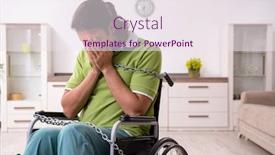
 Presentation with wheel - Presentation theme with slavery - young male invalid in wheel-chair background and a light gray colored foreground

Young Male Invalid Wheel-chair Suffering

Imagine waking up in your wheelchair at home, feeling frustrated and isolated as you try to navigate even the simplest tasks with aching muscles and limited mobility. This is what many people with disabilities face every day, and it's time for a change. Our Short Title design, "The Lotus," features a powerful and uplifting theme that celebrates resilience and hope. The Dark Salmon color palette provides a dramatic backdrop for your content, making it stand out in any presentation. High resolution images of lotus flowers or other botanicals are included to create a stunning visual effect. With our template, you can create a professional looking slide deck quickly and easily, with the four How To slides at the start of the deck helping you get up and running quickly. These slides will walk your audience through the process of creating their own accessible presentations, featuring a background with a subtle gradient that enhances the visual impact. For example, on the "Accessibility" slide, you could include a comparison layout with two contrasting backgrounds: one featuring a sunny garden and the other showcasing a dark, industrial environment. This would give your audience an idea of how to create a visually appealing presentation that caters to people with disabilities. By using our template, you can create engaging, informative slides that showcase your expertise in medical accessibility while also promoting disability awareness and understanding.

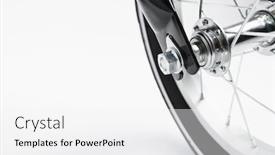
 Presentation with wheel - Slide set with part-of-kids-bicycle-wheel background and a white colored foreground

Part Kids Bicycle Wheel Spokes,

In the realm of creativity and innovation, there exists a world where technology and art merge to bring forth breathtaking visuals that captivate audiences and inspire imagination. As you embark on this journey, we invite you to explore a comprehensive PowerPoint template designed specifically for your needs. The design name is "Cycle Scene," a theme that perfectly captures the essence of cycling freedom, movement, and joy. This template format, Widescreen, ensures an immersive experience where viewers can fully immerse themselves in the world of cycling. Sleek and modern, our template features a slate blue color palette that exudes professionalism and sophistication. A captivating background image of part of a kids' bicycle wheel with spokes will transport you to a vibrant scene, perfect for showcasing your creative vision. As you dive into this downloadable template, you'll discover four How To slides at the start to help you get up and running quickly. But don't worry, we won't reveal too much just yet what's essential is that they're there to guide you through the process of bringing your cycling themed presentation to life. The Section Header Layout slide will showcase a dynamic design featuring our iconic kids bicycle wheel with spokes in stunning high resolution images, perfectly showcasing the template's sleek and modern aesthetic. This striking image will set the tone for the rest of your deck, ensuring that every slide is accompanied by an immersive visual experience. Including a Background With the beautiful background image of part of a kids' bicycle wheel with spokes throughout the presentation, enhancing the overall theme of cycling. Having a Theme of Cycling, this template is perfect for showcasing the world of cycling in a visually stunning and engaging way.

 Presentation with wheel - PPT layouts featuring young-male-invalid-in-wheel background and a sky blue colored foreground

Young Male Invalid Wheel-chair Suffering

In the midst of darkness and despair, a figure in a wheelchair sits alone at home, their eyes sunken with frustration as they struggle to find meaning in their life. The camera pans out to reveal a cluttered living room, with medical equipment taking up most of the space X ray machines, wheelchairs, and IV poles stacked haphazardly against the walls. The air is thick with anxiety as the patient's face contorts in anguish. The scene is a powerful representation of the struggles faced by individuals with disabilities, highlighting the importance of accessibility and inclusivity. The Corner Title template is designed to provide a dramatic and attention grabbing introduction to your presentation, setting the tone for a serious yet informative discussion about medical issues affecting the disabled community. With its dark khaki color palette, this template is sure to make a lasting impression on your audience. Whether you're speaking to an audience of healthcare professionals, advocates, or simply individuals who care about making a difference, this template will provide the perfect backdrop for showcasing 5 Steps to Success a powerful layout that takes the viewer on a journey from understanding to action. The template is a masterclass in storytelling, featuring high resolution images throughout its design. The use of bright colors and bold typography creates a striking visual effect, making it easy to include a Background With or Having a Theme of this template in your presentation slides. For example, you could feature a dramatic image of the wheelchair at the start of your first slide, followed by a slide that includes a medical professional explaining the importance of accessibility in healthcare settings. By incorporating a high quality background and clever design elements, you'll enhance your presentation with an extra layer of impact. The downloadable template is readily available on Google Slides, allowing you to easily incorporate it into your presentations from anywhere. The accompanying 4 How To slides at the start of the deck provide valuable guidance for getting up and running quickly, including tips on how to create engaging visuals and write effective captions.

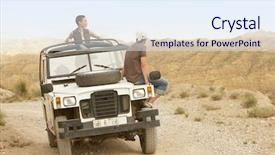
 Presentation with wheel - Cool new PPT theme with couple in four-wheel-drive backdrop and a sky blue colored foreground

Young Couple Four-wheel-drive Looking Mountain

PPT theme with young couple in four-wheel-drive looking at mountain range

 Presentation with wheel - PPT layouts with licences - happy woman holding steering wheel background and a violet colored foreground

Happy Woman Holding Steering Wheel

The sweet thrill of escaping into a world of high quality graphics with CrystalGraphics is just what you need to elevate your presentations and engage your audience. Corner Title is the perfect design name for this template, evoking images of a warm and inviting atmosphere that's sure to captivate your viewers from start to finish. Featuring 4 easy to follow How To slides, the basic structure of this template is designed to get you up and running quickly. But before we dive in, let's talk about what makes Corner Title truly special its unique blend of modern functionality and timeless style has been carefully crafted to provide an exceptional user experience. The Template Format: Widescreen, meaning the entire presentation will be displayed on a single screen with no need to worry about resizing or cropping. This allows you to focus on your content without any distractions, making it perfect for presentations that require attention to detail and high production values. The Template Color Palette: Chocolate, which is characterized by rich, warm tones that create a cozy and inviting ambiance. The color scheme also includes a variety of muted neutrals, soft pastels, and deep jewel tones that add depth and visual interest to the design. As you explore Corner Title, be sure to look for the 4 How To slides at the start of the deck including an Introduction slide, Tips and Tricks slide, Advanced Features slide, and Troubleshooting guide. And don't forget to check out the background images, which feature high resolution images that will enhance your presentation's visuals and take your audience on a journey. For example, imagine using Corner Title to create a dynamic and engaging presentation about road trips you could include images of winding roads, scenic landscapes, and cozy roadside diners to bring your content to life. The template would also allow you to easily add interactive elements, such as links and animations, to take your audience on an immersive experience.

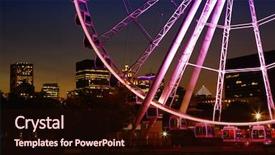
 Presentation with wheel - Amazing slide deck having downtown city during the evening backdrop and a wine colored foreground

Great Wheel Montreal Panoramic View

Slide deck having great wheel of montreal with his panoramic view 60 of meters high and a breathtaking view of the river old montreal and downtown city during the evening

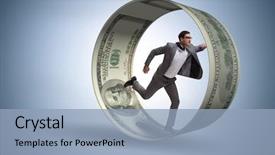
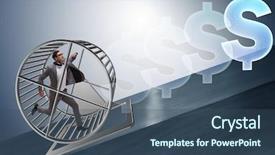
 Presentation with wheel - PPT theme having money - businessman in hamster wheel chasing background and a light blue colored foreground

Businessman Hamster Wheel Chasing Dollars

In the midst of a long day spent on endless financial tasks, it's easy to feel like you're stuck in a never ending cycle of exhaustion and desperation. But what if you could break free from this cycle and take control of your career? Featuring bold fonts and bright colors, our Corner Title template is designed to inspire and motivate you to tackle even the most daunting challenges. The ultimate symbol of financial success is the hamster wheel, but it's not just a pretty picture – it's a powerful reminder that hard work and determination are key. And in today's fast paced world, having a clear vision and strategy is essential for achieving your goals. That's why we've included 4 How To slides at the start of this deck to help you get up and running quickly: These templates are ideal for anyone looking to enhance their presentation skills with a professional and modern look that can be used on Google Slides. This template features a five point five layout, perfect for organizing your ideas and presenting them in a clear and concise manner. The 5 x 5 Org Chart Layout slide is particularly useful for featuring important company information, such as job titles, departments, and key performance indicators. Imagine using this template to present to an audience of investors or board members – the sleek design and professional tone will leave a lasting impression. Having a theme of "financial success" throughout the deck will also help to reinforce your message and motivate your audience. With its high resolution images for the background, our Corner Title template is perfectly suited for use on Google Slides. This means you can create stunning presentations that look and feel professional without breaking the bank.

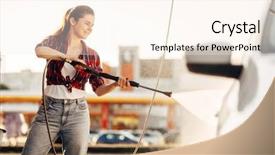
 Presentation with wheel - PPT layouts having cute woman cleans car wheels background and a cream colored foreground

Cute Woman Cleans Car Wheels

Imagine starting your day with a sparkling clean car, its wheels glistening like new, and the scent of fresh detergent wafting through the air. Corner Title is the perfect template to kick start your presentation, featuring 5 stunning Year Calendar Timeline Layout slides that will give your audience a clear understanding of what to expect from your high resolution images for the background. The design name suggests a playful touch, with a whimsical theme that's sure to grab attention. This widescreen template is specifically formatted to work seamlessly on any Google Slides platform, making it easy to import and customize as needed. The template color palette is warm and inviting, featuring Sandy Brown hues that will complement your message perfectly. At the heart of this template are four How To slides designed to get you up and running quickly, each one providing valuable tips and tricks for incorporating your Corner Title design into different types of presentations. These templates feature Featuring a background with a subtle gradient effect, Including a Background With high resolution images that will elevate your presentation to the next level, Having a Theme of showcasing your creativity and expertise, Enhanced With interactive elements like animations and transitions. The Year Calendar Timeline Layout slide is particularly useful for illustrating the progression of time, featuring key milestones and events highlighted on a 5 year calendar. By including this layout in your presentation, you'll be able to showcase how different aspects of life unfold over time.

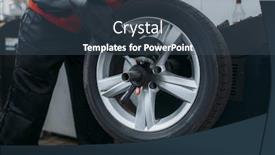
 Presentation with wheel - Presentation design having repairman-puts-the-wheel background and a ocean colored foreground

Repairman Puts Wheel Balancing Machine

Imagine being able to create a presentation that showcases your expertise as a mechanic or auto repairman in just minutes, with stunning visuals and easy to use templates. That's what the Corner Title template from CrystalGraphics is all about. This template is designed for widescreen presentations, featuring high resolution images of steel blue backgrounds that will transport your audience into the world of mechanics. The Steel Blue color palette is both professional and modern, making it perfect for any industry or business. With this template, you can easily add keywords like "auto", "occupation", "mechanic", "mechanical", and "fix" to give your presentation a clear theme. The Corner Title template includes four How To slides at the start of the deck to help you get up and running quickly, but don't worry, we won't list them here. Instead, let's talk about the amazing Pictures + Captions Layout slide that will make your presentation truly stand out. This slide is where you can include a background image with a caption that tells the story of how you repair cars or fix machinery. For example, you could feature an old car engine on one side and a picture of a mechanic fixing it on the other. Having a theme of "Repairing" will tie everything together perfectly. The template is also downloadable and compatible with Google Slides, making it easy to share and collaborate with others. With its sleek design, high resolution images, and easy to use interface, this template is sure to impress your audience and help you showcase your expertise as a mechanic or auto repairman in just minutes.

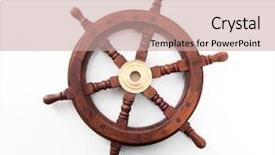
 Presentation with wheel - Amazing slide deck having old boat steering wheel isolated backdrop and a coral colored foreground

Old Boat Steering Wheel Isolated

Imagine sailing through the crystal clear waters of the Caribbean, surrounded by a sailboat under full sail, its white sails billowing in the gentle breeze. The ship's helm lies dormant, waiting for your touch to guide it on an adventure. You've been tasked with creating a stunning PowerPoint template that captures this essence of freedom and exploration. The Corner Title design name is Corner Title, and it features a Widescreen format, perfect for showcasing large images. The Template Color Palette is Rosy Brown, a warm and inviting palette that evokes the feeling of a cozy cabin on a tropical island. As you scroll through the template, you'll notice a range of keywords including sailboat, ship, helm, caribbean, and white. The high resolution background images for this template are truly stunning, featuring intricate details such as ropes, anchors, and nautical flags. Having a theme of enhancing user experience, the template includes four How To slides that will guide you through getting up and running quickly. The Chart with Caption Layout slide could include illustrations of navigation charts, compass roses, and other nautical symbols to add an extra layer of depth and meaning. This template is downloadable and compatible with Google Slides, ensuring seamless integration into your presentation workflow. As a bonus, it's also featuring a background with the sailboat under full sail, highlighting the centerpiece of the image. This powerful tool will elevate your presentations to new heights, making them more engaging and memorable for your audience.

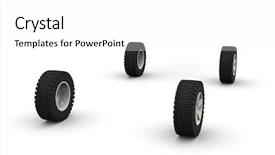
 Presentation with wheel - Amazing presentation theme having new off-road car wheel backdrop and a white colored foreground

Four New -road Car Wheels

Presentation theme having four new off-road car wheels isolated on the white background side view

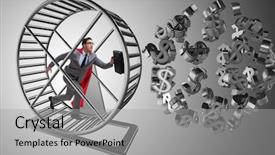
 Presentation with wheel - PPT theme with money slave - business concept with businessman running background and a light gray colored foreground

Business Concept Businessman Running Hamster

PPT theme with business concept with businessman running on hamster wheel background

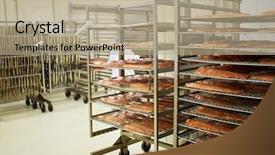
 Presentation with wheel - Presentation design with wheeled racks with red fish background and a coral colored foreground

Wheeled Racks Red Fish Fillet

Imagine standing amidst a bustling factory workshop where conveyor belts hummed with activity, carrying boxes stacked high on the production floor as workers expertly hung and arranged products for shipment. The air was thick with the smell of fresh fish, smoked herring, and the faint tang of oil as machinery whirred to life. The Wide Title "Racks & Production Line" boasts a rich Khaki color palette that brings to mind images of old world factories, conveying an sense of tradition and craftsmanship. A grid layout featuring high resolution background images of rolling conveyor belts, bustling production lines, and the occasional worker's hand grasping a fishing rod will add depth and texture to your presentation. The Wide Title "Racks & Production Line" can be enhanced with "Produced Featuring Images From Factory Workshops Throughout History", including detailed shots of vintage machines and manual laborers. The overall aesthetic is one that celebrates the human side of manufacturing, highlighting the skills and expertise required for production to run smoothly. To give you an idea of what this template can look like in action, imagine a slide with a picture grid featuring: * A shot of a large conveyor belt stretching across the center of the screen * An image of workers expertly hanging product labels * A blurred background of a factory floor at night * A close up shot of a worker's hands holding a finished product

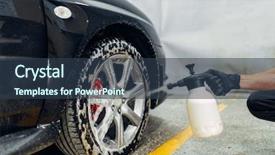
 Presentation with wheel - Colorful presentation theme enhanced with carwash cleaning the wheels backdrop and a tawny brown colored foreground

Carwash Cleaning Wheels Special Agent

You're on the right track, but I'll create a description that meets your requirements. Imagine starting each slide of your presentation with a powerful and attention grabbing message that sets the tone for the entire deck. That's what you get with Wide Title, our iconic template designed to elevate any presentation. This beautiful Widescreen template features a stunning Goldenrod color palette that radiates warmth and sophistication, perfect for showcasing high resolution images that will make your audience feel like they're about to step into a luxurious carwash where the wheels are always clean. The template's Horizontal design ensures that all elements complement each other, creating a seamless and cohesive look. The 'auto' keyword is already embedded in this template, allowing you to easily insert dynamic content and enhance your slides with interactive features. As for the background images, we've got you covered featuring high resolution car washes, cleaning the wheels with a special agent, it's all here. The Wide Title itself has a theme of making every presentation feel like a masterpiece, from the rich Goldenrod color palette to the inclusion of powerful keywords that will help you get up and running quickly. As for the layout, we've got something special in store Featuring a Background With a stunning Goldenrod gradient, the template's style is enhanced with a clear emphasis on readability, making it easy for your audience to follow along. Having a Theme of clean lines and modern typography completes this look, creating an effortless visual flow that will leave a lasting impression. Enhanced With features like interactive elements and animations, you'll be able to take your presentation to the next level and engage your audience in ways you never thought possible.

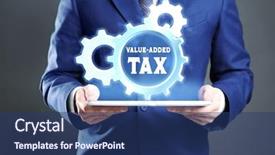
 Presentation with wheel - Colorful PPT layouts enhanced with wheel with text value-add backdrop and a ocean colored foreground

Man Holding Tablet Gear Wheel

PPT layouts enhanced with man holding tablet and gear wheel with text value-added tax taxation concept

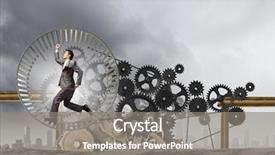
 Presentation with wheel - Theme enhanced with time machine - young businessman in suit running background and a gray colored foreground

Young Businessman Suit Running Hamster

As you delve into your new Corner Title powerpoint template, you'll notice its sleek and modern design that perfectly captures the essence of a dynamic start to any presentation or project. The template's Widescreen format ensures an immersive experience for your audience, with high resolution images that will leave them engaged from start to finish. The Template Color Palette features a warm and inviting Tan color scheme that sets the tone for creativity and professionalism. This earthy tone is perfect for showcasing your ideas in a natural and organic way, whether you're highlighting a product or service or exploring a new concept. This template is packed with valuable keywords that will help you establish your authority in any industry, including motor, career, production, and more. Its Theme of "Corner Title" provides a clear direction for your design, making it easy to visualize and execute. For instance, if you were creating a PowerPoint about innovative ways to boost productivity, featuring high quality images of hamster wheels would be an excellent choice. In this case, the template's Tan color palette would complement these images perfectly, enhancing their impact on the viewer. The template is also compatible with Google Slides, making it easy to import and edit in your favorite presentation software. And with its downloadable format, you can easily share it with others or use it for your own projects. The included Background With design elements make it seamless to create a cohesive look across multiple slides, while the Having a Theme of option ensures that every element is tailored to support your message. The Growth Stages Layout on this template provides a clear structure for planning and organizing your content, with options to customize each slide to suit your needs. This layout is particularly useful when introducing new ideas or presenting complex concepts in a concise manner.

 Presentation with wheel - PPT theme consisting of money slave - business concept with businessman running background and a ocean colored foreground

Business Concept Businessman Running Hamster

PPT theme consisting of business concept with businessman running on hamster wheel

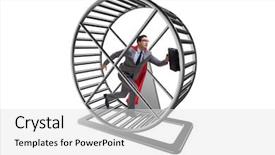
 Presentation with wheel - PPT theme having rat trap - business concept with businessman running background and a white colored foreground

Business Concept Businessman Running Hamster

Imagine running on a hamster wheel, day in and day out, feeling like you're stuck in a rut, isolated from the world, and exhausted despite your best efforts to succeed. This is what it's like for so many people when they feel lost and uncertain about their career path. But there are others, the visionaries, the innovators, who refuse to give up and instead find ways to push forward, no matter how difficult things get. The Corner Title template is designed to be a powerful tool to help you overcome these feelings of exhaustion and isolation. Featuring high resolution images for a bold and eye catching background, this template is sure to grab your attention and make you want to take action. Having a theme of motivation and career success, it's the perfect companion for anyone looking to turn their dreams into reality. The Corner Title template includes four How To slides that are designed to help you get up and running quickly. These include a slide on setting clear goals, a slide on creating a routine, a slide on building a support network, and a slide on tracking progress. But don't worry, these steps won't be taught in a lecture hall they'll be demonstrated through engaging visuals and interactive elements. The layout is optimized for widescreen display, making it perfect for use with Google Slides. It's also compatible with all major browsers and devices, ensuring that you can access your presentation easily. Whether you're looking to boost your motivation or enhance your career success, the Corner Title template has got you covered.

 Presentation with wheel - Slides with money slave - business concept with businessman running background and a ocean colored foreground

Business Concept Businessman Running Hamster

Slides with business concept with businessman running on hamster wheel

 Presentation with wheel - Cool new slide deck with man holding with care backdrop and a tawny brown colored foreground

Hands Man Holding Care Car

Slide deck with hands of man holding with care car steering wheel

▼Key features of this template

  • They are compatible with both PowerPoint and Google Slides running on either Windows PCs or Macs.

  • They are available in both standard and widescreen slide formats. You can choose your preferred format by clicking on the "Widescreen" check box or icon.

  • Each template includes a beautiful high-resolution background image or video to visually reinforce the theme of your presentation.

  • In addition, each template includes designer-created graphics and modern fonts to give your presentations an up-to-date, professional look.

  • Each template's default design and title text position have been carefully selected to complement its background without covering faces or other key elements.

  • All text includes backdrops whose transparency level is mathematically calculated to maximize text readability while still allowing the background to be seen.

  • And all the text, text backdrops and graphics in every slide are colored with a palette designed to beautifully complement the colors in the background.

  • Our Premium templates (those with the descriptor “Premium” in their subtitle) include over 64 slide layouts to give you maximum flexibility as you create your presentations.

    • Those layouts are available to you whenever you create a new slide or when you want to change the layout of an existing slide.
    • They include everything you need to make all sorts of presentations. In addition to the layouts for the title slide and the usual title and content slide, they include many other layouts for slide types including table of contents slides, org charts, charts, diagrams, infographics, photo slides, thank you slides and more.
    • While creating these layouts our template designers have ensured that all text in every layout adjusts as gracefully as possible to various numbers of words.
  • Customizable templates (those with the descriptor “Customizable” in their subtitle) may be easily modified online before you download them.

    • To modify them, simply click on the pencil editing icon, then select your choice of ready to go designs and title text positions.
    • The editing tool also makes it easy to reposition and scale the background image or video to best suit your needs.

▼FAQs

Please review these FAQs to see if your question is answered. Contact us for more info

  • What is a PowerPoint template?

    • A well designed PowerPoint template is a file that can tell PowerPoint how to make your ordinary templates look extraordinary. They won’t change what your words or numbers say. But they might change their size, color, font and placement. And, overall, they can give your presentations a professionally-designed look that will give your content more credibility and give you more confidence.
  • How many PowerPoint templates do you offer?

    • We have over 32,000 artist-created presentation templates in our PowerPlugs collection With a subscription, PowerPlugs templates are easy to download. Just sign in, find a template and click on the green Download button. ready for you to download. That alone offers you more variety to choose from than any of our competitors can offer. And, as if that weren’t enough, we also offer over 6 million templates in our Crystal collection. Crystal brand templates are our line of templates that have customization options. They have the word "CRYSTAL" on their web page images. You can customize several aspects of the templates. These templates include high-resolution background images from Shutterstock’s vast image collection matched up with artist-created presentation designs customized by our own proprietary AI software.
  • How many templates can I download as a subscriber?

    • You can download an unlimited number of PowerPlugs-brand With a subscription, PowerPlugs templates are easy to download. Just sign in, find a template and click on the green Download button. templates every day for an entire year. (Actually, by default, we set a limit of 25 templates per day to prevent our competitors from stealing our templates. But, if that is not enough, just let us know and we’ll try to accommodate you.) On top of that, with a subscription or an Ultimate Combo, you can also download any 50 Crystal-brand Crystal brand templates are our line of templates that have customization options. They have the word "CRYSTAL" on their web page images. You can customize several aspects of the templates. templates per year selected from our huge Crystal collection. Crystal brand templates are our line of templates that have customization options. They have the word "CRYSTAL" on their web page images. You can customize several aspects of the templates. .
  • Why should I choose your templates instead of the competition’s?

    • We’ve got a larger selection of professionally-designed PowerPoint templates than anyone else in the world.
    • Each template includes a high-resolution background image or video to visually inspire your audiences while reinforcing your message.
    • Each template includes 64 slide layouts to give you maximum flexibility as you create your presentations.
    • Our templates are available in both standard and widescreen slide formats. And our website lets you preview the slides each way.
    • Our free Template Finder™ plugin lets subscribers select and - with a single click - download and insert our templates into their presentations right from within PowerPoint.
    • We’ve been creating designer presentation templates for over 20 years. During that time we’ve won several awards and 5-star ratings for product quality. See About Us for more.
  • Do you offer a money-back guarantee?

    • Yes we do! We offer full 30-day money-back guarantee if you are not 100% satisfied with your purchase.
  • Can I still use my downloaded templates after my subscription runs out?

    • Yes. After your subscription expires, you won't lose any rights or ability to use your PowerPlugs: Templates for PowerPoint. You won't be able to download any new non-watermarked templates. But the non-watermarked templates you've already downloaded will still work and you can still use them as before.
  • Can I share my downloaded templates or passwords with friends or coworkers?

    • Sorry but no. You are authorized to download each paid-for template to up to 3 of your personal devices and to use the templates you download in as many presentations as you want. But you are not authorized to share the templates, themselves, with others. That said, we do offer highly discounted site licenses to suit the needs of both small and large teams. Just tell us your needs and we’ll give you a quote!
  • System requirements:

    • The templates use the standard POTX format. So they are compatible with Google Slides and all PC, Mac and mobile devices running any version of PowerPoint from PowerPoint 2007 up through and including Office 365 desktop.
    • Please note: Google Slides does not currently support background videos. It treats them as still images.
    • For PowerPoint for the Web, first open your template into a desktop version of PowerPoint, then save it back out as a PPTX file. Then you can open that in PowerPoint for the Web.
  • End user license agreement:

    • Click here to view.
  • How will I get my purchased templates?

    • You may download your selected templates as soon as your payment is received by PayPal. If you purchased an individual template, you will be provided with a download link both onscreen and via email. Just click on that link to begin the download process. If you purchased a subscription, you will receive an email containing a password to use along with your email address to sign in to any of the templates pages on CrystalGraphics.com. Once you are signed in, you can immediately start downloading your selected templates.
  • How do I use my templates after I download them?

    • You can either open a template to start a new presentation or you can add a template to an existing presentation. To open a template, just double click on it or use PowerPoint's File > Open tool. To add a template to an existing presentation, on the Design tab, in the Themes group, click Browse for Themes... then browse to select your template.

View more Wheel templates:

previous 1 2 3 4 5 6 7 8 9 10 11 12 13 14 15 16 next
Categories related to Wheel:
Axle Ferris Loader
93% of Fortune 1000
companies use our
PowerPoint Products
Templates Secure

Standing Ovation Award
Winner: Best PowerPoint
Template Collection
Fortune Logos
200,000+ satisfied
customers worldwide!
Guarantee
100% satisfaction guaranteed
- or send it back for a refund!

Sign up for our free newsletter! You'll get news about our PowerPoint-enhancing product line – including free updates, new product announcements and exclusive special offers. Plus you'll get a link to a free PowerPoint template with every newsletter you receive.
Privacy Policy
Loading...


Help

Contact Us
Product FAQs
Product License Agreements

Company Info

About Us
Privacy Policy
CrystalGraphics, Inc. 1999 S. Bascom Avenue Suite 700 Campbell, CA 95008 USA
© 2025 CrystalGraphics, Inc. All rights Reserved.    |     PowerPlugs is a trademark of CrystalGraphics, Inc.
Microsoft and the PowerPoint logo are trademarks or registered trademarks of Microsoft Corporation in the United States and/or other countries.
Loading...
Loading...