www.crystalgraphics.com CrystalGraphics
  • Ultimate Combo
  • Templates
  • Diagrams
  • Characters
  • Quizzes
  • shopping cart
  • Sign Out Sign Out Sign In
Home > Templates > Wheel Category
search icon
advanced icon

324 Best Wheel-Themed Templates for PowerPoint and Google Slides

In the world of PowerPoint templates, few categories offer as much versatility and style as CrystalGraphics extensive collection. Among its vast offerings lies the Wheel template category, where users can discover a diverse range of wheel-related themes that cater to various needs and interests. With this category, users can explore presentation titles such as Steering the Course: A Look at Roadmaps, Navigating Change: The Story Behind Lighthouses, and Wind in Your Sails: Exploring Energy-Powered Wind Mills. Each title is carefully crafted to give context and relevance to the surrounding content.

Whether you're looking for a wheel of inspiration with a navigator and lighthouse over an antique paper map or a chair as comfortable as it is green, this category has something for everyone. The Wheel template collection also features stunning visuals such as blue energy power wind mills with colorful skies, giving users endless possibilities to enhance their presentations.

In addition to these captivating themes, the Wheel category boasts compatibility with Google Slides, making it an excellent choice for users looking to seamlessly integrate their designs into their online platforms. Furthermore, each wheel-themed template comes in both widescreen and standard formats, ensuring that users can easily tailor their content to fit any device or screen size.

To take your presentation to the next level, this Wheel category offers a wide range of customizable elements that enable full personalization. With instant 24/7 download access, you can quickly explore new templates, browse through other categories, and select the perfect one for your needs all without having to wait for others to prepare it for you.

So why settle for an ordinary presentation when you can create something truly unique with CrystalGraphics Wheel template category? Explore its vast collection today, discover new themes that inspire your creativity, and unlock a world of possibilities with instant download access.

Features & Pricing

Widescreen (16:9) Presentation Templates. Change size...
 Presentation with wheel - Theme with truck tires - wheel background and a light gray colored foreground

Wheel

Imagine a vibrant and dynamic wheel that rotates at high speeds, symbolizing growth, transformation, and the constant movement of life. The Corner Title template is designed to match this energetic vibe, presenting a sleek and modern look with a touch of sophistication. This Widescreen template features a Light Steel Blue color palette that provides a clean and professional atmosphere for creating engaging presentations. The template includes 4 How To slides at the start of the deck, helping users get up and running quickly, but their focus is on getting started rather than the intricacies of the presentation itself. The Venn Diagram Layout slide is a feature rich section that allows users to highlight key areas of their content, making it easier to organize and structure their ideas. The template includes high resolution images for the background, providing a crisp and visually appealing space for presentations. Featuring a stack of rotating wheels as an icon, this template combines functionality with visual interest, setting itself apart from other PowerPoint templates. Having a theme of innovation and creativity, Corner Title is perfect for users who want to make their presentations stand out from the crowd. Enhanced with features such as auto rotating images and stacked text boxes, this template offers a comprehensive solution for creating high quality presentations that engage audiences.

 Presentation with wheel - Presentation theme enhanced with airport emergency - airplane wheel background and a tawny brown colored foreground

Airplane Wheel

The Corner Title PowerPoint template is designed to transport your audience on a thrilling journey through the world of flight. This stunning template features a high resolution image of an airplane wheel at its center, surrounded by a vibrant Peru color palette that evokes the warmth and energy of the Andes mountains. The template's Widescreen format ensures that every detail is showcased in breathtaking clarity, from the intricate details of the aircraft's wheels to the majestic sweep of the surrounding landscape. The Peru color palette brings a sense of exoticism and adventure to the design, perfect for presentations that feature flight or travel. To enhance your presentation, you can include a Background With image featuring a stunning sunset over the Pacific Ocean, complete with fluffy white clouds and a hint of palm trees swaying in the breeze. Having a Theme of Flight is perfectly captured by the template's focus on aircraft and aviation, making it an ideal choice for presentations that feature flight or travel. The 5 Level Piramid Layout slide provides a clear and concise overview of your presentation's structure, featuring a series of interconnected levels that showcase key points and supporting information. This layout is particularly useful when you need to present complex information in a visually appealing way, such as when discussing the history of aviation or the latest aircraft designs. The Corner Title template is downloadable and compatible with Google Slides, making it easy to incorporate into your presentation workflow. With its stunning visuals and engaging design, this template is sure to leave a lasting impression on your audience.

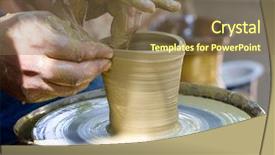
 Presentation with wheel - Colorful slides enhanced with pottery wheel - potters hands working on new backdrop and a violet colored foreground

Potters Hands Working New Pot

Slides enhanced with potters hands working on new pot

 Presentation with wheel - Presentation design having work with the pottery background and a tawny brown colored foreground

Potter's Hands Guiding Child's Hands

In the world of art and design, there's something special about creating something with your own hands that brings joy to others. When you're working on a project that involves pottery or crafts, it's like having someone else's hands guiding yours, helping you to bring a unique idea to life. Imagine having a theme of entertainment at the forefront of every slide, featuring high resolution images of colorful ceramic pieces and whimsical scenes from different cultural backgrounds. To enhance this theme, we could include background images with a subtle texture that resembles clay or wood. For instance, on Slide 2, we could have an image of a child carefully shaping dough into a beautiful bowl, surrounded by vibrant colors and soft lighting. At the start of our template, featuring four How To slides to help you get up and running quickly, I would suggest something like: "Step 1: Choose your design style from modern to traditional, let's explore it together" On Slide 3, we could include a Level Pyramid Layout image with 5 levels, showcasing different textures and patterns for each level. For example, Slide 2 could feature the first level, which is all about simple shapes and lines, while Slide 4 would highlight the second level, which incorporates more complex curves and angles. To get you started quickly, we've also included additional templates that are compatible with Google Slides, including a Background With slide featuring a stunning background image of a potter's wheel in action. We believe our Wide Title template will be perfect for anyone who wants to create their own ceramics or crafts, whether it's a beginner or an experienced artist.

 Presentation with wheel - Amazing PPT layouts having alloys - car wheel backdrop and a tawny brown colored foreground

Car Wheel

The world of graphic design has finally hit our screens, and now we can all take a deep breath of fresh air as the excitement around Wide Title template by CrystalGraphics reaches new heights. This stunning Widescreen template is designed to deliver a seamless user experience that's sure to leave your audience in awe. As you embark on this creative journey with Wide Title, you'll discover a vibrant Cornflower Blue background that sets the tone for an impressive and professional presentation. The template features high resolution images of stunning graphics, sleek typography, and sharp lines, creating a visually appealing design that will elevate any studio project to new heights. The Wide Title template is not just about aesthetics; it's also packed with keywords like studio, auto, spike, cast, and rim, ensuring that your presentation has a clear theme. Whether you're featuring high quality images, including a background with dynamic effects or having a theme of showcasing exceptional design skills, this template will help you bring your ideas to life in an Enhanced With style. One of the standout features of Wide Title is its compatibility with Google Slides, making it easy to download and use on any device. The @ Pictures With Captions Layout slide offers a glimpse into what's possible when you combine high resolution images, crisp typography, and intuitive design elements together. Whether you're creating a presentation from scratch or enhancing an existing one, this template is sure to inspire and delight your audience.

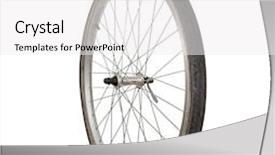
 Presentation with wheel - Presentation theme consisting of simple gear - bicycle wheel background and a white colored foreground

Bicycle Wheel

The powerpoint template Sidebar Title is a versatile and engaging addition to any presentation. Its design name perfectly captures the essence of its purpose providing an informative and interactive overview of various repair activities that can be incorporated into presentations, workshops, and meetings. This template features a widescreen format with a sleek and modern look, which seamlessly integrates high resolution images for the background, enhancing the overall visual appeal. The Saddle Brown color palette provides a warm and inviting atmosphere, perfectly complementing the bicycle wheel theme present throughout the design. The template keywords include repair, clipart, shop, activity, and bicycle, making it an ideal choice for presentations that require a mix of informative content and engaging visuals. One of the standout features of this template is its inclusion of four How To slides at the start of the deck, providing a clear structure to your presentation. These initial slides are sure to get your audience engaged quickly, setting the stage for the rest of your content. For instance, you could feature an image from a "Get Ready" slide that showcases high quality images of repair tools and materials, accompanied by a background with a subtle cycling theme. The Dart on Target Layout could be showcased in this slide, providing a clear example of how these elements can come together to create a cohesive look. This template is also enhanced with a downloadable feature, making it easily accessible to users who want to customize it further or share their own content. With its high resolution images and modern design, Sidebar Title is sure to be a valuable addition to any presentation or meeting.

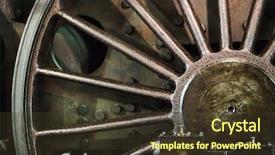
 Presentation with wheel - Slides enhanced with gear train - old wheel background and a tawny brown colored foreground

Old Wheel

Slides enhanced with old wheel

 Presentation with wheel - Cool new presentation theme with bhutanese - tibetan prayer wheel or mani backdrop and a gray colored foreground

Tibetan Prayer Wheel Mani Wheel

The world of digital art is full of breathtaking visuals that can transport us to new dimensions and evoke powerful emotions. To bring this vision to life on your slides, you'll want a template that not only looks stunning but also enhances the message at hand. Introducing "Wide Title," a dynamic template design that will leave a lasting impression. This Widescreen template features a dark khaki color palette with a hint of sophistication, perfectly complementing any presentation. The template's rich background is made up of high resolution images, carefully selected to create a dramatic and eye catching effect. The theme of this template is centered around religious symbols, mantras, and lucky charms – what better way to convey positivity and inspiration than through these iconic elements? Featuring a vintage tone in the light, this template will transport your audience to a world of serenity and tranquility. When it comes to incorporating images into your slides, consider using a layout that showcases each element as the main focus. For example, on the "How to" slides at the start of the deck, you could feature an image of a serene Tibetan prayer wheel on top of an old wooden background, with dramatic light casting shadows around it – this will immediately draw attention to the topic and create a sense of mystery. Additionally, incorporating a background that complements your images is always a great idea. Having a theme of "Featuring" a beautiful landscape or cityscape could be used for a slide on the importance of being present in the moment, while having a theme of "Including a Background With" an intricate pattern of spiritual symbols could be used for a slide on the significance of mantras and positive thinking. Having a theme of "Enhanced With" digital art filters can add a touch of sophistication and modernity to your slides, making them truly stand out from the crowd.

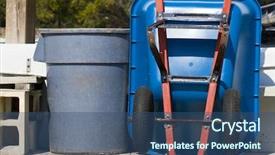
 Presentation with wheel - Presentation enhanced with recyling construction waste - large trash can and wheel background and a ocean colored foreground

Trash Wheel Barrel

In the midst of a chaotic landscape, where waste and mess reign supreme, a refreshing vision emerges a sleek and modern template that brings order to the unorderable. This is Wide Title, a powerhouse of design that effortlessly transitions from a functional and creative inspiration to a versatile tool for your presentations. Designed in Widescreen format, this template perfectly captures the essence of wide screen films, with crisp high resolution images bringing to life the intricate details of a large trash can and wheel barrel. The Steel Blue color palette provides a sophisticated backdrop for showcasing your content, while the keywords "container", "basket", "discard" and "color" offer endless possibilities for creative expression. This template is not just a pretty face; it's also a high performance machine that runs smoothly on Google Slides. With its customizable layout features in Gears in Sync Layout, you can easily adapt to different content styles and keep your audience engaged from start to finish. Whether you're creating presentations for business purposes or showcasing work projects, Wide Title is the perfect companion for any occasion. The possibilities are endless with this template; simply include a background with high resolution images featuring trash cans and wheelbarrows, having a theme of creativity and productivity, or even enhancing your presentation with a bold color scheme. The container to hold all your ideas is now within reach download Wide Title today and unleash your full potential!

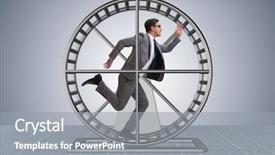
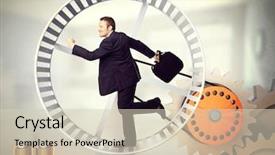
 Presentation with wheel - Audience pleasing presentation theme consisting of rat trap - businessman running on hamster wheel backdrop and a gray colored foreground

Businessman Running Hamster Wheel

Imagine starting your day like a high energy runner sprinting across a hamster wheel, only to stumble upon a fresh pair of running shoes and get back on track. That's exactly what our Corner Title template is all about providing the perfect setting to kickstart your career with motivation and excitement. The Widescreen format brings this image to life with high resolution images of a person running through a beautiful landscape, surrounded by lush greenery and vibrant flowers. The Cornflower Blue color palette shines bright, creating a soothing yet invigorating atmosphere that will leave you feeling refreshed and focused. This template is not just about aesthetics; it's also designed to be highly compatible with Google Slides, allowing you to easily incorporate your own images and make changes as needed. By featuring a background with a subtle gradient of blue and green hues, you'll have an enhanced visual experience that complements the theme of motivation and perseverance. Each slide has its unique layout, starting with the How To slides at the beginning to get you up and running quickly. The Dart Layout slide is particularly notable, allowing for seamless transitions between slides, making it easy to navigate through your presentation. For example, a slide titled "Get Moving" could include an image of someone doing a series of push ups while wearing high top sneakers, emphasizing the importance of regular exercise in achieving success. Overall, our Corner Title template is designed to inspire and motivate you to reach new heights, providing a clear structure for presenting your ideas with confidence and enthusiasm.

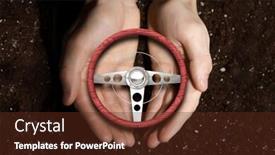
 Presentation with wheel - PPT theme having car steering wheel in palms background and a tawny brown colored foreground

Car Steering Wheel Palms

As you step into the world of insurance and repair, the corner title beckons you to take control with its sleek design that perfectly blends high resolution images for an immersive experience, set against a warm brown background that radiates sophistication. The Corner Title template is a stunning Widescreen format creation that serves as the perfect canvas for showcasing your expertise in this field, featuring clean and minimalist elements that emphasize the importance of insurance and repair. The brown color palette provides a natural and earthy tone that evokes feelings of trust and reliability, perfect for businesses that promise to safeguard customers' interests. The template is optimized to be downloadable and compatible with Google Slides, making it easy to import into your presentation software and get started right away. With its enhanced theme, you can create a consistent brand identity across all slides, featuring the corner title in various backgrounds while keeping other elements simple yet effective. This Corner Title template will help you establish yourself as an authority in the insurance and repair industry with ease, having a theme of showcasing expertise through clean lines and high quality images. The How To slides at the start of your deck will guide you through the process quickly, from setting up your online presence to launching your agency's marketing campaigns. For instance, include the "Get Started" slide featuring a background image of a palm tree lined road, with the corner title emblazoned in bold font above it. This simple yet impactful design will get you on track to achieving success in this exciting field.

 Presentation with wheel - PPT theme having water wheel in the garden background and a tawny brown colored foreground

Water Wheel Garden

PPT theme having water wheel in the garden

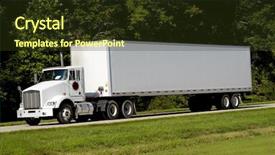
 Presentation with wheel - Theme consisting of tractor trailer - 18-wheel truck on a highway background and a tawny brown colored foreground

18-wheel Truck Highway

Theme consisting of 18-wheel truck on a highway

 Presentation with wheel - Slides featuring hail farewell - young guy behind the wheel background and a mint green colored foreground

Young Guy Behind Wheel

Imagine yourself behind the wheel of a sleek, high performance sports car, feeling the rush of adrenaline as you hit the open road with your friends and family in tow. The sun shines brightly overhead, casting a warm glow over the scene as you take in the breathtaking views of the rolling hills and lush green forests below. The sound system is pumping out the latest hits, getting everyone in the mood for a fun filled day of adventure and excitement. The Wide Title template is designed to make a statement, with its bold and eye catching font that stands out against the bright yellow and green background. This template is perfect for creating a festive and celebratory atmosphere, whether you're planning a birthday party or just want to add some cheer to your daily routine. The high resolution images in this template will transport you to a world of fun and excitement, featuring vibrant colors and dynamic graphics that are sure to delight. This template is the perfect starting point for any presentation or project that requires a lively and engaging atmosphere. Whether you're including a background with a stunning image of a mountain range or having a theme of a sunny beach vacation, this template has got you covered. And with its enhanced features, such as the ability to add animations and transitions, you'll be able to create a truly immersive experience for your audience. The Our CRystal Clear Goal slide is more than just a heading it's a statement of intent that sets the tone for the rest of your presentation. It's the perfect place to showcase your vision and goals, whether you're planning a project or simply want to inspire others with your enthusiasm. By featuring a beautiful image of a cityscape at sunset, this slide will help to convey the sense of possibility and potential that comes with achieving your dreams

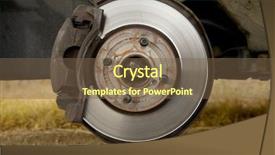
 Presentation with wheel - Cool new slide deck with shock absorber - brakes on a car backdrop and a tawny brown colored foreground

Brakes Car Removed Wheel

You're in the midst of a crisis, and you need a solution fast. The system is on the verge of breakdown, and your repair team needs to act quickly to get things back up and running. But what's the big plan? The answer lies within the template that will guide you through this emergency situation, presented here with style and flair in the Widescreen format, Saddle Brown color palette, and featuring high resolution images of a car accident for added realism. This is Wide Title, a design name that commands attention from the very beginning. Once on screen, your audience is presented with a clear image that demands action a car with its brakes locked and the steering wheel missing from the handlebars, just like in real life. The mechanic's toolkit lies scattered around the scene, ready for immediate use. As you progress through this template, you'll find four How To slides to help you get up and running quickly. But what can they offer? Perhaps one of them might include a background with a dramatic sky and lightning illuminating the car wreckage making it look like the situation is about to take an even more catastrophic turn. Having a theme of chaos and urgency, these slides will enhance your presentation and drive home the message. The template itself is designed for compatibility with Google Slides, ensuring that you can easily add animations, transitions, and effects to make your presentation truly engaging. With its intuitive layout and robust features, this template is sure to help you repair even the most critical situations.

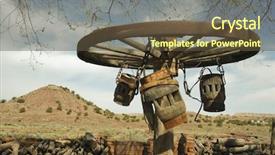
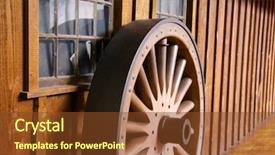
 Presentation with wheel - Presentation enhanced with wooden wagon wheel background and a  colored foreground

Wooden Wagon Wheel Desert

Imagine walking through the vast desert landscape, surrounded by the majestic grandeur of the Navajo Nation, on a historic journey through time. The sun beats down upon you, warming your skin as you gaze out at the endless expanse of the American West. In this moment, you're not just navigating through 8x10 inches of paper, but embarking on an epic adventure that spans centuries and continents. The Corner Title template is a stunning showcase of a Widescreen template featuring high resolution images of wooden wagon wheels in the desert landscape. The tan colored background brings warmth and coziness to this historic journey, while the bold font adds a sense of excitement and energy. Whether you're presenting trade agreements or historical events, this template will set the tone for your presentation. As you delve deeper into the template's features, you'll discover four How To slides that will help you get up and running quickly. These slides are designed to be informative and engaging, without being too lengthy or overwhelming. They feature a range of layouts, including a 5 Year Calendar Timeline Layout slide that allows you to visualize your journey through time. This template is not just a beautiful design, but also a versatile tool that can enhance your presentations with its theme of historic events. Imagine showcasing the intricate details of ancient trade routes, or highlighting the cultural significance of Native American traditions. With the Corner Title template, the possibilities are endless. Featuring bold graphics and high quality images, this template is sure to captivate your audience and leave a lasting impression.

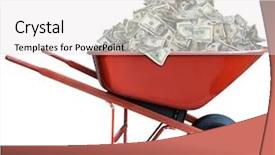
 Presentation with wheel - Amazing slide deck having pile of money backdrop and a white colored foreground

Pile Money Wheel Barrow

Slide deck having pile of money in a wheel barrow

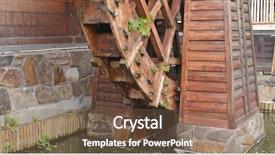
 Presentation with wheel - Cool new slide set with glade creek grist mill wheel backdrop and a tawny brown colored foreground

Glade Creek Grist Mill Wheel

Imagine yourself standing in front of an authentic glade, surrounded by towering trees and a gentle stream running through the center. The warm glow of the setting sun casts a golden light on the rustic wooden structures that dot the landscape. It's as if time has stood still, and you're about to embark on a journey through the heart of rural America. Our Corner Title template is designed to transport you to this serene and idyllic world, where the sounds of nature and the sights of history come alive. The high resolution images featured in this template are sourced from real life locations, carefully selected to capture the essence of the American countryside. From the majestic waterfalls to the quaint villages, each element has been meticulously crafted to create a unique visual identity. With our Saddle Brown color palette as your backdrop, you'll be able to enhance your presentation with rich, earthy tones that evoke a sense of tradition and authenticity. Whether you're showcasing a historic farm or highlighting the beauty of a rural landscape, this template has got you covered. The Widescreen format ensures that your audience is enveloped in the scene, while the Compatibility with Google Slides makes it easy to incorporate into any presentation. And don't worry about the technicalities our downloadable template comes complete with four How To slides, designed to get you up and running quickly, but not at the expense of style or sophistication. This template is perfect for anyone looking to create a cohesive and engaging narrative that sets their audience up for success. By including a Background With rich textures and subtle color gradations, you'll be able to have a theme of depth and dimensionality in your presentation, making it stand out from the crowd.

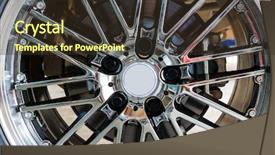
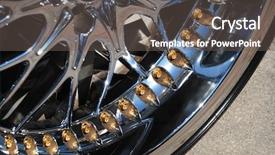
 Presentation with wheel - Beautiful theme featuring gold disc - closeup the chromeplated rim backdrop and a gray colored foreground

Closeup Chromeplated Rim Wheel

Theme featuring closeup the chromeplated rim of a wheel

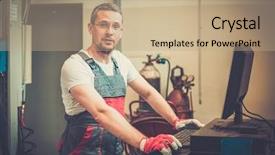
 Presentation with wheel - PPT layouts with autoangle - serviceman near wheel alignment computer background and a coral colored foreground

Serviceman Near Wheel Alignment Computer

PPT layouts with serviceman near wheel alignment computer background

 Presentation with wheel - Cool new PPT layouts with run on 3d hamster wheel backdrop and a soft green colored foreground

Businessman Run 3d Hamster Wheel

Imagine yourself as a determined businessman who's just hit a hurdle and is running on three wheels, his heart racing with each step forward the sound of footsteps echoing through the empty hallway, the glow of the LED lights illuminating his path. In this fast paced world, he needs a tool that will help him work efficiently and effectively. That's where Wide Title comes in a powerful and dynamic template designed specifically for business presentations, featuring a high resolution background image that transports you to a bustling office environment. The template is formatted in Widescreen mode, giving you the perfect canvas to showcase your message. The Burly Wood Colored color palette adds warmth and sophistication, while the Caucasian theme ensures it's inclusive and versatile. This template includes four How To slides at the start of the deck to help you get up and running quickly making it easy for you to build upon your existing presentation. For those new to creating presentations, featuring a background with a striking image can elevate your content and capture attention. Having a theme of showcasing business settings will ensure that your presentation is engaging and relevant to your audience. The enhanced theme design will make it easier to navigate through the slides, making it seamless for viewers to follow along.

▼Key features of this template

  • They are compatible with both PowerPoint and Google Slides running on either Windows PCs or Macs.

  • They are available in both standard and widescreen slide formats. You can choose your preferred format by clicking on the "Widescreen" check box or icon.

  • Each template includes a beautiful high-resolution background image or video to visually reinforce the theme of your presentation.

  • In addition, each template includes designer-created graphics and modern fonts to give your presentations an up-to-date, professional look.

  • Each template's default design and title text position have been carefully selected to complement its background without covering faces or other key elements.

  • All text includes backdrops whose transparency level is mathematically calculated to maximize text readability while still allowing the background to be seen.

  • And all the text, text backdrops and graphics in every slide are colored with a palette designed to beautifully complement the colors in the background.

  • Our Premium templates (those with the descriptor “Premium” in their subtitle) include over 64 slide layouts to give you maximum flexibility as you create your presentations.

    • Those layouts are available to you whenever you create a new slide or when you want to change the layout of an existing slide.
    • They include everything you need to make all sorts of presentations. In addition to the layouts for the title slide and the usual title and content slide, they include many other layouts for slide types including table of contents slides, org charts, charts, diagrams, infographics, photo slides, thank you slides and more.
    • While creating these layouts our template designers have ensured that all text in every layout adjusts as gracefully as possible to various numbers of words.
  • Customizable templates (those with the descriptor “Customizable” in their subtitle) may be easily modified online before you download them.

    • To modify them, simply click on the pencil editing icon, then select your choice of ready to go designs and title text positions.
    • The editing tool also makes it easy to reposition and scale the background image or video to best suit your needs.

▼FAQs

Please review these FAQs to see if your question is answered. Contact us for more info

  • What is a PowerPoint template?

    • A well designed PowerPoint template is a file that can tell PowerPoint how to make your ordinary templates look extraordinary. They won’t change what your words or numbers say. But they might change their size, color, font and placement. And, overall, they can give your presentations a professionally-designed look that will give your content more credibility and give you more confidence.
  • How many PowerPoint templates do you offer?

    • We have over 32,000 artist-created presentation templates in our PowerPlugs collection With a subscription, PowerPlugs templates are easy to download. Just sign in, find a template and click on the green Download button. ready for you to download. That alone offers you more variety to choose from than any of our competitors can offer. And, as if that weren’t enough, we also offer over 6 million templates in our Crystal collection. Crystal brand templates are our line of templates that have customization options. They have the word "CRYSTAL" on their web page images. You can customize several aspects of the templates. These templates include high-resolution background images from Shutterstock’s vast image collection matched up with artist-created presentation designs customized by our own proprietary AI software.
  • How many templates can I download as a subscriber?

    • You can download an unlimited number of PowerPlugs-brand With a subscription, PowerPlugs templates are easy to download. Just sign in, find a template and click on the green Download button. templates every day for an entire year. (Actually, by default, we set a limit of 25 templates per day to prevent our competitors from stealing our templates. But, if that is not enough, just let us know and we’ll try to accommodate you.) On top of that, with a subscription or an Ultimate Combo, you can also download any 50 Crystal-brand Crystal brand templates are our line of templates that have customization options. They have the word "CRYSTAL" on their web page images. You can customize several aspects of the templates. templates per year selected from our huge Crystal collection. Crystal brand templates are our line of templates that have customization options. They have the word "CRYSTAL" on their web page images. You can customize several aspects of the templates. .
  • Why should I choose your templates instead of the competition’s?

    • We’ve got a larger selection of professionally-designed PowerPoint templates than anyone else in the world.
    • Each template includes a high-resolution background image or video to visually inspire your audiences while reinforcing your message.
    • Each template includes 64 slide layouts to give you maximum flexibility as you create your presentations.
    • Our templates are available in both standard and widescreen slide formats. And our website lets you preview the slides each way.
    • Our free Template Finder™ plugin lets subscribers select and - with a single click - download and insert our templates into their presentations right from within PowerPoint.
    • We’ve been creating designer presentation templates for over 20 years. During that time we’ve won several awards and 5-star ratings for product quality. See About Us for more.
  • Do you offer a money-back guarantee?

    • Yes we do! We offer full 30-day money-back guarantee if you are not 100% satisfied with your purchase.
  • Can I still use my downloaded templates after my subscription runs out?

    • Yes. After your subscription expires, you won't lose any rights or ability to use your PowerPlugs: Templates for PowerPoint. You won't be able to download any new non-watermarked templates. But the non-watermarked templates you've already downloaded will still work and you can still use them as before.
  • Can I share my downloaded templates or passwords with friends or coworkers?

    • Sorry but no. You are authorized to download each paid-for template to up to 3 of your personal devices and to use the templates you download in as many presentations as you want. But you are not authorized to share the templates, themselves, with others. That said, we do offer highly discounted site licenses to suit the needs of both small and large teams. Just tell us your needs and we’ll give you a quote!
  • System requirements:

    • The templates use the standard POTX format. So they are compatible with Google Slides and all PC, Mac and mobile devices running any version of PowerPoint from PowerPoint 2007 up through and including Office 365 desktop.
    • Please note: Google Slides does not currently support background videos. It treats them as still images.
    • For PowerPoint for the Web, first open your template into a desktop version of PowerPoint, then save it back out as a PPTX file. Then you can open that in PowerPoint for the Web.
  • End user license agreement:

    • Click here to view.
  • How will I get my purchased templates?

    • You may download your selected templates as soon as your payment is received by PayPal. If you purchased an individual template, you will be provided with a download link both onscreen and via email. Just click on that link to begin the download process. If you purchased a subscription, you will receive an email containing a password to use along with your email address to sign in to any of the templates pages on CrystalGraphics.com. Once you are signed in, you can immediately start downloading your selected templates.
  • How do I use my templates after I download them?

    • You can either open a template to start a new presentation or you can add a template to an existing presentation. To open a template, just double click on it or use PowerPoint's File > Open tool. To add a template to an existing presentation, on the Design tab, in the Themes group, click Browse for Themes... then browse to select your template.

View more Wheel templates:

previous 1 2 3 4 5 6 7 8 9 10 11 12 13 14 15 16 next
Categories related to Wheel:
Axle Ferris Loader
93% of Fortune 1000
companies use our
PowerPoint Products
Templates Secure

Standing Ovation Award
Winner: Best PowerPoint
Template Collection
Fortune Logos
200,000+ satisfied
customers worldwide!
Guarantee
100% satisfaction guaranteed
- or send it back for a refund!

Sign up for our free newsletter! You'll get news about our PowerPoint-enhancing product line – including free updates, new product announcements and exclusive special offers. Plus you'll get a link to a free PowerPoint template with every newsletter you receive.
Privacy Policy
Loading...


Help

Contact Us
Product FAQs
Product License Agreements

Company Info

About Us
Privacy Policy
CrystalGraphics, Inc. 1999 S. Bascom Avenue Suite 700 Campbell, CA 95008 USA
© 2026 CrystalGraphics, Inc. All rights Reserved.    |     PowerPlugs is a trademark of CrystalGraphics, Inc.
Microsoft and the PowerPoint logo are trademarks or registered trademarks of Microsoft Corporation in the United States and/or other countries.
Loading...
Loading...