www.crystalgraphics.com CrystalGraphics
  • Ultimate Combo
  • Templates
  • Diagrams
  • Characters
  • Quizzes
  • shopping cart
  • Sign Out Sign Out Sign In
Home > Templates > Restaurant Category
search icon
advanced icon

381 Best Restaurant-Themed Templates for PowerPoint and Google Slides

Immerse yourself in the warm ambiance of a bustling restaurant, where every detail comes together to create an unforgettable dining experience. With our stunning Restaurant PowerPoint templates, you'll be transported to a world of elegance and sophistication, featuring beautiful backgrounds, vibrant colors, and mouth-watering images that will tantalize your taste buds.

From the moment you step into the foyer, explore the majestic pillars that support the grand ceiling, each one adorned with delicate glassware, fine china, and tawny brown-colored furniture. The atmosphere is inviting, with a sophisticated backdrop that sets the tone for a memorable meal. But it's not just about aesthetics - our templates also feature mouth-watering images of delicious Pepper and Cheese sandwiches on white plates, accompanied by a warm hospitality theme.

With CrystalGraphics Restaurant PowerPoint template collection, you can create presentations that are both visually stunning and functional, perfect for businesses, professionals, or anyone looking to elevate their presentation skills. The templates come with 60+ slides, including a title slide that sets the tone for your presentation, plus numerous customization options to make it truly yours.

This vast collection of Restaurant PowerPoint templates is available in both widescreen and standard formats, ensuring compatibility with Google Slides and easy integration into any digital project. Plus, with instant 24/7 download access, you can save time and effort, while still enjoying the high-quality visuals and customizable elements that our templates have to offer.

So why settle for an ordinary presentation when you can make a statement with CrystalGraphics Restaurant PowerPoint template collection? Explore our extensive library today, browse through other categories, and discover the perfect template for your needs. Download and customize with ease - your presentations will thank you!

Features & Pricing

Widescreen (16:9) Presentation Templates. Change size...

 Presentation with restaurant - Presentation theme consisting of portrait-of-female-owner background and a navy blue colored foreground

Portrait Female Owner Restaurant Bar

Presentation theme consisting of portrait of female owner of restaurant bar with team of waiting staff standing by counter

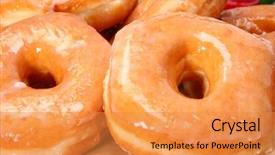
 Presentation with restaurant - Presentation enhanced with decade - stack of fresh baked glazed background and a gold colored foreground

Stack Fresh Baked Glazed Donuts

In the heart of every bustling city, there's a place where the sweet aroma of freshly baked goods wafts through the air, enticing passersby to come and indulge in a treat. This is the scene that our Wide Title template brings to life with its warm and inviting design, featuring a stylized stack of fresh baked glazed donuts in a kitchen or restaurant setting. The Sandy Brown color palette adds a cozy touch, evoking feelings of comfort and relaxation. The high resolution images for the background are sure to impress, providing a visually appealing backdrop for your presentation. This template is not only visually stunning but also downloadable and compatible with Google Slides, making it easy to incorporate into your workflow. The Wide Title template is designed to be flexible, featuring four How To slides that will help you get up and running quickly. The Growth Stages Layout slide provides a clear overview of the different stages of creating a presentation, from planning to delivery. This layout ensures that all elements are in place before moving on to the next step. The template also includes an Enhanced With section, where you can add your own custom images or graphics to give it a unique touch. Featuring a Background With slide is another great option, allowing you to include a background image with your presentation and adding an extra layer of visual interest. Having a Theme of slide provides a cohesive look and feel for your entire presentation. This template is perfect for anyone looking to create a visually appealing and engaging presentation that showcases their expertise in the field of graphic design. Whether you're a seasoned pro or just starting out, this template will help you get started quickly and enhance your skills with its high quality images and easy to use layout.

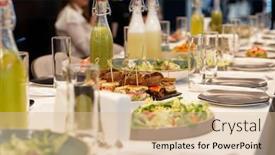
 Presentation with restaurant - Presentation theme having set table during a reception in a restaurant visible face liquify-modified and blurred background and a lemonade colored foreground

Set Table During Reception Restaurant.

Presentation theme having set table during a reception in a restaurant visible face liquify-modified and blurred background

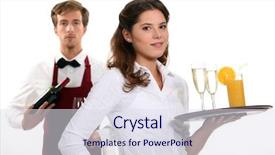
 Presentation with restaurant - Beautiful slide deck featuring portrait-of-male-owner backdrop and a violet colored foreground

Portrait Male Owner Restaurant Bar

Slide deck featuring portrait of male owner of restaurant bar with team of waiting staff standing by counter

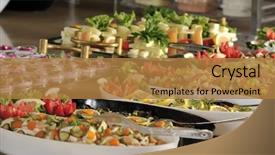
 Presentation with restaurant - Presentation design having buffet style food in trays background and a gold colored foreground

Buffet Style Food Trays -

The moment you launch into your presentation, you'll want to make a lasting impression on your audience with a design that's as visually appealing as it is informative. The Split Title template from CrystalGraphics is specifically crafted for this purpose, offering a unique blend of style and substance that will elevate your message. This template features a sleek and modern design that's perfect for presentations on various topics, including food and drink. The Dark Khaki color palette provides a sophisticated backdrop for the high resolution images that make up the majority of the template. Each image is carefully selected to transport your audience to a bustling restaurant, where they can indulge in a variety of gourmet delights. The Split Title itself is a masterclass in layout and typography, featuring four How To slides at the start of the deck that will guide you through the process of getting started quickly. But don't worry, these steps are designed to be easy to follow, with clear instructions on how to create your own presentation using the template. As you begin your presentation, consider including a background image or video featuring a bustling kitchen or a beautifully styled dining room. This will add an extra layer of depth and visual interest to your slides, making them truly stand out from the crowd. Having a theme of "Food and Drink" would be perfect for this type of presentation, as it immediately conveys the focus on culinary delights. The Enhanced With feature in CrystalGraphics allows you to customize every aspect of the template to fit your needs, including adding or removing images, changing colors, and adjusting font sizes. This means that you can create a truly customized presentation that reflects your personality and style.

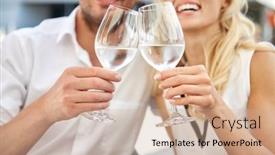
 Presentation with restaurant - PPT layouts having love-dating-and-people-concept background and a coral colored foreground

Love Dating People Concept -

The spotlight is on you, and your special moment with that someone else is just around the corner. As the day of the wedding approaches, you can't help but feel a sense of excitement and anticipation for this new chapter in your life. Design Name: Love At First Sight Template Template Format: Widescreen Template Color Palette: Peach Puff Colored Template Keywords: Bride, Date, Love, Couple, Lunch The template is designed to capture the essence of love and romance with its bright and cheerful peach puff color palette. With 4 How To slides at the start of the deck to help you get up and running quickly, but don't worry too much about getting started just yet these are there to guide you along the way. The template features a beautiful close up background shot of happy couple drinking water and clinking wine glasses at restaurant, showcasing the theme of love that runs throughout. The Circular Step Layout slide is where things get really fun, with interactive elements like "Get Ready" steps that lead your audience through the planning process. For example, you could include a Background With a beautiful floral pattern or Having a Theme of a romantic getaway to make the template more engaging. This template is perfect for creating a stunning and memorable presentation for your wedding day, whether it's for a bride to be looking to plan her special day or a couple who want to showcase their love story in style. As you work through the various slides, you can enhance the overall look with additional elements like graphics, fonts, and colors to make the template truly unique.

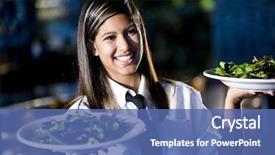
 Presentation with restaurant - Cool new presentation design with restaurant - service with a smile backdrop and a ocean colored foreground

Service Smile

Presentation design with service with a smile

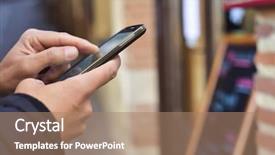
 Presentation with restaurant - Slide deck consisting of crowdsourcing - closeup of a young caucasian background and a coral colored foreground

Closeup Young Caucasian Man Using

The modern workplace is constantly evolving, and networking opportunities are just a few clicks away. In today's digital age, effective communication is key to building meaningful relationships with colleagues, clients, and potential partners. To make the most of these opportunities, it's essential to create visually appealing presentations that capture attention. This is where the Wide Title template comes in a sleek and modern design that stands out from the crowd. With its dark khaki color palette and high resolution images featuring smartphones and restaurant scenes, this template will help you stand out in crowded meeting rooms and conference halls. The template's 6 x 6 Org Chart Layout slide is particularly useful for creating visual hierarchies and making it easy to scan through a complex organizational structure. It can be used as a starting point for your own presentations, or included with other templates to enhance their functionality. Featuring the key roles and responsibilities of each department, this layout will help you stay organized and focused when communicating with clients or colleagues. In addition to its functional aspects, this template is also compatible with Google Slides, making it easy to edit and customize for your needs. And don't worry about high resolution images our templates are designed to work seamlessly on a wide range of devices, from smartphones to large screens. With the Wide Title template, you'll be well on your way to creating effective presentations that get results.

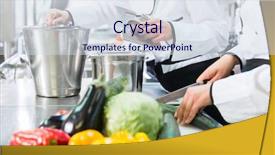
 Presentation with restaurant - PPT layouts featuring restaurant system - team of chefs preparing food background and a sky blue colored foreground

Team Chefs Preparing Food Canteen

In the world of professional chefs, creativity and precision are paramount in the kitchen. A well designed template can elevate your presentation from mere decoration to a compelling visual narrative that showcases your expertise. This Wide Title template is designed with the busy professional in mind who wants to make a lasting impression on their audience. Featuring a warm Goldenrod color palette that exudes traditional elegance, this template presents a sophisticated contrast against high resolution images of the canteen kitchen setting. The Widescreen format provides an immersive experience for your viewers, allowing them to immerse themselves in the sights and sounds of culinary excellence. The Goldenrod color palette is carefully curated to evoke feelings of comfort and professionalism, perfect for showcasing careers in commercial cooking or management. With a theme of "Occupation" and Caucasian individuals featured prominently, this template provides a visually appealing and inclusive space to highlight your expertise. The template includes four How To slides at the start of the deck to help you get up and running quickly: an Introduction slide that sets the tone for your presentation, a Comparison Layout slide that helps you visualize different formats for your content, an Enhanced Background With slide that showcases premium image backgrounds, and a Having a Theme of slide that reinforces your brand identity. By incorporating these elements, you'll be able to create a visually stunning presentation that effectively communicates your message and leaves a lasting impression on your audience.

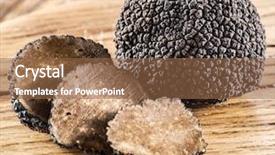
 Presentation with restaurant - PPT layouts with high class restaurant - black truffles on the old background and a tawny brown colored foreground

Black Truffles Old Wooden Table.

PPT layouts with black truffles on the old wooden table

 Presentation with restaurant - PPT layouts with light blue wedding - restaurant background and a coral colored foreground

Restaurant

PPT layouts with restaurant

 Presentation with restaurant - Beautiful PPT layouts featuring restaurant-service backdrop and a violet colored foreground

Restaurant Service

In the heart of every successful restaurant is a well oiled machine that needs to work seamlessly together to provide top notch service. Corner Title is the visual representation of this machine, designed to take your presentation from ordinary to extraordinary with its unique blend of steel and olive hues, creating a modern yet warm ambiance that reflects the essence of a bustling eatery. The template features 4 How To slides at the start of the deck to help you get up and running quickly, providing an introduction to the world of PowerPoint templates. But for now, let's dive into the details. Corner Title is a widescreen masterpiece, crafted with high resolution images that will transport your audience to the bustling streets of a 24/7 restaurant. The background features a beautiful image of a bustling kitchen, complete with stainless steel appliances and gleaming steel countertops. As you explore this template, you'll notice the subtle yet effective use of olive green as the primary color palette, which adds a touch of warmth and sophistication to any presentation. This theme is not just limited to the colors; it's also the foundation for the overall design, featuring clean lines, minimalist graphics, and ample white space that allows your content to take center stage. The template itself has a timeless yet modern feel, with each element carefully selected to enhance the overall experience. The Timeline Layout slide stands out as a standout feature, allowing you to visualize the sequence of events that unfold throughout your presentation. This slide is a great example of how a well designed template can help you structure your content in an efficient and effective manner. By featuring stunning high resolution images, including a beautiful background image of a kitchen, Corner Title makes it easy for your audience to visualize the scene and understand the context of your message. With its comprehensive range of design elements, this template is sure to enhance your presentation with confidence and style.

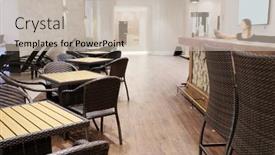
 Presentation with restaurant - Colorful presentation design enhanced with restaurant interior backdrop and a lemonade colored foreground

Restaurant Interior

With Corner Title as your centerpiece, you'll create a warm and inviting atmosphere that's perfect for romance lunches or cozy diners where friends gather to share delicious meals. Corner Title is designed in the classic style of a vintage diner, featuring a warm wheat color palette with subtle hints of golden brown and creamy white. High resolution images of rustic wood accents, distressed leather, and bustling kitchen activity add depth and texture to the background, creating an immersive experience that transports viewers to a bygone era. The template is available in various widescreen formats, perfect for presentations that need to make a lasting impression. Corner Title includes a range of keywords that'll enhance your slides, such as romance, lunch, diner, tablecloth, dishware all the essential elements you'd find in a cozy kitchen or bustling restaurant interior.

 Presentation with restaurant - Presentation theme enhanced with wood rustic urban furniture - outdoor restaurant background and a teal colored foreground

Outdoor Restaurant

Presentation theme enhanced with outdoor restaurant

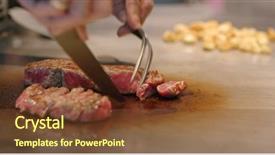
 Presentation with restaurant - PPT layouts consisting of teppanyaki in restaurant background and a tawny brown colored foreground

Teppanyaki Restaurant

In a world where culinary masterpieces are crafted with precision and passion, the art of preparing a perfect steak is a testament to human ingenuity. From sizzling hot pans to tantalizing aromas wafting through the air, the experience of enjoying a high quality meal is truly an event that deserves to be celebrated. This template, featuring a vibrant Peru color palette, is designed with you in mind. With its wide screen format and adjustable resolution, it will transport your audience to a world of culinary delights where every bite is a revelation. The template is included as downloadable content on Google Slides, so you can easily incorporate it into your presentations. The Peru color palette is rich and warm, evoking the feeling of being in a bustling restaurant kitchen where heat and energy are palpable. From the bold red tones to the earthy browns, every element has been carefully crafted to create an immersive atmosphere that will leave your audience hungry for more. As you delve into this template, you'll find four How To slides at the start of the deck that will help you get up and running quickly. These include "Getting Started with Widescreen Resolutions", "Customizing Your Template's Layout", "Enhancing Your Background Images", and "Adding Interactivity to Your Presentation". However, for now, let's focus on the wonders waiting to be unleashed. This template is designed to enhance your presentations with a unique theme of culinary delights. Imagine walking into a restaurant where every dish is a masterpiece, each one carefully crafted to showcase the finest ingredients and techniques. That's what this Peru color palette will deliver, transporting you and your audience to a world of gastronomic excellence.

 Presentation with restaurant - Colorful PPT theme enhanced with impeccable - restaurant workers backdrop and a  colored foreground

Restaurant Workers

PPT theme enhanced with restaurant workers

 Presentation with restaurant - PPT theme having interior-of-a-restaurant background and a mint green colored foreground

Interior Restaurant

In the heart of any event, whether it's a grand banquet or a humble dinner party, there's something that makes it truly special and that's where the crystal clear table settings come in. The Wide Title template is designed to showcase your beautiful event details with elegance and sophistication, featuring a high resolution image that will leave a lasting impression on your guests. This stunning Widescreen template will transport you inside a luxurious restaurant, complete with dim lighting, rich wood tones, and fine china. The Burly Wood Colored theme brings this ambiance to life, giving it an authentic feel that's sure to impress. The template is available for download and compatible with Google Slides, making it easy to import and customize your own images. With its 5 Step Layout, you'll be well on your way to creating a visually stunning presentation in no time. Imagine this: Featuring a beautifully styled banquet table set with fine china and crisp linens, the camera pans across the room as guests take their seats, and then suddenly it's empty waiting for the first guest to arrive. The scene is frozen in time, showcasing the perfect blend of form and function. The template includes high resolution images throughout, ensuring that your presentation looks its absolute best. Whether you're hosting a grand affair or a more intimate gathering, this Widescreen Wide Title template will elevate your event to new heights. To get started, go ahead and explore these four How To slides they'll help you master the basics of creating stunning presentations in no time. Featuring a comprehensive guide to getting up and running quickly, an overview of what to expect from each slide, and tips on how to customize your presentation, this template will be your ultimate companion. The 5 Steps to Success Layout is your roadmap to creating visually stunning presentations that leave a lasting impression. From defining the content to incorporating images, you'll find all the key elements covered here making it easy to create a masterpiece that showcases your style and expertise. Getting started with this template is as simple as downloading it and importing it into Google Slides. With its seamless integration and high quality images, you'll be able to focus on what matters most creating an unforgettable experience for your guests. And the

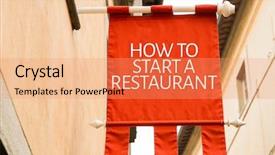
 Presentation with restaurant - Cool new PPT theme with food truck cafe - how to start a restaurant backdrop and a coral colored foreground

Start Restaurant

PPT theme with how to start a restaurant

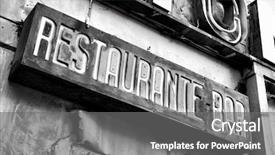
 Presentation with restaurant - Colorful theme enhanced with fall down - sign of deserted restaurant backdrop and a gray colored foreground

Sign Deserted Restaurant

The concept unfolds like a deserted restaurant sign, beckoning in the lost and the lonely. The financial district has always been a hub of activity, but now it's a ghost town, abandoned by those who once thrived here. But amidst the dislocation, new life is being born. The Wide Title template features a high resolution image of a rundown diner, with the words "Widescreen" emblazoned across the top in bold, grey letters. The background is a soft slate blue, evoking feelings of serenity and calmness. The theme of this template is to create a sense of unease and disorientation, as if the viewer has stumbled upon a forgotten world. The high resolution images for the background are perfect for adding depth and texture to your presentation. You can feature one image on the left and another on the right, creating a visually appealing contrast that draws the eye. The template is downloadable and compatible with Google Slides, making it easy to share and use in your presentations. With this template, you'll be able to enhance your financial concepts with a theme of "dislocation" and include background images to add visual interest. The 2 Member Bio Layout slide could feature a split design, showcasing the two key members of your team on opposite sides of a blackboard or whiteboard, with notes and formulas written in chalk. This layout provides a clear showcase for each member's expertise and can help to highlight their strengths. The image that accompanies this slide could be a high quality photo of a financial expert or a concept diagram related to the topic you're presenting on. The template is also designed to have a theme of "Financial Concept", allowing you to include background images, charts, and graphs to illustrate complex financial concepts in an engaging way. The overall design and layout work together to create a cohesive and professional look that's perfect for financial presentations.

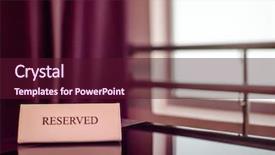
 Presentation with restaurant - Colorful PPT layouts enhanced with events organiser - restaurant reserved table backdrop and a wine colored foreground

Restaurant Reserved Table

The Corner Title PowerPoint template is here to revolutionize your presentation style with its unique blend of sophistication and functionality. Imagine walking into a lavish restaurant reserved table, surrounded by fine china and crystal glasses, where the staff proudly display an array of elegant cutlery and sleek shakers on a stylish sign that reads "Welcome." This is what the Corner Title template promises to deliver. The Widescreen format is perfect for showcasing high resolution images for a vibrant background that will transport your audience into the world of fine dining. The Medium VioletRed color palette adds a touch of elegance, while the template keywords such as private and cutlery provide clarity on the content. This template is designed to enhance your presentation by featuring an impressive Stairs Layout slide, complete with intricate details and ample space for text and graphics. As you explore the template, you'll notice it's downloadable and compatible with Google Slides, ensuring seamless integration into your workflow. The high resolution images used throughout the template will surely impress your audience, while the accompanying keywords will help them understand the significance of each element included in the design. By showcasing these elements together on a single slide, the Stairs Layout feature will demonstrate how you can Incorporate a Background With unique layouts and designs to make your presentation truly stand out.

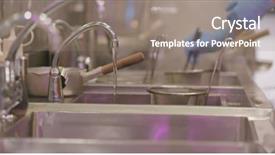
 Presentation with restaurant - Beautiful PPT theme featuring washing dishes in restaurant backdrop and a gray colored foreground

Washing Dishes Restaurant

PPT theme featuring washing dishes in restaurant

▼Key features of this template

  • They are compatible with both PowerPoint and Google Slides running on either Windows PCs or Macs.

  • They are available in both standard and widescreen slide formats. You can choose your preferred format by clicking on the "Widescreen" check box or icon.

  • Each template includes a beautiful high-resolution background image or video to visually reinforce the theme of your presentation.

  • In addition, each template includes designer-created graphics and modern fonts to give your presentations an up-to-date, professional look.

  • Each template's default design and title text position have been carefully selected to complement its background without covering faces or other key elements.

  • All text includes backdrops whose transparency level is mathematically calculated to maximize text readability while still allowing the background to be seen.

  • And all the text, text backdrops and graphics in every slide are colored with a palette designed to beautifully complement the colors in the background.

  • Our Premium templates (those with the descriptor “Premium” in their subtitle) include over 64 slide layouts to give you maximum flexibility as you create your presentations.

    • Those layouts are available to you whenever you create a new slide or when you want to change the layout of an existing slide.
    • They include everything you need to make all sorts of presentations. In addition to the layouts for the title slide and the usual title and content slide, they include many other layouts for slide types including table of contents slides, org charts, charts, diagrams, infographics, photo slides, thank you slides and more.
    • While creating these layouts our template designers have ensured that all text in every layout adjusts as gracefully as possible to various numbers of words.
  • Customizable templates (those with the descriptor “Customizable” in their subtitle) may be easily modified online before you download them.

    • To modify them, simply click on the pencil editing icon, then select your choice of ready to go designs and title text positions.
    • The editing tool also makes it easy to reposition and scale the background image or video to best suit your needs.

▼FAQs

Please review these FAQs to see if your question is answered. Contact us for more info

  • What is a PowerPoint template?

    • A well designed PowerPoint template is a file that can tell PowerPoint how to make your ordinary templates look extraordinary. They won’t change what your words or numbers say. But they might change their size, color, font and placement. And, overall, they can give your presentations a professionally-designed look that will give your content more credibility and give you more confidence.
  • How many PowerPoint templates do you offer?

    • We have over 32,000 artist-created presentation templates in our PowerPlugs collection With a subscription, PowerPlugs templates are easy to download. Just sign in, find a template and click on the green Download button. ready for you to download. That alone offers you more variety to choose from than any of our competitors can offer. And, as if that weren’t enough, we also offer over 6 million templates in our Crystal collection. Crystal brand templates are our line of templates that have customization options. They have the word "CRYSTAL" on their web page images. You can customize several aspects of the templates. These templates include high-resolution background images from Shutterstock’s vast image collection matched up with artist-created presentation designs customized by our own proprietary AI software.
  • How many templates can I download as a subscriber?

    • You can download an unlimited number of PowerPlugs-brand With a subscription, PowerPlugs templates are easy to download. Just sign in, find a template and click on the green Download button. templates every day for an entire year. (Actually, by default, we set a limit of 25 templates per day to prevent our competitors from stealing our templates. But, if that is not enough, just let us know and we’ll try to accommodate you.) On top of that, with a subscription or an Ultimate Combo, you can also download any 50 Crystal-brand Crystal brand templates are our line of templates that have customization options. They have the word "CRYSTAL" on their web page images. You can customize several aspects of the templates. templates per year selected from our huge Crystal collection. Crystal brand templates are our line of templates that have customization options. They have the word "CRYSTAL" on their web page images. You can customize several aspects of the templates. .
  • Why should I choose your templates instead of the competition’s?

    • We’ve got a larger selection of professionally-designed PowerPoint templates than anyone else in the world.
    • Each template includes a high-resolution background image or video to visually inspire your audiences while reinforcing your message.
    • Each template includes 64 slide layouts to give you maximum flexibility as you create your presentations.
    • Our templates are available in both standard and widescreen slide formats. And our website lets you preview the slides each way.
    • Our free Template Finder™ plugin lets subscribers select and - with a single click - download and insert our templates into their presentations right from within PowerPoint.
    • We’ve been creating designer presentation templates for over 20 years. During that time we’ve won several awards and 5-star ratings for product quality. See About Us for more.
  • Do you offer a money-back guarantee?

    • Yes we do! We offer full 30-day money-back guarantee if you are not 100% satisfied with your purchase.
  • Can I still use my downloaded templates after my subscription runs out?

    • Yes. After your subscription expires, you won't lose any rights or ability to use your PowerPlugs: Templates for PowerPoint. You won't be able to download any new non-watermarked templates. But the non-watermarked templates you've already downloaded will still work and you can still use them as before.
  • Can I share my downloaded templates or passwords with friends or coworkers?

    • Sorry but no. You are authorized to download each paid-for template to up to 3 of your personal devices and to use the templates you download in as many presentations as you want. But you are not authorized to share the templates, themselves, with others. That said, we do offer highly discounted site licenses to suit the needs of both small and large teams. Just tell us your needs and we’ll give you a quote!
  • System requirements:

    • The templates use the standard POTX format. So they are compatible with Google Slides and all PC, Mac and mobile devices running any version of PowerPoint from PowerPoint 2007 up through and including Office 365 desktop.
    • Please note: Google Slides does not currently support background videos. It treats them as still images.
    • For PowerPoint for the Web, first open your template into a desktop version of PowerPoint, then save it back out as a PPTX file. Then you can open that in PowerPoint for the Web.
  • End user license agreement:

    • Click here to view.
  • How will I get my purchased templates?

    • You may download your selected templates as soon as your payment is received by PayPal. If you purchased an individual template, you will be provided with a download link both onscreen and via email. Just click on that link to begin the download process. If you purchased a subscription, you will receive an email containing a password to use along with your email address to sign in to any of the templates pages on CrystalGraphics.com. Once you are signed in, you can immediately start downloading your selected templates.
  • How do I use my templates after I download them?

    • You can either open a template to start a new presentation or you can add a template to an existing presentation. To open a template, just double click on it or use PowerPoint's File > Open tool. To add a template to an existing presentation, on the Design tab, in the Themes group, click Browse for Themes... then browse to select your template.

View more Restaurant templates:

previous 1 2 3 4 5 6 7 8 9 10 11 12 13 14 15 16 17 18 19 next
Categories related to Restaurant:
Chinese Dining Equipment Family French Indian Kitchen Menu Mexican Pasta System Toasting Waiter
93% of Fortune 1000
companies use our
PowerPoint Products
Templates Secure

Standing Ovation Award
Winner: Best PowerPoint
Template Collection
Fortune Logos
200,000+ satisfied
customers worldwide!
Guarantee
100% satisfaction guaranteed
- or send it back for a refund!

Sign up for our free newsletter! You'll get news about our PowerPoint-enhancing product line – including free updates, new product announcements and exclusive special offers. Plus you'll get a link to a free PowerPoint template with every newsletter you receive.
Privacy Policy
Loading...


Help

Contact Us
Product FAQs
Product License Agreements

Company Info

About Us
Privacy Policy
CrystalGraphics, Inc. 1999 S. Bascom Avenue Suite 700 Campbell, CA 95008 USA
© 2026 CrystalGraphics, Inc. All rights Reserved.    |     PowerPlugs is a trademark of CrystalGraphics, Inc.
Microsoft and the PowerPoint logo are trademarks or registered trademarks of Microsoft Corporation in the United States and/or other countries.
Loading...
Loading...