www.crystalgraphics.com CrystalGraphics
  • Ultimate Combo
  • Templates
  • Diagrams
  • Characters
  • Quizzes
  • shopping cart
  • Sign Out Sign Out Sign In
Home > Templates > Restaurant Category
search icon
advanced icon

381 Best Restaurant-Themed Templates for PowerPoint and Google Slides

Immerse yourself in the warm ambiance of a bustling restaurant, where every detail comes together to create an unforgettable dining experience. With our stunning Restaurant PowerPoint templates, you'll be transported to a world of elegance and sophistication, featuring beautiful backgrounds, vibrant colors, and mouth-watering images that will tantalize your taste buds.

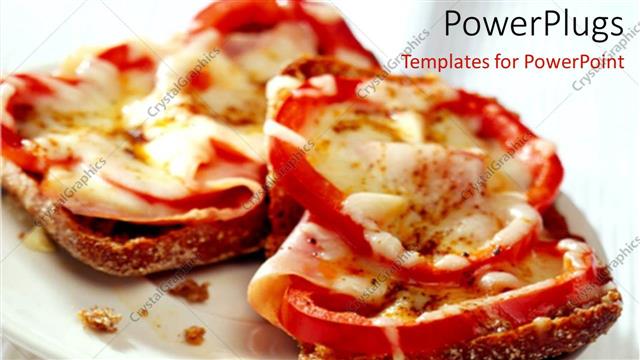
From the moment you step into the foyer, explore the majestic pillars that support the grand ceiling, each one adorned with delicate glassware, fine china, and tawny brown-colored furniture. The atmosphere is inviting, with a sophisticated backdrop that sets the tone for a memorable meal. But it's not just about aesthetics - our templates also feature mouth-watering images of delicious Pepper and Cheese sandwiches on white plates, accompanied by a warm hospitality theme.

With CrystalGraphics Restaurant PowerPoint template collection, you can create presentations that are both visually stunning and functional, perfect for businesses, professionals, or anyone looking to elevate their presentation skills. The templates come with 60+ slides, including a title slide that sets the tone for your presentation, plus numerous customization options to make it truly yours.

This vast collection of Restaurant PowerPoint templates is available in both widescreen and standard formats, ensuring compatibility with Google Slides and easy integration into any digital project. Plus, with instant 24/7 download access, you can save time and effort, while still enjoying the high-quality visuals and customizable elements that our templates have to offer.

So why settle for an ordinary presentation when you can make a statement with CrystalGraphics Restaurant PowerPoint template collection? Explore our extensive library today, browse through other categories, and discover the perfect template for your needs. Download and customize with ease - your presentations will thank you!

Features & Pricing

Widescreen (16:9) Presentation Templates. Change size...
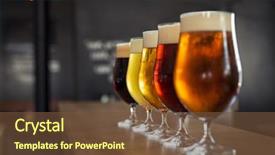
 Presentation with restaurant - Beautiful presentation featuring restaurant - glasses with different sorts backdrop and a tawny brown colored foreground

Glasses Different Sorts Craft Beer

The scene is set in a cozy English pub where patrons gather to taste and share their favorite craft beers. The atmosphere is vibrant with the sounds of sizzling pans and laughter filling the air as the bartender expertly crafts each drink from scratch. In this corner title template for Google Slides, you'll find a visually appealing design that perfectly captures the essence of a high end degustation experience. The Corner Title template features a stunning wide screen format, providing ample space to showcase your content in all its glory. The color palette is carefully crafted to evoke the warm, rich tones of Saddle Brown, adding depth and sophistication to any presentation. From the intricate wooden bar to the glassy pints stacked high on the counter, every detail has been meticulously designed to transport your audience to a world of luxury and refinement. As you create your presentation, remember that this template is more than just a pretty face – it's also customizable with 4 handy How To slides. However, don't worry, our expert creators have already got you covered on the first four steps: getting started with your project, organizing your content, designing your background, and adding some extra flair to make it stand out. With these building blocks in place, you'll be well on your way to crafting a seamless blend of art and functionality. By including a Background With option in our template, you can choose from various stunning high resolution images to enhance the visual appeal of your presentation. The result is an Enhanced With presentation that's sure to leave a lasting impression on your audience. Whether you're showcasing a selection of craft beers or introducing new products on the market, this template has got you covered. Including a Theme of 'Craft' in our Corner Title design creates a clear connection between your content and the world of beer culture. The contrast between the rustic wooden elements and the sleek, modern glassware will keep your audience engaged and interested as they watch you craft each drink with love and care.

 Presentation with restaurant - Pepper and cheese sandwich on white plate, food, restaurant, hospitality

Food

Pepper and cheese sandwich on white plate, food, restaurant, hospitality

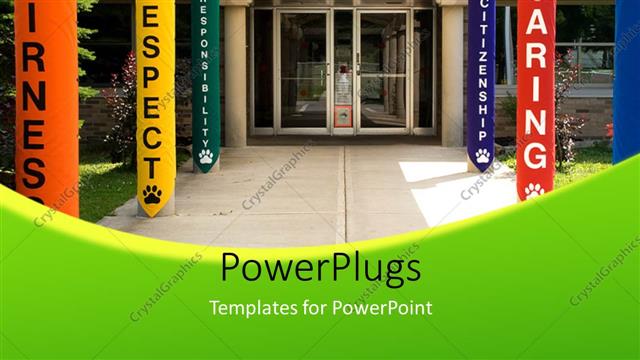
 Presentation with restaurant - A restaurant with a number of pillars

Entrance To School

A restaurant with a number of pillars

 Presentation with restaurant - PPT theme having friends enjoying meal in restaurant background and a tawny brown colored foreground

Group Friends Enjoying Meal Restaurant

Imagine being part of a vibrant group of friends enjoying a delicious meal in a cozy restaurant, surrounded by warm and inviting atmosphere that exudes happy memories of special moments shared together. This stunning image captures the essence of togetherness and camaraderie, making it perfect for creating a memorable presentation. The Wide Title template from CrystalGraphics is designed specifically for Widescreen formats, offering an ideal canvas for showcasing your visuals in high definition. The saddle brown color palette provides a natural and earthy background that complements the warm tones of the image perfectly, setting the tone for a sophisticated yet approachable design. As you plan your presentation, consider including a How To slide or two to help users get started quickly. You could feature a step by step guide on how to set up their new template, making it easy for them to jump into action and start creating. The Ansoff Matrix Diagram Layout slide will provide a clear visual representation of the available options for customization and enhancement, helping users make informed decisions about what features to prioritize in their design. You could include an example of how this layout can be used effectively, such as adding high resolution images to enhance the visual appeal of your presentation. To take it to the next level, consider including a background with a subtle texture or pattern that adds depth and interest to your visuals. Having a theme of showcasing different types of backgrounds and textures will help users find inspiration for their own projects, making this template truly versatile and valuable. With its warm colors, high resolution images, and easy to use design features, the Wide Title template is sure to be a hit with audiences looking for engaging visual content.

 Presentation with restaurant - Colorful presentation design enhanced with restaurant - shellfish plate of crustacean seafood backdrop and a dark gray colored foreground

Shellfish Plate Crustacean Seafood Shrimps,

Imagine a culinary masterpiece that takes you on a journey to the world of gourmet seafood, where the freshest ingredients are paired with bold flavors and textures. The Shellfish plate of crustacean seafood with shrimps, mussels, oysters is the perfect inspiration for your PowerPoint template. The Wide Title "Wide" has a dark slate gray background that sets the tone for this oceanic theme. It's simple yet eye catching, making it perfect for showcasing your template in a large format setting. The font used is bold and modern, with subtle texture to give it a sense of depth. Featuring a high resolution image of a vibrant ocean scene, this title will immediately grab the attention of your audience. The Widescreen template format allows you to showcase your content in a wide, cinematic format that's perfect for presentations, videos, or even social media. With dark slate gray as the primary color palette, you can enhance this theme with bold accents and vibrant backgrounds. For instance, when using high resolution images of tropical islands or bustling markets, you could include a background with a subtle gradient to give it a sense of depth. The template includes four How To slides that make it easy for new users to get started quickly. The 4 x 4 Org Chart Layout slide is a great starting point for this type of project, featuring a clean and simple design with clear labels and icons. Having a theme of "Organization" makes it easy to visualize how the different sections fit together seamlessly. This template is fully downloadable and compatible with Google Slides, making it perfect for incorporating into your presentations. With its rich dark slate gray color palette and high resolution images, you'll be able to create stunning visuals that showcase your content in a professional and engaging way.

 Presentation with restaurant - Colorful PPT theme enhanced with restaurant startup - woman standing in front backdrop and a ocean colored foreground

Woman Standing Front Coffee Shop

The corner title template is designed to grab attention from the start, setting the tone for a visually appealing and informative presentation. This stunning Widescreen Corner Title template features an olive drab color palette that's perfect for creating a professional yet unique look. The background image of a woman standing in front of a cozy coffee shop setup provides a perfect contrast to the clean and modern layout. This template is designed specifically with sellers and small business owners in mind, using keywords such as "seller" and "small" to highlight its suitability for these types of presentations. The Caucasian female model adds a touch of elegance, making this design adaptable to various industries and themes. Featuring an olive drab color scheme, Including a Background With warm tones, Having a Theme of Professionalism Enhancing the visuals with rich textures, this template is sure to stand out in a crowded presentation landscape. When it comes to enhancing the visual experience, this corner title template has several capabilities such as having a theme of professionalism and including images that showcase various occupation settings. The image layout provided for comparison can be used to visualize how different layouts can enhance or detract from the overall look and feel of the presentation. For instance, the Comparison with Image Layout slide could include a split screen comparison between an image with a clean and modern layout versus one with a more cluttered background. This would allow users to experiment with different layouts before finalizing their chosen template.

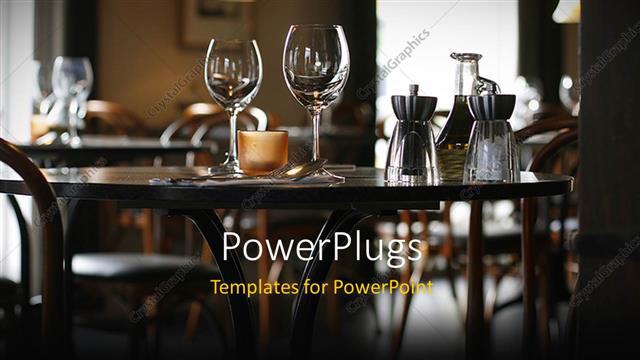
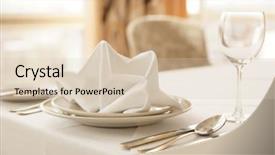
 Presentation with restaurant - Interior of a cozy restaurant focusing on a ready table for two

Restaurant

Interior of a cozy restaurant focusing on a ready table for two

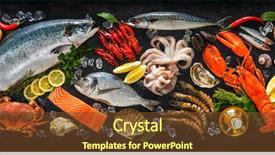
 Presentation with restaurant - Colorful presentation theme enhanced with restaurant - fresh fish and seafood arrangement backdrop and a tawny brown colored foreground

Fresh Fish Seafood Arrangement Black

The moment you've all been waiting for is finally here a brand new PowerPoint template that's about to take your presentations to the next level. This stunning Split Title template is designed to grab attention with its vibrant Sienna color palette and intricate design elements. The high resolution images in the background will transport your audience to a world of freshness and elegance, featuring a sleek black stone surface that adds depth and sophistication. The template's format is perfect for Googel Slides, and it's easy to navigate through the various sections. With its custom designed keywords like dorada, octopus, gourmet, ice, and catch, you'll be sure to stand out from the crowd. The theme of this template revolves around a high end food presentation, making it ideal for anyone who loves cooking, fine dining, or simply wants to showcase their culinary skills. The 4 How To slides at the start of the deck will help you get up and running quickly, providing valuable tips and tricks to get the most out of your new template. These slides could be labeled as "Getting Started", "Customizing Your Template", "Adding Slides", and "Tips for Success". The five steps to success on this layout slide will guide you through the process of creating a professional looking presentation. For example, the first step might include words like "Creating a visually appealing background" or "Selecting the right fonts for your template". The second step could be labeled as "Designing your slides and adding images", while the third step might focus on "Customizing colors and patterns to fit your brand". Having a theme of, for instance, incorporating backgrounds with ice crystals will enhance this aspect.

 Presentation with restaurant - A large white plate with shrimps vegetables and eggs

Classy Restaurant

A large white plate with shrimps vegetables and eggs

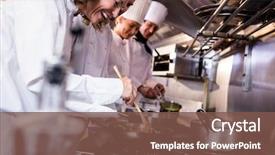
 Presentation with restaurant - Theme with kitchen of a restaurant background and a tawny brown colored foreground

Group Chef Preparing Food Kitchen

Imagine working in the heart of a bustling commercial kitchen, where culinary expertise meets precision and passion. The sweet aroma of freshly baked pastries wafts through the air as talented chefs work together seamlessly to create unforgettable dining experiences. This captivating scene is set against a bright and airy backdrop, perfect for showcasing your latest creations. The Corner Title template features high resolution images that bring this kitchen oasis to life. The Widescreen format ensures that every detail is showcased without any cropping or cutting off, while the Light Steel Blue color palette provides a clean and professional look. This theme of modern comfort meets classic charm, making it perfect for foodies and professionals alike. The template includes features like "Getting Started Quickly" four How To slides to help you launch your presentation with ease, starting from the basics of using the new layout. The Timeline Layout slide is particularly exciting, as it allows you to visualize your entire content in a single, cohesive flow. As you include backgrounds with images and animations that enhance the story, having a theme of storytelling is definitely enhanced. This template is not only perfect for presentations but also can be used as social media posts, blog articles or even business proposals, showcasing stunning visuals and delivering engaging messages to your audience.

 Presentation with restaurant - Presentation theme having blue reflective colloid cube background and a light blue colored foreground

Table Arrangement Expensive Haute Cuisine

The art of curating a masterpiece begins with a singular vision, and that vision is to create a stunning presentation that will leave the audience in awe. Imagine walking into an opulent haute cuisine restaurant, where every detail has been carefully chosen to transport you to a world of refined elegance. From the table arrangement to the porcelain dishware, every element comes together to form a harmonious whole that exudes sophistication and refinement. The Wide Title is a masterpiece that will make a lasting impression on your audience. This template features a stunning background image, showcasing high resolution visuals of fine china and crystal glassware arranged artfully around the dining table. The navajo white color palette provides a clean and sophisticated backdrop for this elegant design. To enhance the visual impact, you can include a subtle texture to give it that extra layer of depth. The template is designed to be easily customizable, with 4 How To slides at the start of the deck to help you get up and running quickly. These slides will feature step by step instructions on how to incorporate your own images into the presentation, making it easy for others to follow along. The AIDA block layout slide is a great example of this with its attention grabbing opening sentence, action oriented words (Action), and emotional appeal (A), it's designed to engage your audience from the very start. For those looking to showcase their creativity, this template also includes an "Including a Background With" section, where you can insert your own background images or designs. The navajo white color palette will provide a beautiful contrast to any images you choose to include. Having a theme of Enhanced With is perfectly in line with the template's focus on fine dining and elegance. The plates are carefully crafted from porcelain, adding an extra touch of luxury to each scene. You can also feature high resolution images of fine china and glassware arranged artfully around the table, creating a visually stunning presentation that will leave your audience in awe.

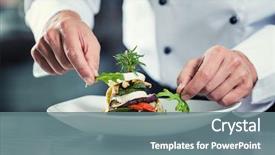
 Presentation with restaurant - Colorful PPT layouts enhanced with chef in restaurant garnishing vegetable backdrop and a gray colored foreground

Chef Restaurant Garnishing Vegetable Dish,

In the world of culinary arts, there's nothing quite like the satisfaction of crafting a beautifully garnished dish that turns heads. Corner Title is designed to help chefs and food enthusiasts alike bring their creativity to life on the big screen. This gorgeous template features a high resolution image of a chef in a restaurant setting, perfectly capturing the essence of fine dining. Corner Title is a stunning widescreen template that's sure to enhance any presentation. Its vibrant Cadet Blue color palette creates a professional yet approachable atmosphere, perfect for showcasing your culinary creations. The template is available as a downloadable file and is compatible with Google Slides, making it easy to get started right away. To get you up and running quickly, Corner Title includes four essential slides that will help you prepare for any presentation. First, there's the "Getting Started" slide, which features a concise overview of how to use the template. Next, there's the "How To" section, where you can learn some expert tips and tricks to take your presentations to the next level. The third slide is dedicated to showcasing stunning panoramic pictures, such as those including high resolution images of kitchen equipment or decorative elements. And finally, the fourth slide offers additional inspiration, possibly featuring a background with bold text that showcases your brand name or logo. The template's design is truly one of a kind, with intricate details and expertly crafted animations that will leave your audience in awe. Corner Title includes an additional feature: having a theme of 'Culinary Delights' perfect for showcasing the creative process behind your dishes.

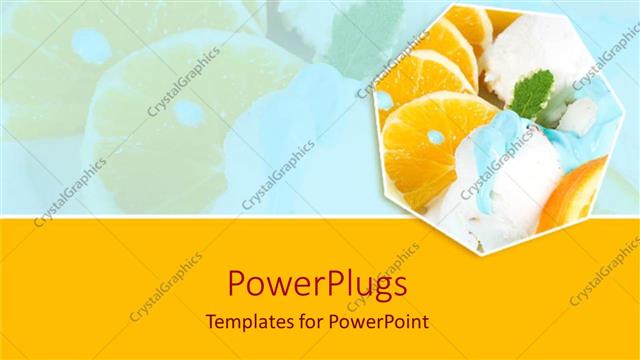
 Presentation with restaurant - Orange slices and vanilla ice cream, orange border, food, restaurant, hospitality, dessert, healthy eating, nutrition

Food

Orange slices and vanilla ice cream, orange border, food, restaurant, hospitality, dessert, healthy eating, nutrition

 Presentation with restaurant - Cool new slide deck with woman-paying-bill-through-smartphone backdrop and a tawny brown colored foreground

Woman Paying Bill Through Smartphone

The clock is ticking and your customers are clamoring to pay their bills on time. The pressure is mounting as you struggle to keep up with the never ending stream of transactions. But fear not, for we have just what you need to stay ahead of the game the Wide Title PowerPoint template from CrystalGraphics. This sleek and sophisticated design will feature a warm and inviting Sienna color palette that evokes feelings of comfort and reliability, perfect for your bank or payment terminal. The Widescreen format is ideal for showcasing high resolution images in all their glory, making it easy to customize with your own logo and branding. And with its download ready compatibility on Google Slides, you can share it with your team and get up and running quickly. But what really sets this template apart is the attention to detail. The Bulb Puzzle Layout slide will help you keep track of all your payment transactions in a logical and easy to understand format featuring a clear grid layout that makes it simple to scan and analyze your data. And with its theme of "Smart Payment Solutions", you'll be sure to include a background with a subtle pattern of payment terminals and banking equipment, adding an extra layer of realism to your presentation. As the day draws to a close, take a moment to relax with a cup of coffee and imagine yourself as a satisfied customer paying bill after bill through your very own smartphone. The Closeup hands of mobile payment at a coffee shop slide is a great example of how this template can be used to showcase real world scenarios in an engaging and educational way.

 Presentation with restaurant - PPT theme with maple-syrup-sugar-shack-cabane background and a coral colored foreground

Maple Syrup Sugar Shack Cabane

The maple syrup country is alive with warmth and wonder as morning sun rises over rolling hills and dense forests filled with towering trees their leaves just beginning to change colors creating a kaleidoscope of hues From the rustic charm of a traditional Canadian farm to the vibrant beauty of a sugar shack, the quintessential Quebecois experience is on full display in this stunning template that brings the charm of spring to life through its use of high resolution images and Sienna colored design elements Featuring a warm and inviting banner with the theme of sugar shacks and maple syrup production, including a panoramic view of the forest with red leaves creating a breathtakingly beautiful background image For those who want to enhance their presentation and make it truly stand out, this template is compatible with Google Slides and downloadable for instant use

 Presentation with restaurant - Presentation enhanced with woman - in hotel or restaurant background and a coral colored foreground

Three Chefs Men Woman

The powerpoint template Corner Title is designed to capture the attention of professionals in the commercial sector, particularly those working in hotels and restaurants where teamwork and preparation are key to success. This stunning template features four How To slides at the start of the deck that will get you up and running quickly, helping you prepare for your presentation with ease. The Four Arrows Layout slide is a great way to showcase your expertise and share your knowledge with others, making it an ideal feature to include in this section. The Peru color palette brings warmth and vibrancy to the template, evoking feelings of hospitality and friendliness that are perfect for showcasing your professionalism. High resolution images of chefs in various kitchen settings add a touch of realism to the design, making you feel like you're right there in the midst of action. The team at CrystalGraphics has gone all out to create a visually stunning template that will enhance your presentation and leave a lasting impression on your audience. As a downloadable template compatible with Google Slides, you can easily share it with others or use it yourself to prepare for your next big event. Whether you're a chef, entrepreneur, or simply someone looking to showcase your expertise, this Corner Title template is the perfect choice.

 Presentation with restaurant - Presentation theme having owner standing at his restaurant background and a tawny brown colored foreground

Portrait Smiling Owner Standing Restaurant

As you step into your dream restaurant, a warm smile greets you from across the counter, inviting you to take a seat at the bustling cafe. The aroma of freshly brewed coffee and baked goods wafts through the air, teasing your senses and making your mouth water in anticipation. Behind the scenes, skilled chefs and waitstaff are hard at work, preparing for another busy day of serving up delicious meals to happy customers. The vibrant colors of the restaurant come alive on this stunning widescreen template, which features a dark goldenrod color palette that adds warmth and sophistication to any setting. The high resolution images for the background will transport you to a cozy outdoor patio or a bustling street corner, complete with lively street performers and trendy cafes. This template is perfect for anyone who wants to create a welcoming atmosphere for their customers, whether it's a small shop or a large restaurant. The template is designed to be easy to use and customize, featuring an Arrowheads Layout that allows you to easily add your own text and images to create a unique look and feel. You can include a Background With stunning high resolution images, having a theme of creating a warm and inviting atmosphere, enhanced with rich textures and detailed backgrounds. This template is also compatible with Google Slides, making it easy to share and collaborate on presentations with others. With its dark goldenrod color palette and Arrowheads Layout, you'll be well on your way to creating a restaurant that's sure to impress – even if it's just for fun!

 Presentation with restaurant - Theme with finishing food in his restaurant background and a gold colored foreground

Chef Finishing Food Restaurant Kitchen

The clock is ticking, and you need to create a stunning PowerPoint template from CrystalGraphics that showcases a chef preparing a delicious meal in his restaurant kitchen. The Corner Title template stands out with its elegant design name, Widescreen format, Khaki color palette, and 8 keywords that perfectly blend functionality with visual appeal. As the user navigates through this template, they'll be greeted by a warm and inviting atmosphere that immediately puts them at ease. Featuring high resolution images of busy kitchen scenes, including pots and pans clanging in the background, utensils moving swiftly across countertops, and chefs expertly chopping vegetables, these images will enhance the overall theme of the template. One of the standout features of this template is its ability to accommodate Google Slides seamlessly. Having a theme of "Commercial" kitchen settings ensures that the user can create professional looking presentations with ease. With 4 How To slides at the start of the deck providing valuable tips and tricks for getting up and running quickly, users will be confident in their ability to produce high quality content. The Grid Layout slide is particularly impressive, featuring a stunning grid layout with images of chefs in various kitchen settings. Including a Background With warm lighting effects, this image showcasing the chef's hands moving rapidly as they prepare a dish will give your slides an enhanced visual appeal that will make them stand out. Having a Theme of "Occupation" ensures that the template is flexible and can be used for a wide range of presentations, from job pitches to sales meetings. The Khaki color palette provides a clean and professional backdrop for any presentation, while the 4 How To slides provide valuable guidance on how to get started with creating engaging content. Overall, this Corner Title template offers the perfect blend of style, functionality, and flexibility that will help users create stunning presentations that engage their audience.

 Presentation with restaurant - Cool new presentation theme with restaurant - red rose on white dish backdrop and a crimson colored foreground

Red Rose White Dish.meal

The Corner Title template is a stunning powerpoint design that will leave your audience speechless. This Crimson inspired template features a high resolution image on the left side, set against a romantic Valentine's Day background, with the words "Date Night" etched across the top in elegant cursive font. The text is adorned with subtle love symbols and a red rose motif, creating a visually striking effect. This template is designed to make your presentation stand out from the crowd. With four easy to follow slides to get you started including a How To slide that features an interactive layout for seamless navigation you'll be able to showcase your expertise in no time. The Growth Layout slide showcases how these templates are designed to help users grow and expand their knowledge, featuring high quality images and bold text. This template is the perfect addition to any Google Slides presentation, making it easy to include a background with your slides, having a theme of a romantic dinner for two or simply presenting your ideas in an engaging manner. The Corner Title template also includes features like Enhanced With backgrounds and additional resources where users can download more templates and customize them. This is particularly useful if you want to create a consistent look throughout your presentation, while still giving users the flexibility to explore different design options.

 Presentation with restaurant - Theme with restaurant - handsome employee doing dishes background and a gray colored foreground

Handsome Employee Doing Dishes Commercial

The attention grabbing sentence that sets the tone for this stylish PowerPoint template is: "Elevate your presentation with our stunning Wide Title design, perfectly crafted to make a lasting impression on your audience." This template features a classic and sophisticated look, making it perfect for showcasing your occupation in the culinary world. The Wide Title design has a timeless feel, reminiscent of a renowned catering building, where one would find top notch service and exceptional cuisine. The Widescreen format ensures that every aspect of the design is showcased without any distortion, making it ideal for presentations on high resolution images. When using Google Slides, you can easily import this template to enhance your visuals with an inspiring background, complete with a warm Sienna color palette that creates a cozy atmosphere. As you explore the template's features, you'll notice the inclusion of a dedicated Section Header Layout slide, which makes it easy to customize and organize your content. The theme of this section is perfect for showcasing various occupation related images, such as a handsome employee in the kitchen, who will undoubtedly make your presentation more engaging. This template offers four How To slides at the start of the deck to help you get up and running quickly. However, be prepared to dive into some essential information, such as setting up your Google Slides environment, customizing your background, and choosing from a range of fonts and effects. As you create content around this template, remember that having a theme of showcasing various occupation related images will enhance the overall presentation with a professional touch.

 Presentation with restaurant - Presentation theme having mid section of restaurant manager background and a light blue colored foreground

Mid Section Restaurant Manager Using

In the heart of the commercial kitchen, where the aroma of freshly baked bread and sizzling meats fills the air, a young manager is busy orchestrating the flow of the operation like a conductor leading an orchestra. The fluorescent lights above cast a sterile glow, but beneath the surface, a world of creativity and passion thrives. The Corner Title template is designed to bring this vibrant scene to life on your computer screen, with its light steel blue color palette that evokes feelings of trust and professionalism. The Widescreen format ensures that every detail is showcased in stunning high definition, making it perfect for presentations, websites, or social media profiles. Featuring a background image of a bustling kitchen, complete with steaming pans and utensils, this template has everything you need to create an immersive experience. The 6 x 6 Org Chart Layout slide allows you to visualize the hierarchy of your team, from chef to line cook to sous chef. It's a great way to communicate changes or promotions within your organization, making it easier for everyone involved to understand their role and responsibilities. Having a theme of "Organizational Structure" makes sense in this context, don't you think? When using the template, imagine having all these elements at your fingertips to create engaging presentations that showcase your company's brand. For instance, what if you were to include a background image of a bustling kitchen with steaming pots and utensils, featuring high resolution images for every slide? That would be quite impressive! Having a theme of "Commercial Kitchen" is perfect for this type of presentation, don't you agree? Enhancing the overall look and feel of your slides will undoubtedly make them stand out from the crowd.

▼Key features of this template

  • They are compatible with both PowerPoint and Google Slides running on either Windows PCs or Macs.

  • They are available in both standard and widescreen slide formats. You can choose your preferred format by clicking on the "Widescreen" check box or icon.

  • Each template includes a beautiful high-resolution background image or video to visually reinforce the theme of your presentation.

  • In addition, each template includes designer-created graphics and modern fonts to give your presentations an up-to-date, professional look.

  • Each template's default design and title text position have been carefully selected to complement its background without covering faces or other key elements.

  • All text includes backdrops whose transparency level is mathematically calculated to maximize text readability while still allowing the background to be seen.

  • And all the text, text backdrops and graphics in every slide are colored with a palette designed to beautifully complement the colors in the background.

  • Our Premium templates (those with the descriptor “Premium” in their subtitle) include over 64 slide layouts to give you maximum flexibility as you create your presentations.

    • Those layouts are available to you whenever you create a new slide or when you want to change the layout of an existing slide.
    • They include everything you need to make all sorts of presentations. In addition to the layouts for the title slide and the usual title and content slide, they include many other layouts for slide types including table of contents slides, org charts, charts, diagrams, infographics, photo slides, thank you slides and more.
    • While creating these layouts our template designers have ensured that all text in every layout adjusts as gracefully as possible to various numbers of words.
  • Customizable templates (those with the descriptor “Customizable” in their subtitle) may be easily modified online before you download them.

    • To modify them, simply click on the pencil editing icon, then select your choice of ready to go designs and title text positions.
    • The editing tool also makes it easy to reposition and scale the background image or video to best suit your needs.

▼FAQs

Please review these FAQs to see if your question is answered. Contact us for more info

  • What is a PowerPoint template?

    • A well designed PowerPoint template is a file that can tell PowerPoint how to make your ordinary templates look extraordinary. They won’t change what your words or numbers say. But they might change their size, color, font and placement. And, overall, they can give your presentations a professionally-designed look that will give your content more credibility and give you more confidence.
  • How many PowerPoint templates do you offer?

    • We have over 32,000 artist-created presentation templates in our PowerPlugs collection With a subscription, PowerPlugs templates are easy to download. Just sign in, find a template and click on the green Download button. ready for you to download. That alone offers you more variety to choose from than any of our competitors can offer. And, as if that weren’t enough, we also offer over 6 million templates in our Crystal collection. Crystal brand templates are our line of templates that have customization options. They have the word "CRYSTAL" on their web page images. You can customize several aspects of the templates. These templates include high-resolution background images from Shutterstock’s vast image collection matched up with artist-created presentation designs customized by our own proprietary AI software.
  • How many templates can I download as a subscriber?

    • You can download an unlimited number of PowerPlugs-brand With a subscription, PowerPlugs templates are easy to download. Just sign in, find a template and click on the green Download button. templates every day for an entire year. (Actually, by default, we set a limit of 25 templates per day to prevent our competitors from stealing our templates. But, if that is not enough, just let us know and we’ll try to accommodate you.) On top of that, with a subscription or an Ultimate Combo, you can also download any 50 Crystal-brand Crystal brand templates are our line of templates that have customization options. They have the word "CRYSTAL" on their web page images. You can customize several aspects of the templates. templates per year selected from our huge Crystal collection. Crystal brand templates are our line of templates that have customization options. They have the word "CRYSTAL" on their web page images. You can customize several aspects of the templates. .
  • Why should I choose your templates instead of the competition’s?

    • We’ve got a larger selection of professionally-designed PowerPoint templates than anyone else in the world.
    • Each template includes a high-resolution background image or video to visually inspire your audiences while reinforcing your message.
    • Each template includes 64 slide layouts to give you maximum flexibility as you create your presentations.
    • Our templates are available in both standard and widescreen slide formats. And our website lets you preview the slides each way.
    • Our free Template Finder™ plugin lets subscribers select and - with a single click - download and insert our templates into their presentations right from within PowerPoint.
    • We’ve been creating designer presentation templates for over 20 years. During that time we’ve won several awards and 5-star ratings for product quality. See About Us for more.
  • Do you offer a money-back guarantee?

    • Yes we do! We offer full 30-day money-back guarantee if you are not 100% satisfied with your purchase.
  • Can I still use my downloaded templates after my subscription runs out?

    • Yes. After your subscription expires, you won't lose any rights or ability to use your PowerPlugs: Templates for PowerPoint. You won't be able to download any new non-watermarked templates. But the non-watermarked templates you've already downloaded will still work and you can still use them as before.
  • Can I share my downloaded templates or passwords with friends or coworkers?

    • Sorry but no. You are authorized to download each paid-for template to up to 3 of your personal devices and to use the templates you download in as many presentations as you want. But you are not authorized to share the templates, themselves, with others. That said, we do offer highly discounted site licenses to suit the needs of both small and large teams. Just tell us your needs and we’ll give you a quote!
  • System requirements:

    • The templates use the standard POTX format. So they are compatible with Google Slides and all PC, Mac and mobile devices running any version of PowerPoint from PowerPoint 2007 up through and including Office 365 desktop.
    • Please note: Google Slides does not currently support background videos. It treats them as still images.
    • For PowerPoint for the Web, first open your template into a desktop version of PowerPoint, then save it back out as a PPTX file. Then you can open that in PowerPoint for the Web.
  • End user license agreement:

    • Click here to view.
  • How will I get my purchased templates?

    • You may download your selected templates as soon as your payment is received by PayPal. If you purchased an individual template, you will be provided with a download link both onscreen and via email. Just click on that link to begin the download process. If you purchased a subscription, you will receive an email containing a password to use along with your email address to sign in to any of the templates pages on CrystalGraphics.com. Once you are signed in, you can immediately start downloading your selected templates.
  • How do I use my templates after I download them?

    • You can either open a template to start a new presentation or you can add a template to an existing presentation. To open a template, just double click on it or use PowerPoint's File > Open tool. To add a template to an existing presentation, on the Design tab, in the Themes group, click Browse for Themes... then browse to select your template.

View more Restaurant templates:

previous 1 2 3 4 5 6 7 8 9 10 11 12 13 14 15 16 17 18 19 next
Categories related to Restaurant:
Chinese Dining Equipment Family French Indian Kitchen Menu Mexican Pasta System Toasting Waiter
93% of Fortune 1000
companies use our
PowerPoint Products
Templates Secure

Standing Ovation Award
Winner: Best PowerPoint
Template Collection
Fortune Logos
200,000+ satisfied
customers worldwide!
Guarantee
100% satisfaction guaranteed
- or send it back for a refund!

Sign up for our free newsletter! You'll get news about our PowerPoint-enhancing product line – including free updates, new product announcements and exclusive special offers. Plus you'll get a link to a free PowerPoint template with every newsletter you receive.
Privacy Policy
Loading...


Help

Contact Us
Product FAQs
Product License Agreements

Company Info

About Us
Privacy Policy
CrystalGraphics, Inc. 1999 S. Bascom Avenue Suite 700 Campbell, CA 95008 USA
© 2026 CrystalGraphics, Inc. All rights Reserved.    |     PowerPlugs is a trademark of CrystalGraphics, Inc.
Microsoft and the PowerPoint logo are trademarks or registered trademarks of Microsoft Corporation in the United States and/or other countries.
Loading...
Loading...