www.crystalgraphics.com CrystalGraphics
  • Ultimate Combo
  • Templates
  • Diagrams
  • Characters
  • Quizzes
  • shopping cart
  • Sign Out Sign Out Sign In
Home > Templates > Restaurant Category
search icon
advanced icon

381 Best Restaurant-Themed Templates for PowerPoint and Google Slides

Immerse yourself in the warm ambiance of a bustling restaurant, where every detail comes together to create an unforgettable dining experience. With our stunning Restaurant PowerPoint templates, you'll be transported to a world of elegance and sophistication, featuring beautiful backgrounds, vibrant colors, and mouth-watering images that will tantalize your taste buds.

From the moment you step into the foyer, explore the majestic pillars that support the grand ceiling, each one adorned with delicate glassware, fine china, and tawny brown-colored furniture. The atmosphere is inviting, with a sophisticated backdrop that sets the tone for a memorable meal. But it's not just about aesthetics - our templates also feature mouth-watering images of delicious Pepper and Cheese sandwiches on white plates, accompanied by a warm hospitality theme.

With CrystalGraphics Restaurant PowerPoint template collection, you can create presentations that are both visually stunning and functional, perfect for businesses, professionals, or anyone looking to elevate their presentation skills. The templates come with 60+ slides, including a title slide that sets the tone for your presentation, plus numerous customization options to make it truly yours.

This vast collection of Restaurant PowerPoint templates is available in both widescreen and standard formats, ensuring compatibility with Google Slides and easy integration into any digital project. Plus, with instant 24/7 download access, you can save time and effort, while still enjoying the high-quality visuals and customizable elements that our templates have to offer.

So why settle for an ordinary presentation when you can make a statement with CrystalGraphics Restaurant PowerPoint template collection? Explore our extensive library today, browse through other categories, and discover the perfect template for your needs. Download and customize with ease - your presentations will thank you!

Features & Pricing

Widescreen (16:9) Presentation Templates. Change size...
 Presentation with restaurant - Cool new theme with having hotpot at restaurant backdrop and a coral colored foreground

Having Hotpot Restaurant

As you step into the serene winter scene in Japan, where the crisp air is filled with the savory aroma of sizzling beef and simmering sauces, your gaze falls upon the steaming bowl of hotpot before you. The warm glow of the setting sun casts a golden light on the vibrant colors of the ingredients laid out on the table, inviting you to take a seat and indulge in this traditional Japanese delicacy. The Wide Title "Wide Title" is designed to capture your attention with its bold and eye catching font, featuring a distinctive tan color scheme that evokes the warmth and coziness of a Japanese dinner. The Widescreen template format ensures that your presentation looks stunning on any screen, with high resolution images used throughout to bring the scene to life. The theme of "Japanese Winter Lunch" is seamlessly integrated into every aspect of the design, from the tan color palette to the bold font choices. High resolution images are featured prominently throughout the deck, showcasing the delicious beef skewers, steaming bowls of noodle soups, and rows of colorful vegetables on display. These images are included a background with, allowing you to customize your presentation to fit your specific needs. The template is compatible with Google Slides, making it easy to share and collaborate on presentations. As the winter days draw to a close, this lunchtime treat can be enhanced with a seasonal touch – perhaps by adding festive greenery or incorporating warm lighting effects into the design. The opposite directional arrows layout slide provides a clever way to add visual interest to your slides, while also providing a clear overview of your presentation's content.

 Presentation with restaurant - Amazing PPT layouts having wood table at restaurant backdrop and a sky blue colored foreground

Wood Table Restaurant

The moment you click on this download link, your presentation is set to transform into a stunning visual feast that will draw your audience in and captivate their attention from the very first slide. Imagine starting with a beautifully crafted table setting at a bustling restaurant, complete with gleaming wooden boards and a bright focus on the chef's expertly prepared dishes. The warm glow of high resolution images for the background adds depth and dimension to this scene, while the Light Blue color palette provides a calming and inviting atmosphere. The Wide Title template is perfectly suited for showcasing your brand or organization in a clear and concise manner. With its clean design and ample space to feature text and graphics, it's the ideal choice for presentations that require a lot of information to be conveyed. The template includes four How To slides at the start of the deck to help you get up and running quickly, but these are easily accessible from the main content area. This slide, in particular, is designed to showcase your product or service in all its glory, with a panoramic picture layout that wraps around the boardroom style background. Imagine having a theme of "Expert Advice" or "Elegant Decor" this slide could be used to illustrate how you can help others navigate complex information or make sense of their surroundings. The inclusion of a background with a subtle blur effect adds a touch of sophistication and polish, while the bright colors ensure that it stands out from the rest of the presentation. In addition to its visual appeal, this template is also compatible with Google Slides, making it easy to import high resolution images and customize your presentation to suit your needs. With its sleek design and range of customizable elements, you can create a truly professional looking presentation that leaves a lasting impression on your audience.

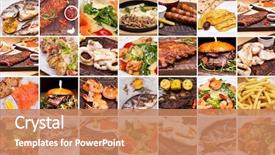
 Presentation with restaurant - Theme enhanced with collage of restaurant dishes background and a coral colored foreground

Collage Restaurant Dishes

Imagine starting your day with a vibrant and dynamic lunch break, surrounded by colorful dishes and lively ingredients that add texture to your plates. The Wide Title is designed to transport you to this culinary wonderland, bringing the sights and flavors of a restaurant dining experience into your own home office. This template features a Widescreen format, perfect for showcasing high resolution images on your laptop or desktop screen. The coral inspired color palette provides a warm and inviting atmosphere, while the big and bold design elements make it easy to add contrast and visual interest to any slide. Whether you're looking to create a professional presentation or just want to enhance your everyday creativity, this template is the perfect choice. The 4 How To slides at the start of the deck provide valuable resources for getting started quickly, making it simple to set up your new design. From featuring high quality background images to having a theme of creative organization, these tips will help you make the most of your new template. And with its enhanced compatibility with Google Slides, you can access this template from anywhere and share it easily with others. As an example, imagine creating a presentation about a popular restaurant chain that serves unique and delicious dishes like sushi rolls and tacos. You could include a collage of images featuring these menu items, set against a coral colored background with warm wood accents and plenty of texture. Having a theme of creative organization would help keep your slides organized and easy to navigate, making it simple to find the information you need quickly.

 Presentation with restaurant - Slide set having table arrangement in restaurant background and a lemonade colored foreground

Table Arrangement Restaurant

The moment you've been waiting for has finally arrived to elevate your presentation game with the Corner Title template from CrystalGraphics. This stunning design is perfect for creating a warm and inviting atmosphere, reminiscent of a bustling restaurant where people gather to enjoy delicious food and good company. This template features a dark salmon color palette that exudes sophistication and elegance, making it ideal for presentations about lunch, banquets, or any other occasion where you want to convey a sense of luxury. The design is simple yet effective, with clean lines and minimal clutter, allowing the high resolution images on the background to take center stage. The template includes four How To slides at the start of the deck to help you get up and running quickly, but don't worry, we won't reveal them just yet. Instead, let's dive into the details that make this template truly special. The 3 Pictures + Captions Layout slide is a great example of how CrystalGraphics has incorporated their expertise in creating visually appealing templates. This layout allows you to showcase multiple images and captions side by side, making it easy to highlight key points or add visual interest to your presentation. The Corner Title template is downloadable and compatible with Google Slides, so you can easily import the high resolution background images and customize them to fit your needs. With its dark salmon color palette and simple design, this template is sure to enhance any presentation, whether it's a business meeting, a conference, or simply a lunchtime gathering with friends.

 Presentation with restaurant - Audience pleasing PPT theme consisting of internet cafe - loving couple in a restaurant backdrop and a coral colored foreground

Loving Couple Restaurant

The scene is set in a trendy modern restaurant, where we find two loving couples laughing and chatting over dinner. The warm glow of the dim lighting and the soft jazz music create a romantic ambiance, making it the perfect backdrop for capturing special moments. The table settings are elegant and refined, with fine china and crystal glasses adding a touch of sophistication to the scene. The High Resolution Images for the background feature beautiful cityscapes at sunset, complete with towering skyscrapers and bustling streets. These images provide a stunning visual representation of the couples' love and connection, creating an immersive experience that draws the viewer in. As we explore this template, you'll notice that it features a Dark Magenta color palette, which adds a sense of luxury and drama to the design. The Dark Magenta is a rich, bold color that evokes feelings of warmth and coziness. This theme is evident throughout the template, with elements such as font styles and background colors chosen to create a cohesive look. The template is designed for widescreen presentation, ensuring that every detail is showcased in high definition. When it comes to compatibility, this template is easily integratable into Google Slides, making it simple to share and collaborate on presentations. As you dive deeper into the details of this template, you'll discover that it includes four How To slides at the start of the deck, each providing valuable guidance for getting started quickly. These templates are ideal for those new to CrystalGraphics or looking to enhance their presentation skills. By featuring a background with a stunning cityscape and having a theme of showcasing fine dining experiences, this template is sure to impress. This template can be used as an example for creating engaging slideshows that celebrate the beauty of relationships. Featuring a romantic couple on one side and highlighting the importance of friendship in our lives on the other can provide valuable insights into what makes us tick. Having a theme of showcasing beautiful images, this template is sure to enhance your presentation skills. On Our CRystal Clear Goal slide, you'll find an inspiring message that emphasizes the importance of prioritizing meaningful connections with loved ones. By featuring a background with stunning images and having a theme of celebrating love in all its forms, this template provides the perfect starting point for creating

 Presentation with restaurant - Presentation design featuring fish-soup-in-the-restaurant background and a coral colored foreground

Fish Soup Restaurant

Imagine sitting at a quaint restaurant, surrounded by warm lighting and the soothing aroma of homemade soup, as you take your first sip of a rich fish broth. The flavors dance on your palate, transporting you to a world of comfort and relaxation. This image is about to become your desktop background, courtesy of CrystalGraphics' latest template, Split Title. This striking template is specifically designed for Widescreen presentation, with a stunning Peru color palette that will elevate any slide to the next level. The perfect blend of sophistication and warmth, it's sure to impress your audience. The template itself boasts high resolution images throughout, creating an immersive experience that will leave viewers in awe. The Split Title design is more than just visually appealing – it has a theme of storytelling, where each element tells a story of its own. Featuring four How To slides at the start of the deck will help you get up and running quickly, but let's be honest, who needs those? Having a seamless transition between sections will keep your audience engaged from start to finish. With this stunning template as your canvas, you can enhance it with additional features such as including a background with subtle animations or having a theme of professional yet approachable design. This is the perfect combination to create an engaging and memorable presentation that truly showcases your brand's unique personality.

 Presentation with restaurant - Colorful PPT layouts enhanced with hot pot in restaurant backdrop and a lemonade colored foreground

Hot Pot Restaurant

As you sit down to enjoy a steaming bowl of hot pot in a bustling Japanese restaurant, the aromas of savory beef and freshly cooked vegetables waft through the air, teasing your senses and building anticipation for the delightful meal ahead. The warm glow of the setting sun casts a cozy ambiance over the entire scene, making it the perfect backdrop for a culinary adventure. This presentation is designed to be a visually stunning experience that will transport you to the vibrant streets of Tokyo, where the flavors and traditions of Japan come alive. Featuring a high resolution image of a bustling hot pot market in winter, this template is sure to captivate your audience's attention and leave them craving for more. The Widescreen format provides an immersive view of the scene, with the background images featuring rich textures and vibrant colors that will transport you to the heart of Japan. The Indian Red color palette adds a pop of warmth and energy to the design, while the accompanying keywords lunch, soup, Japan, winter, beef provide context for the content. The template includes four How To slides at the start of the deck to help users get up and running quickly. However, these steps are not detailed here as they are meant to be self explanatory. Nevertheless, when considering how to use this template, it would be great to include a slide featuring a background image with a clear shot of the presentation's main content. Having a theme of storytelling is also an enhancement that can add depth and meaning to the design. The 3 Pictures + Captions Layout will come in handy for including relevant images alongside captions that highlight key points or visuals from the presentation. This layout allows designers to have control over how their images are presented, adding another layer of customization to the overall design.

 Presentation with restaurant - Amazing theme having rattan furniture - table and chair in restaurant backdrop and a light gray colored foreground

Table Chair Restaurant

As you step into a brand new lunchroom, surrounded by the bustling sounds and vibrant colors of a bustling building, you're immediately transported to a world that's both familiar and yet utterly unique. The Wide Title template is designed to make your presentation stand out from the crowd, with its high resolution images that will leave your audience in awe. This Widescreen format brings the lunchroom experience to life on your slides, featuring 4 easy to use features that'll help you get up and running quickly: the built in table and chair image showcasing an empty but inviting space, the ability to include a background with a subtle texture giving it depth, having a theme of a classic diner or office building enhancing its nostalgic feel, and enhanced with interactive elements allowing for hands on learning. As you delve into your presentation, this template is the perfect companion. With its 5 P's of Marketing Diagram Layout slide, you'll be able to visually organize your content like a pro, featuring key points on the left, supporting details in the middle, problems and solutions on the right, people involved in the process below, and benefits that shine through at the end. From creating engaging visuals to crafting an effective marketing message, this template is the perfect starting point for any presentation. Its Peru inspired color palette will transport your audience to a vibrant world of lunchroom delights, while its easy to use features make it accessible to anyone looking to create a stunning slide deck.

 Presentation with restaurant - Presentation theme consisting of merchant services - interior of a bar background and a gray colored foreground

Interior Bar Restaurant

The moment you click on this Sidebar Title template, your eyes are drawn to the warm and inviting atmosphere that spills out from the dark salmon background. The high resolution images of rustic stools and commercial grade coffee machines immediately grab your attention, evoking the feeling of a cozy bar or restaurant where customers come to relax and indulge in a delicious meal. As you glance around, you notice the template's focus on creating a welcoming ambiance for readers who are eager to dive into the world of cafe culture. The design is rich in texture, with a subtle sheen that suggests the comfort of a well loved armchair. The color palette is dark and muted, yet somehow energetic, thanks to the inclusion of high contrast colors like deep berry tones and crisp whites. The template's theme is expertly woven throughout, from the stylish font choices to the clever use of negative space to create a sense of depth. The 5 Stages Pentagon Layout slide takes center stage, showcasing an intricate design that features multiple elements working together in harmony. Featuring a rich woodgrain background and including a subtle gradient effect, this slide showcases the template's versatility. One of the standout features of this template is its seamless integration with Google Slides. Simply featuring a Background With a solid colored section or image and having a Theme of your choice, you can enhance it to make it truly yours. Having a compatible download option means that you can access this template in style and get started quickly, without any hassle.

 Presentation with restaurant - Slides consisting of foods place travel - blurred view of restaurant interior background and a tawny brown colored foreground

Blurred View Restaurant Interior

Slides consisting of blurred view of restaurant interior

 Presentation with restaurant - Theme enhanced with summer-mocktail-in-the-restaurant background and a coral colored foreground

Summer Mocktail Restaurant

Imagine sipping on a refreshing summer mocktail in a trendy restaurant, surrounded by lush greenery and vibrant flowers, as the warm sun shines down on you. The air is filled with the sweet scent of exotic fruits and the sound of gentle chatter, creating an atmosphere that's both relaxing and invigorating. This is what your Corner Title template promises to deliver, offering a unique blend of style, sophistication, and functionality. The Corner Title template features a dark orange color palette that evokes feelings of warmth and coziness, perfect for creating a welcoming ambiance in any setting. The design name "Corner Title" suggests a focal point, drawing attention to the main content of your presentation. This template is specifically designed for widescreen presentations, ensuring that all elements are perfectly scaled and aligned. The high resolution images used throughout this template will transport you to a summer paradise, featuring lush greenery, vibrant flowers, and exotic fruits. The background images are carefully selected to enhance the overall mood and atmosphere of your presentation. To give you an idea of how it could be used, imagine featuring a stunning image of a fruit salad on a colorful tablecloth, complete with a few sprigs of fresh mint and a slice of lemon. The template is downloadable and compatible with Google Slides, making it easy to import into your favorite presentation software. With its unique design elements and high resolution images, this template is sure to enhance the look and feel of any presentation.

 Presentation with restaurant - Presentation theme featuring modern restaurant interior photo background and a coral colored foreground

Modern Restaurant Interior Photo

The moment you click on this template, you're transported to the heart of Tokyo, Japan, where the vibrant atmosphere and rich history come alive in every detail. The Wide Title, featuring a stunning image of traditional Japanese architecture at sunset, is set against a crimson background that pulses with energy. The design name "Wide Title" perfectly captures the essence of this template, which is designed to be both visually striking and thought provoking. This Widescreen template is tailored for Googel Slides, ensuring seamless integration with your existing presentation software. With a high resolution image as the background, you'll have plenty of space to include all the elements you need to create a captivating visual identity. The Wide Title's crimson color palette provides a cohesive and dramatic backdrop, while the keywords "tone", "cozy", "Japan", "chopsticks", and "historical" showcase the template's versatility. The template is made for enhancement with your own images, adding an extra layer of depth to your presentation. By incorporating high quality background images featuring various aspects of Japanese culture, you can create a truly immersive experience that engages your audience. The 3 Step Funnel Layout on each slide takes it to the next level, providing a clear structure and organization to help you build your narrative. As you explore this template, you'll notice how easily you can incorporate Google Slides compatible features, such as featuring a background with animations or having a theme of storytelling. With its modern design, rich imagery, and downloadable format, this Wide Title template is sure to captivate your audience and leave them wanting more.

 Presentation with restaurant - Audience pleasing slide set consisting of 25 anniversary - young couple on a date backdrop and a coral colored foreground

Young Couple Date Restaurant

Slide set consisting of young couple on a date in a restaurant

 Presentation with restaurant - PPT theme consisting of young people working background and a light gray colored foreground

Young People Working Restaurant

Imagine being part of a vibrant team that serves up more than just food in this Corner Title template, designed to bring a pop of energy and enthusiasm to your presentations. This stunning Widescreen template features a dynamic background with bold Indian Red colors and the perfect blend of high resolution images to showcase your subject matter. The result is an immersive experience that will leave your audience engaged and eager for more. At the heart of this template is its unique coloring scheme, a rich combination of warm reds and deep oranges that evoke a sense of excitement and possibility. Whether you're highlighting career aspirations or waiting for new opportunities to emerge, this Corner Title template provides the perfect backdrop to bring your message to life. The Widescreen format allows for seamless integration with any presentation software, making it easy to share with others. One of the standout features of this template is its clever use of Ansoff Matrix Diagram Layout slide, which showcases a clear path forward while also highlighting potential pitfalls and opportunities. Featuring a bold graphic that clearly communicates your message, this slide is sure to grab attention and inspire thought provoking discussions. Including a Background With a focus on the subject matter at hand, you'll be able to craft a compelling narrative that leaves a lasting impression. Having a Theme of high quality visuals and engaging content is just the beginning, Enhanced With modern design elements and interactive features, this template is sure to enhance your presentations and make them stand out.

 Presentation with restaurant - Cool new presentation with marriage proposed - couple holding their hands backdrop and a coral colored foreground

Couple Holding Hands Restaurant

Presentation with couple holding their hands in restaurant

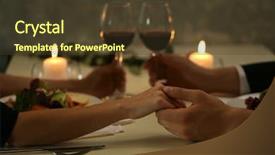
 Presentation with restaurant - Cool new theme with holding their hands in restaurant backdrop and a tawny brown colored foreground

Couple Holding Hands Restaurant

Theme with couple holding their hands in restaurant backdrop

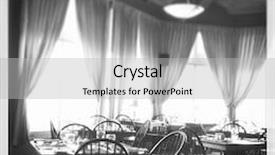
 Presentation with restaurant - Cool new presentation with view of inside a restaurant - black and white - with instagram effect backdrop and a light gray colored foreground

View Inside Restaurant Black

The moment you click on the Sidebar Title template from CrystalGraphics, you're transported to a world of culinary delights and Instagram worthy moments. Imagine yourself standing in the midst of a bustling cafeteria, surrounded by the vibrant colors and lively atmosphere of an inside restaurant. The high resolution images for the background will transport you to this scene, with subtle textures and patterns that evoke a sense of warmth and hospitality. The Sidebar Title template is designed to be a versatile and customizable tool, perfect for creating engaging presentations on Instagram, cafeteria scenes, or any other theme that requires a unique blend of color, interior design, and high quality images. The Ghost White color palette provides a clean and crisp backdrop for your content, while the Circular Step Layout slide allows you to create a seamless flow between different elements. This template is ideal for those who want to enhance their presentations with a background featuring an Instagram effect, including a colorful and lively atmosphere that will capture the attention of your audience. The high resolution images for the background can be easily included in your presentation, making it easy to showcase your content in a visually appealing way. With this template, you'll have everything you need to create engaging and informative presentations that will leave a lasting impression on your viewers.

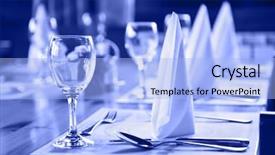
 Presentation with restaurant - Amazing PPT layouts having table in restaurant - food backdrop and a light blue colored foreground

Glasses Plates Table Restaurant -

The moment you click on this template, you'll feel like you're stepping into the heart of a bustling restaurant, surrounded by the warmth and elegance of fine dining. The Wide Title is designed to grab your attention from the very first glance, its stylized font and bold design will leave you wanting more. The Widescreen template format ensures that every detail is fully immersive, with crisp high resolution images for the background that will transport you to a world of luxury and sophistication. The Cornflower Blue color palette is rich and inviting, perfect for creating a cohesive look that exudes refinement and class. Featuring a sleek tablecloth, crystal glasses, and fine china dishes, this template showcases the beauty of elegant banquet settings. Having a theme of fine dining, it's ideal for presentations about foodie culture or culinary arts. Including a background with a subtle texture adds depth to the design, allowing you to enhance your presentation with creative visuals. For example, imagine using this template as a slide deck for a cooking class or a food blogger's website the images will make for engaging and informative content that will attract your audience. With 4 How To slides at the start of the deck to help you get up and running quickly, you'll be well on your way to creating stunning presentations in no time. The Dart Layout slide provides a clear structure and layout, making it easy to organize your thoughts and ideas.

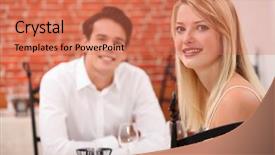
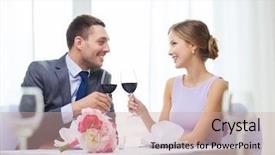
 Presentation with restaurant - Presentation featuring restaurant couple and holiday concept - smiling young couple with glasses of red wine looking at each other at restaurant background and a coral colored foreground

Restaurant Couple Holiday Concept -

The moment you've been waiting for has finally arrived to create the perfect visual representation of your special day. Imagine yourself and your loved one sitting at a cozy restaurant on a warm summer evening, sipping glasses of red wine and enjoying each other's company as the sun sets behind them. The atmosphere is romantic, intimate, and full of love. The Corner Title template is designed to capture this essence perfectly. With its sleek and modern design, it features a light steel blue color palette that exudes sophistication and elegance. The high resolution images for the background will transport you to a world of luxury and relaxation, making your presentation truly unforgettable. This template is downloadable and compatible with Google Slides, so you can easily share it with others or use it as is in your own presentations. The Corner Title template includes four How To slides that will help you get up and running quickly. These slides cover the basics of creating a stunning visual representation, from setting up your presentation to adding a theme and enhancing your design. The 5 Stages Pentagon Layout slide is also included, featuring a unique layout that showcases how to organize your content in a clear and concise manner. This template is perfect for anyone looking to create a beautiful and engaging visual representation of their special day. Whether you're a professional or an amateur designer, the Corner Title template will help you create a stunning presentation that will leave a lasting impression on your audience. Featuring a background with a subtle texture, including a background with a warm wood tone, having a theme of love and romance, enhanced with romantic candles and flowers, this template is sure to impress.

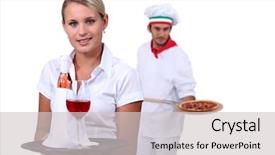
 Presentation with restaurant - PPT layouts having management - young restaurant manager posing background and a sky blue colored foreground

Young Restaurant Manager Posing Front

This stunning design is a prime example of how to instantly elevate your presentation's visual appeal, thanks in large part to its eye catching goldenrod background that sets the tone for an intimate and inviting atmosphere. The Widescreen format allows viewers to immerse themselves in the scene, making it the perfect canvas for showcasing high resolution images that bring the key figures to life. From the high quality restaurant exterior with people gathered outside catering building in the foreground to the detailed shot of a young woman posing confidently amidst her team, every element is meticulously crafted to create an immersive experience. The template's goldenrod color palette adds a warm and welcoming touch, perfect for creating a theme of professionalism and hospitality that fits perfectly with the catering industry. This design would be ideal for showcasing your presentation on Google Slides, as it features images that can be easily integrated into the background or used to enhance text elements. One of the standout features of this template is its use of grid layout, where 6 pictures are carefully arranged to create a visually appealing composition. On this slide, you could include a large image featuring the woman in the center, with her arms folded in a thoughtful pose, surrounded by images showcasing various aspects of her role as restaurant manager, such as opening menus or coordinating events, as well as shots of happy customers enjoying their meals. This grid layout will provide an excellent opportunity to showcase your key points and make them stand out from the rest. Throughout this presentation, the goldenrod color palette is consistently applied throughout, creating a cohesive look that ties together beautifully with the images featured in each slide. From the background image featuring the catering building to the text elements, every element has been thoughtfully chosen to enhance the overall theme of hospitality and professionalism.

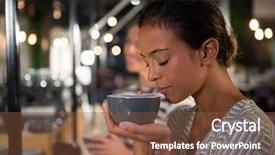
 Presentation with restaurant - Amazing slides having customers perception - beautiful woman smelling coffee backdrop and a tawny brown colored foreground

Beautiful Woman Smelling Coffee Restaurant

The corner title template features a vibrant and inviting design that perfectly captures the essence of youth culture. The high resolution images on the background create a dynamic atmosphere that will draw in your audience. This stunning cafe scene is set against a warm and inviting backdrop, complete with rich wood accents and natural light pouring in through the windows. The Peru color palette provides a unique and captivating theme for this template, featuring earthy tones and bold accents that evoke a sense of energy and dynamism. The combination of warm beige, rich terracotta, and deep turquoise creates a visually striking contrast that will leave your viewers feeling energized and inspired. This template is designed to be both stylish and functional, making it an ideal choice for presentations on youth culture, social media marketing, or any other topic that requires a creative and engaging approach. The downloadable and compatible format with Google Slides ensures seamless integration into your existing workflow. With four How To slides at the start of the deck, you can quickly get up and running and start creating content that resonates with your audience. The template includes an Enhanced Background With feature, allowing you to add or remove images from the background as needed to enhance the overall design. This template also features a Panoramic Picture Layout slide, perfect for showcasing multiple images in a single layout. Whether you're looking to create a social media campaign or a presentation on youth culture, this template is sure to deliver.

▼Key features of this template

  • They are compatible with both PowerPoint and Google Slides running on either Windows PCs or Macs.

  • They are available in both standard and widescreen slide formats. You can choose your preferred format by clicking on the "Widescreen" check box or icon.

  • Each template includes a beautiful high-resolution background image or video to visually reinforce the theme of your presentation.

  • In addition, each template includes designer-created graphics and modern fonts to give your presentations an up-to-date, professional look.

  • Each template's default design and title text position have been carefully selected to complement its background without covering faces or other key elements.

  • All text includes backdrops whose transparency level is mathematically calculated to maximize text readability while still allowing the background to be seen.

  • And all the text, text backdrops and graphics in every slide are colored with a palette designed to beautifully complement the colors in the background.

  • Our Premium templates (those with the descriptor “Premium” in their subtitle) include over 64 slide layouts to give you maximum flexibility as you create your presentations.

    • Those layouts are available to you whenever you create a new slide or when you want to change the layout of an existing slide.
    • They include everything you need to make all sorts of presentations. In addition to the layouts for the title slide and the usual title and content slide, they include many other layouts for slide types including table of contents slides, org charts, charts, diagrams, infographics, photo slides, thank you slides and more.
    • While creating these layouts our template designers have ensured that all text in every layout adjusts as gracefully as possible to various numbers of words.
  • Customizable templates (those with the descriptor “Customizable” in their subtitle) may be easily modified online before you download them.

    • To modify them, simply click on the pencil editing icon, then select your choice of ready to go designs and title text positions.
    • The editing tool also makes it easy to reposition and scale the background image or video to best suit your needs.

▼FAQs

Please review these FAQs to see if your question is answered. Contact us for more info

  • What is a PowerPoint template?

    • A well designed PowerPoint template is a file that can tell PowerPoint how to make your ordinary templates look extraordinary. They won’t change what your words or numbers say. But they might change their size, color, font and placement. And, overall, they can give your presentations a professionally-designed look that will give your content more credibility and give you more confidence.
  • How many PowerPoint templates do you offer?

    • We have over 32,000 artist-created presentation templates in our PowerPlugs collection With a subscription, PowerPlugs templates are easy to download. Just sign in, find a template and click on the green Download button. ready for you to download. That alone offers you more variety to choose from than any of our competitors can offer. And, as if that weren’t enough, we also offer over 6 million templates in our Crystal collection. Crystal brand templates are our line of templates that have customization options. They have the word "CRYSTAL" on their web page images. You can customize several aspects of the templates. These templates include high-resolution background images from Shutterstock’s vast image collection matched up with artist-created presentation designs customized by our own proprietary AI software.
  • How many templates can I download as a subscriber?

    • You can download an unlimited number of PowerPlugs-brand With a subscription, PowerPlugs templates are easy to download. Just sign in, find a template and click on the green Download button. templates every day for an entire year. (Actually, by default, we set a limit of 25 templates per day to prevent our competitors from stealing our templates. But, if that is not enough, just let us know and we’ll try to accommodate you.) On top of that, with a subscription or an Ultimate Combo, you can also download any 50 Crystal-brand Crystal brand templates are our line of templates that have customization options. They have the word "CRYSTAL" on their web page images. You can customize several aspects of the templates. templates per year selected from our huge Crystal collection. Crystal brand templates are our line of templates that have customization options. They have the word "CRYSTAL" on their web page images. You can customize several aspects of the templates. .
  • Why should I choose your templates instead of the competition’s?

    • We’ve got a larger selection of professionally-designed PowerPoint templates than anyone else in the world.
    • Each template includes a high-resolution background image or video to visually inspire your audiences while reinforcing your message.
    • Each template includes 64 slide layouts to give you maximum flexibility as you create your presentations.
    • Our templates are available in both standard and widescreen slide formats. And our website lets you preview the slides each way.
    • Our free Template Finder™ plugin lets subscribers select and - with a single click - download and insert our templates into their presentations right from within PowerPoint.
    • We’ve been creating designer presentation templates for over 20 years. During that time we’ve won several awards and 5-star ratings for product quality. See About Us for more.
  • Do you offer a money-back guarantee?

    • Yes we do! We offer full 30-day money-back guarantee if you are not 100% satisfied with your purchase.
  • Can I still use my downloaded templates after my subscription runs out?

    • Yes. After your subscription expires, you won't lose any rights or ability to use your PowerPlugs: Templates for PowerPoint. You won't be able to download any new non-watermarked templates. But the non-watermarked templates you've already downloaded will still work and you can still use them as before.
  • Can I share my downloaded templates or passwords with friends or coworkers?

    • Sorry but no. You are authorized to download each paid-for template to up to 3 of your personal devices and to use the templates you download in as many presentations as you want. But you are not authorized to share the templates, themselves, with others. That said, we do offer highly discounted site licenses to suit the needs of both small and large teams. Just tell us your needs and we’ll give you a quote!
  • System requirements:

    • The templates use the standard POTX format. So they are compatible with Google Slides and all PC, Mac and mobile devices running any version of PowerPoint from PowerPoint 2007 up through and including Office 365 desktop.
    • Please note: Google Slides does not currently support background videos. It treats them as still images.
    • For PowerPoint for the Web, first open your template into a desktop version of PowerPoint, then save it back out as a PPTX file. Then you can open that in PowerPoint for the Web.
  • End user license agreement:

    • Click here to view.
  • How will I get my purchased templates?

    • You may download your selected templates as soon as your payment is received by PayPal. If you purchased an individual template, you will be provided with a download link both onscreen and via email. Just click on that link to begin the download process. If you purchased a subscription, you will receive an email containing a password to use along with your email address to sign in to any of the templates pages on CrystalGraphics.com. Once you are signed in, you can immediately start downloading your selected templates.
  • How do I use my templates after I download them?

    • You can either open a template to start a new presentation or you can add a template to an existing presentation. To open a template, just double click on it or use PowerPoint's File > Open tool. To add a template to an existing presentation, on the Design tab, in the Themes group, click Browse for Themes... then browse to select your template.

View more Restaurant templates:

previous 1 2 3 4 5 6 7 8 9 10 11 12 13 14 15 16 17 18 19 next
Categories related to Restaurant:
Chinese Dining Equipment Family French Indian Kitchen Menu Mexican Pasta System Toasting Waiter
93% of Fortune 1000
companies use our
PowerPoint Products
Templates Secure

Standing Ovation Award
Winner: Best PowerPoint
Template Collection
Fortune Logos
200,000+ satisfied
customers worldwide!
Guarantee
100% satisfaction guaranteed
- or send it back for a refund!

Sign up for our free newsletter! You'll get news about our PowerPoint-enhancing product line – including free updates, new product announcements and exclusive special offers. Plus you'll get a link to a free PowerPoint template with every newsletter you receive.
Privacy Policy
Loading...


Help

Contact Us
Product FAQs
Product License Agreements

Company Info

About Us
Privacy Policy
CrystalGraphics, Inc. 1999 S. Bascom Avenue Suite 700 Campbell, CA 95008 USA
© 2026 CrystalGraphics, Inc. All rights Reserved.    |     PowerPlugs is a trademark of CrystalGraphics, Inc.
Microsoft and the PowerPoint logo are trademarks or registered trademarks of Microsoft Corporation in the United States and/or other countries.
Loading...
Loading...