www.crystalgraphics.com CrystalGraphics
  • Ultimate Combo
  • Templates
  • Diagrams
  • Characters
  • Quizzes
  • shopping cart
  • Sign Out Sign Out Sign In
Home > Templates > Restaurant Category
search icon
advanced icon

381 Best Restaurant-Themed Templates for PowerPoint and Google Slides

Immerse yourself in the warm ambiance of a bustling restaurant, where every detail comes together to create an unforgettable dining experience. With our stunning Restaurant PowerPoint templates, you'll be transported to a world of elegance and sophistication, featuring beautiful backgrounds, vibrant colors, and mouth-watering images that will tantalize your taste buds.

From the moment you step into the foyer, explore the majestic pillars that support the grand ceiling, each one adorned with delicate glassware, fine china, and tawny brown-colored furniture. The atmosphere is inviting, with a sophisticated backdrop that sets the tone for a memorable meal. But it's not just about aesthetics - our templates also feature mouth-watering images of delicious Pepper and Cheese sandwiches on white plates, accompanied by a warm hospitality theme.

With CrystalGraphics Restaurant PowerPoint template collection, you can create presentations that are both visually stunning and functional, perfect for businesses, professionals, or anyone looking to elevate their presentation skills. The templates come with 60+ slides, including a title slide that sets the tone for your presentation, plus numerous customization options to make it truly yours.

This vast collection of Restaurant PowerPoint templates is available in both widescreen and standard formats, ensuring compatibility with Google Slides and easy integration into any digital project. Plus, with instant 24/7 download access, you can save time and effort, while still enjoying the high-quality visuals and customizable elements that our templates have to offer.

So why settle for an ordinary presentation when you can make a statement with CrystalGraphics Restaurant PowerPoint template collection? Explore our extensive library today, browse through other categories, and discover the perfect template for your needs. Download and customize with ease - your presentations will thank you!

Features & Pricing

Widescreen (16:9) Presentation Templates. Change size...
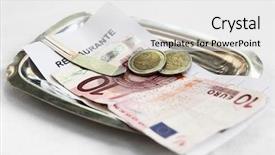
 Presentation with restaurant - Cool new PPT layouts with restaurant bill and money backdrop and a white colored foreground

Restaurant Bill Money Matal Tray

PPT layouts with restaurant bill and money on matal tray backdrop

 Presentation with restaurant - PPT layouts consisting of sunlit restaurant patio with several set tables background and a lemonade colored foreground

Sunlit Restaurant Patio Several Set

PPT layouts consisting of sunlit restaurant patio with several set tables

 Presentation with restaurant - Slides with friends eating at restaurant background and a coral colored foreground

Happy Couple Friends Eating Restaurant

As you step into your kitchen, the warm glow of the sunset streaming through the windows creates a romantic ambiance that makes you want to share a delicious lunch with your loved one. The aroma of freshly cooked food wafts through the air, teasing your taste buds and building anticipation for a joyful moment with the ones you hold dear. In this setting, featuring a happy couple sharing a meal together is the perfect scenario. The scene unfolds against a stunning backdrop of high resolution images that transport you to a warm summer day. The vibrant colors and lively atmosphere are enhanced by the rich crimson color palette that sets the tone for a lively and engaging presentation. A few key design elements are used throughout, such as including a background with subtle texture and having a theme of showcasing a main event – in this case, a lovely lunch with friends. As you explore the template, you'll notice that it's designed to be easy to use and customize. The main body of the presentation is created using high resolution images, giving your slide an authentic feel that will enhance the overall experience. A few layout tweaks on the Growth Stages Layout slide can help keep your content organized and visually appealing. With four How To slides at the start, getting started quickly is a breeze. These slides cover the basics of how to create engaging presentations, including tips and tricks for designing effective templates, using Googel Slides features, and crafting compelling visuals. Having this foundation in place will set you up for success as you work on your own projects or collaborate with others.

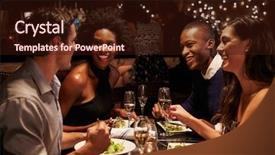
 Presentation with restaurant - Slide deck having night party - two couples enjoying meal background and a wine colored foreground

Two Couples Enjoying Meal Restaurant

Slide deck having two couples enjoying meal in restaurant together

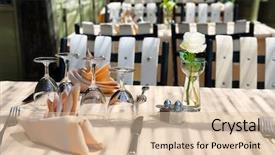
 Presentation with restaurant - Audience pleasing PPT theme consisting of outdoor-restaurant-table-ready backdrop and a coral colored foreground

Outdoor Restaurant Table Ready New

As you step into this outdoor restaurant table ready to impress your new customers, imagine the warm glow of high resolution images adorning the walls, transporting you to a vibrant and lively atmosphere that's sure to leave a lasting impression. The Split Title template is the perfect starting point for creating a visually stunning presentation, featuring a background with a sophisticated Peru color palette that sets the tone for an upscale experience. The Split Title template is designed in widescreen format to give your slide deck a wide and expansive feel, making it perfect for showcasing high resolution images that bring your brand's personality to life. With its elegant design, you'll be able to include a background with subtle texture overlays or vibrant colors that enhance the overall look and feel. This template features a theme of gourmet cuisine, complete with rustic elements like grapevines and a vintage inspired tablecloth, ensuring that your presentation is full of warmth and character. The Split Title template includes four easy to follow slides at the start to help you get up and running quickly, featuring an engaging design that showcases your brand's unique story. The Table of Contents slide will take viewers on a journey through the different sections of your presentation, providing clear instructions on what to expect from each slide. You can include high quality images or graphics throughout this section to make it visually appealing and engaging. To enhance the overall experience, you could also feature a downloadable template with seamless transitions and animations that add an extra layer of interactivity. With its stylish design, Peru color palette, and versatile templates, the Split Title template is the perfect choice for anyone looking to create a high quality presentation that sets their brand apart from the rest.

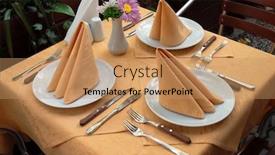
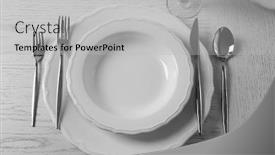
 Presentation with restaurant - Presentation enhanced with table-set-at-restaurant background and a light gray colored foreground

Table Set Restaurant Light Background

Presentation enhanced with table set at restaurant on light background background

 Presentation with restaurant - PPT theme consisting of takes - friends taking photo on cellphone background and a coral colored foreground

Friends Taking Photo Cellphone Restaurant

As you begin to explore the Wide Title template designed specifically for you, imagine yourself in a vibrant atmosphere where friendships and moments are cherished. The Chocolate color palette brings warmth and coziness, evoking feelings of comfort and relaxation amidst lively conversations. This template features high resolution images of lunch scenes that will transport you to bustling restaurants, cafes, or even backyard gatherings filled with laughter and adventure. It's the perfect backdrop for creating engaging slides, highlighting your creativity and flair. With Wide Title, you can include a Background With element, adding a 3D effect to elevate your designs and make them stand out. Having a Theme of Incorporating a Background With allows you to experiment with different environments, from cityscapes to tranquil landscapes. The template is compatible with Google Slides, making it easy to share and collaborate on presentations. It's also downloadable, so you can use it offline or access it through your cloud storage. As an added touch, the "Thanks You Layout" slide showcases a beautifully designed section that highlights the importance of expressing gratitude in our digital lives. The template is enhanced with modern features like interactive animations and real time updates, ensuring your presentations stay fresh and engaging. When featuring elements, such as illustrations or images, you can choose from a range of styles to match your unique style or branding.

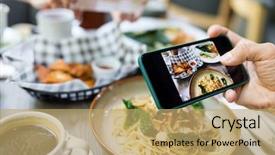
 Presentation with restaurant - Beautiful slide set featuring japanese girl - woman taking photo on dishes backdrop and a  colored foreground

Woman Taking Photo Dishes Restaurant

A vibrant and inviting corner title that sets the tone for the presentation is in order. This dynamic design combines elements of retail therapy with a casual, laid back vibe, perfect for showcasing products or services in a creative and engaging manner. The Corner Title template is specifically designed to work seamlessly across widescreen formats, creating a stunning visual impact on any screen size. The Sandy Brown color palette adds warmth and coziness, transporting the viewer to a charming eatery where a delicious salad awaits. To enhance this theme, featuring high resolution images of plates, shops, women, and retail spaces will create an immersive experience. This template is ideal for showcasing a variety of retail products or services, including kitchenware, dishes, and even meal planning tools. The Our Premium Templates section highlights the vast array of layouts available, offering something new to try each time you explore the possibilities. With over 60+ layouts to choose from, your creativity will be fully unleashed. Whether you're a professional showcasing product offerings or an entrepreneur launching a new business, this template is sure to turn heads and inspire. Including a Background With high quality images of food, customers, and staff ensures that every scene is authentic and engaging. Have a theme of creative freedom and enhance your presentation with this versatile Corner Title design.

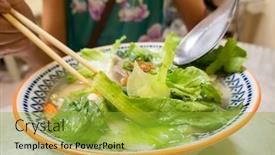
 Presentation with restaurant - Colorful theme enhanced with closeup-image-of-vietnamese-pho backdrop and a gold colored foreground

Closeup Image Vietnamese Pho Restaurant

Theme enhanced with closeup image of vietnamese pho at a restaurant

 Presentation with restaurant - Audience pleasing slide deck consisting of furnished facilities - isolated wine glasses backdrop and a  colored foreground

Isolated Wine Glasses Bar Restaurant

Slide deck consisting of isolated wine glasses in a bar and restaurant

 Presentation with restaurant - Amazing presentation design having closeup-image-of-vietnamese-pho backdrop and a gold colored foreground

Closeup Image Vietnamese Pho Restaurant

Imagine yourself standing in front of a steaming hot bowl of pho, the aroma filling your nostrils and tempting your taste buds. The rich broth, savory meats, and crunchy vegetables all combine to create a culinary experience that's both comforting and indulgent. This template is designed for foodies, chefs, and anyone who appreciates the art of cooking and presentation. With its dark khaki color palette and modern design, it features high resolution images throughout, including a stunning background image that showcases the beauty of Vietnamese cuisine. The template includes keywords such as chili, soup, cabbage, shrimp, savory, and is optimized for use with Google Slides. This means you can easily search for relevant slides and include them in your presentation. The overall design has a sophisticated theme, featuring images that evoke the warm and inviting atmosphere of a bustling restaurant. The high resolution background is sure to bring any image to life, making it perfect for showcasing food photography or other culinary related content. Our CRystal Clear Goal slide can be tailored to fit your specific needs, including custom backgrounds with text or images. We've seen templates that feature beautiful photographs of exotic destinations and others that highlight the story behind a particular dish. By using this template, you'll be able to create engaging presentations that showcase your passion for food and cooking, whether you're sharing recipes, hosting dinner parties, or simply sharing your culinary creations with friends and family.

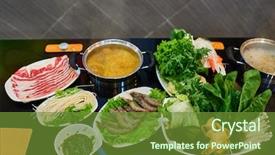
 Presentation with restaurant - PPT layouts with hot pot in a restaurant background and a tawny brown colored foreground

Chinese Hot Pot Restaurant Beijing

The bustling streets of Beijing China are abuzz with the savory aromas of hot pot and steaming bowls of noodles as locals gather to share in the joy of this traditional Asian dish. The warm glow of the neon lights outside gives way to the cozy ambiance of a crowded restaurant, where the sounds of sizzling meats and lively chatter fill the air. In this vibrant scene, creativity knows no bounds, and so does the design. Corner Title is a template that will transport you and your audience to the heart of China's culinary culture with its rich and bold Peru color palette, featuring warm earth tones, deep reds, and sunny yellows that evoke the colors of freshly cooked noodles and savory broths. The template's Widescreen format provides an immersive viewing experience, perfect for showcasing high resolution images of hot pot dishes, steaming bowls of noodles, and bustling restaurants. The design is simple yet effective, with clean lines and a minimalist aesthetic that allows the beauty of the dish to take center stage. With Corner Title as your starting point, you'll be able to easily create a seamless transition between visuals and text using Google Slides' intuitive tools. Featuring a background image or video from a high quality source, Including a Background With expert graphics, you can enhance your presentation with depth and context. Having a Theme of engaging storytelling and showcasing the diversity of Asian cuisine will keep your audience engaged and motivated to learn more. In a typical design funnel layout, you might start by Creating a Visual Sitemap to outline the structure of your slide deck, then Moving on to Developing Engaging Content that resonates with your target audience. Enhancing this content with visually appealing graphics and optimizing it for search engine optimization (SEO) will make it easier for people to find and share your presentation online.

 Presentation with restaurant - Presentation featuring closeup-image-of-vietnamese-pho background and a coral colored foreground

Closeup Image Vietnamese Pho Restaurant

Presentation featuring closeup image of vietnamese pho at a restaurant

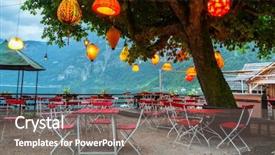
 Presentation with restaurant - Presentation theme featuring lampions in empty restaurant background and a gray colored foreground

Lampions Empty Restaurant Hallstatt Town,

Presentation theme featuring lampions in empty restaurant of hallstatt town austria

 Presentation with restaurant - Slide set with closeup-image-of-vietnamese-pho background and a yellow colored foreground

Closeup Image Vietnamese Pho Restaurant

Imagine sipping on a steaming bowl of pho at a cozy Vietnamese restaurant, the aroma of savory broth and spices wafting through the air as you take your first sip. The warm sunlight filters through the window, casting a golden glow over the scene, and the sounds of sizzling meat and lively chatter fill the background. This is what the Wide Title template from CrystalGraphics promises to deliver an attention grabbing design that transports you to the bustling streets of Vietnam. The Widescreen format ensures that every detail is crisp and clear, with high resolution images for the background that will make your presentation pop. The Olive Drab color palette adds a touch of warmth and sophistication, while the template keywords chili, soup, cabbage, shrimp, savory hint at the delicious flavors you'll be featuring in your slides. The template is downloadable and compatible with Google Slides, making it easy to import into your favorite presentation software. And when you're ready to take it to the next level, just add some high quality images from CrystalGraphics' vast library of designs. The Gears in Sync Layout slide will help you create a seamless flow between slides, while the Enhanced With background feature ensures that every element is perfectly synchronized. This template is perfect for anyone looking to elevate their presentation game with a unique and engaging design. Whether you're presenting on a topic as diverse as chili soup or cabbage shrimp, this Wide Title template has got you covered.

 Presentation with restaurant - PPT theme having closeup-image-of-vietnamese-pho background and a yellow colored foreground

Closeup Image Vietnamese Pho Restaurant

Imagine savoring a steaming bowl of pho on a chilly evening at a cozy Vietnamese restaurant, surrounded by the warm glow of candlelight and the rich aroma of slow cooked beef broth, all set against a rustic backdrop of olive green walls and wooden accents. This is what the Wide Title template from CrystalGraphics promises to deliver a stunning visuals that transport you to the heart of Asian cuisine. This template features high resolution images for the background, showcasing vibrant colors and intricate details that bring your presentation to life. The format is specifically designed for widescreen viewing, ensuring an immersive experience on any device. With its soothing olive color palette, it's the perfect complement to any culinary themed topic. As you delve into this template, you'll notice four How To slides at the start of the deck a comprehensive guide to getting started quickly and easily. These tutorials will walk you through each step, from preparing your content to delivering your presentation with confidence. To enhance the experience, we've included several design elements that make it easy to include a background with a rich texture or image, having a theme of showcasing a variety of Asian ingredients and cooking techniques, and featuring a generous amount of whitespace for easy reading. The template is also fully compatible with Google Slides, making it accessible on any device. Who We Are Bio Layout: Our team at CrystalGraphics has years of experience in creating engaging presentations that captivate audiences. With our team's expertise, you can rest assured that your presentation will be nothing short of exceptional. This template offers the perfect blend of style and functionality to elevate your culinary themed presentation. Whether you're a food blogger, a chef, or simply someone who loves cooking and sharing recipes with others, this template is sure to impress. With its warm colors, engaging design elements, and high quality visuals, it's an ideal choice for anyone looking to create stunning presentations that delight their audience.

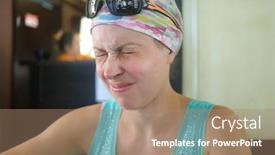
 Presentation with restaurant - Cool new slides with negative human emotions reaction - woman at restaurant tried something backdrop and a coral colored foreground

Woman Restaurant Tried Something Nasty,

The Corner Title template is a stunning design that will undoubtedly grab your audience's attention from the very first glance. This high resolution widescreen template features a Caucasian woman at a restaurant trying something nasty, her expression a perfect representation of displeasure. The background image is a vibrant yellow green color scheme that sets the tone for a refreshing and uplifting presentation. The Corner Title template is designed to be downloadable and compatible with Google Slides, making it easy to incorporate into your existing workflow. With its unique theme and high resolution images, this template is sure to enhance any presentation or slide deck. Featuring a clean and modern design, including a background with subtle texture, having a theme of sophistication and elegance, enhanced with a touch of whimsy, the Corner Title template is perfect for anyone looking to add a pop of personality to their slides. The 5 Steps to Success Layout slide provides a clear structure for your presentation, guiding you through the key elements that will help you achieve success. This layout includes space for key messages, supporting images, and call to actions, making it easy to create an engaging and effective presentation. Whether you're presenting to a large audience or a small group, this template is sure to inspire confidence and motivate your viewers to take action. The Corner Title template is perfect for anyone looking to add a touch of personality to their slides, from business professionals to students and educators. With its unique design and high resolution images, this template is sure to enhance any presentation or slide deck, making it an ideal choice for anyone looking to make a lasting impression.

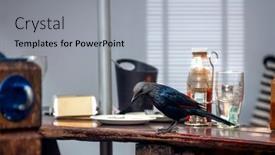
 Presentation with restaurant - Presentation with black-bird-sitting background and a light gray colored foreground

Black Bird Sitting Restaurant Table

In a world where urban wildlife meets fast food heaven, a black bird sits regally on a restaurant table, surveying its kingdom with an air of superiority. Its plumage glistens in the sunlight that filters through the windows, casting a warm glow over the bustling scene below. The background is a high resolution image of a bustling cityscape at sunset, complete with towering skyscrapers and a crowded street filled with people enjoying their meals. The Cornflower Blue color palette is used throughout, adding a touch of elegance to the design. This soothing color scheme will transport your audience to a peaceful oasis amidst the chaos of urban life. The template is formatted for widescreen presentation, allowing the viewer to fully immerse themselves in the scene. The high resolution images feature in a way that showcases their detail and texture, creating an immersive experience. The background image can be enhanced with additional elements such as city lights or pedestrians to add depth and context. When it comes to Quotation Layout, this template features a elegant and understated design that allows the words to take center stage. A simple border surrounds the text, adding a touch of sophistication without overpowering it. The layout is designed to be easy to read, with clear headings and concise wording that will keep your audience engaged. As for what it could look like, imagine a slide titled "Wildlife Encounter" featuring an image of a black bird standing on its hind legs, looking directly at the camera. Below this image, a quote from a conservationist reads "The beauty of urban wildlife lies not in their habitats, but in the way they thrive in unexpected places". This type of slide would be Enhanced With additional visuals and text to make it even more compelling. Having a theme of showcasing urban wildlife in creative and innovative ways can help to grab your audience's attention and inspire them to explore more.

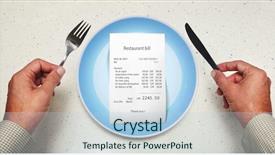
 Presentation with restaurant - PPT theme featuring cost benefit - bill on empty plate background and a light blue colored foreground

Bill Empty Plate Visitor Restaurant

This is a stunning PowerPoint template that will elevate your presentation to new heights. Start with a visual hook that grabs the attention of your audience: a high resolution image of a bustling cafeteria scene at lunchtime, with empty plates, silverware scattered everywhere, and a happy visitor in the background enjoying their meal. The vibrant light steel blue color palette sets the tone for a sophisticated and modern look. The Wide Title "Features" is set against this backdrop, perfectly complementing the minimalist design aesthetic of the template. With 8 images carefully curated to create an engaging grid layout, you'll be able to showcase your key points in a clear and concise manner. The high resolution images will add depth and visual interest to each slide, making it easy for your audience to follow along. The template is downloadable and compatible with Google Slides, so you can easily customize the layout and colors to fit your unique style. A list of keywords "lunch, hands, cafeteria, empty, silverware" helps to refine search results and ensure that your presentation appears in relevant search queries. Throughout this deck, you'll find four How To slides that provide a solid foundation for getting up and running quickly with the template. These slides will feature an accompanying background with a simple pattern of plates or utensils, showcasing the versatility of the design. With "Having a Theme of" seamlessly integrated into each slide, you can create a cohesive look while still allowing for customization. Incorporating high resolution images of various scenes from different locations (e.g., city streets, park benches, coffee shops) adds an extra layer of visual interest to your presentation. The theme of the template is enhanced with its incorporation of "Including a Background With" perfect for adding context and depth to key points. This stunning PowerPoint template is sure to impress your audience with its unique blend of style and functionality.

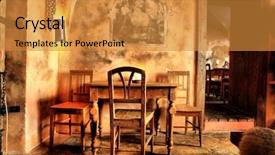
 Presentation with restaurant - Amazing theme having history furniture - shot of a restaurant designed backdrop and a gold colored foreground

Shot Restaurant Designed Medieval Style.

Imagine stepping into a charming medieval style restaurant where the atmosphere is warm and inviting, with rich golden tones that evoke a sense of history and tradition. The Corner Title template is designed to transport you to this bygone era, featuring four How To slides to help you get up and running quickly. But before we dive in, let's take a look at what this template has to offer. The Goldenrod color palette provides a warm and inviting backdrop for your presentation, with shades of golden yellow and orange that evoke a sense of luxury and sophistication. The high resolution images on the background will transport you to a bygone era, complete with rustic wooden tables, ornate stone walls, and plush velvet drapes. This template is downloadable and compatible with Google Slides, making it easy to incorporate into your presentation. The Corner Title template has a unique Two Content Layout slide that allows you to showcase multiple elements in a single slide, such as a background image, text, and images. For example, you could include a high resolution image of the restaurant's interior, along with some text highlighting its unique features and history. This feature will enhance your presentation and make it more engaging for your audience. The template also includes a "Featuring" section that highlights key elements of the design, such as the use of golden tones and rustic textures. Having a theme of "Historical" is also evident throughout the template, with nods to traditional architecture and decor. This will help you create an immersive experience for your audience, making them feel like they're stepping into the past. The Corner Title template is perfect for presentations that require a touch of elegance and sophistication, such as historical events or cultural celebrations. Its unique design elements and high resolution images make it an ideal choice

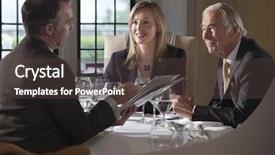
 Presentation with restaurant - Colorful presentation theme enhanced with three businesspeople sitting at restaurant backdrop and a dark gray colored foreground

Three Businesspeople Sitting Restaurant Table

The world of business and professional branding has long been dominated by stark, modern templates that scream "professional" but often feel dull and uninspiring. But what if you could create a template that exudes sophistication and elegance while still being approachable and relatable? Welcome to Corner Title, the bespoke powerpoint template designed specifically for creatives and professionals who crave a unique touch. Corner Title is tailored to complement high resolution images of elegant settings such as luxury restaurants or classic London townhouses, where sophisticated businesspeople like to gather. The Widescreen format ensures that every detail is crisply defined, from the tablecloth draped tables to the crisp, modern typography. This template features a rich Saddle Brown color palette that adds warmth and depth to any presentation. The mature tone of Corner Title perfectly captures the essence of lunch meetings in upscale establishments or dinner gatherings with colleagues, all set against a backdrop of refined, classic settings that evoke a sense of tradition and expertise. To give you an idea of how this template can enhance your slide deck, featuring a dramatic image of four businesspeople gathered around a formal table, discussing documents with ease. In Summary Layout, the Corner Title template is designed to showcase your work in a clean and engaging way, allowing you to focus on delivering exceptional results while showcasing your personality. The template includes four How To slides at the start to help you get up and running quickly – making it easy for you to dive straight into creating your own unique style. For example, an enhanced version of this template could be customized with a high quality image of a luxurious London penthouse, complete with floor to ceiling windows and a stunning cityscape view. By incorporating the Saddle Brown color palette and elegant tablecloth design elements, you can create a truly professional yet approachable visual identity that reflects your brand's unique personality.

▼Key features of this template

  • They are compatible with both PowerPoint and Google Slides running on either Windows PCs or Macs.

  • They are available in both standard and widescreen slide formats. You can choose your preferred format by clicking on the "Widescreen" check box or icon.

  • Each template includes a beautiful high-resolution background image or video to visually reinforce the theme of your presentation.

  • In addition, each template includes designer-created graphics and modern fonts to give your presentations an up-to-date, professional look.

  • Each template's default design and title text position have been carefully selected to complement its background without covering faces or other key elements.

  • All text includes backdrops whose transparency level is mathematically calculated to maximize text readability while still allowing the background to be seen.

  • And all the text, text backdrops and graphics in every slide are colored with a palette designed to beautifully complement the colors in the background.

  • Our Premium templates (those with the descriptor “Premium” in their subtitle) include over 64 slide layouts to give you maximum flexibility as you create your presentations.

    • Those layouts are available to you whenever you create a new slide or when you want to change the layout of an existing slide.
    • They include everything you need to make all sorts of presentations. In addition to the layouts for the title slide and the usual title and content slide, they include many other layouts for slide types including table of contents slides, org charts, charts, diagrams, infographics, photo slides, thank you slides and more.
    • While creating these layouts our template designers have ensured that all text in every layout adjusts as gracefully as possible to various numbers of words.
  • Customizable templates (those with the descriptor “Customizable” in their subtitle) may be easily modified online before you download them.

    • To modify them, simply click on the pencil editing icon, then select your choice of ready to go designs and title text positions.
    • The editing tool also makes it easy to reposition and scale the background image or video to best suit your needs.

▼FAQs

Please review these FAQs to see if your question is answered. Contact us for more info

  • What is a PowerPoint template?

    • A well designed PowerPoint template is a file that can tell PowerPoint how to make your ordinary templates look extraordinary. They won’t change what your words or numbers say. But they might change their size, color, font and placement. And, overall, they can give your presentations a professionally-designed look that will give your content more credibility and give you more confidence.
  • How many PowerPoint templates do you offer?

    • We have over 32,000 artist-created presentation templates in our PowerPlugs collection With a subscription, PowerPlugs templates are easy to download. Just sign in, find a template and click on the green Download button. ready for you to download. That alone offers you more variety to choose from than any of our competitors can offer. And, as if that weren’t enough, we also offer over 6 million templates in our Crystal collection. Crystal brand templates are our line of templates that have customization options. They have the word "CRYSTAL" on their web page images. You can customize several aspects of the templates. These templates include high-resolution background images from Shutterstock’s vast image collection matched up with artist-created presentation designs customized by our own proprietary AI software.
  • How many templates can I download as a subscriber?

    • You can download an unlimited number of PowerPlugs-brand With a subscription, PowerPlugs templates are easy to download. Just sign in, find a template and click on the green Download button. templates every day for an entire year. (Actually, by default, we set a limit of 25 templates per day to prevent our competitors from stealing our templates. But, if that is not enough, just let us know and we’ll try to accommodate you.) On top of that, with a subscription or an Ultimate Combo, you can also download any 50 Crystal-brand Crystal brand templates are our line of templates that have customization options. They have the word "CRYSTAL" on their web page images. You can customize several aspects of the templates. templates per year selected from our huge Crystal collection. Crystal brand templates are our line of templates that have customization options. They have the word "CRYSTAL" on their web page images. You can customize several aspects of the templates. .
  • Why should I choose your templates instead of the competition’s?

    • We’ve got a larger selection of professionally-designed PowerPoint templates than anyone else in the world.
    • Each template includes a high-resolution background image or video to visually inspire your audiences while reinforcing your message.
    • Each template includes 64 slide layouts to give you maximum flexibility as you create your presentations.
    • Our templates are available in both standard and widescreen slide formats. And our website lets you preview the slides each way.
    • Our free Template Finder™ plugin lets subscribers select and - with a single click - download and insert our templates into their presentations right from within PowerPoint.
    • We’ve been creating designer presentation templates for over 20 years. During that time we’ve won several awards and 5-star ratings for product quality. See About Us for more.
  • Do you offer a money-back guarantee?

    • Yes we do! We offer full 30-day money-back guarantee if you are not 100% satisfied with your purchase.
  • Can I still use my downloaded templates after my subscription runs out?

    • Yes. After your subscription expires, you won't lose any rights or ability to use your PowerPlugs: Templates for PowerPoint. You won't be able to download any new non-watermarked templates. But the non-watermarked templates you've already downloaded will still work and you can still use them as before.
  • Can I share my downloaded templates or passwords with friends or coworkers?

    • Sorry but no. You are authorized to download each paid-for template to up to 3 of your personal devices and to use the templates you download in as many presentations as you want. But you are not authorized to share the templates, themselves, with others. That said, we do offer highly discounted site licenses to suit the needs of both small and large teams. Just tell us your needs and we’ll give you a quote!
  • System requirements:

    • The templates use the standard POTX format. So they are compatible with Google Slides and all PC, Mac and mobile devices running any version of PowerPoint from PowerPoint 2007 up through and including Office 365 desktop.
    • Please note: Google Slides does not currently support background videos. It treats them as still images.
    • For PowerPoint for the Web, first open your template into a desktop version of PowerPoint, then save it back out as a PPTX file. Then you can open that in PowerPoint for the Web.
  • End user license agreement:

    • Click here to view.
  • How will I get my purchased templates?

    • You may download your selected templates as soon as your payment is received by PayPal. If you purchased an individual template, you will be provided with a download link both onscreen and via email. Just click on that link to begin the download process. If you purchased a subscription, you will receive an email containing a password to use along with your email address to sign in to any of the templates pages on CrystalGraphics.com. Once you are signed in, you can immediately start downloading your selected templates.
  • How do I use my templates after I download them?

    • You can either open a template to start a new presentation or you can add a template to an existing presentation. To open a template, just double click on it or use PowerPoint's File > Open tool. To add a template to an existing presentation, on the Design tab, in the Themes group, click Browse for Themes... then browse to select your template.

View more Restaurant templates:

previous 1 2 3 4 5 6 7 8 9 10 11 12 13 14 15 16 17 18 19 next
Categories related to Restaurant:
Chinese Dining Equipment Family French Indian Kitchen Menu Mexican Pasta System Toasting Waiter
93% of Fortune 1000
companies use our
PowerPoint Products
Templates Secure

Standing Ovation Award
Winner: Best PowerPoint
Template Collection
Fortune Logos
200,000+ satisfied
customers worldwide!
Guarantee
100% satisfaction guaranteed
- or send it back for a refund!

Sign up for our free newsletter! You'll get news about our PowerPoint-enhancing product line – including free updates, new product announcements and exclusive special offers. Plus you'll get a link to a free PowerPoint template with every newsletter you receive.
Privacy Policy
Loading...


Help

Contact Us
Product FAQs
Product License Agreements

Company Info

About Us
Privacy Policy
CrystalGraphics, Inc. 1999 S. Bascom Avenue Suite 700 Campbell, CA 95008 USA
© 2026 CrystalGraphics, Inc. All rights Reserved.    |     PowerPlugs is a trademark of CrystalGraphics, Inc.
Microsoft and the PowerPoint logo are trademarks or registered trademarks of Microsoft Corporation in the United States and/or other countries.
Loading...
Loading...